




AI & Automation

Prompts, workflows, smart helpers

8
Drops
Price

Best provider for OpenClaw in 2026: what to buy, what to avoid, and what actually saves money

0
#OpenClaw#ChatGPT#Claude#Kimi#DeepSeek#Buyer Guide#AI Agents
If you care about OpenClaw + wallet efficiency, the answer is not one universal winner. It depends on whether you want flat monthly cost, cheap API scale, or lowest policy risk. Fast ranking Best for Pick Why --------- best overall for solo OpenClaw use ChatGPT subscription (Codex OAuth) officially supported in OpenClaw docs, no API key needed, best flat-cost path best cheap API backend Kimi / Moonshot strong OpenClaw support, large context, good coding/agent positioning best ultra-budget API experiments DeepSeek simple API path, broad agent-tool compatibility, low-cost usage style safest enterprise-style path OpenAI or Anthropic API key cleanest policy story and least auth ambiguity riskiest subscription path Claude Pro/Max via setup-token technically works, but OpenClaw docs explicitly warn Anthropic has blocked some outside-Claude-Code subscription usage before What to avoid Claude subscription as your main production path if you hate policy risk any provider choice based only on benchmark hype without checking auth/support posture expensive API-first setups if your real usage is mostly personal agent workflows that fit better under a flat subscription Best pick by user type Solo tinkerer / daily driver: ChatGPT subscription Builder chasing cheap API throughput: Kimi Experimenter on strict budget: DeepSeek Team / production / compliance-sensitive: API keys, not subscriptions
View
39
User Avatar
@ZachasADMIN

PicoClaw is a fascinating ultra-light agent project — but it is not a clean 1:1 OpenClaw replacement

0
#PicoClaw#OpenClaw#AI Agents#Go#RISC-V#Self-Hosting
PicoClaw offers a lightweight AI agent experience built for diverse hardware, emphasizing compact design and broad architecture support. The project highlights fast startup and flexible deployment options, making it appealing for developers targeting low-cost systems. Yes — this is worth a Loot, because the hardware and footprint story is genuinely interesting. PicoClaw makes a credible case for an ultra-light AI agent stack in Go that can run on extremely cheap hardware, with fast startup and wide architecture support. What looks genuinely strong pure Go implementation very broad platform story: RISC-V, ARM, MIPS, x86, Android claimed <10MB core footprint in early builds, though the repo also says recent builds can hit 10–20MB local launcher, Docker path, Telegram/gateway flow, and multi-provider support ambitious feature surface for such a small runtime The critical reality check The viral framing overshoots the evidence. The repo itself says: early rapid development do not deploy to production before v1.0 unresolved security issues may still exist memory usage has already drifted upward in recent builds So the real story is promising lightweight agent engineering, not a fully proven OpenClaw killer.
View
Free
User Avatar
@ZachasADMIN

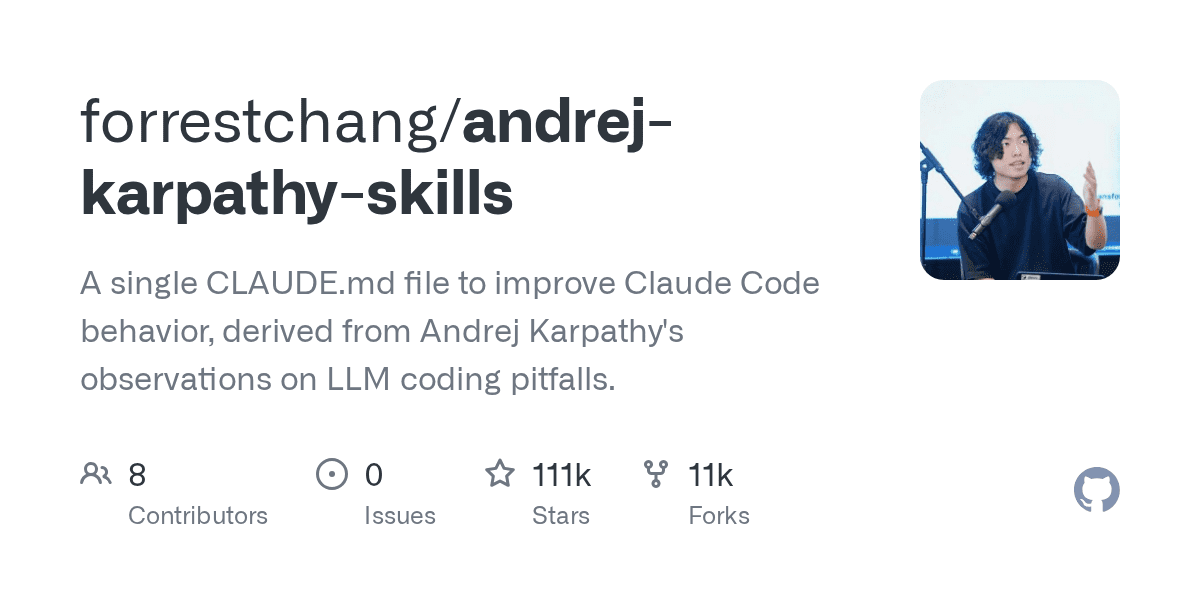
This single CLAUDE.md file is trending because it fixes four expensive LLM coding habits

0
#Claude Code#CLAUDE.md#AI Coding#Prompting#Developer Workflow#Karpathy
A concrete CLAUDE.md example that pushes coding agents toward clearer assumptions, simpler solutions, narrower edits, and better success criteria. Useful for teams that want LLM coding behavior to become more reproducible. Yes — this is Loot-worthy, because the value is unusually concrete. It is not another vague “AI coding tips” thread. It is a single CLAUDE.md file that tries to reduce four very real failure modes in coding agents: silent assumptions, overengineering, broad unrelated edits, and weak success criteria. The proven value The repo’s four principles are tight and practical: Think Before Coding → surface assumptions and ambiguity Simplicity First → cut speculative abstractions Surgical Changes → avoid touching unrelated code Goal-Driven Execution → define success criteria and verify them Why it is getting traction maps directly to pain developers already recognize instantly usable as a CLAUDE.md drop-in lightweight enough to merge with project-specific rules gives a measurable outcome: smaller diffs, fewer rewrites, more clarification before breakage
View
Free
User Avatar
@ZachasADMIN

AI Won’t Tell You Your Idea Is Bad — Compact Founder Course

0
#AI Business#Founder Workflow#Prompting#Product Strategy#AI Agents#Decision Making
A compact course for founders and creators who want to use AI as a critical tool for market checks, positioning, pricing, and product decisions instead of treating it as a validation machine. A compact course for founders, creators, and operators who want to use AI as leverage without letting it become a false validator. What this course teaches Ask for pain, not praise Stop asking AI for “cool product ideas.” Ask it to surface painful problems, buyer friction, objections, and real-world demand signals. Use AI as a critic, not a cheerleader Your prompts should invite destruction: weak assumptions, bad positioning, fake differentiation, and pricing flaws should be attacked early. Give AI stable business context Do not re-explain yourself every chat. Keep one reusable context pack: audience, offer, positioning, proof, pricing, and constraints. Never ship the first answer The first output is usually a warm-up. Push for sharper, more human, more specific, more commercially useful drafts. Do not hand the wheel to autopilot AI agents can support execution, but you must still own direction, quality control, and business judgment. Best takeaway
View
29
User Avatar
@ZachasADMIN

Graphify for Codex++ iOS Simulator: direct simulator control inside Codex

0
#Codex++#iOS Simulator#macOS Dev#AI Coding#Open Source#Developer Workflow
Graphify for Codex++ adds direct iOS Simulator control inside Codex-oriented workflows. It is aimed at developers who want tighter feedback loops when inspecting, testing, and iterating on mobile app behavior. If you use Codex++ on macOS, this tweak is a genuinely useful upgrade: it embeds a mirrored iOS Simulator directly into Codex’s right panel, so you can inspect UI, test interactions, and iterate on app behavior without constantly juggling windows. Why it is good iOS Simulator inside Codex’s side panel taps, swipes, and hardware buttons are forwarded back to the device headless mirrored view instead of a separate Simulator.app workflow built for real tweaking: add features, fix bugs, validate UI changes faster Trade-offs macOS only needs full Xcode, not just Command Line Tools depends on Codex++ first best fit for people already deep in iOS or tweak-heavy workflows
View
29
User Avatar
@ZachasADMIN

Graphify turns any folder into a queryable knowledge graph for AI coding agents

0
#Graphify#Claude Code#Knowledge Graph#AI Agents#Developer Tools#Open Source
Graphify turns a folder into a queryable knowledge graph so AI coding agents can navigate project context more deliberately. It helps with codebase understanding, dependency discovery, and more grounded agent responses. Graphify is a sharp idea for agent-heavy workflows: point it at a folder and turn code, docs, PDFs, markdown, and images into a navigable knowledge graph instead of forcing the model to reread raw files every time. What you get interactive knowledge graph Obsidian-ready vault wiki-style markdown map plain-English Q&A over the project Why people care The project claims up to 71.5x fewer tokens per query versus reading raw files directly, which is exactly why it caught attention so quickly in the Claude Code crowd. Fast start Good questions to ask What calls this function? What connects these two concepts? What are the most important nodes in this project?
View
Free
User Avatar
@ZachasADMIN

Use 80+ Nvidia-hosted AI models for free with your own API key

0
#NVIDIA#AI Models#API#Free Tools#Developer Workflow#OpenClaw
This resource highlights how to access a broad set of NVIDIA-hosted AI models with your own API key. It is useful for builders comparing free model access, hosted inference options, and practical experimentation routes. A compact workflow for trying Nvidia-hosted AI models for free while the offer is available. This is useful if you want to test models like GLM, Kimi, or DeepSeek from your IDE or your OpenClaw setup without building the integration from scratch. Quick setup Best use cases quick model comparison testing API-based coding workflows prototyping with hosted inference wiring models into IDEs like Cursor or similar tools experimenting inside an OpenClaw instance Compact takeaway If you want a low-friction way to try a broad range of current AI models, Nvidia Build is a strong shortcut: create an account, generate a key, copy the example code, and plug it into your workflow.
View
Free
User Avatar
@ZachasADMIN

7 Strategic GPT Prompts to Unlock More Leverage

0
#gpt#prompts#productivity#strategy#decision-making#systems#leverage
A compact prompt bundle with 7 high-value GPT prompts for leverage, bottlenecks, second-order thinking, asymmetric opportunities, execution speed, systems design, and brutally honest strategic feedback. 7 Strategic GPT Prompts to Unlock More Leverage Use this prompt bundle when you want GPT to think more like a strategist, operator, and systems advisor instead of a generic chatbot. These prompts are designed to help you cut noise, find leverage, identify constraints, compress execution, and make better decisions. Replace the placeholders in brackets with your real context. Give GPT concrete goals, constraints, and background. Ask for specific output formats when needed: bullets, tables, prioritization, scorecards, or action plans. For best results, copy one prompt at a time and add your current situation beneath it. Leverage Extraction Engine Find the highest-leverage moves when you feel busy but not effective. Bottleneck Eliminator Use this when progress has stalled and you want the true limiting factor, not surface-level advice. Second-Order Thinking Model Use before committing to important decisions with downstream consequences. Asymmetric Opportunity Scanner Use when you want smarter bets with strong upside potential and controlled risk. Execution Compression Protocol Use when your plan is too bloated, slow, or operationally messy. System Builder (Inputs - Outputs) Use when you want to stop relying on motivation and start building repeatable outcomes. Brutally Honest Advisor Use when you need clarity more than comfort. Pro tip: If you want even stronger output, add this line after any of the prompts: Do not give generic advice. Prioritize specificity, tradeoffs, and concrete next actions. This usually makes GPT sharper, more practical, and less repetitive. These seven prompts work especially well for founders, creators, operators, consultants, and anyone trying to get more results from limited time and attention. They are simple on purpose: short enough to use quickly, strong enough to produce higher-quality thinking.
View
Free
User Avatar
@ZachasADMIN

Blog

Articles in AI & Automation

View all
5/7/20263 min

huggingface_hub 1.14.0 adds Space secrets management and pushes Hub automation further into the CLI

Hugging Face’s latest huggingface_hub release matters less for a single flashy feature than for how it keeps turning the Hub CLI into a real operations surface for Spaces, buckets, and agent-friendly workflows.

5/6/20265 min

GPT-5.5 Instant matters because fewer hallucinations in the default model changes the experience for everyone

OpenAI’s new GPT-5.5 Instant is not just another model swap. By reducing hallucinations and improving default ChatGPT quality, it changes the baseline experience for the people who never think about model selection at all.

5/6/20265 min

Google’s reported Remy project matters because Gemini may be evolving from assistant to operator

A reported internal Google project called Remy suggests Gemini could be moving toward a more persistent, action-oriented personal assistant. If that is true, the real shift is from chat to execution.

5/6/20265 min

If Anthropic really boosted Claude Code with xAI and SpaceX compute, the bigger story is coding-agent demand

A reported Anthropic deal involving xAI and SpaceX could mean higher Claude Code limits for paying users. The bigger implication is that AI coding tools are now competing on compute capacity as much as on model quality.