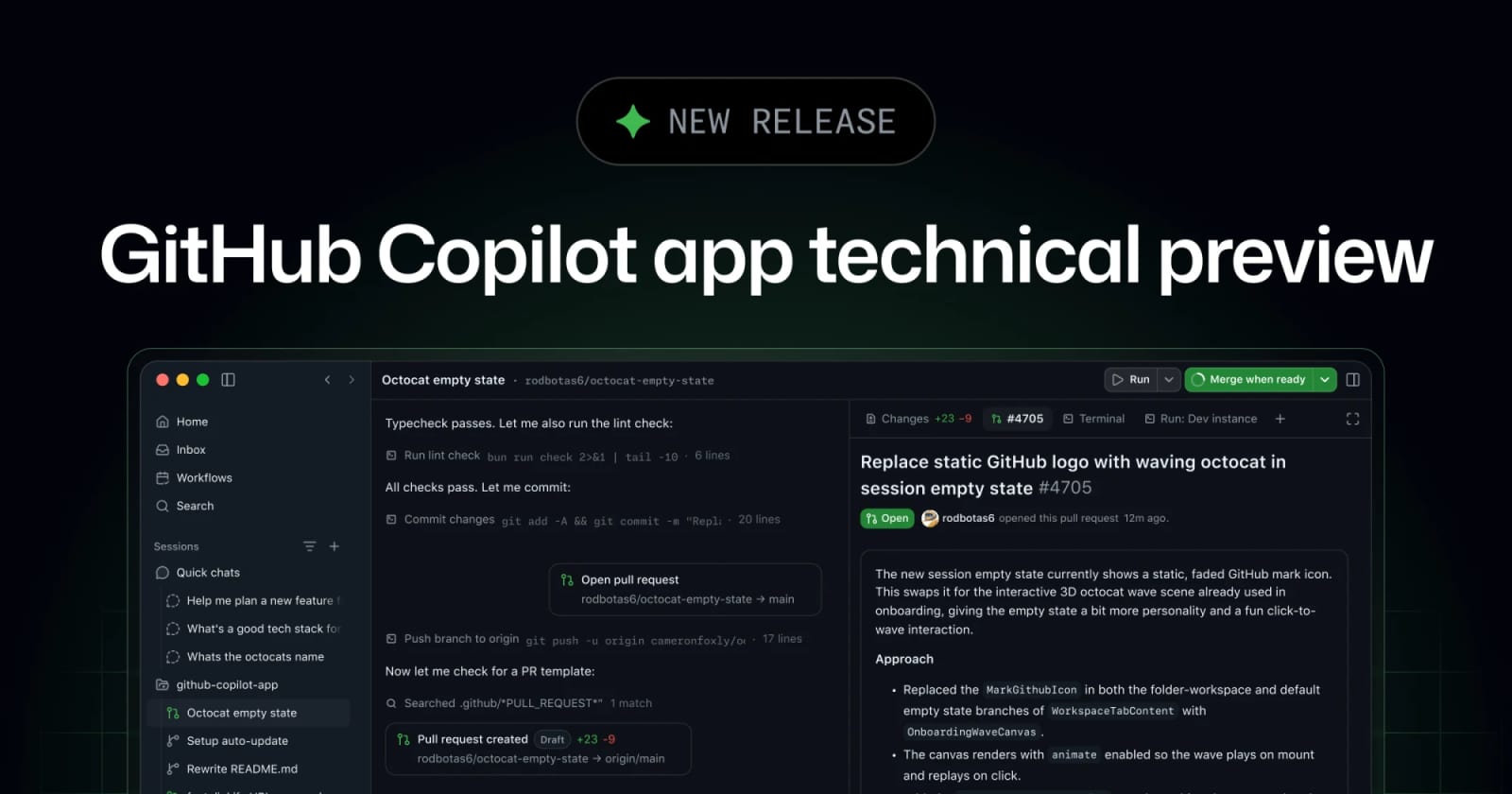
GitHub Copilot App Technical Preview: What Agentic Desktop Coding Changes


GitHub's Copilot app technical preview brings agent sessions, GitHub context, validation, and pull request follow-through into a desktop workflow.
GitHub Copilot App is now in technical preview as a desktop workflow for agent-driven development. GitHub says the app starts sessions from issues, pull requests, prompts, or earlier sessions, keeps each task isolated, and helps move work toward pull request review. For LinkLoot readers, the practical question is not whether it replaces an IDE today, but whether it reduces context switching for repository maintenance, triage, and repeatable engineering work.
Key takeaways
- GitHub positions the Copilot app as a GitHub-native desktop experience for starting, steering, validating, and shipping agent sessions.
- Sessions can begin from GitHub context such as issues, pull requests, prompts, or prior sessions, keeping task state connected to repository work.
- The technical preview is not generally open to everyone: GitHub says Pro and Pro+ users can request access, while Business and Enterprise availability depends on admin settings and rollout status.
- The useful near-term workflow is repository maintenance: triage issues, inspect diffs, run checks, open PRs, and let agent follow-up handle review or failing checks where supported.
- Treat it as preview infrastructure, not a hands-off production maintainer, until your team validates permissions, branch behavior, CI access, and auditability.
Practical LinkLoot angle
The strongest workflow is a "repo maintenance cockpit" for teams that already live in GitHub. Start with low-risk tasks: dependency update PRs, issue reproduction notes, changelog drafts, failing test investigation, or stale branch cleanup. The app's value is the combination of GitHub context, isolated sessions, review surfaces, and validation tools in one place.
| Option | Best use | Limitation | Source |
|---|---|---|---|
| GitHub Copilot App | GitHub-centered agent sessions from issues and PRs | Technical preview; access depends on plan and admin settings | GitHub Changelog / Docs |
| IDE Copilot chat | Fast edits while you are already coding | More context switching for multi-PR maintenance workflows | GitHub Docs |
| CLI or cloud agent tasks | Scriptable or remote automation | Requires tighter guardrails around repo permissions and CI actions | GitHub Docs |
A practical rollout plan is to create a dedicated test repository, enable only the required preview and Copilot CLI settings, and run three repeatable maintenance jobs. Measure whether the app reduces handoffs: time from issue selection to PR, number of manual context switches, and how often a human has to intervene during validation.
What to verify before you act
Check access first: GitHub's docs state that the Copilot app is in technical preview and subject to change, with Business and Enterprise use gated by organization or enterprise preview settings and Copilot CLI policy. Review repository permissions before connecting sensitive projects, because agent sessions may need branch, file, issue, pull request, terminal, browser, and CI visibility depending on the workflow. For any autonomous merge or follow-through feature, verify branch protection, required reviewers, signed commits, audit logs, and whether the agent can see failure logs that contain secrets.
Source check
The GitHub changelog confirms the technical preview, GitHub-native desktop positioning, session isolation, validation workflow, and access notes. GitHub Docs corroborate that the app is a desktop application for agent-driven development with parallel workstreams, GitHub integration, and PR lifecycle management. A hands-on DevOps Journal write-up independently describes the app as a standalone desktop experience for agent-driven development and emphasizes parallel sessions and repository maintenance workflows.
It is a GitHub-native desktop app for agent-driven development, currently in technical preview and subject to change.
If you are building reusable agent workflows, pair this with LinkLoot's guide to AI workflow automation so the experiment produces a repeatable process instead of another one-off tool trial.
Try the related loot
This JS Agent Turns Any Website Into an AI Copilot