
Bitwarden CLI supply-chain malware: what developers need to know now


A malicious Bitwarden CLI package on npm turned a trusted developer tool into a secret-stealing supply-chain threat. Here’s what happened, who was at risk, and what incident response should look like now.
A reported compromise of the Bitwarden CLI package on npm is the kind of security story developers should not ignore. Not because Bitwarden vaults themselves were reportedly breached, but because the incident shows how dangerous modern software supply chains have become when a trusted package briefly turns into a credential-stealing launch point.
For search visibility and practical relevance, the key takeaway is simple: this was not a vault breach, but it may have been a serious developer-environment compromise for anyone who installed the malicious CLI release during the affected window.
What happened in the Bitwarden CLI incident
According to reporting around the incident, a malicious version of the Bitwarden CLI package was briefly published to npm and distributed for a limited window on April 22, 2026. The affected package version was identified as @bitwarden/cli 2026.4.0, while Bitwarden’s previously safe version was 2026.3.0 and the recommended clean recovery version became 2026.4.1.
That distinction matters for SEO queries like “Was Bitwarden hacked?” or “Is Bitwarden safe after the npm attack?” The most accurate answer is narrower than many headlines imply:
- The npm CLI distribution path was compromised for a short period.
- Bitwarden says end-user vault data was not exposed.
- Regular Bitwarden mobile, desktop, and cloud vault users were not the primary blast radius.
- The real risk was concentrated on developers, admins, and automation environments that installed the malicious CLI package.
Why this was more dangerous than a typical package typo-squat
This incident stands out because it did not look like a random fake package trying to trick careless users. It reportedly involved the official package path and a CI/CD-style compromise pattern tied to a broader supply-chain campaign.
That means the trust boundary failed in a more serious place: not in user judgment, but inside the software release chain itself.
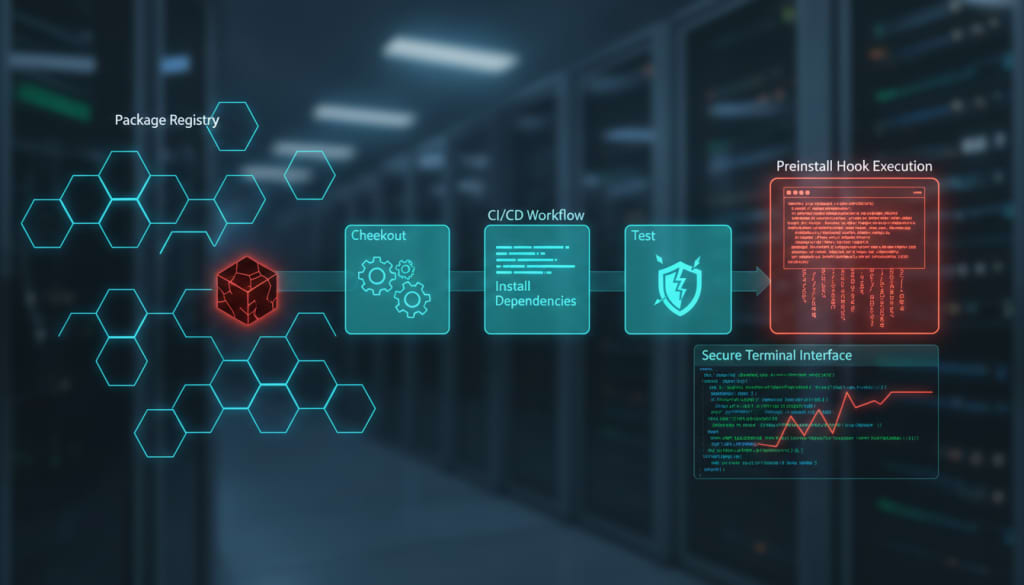
Multiple security analyses described the package as using a preinstall hook, allowing malicious code to run automatically during installation. Once that happens, the problem stops being “one bad package” and becomes “whatever secrets were reachable from that environment.”
What the malware reportedly targeted
This is where the story becomes especially relevant for developers and security teams. The malicious payload was described as hunting for high-value operational secrets rather than consumer passwords alone.
Reported targets included:
- GitHub and npm tokens
- SSH keys and Git configuration
- cloud secrets and environment variables
- CI/CD workflow credentials
- AI coding assistant and developer-tool secrets
That last point matters more than many teams may realize. Attacks that target tools such as Codex CLI, Claude-related configs, Cursor-style setups, or other AI-assisted development environments can create a recursive supply-chain risk: steal the assistant credentials, then influence future code generation and downstream repositories.
How the attack chain appears to have worked
Public reporting and follow-up analyses point to a broader campaign pattern rather than a one-off isolated compromise. In simplified form, the chain reportedly looked something like this:
- A weakness or compromise in the surrounding CI/CD or scanning ecosystem created an initial foothold.
- Workflow or publishing steps were altered.
- A malicious Bitwarden CLI package was published to npm.
- A preinstall hook executed automatically during installation.
- Secrets were collected and exfiltrated from the affected environment.
That sequence is exactly why npm supply-chain attacks, GitHub Actions compromise, and developer secret theft are increasingly part of the same conversation.
Who was actually at risk
Not every Bitwarden user needs to panic. The more precise answer is this:
Lower-risk groups
- regular password-manager users on mobile or desktop
- users who never installed the npm CLI package
- developers who did not touch the affected version during the compromised distribution window
Higher-risk groups
- developers who installed or updated @bitwarden/cli 2026.4.0 via npm
- CI pipelines that pulled the package automatically
- engineering environments with access to GitHub Actions, cloud credentials, or publishing tokens
- teams storing sensitive secrets in local env files, shell profiles, or connected tooling
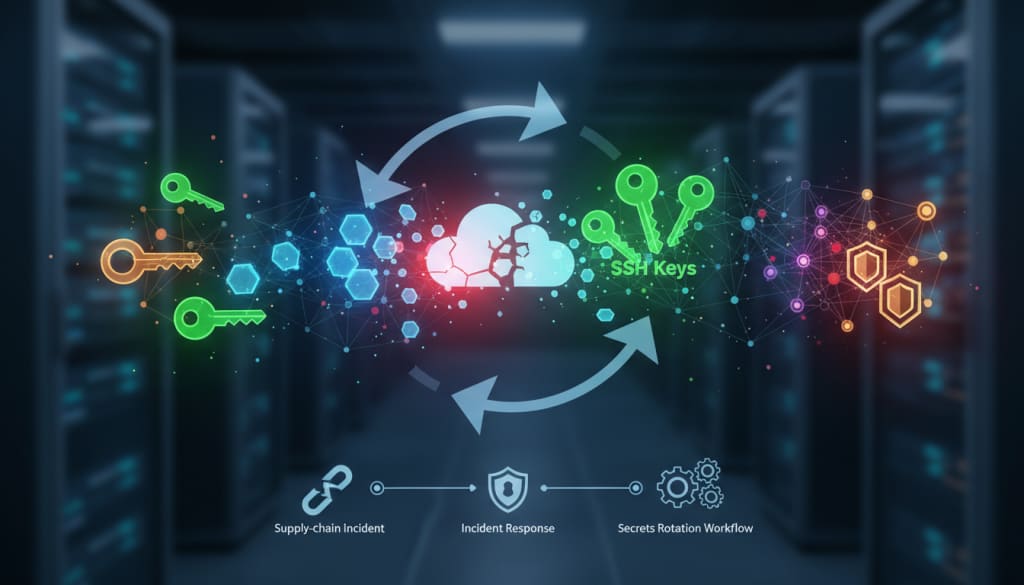
If the malicious package executed on a privileged machine, the safest assumption is that all accessible secrets on that host may have been exposed.
What affected teams should do now
If there is any chance the affected CLI version was installed in your environment, the response should be practical and immediate.
Priority response checklist
- Remove the affected package and avoid re-running it.
- Clear npm cache and verify the environment is clean.
- Rotate all reachable secrets from the affected machine or CI context.
- Review GitHub activity for unauthorized branches, workflows, or token abuse.
- Inspect cloud accounts for suspicious use of AWS, GCP, or Azure credentials.
- Reinstall only a known-safe version, such as the vendor’s recommended clean release.
Why this incident matters beyond Bitwarden
The Bitwarden CLI story is not just about Bitwarden. It is about the growing fragility of modern developer trust chains.
Today, one compromised workflow, token, release step, or package hook can affect:
- source control
- build pipelines
- package publishing
- cloud platforms
- AI-assisted developer tooling
That is why this incident is also a warning shot for teams that still treat package managers as low-risk plumbing. In reality, the package install path is now one of the most security-critical surfaces in software delivery.
Long-term lessons for developers and security teams
The practical lesson is not to stop using modern tooling. It is to harden the path around it.
Useful long-term moves include:
- delaying installation of brand-new package releases where possible
- locking down CI/CD publishing permissions
- auditing GitHub Actions and workflow changes aggressively
- isolating developer secrets from daily install contexts
- monitoring for unusual token use and package post-install behavior
For SEO-driven readers asking “How to protect against npm supply-chain attacks” or “How to respond to a compromised CLI package”, the answer is increasingly the same: trust less, verify more, and assume that developer workstations are now prime targets.
Final takeaway
The Bitwarden CLI compromise is a reminder that trusted security tools can still become delivery vehicles for malware if the release pipeline is poisoned. The headline may mention Bitwarden, but the broader lesson applies to every engineering team using npm, CI/CD automation, GitHub Actions, cloud credentials, and AI-assisted coding tools.
The real issue is not just whether one package was compromised for 93 minutes. The real issue is how much damage a trusted package can do in 93 minutes when it lands inside a privileged development environment.
Reporting indicates the npm distribution path for the CLI was compromised, not Bitwarden user vaults broadly.
Key takeaways
- Bitwarden CLI supply-chain malware: what developers need to know now is worth tracking, but it should not be treated as an automatic recommendation.
- The important part is not the incident headline. It is what the failure mode says about systems people rely on quietly every day.
- The strongest next step is to compare the practical trade-offs instead of reacting to the headline.
Practical LinkLoot angle
For a deeper comparison path, use the related LinkLoot guide on AI workflow automation. It gives this post a second layer: not just what happened, but how to decide whether it belongs in your tool stack, content workflow, or buying shortlist.
| Decision point | What to look for | Why it matters |
|---|---|---|
| Fit | Does it solve a recurring problem? | One-off curiosity rarely deserves workflow space. |
| Limits | Are caps, pricing, access, or platform rules clear? | Hidden limits change the real value quickly. |
| Switching cost | Can you test it without rebuilding your setup? | Small tests beat full migrations. |
What to verify before you act
Before changing your own setup, check the original advisory, affected versions, mitigation notes, and whether your environment is actually exposed.
Bitwarden CLI supply-chain malware: what developers need to know now is worth watching, but the decision depends on fit, current availability, limits, and cost.
Try the related loot
UI-TARS Desktop is a serious local computer-use agent — if you lock down the setup