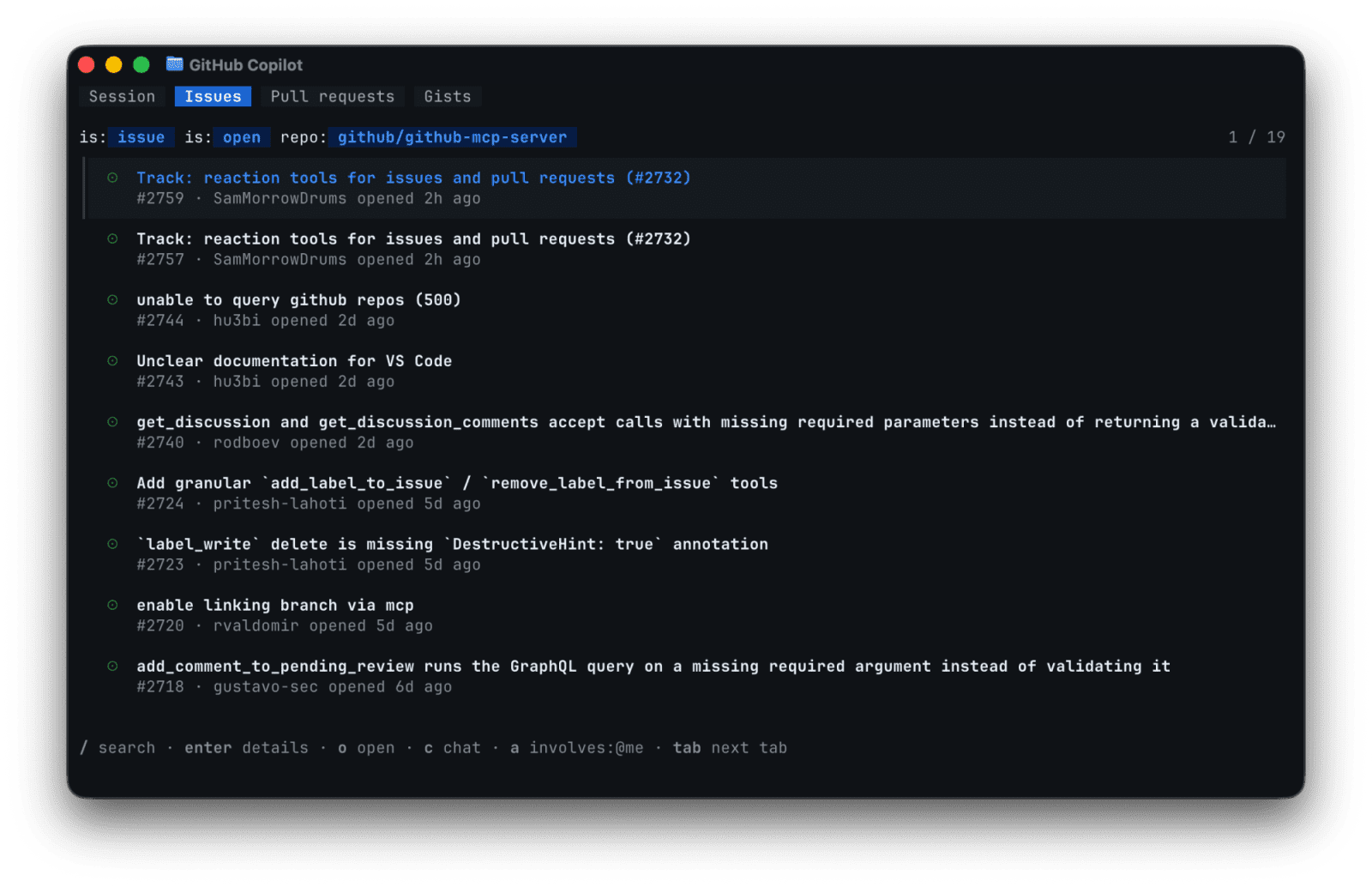
GitHub Copilot CLI makes its new terminal interface generally available


GitHub has made the redesigned Copilot CLI terminal interface generally available, adding tabs for issues, pull requests, and gists plus in-session setup for MCP servers, skills, plugins, and settings.
GitHub says the redesigned GitHub Copilot CLI terminal interface is now generally available. The update adds tabs for issues, pull requests, and gists, lets users insert a selected issue or pull request into a prompt, and moves setup for MCP servers, skills, plugins, and settings into the CLI session. The release also adds accessibility-oriented interface changes such as theme options, responsive components, and screen reader support.
Key takeaways
- Copilot CLI now has a tabbed terminal layout for session work, gists, issues, and pull requests.
- Repository-aware tabs can expose issues and pull requests without leaving the terminal.
- The
/mcp,/skills,/plugin, and/settingscommands make configuration less file-driven. - GitHub says newly added MCP servers are available immediately without restarting the CLI.
- The update is useful for developers who prefer terminal-first triage, but it still needs permission review before connecting extra tools.
Practical LinkLoot angle
The release turns Copilot CLI from a prompt box into a terminal workspace for small repo operations. A developer can inspect an issue, add it to the prompt, ask Copilot to investigate, then move into a pull request or gist without breaking terminal flow.
| Capability | Best use | Limitation | Source |
|---|---|---|---|
| Issue and pull request tabs | Terminal triage and quick task context | Works best inside a GitHub repository | GitHub Changelog |
/mcp add and /mcp search | Adding agent tools from the CLI | MCP server trust and scopes still need review | GitHub Changelog |
/skills and /plugin | Toggling reusable behaviors and extensions | Plugin/source quality varies | GitHub Changelog |
| Theme and accessibility controls | Narrow terminals, screen readers, high contrast use | Teams should test their own terminal setup | GitHub Changelog |
The strongest workflow is a narrow one: use the tabs to bring a specific issue or pull request into context, then add only the MCP servers and skills needed for that task. For broader agent-tool decisions, LinkLoot's /guides/ai-workflow-automation gives a practical checklist for matching tools to repeated work.
What to verify before you act
Update Copilot CLI first, then confirm which tabs appear in your repository and whether your terminal supports the theme and screen reader behavior you expect. Before adding MCP servers or plugins, check who publishes them, what credentials they can reach, and whether they are allowed by your organization. If your team documents CLI setup, replace hand-edited config steps only where the new commands cover the same result.
GitHub's changelog is the primary release source. The linked GitHub Docs pages are the operational check: they cover browsing issues, pull requests, and gists, plus customization paths for Copilot CLI.
GitHub says the GA interface adds tabs for sessions, gists, issues, and pull requests, plus in-session setup for tools and settings.
Try the related loot
Scrape Changing Websites with Anansi Self-Healing Selectors and MCP