Topic

#mcp

Loot, blog posts and adjacent themes connected to this topic. Follow the tag to keep it in your orbit.

#mcp
Loot

More from this topic

Explore all loot
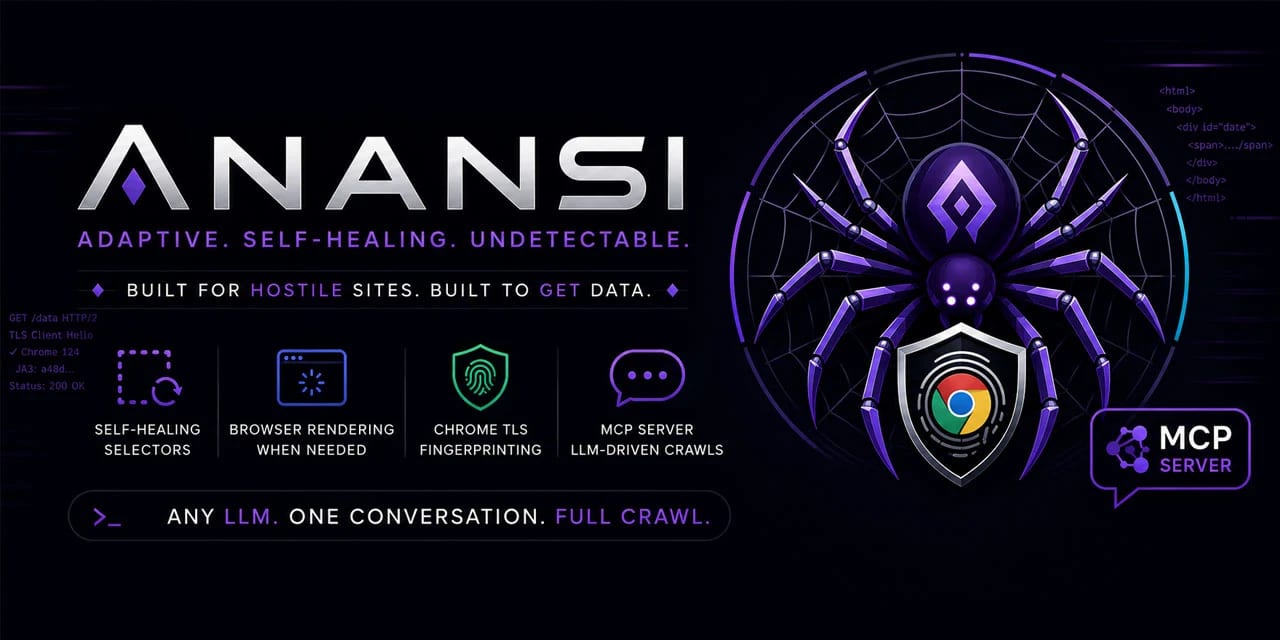
Scrape Changing Websites with Anansi Self-Healing Selectors and MCP

Scrape Changing Websites with Anansi Self-Healing Selectors and MCP

0
A Python crawler for unstable or JavaScript-heavy sites, with selector healing, structured-data extraction, adaptive rate limiting, and an MCP server for agent-driven crawling. Use only for authorized scraping. Anansi is a Python web scraping toolkit designed for sites that change often or need browser rendering. It combines adaptive parsing, structured-data extraction, incremental crawling, proxy support, and an MCP server so an LLM or agent workflow can drive fetch, extract, crawl, pause, resume, export, and metrics actions. Why it is useful Self-healing selectors: stores selector confidence and attempts fallback strategies when a layout changes. Structured extraction first: pulls JSON-LD, Open Graph, and Microdata before relying on brittle CSS selectors. Browser upgrade path: can switch from HTTP fetching to Playwright rendering for JavaScript-heavy pages. Crawler durability: includes an async crawler, SQLite-backed queue, incremental recrawls, ETag/Last-Modified handling, and resumable jobs. Agent-ready interface: ships with an MCP server so compatible LLM tools can operate crawls through tool calls. Best fit Use Anansi when you need a resilient research or data-extraction crawler for websites you are allowed to access, especially where pages change structure or require JavaScript rendering. It is most relevant for developers building data pipelines, monitoring workflows, competitive research dashboards, or agentic browsing systems. Quick evaluation checklist Confirm the target website permits your intended crawling use case. Start with structured data extraction before custom selectors. Enable browser rendering only where HTTP fetching is insufficient. Keep adaptive rate limiting active and respect Retry-After responses. Use the MCP server when you want an agent to orchestrate crawl tasks instead of manually scripting every step. Source notes The GitHub repository describes Anansi as a self-healing web scraper with selector repair, browser rendering fallback, Chrome-like TLS fingerprinting, Pydantic validation, incremental crawling, and an MCP server. The project is written primarily in Python and is licensed under Apache-2.0.
Free
Review open
0
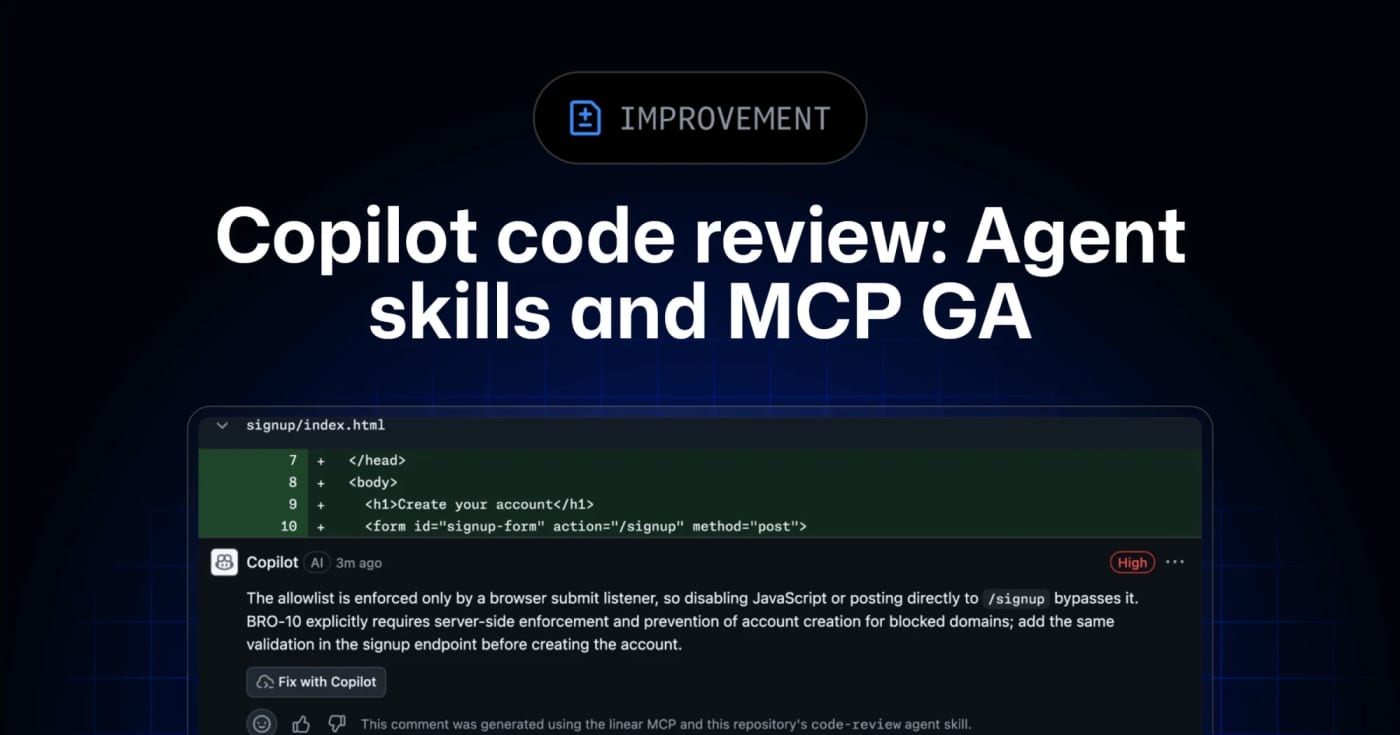
Let Copilot code review use repo skills and MCP context

Let Copilot code review use repo skills and MCP context

0
GitHub’s Copilot code review can now use repository agent skills and read-only MCP servers, giving teams a practical way to inject standards and project context into automated reviews. GitHub has moved agent skills and MCP support for Copilot code review to general availability across Copilot Pro, Pro+, Business, and Enterprise. What it is Copilot code review can now use repository-level agent skills and MCP server context when reviewing pull requests. Skills live under .github/skills with a SKILL.md file, while MCP servers can bring in read-only context from tools such as issue trackers, docs systems, service catalogs, or incident systems. Who it helps This is useful for engineering teams that already rely on internal review checklists, service ownership rules, security conventions, or issue metadata. Instead of hoping a generic reviewer catches local standards, teams can encode focused instructions and let Copilot reference external context during review. How to evaluate it Start with one narrow skill, such as API compatibility, migration checks, or test expectations for a specific package. Keep the first MCP connection read-only and low-risk, then inspect whether Copilot’s comments clearly attribute skill or MCP usage. For Business and Enterprise environments, check policy controls and billing behavior before enabling automatic reviews broadly. Limits and risks Copilot code review is still advisory. GitHub’s docs warn that it can miss issues or make mistakes, and human review remains required. MCP tool calls for code review are read-only, but teams should still audit what context each server exposes. Medium review effort and agentic capabilities can also consume more AI credits and GitHub Actions minutes. Sources GitHub changelog announcement GitHub Docs: Copilot code review
Free
Review open
0
Edit AI-assisted videos locally on Mac with Palmier Pro

Edit AI-assisted videos locally on Mac with Palmier Pro

0
Palmier Pro is a free macOS video editor with an open-source timeline, MCP support for coding agents, and paid generative AI features for creators who want agents inside the edit workflow. What it is Palmier Pro is a macOS video editor aimed at creators who want a conventional timeline plus an AI-agent surface. The public repository describes a Swift-native editor, a local MCP server, and integrations for Claude, Codex, Cursor, and Claude Desktop so an agent can work against the same editing project. The practical hook is the MCP bridge. When the app is open, the project exposes a local MCP endpoint so an agent can connect to the timeline workflow instead of treating the video editor as a black-box GUI task. Why it is useful Use this if you create short-form video, tutorials, product clips, or social edits and want to test what agent-assisted editing feels like without starting from a closed web-only tool. The repository ships a downloadable macOS DMG and the editor can be used without login for normal editing and MCP experiments. The generative AI side is not fully free: the README says video/image generation features require login and subscription. That makes Palmier Pro best viewed as a free editor and agent-integration testbed first, with paid AI generation as an optional layer. Setup surface The latest GitHub release observed for this run is v0.6.14, published on July 22, 2026, with a PalmierPro.dmg asset. The repository metadata reports GPL-3.0 licensing, but the README adds an important caveat: the editor, MCP server, and agent chat are open source, while generative AI processing is closed source. Platform support is narrow. The README states that Palmier Pro requires macOS 26 Tahoe on Apple Silicon, so Windows, Linux, Intel Mac, and older macOS users should skip it for now. Caveats before you try it Do not paste production API keys or private client media into a new editor workflow just because it has an agent interface. Review what the MCP server exposes, use disposable test projects first, and treat any agent/video-generation workflow as a privacy boundary until you know which data stays local and which data goes to external model providers. The install path includes a DMG download and the README also documents agent connection snippets. Review the release asset, permissions, network behavior, and MCP tools before connecting a real coding-agent workspace. Source links Palmier Pro GitHub repository: https://github.com/palmier-io/palmier-pro Palmier Pro v0.6.14 release: https://github.com/palmier-io/palmier-pro/releases/tag/v0.6.14 Show HN discussion: https://news.ycombinator.com/item?id=49022911 Palmier website: https://palmier.io
Free
Review open
0
Give desktop agents local work memory with Screenpipe

Give desktop agents local work memory with Screenpipe

0
Screenpipe records screen and audio locally, indexes the work trail, and exposes it through APIs/MCP so agents can retrieve context and turn repeated tasks into SOPs or automations. Screenpipe is a practical local-first memory layer for desktop agents. It captures screen and audio on the user machine, indexes the work trail, and exposes the context through an API, MCP, and agent integrations so an assistant can answer what happened, gather task context, or turn repeated work into SOPs. The useful angle is not another meeting recorder; it is an observable workflow layer for people building agents around real desktop work. A support team could reconstruct how a case was handled, a creator could recover research trails, and an operator could ask an agent to summarize what changed across apps without manually pasting every source. Start carefully. Continuous screen and audio capture needs explicit consent, sensible schedules, app/window filters, and a review of where transcripts, screenshots, embeddings, and summaries live. Treat it as a powerful local tool for personal or managed-team automation, not something to deploy casually across sensitive machines. Best first test: install it on a non-sensitive machine, run a short work session, then query the local history for tasks completed, blockers, and repeatable steps. If the output is useful, build one small automation against the localhost API before expanding scope.
Free
Review open
0
Use code-review-graph to give coding agents targeted review context

Use code-review-graph to give coding agents targeted review context

0
code-review-graph is an MIT-licensed MCP and CLI tool that builds a local structural map of a repository so coding agents can review changes with narrower, more relevant context. code-review-graph is a practical add-on for teams that ask Codex, Claude Code, Cursor, Gemini CLI, or similar assistants to review real repositories. Instead of making the model reread broad chunks of the codebase, it builds a local Tree-sitter-backed graph of functions, classes, imports, calls, tests, and affected flows, then exposes targeted context through MCP and CLI commands. The useful part is that it is local-first and installable today from PyPI. The project documents one-command setup, platform-specific install targets, incremental updates, broad language coverage, and a GitHub Action that can post risk-scored pull request comments. That makes it worth testing in larger repos where review prompts waste tokens or miss the actual blast radius of a change. Caveats: treat the benchmark claims as project-reported until you reproduce them on your own codebase, and review the generated MCP/editor configuration before enabling it across a team. The current PyPI and GitHub release checked for this Loot is v2.3.7, published July 18, 2026, with Python 3.10+ required.
Free
Review open
0
Debug agent-built apps with APXY's local network proxy

Debug agent-built apps with APXY's local network proxy

0
APXY gives developers and coding agents a local proxy for capturing HTTP traffic, replaying failures, mocking APIs, and exporting network evidence without guessing from logs alone. APXY is a local network debugging and API mocking proxy built for developers who now hand real debugging work to coding agents. It sits between an app and the network, captures HTTP/HTTPS requests, and exposes the evidence through a CLI plus a Web UI. The practical angle is simple: when an agent changes frontend code, auth handling, SDK calls, or mobile flows, APXY can give it concrete request and response data instead of a vague bug report. The official docs list traffic capture, filtering, mock rules, redirects, replay/export, API diagnosis, SSL proxying, network-condition simulation, and SQL-style queries over captured requests. Where it fits Use APXY when a bug depends on network behavior: a backend returns a different shape than expected, a mobile client fails behind HTTPS interception, a flaky API needs to be mocked, or an AI coding agent needs exact evidence before touching code. The project also publishes workflow examples for basic debugging, API mocking, and agent-assisted troubleshooting. The GitHub repository includes an agent skill path, examples, mock templates, docs, and install options via shell script or Homebrew. The public site lists a free tier with Web UI access, 200 traffic records, 3 active mock rules, core CLI commands, and 30-minute sessions. Paid one-time licenses unlock unlimited history and advanced controls. Caveats before use Treat it as a network-inspection tool, so review certificate handling, captured request storage, and team privacy expectations before using it on production traffic or customer data. The GitHub API currently reports no SPDX license for the repository, so do not assume open-source reuse rights beyond normal use of the distributed tool and published docs. For agent workflows, start with non-sensitive local or staging traffic. Install scripts should be reviewed before execution, especially in locked-down environments. If the tool fits your workflow, the biggest value is not another dashboard; it is giving your agent a reproducible network record it can inspect, mock, replay, and use to verify its own fix.
Free
Review open
0
Use OpenSEO as an open-source SEO workbench for agents

Use OpenSEO as an open-source SEO workbench for agents

0
OpenSEO combines keyword research, rank tracking, backlinks, site audits, AI visibility checks, and MCP access in an open-source SEO stack. OpenSEO is a practical alternative to expensive all-in-one SEO suites when you want an editable tool your team or agent can actually inspect. The official site positions it around keyword research, competitor analysis, backlinks, rank tracking, technical audits, AI-search visibility, and MCP access for tools such as Claude, Codex, OpenClaw, OpenCode, and Gemini. Why it is useful For builders and small teams, the main value is control. The GitHub repository is MIT licensed, the project exposes an agent-facing workflow, and the hosted product offers a no-credit-card starting path while the README also describes a hosted subscription and DataForSEO-style usage costs. That makes it worth evaluating when commercial SEO platforms feel too expensive or too closed for custom automation. What to try first Use it for one keyword cluster before moving a full content workflow. Check whether the data source and usage pricing fit your volume. If you use coding agents, inspect the MCP and skill documentation before granting access to Search Console or business-critical SEO data.
Free
Review open
0
Control Audacity from MCP clients with Audacity-MCP

Control Audacity from MCP clients with Audacity-MCP

0
A local MCP server that lets compatible AI clients drive Audacity audio-editing workflows through Audacity's scripting interface. Audacity-MCP is a practical bridge for creators who already edit in Audacity and want an MCP-compatible assistant to help with repeatable audio work. The project packages a Python MCP server for Audacity via mod-script-pipe, so the useful angle is not another cloud audio editor; it is local control of an existing desktop editor from clients that can speak MCP. Use it when you want to experiment with assistant-driven podcast cleanup, voiceover editing, transcription labels, export steps, or mastering prep while keeping the audio workflow anchored in Audacity. The PyPI package currently lists audacity-mcp as a beta Python package for AI-driven audio editing via mod-script-pipe and requires Python 3.10 or newer. Evaluation notes before using it in production: Treat it as a beta tool and test on copied project files first. Audacity must support the scripting path the tool relies on; check Audacity's own scripting documentation before setup. Review the install scripts and dependencies before running them on a creator workstation. Do not assume the assistant's audio choices are final; keep human listening and export QA in the loop. Good fit: podcasters, video editors, musicians, and automation builders who want to turn repeated Audacity actions into promptable local workflows without uploading raw audio to a hosted editor.
Free
Review open
0
LinkLoot preview for Audit OpenClaw Skills Before Install with Aegis Audit

Audit OpenClaw Skills Before Install with Aegis Audit

0
A community OpenClaw skill candidate for static review, capability mapping, risk scoring, and lockfile checks before trusting agent skills or MCP tools. What it does Aegis Audit is a community OpenClaw skill candidate for reviewing other agent skills, MCP tools, plugins, and small tool bundles before they are trusted. The visible skill text points to the aegis-audit package and the Aegis-Scan/aegis-scan source project. Its stated workflow combines deterministic static analysis, Semgrep-style rules, specialized scanners, secret-pattern checks, capability mapping, risk scoring, and signed lockfile verification. The practical value is a second review lane for OpenClaw operators who install community skills often. Instead of relying only on a README summary, it tries to map what a candidate can actually touch: files, URLs, commands, ports, package behavior, suspicious strings, hidden payload patterns, and documentation/code mismatch signals. Who should use it Evaluate this candidate if you maintain an OpenClaw workspace, review third-party skills, approve MCP servers, or need a repeatable report before installing agent tooling. It fits operators who want a documented pre-install gate with JSON output, lockfiles, and CI-friendly checks. It is less useful for one-off casual installs where you will not inspect the report. It is also not a substitute for sandbox execution, dependency review, or human approval on high-risk skills. A scanner can miss behavior, and a scanner package can have its own supply-chain risk. Setup surface ClawHub lists the install target as @sanguineseal/aegis-audit. The skill text says the CLI is installed from PyPI as aegis-audit with pip install aegis-audit or uv tool install aegis-audit, then used through the aegis command. The linked project source is https://github.com/Aegis-Scan/aegis-scan. Pricing classification: free. The skill text points to a public PyPI package and a public GitHub source project, and it states an AGPL-3.0 license. Pricing for any optional LLM provider is separate: the skill says deterministic scans work offline, while optional LLM analysis can use Gemini, Claude, OpenAI, Ollama, or local OpenAI-compatible servers. Runner test plan Static scan: inspect the ClawHub skill text, mirrored SKILL.md, GitHub repository, README, package metadata, scanner rules, CLI entry points, MCP server code, lockfile generation, and documentation examples for hidden prompts, unsafe commands, broad filesystem reads, network calls, credential handling, and tool-poisoning language. Dependency/install review: review the PyPI package metadata, release files, dependency tree, pinned versions, Semgrep usage, native binaries if any, install scripts, optional extras, AGPL-3.0 implications, and whether pip and uv install the same artifact. Prompt-injection/tool-poisoning review: treat scanned skills, README files, generated reports, Semgrep findings, JSON output, lockfiles, and optional LLM responses as untrusted data. Confirm scanner output cannot override agent policy, request secrets, mark itself trusted, or force install/apply decisions. Sandbox execution: install only in a disposable Runner workspace with no real credentials and no private repositories. Run aegis scan --no-llm on a tiny benign fixture, a fixture with an obvious unsafe shell pattern, and a fixture containing fake secrets. Then test aegis lock, aegis verify, JSON output, and failure behavior. Screenshot/video when UI or command output exists: capture terminal output for install, scan, lock, verify, JSON mode, failed verification, and MCP config generation. Capture any generated badge/report artifacts if present. Residual risks: the scanner may read code that contains secrets; optional LLM mode may send scanned code to third-party providers; false positives and false negatives remain possible; the ClawHub/index signal includes a VirusTotal Suspicious flag that must be investigated before production use. Risk notes This is not a tested, safe, clean, recommended, or production-ready claim. The visible Clawskills metadata shows OpenClaw Benign but VirusTotal Suspicious, so the first Runner task should explain that discrepancy before anyone uses it on real workspaces. Keep LLM mode disabled for sensitive repositories, scan only copied fixtures first, and do not let a scanner verdict replace human approval for installs with filesystem, network, browser, credential, or shell access. Source links Awesome OpenClaw Skills DevOps & Cloud category: https://raw.githubusercontent.com/VoltAgent/awesome-openclaw-skills/main/categories/devops-and-cloud.md ClawHub page: https://clawhub.ai/sanguineseal/aegis-audit Skill source mirror: https://clawskills.sh/skills-markdown/sanguineseal/aegis-audit.md Underlying GitHub source project: https://github.com/Aegis-Scan/aegis-scan PyPI package page: https://pypi.org/project/aegis-audit/
Free
Review open
0
LinkLoot preview for Publish docs that agents can read with DocsAlot

Publish docs that agents can read with DocsAlot

0
DocsAlot turns scattered help-center, API, and product docs into a hosted docs layer with llms.txt, skill.md, hosted MCP, and visibility checks for AI onboarding. DocsAlot is a practical docs platform for SaaS and developer-tool teams that need one documentation surface for humans and AI agents. It imports or connects existing product knowledge, publishes polished hosted docs, and generates agent-readable outputs from the same maintained source. Use it when your support docs, API references, README files, and product notes are drifting apart and coding agents keep finding stale context. The strongest LinkLoot angle is the bundle: hosted docs, llms.txt, skill.md, MCP-ready retrieval, and AI visibility checks in one workflow. How to evaluate it: Check whether your current docs already have clean quickstarts, canonical URLs, and current API examples. Test the published llms.txt and skill.md outputs before trusting agent answers in production. Verify MCP traffic limits, private-docs support, custom-domain requirements, and data controls for your plan. Treat the Product Hunt PH50 offer as launch pricing: useful if still active, but confirm the checkout price before buying. Visible pricing starts at $39/month for the Startup plan and $99/month for Team on the official pricing section. The site also lists a Product Hunt launch code for 50% off the first three months, but that should be considered time-sensitive.
Free
Review open
0
Edit agent-made videos through a JSON timeline with FableCut

Edit agent-made videos through a JSON timeline with FableCut

0
FableCut is an open-source browser video editor built around a JSON timeline, MCP/REST control, and live reload so coding agents can assemble edits without driving a conventional GUI. FableCut is a small open-source video editor for teams experimenting with agent-driven media workflows. The useful idea is simple: the project timeline lives as JSON, the editor live-reloads when that file changes, and agents can work through MCP or REST instead of trying to click through a traditional nonlinear editor. Use it when you want to prototype short videos, product clips, narrated demos, or social edits where an agent can plan the structure and update the timeline directly. It is especially interesting for creators who already use coding agents and want video editing to become a file-based workflow. What to check Confirm the repo license and setup steps before using it in commercial work. Test with disposable media first, especially if an agent can edit local project files. Check the export path and whether your workflow needs server-side ffmpeg or browser-side rendering. Keep brand assets, client footage, and credentials outside any folder an autonomous agent can modify. Source check Confirmed by the GitHub repository: FableCut describes itself as a zero-dependency browser video editor with a JSON timeline, MCP/REST controls, and a live-reloading UI. Hacker News is useful context for community interest and early limitations, not the primary source.
Free
Review open
0
Give coding agents a local task memory with Backlog

Give coding agents a local task memory with Backlog

0
Backlog is a local-first task and context manager for AI coding agents. It stores tasks, plans, docs, comments, memory, and actor attribution in a SQLite-backed workspace so fresh Claude Code, Codex, Cursor, or OpenCode sessions can pick up work without relying on one giant chat thread. Backlog is worth a look if your coding-agent workflow keeps losing task state between sessions. Instead of leaving project memory inside one long chat, it gives humans and agents a shared local queue backed by SQLite. What it does Backlog creates a local workspace with projects, tasks, plans, comments, docs, memory notes, attachments, and an activity log. The useful part is attribution: commands can write as human:name or ai:name, so parallel agent sessions do not become an anonymous blur. It also ships a CLI, web UI, MCP server, HTTP API, exports, and installable agent skills for Claude Code, Cursor, Codex, and OpenCode. That makes it practical for small teams or solo operators who already coordinate work through terminal-first AI agents. Why it is useful Keeps task context outside the model chat window Works locally, with no hosted account required Uses short task references like TASK-1 Stores plans and project memory alongside the queue Lets multiple agents leave attributed comments and status changes Can expose the same workspace through CLI, web UI, MCP, or HTTP Quick way to evaluate it Create a throwaway repo or copy of a small project. Install the binary or build from source. Run backlog init inside the project. Add two or three tasks with realistic titles and priorities. Connect one coding agent and make it read, claim, plan, and close a task. Inspect the activity log and exported data before trusting it with real work. Practical LinkLoot angle Backlog fits the current agent-ops problem: coding agents are powerful, but they often need a durable queue, scoped context, and a handoff trail. This is especially useful when you restart sessions often or run several agents against one codebase. The main caveat is maturity. Before adopting it for paid work, verify the release binary, backup behavior, DB location, repo license, agent-skill install paths, and whether your team wants task data committed to the repo or kept outside version control. Source check The GitHub repository shows an MIT-licensed project with a July 7, 2026 public release, CLI/web/MCP surfaces, local SQLite storage, and documentation links. Hacker News lists it as a fresh Show HN launch signal, but with limited discussion at the time checked.
Free
Review open
0
Ship MCP apps without hand-rolling hosting, testing, and store checks

Ship MCP apps without hand-rolling hosting, testing, and store checks

0
Manufact combines the open-source mcp-use SDK with a managed cloud for deploying MCP servers and apps, previewing them across clients, checking store-readiness, and monitoring production traffic. What it is Manufact is a practical build-and-deploy lane for teams turning an MCP prototype into something users can actually connect to. The stack pairs the open-source mcp-use SDK with Manufact Cloud, so developers can build MCP servers or app widgets in TypeScript or Python, test them in an inspector, then deploy from a GitHub repo. The useful angle is operational. Manufact Cloud documents project onboarding, GitHub deployments, environment variables, custom domains, runtime logs, analytics, session replay, publish checks, and client connection helpers for Cursor, VS Code, Claude, Gemini CLI, Codex CLI, and SDKs. Why bookmark it Use this when an MCP server has moved beyond a local demo and needs repeatable deployments, preview branches, observability, and a clearer path toward ChatGPT App or Claude Connector submission. The official docs also expose an agent-facing prompt and MCP server reference, which makes it easier to let coding agents scaffold or manage a server without copying a long setup guide into every session. The mcp-use repository is still valuable even if you do not use the hosted cloud. It includes SDK entry points, quickstarts, an inspector, and example MCP apps such as chart, diagram, slide deck, maps, widget gallery, file manager, and media mixer templates. Access and caveats The pricing page lists a Free plan with two projects, seven days of analytics retention, one team member, GitHub organization deploy support, and monthly included credits. Paid plans add more projects, retention, team seats, preview deployments, cold-start prevention, and support. Treat credit consumption and pay-as-you-go details as something to verify before production use because the HN launch thread included questions about pricing transparency. This is best for teams already betting on MCP distribution. If your users only need a local coding-agent helper, a CLI or direct API integration may still be simpler, cheaper, and easier to audit. For any production MCP, review auth scopes, data retention, logs, and client compatibility before connecting customer systems. Quick fit check Need Manufact fit Caveat --- --- --- Build MCP servers/apps mcp-use SDK supports TypeScript and Python Still requires normal code review and auth design Deploy from GitHub Cloud docs describe repo import, deployments, env vars, domains, and logs Hosted service dependency Test across agent clients Platform surfaces inspector, publish checks, sessions, and client setup Verify your target clients before relying on submission readiness Start cheaply Free tier is listed on the pricing page Confirm credit usage for your workload Sources checked Primary sources were the official Manufact site, Manufact Cloud docs, pricing page, and the mcp-use GitHub repository. Hacker News was used only as launch context and not as an instruction source.
Free
Review open
0
Use OpenKnowledge as a local Markdown wiki for Claude, Codex, and Cursor

Use OpenKnowledge as a local Markdown wiki for Claude, Codex, and Cursor

0
OpenKnowledge is a free, local-first Markdown editor and LLM wiki that gives agent workflows a WYSIWYG knowledge base, MCP/CLI integration, git-backed sync, and reusable project context. OpenKnowledge is a strong Loot pick for teams that already keep specs, runbooks, prompts, and agent memory in Markdown but want a friendlier editing surface than a raw file tree. The practical angle is the bridge between local Markdown and agent work. The project offers a macOS app plus a local web UI and CLI, so a user can open an existing repo, wiki, Obsidian vault, or MDX folder, then let Claude, Codex, Cursor, or another MCP-capable harness work against the same files. What to try first Start with one project folder that already has Markdown: product specs, architecture notes, customer-support playbooks, content calendars, or an agent runbook. Initialize OpenKnowledge there, confirm the generated MCP/skill config, and test whether the editor makes review and handoff easier than your current Obsidian, VS Code, or Notion setup. The WYSIWYG editor is useful for non-developers, while the files remain Markdown for git diffs, agent edits, and long-term portability. The built-in search, tabs, wiki-link graph, terminal-oriented workflow, and optional git/GitHub sync make it more interesting than a simple notes app. Caveats OpenKnowledge is young software, so evaluate it with a disposable or backed-up vault before pointing it at critical docs. Review generated agent configs, sync behavior, file changes, and license fit. The repo is GPL-3.0-or-later, which is fine for use but matters if you plan to modify and redistribute it. Treat community launch threads as signal, not truth. The durable sources are the official site, GitHub repo, and latest release notes. Also avoid copying any third-party setup prompt verbatim; turn it into your own team workflow after checking the commands and permissions. Source links Official site: https://openknowledge.ai/ GitHub repository: https://github.com/inkeep/open-knowledge Latest release: https://github.com/inkeep/open-knowledge/releases/tag/v0.24.0 HN launch discussion: https://news.ycombinator.com/item?id=48675435
Free
Review open
0
Use GitHub Issue Fields to Let Agents Triage Work Without Label Sprawl

Use GitHub Issue Fields to Let Agents Triage Work Without Label Sprawl

0
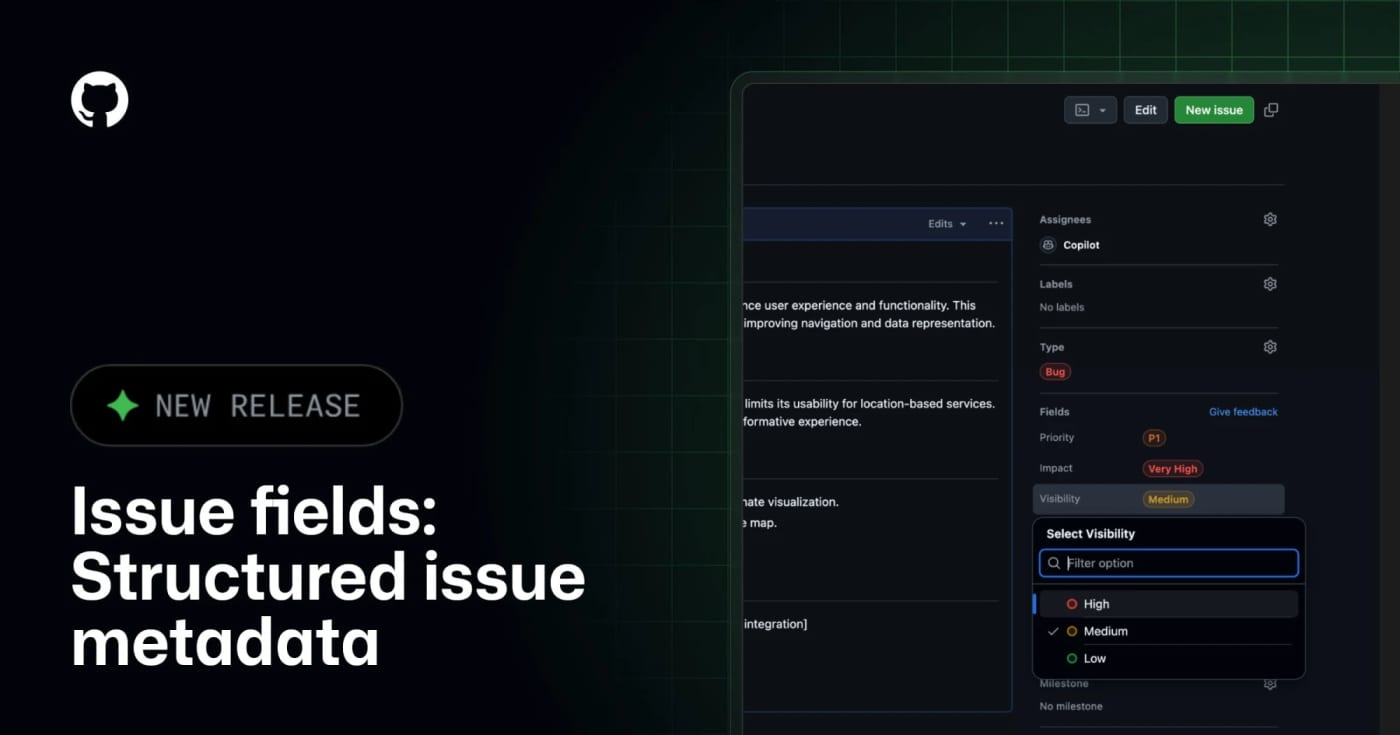
GitHub Issue Fields are now generally available, giving teams typed organization-level issue metadata that humans and MCP-connected agents can read, filter, and update. What it does GitHub Issue Fields give an organization one shared set of typed issue metadata, such as priority, effort, start date, target date, area, or impact. Instead of encoding planning data in labels and project-only custom fields, teams can make the metadata visible on issues, project tables, boards, charts, and issue lists. The practical agent angle is the GitHub MCP integration. GitHub says connected AI tools can read and set issue field values when creating or updating issues, which makes automated triage less dependent on brittle label naming conventions. Best use Use this when a repository or organization has too many labels, inconsistent bug/feature triage, or agents that create issues without enough structured planning context. A simple starting set is Priority, Effort, Area, Start date, and Target date. Setup notes Admins manage issue fields from organization settings under Planning Issue fields. GitHub Docs say fields can be pinned to issue types, visibility can be public or organization-only, and public/internal projects only show fields with public visibility. Projects also have a 50-field total limit, so this should replace noisy metadata rather than add another layer. Caveats This is not a replacement for labels, milestones, or GitHub Projects. Treat it as the durable metadata layer for triage and planning. Before giving agents write access, decide which fields are safe to set automatically, which fields require human review, and which fields should stay organization-only.
Free
Review open
0
Put AI Agents on Your Scrum Board: Self-Host Paca for Free

Put AI Agents on Your Scrum Board: Self-Host Paca for Free

0
Paca is an open-source Jira/Trello alternative built for teams where humans and AI agents plan, pick up work, write specs, and ship from the same Scrum board. Paca is a self-hosted project management platform for teams that want AI agents to work inside the normal delivery loop instead of sitting beside it as chat widgets. It gives agents and humans the same board, sprint context, task flow, docs, and real-time updates. Why this is worth saving AI agents can be assigned to sprints and appear on the Scrumban board with human teammates. The project includes MCP support, so compatible AI tools can access projects, tasks, sprints, documents, members, comments, attachments, and plugin tools through a structured interface. Teams can customize workflows, statuses, fields, board layouts, sprint rules, and agent behavior through configuration. Plugins extend the system with WASM backend modules and frontend modules, with capability-style permissions. It is Apache-2.0, self-hosted, and currently packaged with install assets through GitHub Releases. Fast workflow Star or watch the repo so you can track the fast release pace. Spin it up in a disposable test environment first, not production. Connect one MCP-compatible assistant to a test project. Create a small sprint with low-risk tasks and ask the agent to update status through Paca instead of chat. Review the activity diff and task history before letting agents touch larger workstreams. What to test first Area What to check Why it matters :--:--:-- MCP server Project/task/sprint tool access Determines whether your agent stack can use Paca as a real operating layer Scrumban board Human and agent task movement Shows whether the workflow feels natural for mixed teams Plugin model WASM/backend and frontend extension paths Useful if your team needs custom process logic Deployment Docker Compose and release assets Confirms whether self-hosting fits your infrastructure Security posture API keys, sandboxed agents, permissions Required before bringing real company data into the system Caveat This is a young, fast-moving project. Treat it as promising infrastructure to evaluate, not a drop-in replacement for an enterprise Jira setup yet. Run a sandbox pilot, read the deployment files, and verify the MCP/API permission model against your own security requirements. Source check GitHub repo confirms Apache-2.0 licensing, self-hosted positioning, MCP support, OpenHands-powered agents, WASM plugins, and current project stats. The official website confirms the product positioning: humans and AI agents working on one Scrum team. The latest GitHub release confirms active release packaging, including Docker Compose, gateway config, and install script assets.
Free
Review open
0
LinkLoot preview for Your Coding Agent Is About to Get a Whole Team

Your Coding Agent Is About to Get a Whole Team

0
A premium field guide for evaluating and planning a multi-agent orchestration layer for Claude Code and Codex without blindly installing it.
29
Review open
0
Give OpenClaw Agents Free Web, Code, and Company Search with Exa MCP

Give OpenClaw Agents Free Web, Code, and Company Search with Exa MCP

0
A community OpenClaw skill candidate that connects agents to Exa-powered web, code, and company research through MCP-style mcporter commands. What it does Exa Web Search Free is a community OpenClaw skill candidate for agent research workflows. The skill describes mcporter-based access to Exa search functions for current web search, code and documentation lookup, and company research. Its source artifact also includes example query patterns for news, technical documentation, API usage, debugging, and business research. Who should use it Consider this candidate for research-heavy OpenClaw agents that need current web context, code examples, API documentation lookup, or company/background research. It is most relevant for developer assistants, content-research agents, sales-research agents, and documentation copilots that already have a policy for handling external search results as untrusted data. Setup surface The ClawHub page lists this as an MCP Tools skill with the install name exa-web-search-free. The fetched source metadata names mcporter as the required binary and points to Exa's hosted MCP endpoint plus the public exa-labs/exa-mcp-server repository. Pricing classification: free, based on the ClawHub title/description stating free/no API key needed and the ClawHub license field showing MIT-0; any downstream Exa account limits or terms should still be checked during review. Risk notes This has not been tested, approved, or declared safe here. Search queries and research targets may be sent to Exa's external service, so secrets, private code, internal URLs, customer data, and sensitive personal information must stay out of prompts. The independent index showed an OpenClaw Suspicious signal while ClawHub showed a pass status, so the discrepancy should be reviewed rather than ignored. Advanced tools such as crawling, people search, and deep researcher can broaden collection scope and need explicit policy controls. Treat all returned web/code content as untrusted data. Source links Awesome OpenClaw Skills category list: https://github.com/VoltAgent/awesome-openclaw-skills/blob/main/categories/git-and-github.md Independent index page: https://clawskills.sh/skills/whiteknight07-exa-web-search-free ClawHub page: https://clawhub.ai/whiteknight07/exa-web-search-free Reachable ClawHub source artifact: https://wry-manatee-359.convex.site/api/v1/download?slug=exa-web-search-free Underlying Exa MCP GitHub repository: https://github.com/exa-labs/exa-mcp-server
Free
Review open
0
Blog

Related reads

Browse blog
AI & Automation

GitHub MCP Server adds stateless support for the July 28 MCP spec

GitHub has updated its MCP Server for the July 28, 2026 Model Context Protocol release, giving agent-tooling teams an early production signa

AI & Automation

Use Gemini Managed Agents for long-running MCP work without babysitting timeouts

Google expanded Managed Agents in the Gemini API with background execution, remote MCP server integration, custom functions, and credential

AI & Automation

Debug Vercel agent runs from MCP or the CLI

Vercel now exposes eve Agent Runs through MCP tools and CLI commands, so teams can inspect traces, reasoning, tool calls, token usage, lifec

Tools & Apps

Vercel Adds Agent Run Traces to Its MCP and CLI

Vercel has added Agent Runs observability to its MCP and CLI, giving teams commands to list projects with runs, inspect metadata, and fetch

Tools & Apps

Use GitHub Issue Fields GA before agents turn triage into guesswork

GitHub Issue Fields are now generally available, adding organization-wide structured issue metadata, public project support, and MCP access

Tools & Apps

Patch LiteLLM CVE-2026-42271 Before Your AI Gateway Becomes a Shell

LiteLLM CVE-2026-42271 lets authenticated users run host commands through MCP test endpoints, and Horizon3 shows how a Starlette chain can r

Business & Karriere

Move Shopify agents to UCP Cart MCP before the old Storefront cart tools expire

Shopify is deprecating the Storefront MCP get_cart and update_cart tools in favor of UCP Cart MCP, with migration required before August 31,

Tools & Apps

GitHub Copilot CLI makes its new terminal interface generally available

GitHub has made the redesigned Copilot CLI terminal interface generally available, adding tabs for issues, pull requests, and gists plus in-

Tools & Apps

Mindstone Rebel puts agent workflows in a desktop AI workspace

Mindstone Rebel launched on Product Hunt as a desktop AI workspace for teams that want portable agent workflows, model choice, and approval

Tools & Apps

API to MCP Launches a Hosted Path From Business APIs to Agent Tools

API to MCP is pitching a hosted way to turn REST and GraphQL APIs into remote MCP servers for Codex, Cursor, Claude Code, and other agent cl

AI & Automation

GitHub Agent Finder brings ARD discovery into Copilot

GitHub Agent Finder lets Copilot discover allowed agents, skills, tools, and MCP servers through the open Agentic Resource Discovery specifi

Tools & Apps

GitHub Copilot SDK is now generally available for agent-powered apps

GitHub has moved Copilot SDK to general availability, giving teams a stable way to embed Copilot's agent runtime into apps, internal tools,

Tools & Apps

Publora Gives AI Agents a Direct Publishing API for Social Media

Publora is positioning its social media scheduler as a REST and MCP publishing layer for AI agents, with one API path for posting across maj

AI & Automation

Turn ChatGPT Into Your Homey Smart Home Control Panel

Homey is now available as a ChatGPT app, so users can connect their Homey account, control devices, start Flows, set Moods, and ask ChatGPT

AI & Automation

Microsoft Work IQ APIs go GA on June 16: what agent builders get

Microsoft says Work IQ APIs will reach general availability on June 16, 2026, giving enterprise agents a governed way to use Microsoft 365 c

Tools & Apps

VAEN packages AI coding-agent setups into portable .agent bundles

VAEN is a new open-source CLI that packages agent instructions, skills, and project-scoped MCP declarations into portable .agent archives wi

Tools & Apps

Agent Browser Protocol turns browser automation into stable AI agent steps

Agent Browser Protocol is an open-source Chromium fork that exposes browser actions as settled, screenshot-backed steps for AI agents, aimin

Business & Karriere

Anthropic acquires Stainless to strengthen Claude SDK and MCP server tooling

Anthropic is acquiring Stainless, the SDK and MCP server tooling company behind Anthropic’s official SDK generation, while Stainless says it

Tools & Apps

Containarium puts a self-hosted, MCP-native sandbox in front of AI coding agents

Containarium is a fresh open-source option for teams that want isolated Linux sandboxes for Claude Code, Cursor, and other MCP-capable agent

AI & Automation

Agentic AI Foundation launches under Linux Foundation with MCP, goose, and AGENTS.md

The Linux Foundation has launched the Agentic AI Foundation with founding project contributions that include MCP, goose, and AGENTS.md.

Deals & Freebies

AI Context Flow hits AppSumo with MCP-ready shared memory for AI tools

AI Context Flow is now live on AppSumo with a lifetime deal pitch centered on cross-platform AI memory, prompt optimization, and MCP access

Tools & Apps

Lowdefy v5.3 adds AI agents in 30 lines of YAML

Lowdefy v5.3 introduces YAML-defined AI agents, MCP server support, sub-agents, and tool calling without forcing teams to build a separate o

Tools & Apps

GitHub gives Copilot cloud agent its own secrets layer for organization-wide rollout

GitHub now lets teams manage dedicated Agents secrets and variables for Copilot cloud agent at both organization and repository level, remov

Tools & Apps

Flow packages local-first developer workflows, secrets, and MCP access in one tool

Flow is positioning itself as a local-first workflow manager for developers who want one place to run scripts, manage secrets, reuse templat

AI & Automation

Airbyte Agents launches a context layer for AI agents across business apps

Airbyte has launched Airbyte Agents, a context and data layer that lets AI agents discover information and take action across operational sy

Tools & Apps

GitHub puts enterprise-managed Copilot CLI plugins into public preview

GitHub’s latest Copilot CLI update gives enterprise admins a new way to standardize plugins, hooks, and MCP-related configuration across tea