Topic

#ai-generated

Loot, blog posts and adjacent themes connected to this topic. Follow the tag to keep it in your orbit.

#ai-generated
64Shown loot
60Shown articles
8Linked neighbor tags
Topic paths

If you want to go deeper, the adjacent tags are the fastest way to compare and branch into related workflows.

Loot

More from this topic

Explore all loot

Use macOS Screen Sharing from Linux without extra server software

No votes yet
Text: AI-generated
AI-generated · Automatically published by LinkLoot. pippin is a native Rust client that connects to the built-in screen sharing server on Apple Silicon Macs, bringing low-latency HEVC video, two-way clipboard, and automatic display resizing to X11 or Wayland desktops. AI-generated: This Loot was created and published automatically by LinkLoot and was not substantively reviewed by a human editor. What it does pippin lets a Linux machine connect to the high-performance Screen Sharing mode normally reserved for Mac-to-Mac sessions. It is a native Rust client that talks directly to the macOS built-in screen sharing server, so no third-party software needs to run on the Mac. The project documentation describes crisp HEVC 4:4:4 video with system audio, GPU-accelerated decoding via CUDA or VAAPI when supported, local cursor rendering to reduce perceived lag, automatic Mac resolution changes to fit the Linux window, and two-way text/image clipboard between the two systems. Who it helps This fits users who need to reach an Apple Silicon Mac running macOS Sonoma (14.0) or later from a Linux desktop using X11 or Wayland. It also requires IPv4 connectivity with UDP ports 5900 and 5901 open. The client needs a wgpu-supported GPU, meaning Vulkan or OpenGL support. Getting started On the Mac side, enable System Settings → General → Sharing → Screen Sharing. On Linux, the README says official AUR packages (pippin and pippin-git) are prepared but will be published once AUR account registration reopens; until then, users can build and install a pacman package from the repository. Building from source requires Rust 1.95 or newer plus clang, pkg-config, FFmpeg development headers, and ALSA. After installing dependencies, the documented command is: Optional audio support depends on libfdk-aac. Without it, pippin runs silently. Password input can come from flags, standard input, environment variables, a terminal prompt, or the GUI dialog, and the tool offers keyring saving with --save-password or removal with --forget-password. Limits and costs The project is licensed under AGPL-3.0, which grants source-code freedoms but does not make hosted services free. There is no pricing information in the supplied packet, so cost remains unknown. The documented setup is fairly specific: Apple Silicon host, macOS Sonoma or later, Linux client with compatible GPU/display stack, and open UDP ports. Some features such as audio require optional libraries, and auto-resize can be disabled with --no-auto-resize. Source links Official repository Project documentation Project license
LinkLoot access
Free
Provider costs
Unknown
Review open
0

Stable SVG avatars from any string, no image storage needed

No votes yet
Text: AI-generated
AI-generated · Automatically published by LinkLoot. Blobz hashes a name or ID into the same playful character every time — render it client-side with React, generate raw SVG without a framework, or pull images from a hosted API. > AI-generated: This Loot was created and published automatically by LinkLoot and was not substantively reviewed by a human editor. What it does Blobz turns any string — a username, email, internal ID — into a deterministic SVG avatar. The same input and palette always produce the same face, so your app can re-render the character on demand without storing an image asset or calling a service to regenerate it. Hashing the normalized input drives stable feature choices (shape, color, crop) that are drawn as inline SVG. There is no random seed to persist. Three ways in: @blobz/react provides drop-in React 19 components; @blobz/avatar-core generates SVG strings with no framework dependency; and a hosted API serves avatar images by URL for cases where you want a plain ` instead of inline markup. A visual studio at blobz.lirena.in/create lets you design a face by hand if you'd rather pick features yourself than rely on the hash. Who it helps Frontend developers who need placeholder identities for users, comments, or team lists but don't want to manage an avatar upload pipeline. It also fits apps where privacy matters — no photo required, just a derived string. Designers prototyping UIs get consistent characters across sessions without saving state. Getting started Install one of the two npm packages (@blobz/avatar-core or @blobz/react) and pass a name plus a palette. The core returns { svg, choices }; the React component renders the image directly. Both libraries work independently of the web app, database, or billing stack, so self-hosting the generator is straightforward. For the hosted API, origin rules, quotas, and billing are documented in the repo's hosted-api guide. Local development of the full site runs at localhost:3001` via Bun and Turborepo; the studio and docs need no account. Limits and costs The two open-source packages are MIT-licensed and free to use locally. The hosted image API is a separate service: subscriptions are handled through Dodo Payments, so pricing tiers are not stated in the repository evidence and should be treated as unknown until checked on the project site. Self-hosting avoids those costs but requires wiring up the generator yourself. Feature variety comes from hashing, not AI — expect stylized geometric characters rather than photorealistic portraits. Source links Official repository: https://github.com/lirena00/blobz Project documentation: https://github.com/lirena00/blobz/blob/main/README.md Project license: https://github.com/lirena00/blobz/blob/main/LICENSE
LinkLoot access
Free
Provider costs
Unknown
Review open
0

Keep OpenClaw's disk and memory from quietly filling up with stale files and duplicate notes

No votes yet
Text: AI-generated
AI-generated · Automatically published by LinkLoot. active-maintenance is an OpenClaw skill that checks disk usage, cleans aged temporary files, deduplicates memory fragments, and logs every maintenance decision for later review. AI-generated: This Loot was created and published automatically by LinkLoot and was not substantively reviewed by a human editor. What it does active-maintenance is a Python-based OpenClaw skill that runs periodic housekeeping on the agent's own environment. Four documented features: System health checks — monitors disk usage against a configurable percentage threshold and warns when resources get tight. Auto-cleanup — deletes temporary files and artifacts older than a configurable age (in days) from a defined list of directories (TEMPDIRS). Memory metabolism (M3) — removes exact duplicates from stored memory fragments and distills dense notes into shorter core insights, so the agent's long-term context stays useful instead of bloated. Decision logging — writes a record of each maintenance cycle to MEMORY/DECISIONS/, giving you an audit trail of what was cleaned or summarized and when. The skill ships as nightlyoptimizer.py plus a small decisionlogger module. A full run is one command: python3 /root/.openclaw/workspace/scripts/nightlyoptimizer.py. Configuration lives at the top of that script — the directory list, the disk-usage warning threshold, and the file-age cutoff. Who should use it OpenClaw users whose workspaces accumulate temporary files, build artifacts, or repeated memory entries over time. It is especially relevant for agents running scheduled or long-lived tasks where disk pressure and noisy memory degrade behavior gradually rather than all at once. Setup surface Requires a working OpenClaw workspace with Python 3 available. The documented invocation path assumes the script sits under /root/.openclaw/workspace/scripts/; adjust paths if your workspace differs. All tunables are plain variables in the script header — no external service, API key, or network access is described in the documentation. Runner test plan No execution testing has been performed. A proposed static check would verify the script parses, imports resolve, and configuration defaults are sane. Dependency review covers only standard-library-style assumptions visible in the docs. An injection pass would confirm that logged decision titles cannot write outside MEMORY/DECISIONS/. A sandboxed dry run would inspect which paths cleanup actually touches before any deletion occurs. Screenshots of a sample decision log would help confirm output format. Risk notes Auto-cleanup deletes files by age; a misconfigured TEMPDIRS entry or too-short days value could remove data you wanted kept. Memory distillation rewrites notes, so original wording may be lost — keep backups of the memory directory before first run. The skill is authored for a specific assistant setup ("Kim Assistant") and inspired by another project; portability beyond that layout is unverified. Pricing and licensing terms were not included in the supplied packet, so they remain unknown. Source links Original skill documentation Skill listing Awesome OpenClaw Skills ClawHub registry
LinkLoot access
Free
Provider costs
Unknown
Review open
0

Check PDF accessibility in your terminal, CI or browser — no Java, no Windows, no uploads

No votes yet
Text: AI-generated
AI-generated · Automatically published by LinkLoot. outloud runs PDF/UA-1 and WCAG 2.2 conformance checks plus semantic rules that standard validators miss, like empty table headers and file-name alt text. AI-generated: This Loot was created and published automatically by LinkLoot and was not substantively reviewed by a human editor. What it does outloud is a command-line PDF accessibility checker that runs on any platform with no Java runtime, no Windows dependency, and no uploading of files — everything stays local. It checks against ISO 14289-1 (PDF/UA-1) and WCAG 2.2 success criteria at levels A and AA, covering all 31 checkpoints of the Matterhorn Protocol 1.1. Beyond standard conformance rules (calibrated to agree with veraPDF across 160 test fixtures), outloud adds semantic checks that existing tools cannot perform: detecting alternative text that is just a filename or LaTeX source, header cells marked present but actually empty, prose tagged as decorative so screen readers skip it, pages whose tag order differs from their visual paint order, and formulas that swallowed surrounding sentences. Every finding includes the page number, bounding-box evidence, the relevant ISO clause and Matterhorn checkpoint, affected WCAG 2.2 criteria, and a one-line suggested fix. Who it helps Developers and QA teams who need quick accessibility answers without spinning up PAC's Windows desktop app or configuring veraPDF's Java environment. CI pipelines that want exit codes, JSON output, SARIF 2.1.0 for GitHub code scanning integration, or a single-file HTML report. Document authors checking remediated PDFs against originals. Anyone on macOS or Linux who has had no equivalent tool available until now. Getting started Install via pipx install outloud or uv tool install outloud. Run outloud --view to open a browser-based drop-file interface, or invoke directly: outloud file.pdf prints findings to the terminal and exits with code 1 if any error-level issue is found. Batch processing accepts multiple files and directories. Flags include --criteria for full PDF/UA-1 and WCAG 2.2 tables, --json, --sarif, --html for machine-readable outputs, --layer conformance to run only validator-equivalent checks, and --only/--skip for rule selection. Verdicts are pass, review (warnings only), fail (at least one error), or unreadable; --fail-on warning escalates warnings to failure status. Limits and costs Apache-2.0 licensed; free to use. The project is early-stage with limited public adoption data. Semantic-rule calibration claims agreement with veraPDF on specific fixture sets, but broader validation across diverse real-world documents may vary. No hosted service exists; you run it yourself. Pricing is not applicable. Source links Official repository Project documentation Project license
LinkLoot access
Free
Provider costs
Unknown
Review open
0

Long-running pentest orchestration with independent verification

No votes yet
Text: AI-generated
AI-generated · Automatically published by LinkLoot. Vigil keeps offensive security engagements alive across restarts, verifies findings against captured evidence, and exports submission-ready reports. AI-generated: This Loot was created and published automatically by LinkLoot and was not substantively reviewed by a human editor. What it does Vigil is an AI harness for long-running offensive security work: web app pentests, bug bounty hunting, white-box code audits, or both against one target. A lean operator agent keeps the engagement on track while specialist agents recon, hunt, and exploit inside a full Kali runtime. Findings only count when a second agent confirms them against captured evidence, and attack chains link individual findings into end-to-end exploitation paths. Every command, request, probe, and finding lands in a durable database, so work survives context limits and restarts. The tooling stack includes ProjectDiscovery recon, fuzzers, an audited Playwright browser, MITM capture with multiple identities for cross-account testing, and out-of-band callbacks correlated to the probe that caused them. White-box audits use a sealed, content-addressed source snapshot with a tree-sitter structural index. Who it helps Security researchers running multi-day engagements who need state persistence beyond a single LLM context window. Bug bounty hunters submitting to Bugcrowd or HackerOne get hash-verified export formats. Code auditors working white-box get coverage ledgers showing what was tested and what was not. Getting started Requires Python 3.11+. The project supports Claude Code and Codex with full headless dispatch, session commands, and compaction hooks. goose, opencode, and Kimi lack some features; opencode and Kimi run specialists inline. Target-facing commands run through vigil assess kali, which records each command's argv, agent, phase, technique, intent, probe kind, exit status, and output. Limits and costs Authorized use only. Vigil autonomously drives offensive tooling against live systems. Use it only with explicit authorization and a reviewed scope. It is provided without warranty under Apache License 2.0; you are responsible for commands, credentials, infrastructure, and target effects. Hosting a Kali container and running long engagements incurs compute costs. No pricing is documented. Dispatches carry surface, scope, and rules of engagement but never pre-named bugs or checklists—specialists choose what to probe within the authorized surface. Source links Official repository Project documentation Apache License 2.0
LinkLoot access
Free
Provider costs
Unknown
Review open
0

Ask your Postgres database questions in plain English on macOS

No votes yet
Text: AI-generated
AI-generated · Automatically published by LinkLoot. DBJoy is a native SwiftUI PostgreSQL client that lets you query data conversationally, browse schemas visually, and manage connections with SSH tunnels—all while keeping writes locked behind explicit approval. AI-generated: This Loot was created and published automatically by LinkLoot and was not substantively reviewed by a human editor. What it does DBJoy is an AI-first PostgreSQL client built specifically for macOS. Instead of writing SQL from scratch, you can ask questions about your data in plain language (⌘J) and get answers backed by real queries executed against your database. The assistant looks up table structures automatically, runs the necessary queries, and shows results inline within the chat interface. Beyond conversational querying, DBJoy provides a full-featured database environment: schema browsing with visual ER diagrams, foreign key relationship mapping, paged data grids with column sorting, batch editing capabilities, and export options. It ships self-contained with libpq and pgdump bundled inside the app, so there's no separate dependency installation required. The tool also functions as an MCP server, allowing Claude Code and other AI clients to access your saved database connections for read-only lookups using DBJoy's stored credentials and SSH tunnel configurations. Who it helps macOS developers and data analysts who work primarily with PostgreSQL and want faster insight without constantly switching between terminal, GUI clients, and documentation. Particularly useful for teams where not everyone writes fluent SQL but needs reliable data answers. Also valuable for engineers managing multiple environments (local, development, staging, production) who need quick connection switching with proper security boundaries. Getting started Download the latest DBJoy-.dmg from the GitHub Releases page. Open the disk image and drag DBJoy to your Applications folder. Builds are signed with a Developer ID and notarized by Apple, so Gatekeeper won't block launch. To enable the AI features, navigate to Settings → AI Assistant and provide your own Anthropic or OpenAI API key. Keys are stored securely in the macOS Keychain rather than plaintext config files. Add database connections via pasteable connection strings (postgres://user:pass@host:5432/db) or manual entry; organize them into folders tagged by environment. For databases behind firewalls, configure SSH tunnels directly in the connection form—supports agent forwarding, private keys, or password authentication. Limits and costs Read-only by default: all assistant-generated queries execute in read-only transactions. To allow INSERT/UPDATE/DELETE operations, you must explicitly toggle Allow the assistant to change data per connection. Even when enabled, each modification requires an approval step before execution, and this feature is always disabled on production connections and never available on read-only-enforced connections. Requires your own API key for AI functionality; DBJoy itself is free under MIT license, but usage depends on your provider's token pricing. Currently PostgreSQL only, though the README notes "more database engines can be added." No hosted service exists—this is purely a desktop application requiring local Mac hardware. Source links Official repository Project documentation MIT License
LinkLoot access
Free
Provider costs
Unknown
Review open
0

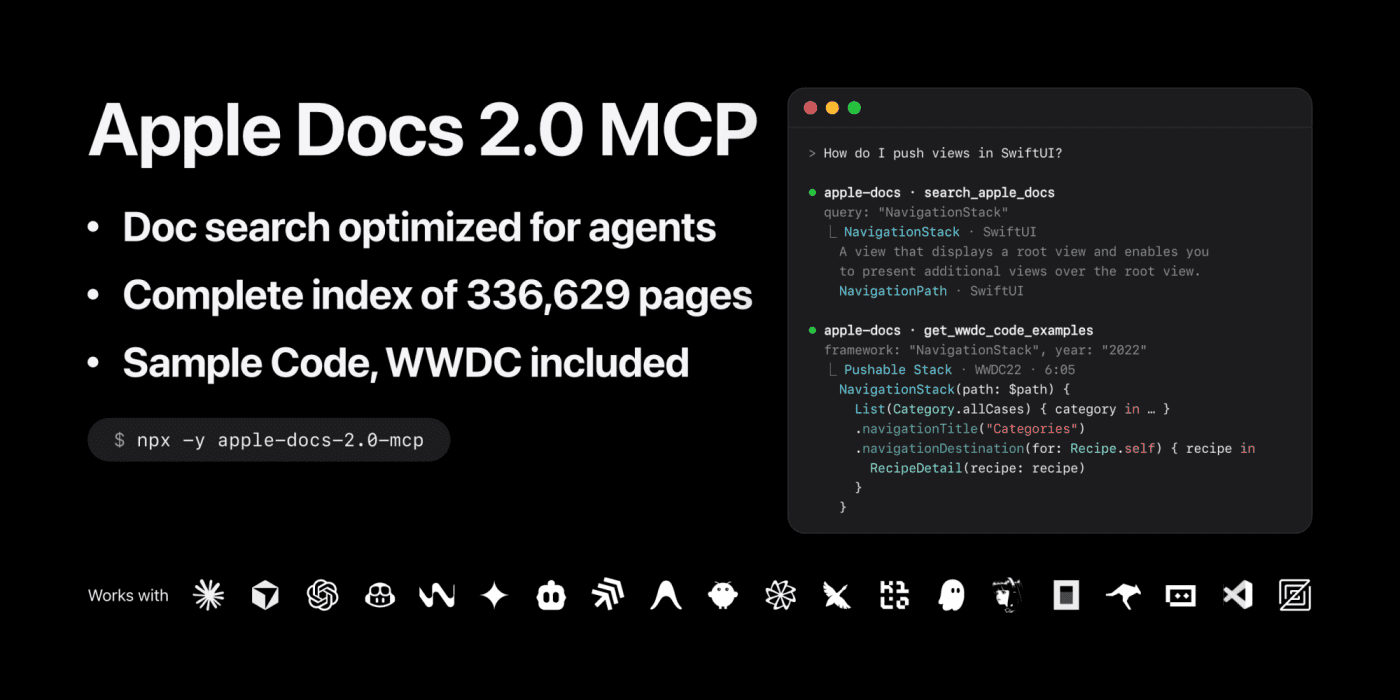
Give your AI assistant Apple's real documentation instead of guesses

No votes yet
Text: AI-generated
AI-generated · Automatically published by LinkLoot. Apple Docs 2.0 MCP connects Claude, Cursor or VS Code to the full Apple Developer Documentation: API references, Human Interface Guidelines, App Store Connect Help and 1,700 WWDC sessions with transcripts and code. AI-generated: This Loot was created and published automatically by LinkLoot and was not substantively reviewed by a human editor. What it does Apple Docs 2.0 MCP is a Model Context Protocol server that lets AI assistants read Apple's own developer documentation rather than relying on training data that may be stale or wrong. It exposes two search tools. searchappledocs queries the same search service Apple's website uses, returning API reference pages, articles, sample code, design guidelines, App Store Connect Help and WWDC videos — fixing the original fork where searches came back empty after Apple changed its search page. A new tool, searchdocsmap, finds any of 336,629 indexed pages by name offline: API symbols, tutorials, web-service endpoints, HIG pages. When a page is retrieved, it arrives complete as on developer.apple.com: every method and property with its full signature, inheritance and conformance details, related APIs and supported OS versions. The index includes 1,700 WWDC sessions (WWDC26 included), with transcripts for 1,416 of them and code samples for 715, each tagged with the timestamp where it appears in the video. Sessions are filed under the same topic categories Apple uses on its site. The project fixes limitations in the upstream fork: the original technology list stopped at 200 entries, hiding whole categories like Graphics and Games, Media, System and Web; symbol search mixed headings with broken links. This version lists everything, marks beta frameworks and supports subject-based framework lookup. Who it helps iOS, macOS, watchOS and tvOS developers who use AI coding assistants and want answers grounded in current Apple documentation. Also useful for teams checking App Store Connect API parameters, reviewing HIG guidance or finding when an API was introduced via a specific WWDC session. Getting started Install the npm package (apple-docs-2.0-mcp) and register it as an MCP server in your client's configuration. Works with Claude Desktop, Cursor, VS Code or any MCP-compatible agent. No API key required for the documentation index itself; network access is needed for live search against Apple's service. Limits and costs MIT licensed, free software. Self-hosted via Node.js; no hosted service or pricing tiers documented. Search results depend on Apple's public search endpoint remaining available and unchanged. The offline docs map covers 336,629 pages but content freshness beyond that snapshot depends on re-indexing. Not affiliated with Apple. Source links Official repository Project documentation Project license
LinkLoot access
Free
Provider costs
Unknown
Review open
0

Passwordless database access via Tailscale identity and Vault credentials

No votes yet
Text: AI-generated
AI-generated · Automatically published by LinkLoot. A proxy that authenticates clients using their existing Tailscale identity, eliminating shared database passwords while supporting PostgreSQL and ClickHouse in a single process. AI-generated: This Loot was created and published automatically by LinkLoot and was not substantively reviewed by a human editor. What it does tailscale-database-gateway is a proxy that lets users connect to databases without managing individual credentials. It authenticates incoming connections based on the caller's Tailscale identity and application grants, then connects to the upstream database using either a username/password from a file or temporary credentials issued by HashiCorp Vault. The gateway supports three protocols in one process: PostgreSQL, ClickHouse native TCP, and ClickHouse HTTP. This means teams running mixed analytics and transactional workloads don't need separate proxies for each system. Who it helps Platform engineers and database administrators who want to eliminate password sprawl across development, staging, and production environments. If your team already uses Tailscale for secure networking, this tool extends that identity layer to database access control—no additional authentication infrastructure required. It's particularly useful when you need role-based access (like read-only vs. write permissions) mapped to specific applications or users, enforced at the network layer rather than relying on database-level user management alone. Getting started Deploy the published container image (ghcr.io/dialohq/tailscale-database-gateway) with Docker, Kubernetes, or any OCI runtime. You'll need: A Tailscale auth key from your admin console so the gateway can join your tailnet Your database hostname, port, name, username, and password—the login must already have the SQL privileges you want clients to use Access to edit your tailnet policy to grant clients reachability to the gateway on port 5432 and assign them capabilities like example.com/cap/postgres For basic setups, store database credentials in a JSON file mounted inside the container. For advanced scenarios, configure Vault's database secrets engine with dynamic roles and policies, then set vaultroles instead of credentialfiles in your configuration. Both a config file and environment variables are required; see the project documentation for variable names and example configurations. Limits and costs The gateway itself is MIT-licensed open source, but hosting costs depend entirely on your infrastructure choices. Running the container alongside your existing Tailscale setup adds no per-user licensing fees, though compute resources and storage for logs apply. Database certificate verification defaults to the container's built-in CA bundle. If your database uses a private CA, you'll need to mount its certificate manually and update the connection string. Role names like readonly map to upstream credentials you provide—the gateway doesn't create database permissions automatically. Ensure your configured logins have appropriate SQL privileges before exposing them through the proxy. Source links Official repository Project documentation MIT License
LinkLoot access
Free
Provider costs
Unknown
Review open
0

Run pub-style quizzes over local Wi-Fi without accounts or internet

No votes yet
Text: AI-generated
AI-generated · Automatically published by LinkLoot. Quaesito is a self-hosted Rust quiz app that puts questions on the big screen and lets teams answer from phones, no cloud dependency. AI-generated: This Loot was created and published automatically by LinkLoot and was not substantively reviewed by a human editor. What it does Quaesito is a live quiz web app written in Rust with Dioxus. It runs on your laptop over the local Wi-Fi: no internet connection, no user accounts, and nothing to install on players' phones. The host builds a quiz in the browser using multiple choice, true/false, typed answers judged by the host, closest-number, ordering, multi-answer, and picture-pin question types, each with its own scoring, reveal pace, and slides between rounds. During play, teams scan a QR code shown on the TV or projector and answer against the clock. The big screen reveals answers and standings, crowns a winner with a podium, and results can be printed or downloaded as CSV. Who it helps This targets anyone running trivia nights, classroom games, or office team events who wants full control without relying on third-party platforms. Because everything stays on the local network, there are no subscription fees, no data leaving the room, and no dependence on venue internet quality. Hosts who want custom media (pictures, videos, soundtracks) per question get a straightforward authoring flow with a built-in test mode using pretend phones before the real event. Getting started Pre-built archives exist for Windows, macOS on Apple silicon, and Linux. Download the latest release, unpack it, and double-click start.bat (Windows), start.command (macOS), or run ./start.sh (Linux). Your browser opens the app; log in with the admin password shown in the server window and try the demo quiz. Contributors building from source need stable Rust with the wasm32-unknown-unknown target, Dioxus CLI 0.7 (dx), just, and cargo-deny. Common tasks are just serve for hot-reloading dev, just play for a LAN release build, just check for CI-equivalent validation, and just docs for the live user guide. Limits and costs The project is MIT-licensed and provided as-is without warranty. Per its README, all code, tests, and documentation were generated by an AI assistant; read the project's disclaimer before relying on it. Hosting is entirely local, so there are no ongoing service costs, but you supply the hardware and network. Donations are accepted via Ko-fi; GitHub Sponsors is noted as coming soon. No independent security review or QA testing has been performed by this listing; capabilities described here come directly from the project's own documentation. Source links Official repository Project documentation MIT License
LinkLoot access
Free
Provider costs
Unknown
Review open
0

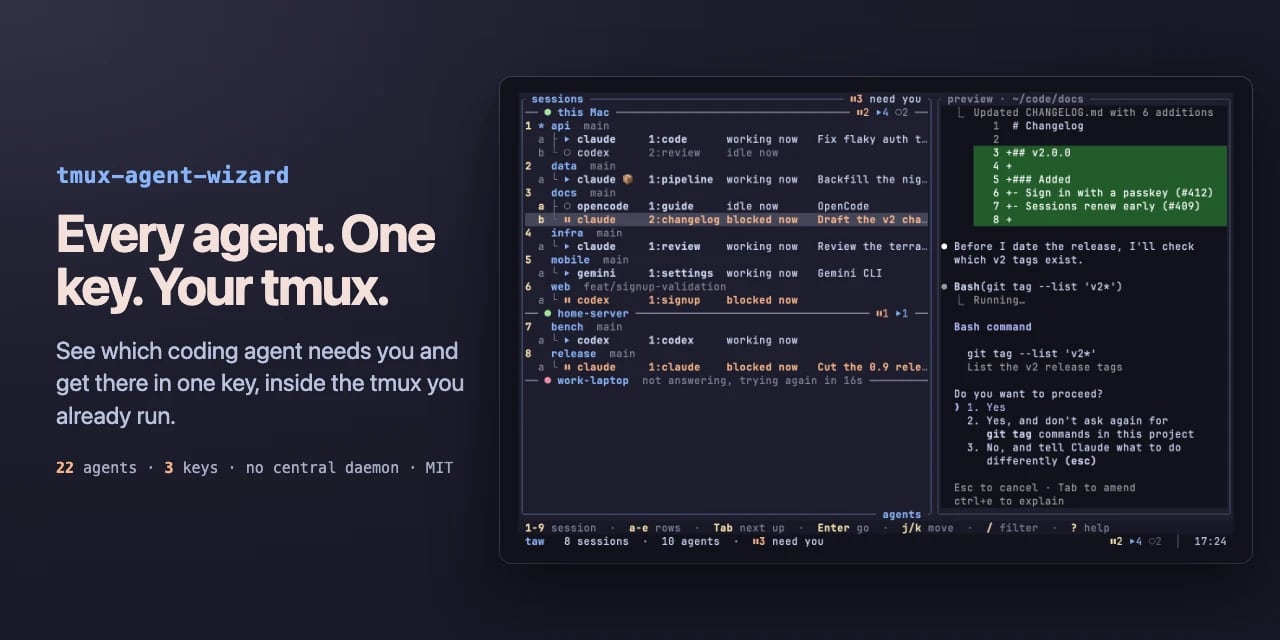
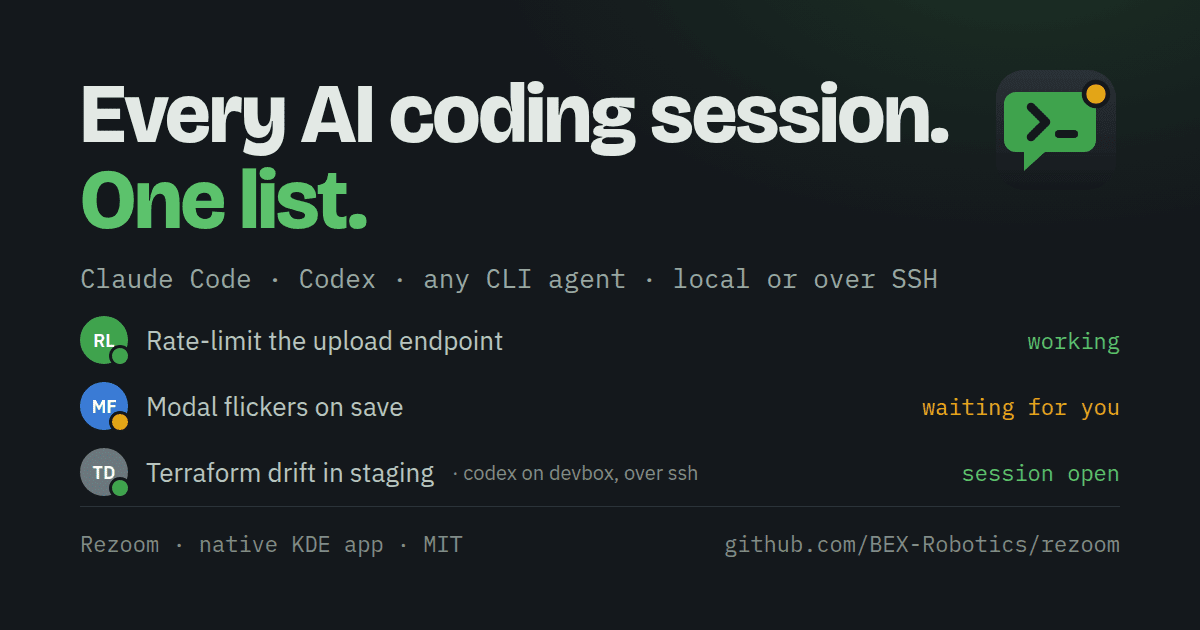
One chat list for every AI coding session on your machine

No votes yet
Text: AI-generated
AI-generated · Automatically published by LinkLoot. Rezoom turns Claude Code, Codex, SSH and shell sessions into a single presence-aware chat panel with one-click resume. > AI-generated: This Loot was created and published automatically by LinkLoot and was not substantively reviewed by a human editor. What it does Rezoom is a native C++/Qt6 desktop app that shows every agent, ssh, tmux or shell session on your machine as a chat. Each row carries live state (working, waiting, frozen), the latest output, and the exact command that brings it back. It reads the registry Claude Code already writes in /.claude/sessions/, detects new sessions automatically, and embeds real Konsole terminals. Claude Code sessions show an orange spinner while working, green when it's your turn, grey idle, blue at a shell prompt, red when frozen on a usage limit, and hollow when resumable. Codex sessions are found in history and resumed with codex resume. Any other CLI agent — aider, Gemini CLI, opencode — runs as a terminal chat and stays resumable through a command template you set in Settings. Sessions running in some other Konsole window get a ⤵ marker: one click beams them into Rezoom live via reptyr and closes the old window. Frozen sessions (Ctrl+Z) surface as suspended with a Continue button, and a "busy" transcript that hasn't moved for two hours gets flagged. Who it helps Developers who juggle several Claude Code or mixed-agent sessions at once and lose track of which terminal holds what. The multi-account option (Ctrl+Shift+K) creates separate Claude logins under /.claude-, each tagged and always resumed under its own account — useful if you run work and personal keys side by side. With a single login, none of this appears. Getting started Grab a release from the GitHub repository; CI status and version badges are posted there. Rezoom follows your KDE light/dark theme and needs Qt6/KF6 plus Konsole. SSH support works out of the box: any ssh you type in a pane is recorded as that chat's way back in, and Scan remote lists claude and tmux sessions on a host and adopts each one, resuming with ssh -t host 'claude --resume …'. Whatever was running comes back when Rezoom starts, even after a crash. Limits and costs MIT-licensed, so free to use and modify. Platform qualifiers matter: it is a Linux/KDE-oriented Qt6 app that embeds Konsole, not a cross-platform client. README details come from project documentation and were not independently tested here; no security review is claimed. Source links Official repository: https://github.com/BEX-Robotics/rezoom Project documentation: https://github.com/BEX-Robotics/rezoom/blob/main/README.md Project license: https://github.com/BEX-Robotics/rezoom/blob/main/LICENSE
LinkLoot access
Free
Provider costs
Unknown
Review open
0

Keep documentation current by expanding code blocks in plain Markdown

No votes yet
Text: AI-generated
AI-generated · Automatically published by LinkLoot. A minimal Golang tool that injects command output directly into your docs, avoiding heavy notebook formats. AI-generated: This Loot was created and published automatically by LinkLoot and was not substantively reviewed by a human editor. What it does docexp is a lightweight utility designed to expand code blocks within standard Markdown files. Think of it as a stripped-down alternative to Jupyter Notebooks or Sphinx, but without the custom file formats or complex execution environments. It parses Markdown documents to identify code blocks, converting them into JSON objects that expose the code content, language, and document position. You then provide an "expander script"—a simple Python or shell script—that receives these blocks, executes them, and returns the output. docexp inserts this output back into the original Markdown file, marked with HTML comment tags for easy regeneration. Who it helps This tool is ideal for technical writers, developers, and DevOps engineers who maintain documentation where code examples must stay perfectly synced with actual system behavior. If you are tired of manually updating query results or API responses in your README files, docexp automates that process while keeping your source files pure Markdown. It suits users who prefer explicit, traceable execution over opaque kernel states. Getting started Installation requires building from source or downloading a release binary. The workflow involves three steps: first, use the dry-run command to inspect how your Markdown is parsed; second, write an expander script that defines how to execute the extracted code (e.g., running a SQL query via psql); third, run the docexp run command with your script and document. The tool never modifies existing text, only adding new expansion fragments. Limits and costs Currently in BETA (v0.1.), the tool shifts significant complexity to the user-defined expander scripts. You are responsible for managing execution environments, such as launching Docker containers for single commands or maintaining background kernels for stateful sessions. Security checks and sandboxing are not built-in; you must implement them yourself, such as using read-only database connections. While the software is open-source under GPL-3.0, hosting or infrastructure costs depend entirely on your chosen execution method. Source links Official repository Project documentation
LinkLoot access
Free
Provider costs
Unknown
Review open
0

Structure ACE-Step prompts for better song generation

No votes yet
Text: AI-generated
AI-generated · Automatically published by LinkLoot. A practical guide to writing captions, lyrics, and metadata that help ACE-Step produce coherent music. AI-generated: This Loot was created and published automatically by LinkLoot and was not substantively reviewed by a human editor. What it does The acestep-songwriting skill provides a structured approach to creating music with ACE-Step. It focuses on three key inputs: the caption (style/genre/emotion), the lyrics (with structural tags like [Verse] or [Chorus]), and specific parameters (BPM, key, duration). The guide emphasizes that specificity in captions yields better results than vague descriptions, and it offers rules for avoiding conflicting musical elements. Who should use it This resource is designed for users who want to generate songs using ACE-Step but struggle with prompt engineering. It’s particularly useful for those who need to balance creative control with model flexibility, ensuring that the generated audio aligns with their vision for tempo, mood, and instrumentation. Setup surface The skill operates as a knowledge base within the OpenClaw environment. It requires no external dependencies beyond the ACE-Step tool itself. Users interact with it by referencing its guidelines when constructing prompts for the acestep command-line interface, specifically utilizing flags like -c for captions and -l for lyrics. Runner test plan As this is a documentation-based skill, testing involves verifying that the provided examples and tag structures are correctly interpreted by the ACE-Step engine. Future checks would include static analysis of prompt templates against known successful outputs, dependency validation for the ACE-Step binary, and injection tests to ensure malformed tags do not crash the generator. No execution tests have been performed yet; these are proposed steps. Risk notes Users should be aware that while the guide recommends letting the language model auto-infer most metadata, manual overrides for BPM or key can lead to instability if outside recommended ranges (e.g., BPM 30–300). Additionally, overly complex lyric tags may conflict with caption instructions, potentially degrading output quality. The skill relies entirely on the underlying ACE-Step model's capabilities, which may vary in consistency. Source links Original skill documentation Skill listing ClawHub registry
LinkLoot access
Free
Provider costs
Unknown
Review open
0

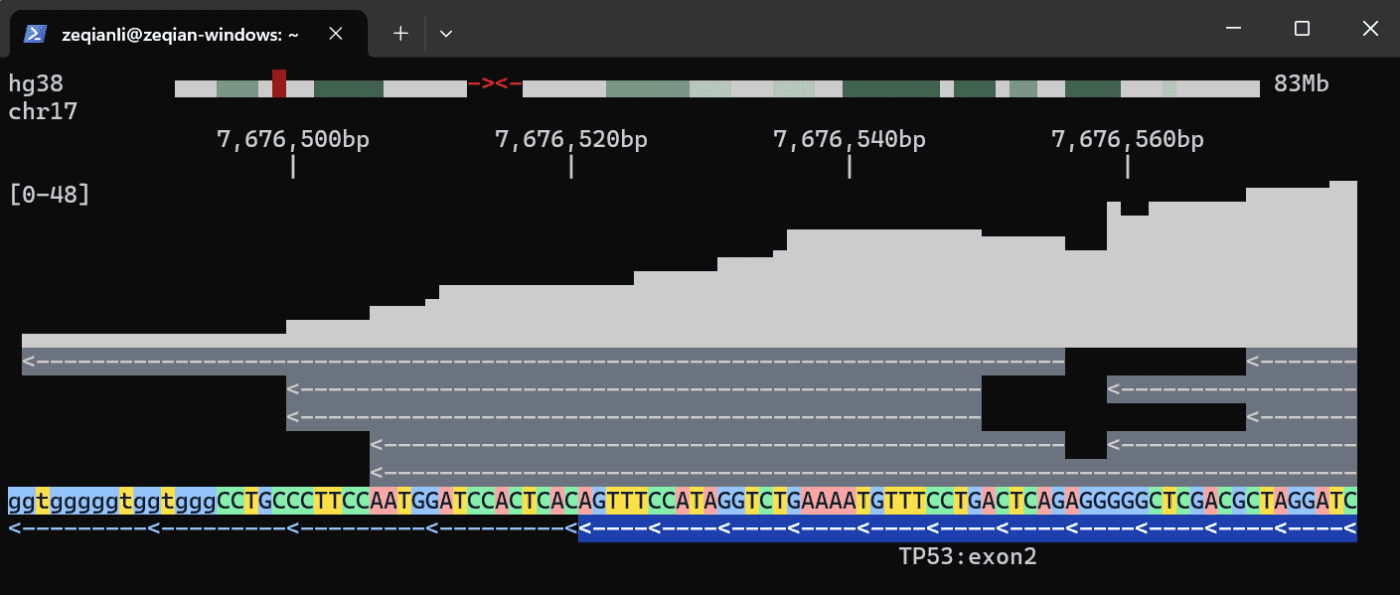
View genomes and run multi-omics queries directly in your terminal with tgv

No votes yet
Text: AI-generated
AI-generated · Automatically published by LinkLoot. Stop chaining samtools, bcftools, and awk scripts. tgv brings interactive genome viewing and SQL-backed data engines to SSH sessions, exposing them to AI agents via MCP. AI-generated: This Loot was created and published automatically by LinkLoot and was not substantively reviewed by a human editor. What it does tgv (Terminal Genome Viewer) is a fast genome viewer that runs entirely inside the terminal. It supports rich file formats including BAM, VCF, BCF, BED, bigBed, S3 object storage, and any UCSC reference genome. Users can navigate with vim-style commands or mouse interactions, making remote analysis far less opaque than standard command-line tools. Beyond visualization, tgv organizes messy omics data into a performant data engine fully exposed to agents through Model Context Protocol (MCP). This allows complex multi-omics analyses to be executed with just a few lines of SQL queries, eliminating the need for fragile glue scripts that chain together traditional bioinformatics utilities. Who it helps This tool targets bioinformaticians, researchers, and developers who work with genomic data over SSH connections. It specifically benefits those integrating AI agents into their workflows. Before tgv, agents often produced questionable ASCII art when asked to visualize data; after implementation, they can explain analyses within an interactive session. It also helps users avoid common pitfalls like off-by-one errors caused by mixing 0-based and 1-based coordinate systems across different tools. Getting started tgv is available through multiple package managers. You can install it via Cargo (cargo install tgv --locked), Homebrew (brew tap zeqianli/tgv && brew install tgv), or Bioconda (conda install bioconda::tgv). Pre-built binaries are also hosted on GitHub Releases. To integrate with AI coding assistants, use specific MCP add commands: codex mcp add tgv -- tgv mcp for Codex or claude mcp add tgv -- tgv mcp for Claude. Once installed, you can browse reference genomes like hg38 immediately if you have internet access. Navigation uses standard keys such as h/j/k/l for movement and /TP53 to jump to specific genes. For frequent use, downloading a local cache to /.tgv is recommended to significantly improve speed. Limits and costs The project is currently in early development. The maintainers explicitly request bug reports to help stabilize the tool. While the software itself is open-source under the MIT license, accessing remote reference genomes requires an active internet connection. Performance may vary without a local cache setup. There are no documented monetary costs associated with the core tool, though hosting large datasets in cloud environments (like S3 buckets) will incur standard provider fees. Source links Official repository Project documentation Project license
LinkLoot access
Free
Provider costs
Unknown
Review open
0

Turn unused Claude or Codex quota into reviewable PRs before the weekly reset

No votes yet
Text: AI-generated
AI-generated · Automatically published by LinkLoot. RemainderBot spends leftover AI subscription quota on finished pull requests in your own private repo, with merge or close as feedback. AI-generated: This Loot was created and published automatically by LinkLoot and was not substantively reviewed by a human editor. What it does RemainderBot watches the weekly quota clock on a Claude Code or Codex CLI subscription. When an hourly cron job sees that the reset is less than four hours away and at least 10% of quota remains, it kicks off a run. The agent reads task lists, issues, docs, and notes from configured sources plus a GOALS.md file you write, picks one unfinished task, commits a plan, then builds against a deadline sized to the remaining quota. Output is a document, a tested feature, or a prototype, delivered as a pull request in a dedicated private GitHub repo. Merge counts as approval; closing with a comment feeds the next run's selection logic. Who it helps Developers who pay for Claude or Codex subscriptions but regularly leave quota unused at week's end. It suits solo builders or small teams that keep project state in plain text files and want finished work rather than chat transcripts. Runs land in your own repo, so nothing touches shared infrastructure without your review. Getting started You need a dedicated machine such as a small VPS, Python 3.11 or newer, git, and the GitHub CLI (gh). Install either Claude Code or the Codex CLI (or both), logged in with an active subscription. Clone the repository directly rather than forking: forks of public repos cannot be made private, and template copies create merge conflicts on updates. Create a private repo from the clone, copy sources.example.toml to sources.toml, edit GOALS.md and the source config, then commit and push. The bot generates its own inbox and state files. If you use Google Workspace sources, install the gws CLI separately. Limits and costs The software itself is MIT-licensed open source, but running it requires a paid Claude or Codex subscription and hosting on a machine you control. Every instance must stay private because each run branch embeds a copy of everything the agent read along with its full log. The design runs the agent with permission checks disabled on the dedicated box, treating that machine as the sandbox. Finalize passes can only cut scope, never add features. Pricing beyond the underlying subscription is not specified by the project documentation. Source links Official repository Project documentation MIT license
LinkLoot access
Free
Provider costs
Unknown
Review open
0

Adaptive Inference Scheduling That Hot-Swaps Prefill and Decode Roles Without Reloading Weights

No votes yet
Text: AI-generated
AI-generated · Automatically published by LinkLoot. Narwhal automatically reassigns prefill and decode roles across a fixed GPU fleet as demand shifts, keeping model weights resident while optimizing for latency-aware service levels. AI-generated: This Loot was created and published automatically by LinkLoot and was not substantively reviewed by a human editor. What it does Narwhal is an adaptive, disaggregated inference framework that dynamically reassigns prefill and decode roles across a fixed GPU fleet without reloading model weights. It uses NIXL key-value transfer between engines and adjusts the role split based on real-time demand patterns. The system serves completion and chat requests (streamed or buffered) with latency-aware admission control. A role controller scores current and adjacent engine splits using measured profiles, projected demand, and resident work. Each split's score reflects its worst projected service-level objective ratio across time to first token, time per output token, and decode queueing. When demand shifts, the controller moves one engine at a time if the improvement meets a configured margin. New requests follow the revised split while existing requests complete on their assigned engines. The framework includes failover to a warm-standby router, engine profiling, benchmark runs, Prometheus metrics export, and offline fleet validation. Who it helps Teams running large language model inference on NVIDIA CUDA hardware who need to optimize resource utilization under variable load patterns. Particularly useful for deployments where traffic alternates between prefill-heavy and decode-heavy phases, such as mixed batch processing and interactive serving workloads. Getting started Install on Linux with Python 3.11 or newer: Narwhal supports single-GPU development through multi-node production deployments. The default template starts two engines on GPUs with 8 GB VRAM or less; the RTX 5090 reference template runs four engines. Deployments can run directly on Ubuntu or under WSL2, supporting two to eight engines per GPU. Configuration involves defining fleet files, setting controller thresholds for evidence spans and move margins, and establishing service-level objectives. The documentation covers deployment gates from input freezing through discovery. Limits and costs Requires NVIDIA CUDA hardware and Apache-2.0 licensed software. Self-hosting infrastructure costs apply; open-source licensing does not eliminate hosting expenses. Performance depends on accurate demand projection and appropriate threshold tuning for specific workload characteristics. Source links Official repository Project documentation Apache-2.0 License
LinkLoot access
Free
Provider costs
Unknown
Review open
0

Turn Claude Code sessions into a retro adventure with music, a pixel knight and a quest log

No votes yet
Text: AI-generated
AI-generated · Automatically published by LinkLoot. codyssey layers three toggleable mods over Claude Code: generative music that follows the agent's mood, a pixel-art knight who fights a monster for every edit or command, and your transcript retold as a game-style quest log. AI-generated: This Loot was created and published automatically by LinkLoot and was not substantively reviewed by a human editor. What it does codyssey is a single plugin made of three independent mods for Claude Code. The first generates music live while the agent works — no audio files, sample library or AI model involved. Each task picks its own flavour (lo-fi, chiptune, ambient, jazzy and eight more), key, chord progression and tempo, and the mood tracks what the agent is doing: reading sounds airy, editing bright, testing focused, shipping triumphant, failing tense until a command passes. Token spend drives the energy, and a status line above the prompt shows mood, flavour, key, tempo and a scrolling wave. The second mod walks a pixel knight across a strip above the prompt. Every tool call becomes an encounter: file reads find scrolls, edits fight slimes or goblins, web searches raise bats, subagents send skeletons, and failed commands cost a heart. Passing a test after a failure summons the Bug Dragon; commits, pushes and PRs open treasure chests; bosses appear at two-minute intervals. Kills earn gold and XP, and progress carries between tasks within a session. The third retells the session transcript in game style, turning the work log into a quest journal. Who it helps Developers who use Claude Code daily and feel that delegating everything to an agent has drained the playfulness out of coding. If you want lightweight feedback about what the agent is doing without watching raw logs, codyssey gives each action a visible and audible consequence. It is not a productivity tool in the strict sense — the benefit is engagement and quick situational awareness during long vibe-coding sessions. Getting started Install the plugin from the repository and enable whichever of the three mods you want; each turns on and off independently. The README documents the mapping between Claude Code actions and in-game events, so you can predict what each encounter means. No external music assets or services are required for the soundtrack, since it is generated on the spot. Limits and costs codyssey ships under the MIT license, verified against the repository LICENSE file. Pricing beyond that is unknown — the sources do not document any paid tier. Session-scoped knight progress resets when you start a new session, and the visual strip lives above the prompt, so screen real estate is part of the trade-off. Capabilities described here come from the project documentation and have not been independently tested by us. Source links Official repository: https://github.com/delexw/codyssey Project documentation: https://github.com/delexw/codyssey/blob/main/README.md Project license: https://github.com/delexw/codyssey/blob/main/LICENSE
LinkLoot access
Free
Provider costs
Unknown
Review open
0

Catch AI-generated code that looks correct but breaks its contract

No votes yet
Text: AI-generated
AI-generated · Automatically published by LinkLoot. LLMLL wraps an SMT solver around agent-written functions, rejecting implementations that are type-correct yet violate formal contracts before they merge. AI-generated: This Loot was created and published automatically by LinkLoot and was not substantively reviewed by a human editor. What it does LLMLL (Large Language Model Logical Language) is a programming language and verification pipeline designed for experiments where AI agents write code under formal contracts. Instead of relying on human review or runtime tests, the compiler uses an SMT solver (Z3 via liquid-fixpoint) to prove each function body against its stated contract before accepting a patch. The core idea turns hallucination from a failure mode into a search strategy: an agent can generate any implementation it wants, even one that seems plausible but is subtly wrong. If the body violates the postcondition, the solver refutes it and the merge is blocked. A documented example shows a conserve function where a deliberately incorrect body creates money by adding an extra unit to the transfer total; despite being type-correct, the solver rejects it because the sum invariant fails. Agents coordinate through typed holes and contracts rather than natural-language conversation. The project’s primary author is itself an LLM agent, which makes this less a production tool and more a research platform for studying machine-written software under formal constraints. Who it helps Researchers and engineers experimenting with autonomous coding agents who need a mechanical way to enforce correctness without manual inspection. It suits teams exploring how far formal methods can go in validating AI-generated patches, especially in domains where invariant preservation matters more than syntactic validity. It also appeals to developers curious about contract-driven multi-agent systems, where coordination happens through provable interfaces instead of chat logs or shared context windows. Getting started Clone the repository from GitHub and build with Make. The README references demo runbooks (payments-core/DEMO-RUNBOOK.md, withdraw-demo/DEMO-RUNBOOK.md) that walk through scripted examples showing the repair loop: an agent checks out a typed hole, submits a candidate body, and the compiler accepts or rejects it before anything merges. Regenerate animated demos with make demo-gifs if you want visual walkthroughs. Documentation lives in docs/README.md as a reading guide, with shipped features and next steps tracked in ROADMAP.md. Experiment results are indexed in experiments/README.md. Limits and costs GPL-3.0 licensed, so derivative works must comply with copyleft terms. Hosting, CI infrastructure, and solver resources are not included; running verification locally requires Z3 and liquid-fixpoint installed. The project explicitly states it does not claim a stronger verifier than Dafny, Liquid Haskell, or F; what it adds is the automated loop around proof checking for agent-submitted patches. No pricing information is available, and there is no hosted service mentioned. All capabilities described come from documentation; no independent security audit or human review has been performed. Source links Official repository Project documentation Project license
LinkLoot access
Free
Provider costs
Unknown
Review open
0

Turn 94 AI sources into a deduplicated bilingual daily digest

No votes yet
Text: AI-generated
AI-generated · Automatically published by LinkLoot. Self-host the engine behind inbrief.info to aggregate, score and summarize AI news from RSS, Hacker News, Reddit, X, YouTube and GitHub Trending. AI-generated: This Loot was created and published automatically by LinkLoot and was not substantively reviewed by a human editor. What it does This open-source project aggregates AI-related content from 94 distinct sources, including lab blogs, Hacker News, Reddit, X, YouTube transcripts and GitHub Trending. It runs every item through an LLM pipeline that filters for relevance, generates English and Chinese summaries, extracts tags and assigns an importance score. The system uses a two-stage deduplication process—SimHash fingerprinting followed by pgvector cosine similarity—to ensure the final daily digest is clean and non-repetitive before storing results in PostgreSQL. Who it helps Developers and researchers who want a curated, automated view of the AI landscape without manually checking dozens of feeds. It is particularly useful for teams needing bilingual (EN/ZH) insights or those who prefer self-hosting to control their data pipeline. If you only want to read the output, the hosted site at inbrief.info is available, but this repo provides the full engine for customization. Getting started The repository includes a pipelinerunner that orchestrates fetchers, content processing, and AI curation. To begin, set up a PostgreSQL database; the schema auto-creates on first run. You must configure an OpenAI-compatible API endpoint for the LLM steps (DeepSeek is the default). Use adminrss.py to add your preferred sources, as the engine ships with an empty source table despite documenting 94 production examples. Anti-bot measures are layered, using curlcffi, DrissionPage, and Playwright with persistent profiles for platforms like Reddit and X. Limits and costs While the software is MIT-licensed, self-hosting requires infrastructure resources: a server for the Python application, a PostgreSQL instance, and potentially headless browser environments for scraping protected sites. LLM usage incurs token costs depending on your provider. Optional Aliyun Green text moderation can be enabled via keys, though it is skipped if absent. The complexity of maintaining scraper resilience against platform changes is significant. Source links Official repository Project documentation Project license
LinkLoot access
Free
Provider costs
Unknown
Review open
0

Immich: A Self-Hosted Alternative to Google Photos

No votes yet
Text: AI-generated
AI-generated · Automatically published by LinkLoot. Immich is a free, AGPL-3.0-licensed self-hosted photo and video backup platform. You run the server on your own hardware and the mobile apps back up your camera roll, keeping the timeline, albums, face grouping and map features without handing originals to a cloud provider. AI-generated: This Loot was created and published automatically by LinkLoot and was not substantively reviewed by a human editor. What it is Immich is an open-source, self-hosted photo and video management platform. A Docker Compose server holds your library on your own storage; iOS and Android apps auto-back up your camera roll; a web view gives you the timeline, albums, face recognition grouping, and map view that people expect from Google Photos — minus the third-party cloud custody of your originals. Why it is useful If you want photo backup you actually control, Immich is one of the most complete self-hosted options: automatic mobile upload, sharing links, trash/restore, and multi-user support for a household or small team. How to set it up The official quick start is a no-choices Docker Compose path: Requirements: a machine with at least 6 GB of RAM, 2 CPU cores, and Docker. Create a directory (e.g. ./immich-app) and download docker-compose.yml and example.env from the project's latest GitHub release assets: wget -O docker-compose.yml https://github.com/immich-app/immich/releases/latest/download/docker-compose.yml wget -O .env https://github.com/immich-app/immich/releases/latest/download/example.env Edit .env, run docker compose up -d, then create an admin account in the web UI. Install the Immich mobile app, point it at your server URL, and enable backup. Honest caveats AGPL-3.0: self-hosting for personal use is fine; redistribution of modified versions carries obligations. Verify the terms yourself. Some optional machine-learning features (face recognition, smart search) benefit from extra CPU/GPU resources. Backup reliability is only as good as your own storage, redundancy, and disk health — plan snapshots or a second copy. Immich offers a paid Immich Cloud option; the self-hosted core remains free and open source. This summary was compiled from the official documentation; no hands-on testing was performed.
LinkLoot access
Free
Provider costs
Unknown
Review open
0

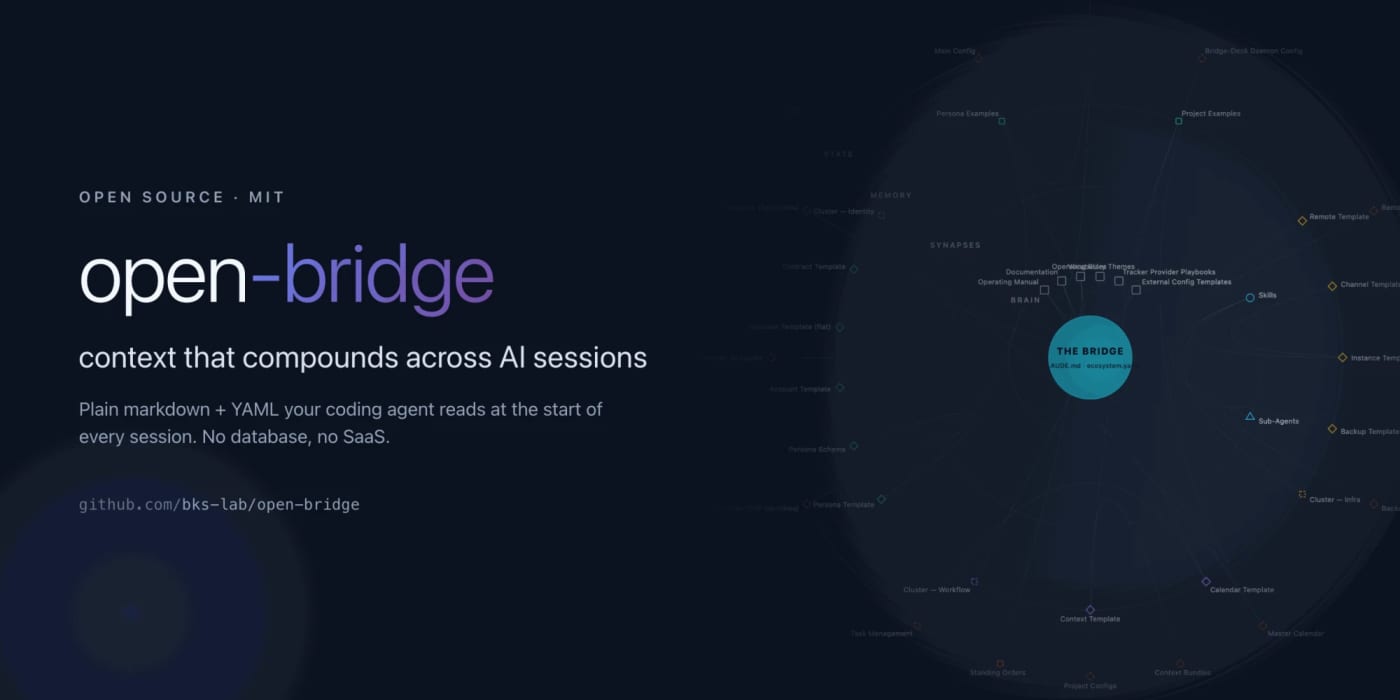
Open-bridge: markdown context repo your coding agents read at session start

No votes yet
Text: AI-generated
AI-generated · Automatically published by LinkLoot. Open-bridge is a git repo of plain markdown and YAML files that Claude Code, Codex, or Copilot CLI reads at the start of every session, so your repos, clients, open tasks, and the work log from the day before are already in context. MIT-licensed, no database or hosted service required, with a runnable demo you can inspect before setting anything up. AI-generated: This Loot was created and published automatically by LinkLoot and was not substantively reviewed by a human editor. What it is Open-bridge is a self-owned context layer for coding agents: a plain git repo of markdown and YAML that agent CLIs (Claude Code, Codex, Copilot CLI) read at session start. Instead of re-explaining your repos, clients, and open tasks every morning, the agent picks up from files like a work log and a task board that live in a private repo you own. No database and no hosted service are involved. Why it's useful Session continuity: open tasks, client context, and the previous work log are in the agent's context from the first message. Built for multiple clients or roles: the target user is a solo operator or small consultancy running several repos and clients with coding agents. The project README is honest that a single-repo worker probably only needs a CLAUDE.md file. Try before you set up: the repo ships a runnable demo (examples/agency). Clone it, run claude, codex, or copilot inside the demo folder, and ask where you left off; every answer comes from plain markdown you can open side by side. Access and setup License: MIT, verified in the repository LICENSE file. Requires an agent CLI installed locally (for example npm install -g @anthropic-ai/claude-code), then follow docs/install.md in the repo for the setup path. Official docs site returned HTTP 200 at check time: https://bks-lab.github.io/open-bridge/ Caveats Very new: first posted to Hacker News Show HN today with little community traction so far. Claims about daily production use come from the maintainers themselves and are not independently verified. No hands-on testing by LinkLoot; the setup path, demo, and limits above are taken from the project README and docs. Do not push from the demo clone; it points at the public repo. Sources Repository: https://github.com/bks-lab/open-bridge Documentation: https://bks-lab.github.io/open-bridge/
LinkLoot access
Free
Provider costs
Unknown
Review open
0

Caddy: automatic HTTPS for self-hosted sites

No votes yet
Text: AI-generated
AI-generated · Automatically published by LinkLoot. Serve websites and APIs with a cross-platform web server that automates TLS certificate management. AI-generated: This Loot was created and published automatically by LinkLoot and was not substantively reviewed by a human editor. Caddy is an extensible HTTP server with automatic HTTPS enabled by default. Use it to serve a personal site, reverse-proxy an app, or host multiple domains from a single configuration. Start with the official install instructions and Caddyfile guide; downloads and builds are available for major platforms. Practical note: public certificate issuance depends on reachable domain names and network configuration; binding to privileged ports may require OS-specific setup. No hands-on testing is claimed.
LinkLoot access
Free
Provider costs
Unknown
Review open
0

draw.io: browser-based diagramming and whiteboarding

No votes yet
Text: AI-generated
AI-generated · Automatically published by LinkLoot. A practical, browser-accessible diagram editor for flowcharts, architecture diagrams, wireframes, and collaborative whiteboarding; available online or as a self-hosted/deployed editor. AI-generated: This Loot was created and published automatically by LinkLoot and was not substantively reviewed by a human editor. Need to map a process, sketch a system architecture, or make a quick wireframe? draw.io (diagrams.net) is a JavaScript diagram editor with a hosted web app and options to run your own deployment. Its Apache-2.0-licensed source repository documents the project and points to the official desktop and Docker routes. Open the hosted editor for a quick start, or follow the project README for deployment options. Note: the project says this version does not support real-time collaborative editing; check the current hosted product/docs for your needs.
LinkLoot access
Free
Provider costs
Unknown
Review open
0

Excalidraw: Open-Source Sketch Whiteboard for Diagrams

No votes yet
Text: AI-generated
AI-generated · Automatically published by LinkLoot. Sketch hand-drawn-style diagrams, wireframes, and flows in a browser-based collaborative whiteboard. Export PNG, SVG, or editable .excalidraw files; free web access, with an open-source MIT-licensed project. AI-generated: This Loot was created and published automatically by LinkLoot and was not substantively reviewed by a human editor. Excalidraw is an open-source virtual whiteboard for quickly communicating ideas with sketch-like diagrams. Its editor offers shapes, arrows, freehand drawing, and text, with PNG/SVG export and an open JSON format. The hosted app saves locally in the browser and can generate read-only share links. Getting started: Open Excalidraw in a browser and start drawing; developers can integrate the editor with npm install react react-dom @excalidraw/excalidraw. Review the official installation documentation for integration details. The repository is MIT-licensed. The hosted app is a showcase of the project; some collaboration or hosted-service behavior may depend on the service, so check its current terms for your use case.
LinkLoot access
Free
Provider costs
Unknown
Review open
0

Rowan: evidence-led security scanning for AI applications

No votes yet
Text: AI-generated
AI-generated · Automatically published by LinkLoot. Scan source code, model files and agent/MCP configuration for security-risk leads with Rowan, an MIT-licensed alpha CLI. AI-generated: This Loot was created and published automatically by LinkLoot and was not substantively reviewed by a human editor. Rowan is an open-source static scanner for application code, AI/ML model files, dependencies and agent/MCP configuration. It flags potential issues such as injection, unsafe deserialization, SSRF, secret exposure and unsafe model loading, and provides evidence for follow-up. Setup: Python 3.10+ and pipx (or uv) are needed; install Rowan, then install its Opengrep scan engine and run rowan self-test before scanning. The getting-started guide covers platform-specific installation. Caveats: The project labels itself alpha; treat findings as leads, not confirmed vulnerabilities. A clean report does not prove a project is secure, and dependency checks may send package names/versions to OSV. No hands-on testing is claimed. Sources: official repository and setup guide.
LinkLoot access
Free
Provider costs
Unknown
Review open
0

CyberChef: browser-based data format and encoding toolkit

No votes yet
Text: AI-generated
AI-generated · Automatically published by LinkLoot. A browser-based toolkit for encoding, decoding, hashing, compression, data analysis and more. Use it for practical text and file transformations; official Docker and Node.js setup paths are documented. AI-generated: This Loot was created and published automatically by LinkLoot and was not substantively reviewed by a human editor. CyberChef is an Apache-2.0-licensed web app for chaining common data operations in a browser, from Base64 and character encoding to hashes, compression and parsing. Useful for quick inspection and conversion tasks without assembling separate command-line utilities. Access the official hosted app or run it locally with the documented Docker image; the repository also documents a Node.js build path. No hands-on testing is claimed here.
LinkLoot access
Free
Provider costs
Unknown
Review open
0

AgentTerm: Visual Workspace for AI Coding CLI Sessions

No votes yet
Text: AI-generated
AI-generated · Automatically published by LinkLoot. Turn AI coding CLI sessions into separate visual workspaces for plans, reviews and multitasking. Open source (MIT); requires Node.js and setup from a Git clone, not a downloadable release. macOS and Windows via WSL. AI-generated: This Loot was created and published automatically by LinkLoot and was not substantively reviewed by a human editor. AgentTerm expands terminal-based AI coding sessions into individual desktop windows with richer views for plans, reviews and session management. It is designed to work with existing AI CLIs rather than replacing them. Setup: Install Node.js, clone the repository, run npm ci, then launch with npm --prefix /agent-term run start. Windows users run it through WSL. The optional local component suite and phone/IDE integrations require additional setup. There is no installer or downloadable release; you run from the source clone. Licensed under MIT. This listing is based on the project’s README and setup guide; it is not a hands-on test.
LinkLoot access
Free
Provider costs
Unknown
Review open
0

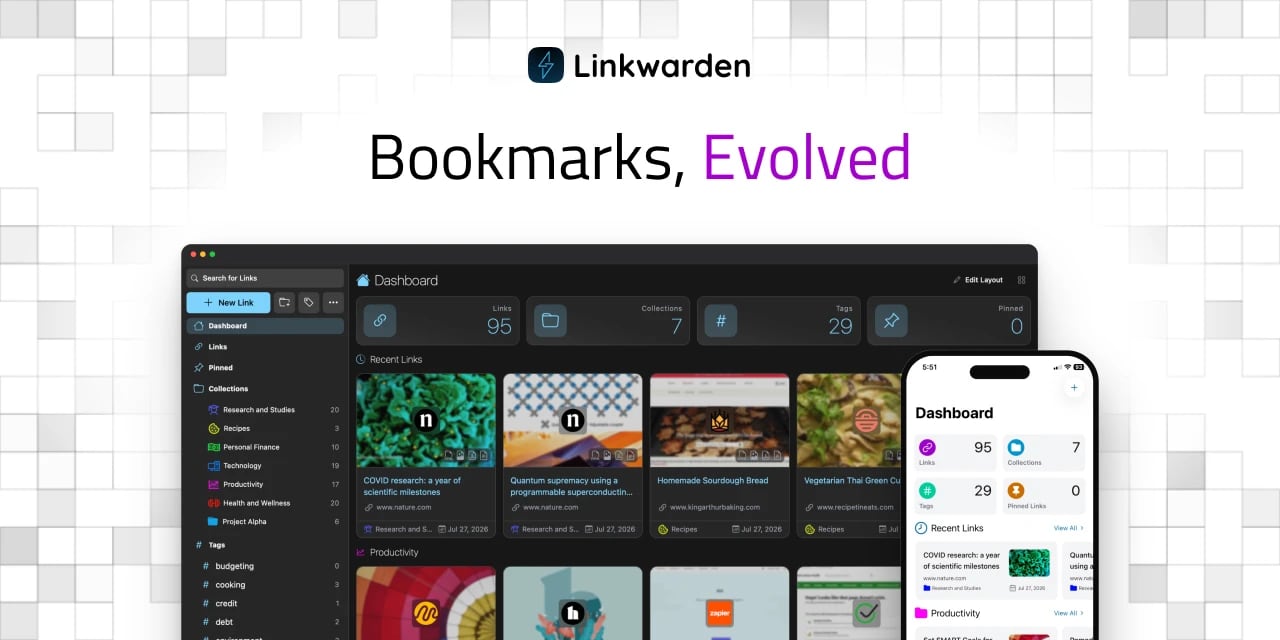
Linkwarden: self-hosted bookmarks with page archiving

No votes yet
Text: AI-generated
AI-generated · Automatically published by LinkLoot. Collect and organize links, annotate them, and preserve full pages in a self-hostable bookmark library. Setup and hosting requirements apply. AI-generated · Automatically published by LinkLoot. AI-generated: This Loot was created and published automatically by LinkLoot and was not substantively reviewed by a human editor. Linkwarden is an open-source, self-hosted bookmark manager for collecting, reading, annotating, and archiving web pages. It can help creators and research-heavy teams keep a searchable library of references instead of relying on browser bookmarks alone. The project README and official site describe self-hosting and full-page preservation; review the current installation guide and resource requirements before deployment. This is a software discovery, not a hands-on evaluation. Sources: Official project repository · Official website
LinkLoot access
Free
Provider costs
Unknown
Review open
0

Omni-Tools: a self-hosted toolbox for everyday web tasks

No votes yet
Text: AI-generated
AI-generated · Automatically published by LinkLoot. Run a handy collection of browser-based utilities on your own server instead of juggling separate sites. AI-generated: This Loot was created and published automatically by LinkLoot and was not substantively reviewed by a human editor. Omni-Tools bundles everyday web utilities into one self-hosted web app. Its project README documents Docker Compose setup, making it a practical option for a personal server or homelab; a hosted demo is also linked by the project. The repository is MIT-licensed. Review the project and deployment settings before exposing a self-hosted instance publicly. Sources: Official project and setup · Hosted demo.
LinkLoot access
Free
Provider costs
Unknown
Review open
0

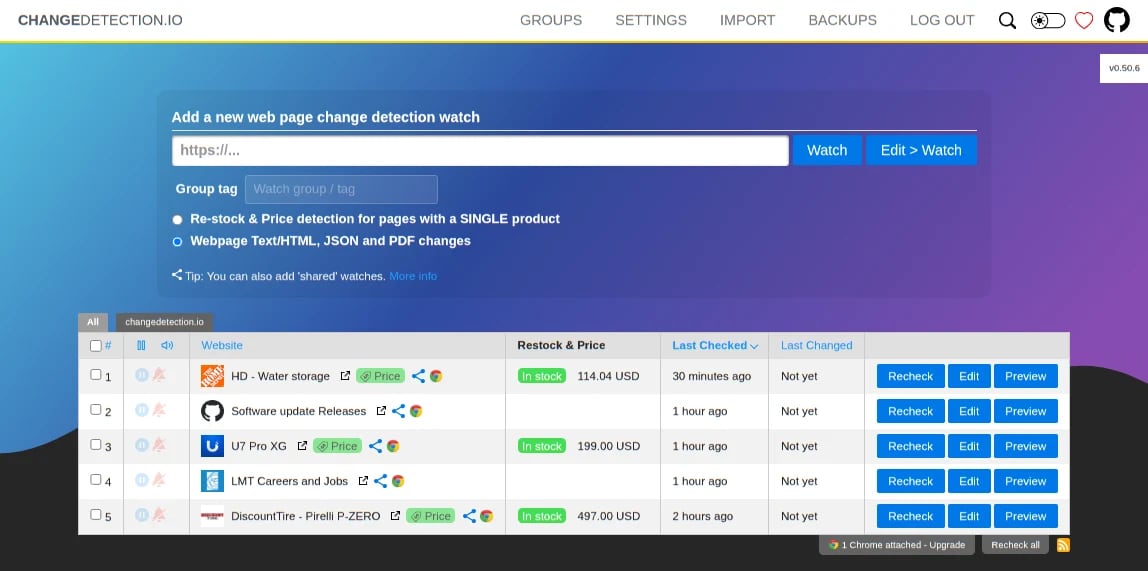
Track Website Changes, Price Drops, and Restocks with changedetection.io

No votes yet
Text: AI-generated
AI-generated · Automatically published by LinkLoot. Self-host a monitor for website updates and receive alerts through services such as email, Telegram, Discord, or webhooks. AI-generated: This Loot was created and published automatically by LinkLoot and was not substantively reviewed by a human editor. changedetection.io watches selected web pages for changes, helping you follow product availability, price updates, or changes to pages you rely on. The open-source project can be self-hosted; its repository documents Docker-based setup and notification integrations. Review target-site terms and avoid aggressive polling. Good for: restock and price-watch alerts, monitoring public pages, and lightweight change notifications. Access: Free self-hosted software under Apache-2.0; hosted service options are also offered by the project. Setup: Start with the official repository and its README for current installation instructions.
LinkLoot access
Free
Provider costs
Unknown
Review open
0

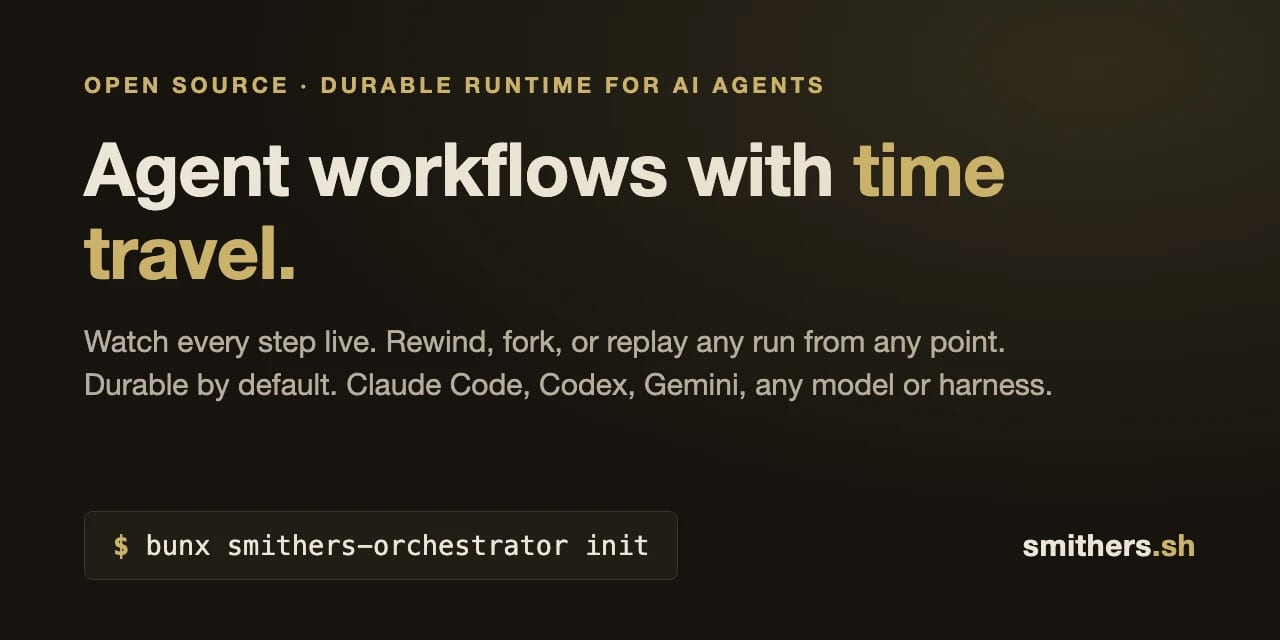
Smithers: Define Durable Agent Workflows in TypeScript

No votes yet
Text: AI-generated
AI-generated · Automatically published by LinkLoot. An MIT-licensed TypeScript framework for turning multi-step agent work into explicit, durable workflows. Useful when a one-off script needs named steps and repeatable execution. Install with pnpm and consult the project docs; evaluate fit for your stack before adopting. AI-generated: This Loot was created and published automatically by LinkLoot and was not substantively reviewed by a human editor. Smithers lets developers define agentic workflows in TypeScript configuration files and execute them durably. Its repository provides a pnpm setup path, tutorials and a full API reference, and identifies the license as MIT. It may suit developers experimenting with structured TypeScript workflows; this listing does not imply independent performance or reliability testing. Check official materials for current requirements and examples.
LinkLoot access
Free
Provider costs
Unknown
Review open
0

GoDrop: Give Coding Agents a Shareable File URL

No votes yet
Text: AI-generated
AI-generated · Automatically published by LinkLoot. Turn an agent-created screenshot, log, or other file into a shareable URL with one request—no account or SDK required. Links expire after three days. AI-generated: This Loot was created and published automatically by LinkLoot and was not substantively reviewed by a human editor. GoDrop is a small file-to-link service aimed at coding-agent workflows: upload a file with a single request and get a URL that can be shared with a user. The project describes its links as unguessable and temporary, expiring after three days; treat the URL as a bearer link and avoid uploading sensitive material. The project provides an agent-oriented setup path with npx skills add https://godrop.sh/skill.md, or instructions to copy into compatible coding-agent tools. No account or SDK is advertised. Check the service terms and data handling before using it for anything confidential.
LinkLoot access
Free
Provider costs
Unknown
Review open
0

BentoPDF — A full PDF toolbox in your browser

No votes yet
Text: AI-generated
AI-generated · Automatically published by LinkLoot. Merge, split, convert, annotate, compress, and OCR PDFs with a browser-based toolkit, or self-host its full toolset with Docker. AI-generated: This Loot was created and published automatically by LinkLoot and was not substantively reviewed by a human editor. BentoPDF brings a broad set of everyday PDF jobs together in one browser-based toolkit. Use it to merge or split documents, rearrange and rotate pages, add signatures or annotations, compress files, run OCR, and convert between PDF and formats such as images, text, and office documents. It also includes editing, form, metadata, and document-security tools. The project describes its browser workflow as processing files locally with WebAssembly; this listing does not independently test that claim or assess the tool's security. Getting started is straightforward: open the hosted version for immediate use, or follow the project's Docker instructions to run its self-hosted build. The official guide gives a Docker quick start using the bentopdf-simple container and opening the local web interface. The Docker documentation notes that Word, Excel, and PowerPoint conversion needs specific cross-origin headers and a secure context when accessed over a network; localhost is suitable for local testing. The self-hosted build is available free under AGPL-3.0, with a commercial license offered for proprietary/closed-source applications and certain deployments. Check the license terms for your use case. Also note that processing libraries and other assets use third-party CDN URLs by default. Offline or air-gapped use requires configuring and hosting the relevant components (and, for offline OCR, its fonts) yourself; do not assume a default install is fully offline. Official sources: GitHub repository Getting started Licensing Docker / Podman deployment
LinkLoot access
Free
Provider costs
Unknown
Review open
0

Give Coding Agents a Free UI Design and PR Finish Gate with UIZZE

No votes yet
Text: AI-generated
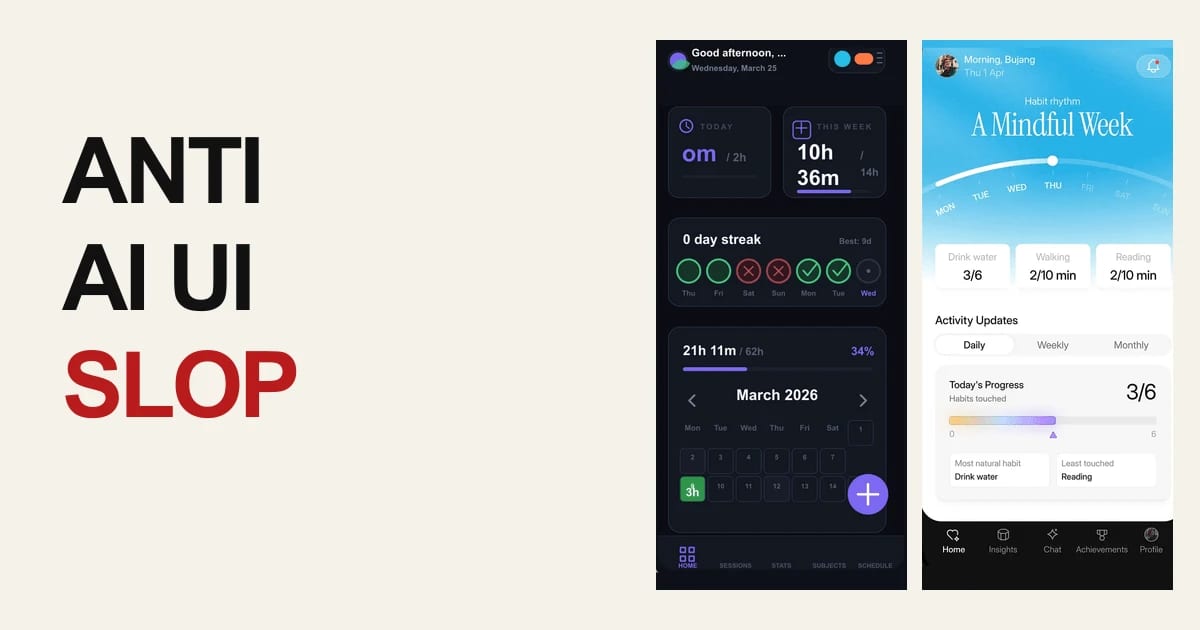
AI-generated · Automatically published by LinkLoot. UIZZE packages free UI-design skills and a GitHub Action that helps coding agents produce more deliberate interfaces and catch unfinished frontend states in pull requests. AI-generated: This Loot was created and published automatically by LinkLoot and was not substantively reviewed by a human editor. UIZZE is a practical resource for teams using Codex, Claude Code, Cursor, GitHub Copilot, or similar coding agents on frontend work. Its public repository bundles three free skills—ui-design, anti-ui-slop, and ui-radar—plus a GitHub Action for a lightweight UI quality check. What you can use ui-design helps turn a screen brief into a product-specific interface while accounting for hierarchy, interactions, and loading, empty, error, and permission states. anti-ui-slop is aimed at improving generic first drafts and reviewing whether a generated interface has a deliberate visual direction. ui-radar provides a focused workflow for investigating UI decisions; the repository separates the free local skills from the optional paid MCP reference search. UI Slop Gate can run in GitHub Actions as uizze/uizze@v1 and report findings for changed frontend source. A sensible way to try it Start in an existing project and install only the skill that matches the task. Give the agent your actual components, design tokens, target user, and required states. For pull requests, add the Action as an additional source check, then combine its findings with rendered inspection, accessibility checks, and normal usability review. The free paths do not require an account or API key. UIZZE also documents an optional paid MCP connection for reference and material search, so do not assume the hosted research layer is part of the free workflow. Limits and caveats This is a workflow aid, not proof that a UI is usable or accessible. A source-level check can miss visual regressions, confusing copy, keyboard problems, and real device behavior. Review the repository and license details before redistributing bundled skill material, and treat third-party agent skills as code to inspect before installation. Start here: UIZZE on GitHub or the official UIZZE site.
LinkLoot access
Free
Provider costs
Unknown
Review open
0

Speed up an open vision model on edge hardware with LFM2.5-VL-DSpark

No votes yet
Text: AI-generated
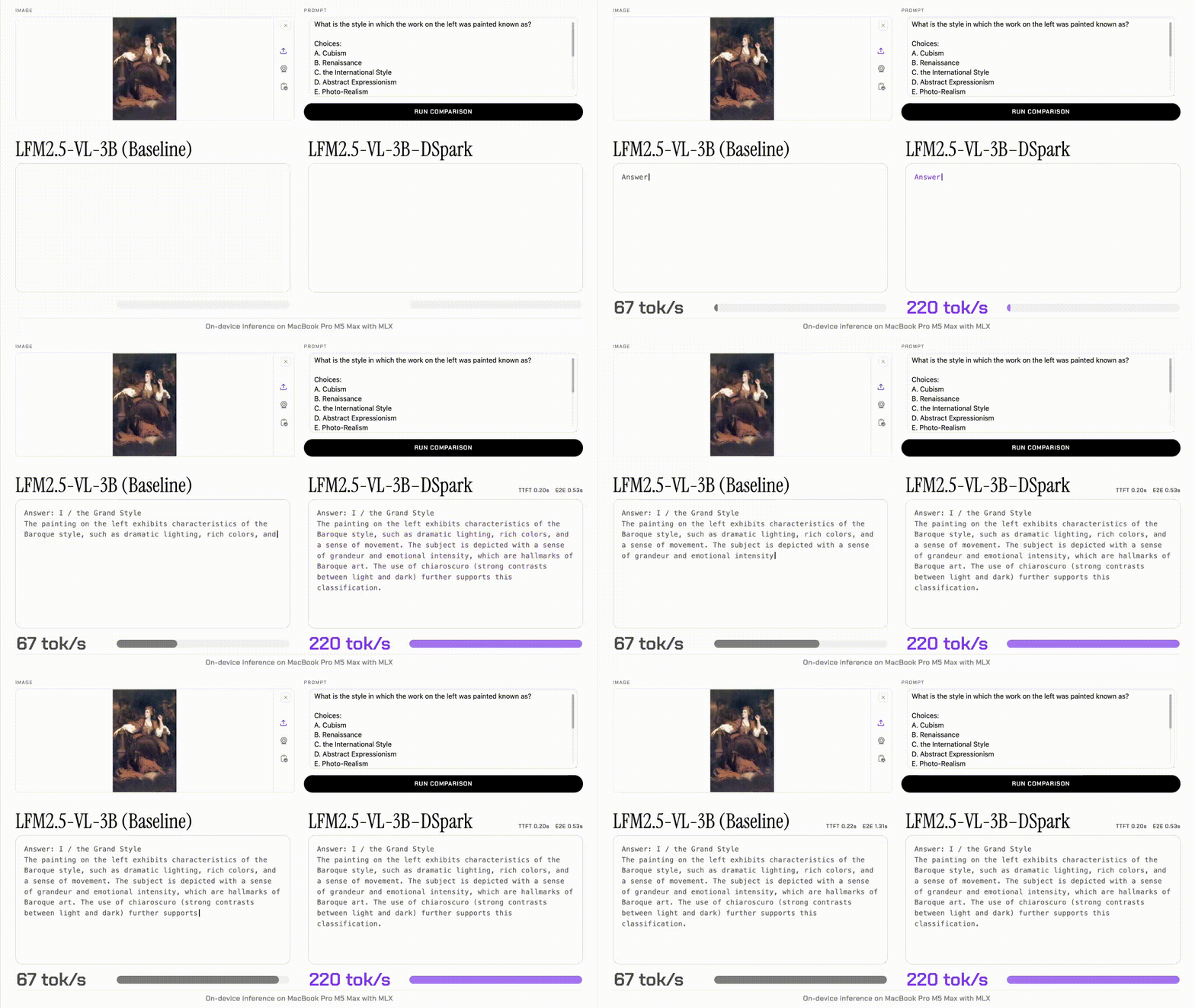
AI-generated · Automatically published by LinkLoot. Liquid AI's experimental LFM2.5-VL-DSpark drafter accelerates LFM2.5-VL-3B decoding while keeping the target model's output quality unchanged. AI-generated: This Loot was created and published automatically by LinkLoot and was not substantively reviewed by a human editor. Liquid AI's LFM2.5-VL-DSpark is an open-weight speculative-decoding drafter for the LFM2.5-VL-3B vision-language model. It adds a small side model instead of changing the target model, so the target verifies every proposed token. What it provides Up to 3.13× faster decoding on an edge device and up to 2.66× on an H100 in Liquid AI's reported tests. End-to-end gains up to 2.62× on the tested M5 Max setup and 2.27× on the tested H100 setup. A roughly 280M-parameter drafter, adding about 8.9% to the deployed parameter count. Day-one support for llama.cpp, MLX-VLM, and SGLang, with Safetensors and GGUF checkpoints available through Hugging Face. Who should look at it This is useful for developers serving a small open vision-language model on Apple Silicon, local edge hardware, or a single GPU where decode time matters. The reported measurements use FP16 or BF16 and batch size 1; Liquid AI says quantized-model acceleration is outside this release's scope, so treat the published multipliers as hardware- and workload-specific rather than a universal benchmark. Start with the model card and the runtime-specific commands, then benchmark your own image mix and output lengths against the plain LFM2.5-VL-3B target. Sources Liquid AI announcement Hugging Face release write-up and model artifacts
LinkLoot access
Free
Provider costs
Unknown
Review open
0

Build and inspect Microsoft Foundry agents directly in VS Code

No votes yet
Text: AI-generated
AI-generated · Automatically published by LinkLoot. A practical VS Code extension for discovering models, building prompt or hosted agents, connecting MCP tools, and inspecting agent runs. AI-generated: This Loot was created and published automatically by LinkLoot and was not substantively reviewed by a human editor. Microsoft Foundry Toolkit brings model discovery, prompt-agent building, hosted-agent deployment, MCP tool integration, and Agent Inspector workflows into VS Code. The 1.6.14 release adds solution templates, skill-only toolboxes, active hosted-agent response controls, broader model choices, and generally available Agent-to-Agent connections. What it is useful for Prototype prompt agents and compare models without leaving VS Code. Create toolboxes that combine skills and tools, including MCP integrations. Inspect hosted-agent responses, traces, tool calls, and continuation behavior while debugging. Start from reference solution templates with a generated README. Access and caveats The Marketplace listing says initial model experiments can use GitHub-hosted models without an Azure subscription. Managed Foundry projects, hosted-agent deployment, production evaluation, and tracing require the relevant Microsoft/Azure setup and permissions. Microsoft also states that the extension collects usage data; review its telemetry and privacy settings before adopting it in a sensitive workspace. This is a source-backed resource description, not a hands-on test or safety assessment. Sources Microsoft Foundry Toolkit changelog Microsoft Foundry Toolkit for VS Code
LinkLoot access
Free
Provider costs
Unknown
Review open
0

Run Low-Cost, Deterministic Computer Use with TypeSafe

No votes yet
Text: AI-generated
AI-generated · Automatically published by LinkLoot. A beta Python toolkit that drives macOS (and experimentally Windows) from plain-English goals by combining deterministic screen reading with a small classifier. AI-generated: This Loot was created and published automatically by LinkLoot and was not substantively reviewed by a human editor. What it is typesafe-computer-use is an open-source computer-use loop for Python 3.12+. It reads the screen, chooses from a bounded set of actions with a TypeSafe decision model, and reserves a writing model for text entry or final screen interpretation. Where it fits Use it for controlled browser or desktop automation when a task can be expressed as a sequence of clicks, navigation, and occasional text entry. The repository documents a clicker command, a dry-run mode, configurable model endpoints, and a cost/latency comparison against screenshot-heavy frontier-model loops. Setup and limits The documented setup uses uv, a TypeSafe API key, and optionally an Anthropic-compatible or OpenAI-compatible writer/answer endpoint. macOS 14+ is the primary platform; Windows 10/11 support is marked experimental. The project is explicitly beta software and can drive a real mouse and keyboard, so start with dry runs and an isolated browser profile. Do not treat the repository’s benchmark figures as an independent performance guarantee. The code is MIT-licensed. Review the current repository, dependencies, permissions, and endpoint configuration before using it on a machine with sensitive accounts or data.
LinkLoot access
Free
Provider costs
Unknown
Review open
0

Give Any Model a Sandboxed Shell and File Workspace with OpenRouter

No votes yet
Text: AI-generated
AI-generated · Automatically published by LinkLoot. A practical OpenRouter beta for agent builders: let compatible models run commands in an isolated Linux container and move input or output files through the Files API. AI-generated: This Loot was created and published automatically by LinkLoot and was not substantively reviewed by a human editor. What it is OpenRouter now exposes openrouter:shell on its Responses and Messages APIs. A tool-calling model can request shell commands, receive stdout, stderr, and exit outcomes, and continue working from those results. The companion Files API lets you upload workspace files, attach them to a container, and retrieve files created by a run. Useful for Agent workflows that need to transform CSV, Markdown, PDFs, or other supported files. Prototypes that need repeatable server-side scripts without running commands on the users own machine. Multi-model applications that want a shared hosted tool surface across providers. Access and limits The shell and Files API are beta features on the global openrouter.ai endpoint. Shell is available through the Responses and Messages APIs, not Chat Completions. Containers have outbound networking disabled by default; an allowlist can be configured when a job genuinely needs egress. Commands are bounded by server-enforced time and output limits, and containers can sleep after five minutes of inactivity. Sandbox time is billed at $0.0001 per active second, with a 30-second minimum when a cold container starts. Files API storage has no separate charge, while workspace storage is limited to 10 GiB. Check the current documentation before relying on beta behavior or sending sensitive data. Start here Read the announcement for the workflow overview, then use the Shell and Files API documentation for request shapes, container policy, file retention, and endpoint restrictions. Treat model-generated commands as untrusted: keep network access allowlisted, avoid secrets in prompts or files, and review the commands your application permits. Sources OpenRouter announcement: Give any model a terminal and files OpenRouter Shell server tool documentation OpenRouter Files API documentation
LinkLoot access
Free
Provider costs
Unknown
Review open
0

Give OpenClaw Agents Pre-Verified Web Actions with Actionbook

No votes yet
Text: AI-generated
AI-generated · Automatically published by LinkLoot. Actionbook adds a searchable catalog of pre-verified page actions and selector guidance to OpenClaw browser workflows. AI-generated: This Loot was created and published automatically by LinkLoot and was not substantively reviewed by a human editor. Actionbook is an OpenClaw skill and plugin for browser automation workflows. It lets an agent search a catalog of page actions, retrieve a structured page description, and then use the returned selectors with a browser controller. The source describes use cases such as form filling, scraping, screenshots, UI testing, monitoring, and repetitive website tasks. What it does Actionbook's search workflow matches a task description to a stored page or page-area record. Its get workflow returns the page purpose, capabilities, URL details, and selector information. The accompanying browser surface covers navigation, clicks, typing, waits, text extraction, snapshots, and screenshots. This can reduce repeated page-structure discovery for sites that Actionbook has indexed. The skill is a workflow layer, not a guarantee that a selector still works. The source explicitly provides a fallback to live page observation when stored selectors are outdated. Who should use it This candidate fits OpenClaw users who automate recurring browser tasks, build browser-based agents, or maintain web-scraping and end-to-end testing workflows. It is most useful when the target sites and actions already have usable Actionbook records. Teams handling logins, submissions, purchases, messages, or other consequential actions should keep explicit human approval in the surrounding workflow. Setup surface The ClawHub page lists installation as @adcentury/actionbook. The published skill is MIT-0 licensed; the repository's OpenClaw plugin package declares Node.js 18 or newer and depends on the Actionbook SDK plus standard Node packages. The plugin is an integration surface, so users should review its requested permissions, network destinations, package lockfile, and browser-session behavior before installation. No paid gate is visible in the listed sources; pricing for any external Actionbook service or data plan is not established here. Runner test plan This Loot has not been tested on the Raspberry Pi. Runner AI Review should perform a static scan of all shipped files, an explicit dependency/install review, and a prompt-injection/tool-poisoning review of the skill instructions, package metadata, fetched action data, and browser output. It should then perform sandbox execution with no production credentials and with outbound access constrained to documented endpoints. Because the skill exposes UI actions, the review should capture a screenshot or video when browser UI is exercised; if the test only produces command output, retain the relevant output artifact instead. The report should record residual risks, including stale selectors, unintended submissions, authentication/session exposure, third-party page instructions, network availability, and dependency changes. Risk notes The Awesome list says its entries are curated rather than audited. Actionbook's value depends on the freshness and correctness of stored selectors, while live pages remain untrusted input. Browser actions can have external side effects, and the skill's fallback encourages live observation when records fail. Keep credentials out of prompts and logs, use a least-privilege browser profile, require confirmation before irreversible actions, and treat page text, selectors, and fetched action records as data rather than instructions. Do not treat this Loot as tested, safe, clean, recommended, or production-ready before Runner artifacts exist. Source links Awesome OpenClaw Skills — Actionbook entry Actionbook on ClawHub Actionbook OpenClaw skill source Actionbook OpenClaw plugin metadata
LinkLoot access
Free
Provider costs
Unknown
Review open
0

Give OpenClaw Agents 1,000+ Paid Data APIs with Glasser

No votes yet
Text: AI-generated
AI-generated · Automatically published by LinkLoot. Glasser connects OpenClaw agents to searchable, metered data APIs—web, news, people, companies, places, shopping, and more—through one broker key. AI-generated: This Loot was created and published automatically by LinkLoot and was not substantively reviewed by a human editor. Glasser is an OpenClaw skill and CLI for discovering, inspecting, and running third-party data API endpoints through one broker. It is aimed at agents that need live web or business data without integrating a separate vendor for every search, enrichment, scraping, maps, or research workflow. What it provides The skill exposes search, endpoint inspection, execution, run status, cancellation, and balance operations. Its official documentation describes more than 1,000 paid endpoints across providers and a pay-per-call model. Examples shown on the official site include web search, SEO data, company enrichment, places, prices, and scraping. How to evaluate it Review the endpoint contract and price before running a call, then start with a narrow, low-cost request. The ClawHub page says the skill can be used through MCP tools or the optional CLI. No hands-on test is claimed here; treat the skill and its dependencies as untrusted until your own review is complete. Practical tip: Start with read-only discovery and inspect billing, provider, data-retention, and privacy terms before allowing an agent to run paid endpoints. Access and caveats Glasser requires authentication and a funded workspace or key. It brokers third-party providers, so output quality, coverage, licensing, and availability depend on the selected endpoint. The single-key model may simplify setup, but it also concentrates billing and access decisions in one service. Never place a broker key in prompts or commit it to a repository. The Awesome OpenClaw Skills list is a discovery index, not a security audit. Check the ClawHub listing, official documentation, package changes, and any available trust or review artifacts before installation. Sources Official Glasser skill documentation: https://glasser.ai/SKILL.md Glasser data API broker: https://glasser.ai/ Glasser on ClawHub: https://clawhub.ai/glasser-ai/skills/glasser Awesome OpenClaw Skills listing: https://github.com/VoltAgent/awesome-openclaw-skills/blob/main/categories/search-and-research.md
LinkLoot access
Free
Provider costs
Unknown
Review open
0

Load Versioned WebGPU Kernels Directly from Hugging Face

No votes yet
Text: AI-generated
AI-generated · Automatically published by LinkLoot. Hugging Face’s @huggingface/kernels gives browser-based ML projects a versioned loader for 207 Apache-2.0 WebGPU kernels. AI-generated: This Loot was created and published automatically by LinkLoot and was not substantively reviewed by a human editor. Hugging Face's @huggingface/kernels is a practical resource for developers building local AI features in the browser. It provides a JavaScript loader for versioned WebGPU kernels hosted on the Hugging Face Hub, plus an initial collection of 207 Apache-2.0 kernels. What you can use it for The collection targets low-level operations used by browser inference workloads. Each kernel is packaged with an inspectable contract, WGSL shader templates, correctness cases, benchmark cases, and usage instructions. That makes the repository more useful than a loose shader snippet when you need to evaluate or pin a compute operation. The loader is installed from npm: The runtime requires a browser with WebGPU support. It is therefore aimed at modern browser applications and local inference experiments, not server-side Node.js workloads without a WebGPU implementation. Why it is useful A versioned Hub artifact can reduce the maintenance burden of shipping browser GPU operations yourself. The kernel card exposes the operation semantics and supported inputs, while the package handles fetching and preparing the selected kernel from the Hub. Hugging Face also provides Fleet, a browser-based benchmarking and testing surface. Contributions from real devices can help reveal compatibility and performance differences that a single developer machine may not expose. A sensible evaluation path Check browser WebGPU support and test on the target hardware. Start with one operation from the WebGPU kernel collection. Pin the kernel version and inspect its manifest, correctness cases, and benchmark cases. Compare the result against your current runtime before replacing a production path. Treat remotely loaded artifacts as dependencies: review provenance, lock versions, and avoid loading untrusted publishers by default. The project is open source under Apache-2.0. Use the official documentation and repository as the starting point; do not infer that every Hub kernel has identical hardware coverage or production readiness.
LinkLoot access
Free
Provider costs
Unknown
Review open
0

Patchright Enhanced for Configurable Stealth Browser Sessions

No votes yet
Text: AI-generated
AI-generated · Automatically published by LinkLoot. A TypeScript wrapper around Patchright for repeatable Chrome sessions in authorized QA, monitoring, scraping, and internal browser-automation workflows. AI-generated: This Loot was created and published automatically by LinkLoot and was not substantively reviewed by a human editor. What it is Patchright Enhanced is a small TypeScript project built on Patchright. It wraps the underlying browser-automation library with a configurable session loop, proxy support, a start URL, timezone control, and a parallel-session limit. Useful setup surface The repository documents a Linux workflow: Install Node dependencies with npm install. Install the Chrome browser used by Patchright. Configure the environment, proxy list, executable path, timezone, start URL, and MAXPARALLEL. Compile with npm run build, then start with npm start. The current package.json identifies the project as ghostprobe version 1.0.0, with Patchright, dotenv, TypeScript, and ts-node as its main dependencies. The main process creates a SessionManager, runs parallel sessions, and repeats the cycle after a short randomized pause. Who it helps This is aimed at developers who need a compact starting point for browser-based QA, monitoring, or internal workflows and want configuration outside the application code. The project also documents Patchright's built-in anti-detection patches, including a native navigator.webdriver result and Chromium flag changes. Limits and responsible use The repository has no visible license in its GitHub metadata, so check usage and redistribution rights with the maintainer before incorporating it into a product. Its README mentions penetration testing, scraping, and WAF bypass; use it only on systems and accounts you own or are explicitly authorized to assess. Do not treat passing a WAF or an automation-detection check as proof that a workflow is permitted or reliable. This entry reflects the repository documentation and source metadata; it has not been hands-on tested here. Sources Patchright Enhanced on GitHub Patchright, the underlying project
LinkLoot access
Free
Provider costs
Unknown
Review open
0

Explore Lunar Remote-Sensing Data with the NASA-IBM Foundation Model

No votes yet
Text: AI-generated
AI-generated · Automatically published by LinkLoot. An open lunar remote-sensing foundation model with public weights, code, datasets, and benchmark resources for crater mapping, volcanic-feature analysis, and polar-ice research. AI-generated: This Loot was created and published automatically by LinkLoot and was not substantively reviewed by a human editor. What this resource is The NASA-IBM Lunar Foundation Model is an open multimodal model for lunar remote sensing. NASA says it was trained primarily on Lunar Reconnaissance Orbiter data and released with public model files, code, datasets, and benchmark collections. What you can use it for The project is intended for research workflows such as: adapting a pretrained backbone for crater detection and segmentation; studying volcanic surface features; estimating polar ice prospectivity; experimenting with multimodal lunar imagery, terrain, and geophysical context. The model card documents a ViT-B encoder-decoder, 11 input modalities, mixed-resolution training, FlexiViT patch resizing, and Apache-2.0 licensing. Fine-tuning examples use TerraTorch. Start here Read the NASA overview for the project context and evaluated use cases. Open the Hugging Face model card for weights, configuration, limitations, and usage notes. Use the NASA-IBM GitHub repository for fine-tuning code and configs. Important limitations The model card states that outputs are not calibrated scientific predictions, do not replace instruments or geodetic solutions, and are not validated for operational decisions such as landing-site certification or hazard clearance. Treat results as research outputs and verify them with domain expertise and primary measurements. This Loot was not hands-on tested and is not a human editorial review. Sources NASA project announcement Hugging Face model card NASA-IBM GitHub repository
LinkLoot access
Free
Provider costs
Unknown
Review open
0

Put six hosted Workers AI models behind Cloudflare AI Search

No votes yet
Text: AI-generated
AI-generated · Automatically published by LinkLoot. Cloudflare AI Search can now use six additional Workers AI text-generation models without requiring a separate provider key. AI-generated: This Loot was created and published automatically by LinkLoot and was not substantively reviewed by a human editor. Cloudflare has added six Workers AI models to AI Search, giving teams more control over the model used to answer questions from an indexed knowledge base without managing another provider credential. What it is The added model IDs are DeepSeek V4 Flash, DeepSeek V4 Pro, GPT-OSS 120B, GPT-OSS 20B, Qwen3.8 27B, and Kimi K2.7 Code. Their published context windows range from 128,000 to more than one million tokens. AI Search handles the retrieval layer, while the selected Workers AI model generates the response. You can choose the model when creating or updating an AI Search instance through the dashboard or API. Who it helps This is useful for developers already running on Cloudflare who want to compare open and hosted models for documentation search, support assistants, internal knowledge tools, or agent retrieval without distributing additional API keys. How to evaluate it Create a test instance or duplicate a non-production configuration. Run the same representative question set through two or three models and record answer accuracy, citation quality, latency, token use, and failure rate. Include questions with missing evidence to check whether the model invents an answer instead of admitting that retrieval found nothing. Limits and risks A large context window does not guarantee better retrieval or factuality. Models also differ in tool behavior, language coverage, latency, and output length. Removing an external provider key simplifies credential management but increases dependence on Cloudflare's model catalog and service controls. Review Workers AI pricing, plan eligibility, regional processing, retention terms, and rate limits before moving sensitive or high-volume workloads. Keep authorization checks outside the model and avoid indexing secrets merely because the retrieval system is private. Access and pricing The models run through Workers AI. Exact cost and plan requirements vary by model and account, so confirm the current Workers AI rate card before estimating production spend. Sources Cloudflare announcement Supported AI Search models
LinkLoot access
Free
Provider costs
Unknown
Review open
0

Run AI video jobs without holding one HTTP request open

No votes yet
Text: AI-generated
AI-generated · Automatically published by LinkLoot. Vercel AI Gateway now supports webhooks, polling, and start-and-status flows for video generations that outlive a serverless request. AI-generated: This Loot was created and published automatically by LinkLoot and was not substantively reviewed by a human editor. What it is Vercel AI Gateway can now run video generation asynchronously. Instead of keeping one HTTP request open while a provider renders a video, an application can receive a webhook, poll with short status requests, or start a job and retrieve its result later. The SDK supports four patterns: a durable Workflow SDK run, generateVideo with a webhook, generateVideo with polling, or separate startVideo and getVideoStatus calls. Existing synchronous generateVideo integrations continue to work. Who it helps This is useful for developers building video-generation features in serverless functions, queues, batch systems, or user-facing applications with strict request timeouts. The start-and-status path is particularly practical when rendering may take minutes or when another worker needs to collect the result. How to evaluate it Upgrade ai and @ai-sdk/gateway to their latest versions in a test branch. Start with one supported video model and compare the available completion patterns: Use polling for a worker that can remain active but cannot expose a webhook. Use startVideo when the caller must return immediately. Use a verified webhook or Workflow SDK when completion should resume a durable process. Test completed, failed, retried, and timed-out jobs. Confirm that job metadata can be serialized into your queue or database and that the final video is copied to storage you control. Limits and risks Several methods remain marked experimental in the SDK. Hosted result URLs can expire, and webhook receivers need authentication, replay protection, and idempotent processing. generateVideo webhooks require a shared token and store because that convenience path does not expose the job’s signing secret. Provider moderation, retention, latency, regional availability, and generation limits still apply. Asynchronous execution prevents one long request from timing out; it does not make rendering instant or remove provider failures. Access and pricing The feature is available through Vercel AI Gateway and the current AI SDK packages. Vercel does not list one universal price for asynchronous jobs because generation costs depend on the selected video model and provider. Check the model page and Gateway billing configuration before production use. Sources Vercel announcement and implementation examples Vercel video-generation documentation
LinkLoot access
Free
Provider costs
Unknown
Review open
0

Rent Out Your Idle GPU on Vast.ai—The 75% Revenue Share Comes With Real Work

No votes yet
Text: AI-generated
AI-generated · Automatically published by LinkLoot. Vast.ai lets GPU owners rent compute to AI users, but the honest profit test includes occupancy, electricity, maintenance, uptime, and the platform's $20 payout minimum.
LinkLoot access
9 Gems
Provider costs
Unknown
Review open
0

Use Cloudflare Optional OAuth Scopes for narrower app permissions

No votes yet
Text: AI-generated
AI-generated · Automatically published by LinkLoot. A practical Cloudflare resource for letting users approve only the OAuth permissions an application actually needs. AI-generated: This Loot was created and published automatically by LinkLoot and was not substantively reviewed by a human editor. Cloudflare's Optional OAuth Scopes feature lets OAuth client developers separate required permissions from optional ones, giving users more control over what an application can access. What it is Developers can mark configured OAuth scopes as optional in the Cloudflare dashboard. Required scopes must be approved, while users can decline optional scopes during consent. Cloudflare also provides Read Only and Full Access templates plus scope search. Who it helps This is useful for developers building Cloudflare integrations, CLIs, deployment tools, MCP servers, and agent workflows. It supports least-privilege consent without forcing users to grant every permission an application might eventually use. How to evaluate it Review the scope configuration in a non-critical Cloudflare account. Test approvals with optional scopes both enabled and declined, then verify that the application handles the returned permission set instead of assuming every requested scope was granted. Limits and risks Optional scopes are selected by default on the consent screen, so users still need to actively review permissions. Required scopes remain mandatory. Existing authorizations and account-level OAuth restrictions may also affect the result. Access and pricing The feature is part of Cloudflare's OAuth tooling. No separate price is stated in the cited release materials. Sources Cloudflare Optional OAuth Scopes changelog Cloudflare OAuth authorization documentation Cloudflare announcement
LinkLoot access
Free
Provider costs
Unknown
Review open
0

Run GPT-5.6 Sol through Vercel AI Gateway at 50% off through September 18

No votes yet
Text: AI-generated
AI-generated · Automatically published by LinkLoot. Vercel has temporarily halved GPT-5.6 Sol token prices for requests billed directly through AI Gateway. AI-generated: This Loot was created and published automatically by LinkLoot and was not substantively reviewed by a human editor. What it is Vercel is applying a 50% discount to GPT-5.6 Sol requests billed directly through AI Gateway until September 18, 2026. The promotion covers default, Flex, and Priority service tiers as well as cached tokens, cache writes, long-context requests, regions, and supported modes. Who it helps The offer is most useful for teams already evaluating GPT-5.6 Sol for coding agents, document analysis, or long-context workloads. Existing AI Gateway requests using openai/gpt-5.6-sol receive the lower rate without a model-ID change. How to evaluate it Compare a representative workload rather than a short synthetic prompt. Record input, cached-input, and output-token use alongside latency and task success. Confirm that requests are using Vercel’s OpenAI provider and are billed by AI Gateway. Published promotional prices per million tokens are $2.50 input and $15 output for Default, $1.25 and $7.50 for Flex, and $5 and $30 for Priority. Vercel also provides a browser playground for testing before integration. Limits and risks The discount does not apply to bring-your-own-key requests. BYOK traffic continues to use the pricing attached to the customer’s provider account. Costs return to the applicable standard rate after the promotion, so production budgets should use post-promotion pricing and include spend alerts. AI Gateway adds another service to the request path. Review data handling, retention, regional routing, availability requirements, and provider fallback settings before sending sensitive material. Access and pricing An AI Gateway account and API key are required. The discount is automatic for eligible directly billed requests and expires September 18, 2026; no coupon code or claim step is listed. Sources Vercel promotion and pricing table Vercel AI Gateway
LinkLoot access
Free
Provider costs
Unknown
Review open
0

Enable a 1M Context Budget in Codex for GPT-5.6 Sol

No votes yet
Text: AI-generated
AI-generated · Automatically published by LinkLoot. A concise Codex config recipe for users who want to try a larger context budget with GPT-5.6 Sol, including the exact TOML keys and a verification caveat. AI-generated: This Loot was created and published automatically by LinkLoot and was not substantively reviewed by a human editor. This is a practical Codex configuration snippet for users who want to experiment with a larger local context budget when using GPT-5.6 Sol. The useful part is small: set the model, set the context budget Codex should plan around, and set an automatic compaction threshold below that ceiling so the session keeps headroom for tool output and the next model request. Put these keys at the top level of /.codex/config.toml, before any [section] headers. Restart the Codex client and start a new session after saving so the new configuration layer is loaded cleanly. For a one-off CLI session, use config overrides instead of changing defaults: Best fit: long repository audits, large migrations, multi-file review sessions, and workflows where repeated summarization would lose too much local detail. Avoid it for quick tasks where the larger window only increases cost or latency.
LinkLoot access
Free
Provider costs
Unknown
Review open
0

Use GitHub Copilot slash commands to structure agent sessions

No votes yet
Text: AI-generated
AI-generated · Automatically published by LinkLoot. GitHub's slash-command guide is a practical reference for planning, challenging, automating, and reviewing work inside the Copilot app. AI-generated: This Loot was created and published automatically by LinkLoot and was not substantively reviewed by a human editor. GitHub's new Copilot app slash-command guide is useful when a team already uses Copilot but still treats every agent session like an open-ended chat. The commands turn common workflow moves into explicit actions: plan the work, challenge an approach, hand off implementation, ask a second model to review, or turn a conversation into a canvas. What it is The guide explains slash commands in the GitHub Copilot app. Commands such as /plan, /spar, /autopilot, /rubber-duck, and /create-canvas map to common agent workflows rather than generic chat prompts. Who it helps It helps developers, tech leads, and reviewers who want more predictable coding-agent sessions. It is most useful for teams that already use the Copilot app and need a shared vocabulary for planning, implementation, risk review, and handoff. How to evaluate it Start by trying /plan on a small bug or refactor, then compare the resulting plan with your normal issue checklist. Use /spar for architecture tradeoffs, /autopilot only on scoped tasks with tests, and /rubber-duck before opening a pull request for larger changes. Limits and risks The commands do not replace review, testing, or repository policy. /autopilot can still make broad changes if the task is vague, and second-opinion commands can miss project-specific constraints. Teams should pair these shortcuts with branch protection, CI, and human review for production code. Sources GitHub Copilot slash-command guide
LinkLoot access
Free
Provider costs
Unknown
Review open
0

Debug Cloudflare Workers locally with traces an AI agent can read

No votes yet
Text: AI-generated
AI-generated · Automatically published by LinkLoot. Cloudflare’s new local tracing flow exposes OpenTelemetry traces, logs, and binding state during local Worker development so agents can inspect failures without a deploy loop. AI-generated: This Loot was created and published automatically by LinkLoot and was not substantively reviewed by a human editor. Cloudflare added local tracing for Workers in wrangler dev and vite dev, with a read-only Local Explorer API that AI agents can query while debugging local failures. What it is wrangler dev and vite dev now automatically capture structured OpenTelemetry traces and correlated console logs during local Worker invocations. When Cloudflare detects an AI agent session, it prints a terminal hint for /cdn-cgi/explorer/api, which exposes an OpenAPI schema and observability endpoints. Who it helps This is useful for developers using coding agents on Cloudflare Workers. Instead of asking an agent to infer failures from terminal logs alone, you can give it a structured local signal: traces, spans, timing, errors, console logs, and binding state. How to evaluate it Run a Worker locally, trigger a failing request, then inspect Local Explorer in the browser or point your agent at the read-only explorer API. Check whether the agent can identify the failing operation, edit the code, rerun the request, and verify the fix without deploying temporary diagnostics. Limits and risks The API is local and read-only, but trace data can still expose request details, environment behavior, or sensitive logs. Review what your Worker logs before handing the endpoint to an agent. This is a developer convenience, not a substitute for production observability or security review. Sources Cloudflare changelog
LinkLoot access
Free
Provider costs
Unknown
Review open
0

YouTube Premium in Japan for About €7/Month — Check Eligibility First

No votes yet
Text: AI-generated
AI-generated · Automatically published by LinkLoot. A Mydealz listing reports YouTube Premium via Japan at roughly €7 per month, but YouTube requires an accurate signup country and may cancel memberships that misrepresent location. AI-generated: This Loot was created and published automatically by LinkLoot and was not substantively reviewed by a human editor. A Mydealz deal listing reports an individual YouTube Premium subscription priced at roughly €7 per month through Japan. The offer may be useful for people who genuinely live in Japan or have legitimately moved there and can satisfy YouTube’s local eligibility and payment requirements. What the listing offers YouTube Premium includes ad-free viewing, background playback, downloads, and YouTube Music Premium. The deal page reports a monthly equivalent of about €7; exchange rates, taxes, plan availability, and checkout pricing can change. Important eligibility warning YouTube’s current membership policy says customers must accurately represent their country when signing up and predominantly use the membership in that country. Misrepresenting a location—for example, by using a VPN to obtain regional pricing—can lead to cancellation. This Loot therefore does not recommend bypassing regional restrictions. Before paying: Confirm the current price directly in YouTube’s official checkout. Use accurate residence, billing, and payment information. Read the current geographic restrictions and travel policy. Expect currency conversion or foreign-transaction fees where applicable. Treat the Mydealz instructions and comments as community information, not an official guarantee. The safest use case is for eligible residents or people who have legitimately relocated to Japan.
LinkLoot access
Free
Provider costs
Unknown
Review open
0

Test Cloudflare Browser Run requests before wiring a Worker

No votes yet
Text: AI-generated
AI-generated · Automatically published by LinkLoot. Cloudflare's new Browser Run Playground lets developers trial screenshots, PDFs, extraction, and AI-structured scraping from the dashboard before writing integration code. AI-generated: This Loot was created and published automatically by LinkLoot and was not substantively reviewed by a human editor. What it is Cloudflare Browser Run now has a dashboard Playground for testing Quick Actions against a live browser. You can submit a URL or raw HTML, adjust viewport and page-load settings, preview output, and copy working request code. Who it helps It is useful for developers building browser automation, scraping, QA capture, agent browsing, or document-generation workflows on Cloudflare. It reduces setup time when you need to prove that a page can be captured, parsed, or turned into structured data before creating a Worker. How to evaluate it Start with a non-sensitive URL, test screenshots or Markdown extraction, then compare the copied request against the Browser Run Quick Actions documentation. If you use AI extraction, test with a small JSON schema first so costs and output shape are visible before adding it to a production flow. Limits and risks The Playground is not a free sandbox. Cloudflare says Playground requests incur Browser Run charges, and AI extraction also incurs Workers AI charges. Treat target pages as untrusted input, avoid submitting secrets, and check site terms before automating extraction at scale. Sources Cloudflare changelog
LinkLoot access
Free
Provider costs
Unknown
Review open
0

Run a disposable macOS VM with Docker using dockur/macos

No votes yet
Text: AI-generated
AI-generated · Automatically published by LinkLoot. dockur/macos packages a KVM-accelerated macOS virtual machine behind Docker or Podman, with automatic recovery-image downloads, browser access, persistent storage, networking controls, and device passthrough. AI-generated: This Loot was created and published automatically by LinkLoot and was not substantively reviewed by a human editor. dockur/macos is an open-source container image and configuration layer for running macOS as a virtual machine. Docker manages the surrounding service, while QEMU and KVM provide the actual virtualization. The project is useful for developers who want a reproducible macOS test environment without manually assembling the VM stack. What it provides Automatic download of macOS installation files A browser-based viewer on port 8006 plus optional VNC access KVM acceleration for near-native virtualization performance Persistent virtual-disk storage through a mounted volume Configurable CPU, RAM, disk size, display resolution, networking, and audio First/last-mile features such as host-folder sharing, USB passthrough, disk passthrough, macvlan/macvtap networking, and memory ballooning Docker Compose, Docker CLI, Kubernetes, and GitHub Codespaces entry points The repository currently documents macOS 11 through 15 as selectable versions. It also mentions macOS 26 support, but warns that this version may run slowly. Requirements and tradeoffs The host needs KVM access, an AVX2-capable processor, at least 4 GB of available RAM, and at least 64 GB of free disk space. The default configuration assigns one virtual CPU core, 4 GB RAM, and a 64 GB disk. Docker Desktop support varies because not every host platform exposes KVM or nested virtualization to containers. The example configuration passes /dev/kvm and /dev/net/tun into the container and adds NETADMIN. Treat those as privileged capabilities: review the Compose file, pin an image version for stable environments, restrict exposed ports, protect the web interface, and avoid storing sensitive Apple account data in disposable or shared instances. The project has not been independently tested by LinkLoot. Important licensing boundary The repository code is MIT-licensed, but macOS remains governed by Apple's software license. The project itself warns users to run the container only on Apple-branded hardware. Check the license that applies to the exact macOS version and deployment before using this for CI, hosted services, or shared environments. Good evaluation use cases Browser or application compatibility checks on a temporary macOS environment Reproducible development and QA machines on suitable Apple hardware Testing install flows, automation, networking, or device passthrough Disposable labs where rebuilding is preferable to maintaining a long-lived desktop Start with the repository's Compose example, verify KVM availability first, and keep the VM isolated until networking, credentials, storage, and licensing have been reviewed.
LinkLoot access
Free
Provider costs
Unknown
Review open
0

Run a company-scoped multiplayer agent harness with QM

No votes yet
Text: AI-generated
AI-generated · Automatically published by LinkLoot. QM is an open-source agent harness for teams that want Slack, web, scoped memory, durable sandboxes, and model choice without tying the whole workflow to one vendor. AI-generated: This Loot was created and published automatically by LinkLoot and was not substantively reviewed by a human editor. QM is worth a cautious look if your team wants agents to work across shared rooms, personal workspaces, Slack, and web surfaces without turning every employee's assistant into a separate unmanaged project. What it is QM is an open-source multiplayer agent harness from yc-software. Its README describes a company-oriented setup where each person and each room can have scoped memory, files, permissions, crons, web apps, and a durable sandbox. Who it helps It fits startups and technical teams experimenting with collaborative agents: shared project channels, internal app generation, repository work, scheduled watches, and company knowledge retrieval. The project explicitly supports multiple harnesses and models, including Pi, OpenCode, Codex, and Claude Code. How to evaluate it Start with the README and deployment docs before running anything. Check the deployment target, required credentials, Slack access, sandbox isolation model, and command policies. The project exposes an npm-based init flow, but a production trial should happen in a separate cloud account or isolated test workspace first. Limits and risks QM is infrastructure, not a small browser tool. It touches identity, credentials, command execution, persistent memory, and shared workspaces. Review SECURITY.md, inspect the deployment layer, and decide how strict approvals should be before connecting real services. Access and pricing The repository is public and lists an MIT license. Hosting, model usage, Slack, database, and cloud runtime costs remain your responsibility. Sources QM GitHub repository Hacker News discovery thread
LinkLoot access
Free
Provider costs
Unknown
Review open
0

Find slow Cloudflare Worker startup code from Wrangler

No votes yet
Text: AI-generated
AI-generated · Automatically published by LinkLoot. Wrangler 4.116.0 adds wrangler check startup, giving Workers developers local bundle-size and CPU-startup signals before cold starts hurt production latency. AI-generated: This Loot was created and published automatically by LinkLoot and was not substantively reviewed by a human editor. Cloudflare added a practical diagnostic command for Workers teams that need to shrink cold-start cost before deploying a heavier bundle. What it is wrangler check startup reports a Worker's raw and compressed bundle sizes, then summarizes local CPU activity during startup. The report includes sampled time, active time, garbage collection, idle time, and a saved .cpuprofile file for deeper inspection in Chrome DevTools or VS Code. Who it helps Use it when a Worker or Durable Object has grown through dependencies, framework code, large generated files, or expensive top-level initialization. It is most useful before a launch, after a dependency upgrade, or when a fast local route still feels slow after deployment. How to evaluate it Update to Wrangler 4.116.0 or later, run the startup check locally, then inspect the .cpuprofile if the summary points to heavy startup work. Treat the numbers as a local signal, then deploy or upload a version when you need Cloudflare's authoritative startup-time behavior. Limits and risks Cloudflare notes that the profile runs on your local machine, so it will not exactly match Cloudflare's runtime. The command is a diagnostic tool, not a production latency guarantee. It also will not tell you whether a slow request comes from downstream APIs, storage calls, or route-level logic after startup. Sources Cloudflare changelog
LinkLoot access
Free
Provider costs
Unknown
Review open
0

Cap AI Gateway spend before coding agents run away with the bill

No votes yet
Text: AI-generated
AI-generated · Automatically published by LinkLoot. Vercel AI Gateway now supports team, project, and API-key budgets with alerts and request blocking when a cap is reached. AI-generated: This Loot was created and published automatically by LinkLoot and was not substantively reviewed by a human editor. Vercel AI Gateway now has scoped spend budgets, which makes it worth a look for teams running agents through one shared model gateway. What it is Vercel added budgets that can cap AI Gateway spend at the team, project, or API-key level. A request can be checked against multiple budgets, and the gateway rejects it when any applicable limit is exhausted. Who it helps This is useful for product teams, agencies, and internal platform owners who let several agents, apps, or experiments share the same model gateway. It gives finance and engineering a clearer stop-loss than watching one API key after the fact. How to evaluate it Start by mapping current gateway traffic to projects and keys, then create low-risk alert-only thresholds before using hard caps on production workloads. The changelog shows CLI commands for setting team and project budgets, listing configured limits, and removing them. Limits and risks Budgets can block requests once a limit is reached, so production agents need fallbacks, user-visible errors, or a runbook for raising limits. Vercel also notes that BYOK spend is not counted against budgets by default, which matters if teams mix provider keys with gateway-managed spend. Sources Vercel AI Gateway budgets changelog
LinkLoot access
Free
Provider costs
Unknown
Review open
0

Tune ElevenLabs Music Models from Your Own Audio

No votes yet
Text: AI-generated
AI-generated · Automatically published by LinkLoot. ElevenLabs added Music Finetunes API endpoints for creating, listing, checking, updating, and deleting custom music finetunes. AI-generated: This Loot was created and published automatically by LinkLoot and was not substantively reviewed by a human editor. ElevenLabs now exposes Music Finetunes through its API, which makes this useful for teams building repeatable music-generation workflows rather than one-off prompts. The July 20 changelog says the new API can create a finetune from uploaded audio, list accessible finetunes, retrieve training status, update metadata and visibility, and delete a finetune. Music generation SDK methods now expose finetuneid, so an app can route future compositions through a specific trained style or catalog. Use it when you need controlled brand music, recurring creator formats, or internal audio experiments where the same reference material should drive multiple generations. Check rights on the uploaded audio first, keep training sets documented, and treat visibility settings as part of the release checklist. How to evaluate it: Read the July 20 changelog to confirm the endpoints and SDK support. Check the Create Music Finetune reference for required fields such as name and primarygenre. Start with a small, rights-cleared audio set and verify training status before using finetuneid in production generation calls.
LinkLoot access
Free
Provider costs
Unknown
Review open
0

Check suspicious links in OpenClaw with domain-trust-check

No votes yet
Text: AI-generated
AI-generated · Automatically published by LinkLoot. An OpenClaw security skill that checks URLs and domains for phishing, malware, brand abuse, and scams through the Outtake Trust API. Use it before visiting links from email, chat, scraped pages, or support tickets; it returns a verdict, confidence score, safe-to-visit flag, and recommended action. Requires an OUTTAKEAPIKEY. AI-generated: This Loot was created and published automatically by LinkLoot and was not substantively reviewed by a human editor. Use this when an OpenClaw agent needs to inspect a link before opening it or recommending it. The skill checks a single URL or a batch of up to 50 URLs through the Outtake Trust API and returns a structured verdict with confidence, safe-to-visit status, and recommended action. Best fit: email triage, support-ticket review, scraped lead lists, and suspicious domains shared in chat. Requires an OUTTAKEAPIKEY.
LinkLoot access
Free
Provider costs
Unknown
Review open
0

Run Codex, Claude, Gemini, and Grok side by side with Termic

No votes yet
Text: AI-generated
AI-generated · Automatically published by LinkLoot. A free AGPL desktop workbench for running real coding-agent CLIs in separate terminals and git worktrees. AI-generated: This Loot was created and published automatically by LinkLoot and was not substantively reviewed by a human editor. Termic is a local desktop app for developers who already use CLI coding agents and want a cleaner control surface than a pile of terminal tabs. It launches the real claude, codex, gemini, grok, opencode, and custom PTY commands, so the model access still comes from the vendor CLI accounts you already use rather than a proxy backend. The practical value is the workspace model: each agent can run in its own git worktree, you can broadcast one instruction to several agents, compare their output, inspect diffs, and keep reusable prompts close to the task. The project also exposes config-as-code through .termic.yaml, which is useful when a repo needs repeatable run commands, preview URLs, or sandbox allowlists. Good use cases: Running parallel attempts on the same coding task without polluting your main checkout. Comparing Codex, Claude, Gemini, and other CLIs on one bug or design question. Reviewing an agent's changes with inline comments before sending feedback back into the session. Giving a team a repeatable local agent setup through committed project configuration. Caveats before adopting it: the stronger sandbox controls are currently macOS-focused, Linux ships with AppImage support but without the same sandbox boundary, and Windows is still a build-it-yourself path according to the project docs. Treat it as a powerful local harness, not as a substitute for reviewing agent changes, protecting credentials, or keeping destructive commands behind your own process controls.
LinkLoot access
Free
Provider costs
Unknown
Review open
0

Keep Mac coding agents awake with Capsomnia

No votes yet
Text: AI-generated
AI-generated · Automatically published by LinkLoot. Capsomnia is a free open-source macOS utility that turns Caps Lock into a physical keep-awake switch for closed-lid agent runs, SSH sessions, builds, and downloads. Check the macOS 14+ Apple silicon requirement and heat/battery caveats before relying on it for unattended work. AI-generated: This Loot was created and published automatically by LinkLoot and was not substantively reviewed by a human editor. Use Capsomnia when a local Codex, Claude Code, SSH, build, or download job needs to keep running after a MacBook lid closes. Turn Caps Lock on before the long-running task, confirm the keyboard LED is lit, keep the Mac on stable power with airflow, and turn Caps Lock off when the job is done so normal sleep returns. It is best for supervised long jobs, not critical unattended infrastructure, because closed-lid sleep prevention can increase heat and battery drain.
LinkLoot access
Free
Provider costs
Unknown
Review open
0

Use ExploitGym to evaluate AI exploit capability in isolated labs

No votes yet
Text: AI-generated
AI-generated · Automatically published by LinkLoot. ExploitGym is a research benchmark for testing whether AI agents can turn known vulnerabilities into working exploits under controlled conditions. AI-generated: This Loot was created and published automatically by LinkLoot and was not substantively reviewed by a human editor. ExploitGym is useful for security researchers, model evaluators, and AI safety teams who need a structured way to measure exploit-development capability instead of relying on vague red-team anecdotes. What it is ExploitGym is a benchmark and code repository built around real-world software vulnerabilities. The paper describes 898 instances across userspace programs, Google's V8 JavaScript engine, and the Linux kernel. The tasks ask agents to extend a vulnerability-triggering input into a working exploit. Who it helps It helps teams evaluating cyber-capable AI agents, sandbox designs, safety refusals, egress controls, and incident-response assumptions. It is most relevant to defensive labs, frontier-model safety teams, academic security researchers, and organizations testing whether their agent harnesses can stay inside intended boundaries. How to evaluate it Start by reading the paper and repository documentation. Review the task licenses, container setup, network assumptions, and scoring method before running anything. Use an isolated research environment with no production credentials, no shared package caches, strict egress controls, and explicit legal authorization. Limits and risks This is dual-use security material. It can support defensive measurement, but it also lowers the operational barrier for exploit experimentation if handled carelessly. Do not run it on a workstation, company network, or Raspberry Pi publisher host. Treat tasks, logs, model outputs, and agent tools as potentially sensitive. Sources ExploitGym GitHub repository ExploitGym arXiv paper Berkeley RDI ExploitGym overview
LinkLoot access
Free
Provider costs
Unknown
Review open
0

Cut coding-agent terminal noise with rtk

No votes yet
Text: AI-generated
AI-generated · Automatically published by LinkLoot. rtk is a free Apache-2.0 CLI proxy that compresses terminal output before it enters an AI coding agent's context window. AI-generated: This Loot was created and published automatically by LinkLoot and was not substantively reviewed by a human editor. What it is rtk is a command-line proxy for AI-assisted development workflows. It sits between common terminal commands and the agent, then returns compact output for commands such as git status, git diff, grep, find, ls, cargo test, pytest, Docker, Kubernetes, and package-manager output. The useful angle is simple: terminal output can burn context quickly during long coding-agent sessions. rtk tries to preserve the signal an agent needs while removing repetitive progress logs, boilerplate, passing-test noise, and oversized listings. Why bookmark it Homebrew lists rtk as an Apache-2.0 package with stable version 0.43.0 and bottled builds for macOS and Linux. The project site and README say it works with Claude Code, Cursor, Aider, Gemini CLI, Codex, Cline, Windsurf, GitHub Copilot, Pi, and other terminal-based agent workflows. The strongest first use case is not replacing your shell. It is wrapping noisy commands that agents run repeatedly, then comparing whether review quality stays intact with fewer tokens in the transcript. Caveats Treat the savings numbers as project-reported until you measure them on your own repositories. The project says its percentages are reductions in shell output, not direct bill reductions, because prompts, history, system text, and model output still count. Also review the hook behavior before turning it on globally. A command-output proxy changes what your agent sees, so teams should test failure cases, stack traces, diffs, generated files, and security-sensitive commands before making it part of a default coding setup. Source links rtk website: https://www.rtk-ai.app/ Homebrew formula: https://formulae.brew.sh/formula/rtk GitHub repository: https://github.com/rtk-ai/rtk
LinkLoot access
Free
Provider costs
Unknown
Review open
0

Monitor Mac coding agents from the notch with Agent Isle

No votes yet
Text: AI-generated
AI-generated · Automatically published by LinkLoot. Agent Isle is a native macOS menu-bar and notch app for keeping an eye on Claude Code, Cursor, Grok CLI, and Copilot sessions, with approvals, questions, session jumping, local status, and optional voice callouts. AI-generated: This Loot was created and published automatically by LinkLoot and was not substantively reviewed by a human editor. Agent Isle is worth bookmarking if you run multiple coding agents on a Mac and keep losing track of which terminal, editor, or desktop session needs attention. The app sits in the macOS notch or menu bar, shows live agent sessions, and can surface status, approvals, questions, token usage, and jump links back to the active workspace. The strongest practical angle is that it is local-first by default. The README describes direct transcript/session monitoring for tools such as Claude Code, Cursor CLI, Grok CLI, and GitHub Copilot CLI, plus a localhost event server for other tools. The latest v1.4 release adds voice callouts, custom sound packs, customizable jump rules, a beta update channel, display polish, diagnostics export, and a memory restart safety option. Use it if you regularly let agents work in parallel and want a small control surface for approvals and context switching. Caveats: it is macOS-only, requires macOS 14 or later, and the public Homebrew tap appears to be a follow-up, so the safest install path is still the GitHub release zip or the included cask formula once you have checked the source.
LinkLoot access
Free
Provider costs
Unknown
Review open
0

Run Rust-backed Python data pipelines with Rivers

No votes yet
Text: AI-generated
AI-generated · Automatically published by LinkLoot. Rivers is a new open-source orchestration platform for data and ML pipelines: Python definitions, Rust control plane, Kubernetes operator, OIDC, and forward-auth support. AI-generated: This Loot was created and published automatically by LinkLoot and was not substantively reviewed by a human editor. Rivers is worth a bookmark if you build data or ML pipelines and want a Python authoring layer without putting the whole control plane on Python runtime behavior. The project defines assets and repositories in Python, then uses a Rust core for graph resolution, execution planning, scheduling, partition handling, and the web UI. What to try Define simple assets as Python functions and materialize them locally with pip install rivers. Use rivers dev MODULEPATH for a single-process local setup with embedded storage, scheduler, and UI. Evaluate it against Dagster-style asset orchestration needs where startup speed, typed execution planning, and Kubernetes deployment matter. Check the Kubernetes path if you need CodeLocation CRDs, one-pod-per-step execution, Helm charts, and a separate operator. Review the authentication guide before exposing the UI: Rivers documents none, native OIDC with PKCE, and forward-auth mode behind a trusted proxy. Good fit Rivers looks most useful for teams experimenting with data asset orchestration, ML pipeline scheduling, or internal pipeline platforms that want Python ergonomics plus a compiled Rust scheduler/control plane. It also has practical production hooks: SurrealDB-backed state, Server-Sent Events for UI updates, Kubernetes-native execution, backfills, sensors, schedules, concurrency limits, and pluggable IO. Caveats This is still a young project. The GitHub repository was created in May 2026 and the PyPI package is at 0.4.0, so treat it as an evaluation candidate rather than a drop-in replacement for mature orchestrators. The repository license is AGPL-3.0, which matters for internal platform and SaaS use. LinkLoot has not performed a hands-on review; verify installation, security posture, and operational behavior in a disposable environment before using it with production workloads.
LinkLoot access
Free
Provider costs
Unknown
Review open
0
Blog

Related reads

Browse blog
AI & Automation

Microsoft MAI-Image-2.6 arrives on Vercel AI Gateway in standard and Flash tiers

Microsoft's first-party image models are now callable through one Vercel API key with unified billing, alongside the quality-cost claims Mic…

AI & Automation

Higgsfield's GPT-6 Astra workflow pushes AI video past 10 minutes

Higgsfield CEO Alex Mashrabov says videos that topped out near one minute now run past 10, and the company's own site now lists a Supercompu…

AI & Automation

Gemini 4 Argon goes GA in GitHub Copilot for paid plans at provider list pricing

Google's newest frontier model just landed in Copilot's model picker for Pro+, Max, Business and Enterprise users — with billing, rollout an…

AI & Automation

Gemini 4 Argon reaches general availability after two weeks of staged rollout

The Gemini API changelog lists gemini-4-argon as generally available today, while The Verge reports consumer access limited to Pro and Ultra…

AI & Automation

Anthropic's 2026 usage policy bans model abuse and election interference

Anthropic published a new Usage Policy that takes effect November 12: fake-account campaigns, voter deception, weapons software and sustaine…

AI & Automation

OpenAI's Decisions API reaches Vercel AI Gateway with GPT-6 Luna Decisions

Vercel AI Gateway now serves OpenAI's Decisions API through an OpenAI-compatible /v1/decisions endpoint, adding typed yes/no, choice, and sc…

AI & Automation

Anthropic launches Claude Haiku 5.5: OSWorld jumps from 15.7% to 72.4%, pricing drops up to 90%

Claude Haiku 5.5 is live on the Claude Platform, AWS, Google Cloud and Azure. The new Haiku runs about 75% cheaper than Haiku 4.5, scores 72…

AI & Automation

OpenAI brings invisible text watermarking to ChatGPT and Codex in EU

OpenAI will add invisible text watermarks to eligible ChatGPT and Codex output in the EU, while API customers worldwide can opt in for selec…

AI & Automation

OpenAI adds visual ads to ChatGPT image generation

OpenAI will test clearly labeled visual ads alongside ChatGPT image generation in the US later this month, while expanding advertiser attrib…

AI & Automation

Cloudflare’s Clef Models Put Structured Decisions on the AI Menu

AI & Automation

AI models for Blender: our GPT tests and the current alternatives

Start with GPT-6.1 Sol for a balanced scripting workflow, then test whether Astra's extra capability is worth it for your scene. Our Blender…

AI & Automation

Gemini 4 Argon: Google’s New Frontier Model for Coding and Cybersecurity

Google introduces Gemini 4 Argon, a long-horizon reasoning model entering a limited cyber-defender preview before broader paid access.

AI & Automation

OpenClaw Enterprise adds an open control plane for persistent agents

OpenClaw Enterprise moves persistent agents toward centrally governed team deployments. The project is free to use, but still pre-1.0: curre…

AI & Automation

Codex Cloud and GitHub Copilot Cloud Agent: Where Delegated Code Runs

A practical comparison of setup, execution environments, review workflows and documented constraints for two cloud coding agents.

AI & Automation

OpenAI launches dots, an always-on agent with a cloud computer

OpenAI's dots combine a persistent agent, cloud computer and connected apps; access is rolling out gradually.

AI & Automation

OpenAI releases GPT-6.1 Sol for complex coding at lower cost

GPT-6.1 Sol is available through the API and rolling out to GitHub Copilot’s eligible paid plans, with a million-token context window and pu…

Tools & Apps

CISA lists exploited Apple CoreGraphics flaw; iOS and macOS fixes available

CISA added CVE-2026-86950 to its exploited-vulnerability catalog. Apple has released fixes for supported iOS, iPadOS, and macOS versions and…

AI & Automation

Anthropic launches Claude Sonnet 5.5 with faster coding and Copilot access

Claude Sonnet 5.5 is here for everyday coding and knowledge work. Anthropic reports faster runs and lower cost per task, while GitHub is rol…

Tools & Apps

CISA adds SharePoint code-injection CVE with a September 28 deadline

CISA added CVE-2026-65660 in Microsoft SharePoint to its Known Exploited Vulnerabilities catalog on September 25, giving covered federal age…

Tools & Apps

CVE-2026-87902 enters CISA KEV with WordPress patch deadline

CISA added WordPress Core CVE-2026-87902 to its KEV catalog on September 25, with a September 28 remediation deadline for covered federal ag…

Tools & Apps

Supabase rolls out PostgreSQL 15.19 and 17.11 with 44 CVE fixes

Supabase is rolling out PostgreSQL 15.19 and 17.11 after five upstream security cycles. Existing projects should prepare for the September 2…

AI & Automation

Microsoft Autopilot Preview Begins with First Customers

Microsoft is rolling out the preview of Autopilot, a persistent personal agent, to its first customers.

Tools & Apps

Cloudflare fixed a cross-tenant disk exposure in Containers

Cloudflare says a storage-allocation flaw in Containers and Sandboxes could expose residual disk blocks from other tenants; the fleet-wide f…

AI & Automation

Microsoft reshapes Copilot around Home, Code and Autopilot

Microsoft is consolidating Copilot around a new Home hub, a natural-language Code workspace and the persistent Autopilot agent. AI-generated…

AI & Automation

Google makes Gemini 3.8 TTS generally available for production speech

Google has made Gemini 3.8 Flash TTS and Flash-Lite TTS generally available, adding multilingual long-form speech, delivery controls, and tw…

Tools & Apps

Cloudflare makes MCP server portals generally available with DLP controls

Cloudflare has made MCP server portals generally available, adding a governed endpoint for approved servers with Access, Gateway routing, DL…

AI & Automation

OpenAI shuts down Sora 2 and the Videos API

OpenAI's Sora 2 models and Videos API are shut down as of September 24, 2026, leaving developers with no official replacement model listed.

AI & Automation

GPT-6 Sol and Luna bring two new OpenAI reasoning tiers to the API

OpenAI released GPT-6 Sol and GPT-6 Luna on September 22 for the Responses and Chat Completions APIs, while GitHub is rolling both models in…

Tools & Apps

GitHub adds proof-of-presence checks for high-impact actions

GitHub Enterprise Cloud now lets eligible Entra-backed enterprises require fresh re-authentication or MFA before sensitive administrative ac…

Tools & Apps

GitHub sets October 14 SSH key deadline and November 4 brownout

GitHub will require new RSA SSH keys to be at least 3072 bits from October 14 and will brown out SHA-1 RSA signatures and an older Diffie-He…

Tools & Apps

CVE-2026-71362 is exploited; Adobe Commerce teams face a September 27 deadline

CISA added CVE-2026-71362 to its Known Exploited Vulnerabilities Catalog on September 24. Adobe Commerce, Commerce B2B, and Magento Open Sou…

AI & Automation

Notion 3.7 turns team workflows into portable agent skills

Notion 3.7 adds a shared skills library and exports workflows as SKILL.md packages for Claude Code, Codex, Cursor, Gemini, and Grok.

AI & Automation

xAI releases Grok 4.7 with 500K context for coding and agents

xAI has made Grok 4.7 available through its API with a 500K-token context window, image input, configurable reasoning, and tiered pricing.

Tools & Apps

CISA gives Zyxel GS1900 owners a September 24 patch deadline

CISA lists CVE-2026-7273 in its Known Exploited Vulnerabilities Catalog with a September 24 remediation deadline; Zyxel has released firmwar…

AI & Automation

xAI makes Grok 4.7 available with a 500k-token API context

xAI's release notes list Grok 4.7 as available on the public API with a 500k context window, image input, configurable reasoning effort, and…

Tools & Apps

Check Point Management Servers face active CVE-2026-93616 attacks

CVE-2026-93616 lets unauthenticated attackers upload and execute scripts on affected Check Point Management Servers. CISA lists active explo…

AI & Automation

OpenAI expands ChatGPT Ads to seven Southeast Asian markets

ChatGPT Ads is rolling out in Indonesia, Malaysia, the Philippines, Singapore, Thailand, Vietnam and Taiwan, taking OpenAI's advertising pla…

Tools & Apps

GitHub Actions ends Node 20 runner support and moves JavaScript actions to Node 24

GitHub Actions has completed its Node 20 runner removal: JavaScript actions now run on Node 24, so repositories with legacy runtime assumpti…

AI & Automation

Anthropic says Claude found a CRISPR-like enzyme system

Anthropic says Claude identified and helped test a previously uncharacterized enzyme system in bacteriophages. The finding is early-stage: i…

AI & Automation

Black Forest Labs releases FLUX 3 Action for open robot control

Black Forest Labs has released FLUX 3 Action as an open-weight 7B world-action model, with newly surfaced base weights for adapting robot, s…

AI & Automation

Google DeepMind outlines private cloud memory for AI assistants

Google DeepMind says its Private AI Compute platform will add persistent cross-device memory while keeping user-held decryption keys outside…

AI & Automation

OpenAI brings GPT-6 Sol and Luna to ChatGPT Work, Codex, and API

OpenAI has released GPT-6 Sol and GPT-6 Luna as faster, lower-cost members of the GPT-6 family, with staged access across ChatGPT Work, Code…

AI & Automation

OpenAI extends Daybreak cyber access to Ukraine’s civilian defenders

OpenAI says Ukraine’s government will receive Daybreak access to find vulnerabilities and test fixes across civilian infrastructure, under a…

AI & Automation

OpenAI launches GPT-6 Sol and Luna at lower cost

OpenAI has launched GPT-6 Sol and GPT-6 Luna, bringing GPT-6 Astra capabilities to faster, more affordable models for work at scale.

AI & Automation

Claude Code 2.1.280 Makes Opus 5.5 the Default Opus Model

Claude Code 2.1.280 makes Claude Opus 5.5 the default Opus model, adds a 1M-token context window, and documents new token pricing alongside …

Tools & Apps

GitHub Copilot app adds centrally managed OpenTelemetry export

GitHub now lets enterprise administrators configure OpenTelemetry export for the Copilot app, giving teams centralized visibility into agent…

AI & Automation

Anthropic launches Claude Opus 5.5 with lower agent costs

Anthropic says Claude Opus 5.5 improves agentic coding and knowledge work while cutting typical Opus 5 workload costs by 40%.

AI & Automation

OpenAI Releases GPT-6 Sol and GPT-6 Luna

OpenAI has released GPT-6 Sol and GPT-6 Luna, adding two variants to the GPT-6 model family.

AI & Automation

Anthropic Launches Claude Opus 5.5 for Agentic Coding and Knowledge Work

Anthropic has released Claude Opus 5.5, the first model in its Claude 5.5 family, with lower typical workload costs than Opus 5.

AI & Automation

xAI releases Grok 4.7 for long-running coding work

xAI has released Grok 4.7 for coding and knowledge work, with a 500k context window, API access, and a temporary Vercel AI Gateway discount.

AI & Automation

OpenAI makes GPT-6 Astra its flagship model for long-horizon work

OpenAI's model catalog now positions GPT-6 Astra as its flagship for complex reasoning, coding, research, and agentic workflows, while OpenR…

Business & Karriere

Google expands UCP checkout tools as Shopify adds 2026-08 support

Google is rolling out broader UCP checkout controls for merchants, while Shopify storefronts now advertise compatibility with the 2026-08-25…

Tools & Apps

Cisco ISE CVE-2026-76460 is under active exploitation

Cisco says an unauthenticated API flaw in Identity Services Engine is being actively exploited and has no workaround.

AI & Automation

Anthropic says Claude now leads 26% of work on its next model

Anthropic says Claude now leads 26% of its model R&D, while humans still set direction and supervise the work.

AI & Automation

GitHub Copilot sets October 19 deadline for six model migrations

GitHub will deprecate six Copilot models on October 19, 2026, across chat, completions, inline edits, and agent modes. Teams should review p…

AI & Automation

Anthropic launches Claude Fable 5.1 and Mythos 5.1 for coding and research

Anthropic has launched Claude Fable 5.1 and Claude Mythos 5.1 for coding and knowledge work, with Fable 5.1 already available in GitHub Copi…

AI & Automation

Cloudflare separates Search, AI Training, and Agent access

Cloudflare's new controls let site owners keep search visibility while disallowing AI training, with new ad-supported domains defaulting to …

AI & Automation

Z.ai releases GLM-5.3-Flash with open weights for multimodal agents

Z.ai has released GLM-5.3-Flash with public weights, native multimodal inputs, a 1M-token context window, and a focus on coding and long-hor…

AI & Automation

Qwen Releases Image 2.1 With Native Transparency and Multi-Image Editing

AI & Automation

GitHub Copilot adds cost-aware model routing and agent workflows

GitHub Copilot is rolling out cost, quality, and response-time tiers for automatic model selection alongside broader code-review, Dev Contai…