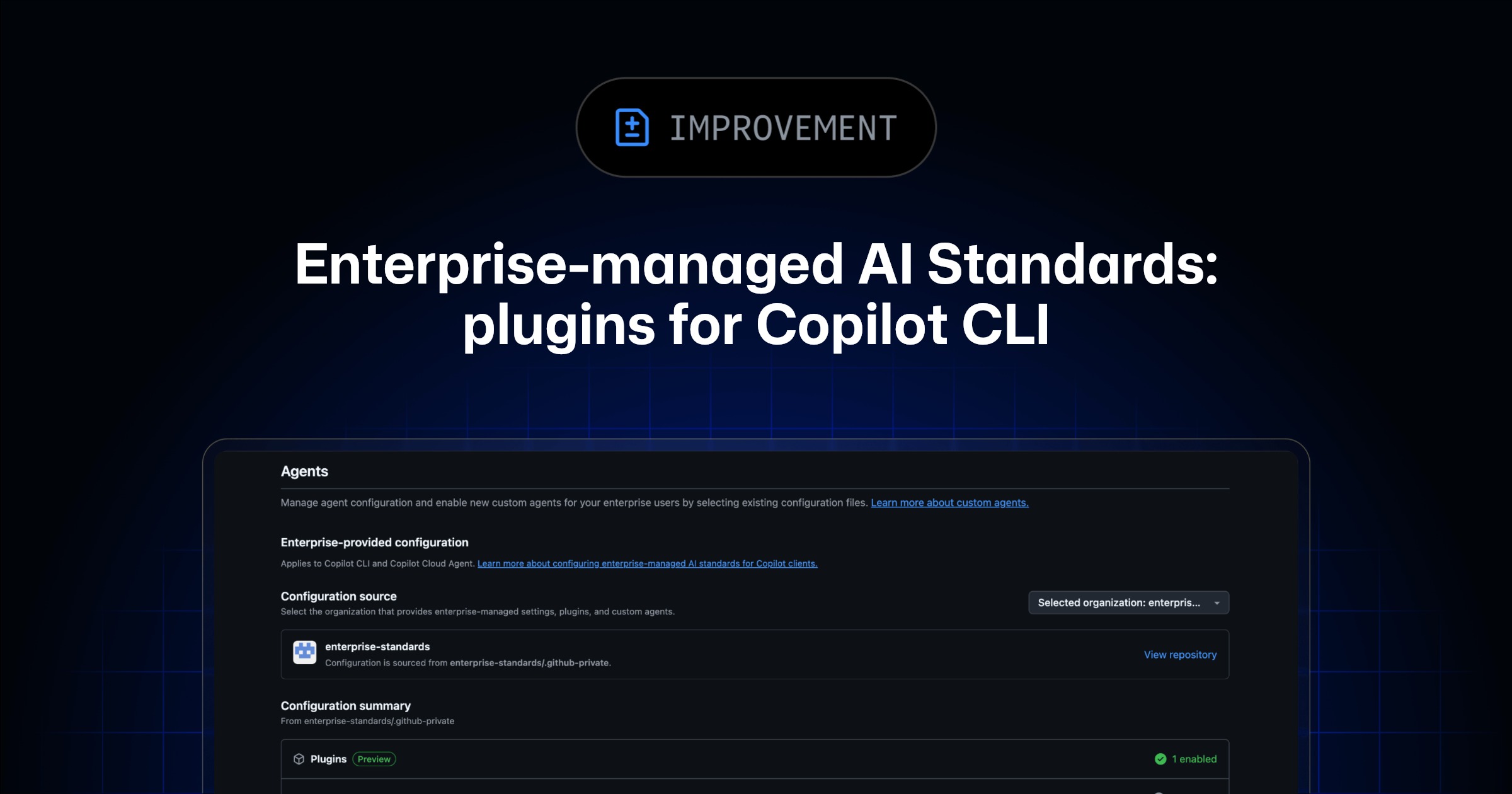
GitHub puts enterprise-managed Copilot CLI plugins into public preview


GitHub’s latest Copilot CLI update gives enterprise admins a new way to standardize plugins, hooks, and MCP-related configuration across teams, turning agent setup into a governance problem GitHub now wants to solve centrally.
GitHub has moved enterprise-managed plugins for GitHub Copilot CLI into public preview, and the feature matters for a simple reason: AI tooling at work is no longer just about individual setup. It is becoming part of enterprise policy.
The new release gives administrators a way to configure and distribute Copilot CLI plugins across an enterprise, including settings that can automatically reach licensed users instead of depending on every developer to wire up the same environment by hand.
What GitHub confirmed
According to the GitHub changelog, enterprise admins can now:
- configure and distribute plugins to Copilot CLI users across the enterprise
- define baseline standards that appear in each user’s Copilot CLI client
- install plugins automatically
- enforce hooks and MCP-related configuration as part of a broader governance setup
GitHub says the configuration lives in a settings.json file inside .github-private/.github/copilot/settings.json, and that Copilot CLI will automatically pull and apply those settings for users licensed through Copilot Business or Copilot Enterprise.
GitHub’s documentation corroborates that setup flow and confirms the enterprise-standard configuration path.
Why this update is more important than it sounds
On the surface, plugin management sounds like admin plumbing. In practice, it touches one of the biggest barriers to real enterprise AI adoption: consistency.
Without centralized management, teams often end up with a messy mix of:
- different agent and plugin versions
- uneven access to approved tools
- missing hooks or missing guardrails
- duplicated onboarding work for every new user
GitHub is trying to compress that sprawl into a single enterprise-controlled distribution layer.
That matters because Copilot CLI is not just a chat wrapper. Once teams start using agent workflows, MCP-connected tools, hooks, and custom skills, the local AI environment becomes part of the company’s operating surface.
The governance angle
The most interesting detail in this release is not merely automatic installs. It is the ability to keep hooks and MCP configurations always enabled across the enterprise.
That suggests GitHub sees Copilot CLI as something closer to a managed platform than a personal developer toy.
For enterprise teams, that opens a few immediate advantages:
- faster onboarding for new developers
- fewer setup mismatches across departments
- stronger policy enforcement for approved agent behaviors
- more predictable internal distribution of custom agents and skills
In other words, GitHub is making a play for standardized agent operations, not just better autocomplete.
Why this fits the bigger AI tooling trend
A lot of AI developer coverage still focuses on models, benchmarks, and coding speed. But inside organizations, adoption often depends on something less glamorous:
- who controls the defaults
- who approves the toolchain
- how reproducible the setup is
- how governance survives at scale
That is why this preview is notable. GitHub is turning Copilot CLI from an individual power-user tool into something more centrally governable.
If that direction sticks, enterprise AI tooling will increasingly compete on:
- policy control
- rollout simplicity
- safe extensibility
- managed interoperability with agents and MCP ecosystems
Bottom line
GitHub’s public preview for enterprise-managed Copilot CLI plugins is a quiet but important update.
It shows that the next layer of AI developer adoption will be shaped less by who can demo the cleverest agent and more by who can standardize that agent environment across an entire company without turning deployment into a support headache.
<!-- linkloot-ai-search-backfill:2026-05-08 -->Key takeaways
- GitHub puts enterprise-managed Copilot CLI plugins into public preview is worth tracking, but it should not be treated as an automatic recommendation.
- The practical signal is whether this changes what builders can actually ship, automate, or rely on this week.
- The strongest next step is to compare the practical trade-offs instead of reacting to the headline.
Practical LinkLoot angle
For a deeper comparison path, use the related LinkLoot guide on AI workflow automation. It gives this post a second layer: not just what happened, but how to decide whether it belongs in your tool stack, content workflow, or buying shortlist.
| Decision point | What to look for | Why it matters |
|---|---|---|
| Fit | Does it solve a recurring problem? | One-off curiosity rarely deserves workflow space. |
| Limits | Are caps, pricing, access, or platform rules clear? | Hidden limits change the real value quickly. |
| Switching cost | Can you test it without rebuilding your setup? | Small tests beat full migrations. |
What to verify before you act
Before changing a workflow, check the official rollout notes, access limits, pricing, regional availability, and whether the feature is available to your account tier.
GitHub puts enterprise-managed Copilot CLI plugins into public preview is worth watching, but the decision depends on fit, current availability, limits, and cost.
Try the related loot
Scrape Changing Websites with Anansi Self-Healing Selectors and MCP