Topic

#copilot

Loot, blog posts and adjacent themes connected to this topic. Follow the tag to keep it in your orbit.

#copilot
Loot

More from this topic

Explore all loot
Use GitHub Copilot slash commands to structure agent sessions

Use GitHub Copilot slash commands to structure agent sessions

0
Text: AI-generated
AI-generated · Automatically published by LinkLoot. GitHub's slash-command guide is a practical reference for planning, challenging, automating, and reviewing work inside the Copilot app. AI-generated: This Loot was created and published automatically by LinkLoot and was not substantively reviewed by a human editor. GitHub's new Copilot app slash-command guide is useful when a team already uses Copilot but still treats every agent session like an open-ended chat. The commands turn common workflow moves into explicit actions: plan the work, challenge an approach, hand off implementation, ask a second model to review, or turn a conversation into a canvas. What it is The guide explains slash commands in the GitHub Copilot app. Commands such as /plan, /spar, /autopilot, /rubber-duck, and /create-canvas map to common agent workflows rather than generic chat prompts. Who it helps It helps developers, tech leads, and reviewers who want more predictable coding-agent sessions. It is most useful for teams that already use the Copilot app and need a shared vocabulary for planning, implementation, risk review, and handoff. How to evaluate it Start by trying /plan on a small bug or refactor, then compare the resulting plan with your normal issue checklist. Use /spar for architecture tradeoffs, /autopilot only on scoped tasks with tests, and /rubber-duck before opening a pull request for larger changes. Limits and risks The commands do not replace review, testing, or repository policy. /autopilot can still make broad changes if the task is vague, and second-opinion commands can miss project-specific constraints. Teams should pair these shortcuts with branch protection, CI, and human review for production code. Sources GitHub Copilot slash-command guide
Free
Review open
0
Let Copilot code review use repo skills and MCP context

Let Copilot code review use repo skills and MCP context

0
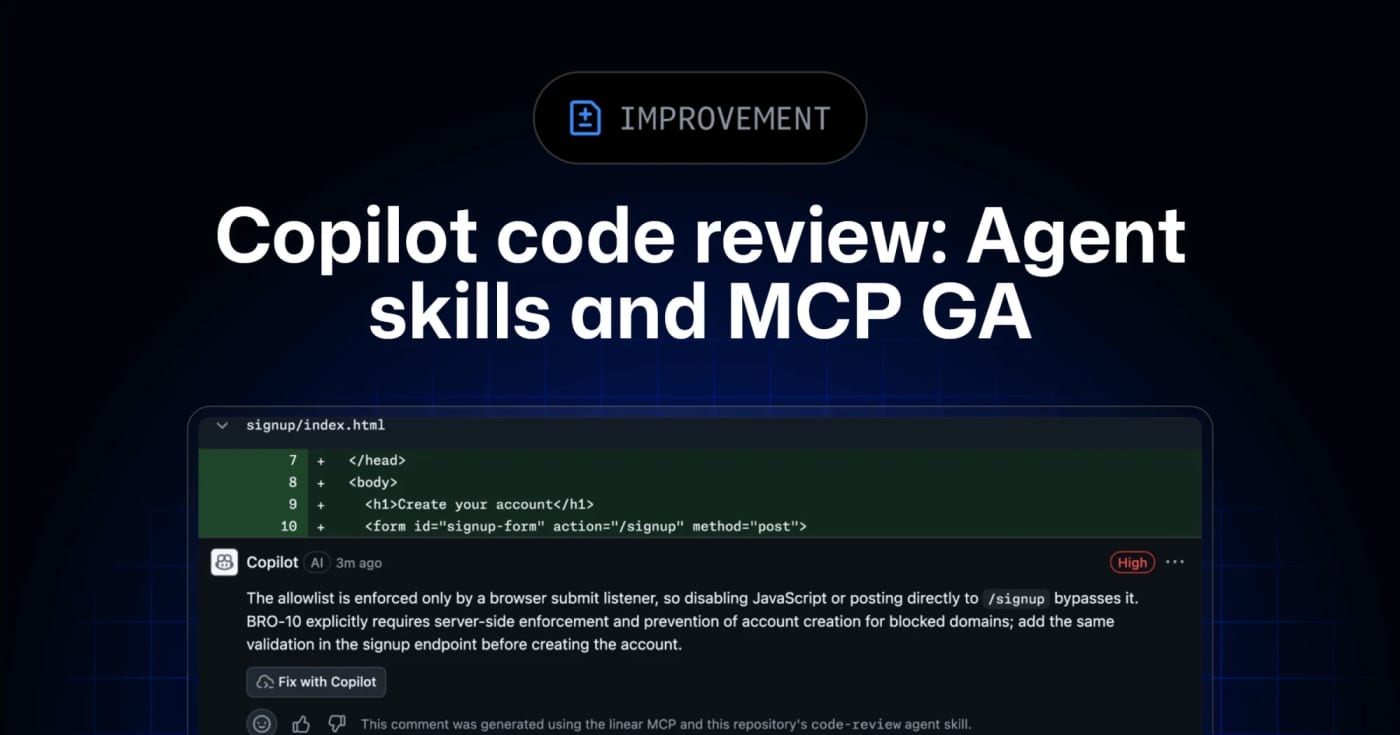
GitHub’s Copilot code review can now use repository agent skills and read-only MCP servers, giving teams a practical way to inject standards and project context into automated reviews. GitHub has moved agent skills and MCP support for Copilot code review to general availability across Copilot Pro, Pro+, Business, and Enterprise. What it is Copilot code review can now use repository-level agent skills and MCP server context when reviewing pull requests. Skills live under .github/skills with a SKILL.md file, while MCP servers can bring in read-only context from tools such as issue trackers, docs systems, service catalogs, or incident systems. Who it helps This is useful for engineering teams that already rely on internal review checklists, service ownership rules, security conventions, or issue metadata. Instead of hoping a generic reviewer catches local standards, teams can encode focused instructions and let Copilot reference external context during review. How to evaluate it Start with one narrow skill, such as API compatibility, migration checks, or test expectations for a specific package. Keep the first MCP connection read-only and low-risk, then inspect whether Copilot’s comments clearly attribute skill or MCP usage. For Business and Enterprise environments, check policy controls and billing behavior before enabling automatic reviews broadly. Limits and risks Copilot code review is still advisory. GitHub’s docs warn that it can miss issues or make mistakes, and human review remains required. MCP tool calls for code review are read-only, but teams should still audit what context each server exposes. Medium review effort and agentic capabilities can also consume more AI credits and GitHub Actions minutes. Sources GitHub changelog announcement GitHub Docs: Copilot code review
Free
Review open
0
Review GitHub issue-agent changes before they apply

Review GitHub issue-agent changes before they apply

0
GitHub's new issue automation controls let teams inspect rationale, confidence, and suggested metadata changes from Copilot cloud agent and Agentic Workflows. GitHub Issues now has a practical review layer for agent-driven triage. It is useful if you let Copilot cloud agent or GitHub Agentic Workflows label, assign, type, close, or update issue fields and want fewer unexplained changes in busy repositories. What it is GitHub added rationale, confidence, and approvals for supported issue automation actions. Agents can attach a reason to a change, rate confidence as high, medium, or low, and leave lower-confidence actions as suggestions instead of applying them immediately. Who it helps Maintainers, support teams, and product squads that use issue automation can use this to keep triage fast without making every metadata change invisible. It is especially relevant for public repositories, large backlogs, and workflows where spam detection, priority labels, or owner assignment need review. How to evaluate it Start with one workflow that touches low-risk fields such as labels or issue type. In GitHub Agentic Workflows, GitHub says issue intents are optional and enabled by default, and can be required per safe output. For Copilot cloud agent, GitHub says no update is needed; test from the Automations pane in the repository Agents tab. Use has:suggestions in issue search to find pending review items, then compare agent rationale against your existing triage rules. Limits and risks GitHub explicitly says approvals are a workflow convenience, not a security control. They do not create a server-side permission boundary, and an agent with permission to change issues can still apply changes directly if configured to do so. Treat this as observability and review UX, not a substitute for least-privilege access. Sources GitHub changelog GitHub Docs: rationale, confidence, and approvals
Free
Review open
0
Run Copilot security reviews before code leaves your branch

Run Copilot security reviews before code leaves your branch

0
GitHub's Copilot app now exposes a /security-review command in public preview for scanning in-flight code changes. GitHub has added a /security-review slash command to the GitHub Copilot app, extending the security-focused review flow beyond the earlier Copilot CLI preview. Use it as a pre-PR or pre-merge check when a branch includes authentication, file upload, payment, dependency, or permission changes. What to try: Open a project in the Copilot app. Make or load the code changes you want reviewed. Run /security-review and inspect the findings before you create or merge a pull request. Keep normal SAST, dependency scanning, secret scanning, and human review in place. Limits to remember: GitHub labels the app command as public preview. Copilot code review availability depends on plan and organization policy. AI review can miss issues, especially in framework-specific flows or code paths that need runtime context. Treat findings as triage input, not as a release gate by itself.
Free
Review open
0
Find Copilot AI-credit overages before one user drains a shared budget

Find Copilot AI-credit overages before one user drains a shared budget

0
GitHub’s new REST endpoint lets enterprise billing teams pull per-user states for multi-user budgets instead of checking every user one by one. GitHub added a REST endpoint for enterprise owners and billing managers who need to monitor multi-user budgets, including AI-credit and premium-request budgets. What it does The endpoint returns per-user budget state for a multi-user customer scoped budget. Teams can page through users, filter by a specific user, sort results, and filter by threshold percentages so they can find people who are close to a limit without building one API call per user. Who should use it Use this if your organization runs GitHub Copilot or other GitHub metered products under enterprise budgets and needs faster spend checks across many users or cost centers. How to evaluate it Confirm your account is a GitHub Enterprise Cloud enterprise owner or billing manager. Check whether the budget is a multi-user customer scoped budget. Test threshold filters against a non-critical budget before wiring alerts. Decide whether you need separate monitoring for user overrides, because the response can include an override budget ID. Limits and risks The docs state that this endpoint does not work with GitHub App user tokens, GitHub App installation tokens, or fine-grained personal access tokens. Treat the required enterprise billing credentials as sensitive, and do not put the token in client-side scripts or shared dashboards. Sources GitHub changelog: https://github.blog/changelog/2026-07-10-per-user-states-for-multi-user-budgets-in-the-rest-api/ GitHub REST API docs: https://docs.github.com/en/enterprise-cloud@latest/rest/billing/budgets?apiVersion=2026-03-10
Free
Review open
0
Enforce Copilot CLI guardrails from MDM before agent settings drift

Enforce Copilot CLI guardrails from MDM before agent settings drift

0
GitHub now lets enterprise admins push managed Copilot settings to VS Code and Copilot CLI through MDM, server-managed settings, or a locked local JSON file. GitHub's managed Copilot settings are now useful for endpoint-level governance, not just account-side policy. Enterprise admins can push the same settings into VS Code and Copilot CLI through native MDM, server-managed settings, or a root-owned local managed-settings.json file. Use this when agent policies need to follow the machine, not just the signed-in user. The practical checks are simple: decide which settings must be non-bypassable, choose the delivery channel that matches your fleet, test precedence, and confirm developers cannot override the managed tier locally. Check Why it matters --- --- MDM path Windows uses HKEYLOCALMACHINE\SOFTWARE\Policies\GitHubCopilot; macOS uses managed preferences for com.github.copilot. File ownership File-based settings must live in the expected system path and should not be user-writable. Precedence Native MDM wins over server-managed settings, which win over file-based settings. Supported keys Start with permission bypass controls, model policy, plugin lists, known marketplaces, and telemetry settings. Client coverage Confirm the target VS Code and Copilot CLI versions read the managed settings before broad rollout. This is a resource, not a hands-on review. Treat it as a deployment checklist for Copilot governance across managed developer machines.
Free
Review open
0
Blog

Related reads

Browse blog
Tools & Apps

GitHub makes Copilot cloud agent for Linear generally available

GitHub's Copilot cloud agent integration for Linear is now generally available, letting paid Copilot users assign Linear issues to an autono

Tools & Apps

Catch AI-era vulnerabilities before merge with GitHub code scanning and Copilot security review

GitHub now surfaces AI-powered code scanning detections on pull requests and added an on-demand /security-review command in the Copilot app,

Tools & Apps

Use GitHub Desktop 3.6 to keep agent branches out of each other's way

GitHub Desktop 3.6 adds Git worktrees, Copilot-assisted merge conflict resolution, repo-aware commit messages, model choice, and BYOK suppor

Tools & Apps

GitHub Copilot App Is Generally Available for Agent-Driven Desktop Coding

GitHub has moved the Copilot app to general availability on macOS, Windows, and Linux, turning agent sessions, worktrees, pull requests, ter

AI & Automation

GitHub Agentic Workflows Moves Into Public Preview

GitHub Agentic Workflows is now in public preview, letting teams define AI-driven repository automation in Markdown and run it through GitHu

AI & Automation

GitHub adds a REST API to audit Copilot cloud agent repository settings

GitHub now exposes repository-level Copilot cloud agent configuration through a REST API, giving platform teams a faster way to audit MCP se

Tools & Apps

GitHub gives Copilot cloud agent its own secrets layer for organization-wide rollout

GitHub now lets teams manage dedicated Agents secrets and variables for Copilot cloud agent at both organization and repository level, remov