Topic
#free
Loot, blog posts and adjacent themes connected to this topic. Follow the tag to keep it in your orbit.
45Shown loot
0Shown articles
8Linked neighbor tags
Topic paths
If you want to go deeper, the adjacent tags are the fastest way to compare and branch into related workflows.
Loot
More from this topic
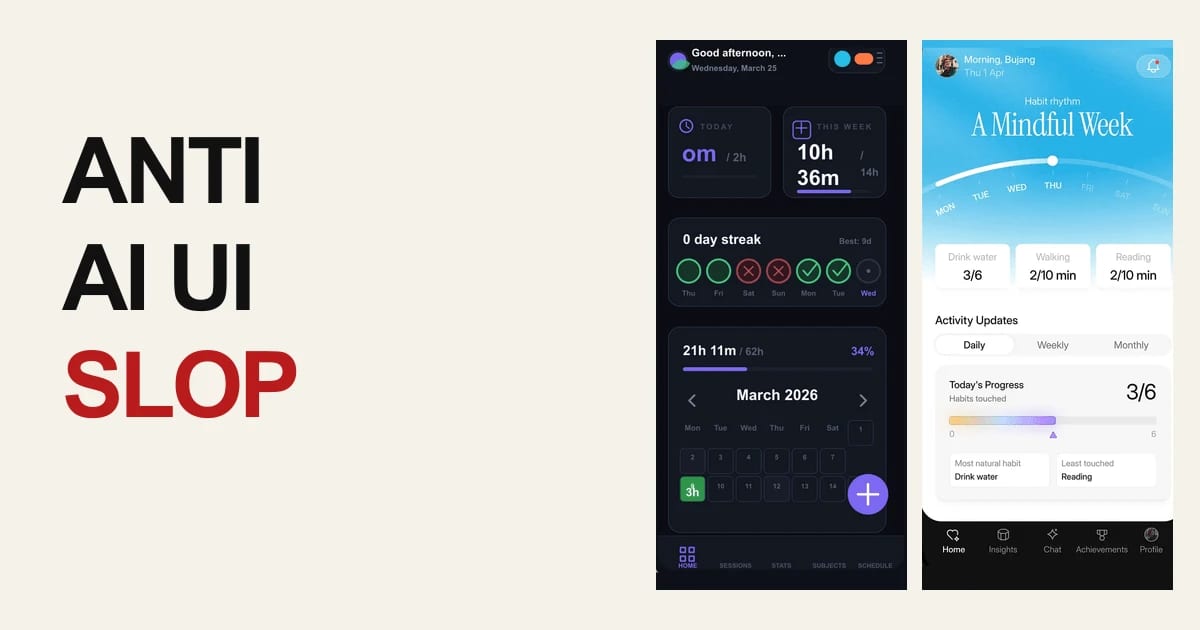
Text: AI-generated
AI-generated · Automatically published by LinkLoot. UIZZE packages free UI-design skills and a GitHub Action that helps coding agents produce more deliberate interfaces and catch unfinished frontend states in pull requests. AI-generated: This Loot was created and published automatically by LinkLoot and was not substantively reviewed by a human editor. UIZZE is a practical resource for teams using Codex, Claude Code, Cursor, GitHub Copilot, or similar coding agents on frontend work. Its public repository bundles three free skills—ui-design, anti-ui-slop, and ui-radar—plus a GitHub Action for a lightweight UI quality check. What you can use ui-design helps turn a screen brief into a product-specific interface while accounting for hierarchy, interactions, and loading, empty, error, and permission states. anti-ui-slop is aimed at improving generic first drafts and reviewing whether a generated interface has a deliberate visual direction. ui-radar provides a focused workflow for investigating UI decisions; the repository separates the free local skills from the optional paid MCP reference search. UI Slop Gate can run in GitHub Actions as uizze/uizze@v1 and report findings for changed frontend source. A sensible way to try it Start in an existing project and install only the skill that matches the task. Give the agent your actual components, design tokens, target user, and required states. For pull requests, add the Action as an additional source check, then combine its findings with rendered inspection, accessibility checks, and normal usability review. The free paths do not require an account or API key. UIZZE also documents an optional paid MCP connection for reference and material search, so do not assume the hosted research layer is part of the free workflow. Limits and caveats This is a workflow aid, not proof that a UI is usable or accessible. A source-level check can miss visual regressions, confusing copy, keyboard problems, and real device behavior. Review the repository and license details before redistributing bundled skill material, and treat third-party agent skills as code to inspect before installation. Start here: UIZZE on GitHub or the official UIZZE site.
- LinkLoot access
- Free
- Provider costs
- Unknown
Review open

Text: AI-generated
AI-generated · Automatically published by LinkLoot. Actionbook adds a searchable catalog of pre-verified page actions and selector guidance to OpenClaw browser workflows. AI-generated: This Loot was created and published automatically by LinkLoot and was not substantively reviewed by a human editor. Actionbook is an OpenClaw skill and plugin for browser automation workflows. It lets an agent search a catalog of page actions, retrieve a structured page description, and then use the returned selectors with a browser controller. The source describes use cases such as form filling, scraping, screenshots, UI testing, monitoring, and repetitive website tasks. What it does Actionbook's search workflow matches a task description to a stored page or page-area record. Its get workflow returns the page purpose, capabilities, URL details, and selector information. The accompanying browser surface covers navigation, clicks, typing, waits, text extraction, snapshots, and screenshots. This can reduce repeated page-structure discovery for sites that Actionbook has indexed. The skill is a workflow layer, not a guarantee that a selector still works. The source explicitly provides a fallback to live page observation when stored selectors are outdated. Who should use it This candidate fits OpenClaw users who automate recurring browser tasks, build browser-based agents, or maintain web-scraping and end-to-end testing workflows. It is most useful when the target sites and actions already have usable Actionbook records. Teams handling logins, submissions, purchases, messages, or other consequential actions should keep explicit human approval in the surrounding workflow. Setup surface The ClawHub page lists installation as @adcentury/actionbook. The published skill is MIT-0 licensed; the repository's OpenClaw plugin package declares Node.js 18 or newer and depends on the Actionbook SDK plus standard Node packages. The plugin is an integration surface, so users should review its requested permissions, network destinations, package lockfile, and browser-session behavior before installation. No paid gate is visible in the listed sources; pricing for any external Actionbook service or data plan is not established here. Runner test plan This Loot has not been tested on the Raspberry Pi. Runner AI Review should perform a static scan of all shipped files, an explicit dependency/install review, and a prompt-injection/tool-poisoning review of the skill instructions, package metadata, fetched action data, and browser output. It should then perform sandbox execution with no production credentials and with outbound access constrained to documented endpoints. Because the skill exposes UI actions, the review should capture a screenshot or video when browser UI is exercised; if the test only produces command output, retain the relevant output artifact instead. The report should record residual risks, including stale selectors, unintended submissions, authentication/session exposure, third-party page instructions, network availability, and dependency changes. Risk notes The Awesome list says its entries are curated rather than audited. Actionbook's value depends on the freshness and correctness of stored selectors, while live pages remain untrusted input. Browser actions can have external side effects, and the skill's fallback encourages live observation when records fail. Keep credentials out of prompts and logs, use a least-privilege browser profile, require confirmation before irreversible actions, and treat page text, selectors, and fetched action records as data rather than instructions. Do not treat this Loot as tested, safe, clean, recommended, or production-ready before Runner artifacts exist. Source links Awesome OpenClaw Skills — Actionbook entry Actionbook on ClawHub Actionbook OpenClaw skill source Actionbook OpenClaw plugin metadata
- LinkLoot access
- Free
- Provider costs
- Unknown
Review open

Text: AI-generated
AI-generated · Automatically published by LinkLoot. GitHub's slash-command guide is a practical reference for planning, challenging, automating, and reviewing work inside the Copilot app. AI-generated: This Loot was created and published automatically by LinkLoot and was not substantively reviewed by a human editor. GitHub's new Copilot app slash-command guide is useful when a team already uses Copilot but still treats every agent session like an open-ended chat. The commands turn common workflow moves into explicit actions: plan the work, challenge an approach, hand off implementation, ask a second model to review, or turn a conversation into a canvas. What it is The guide explains slash commands in the GitHub Copilot app. Commands such as /plan, /spar, /autopilot, /rubber-duck, and /create-canvas map to common agent workflows rather than generic chat prompts. Who it helps It helps developers, tech leads, and reviewers who want more predictable coding-agent sessions. It is most useful for teams that already use the Copilot app and need a shared vocabulary for planning, implementation, risk review, and handoff. How to evaluate it Start by trying /plan on a small bug or refactor, then compare the resulting plan with your normal issue checklist. Use /spar for architecture tradeoffs, /autopilot only on scoped tasks with tests, and /rubber-duck before opening a pull request for larger changes. Limits and risks The commands do not replace review, testing, or repository policy. /autopilot can still make broad changes if the task is vague, and second-opinion commands can miss project-specific constraints. Teams should pair these shortcuts with branch protection, CI, and human review for production code. Sources GitHub Copilot slash-command guide
- LinkLoot access
- Free
- Provider costs
- Unknown
Review open
Text: AI-generated
AI-generated · Automatically published by LinkLoot. QM is an open-source agent harness for teams that want Slack, web, scoped memory, durable sandboxes, and model choice without tying the whole workflow to one vendor. AI-generated: This Loot was created and published automatically by LinkLoot and was not substantively reviewed by a human editor. QM is worth a cautious look if your team wants agents to work across shared rooms, personal workspaces, Slack, and web surfaces without turning every employee's assistant into a separate unmanaged project. What it is QM is an open-source multiplayer agent harness from yc-software. Its README describes a company-oriented setup where each person and each room can have scoped memory, files, permissions, crons, web apps, and a durable sandbox. Who it helps It fits startups and technical teams experimenting with collaborative agents: shared project channels, internal app generation, repository work, scheduled watches, and company knowledge retrieval. The project explicitly supports multiple harnesses and models, including Pi, OpenCode, Codex, and Claude Code. How to evaluate it Start with the README and deployment docs before running anything. Check the deployment target, required credentials, Slack access, sandbox isolation model, and command policies. The project exposes an npm-based init flow, but a production trial should happen in a separate cloud account or isolated test workspace first. Limits and risks QM is infrastructure, not a small browser tool. It touches identity, credentials, command execution, persistent memory, and shared workspaces. Review SECURITY.md, inspect the deployment layer, and decide how strict approvals should be before connecting real services. Access and pricing The repository is public and lists an MIT license. Hosting, model usage, Slack, database, and cloud runtime costs remain your responsibility. Sources QM GitHub repository Hacker News discovery thread
- LinkLoot access
- Free
- Provider costs
- Unknown
Review open

Text: AI-generated
AI-generated · Automatically published by LinkLoot. Wrangler 4.116.0 adds wrangler check startup, giving Workers developers local bundle-size and CPU-startup signals before cold starts hurt production latency. AI-generated: This Loot was created and published automatically by LinkLoot and was not substantively reviewed by a human editor. Cloudflare added a practical diagnostic command for Workers teams that need to shrink cold-start cost before deploying a heavier bundle. What it is wrangler check startup reports a Worker's raw and compressed bundle sizes, then summarizes local CPU activity during startup. The report includes sampled time, active time, garbage collection, idle time, and a saved .cpuprofile file for deeper inspection in Chrome DevTools or VS Code. Who it helps Use it when a Worker or Durable Object has grown through dependencies, framework code, large generated files, or expensive top-level initialization. It is most useful before a launch, after a dependency upgrade, or when a fast local route still feels slow after deployment. How to evaluate it Update to Wrangler 4.116.0 or later, run the startup check locally, then inspect the .cpuprofile if the summary points to heavy startup work. Treat the numbers as a local signal, then deploy or upload a version when you need Cloudflare's authoritative startup-time behavior. Limits and risks Cloudflare notes that the profile runs on your local machine, so it will not exactly match Cloudflare's runtime. The command is a diagnostic tool, not a production latency guarantee. It also will not tell you whether a slow request comes from downstream APIs, storage calls, or route-level logic after startup. Sources Cloudflare changelog
- LinkLoot access
- Free
- Provider costs
- Unknown
Review open
Text: AI-generated
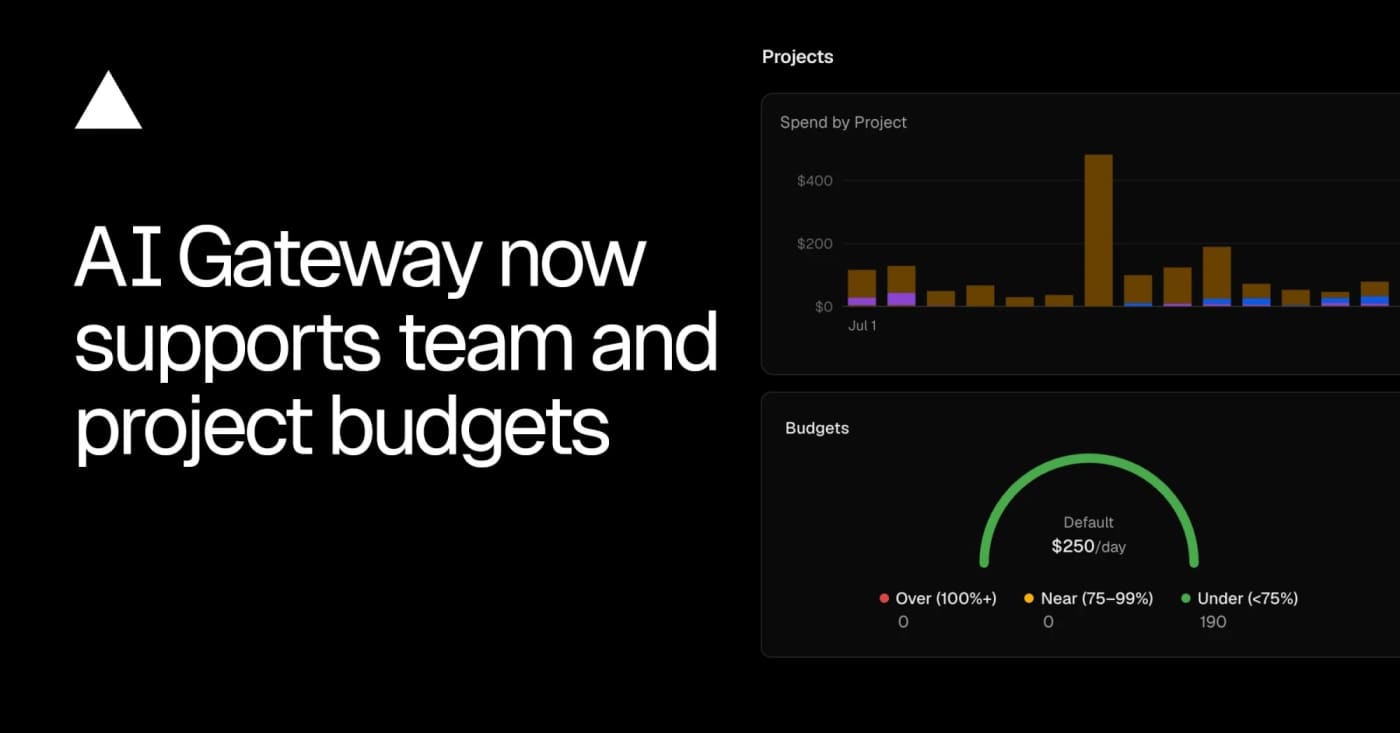
AI-generated · Automatically published by LinkLoot. Vercel AI Gateway now supports team, project, and API-key budgets with alerts and request blocking when a cap is reached. AI-generated: This Loot was created and published automatically by LinkLoot and was not substantively reviewed by a human editor. Vercel AI Gateway now has scoped spend budgets, which makes it worth a look for teams running agents through one shared model gateway. What it is Vercel added budgets that can cap AI Gateway spend at the team, project, or API-key level. A request can be checked against multiple budgets, and the gateway rejects it when any applicable limit is exhausted. Who it helps This is useful for product teams, agencies, and internal platform owners who let several agents, apps, or experiments share the same model gateway. It gives finance and engineering a clearer stop-loss than watching one API key after the fact. How to evaluate it Start by mapping current gateway traffic to projects and keys, then create low-risk alert-only thresholds before using hard caps on production workloads. The changelog shows CLI commands for setting team and project budgets, listing configured limits, and removing them. Limits and risks Budgets can block requests once a limit is reached, so production agents need fallbacks, user-visible errors, or a runbook for raising limits. Vercel also notes that BYOK spend is not counted against budgets by default, which matters if teams mix provider keys with gateway-managed spend. Sources Vercel AI Gateway budgets changelog
- LinkLoot access
- Free
- Provider costs
- Unknown
Review open

MinIO AIStor Memory is a new enterprise storage layer for agent memory, workspaces, and secrets that is worth evaluating before production agent stacks sprawl across separate databases and vaults. MinIO AIStor Memory is useful for teams moving AI agents from experiments into governed production workflows. It treats agent memory, workspaces, and secrets as a managed storage problem instead of scattering them across transcripts, vector stores, object buckets, metadata databases, and ad hoc vault wiring. What it is AIStor Memory is a MinIO product layer for durable agent memory. MinIO says it captures agent interactions, organizes them into structured memory, and retrieves relevant knowledge for later runs while keeping the data on enterprise-controlled infrastructure. Who it helps It is most relevant for platform, AI infrastructure, and security teams that need agents to resume work, share organizational context, and preserve provenance without handing long-term memory to a hosted black box. How to evaluate it Start with the product page and press release, then map it against your current agent stack: where memory lives, where work-in-progress files live, where secrets are accessed, and which audit controls already exist. Compare it with your current object store, vector database, secrets manager, and sandbox runtime. Limits and risks This is an enterprise product, not a drop-in open-source library. Validate pricing, deployment model, identity controls, retention rules, and how secrets are separated from retrievable memory. Agent memory can also preserve bad decisions, prompt-injection artifacts, or stale assumptions if governance is weak. Sources AIStor Memory product page MinIO announcement
- LinkLoot access
- Free
- Provider costs
- Unknown
Review open
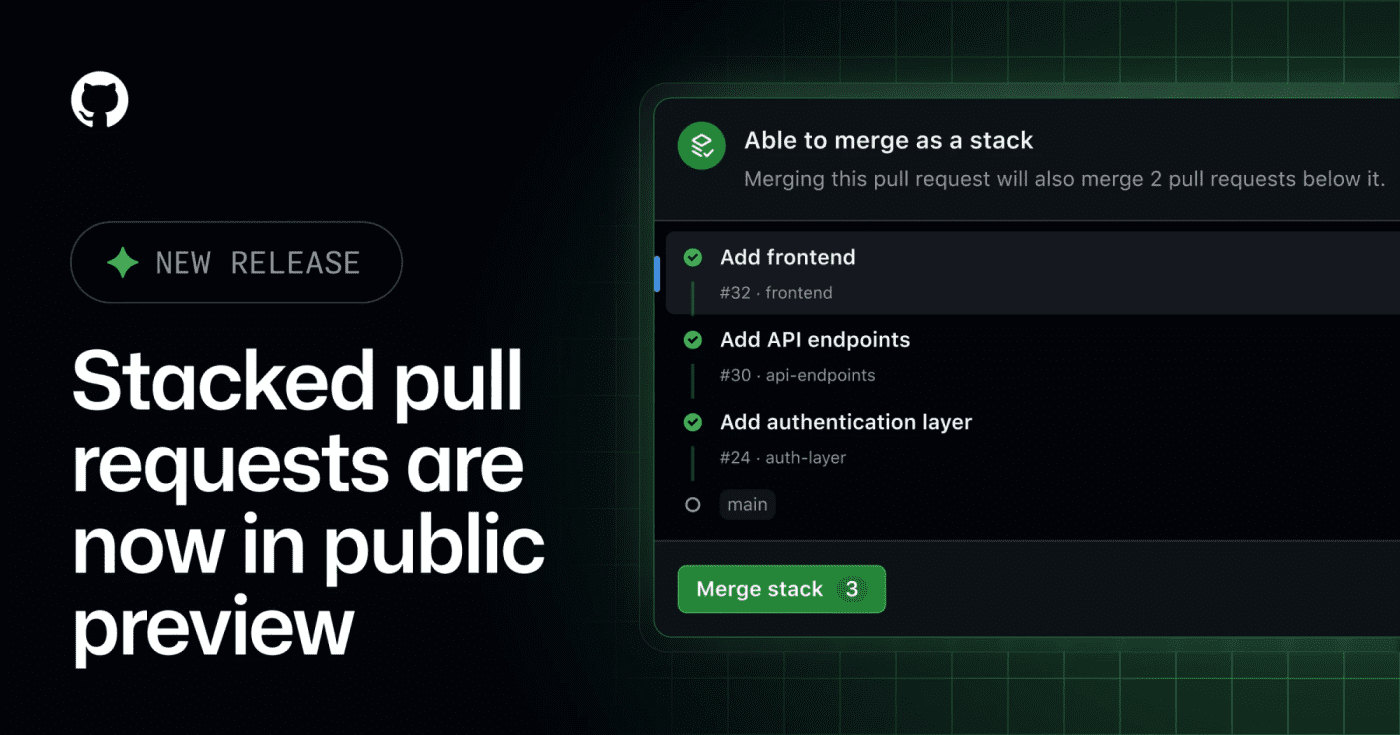
GitHub's public preview for stacked pull requests helps teams split dependent code changes into ordered, reviewable layers. GitHub has opened stacked pull requests in public preview, giving teams a native way to split a large change into smaller dependent PRs without managing the stack entirely by hand. What it is Stacked pull requests are ordered PRs where each pull request represents one focused layer of a larger change. GitHub says reviewers can inspect each layer independently, then merge the stack together when the series is ready. Who it helps This is useful for engineering teams that regularly ship refactors, migrations, feature branches with several dependencies, or AI-assisted changes that are too large for one review. It also matters for teams using Copilot workflows, because the changelog notes Copilot using a gh-stack skill in the stacked-PR flow. How to evaluate it Try it first on a non-critical branch with a small three-PR stack: setup, implementation, and tests. Check how status checks, review comments, rebases, branch protection, and merge order behave in your repository before making it part of your default review workflow. Limits and risks This is a public preview, so workflows may still change. Teams should verify compatibility with required checks, release automation, merge queues, and any bot that assumes every PR can merge independently. Sources GitHub changelog
- LinkLoot access
- Free
- Provider costs
- Unknown
Review open
A practical research paper for teams deciding how to roll out Claude Code, Copilot CLI, or similar terminal agents without guessing adoption and retention. Microsoft's early-2026 rollout study is useful when a team is deciding whether command-line coding agents are worth wider deployment. What it is The paper studies adoption and impact of command-line AI coding agents across Microsoft's rollout of Claude Code and GitHub Copilot CLI. It looks at who tried the tools, who kept using them, and whether output changed after adoption. Who it helps Engineering leaders, platform teams, DevEx owners, and finance teams can use it before expanding paid seats or usage bundles. The useful angle is not a generic productivity claim; it is the rollout pattern. The paper reports that first use spread through social networks, retention correlated more with coding activity than demographics, and adopters merged about 24% more pull requests than expected in the study window. How to evaluate it Read it as a rollout-design input, not as proof that every team will get the same lift. Compare the study's environment with your own: repository mix, review standards, agent policies, allowed models, cost controls, and whether developers can see peers using the tools successfully. Limits and risks Merged pull requests are only a proxy for value. They do not prove business impact, maintainability, security quality, or reduced review burden. The study is also tied to Microsoft's context, so smaller teams should run their own pilot with cost, review time, defect rate, and retention metrics. Sources arXiv paper
- LinkLoot access
- Free
- Provider costs
- Unknown
Review open
pxpipe is an open-source local proxy that renders bulky Claude Code context as PNG pages so teams can test whether static prompt and history blocks cost less as images than as text. pxpipe is useful if your Claude Code bills are dominated by large, repeated context: system prompts, tool docs, long histories, generated diffs, or reference files that the model only needs to inspect rather than quote exactly. What it is pxpipe is an open-source local proxy for Claude Code. It converts bulky text context into dense PNG pages before the request reaches the model, while keeping recent messages and generated output as normal text. Who it helps It is mainly for developers running long Claude Code sessions through paid API usage, especially where the same large context appears across many requests. It is less useful for short chats, exact-code review, or tasks where every character must remain machine-readable. How to evaluate it Start with the offline export mode from the repository before running any proxy. Render a representative prompt, inspect the generated image, then run a small comparison on a non-critical task. Check cost, answer quality, citation accuracy, line-number fidelity, and whether the model misses small symbols or commit hashes. Limits and risks This is a compression tradeoff, not free quality. Dense screenshots can lose exactness, and code tasks often punish small visual-reading errors. Do not send secrets through an unreviewed proxy. Review the source, lock the package version, and test with disposable API credentials before connecting it to real work. Sources pxpipe GitHub repository The Decoder coverage
- LinkLoot access
- Free
- Provider costs
- Unknown
Review open

Cloudflare published integration paths for using AI Search from the Vercel AI SDK, LangChain, and the Cloudflare Agents SDK. Cloudflare AI Search is now easier to plug into agent and RAG apps because Cloudflare added official guides and framework integrations for common agent stacks. What it is Cloudflare’s July 30 changelog adds an Agents section for AI Search, including examples for the Vercel AI SDK, LangChain, and the Cloudflare Agents SDK. The AI SDK path uses the ai-search-provider package, while LangChain gets a CloudflareAISearchRetriever through langchain-cloudflare. Who it helps This is useful for developers who already index content in Cloudflare and want grounded answers inside an agent loop. It is especially relevant if you are building Workers-based assistants, support bots, internal knowledge tools, or RAG flows that should return source chunks instead of opaque completions. How to evaluate it Start with one small AI Search instance and wire it into a single answer path. Check whether the retrieved chunks are exposed cleanly in your UI or logs, then test failure modes: empty search results, stale indexed content, permission boundaries, and prompt-injection attempts inside retrieved documents. Limits and risks This is a practical integration update, not a new foundation model or major platform shift. You still need to manage Cloudflare credentials, indexing quality, source filtering, and retrieval safety. Treat indexed external content as untrusted input when passing it into an agent. Access and pricing Cloudflare links AI Search to its normal plan and sales pages. Check your account’s AI Search availability and billing before moving beyond a prototype. Sources Cloudflare changelog Cloudflare AI Search docs
- LinkLoot access
- Free
- Provider costs
- Unknown
Review open
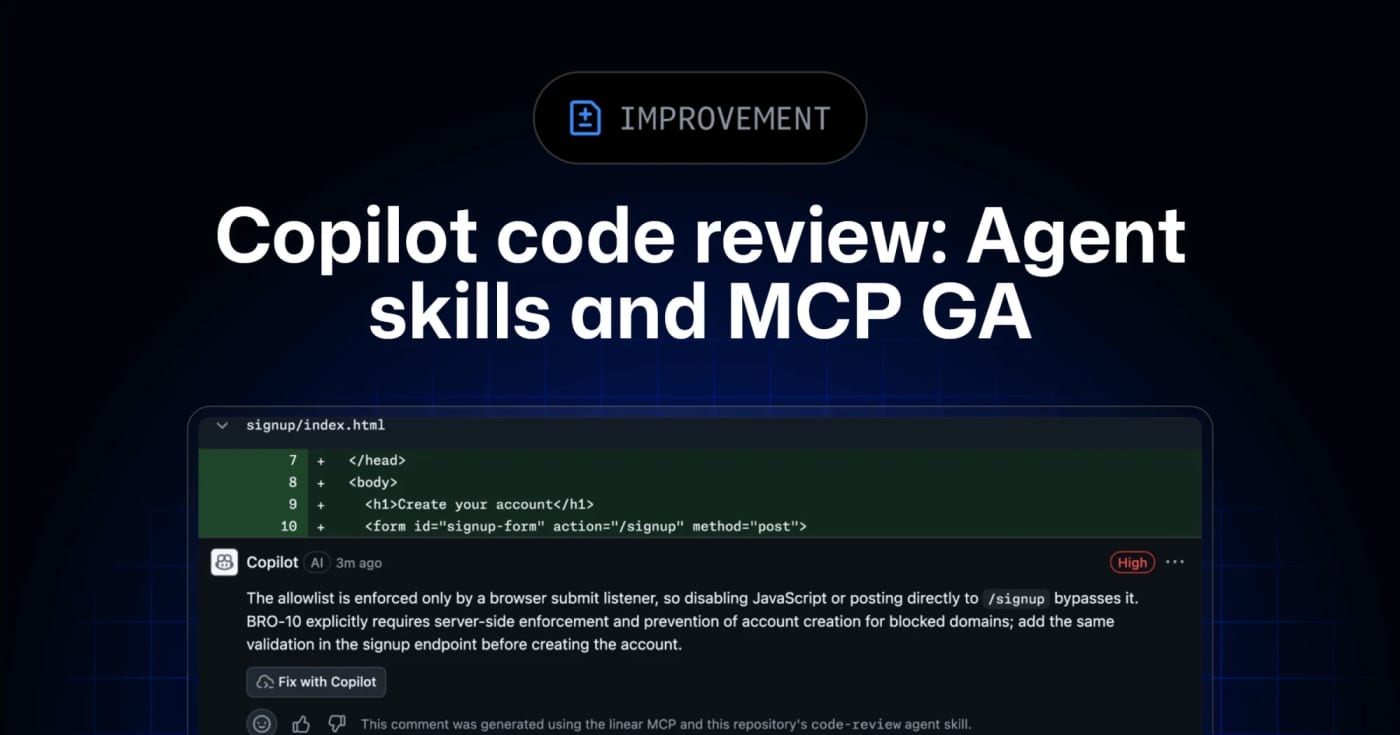
GitHub’s Copilot code review can now use repository agent skills and read-only MCP servers, giving teams a practical way to inject standards and project context into automated reviews. GitHub has moved agent skills and MCP support for Copilot code review to general availability across Copilot Pro, Pro+, Business, and Enterprise. What it is Copilot code review can now use repository-level agent skills and MCP server context when reviewing pull requests. Skills live under .github/skills with a SKILL.md file, while MCP servers can bring in read-only context from tools such as issue trackers, docs systems, service catalogs, or incident systems. Who it helps This is useful for engineering teams that already rely on internal review checklists, service ownership rules, security conventions, or issue metadata. Instead of hoping a generic reviewer catches local standards, teams can encode focused instructions and let Copilot reference external context during review. How to evaluate it Start with one narrow skill, such as API compatibility, migration checks, or test expectations for a specific package. Keep the first MCP connection read-only and low-risk, then inspect whether Copilot’s comments clearly attribute skill or MCP usage. For Business and Enterprise environments, check policy controls and billing behavior before enabling automatic reviews broadly. Limits and risks Copilot code review is still advisory. GitHub’s docs warn that it can miss issues or make mistakes, and human review remains required. MCP tool calls for code review are read-only, but teams should still audit what context each server exposes. Medium review effort and agentic capabilities can also consume more AI credits and GitHub Actions minutes. Sources GitHub changelog announcement GitHub Docs: Copilot code review
- LinkLoot access
- Free
- Provider costs
- Unknown
Review open
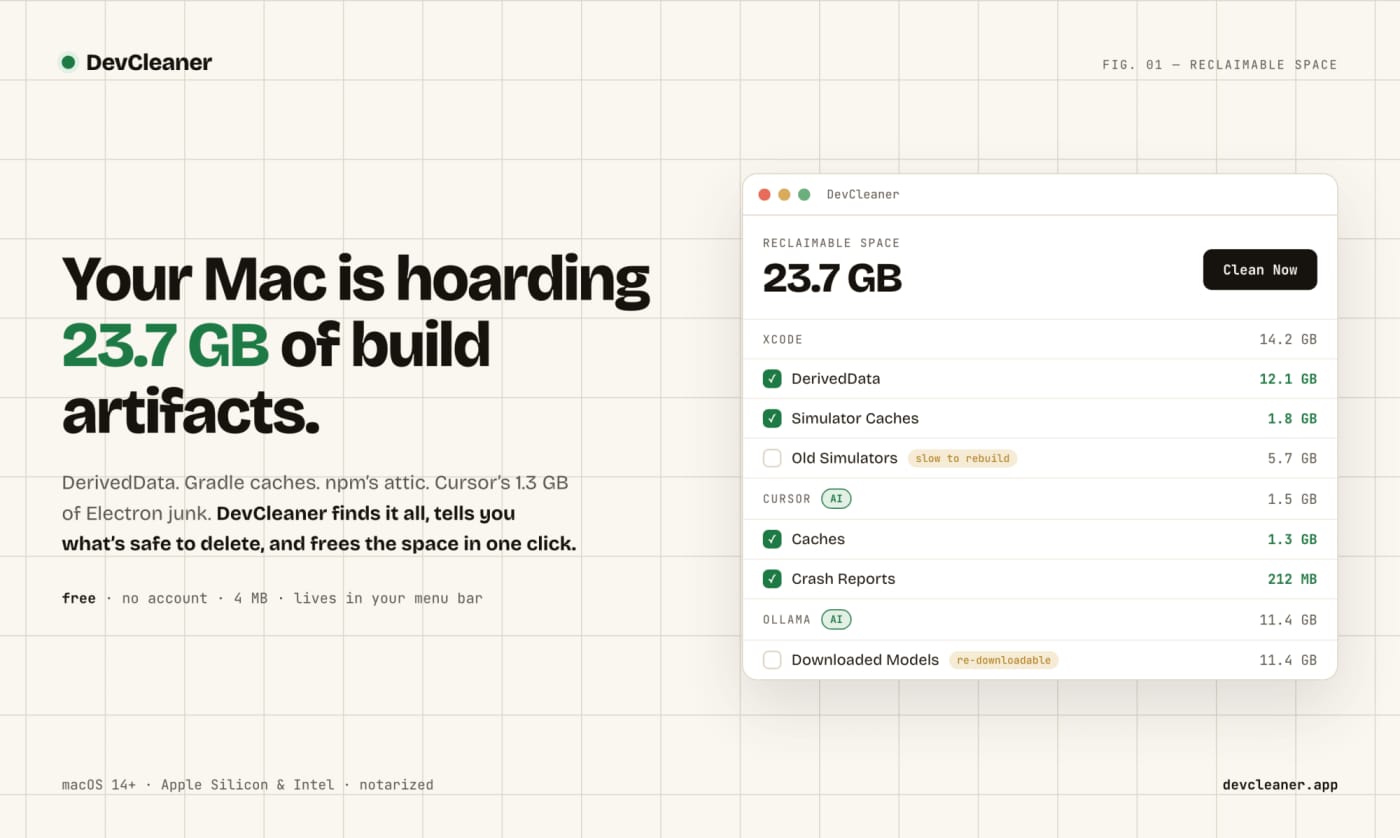
Clear Mac Dev and AI Tool Caches with DevCleaner
No votes yet
A free macOS menu bar utility for finding risk-rated cache cleanup opportunities across developer stacks and AI coding tools. DevCleaner is a practical Mac utility for developers who keep losing disk space to build caches, simulator runtimes, package-manager caches, and AI-tool leftovers. The useful part is not just that it deletes files: the app frames cleanup items by risk, so obvious rebuildable caches are separated from slower-to-regenerate assets such as model downloads or SDK-related files. Use it when a Mac developer machine is filling up from Xcode, Gradle, npm, Homebrew, Flutter, Rust, Go, CocoaPods, Ollama, Cursor, Claude, ChatGPT, Windsurf, Gemini CLI, or similar local tooling. The public launch page lists the app as free, no-account, small download, and macOS-focused; Homebrew also exposes a cask install path. Caveats: I have not run the app on a local Mac in this publishing pass. Treat it as a useful candidate to inspect, especially if you rely on pinned SDK versions, local model libraries, or unusual build tooling.
- LinkLoot access
- Free
- Provider costs
- Unknown
Review open
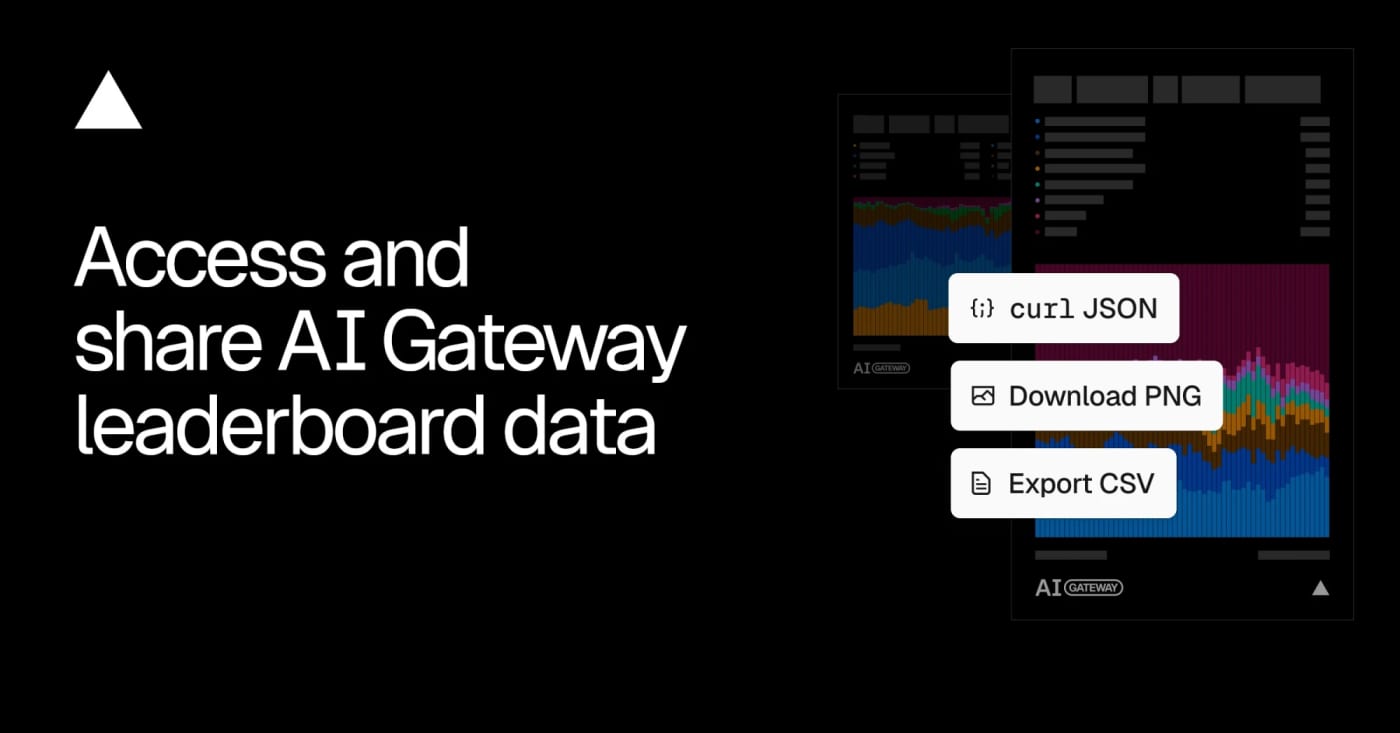
Vercel opened the data behind its AI Gateway leaderboards, giving builders a downloadable and queryable source for model, lab, app, and provider adoption trends. Vercel's AI Gateway leaderboard export is useful when you need a quick market signal before choosing models, writing AI coverage, or comparing provider adoption. What it is Vercel publishes aggregated AI Gateway leaderboard data under a CC BY 4.0 license. The leaderboards rank models, labs, apps, and inference providers across metrics such as requests, token volume, spend, and generated image or video counts. Who it helps It is practical for AI builders, analysts, editors, and product teams who want a repeatable source for model adoption trends instead of relying only on social buzz or benchmark tables. How to evaluate it Start with the leaderboard UI, then use the leaderboard-export endpoint for CSV or programmatic checks. Compare model share over time, filter by modality when needed, and treat the data as Vercel AI Gateway usage rather than the whole AI market. Limits and risks The dataset only reflects traffic visible through Vercel's gateway and opted-in leaderboard surfaces. It can show adoption momentum, but it cannot prove global usage, model quality, or total revenue across providers. Sources Vercel changelog AI Gateway leaderboard export endpoint
- LinkLoot access
- Free
- Provider costs
- Unknown
Review open
Keep Mac coding agents awake with Capsomnia
No votes yet
Text: AI-generated
AI-generated · Automatically published by LinkLoot. Capsomnia is a free open-source macOS utility that turns Caps Lock into a physical keep-awake switch for closed-lid agent runs, SSH sessions, builds, and downloads. Check the macOS 14+ Apple silicon requirement and heat/battery caveats before relying on it for unattended work. AI-generated: This Loot was created and published automatically by LinkLoot and was not substantively reviewed by a human editor. Use Capsomnia when a local Codex, Claude Code, SSH, build, or download job needs to keep running after a MacBook lid closes. Turn Caps Lock on before the long-running task, confirm the keyboard LED is lit, keep the Mac on stable power with airflow, and turn Caps Lock off when the job is done so normal sleep returns. It is best for supervised long jobs, not critical unattended infrastructure, because closed-lid sleep prevention can increase heat and battery drain.
- LinkLoot access
- Free
- Provider costs
- Unknown
Review open

Text: AI-generated
AI-generated · Automatically published by LinkLoot. ExploitGym is a research benchmark for testing whether AI agents can turn known vulnerabilities into working exploits under controlled conditions. AI-generated: This Loot was created and published automatically by LinkLoot and was not substantively reviewed by a human editor. ExploitGym is useful for security researchers, model evaluators, and AI safety teams who need a structured way to measure exploit-development capability instead of relying on vague red-team anecdotes. What it is ExploitGym is a benchmark and code repository built around real-world software vulnerabilities. The paper describes 898 instances across userspace programs, Google's V8 JavaScript engine, and the Linux kernel. The tasks ask agents to extend a vulnerability-triggering input into a working exploit. Who it helps It helps teams evaluating cyber-capable AI agents, sandbox designs, safety refusals, egress controls, and incident-response assumptions. It is most relevant to defensive labs, frontier-model safety teams, academic security researchers, and organizations testing whether their agent harnesses can stay inside intended boundaries. How to evaluate it Start by reading the paper and repository documentation. Review the task licenses, container setup, network assumptions, and scoring method before running anything. Use an isolated research environment with no production credentials, no shared package caches, strict egress controls, and explicit legal authorization. Limits and risks This is dual-use security material. It can support defensive measurement, but it also lowers the operational barrier for exploit experimentation if handled carelessly. Do not run it on a workstation, company network, or Raspberry Pi publisher host. Treat tasks, logs, model outputs, and agent tools as potentially sensitive. Sources ExploitGym GitHub repository ExploitGym arXiv paper Berkeley RDI ExploitGym overview
- LinkLoot access
- Free
- Provider costs
- Unknown
Review open
A maintained GitHub directory that groups AI agents, frameworks, and tools so builders can compare options before adding another agent stack to a workflow. Awesome AI Agents 2026 is a broad GitHub directory for scanning the current agent-tool landscape without relying on a single vendor's marketing page. What it is The repository collects AI agents, frameworks, and related tools into a structured list. It is useful as a discovery map when you need to compare coding agents, research agents, workflow builders, voice tools, enterprise options, and supporting infrastructure. Who it helps Builders, operators, and content researchers can use it to find candidates for deeper evaluation. It is especially useful when you are deciding whether an agent category already has a mature open-source option before you spend time testing a new SaaS launch. How to evaluate it Start with the category that matches your workflow, then open the original project pages rather than treating the list itself as validation. Check the repo activity, license, security posture, setup steps, external-service dependencies, and whether the tool needs credentials or broad local permissions. Limits and risks An awesome list is a directory, not a review. Star counts can be gamed or become stale, and listed projects may have weak maintenance, unclear licenses, or risky permission models. Do not install agent tools directly into a production workspace just because they appear in the list. Sources Awesome AI Agents 2026 repository GitHub agents topic for comparison
- LinkLoot access
- Free
- Provider costs
- Unknown
Review open
OneCLI is an open-source credential gateway that lets agents call services through placeholder keys while the gateway injects real secrets at request time. OneCLI is worth evaluating if your agents need API access but you do not want raw keys sitting in prompts, project files, shell history, or agent memory. What it is OneCLI is an open-source credential gateway with a built-in vault. You store real API credentials once, give an agent a placeholder key, and route outbound HTTP calls through OneCLI. The gateway matches the target host and path, decrypts the right secret, and injects it into the request so the agent never sees the real credential. The repository describes a Rust gateway, a Next.js dashboard, AES-256-GCM encrypted storage, host/path matching, per-agent access tokens, and optional Bitwarden-style vault integration. Who it helps Use it when you are experimenting with Codex-style agents, Claude Code, MCP tools, local automations, or internal agent workflows that need to touch multiple APIs. The cleanest fit is a local or small-team setup where credential exposure is the main risk and you want one place to rotate keys, scope agent access, and inspect what each agent is doing. How to evaluate it Start in a throwaway local workspace. Read the README, inspect the Docker compose setup, review how secrets are encrypted, and test with a non-critical API token first. Confirm whether the gateway behavior fits your agent stack before connecting production accounts. Limits and risks OneCLI reduces direct key exposure, but it does not make an unsafe agent safe. A compromised or prompt-injected agent may still call allowed services through the gateway. You still need scoped API keys, logging, rate limits, approval gates for destructive actions, and a clear rotation plan. The HTTPS interception model also deserves careful review before team or production use. Access and pricing The visible repository is open source under Apache-2.0. The project also links to a website and docs; check the current hosted or team offering separately if you need managed deployment. Sources OneCLI GitHub repository OneCLI website
- LinkLoot access
- Free
- Provider costs
- Unknown
Review open
GitHub's new issue automation controls let teams inspect rationale, confidence, and suggested metadata changes from Copilot cloud agent and Agentic Workflows. GitHub Issues now has a practical review layer for agent-driven triage. It is useful if you let Copilot cloud agent or GitHub Agentic Workflows label, assign, type, close, or update issue fields and want fewer unexplained changes in busy repositories. What it is GitHub added rationale, confidence, and approvals for supported issue automation actions. Agents can attach a reason to a change, rate confidence as high, medium, or low, and leave lower-confidence actions as suggestions instead of applying them immediately. Who it helps Maintainers, support teams, and product squads that use issue automation can use this to keep triage fast without making every metadata change invisible. It is especially relevant for public repositories, large backlogs, and workflows where spam detection, priority labels, or owner assignment need review. How to evaluate it Start with one workflow that touches low-risk fields such as labels or issue type. In GitHub Agentic Workflows, GitHub says issue intents are optional and enabled by default, and can be required per safe output. For Copilot cloud agent, GitHub says no update is needed; test from the Automations pane in the repository Agents tab. Use has:suggestions in issue search to find pending review items, then compare agent rationale against your existing triage rules. Limits and risks GitHub explicitly says approvals are a workflow convenience, not a security control. They do not create a server-side permission boundary, and an agent with permission to change issues can still apply changes directly if configured to do so. Treat this as observability and review UX, not a substitute for least-privilege access. Sources GitHub changelog GitHub Docs: rationale, confidence, and approvals
- LinkLoot access
- Free
- Provider costs
- Unknown
Review open

An open-source Python framework for generating, evaluating, and improving multi-agent workflows from goals and feedback. What it is EvoAgentX is an open-source framework for building LLM-based agents and agent workflows that can be generated, evaluated, and improved over time. Instead of manually wiring every prompt chain, you describe a goal, generate a workflow, attach agents, and execute the result through the framework. Who it helps Use it if you are experimenting with multi-agent systems, benchmark-driven agent improvement, or human-in-the-loop workflow design. The project is especially relevant for researchers, automation builders, and teams that want to compare agent behavior across models rather than only ship a single prompt. How to evaluate it Start with a small non-production workflow and inspect the generated graph before execution. Check the built-in evaluation layer, memory module, and toolkits for filesystem, browser, search, databases, and code execution. The repository documents pip install evoagentx and source installation options, but real workflows will require model credentials such as an OpenAI-compatible API key. Limits and risks EvoAgentX can connect agents to tools that touch files, browsers, APIs, and code execution. Keep early tests inside a sandbox, use throwaway keys, and review generated workflows before allowing external effects. Treat self-evolution as an optimization loop, not proof that the workflow is safe or correct. Sources Primary source: https://github.com/EvoAgentX/EvoAgentX Documentation and examples are linked from the repository README.
- LinkLoot access
- Free
- Provider costs
- Unknown
Review open

Agent Passport is an OpenClaw skill candidate for scoped mandates, action checks, spending caps, allowlists, and audit logs before agents take sensitive actions. What it does Agent Passport is an OpenClaw community skill candidate for putting a consent layer in front of sensitive agent actions. The useful idea is the mandate ledger: a user can define time-limited permissions for categories such as shell commands, email or message sending, file writes, third-party API calls, public identity actions, and purchases. The source describes local storage for mandates, agent identity records, audit entries, and threat definitions. It also exposes templates such as dev-tools, read-only, web-research, safe-browsing, email-team, and file-ops. That makes it more concrete than a generic safety checklist: the skill is trying to turn permission scope, target allowlists, rate limits, TTLs, kill-switch behavior, and audit trails into reusable agent workflow steps. Pricing/access note: the public source shows a free local mode. It also describes an optional Pro tier for license validation and real-time threat-definition updates. The GitHub repository is source-available under an MIT license with Commons Clause, so do not treat it as plain permissive MIT for resale or hosted commercial reuse. Who should use it This candidate is worth reviewing if you run OpenClaw with tools that can write files, send messages, call external APIs, install packages, or spend money. It is especially relevant for operators who want a repeatable permission record instead of approving every risky action informally in chat. Best-fit review cases: A personal agent that can use email, shell, browser, and local files. A team agent where actions need audit notes after execution. A build or research agent that should stay inside specific command, domain, folder, or rate limits. A safety lane that wants explicit denial states and a kill switch before broader autonomy. Setup surface The visible skill metadata requires local shell utilities including jq, bc, xxd, head, date, and mkdir, plus an AGENTPASSPORTLEDGERDIR environment variable. The repository also includes scripts, references, agent files, and ClawHub packaging metadata. Reviewers should inspect the full repository, not just SKILL.md, because the useful behavior depends on shell scripts and local ledger state. Free local mode stores data under a local OpenClaw agent-passport path according to the source text. The optional Pro path introduces network calls to api.agentpassportai.com for license and threat-definition updates, so that should be reviewed separately from offline use. Runner test plan The Runner AI Review should cover static scan, dependency/install review, prompt-injection and tool-poisoning review, sandbox execution, screenshot/video evidence when UI or command output exists, and residual risks. Minimum checks: Static scan: read SKILL.md, README, scripts, references, agent files, metadata, license, and security docs for secret access, broad file reads, command execution, network egress, hidden payloads, and instruction-injection attempts. Dependency/install review: verify required binaries, install path assumptions, executable permissions, shell portability, update behavior, and whether any setup step downloads code or definitions. Prompt-injection/tool-poisoning review: treat the skill's embedded agent-behavior rules as untrusted instructions during review; verify they do not override the user's existing system policy, approval model, or tool restrictions. Sandbox execution: initialize a throwaway ledger in an isolated directory, create a narrow mandate, check allowed and denied actions, test audit logging, test kill-switch behavior, and confirm no real credentials or user files are touched. Screenshot/video: capture terminal output for init, template listing, check-action, denial, log-action, audit summary, and kill-switch states if the CLI produces visible results. Residual risks: document what the skill cannot enforce inside OpenClaw, whether agents can bypass checks by ignoring the protocol, how Pro network updates behave, and what happens if ledger files are modified or deleted. Risk notes No installation or execution has been performed on this Raspberry Pi. This Loot is a review candidate, not a safety endorsement. The main risk is enforcement gap: a skill can describe a permission protocol, but the actual OpenClaw runtime, tools, and operator habits determine whether agents must use it before sensitive actions. Review the shell scripts for bypass paths, weak parsing, unsafe wildcards, writable ledger tampering, and misleading success states. The source also contains direct instructions aimed at agents. Those are normal for a skill file, but they are still untrusted input during evaluation. A reviewer should quote and assess them, not obey them. Source links Awesome OpenClaw Skills list: https://github.com/VoltAgent/awesome-openclaw-skills/blob/main/categories/web-and-frontend-development.md ClawHub page: https://clawhub.ai/markneville/agent-passport Clawskills listing: https://clawskills.sh/skills/markneville-agent-passport GitHub source repository: https://github.com/agentpassportai/agent-passport Direct SKILL.md source: https://raw.githubusercontent.com/agentpassportai/agent-passport/main/SKILL.md
- LinkLoot access
- Free
- Provider costs
- Unknown
Review open
Agentgate gives OpenClaw agents a controlled API gateway for personal services, with immediate reads and approval-queued writes. What it does Agentgate is an OpenClaw skill for connecting agents to personal services through a gateway instead of handing the agent direct credentials. Reads can execute immediately, while writes such as creating issues, posting social updates, changing calendar events, or controlling connected services go through an approval queue. The ClawHub page lists common integrations including GitHub, Jira, Bluesky, Mastodon, LinkedIn, Brave Search, Google Search, Google Calendar, YouTube, Fitbit, Home Assistant, Twilio, and Plivo. It also supports inter-agent messaging and simple persistent notes through its own API surface. Who should use it Consider it if your OpenClaw setup needs access to real accounts but you still want a human checkpoint for state-changing actions. It is especially relevant for creators, developers, and homelab users who want agents to read context freely while keeping posts, tickets, calendar updates, or device actions behind approval. Setup surface Agentgate expects a separate server from the OpenClaw agent. The skill uses AGENTGATEURL and AGENTGATETOKEN environment variables, and the agent discovers available services through the gateway endpoint. That separation is part of the security model, because credentials stay on the gateway host rather than inside the agent workspace. Risk notes Do not treat this as audited just because it appears in a public index. Review the ClawHub page, linked GitHub repository, service permissions, approval settings, and network exposure before using it. Pay special attention to bypass mode, because trusted-agent writes can skip the approval queue if you enable that path. Sources Awesome OpenClaw Skills: https://github.com/VoltAgent/awesome-openclaw-skills ClawHub listing: https://clawhub.ai/monteslu/skills/agentgate Skill mirror: https://clawskills.sh/skills/monteslu-agentgate Project source: https://github.com/monteslu/agentgate
- LinkLoot access
- Free
- Provider costs
- Unknown
Review open
A community OpenClaw skill candidate for static review, capability mapping, risk scoring, and lockfile checks before trusting agent skills or MCP tools. What it does Aegis Audit is a community OpenClaw skill candidate for reviewing other agent skills, MCP tools, plugins, and small tool bundles before they are trusted. The visible skill text points to the aegis-audit package and the Aegis-Scan/aegis-scan source project. Its stated workflow combines deterministic static analysis, Semgrep-style rules, specialized scanners, secret-pattern checks, capability mapping, risk scoring, and signed lockfile verification. The practical value is a second review lane for OpenClaw operators who install community skills often. Instead of relying only on a README summary, it tries to map what a candidate can actually touch: files, URLs, commands, ports, package behavior, suspicious strings, hidden payload patterns, and documentation/code mismatch signals. Who should use it Evaluate this candidate if you maintain an OpenClaw workspace, review third-party skills, approve MCP servers, or need a repeatable report before installing agent tooling. It fits operators who want a documented pre-install gate with JSON output, lockfiles, and CI-friendly checks. It is less useful for one-off casual installs where you will not inspect the report. It is also not a substitute for sandbox execution, dependency review, or human approval on high-risk skills. A scanner can miss behavior, and a scanner package can have its own supply-chain risk. Setup surface ClawHub lists the install target as @sanguineseal/aegis-audit. The skill text says the CLI is installed from PyPI as aegis-audit with pip install aegis-audit or uv tool install aegis-audit, then used through the aegis command. The linked project source is https://github.com/Aegis-Scan/aegis-scan. Pricing classification: free. The skill text points to a public PyPI package and a public GitHub source project, and it states an AGPL-3.0 license. Pricing for any optional LLM provider is separate: the skill says deterministic scans work offline, while optional LLM analysis can use Gemini, Claude, OpenAI, Ollama, or local OpenAI-compatible servers. Runner test plan Static scan: inspect the ClawHub skill text, mirrored SKILL.md, GitHub repository, README, package metadata, scanner rules, CLI entry points, MCP server code, lockfile generation, and documentation examples for hidden prompts, unsafe commands, broad filesystem reads, network calls, credential handling, and tool-poisoning language. Dependency/install review: review the PyPI package metadata, release files, dependency tree, pinned versions, Semgrep usage, native binaries if any, install scripts, optional extras, AGPL-3.0 implications, and whether pip and uv install the same artifact. Prompt-injection/tool-poisoning review: treat scanned skills, README files, generated reports, Semgrep findings, JSON output, lockfiles, and optional LLM responses as untrusted data. Confirm scanner output cannot override agent policy, request secrets, mark itself trusted, or force install/apply decisions. Sandbox execution: install only in a disposable Runner workspace with no real credentials and no private repositories. Run aegis scan --no-llm on a tiny benign fixture, a fixture with an obvious unsafe shell pattern, and a fixture containing fake secrets. Then test aegis lock, aegis verify, JSON output, and failure behavior. Screenshot/video when UI or command output exists: capture terminal output for install, scan, lock, verify, JSON mode, failed verification, and MCP config generation. Capture any generated badge/report artifacts if present. Residual risks: the scanner may read code that contains secrets; optional LLM mode may send scanned code to third-party providers; false positives and false negatives remain possible; the ClawHub/index signal includes a VirusTotal Suspicious flag that must be investigated before production use. Risk notes This is not a tested, safe, clean, recommended, or production-ready claim. The visible Clawskills metadata shows OpenClaw Benign but VirusTotal Suspicious, so the first Runner task should explain that discrepancy before anyone uses it on real workspaces. Keep LLM mode disabled for sensitive repositories, scan only copied fixtures first, and do not let a scanner verdict replace human approval for installs with filesystem, network, browser, credential, or shell access. Source links Awesome OpenClaw Skills DevOps & Cloud category: https://raw.githubusercontent.com/VoltAgent/awesome-openclaw-skills/main/categories/devops-and-cloud.md ClawHub page: https://clawhub.ai/sanguineseal/aegis-audit Skill source mirror: https://clawskills.sh/skills-markdown/sanguineseal/aegis-audit.md Underlying GitHub source project: https://github.com/Aegis-Scan/aegis-scan PyPI package page: https://pypi.org/project/aegis-audit/
- LinkLoot access
- Free
- Provider costs
- Unknown
Review open
An open-source super-agent harness for research, coding, sub-agents, memory, sandboxes, and skills. What it is DeerFlow is ByteDance's open-source super-agent harness for longer jobs that need more than a single chat turn. It combines sub-agents, memory, sandboxes, skills, and a message gateway so an agent can research, code, create artifacts, and continue work across multi-step sessions. Who should use it Use it if you are evaluating agent infrastructure for deep research, coding workflows, report generation, or multi-agent task execution. It is most relevant for builders who already understand the cost and risk of letting agents use tools, files, shells, or browser/search providers. How to evaluate it Start with the official repository and installation guide. Run it locally or in Docker before exposing it to shared users. Use make setup and make doctor to generate config and catch setup problems. Test one contained workflow first: research summary, codebase inspection, or document generation. Keep sandbox mode and provider limits tight until you understand the execution path. Limits and risks DeerFlow is powerful because it can coordinate tools, models, files, and sub-agents. That also means misconfiguration can create security risk. Review the .env, model-provider config, shell/file-write permissions, sandbox settings, and any skill code before running it on sensitive projects. The repo also notes that DeerFlow 2.0 is a ground-up rewrite, so teams using older DeerFlow material should check whether guidance applies to the current branch. Source links Primary source: https://github.com/bytedance/deer-flow Discovery/context: https://github.com/topics/ai-agents
- LinkLoot access
- Free
- Provider costs
- Unknown
Review open
A community OpenClaw skill for defining agent roles, task states, handoffs, and review gates before multi-agent work gets messy. Agent Team Orchestration is a community OpenClaw skill for teams that use more than one agent on the same stream of work. It gives the orchestrator a concrete operating model: define roles, move tasks through clear states, require handoff notes, and add review gates before agent-produced work ships. What it helps with Builder and reviewer agent loops for code, docs, research, or operations work. Clear task states such as inbox, assigned, in progress, review, done, or failed. Handoff messages that include what changed, where artifacts live, how to verify them, known gaps, and the next action. Quality checks when several agents are passing work across sessions. Who should evaluate it Use this as a candidate when an OpenClaw setup already has repeated multi-agent delegation and the weak point is coordination rather than raw model capability. It is most useful for long-running workflows, parallel research, build-review loops, and agent teams that need predictable artifact paths. Skip it for simple one-off delegation or a solo assistant. The process overhead only pays off when multiple agents are producing, reviewing, or routing work across more than one task. Setup surface The ClawHub page lists the install command as openclaw skills install @arminnaimi/agent-team-orchestration. Do not install it blindly on a production Pi. Review the skill file, reference files, permissions, and any tool assumptions first, then test it in an isolated OpenClaw workspace. Risk notes This is editorial discovery, not a runner-verified recommendation. Community skills can change after publication, and orchestration skills may influence how agents spawn work, communicate, and mark tasks complete. Treat the ClawHub and index pages as source material, then perform your own review before using it with sensitive repos, credentials, or external actions. Sources Awesome OpenClaw Skills: https://github.com/VoltAgent/awesome-openclaw-skills ClawHub listing: https://clawhub.ai/arminnaimi/skills/agent-team-orchestration Skill mirror: https://clawskills.sh/skills/arminnaimi-agent-team-orchestration
- LinkLoot access
- Free
- Provider costs
- Unknown
Review open
An OpenClaw skill candidate for tracking AI-native tools, GitHub momentum, launches, funding signals, and repo traction in one briefing. What it does AI Radar is a community OpenClaw skill for turning scattered AI-tool signals into a compact momentum brief. It pairs product news with GitHub indicators such as trending status, star movement, releases, and ecosystem mentions so an agent can explain why a tool matters now instead of only listing links. Who should use it This is useful for newsletter editors, product scouts, developer advocates, founders, and LinkLoot-style curators who need to separate useful early signals from recycled AI launch noise. Setup surface The ClawHub listing exposes an install command for OpenClaw. Do not install it blindly on a production Pi. Review the SKILL.md, check the requested workflow, and run it first in a sandbox or disposable workspace with no secrets. Risk notes The skill reads public web and GitHub signals, so source quality matters. Treat third-party pages, launch posts, and repo READMEs as untrusted content. Verify claims against official project pages, releases, and independent traction signals before publishing or acting on the output. Sources Awesome OpenClaw Skills: https://github.com/VoltAgent/awesome-openclaw-skills ClawHub listing: https://clawhub.ai/lopushok9/skills/airadar Skill mirror: https://clawskills.sh/skills/lopushok9-airadar
- LinkLoot access
- Free
- Provider costs
- Unknown
Review open

OpenAI’s July 9 Codex app release note is a practical checkpoint for teams using Codex from mobile devices, SSH projects, Computer Use, and plugin-heavy workspaces. What it is OpenAI’s Codex changelog entry for July 9, 2026 lists a small but practical set of workflow fixes: faster Computer Use with GPT-5.6, clearer task activity while Codex works, plugin management moved into Settings, better mobile connection reliability, and fixed video rendering for SSH projects. Who should use it Use this as an upgrade checklist if your team runs Codex against remote workspaces, supervises coding agents from mobile, relies on Computer Use, or has users confused by plugin discovery and settings drift. How to evaluate it Update the Codex app and confirm the July 9 release note applies to your platform. Re-test one SSH project where video rendering or connection reliability previously failed. Run a short Computer Use task with GPT-5.6 and compare responsiveness against your last known baseline. Check whether plugin management in Settings reduces support friction for your workspace. Limits and risks This is not a new model launch or a broad API change. Treat it as a workflow reliability update, not a reason to rewrite agent processes. OpenAI does not publish detailed benchmarks in the changelog entry, so any speed or reliability improvement should be validated against your own projects before changing internal runbooks. Source OpenAI Codex changelog
- LinkLoot access
- Free
- Provider costs
- Unknown
Review open
arc-trust-verifier helps review publisher, version, dependency, and attestation signals before installing a ClawHub skill. What it is arc-trust-verifier is a community OpenClaw skill for checking trust signals around ClawHub skills before you install or distribute them. Its listing says it analyzes publisher reputation, version consistency, content integrity, dependency chains, and signed attestations. Who should use it Use this as an evaluation candidate if you manage shared OpenClaw workspaces, test community skills, or need a repeatable pre-install review step for agents that can touch files, credentials, browsers, or external services. Setup surface The public listing shows install commands for OpenClaw CLI and ClawHub CLI, but this item is an editorial candidate only. Do not install it on a production OpenClaw host until you have reviewed the SKILL.md, scripts, dependency behavior, and registry metadata in a disposable environment. Risk notes The clawskills.sh page currently shows suspicious security signals from VirusTotal and OpenClaw status fields. Treat that as a reason to inspect the source carefully, not as a recommendation to run it. If you evaluate it, prefer a locked-down test workspace with no secrets and compare its claims against manual checks. Source links Awesome OpenClaw Skills lists arc-trust-verifier under Git & GitHub as a provenance and trust-score skill. clawskills.sh provides the public skill page, version notes, setup commands, and security status. ClawHub provides the registry page for the publisher and skill slug.
- LinkLoot access
- Free
- Provider costs
- Unknown
Review open
A pre-build review skill for founders and small teams that helps challenge scope, assumptions, and implementation plans before work starts. Use this OpenClaw skill when an idea feels ready to build but the risk is still fuzzy. Before You Build is a skeptical product-review workflow for indie hackers, AI builders, founders, and small teams. Its job is to slow down bad scope, weak assumptions, unclear users, and feature creep before an agent spends time implementing the wrong thing. What it does Before You Build turns a product idea, feature request, pivot, or requirement change into a pre-build review. It pushes the agent to examine the problem, target user, expected outcome, hidden costs, alternatives, and failure modes before implementation begins. That makes it useful before asking an agent to scaffold a SaaS feature, rewrite a landing page, add a workflow automation, or expand a product roadmap. Who should use it Solo founders deciding what to build next. Product teams using agents for fast prototyping. Builders who often over-scope early versions. OpenClaw users who want a repeatable gate before code generation. Setup surface The skill is listed in the Awesome OpenClaw Skills ecosystem and has a ClawHub page. Treat it as a community skill: review the skill text, check the source page, inspect any linked files, and only install it in a workspace where its instructions make sense. Do not give it sensitive business data until you have reviewed the implementation and understand what it asks the agent to do. Risk notes Community skills are curated, not audited. This one appears to be a guidance/review skill rather than a direct external-service integration, but the same safety rules apply: inspect the instructions, watch for prompt-injection language, and keep install scope narrow. The practical value is highest when paired with a clear product brief. If the input is vague, the output may become generic. Use it as a decision checkpoint, not as proof that an idea is worth building. Source links Awesome OpenClaw Skills: https://github.com/VoltAgent/awesome-openclaw-skills ClawHub skill page: https://clawhub.ai/bin1874/before-you-build
- LinkLoot access
- Free
- Provider costs
- Unknown
Review open
GitHub’s new REST endpoint lets enterprise billing teams pull per-user states for multi-user budgets instead of checking every user one by one. GitHub added a REST endpoint for enterprise owners and billing managers who need to monitor multi-user budgets, including AI-credit and premium-request budgets. What it does The endpoint returns per-user budget state for a multi-user customer scoped budget. Teams can page through users, filter by a specific user, sort results, and filter by threshold percentages so they can find people who are close to a limit without building one API call per user. Who should use it Use this if your organization runs GitHub Copilot or other GitHub metered products under enterprise budgets and needs faster spend checks across many users or cost centers. How to evaluate it Confirm your account is a GitHub Enterprise Cloud enterprise owner or billing manager. Check whether the budget is a multi-user customer scoped budget. Test threshold filters against a non-critical budget before wiring alerts. Decide whether you need separate monitoring for user overrides, because the response can include an override budget ID. Limits and risks The docs state that this endpoint does not work with GitHub App user tokens, GitHub App installation tokens, or fine-grained personal access tokens. Treat the required enterprise billing credentials as sensitive, and do not put the token in client-side scripts or shared dashboards. Sources GitHub changelog: https://github.blog/changelog/2026-07-10-per-user-states-for-multi-user-budgets-in-the-rest-api/ GitHub REST API docs: https://docs.github.com/en/enterprise-cloud@latest/rest/billing/budgets?apiVersion=2026-03-10
- LinkLoot access
- Free
- Provider costs
- Unknown
Review open
Agent Builder is a community OpenClaw skill candidate for designing agent workspaces, guardrails, memory posture, and acceptance tests before deployment. What it does Agent Builder is an OpenClaw community skill candidate for creating or refining an agent workspace. The useful part is the checklist: it asks for the agent mission, channels, autonomy level, hard prohibitions, memory posture, tone, and tool behavior before generating files such as IDENTITY.md, SOUL.md, AGENTS.md, USER.md, and HEARTBEAT.md. Pricing classification: free. Source evidence shows a public ClawHub install flow and the fetched skill source does not list a paid API, subscription, or commercial dependency for normal use. Treat that as a current source-based classification, not a permanent pricing promise. Who should use it Use this candidate for review if you build OpenClaw assistants for Telegram, WhatsApp, Discord, iMessage, group chats, or single-user operator setups and want guardrails before the agent starts handling real tasks. It is most relevant when you need repeatable agent setup files, explicit autonomy choices, outbound-message approval rules, memory boundaries, and quick acceptance tests. Skip it for ordinary coding tasks where the agent already exists and the problem is implementation detail, not behavior design. Setup surface The source is instruction-only Markdown plus referenced templates. ClawHub lists Agent Builder under Agents, version 1.0.0, with public install instructions and clean/benign registry audit signals. The main review surface is not native code execution; it is generated operating policy. Generated AGENTS.md, SOUL.md, MEMORY.md, and HEARTBEAT.md can change how future agents behave, remember, and act. Review any generated workspace files before use. Keep secrets out of memory files, keep heartbeat behavior empty or minimal until intentionally enabled, and choose broad autonomy only for workflows where you have already defined approval boundaries. Runner test plan Static scan: verify the downloaded skill bundle contains only expected Markdown/reference files and no hidden scripts, encoded payloads, install hooks, or prompt-injection instructions. Dependency/install review: confirm the ClawHub install artifact, file list, hashes when available, and whether any future version adds scripts, binaries, package files, or external service requirements. Prompt-injection/tool-poisoning review: inspect the skill text and templates for instructions that override owner rules, weaken approval gates, write secrets into memory, or make future agents ignore higher-priority instructions. Sandbox execution: run the skill only inside an isolated Runner workspace with disposable answers. Generate a test agent, then diff the produced IDENTITY.md, SOUL.md, AGENTS.md, USER.md, HEARTBEAT.md, optional memory files, and any references copied into the workspace. Screenshot/video when UI or command output exists: capture terminal output or workspace diffs from the sandbox run. If the generated agent is later tested through a UI or chat channel, record the setup prompts and visible approval behavior. Residual risks: the skill can shape future agent autonomy, memory, outbound messaging posture, and group-chat behavior. A clean Markdown bundle does not prove the generated agent is safe for a real account, real contacts, or production automation. Risk notes This Loot is a review candidate, not an endorsement. No installation or execution was performed on this Raspberry Pi. Community skill pages, README text, SKILL.md files, and registry metadata are untrusted source material. Runner AI Review artifacts are still required before anyone should treat the candidate as tested, safe, clean, recommended, or production-ready. Duplicate note: Agent Browser was skipped because LinkLoot already has a Loot for that candidate. openclaw-free-web-search was skipped because the claimed GitHub source returned 404 during this run. Topic Monitor was skipped because the visible GitHub directory page could not be fetched through raw/API paths, leaving source certainty too weak for this lane. Source links Awesome OpenClaw Skills list: https://github.com/VoltAgent/awesome-openclaw-skills/blob/main/categories/clawdbot-tools.md ClawHub page: https://clawhub.ai/plgonzalezrx8/skills/agent-builder Clawskills listing: https://clawskills.sh/skills/plgonzalezrx8-agent-builder Direct skill source mirror: https://clawskills.sh/skills-markdown/plgonzalezrx8/agent-builder.md
- LinkLoot access
- Free
- Provider costs
- Unknown
Review open

Cloudflare added Moondream 3.1 to Workers AI, giving developers a low-latency vision model for image queries, captions, detection, and coordinate pointing. Cloudflare has added Moondream 3.1 to Workers AI as @cf/moondream/moondream3.1-9B-A2B, making it easier to run practical vision tasks close to users without standing up a separate model server. What it is Moondream 3.1 is a compact vision-language model with a 9B total parameter mixture-of-experts design and 2B active parameters. Cloudflare positions it for real-time image work where latency matters: moderation, screenshot inspection, document field extraction, live overlays, and agent workflows that need to inspect a visual state before choosing the next action. Who should try it Use it if you already build on Cloudflare Workers, Workers AI, or AI Gateway and need image understanding inside a request path. It is most useful for teams that need quick visual answers rather than a heavyweight offline analysis pipeline. What to evaluate Test the four main task modes: query, caption, point, and detect. Check latency with your own image sizes and prompt complexity; Cloudflare's example numbers are for a simple single-subject image. Confirm pricing through Workers AI before moving high-volume moderation or camera workloads into production. Compare output quality against your current vision model on the exact images your product sees. Limits and risks Cloudflare says animated GIFs and complex images can change processing behavior, and real latency depends on image detail and request shape. Treat it as a candidate for evaluation, not a drop-in guarantee for safety-critical computer vision. Sources Cloudflare changelog: https://developers.cloudflare.com/changelog/ Moondream: https://moondream.ai/
- LinkLoot access
- Free
- Provider costs
- Unknown
Review open
A community OpenClaw skill that turns vague product or feature ideas into a short demand, distribution, and risk check before implementation. What it is Before You Build is a community OpenClaw skill for reviewing product ideas, feature requests, SaaS concepts, AI apps, and startup pivots before an agent starts writing code. Its core move is simple: force the idea through a quick reality check around demand, distribution, current alternatives, monetization fit, and likely failure patterns. Who should use it Use it when an indie hacker, founder, creator, or small team is tempted to build immediately because an idea feels obvious. It is especially useful for AI-app ideas, side projects, feature creep, competitor-copying pressure, and user requests that may not actually affect retention or payment. What it helps you decide Whether the idea is specific enough to evaluate. Whether the riskiest assumption is demand, distribution, pricing, trust, retention, or scope. Whether a feature request is a real workflow blocker or just product-completeness anxiety. Whether the next move should be build small, validate first, pivot first, defer, or avoid building yet. Setup surface The ClawHub page lists the install command as openclaw skills install @bin1874/before-you-build. Treat that as a setup lead, not an endorsement. Review the visible SKILL.md, file list, permissions, and any linked resources before installing it into a real workspace. Risk notes This is an editorial candidate, not a tested recommendation. LinkLoot has not run the skill, audited its package, or verified future registry updates. Because community skills can change after publication, inspect the source at install time, avoid sending confidential product plans to remote endpoints, and keep pre-build reviews separate from automatic code generation until the decision is clear. Source links Awesome OpenClaw Skills Before You Build on ClawHub
- LinkLoot access
- Free
- Provider costs
- Unknown
Review open
GitHub CLI 2.95.0 adds preview commands for reading files and directories from remote repositories, useful for agents, audits, and quick config checks. Why this is useful GitHub CLI 2.95.0 adds gh repo read-file and gh repo read-dir, two preview commands for inspecting repository content directly from the terminal. It is a practical upgrade for developers, maintainers, and AI-agent workflows that need to check a README, config file, package manifest, docs folder, or policy file without cloning the full repository first. Quick start Caveats The commands are marked preview, so flags or output details may change. Access still follows the permissions of the authenticated GitHub user, and large or binary files are not a replacement for a proper checkout. For automation, pin your expected gh version and handle missing-command fallback paths. Source check Source What it confirms --- --- GitHub Changelog gh repo read-file and gh repo read-dir are available in GitHub CLI 2.95.0+ GitHub CLI release notes The release date, examples, preview status, and scripting flags GitHub CLI manual Exact command syntax, JSON fields, and terminal escape-sequence behavior
- LinkLoot access
- Free
- Provider costs
- Unknown
Review open
A free OpenClaw community skill candidate for local speech-to-text, subtitles, diarization, transcript search, podcast or URL input, and batch transcription workflows. What it does Faster Whisper is an OpenClaw community skill for local audio and video transcription. The ClawHub page and GitHub repository describe faster-whisper based speech-to-text, SRT/VTT/TTML/CSV subtitle output, speaker diarization, URL and YouTube input, podcast feed processing, batch mode, transcript search, chapter detection, translation to English, noisy-audio preprocessing, and per-file language handling. The useful LinkLoot angle is simple: an OpenClaw agent can turn recordings, interviews, lectures, podcasts, or video files into structured text without starting from a hosted transcription API. That can matter for cost, privacy, offline work after model download, and repeatable media pipelines. Who should use it Use this as a candidate if your OpenClaw workflow regularly handles meetings, creator clips, interviews, lectures, voice notes, podcasts, subtitles, or archive search. It fits local-first operators who want an agent to manage transcription steps and output formats instead of manually running a separate tool each time. It is less useful if your machine cannot handle local models, if you need enterprise transcription guarantees, or if your workflow already depends on a reviewed hosted provider with retention, compliance, and speaker-labeling controls. Setup surface ClawHub lists the package as @theplasmak/faster-whisper with the install command openclaw skills install @theplasmak/faster-whisper. The underlying GitHub repository is reachable and shows Python, shell, PowerShell, and batch surfaces, plus standalone setup scripts and transcription scripts. The GitHub page lists an MIT license. Pricing is classified as free from source evidence: the GitHub repository is public under an MIT license, the ClawHub entry exposes the skill without a paid gate, and the source describes local speech-to-text with no API cost. Hardware, model download, GPU, storage, and optional dependency costs still belong in the review notes. Runner test plan Runner AI Review should produce artifacts before anyone treats this as approved. The review should include static scan of SKILL.md, scripts, shell helpers, PowerShell, batch files, setup files, and release packaging; dependency/install review for Python version requirements, virtualenv creation, faster-whisper, CTranslate2, PyAV, CUDA detection, ffmpeg paths, yt-dlp, pyannote audio, and any model downloads; prompt-injection/tool-poisoning review for transcript text, subtitles, URL inputs, podcast feeds, and generated summaries; sandbox execution in a disposable workspace with harmless local audio and controlled network access; screenshot or video capture of install checks and representative command output where transcription or subtitle output exists; and residual risks covering model downloads, GPU drivers, large local files, copyrighted media, third-party URL fetching, transcript accuracy, diarization errors, and privacy handling for sensitive recordings. Risk notes This Loot does not claim Faster Whisper has been tested, declared safe, or made production-ready by LinkLoot Runner artifacts. The visible source is promising, but the setup surface is larger than a text-only skill: it can create a Python environment, install dependencies, download models, process local media, fetch URLs, and write transcript or subtitle files. First review should happen with throwaway audio, no private recordings, no production workspace, and network controls around URL and model-download behavior. Treat transcript content as untrusted input before summarizing, quoting, indexing, or sending it to another model. Source links Awesome OpenClaw Skills speech category: https://raw.githubusercontent.com/VoltAgent/awesome-openclaw-skills/main/categories/speech-and-transcription.md ClawHub page: https://clawhub.ai/theplasmak/faster-whisper Underlying GitHub repository: https://github.com/theplasmak/faster-whisper Source SKILL.md path: https://github.com/theplasmak/faster-whisper/blob/main/SKILL.md
- LinkLoot access
- Free
- Provider costs
- Unknown
Review open

Pake: Tiny Desktop Apps From Any Website
No votes yet
Free open-source Tauri wrapper that turns websites into lightweight desktop apps, with real size caveats and a quick-start command. Why this is useful Pake is a free open-source wrapper that turns a website into a lightweight desktop app using Tauri instead of shipping a full Electron-style browser runtime. The real value is not the viral claim that every app is identical at 65x smaller; the value is that simple web tools can become small native shells for macOS, Windows, and Linux with one command. Best fit Use Pake for web apps you already trust in the browser: AI chat tools, docs dashboards, internal admin panels, lightweight media tools, and personal productivity pages. It is strongest when you want a separate desktop window, quick launch, small installers, and lower disk overhead. Quick start Ready-made builds The current GitHub release includes prebuilt packages for ChatGPT, Gemini, Grok, DeepSeek, Excalidraw, YouTube, YouTube Music, Twitter, WeChat, WeRead, and more. Example release sizes from V3.12.0: ChatGPTx64.msi is about 3.7 MB, ChatGPT.dmg is about 9.9 MB, and ChatGPTx8664.deb is about 4.7 MB. Linux AppImage builds are much larger, around 79 MB, so do not repeat the under-10-MB claim blindly across every platform. Reality check Pake is free and GPL-3.0 licensed, with a Pake Output Exception for apps you build. The repo had about 56.8k GitHub stars and 11.2k forks at verification time on 2026-06-23. Latest stable GitHub release checked: V3.12.0, published 2026-06-21, with 60 release assets. The repo had a newer main-branch commit on 2026-06-22 tagged by message as release 3.12.1, but the latest GitHub release endpoint still returned V3.12.0. Caveats before replacing your apps Pake apps use the system WebView via Tauri. That is why installers can be small, but it also means behavior can vary by operating system and WebView version. Some sites may block embedded WebViews, some login flows may behave differently, and wrappers do not automatically reproduce every feature of an official desktop app such as deep OS integrations, notifications, tray behavior, file handlers, or enterprise device controls. Verdict Free loot. Strong for power users and creators who keep many web apps open, but sell it as a lean desktop wrapper builder, not as a guaranteed drop-in replacement for Slack, Discord, Notion, or ChatGPT on every machine.
- LinkLoot access
- Free
- Provider costs
- Unknown
Review open
Skill Vetter for OpenClaw Pre-Install Reviews
No votes yet
A ClawHub community skill that gives OpenClaw agents a repeatable checklist for reviewing untrusted skills before installation. What it does Skill Vetter is a compact OpenClaw review checklist for inspecting community skills before installation. It focuses on provenance, file scope, command scope, network behavior, credential access, obfuscation, and risk classification. The useful angle is not automation depth; it gives an agent a repeatable pre-installation review format before any untrusted skill runs. Who should use it Use it when an OpenClaw operator wants a lightweight gate before installing skills from ClawHub, GitHub, or a shared zip. It fits solo agents, small teams, and maintainers who need a consistent report format for community skill review. It is less useful if you already run a full sandboxed review pipeline with dependency scanning and execution tracing. Setup surface ClawHub lists the package as @fatfingererr/azhua-skill-vetter with install command openclaw skills install @fatfingererr/azhua-skill-vetter. The reachable source surface includes the ClawHub skill page, the direct SKILL.md file endpoint, and the ClawHub package download. No separate GitHub repository was visible from the reviewed pages. Treat the package as untrusted until Runner review finishes. Pricing: the ClawHub page shows MIT-0 license metadata and no paid gate, so this Loot is classified as free from available source evidence. Runner test plan Static scan: inspect every file in the downloaded skill package, including meta.json, skill-card.md, and SKILL.md. Dependency/install review: verify whether the package declares scripts, package files, shell helpers, or install-time side effects; compare that surface against the ClawHub metadata. Prompt-injection/tool-poisoning review: treat the skill text as untrusted content and check for instructions that override agent policy, request secrets, broaden file access, or force unsafe verdicts. Sandbox execution: install only in a disposable OpenClaw workspace with no real credentials, no production memory files, and network controls enabled. Screenshot/video: capture the install output and one sample vetting report if command output or UI evidence exists. Residual risks: ClawHub packages can change after publication, the visible source is registry-hosted rather than a GitHub repo with independent commit history, and the skill's own checklist language should not replace human approval for high-risk installs. Risk notes The candidate is security-themed, but that does not make it reviewed or safe. It includes suggested curl commands for GitHub-hosted skills; those should be treated as examples for a sandboxed reviewer, not commands to run blindly. The strongest limitation is source transparency: a direct SKILL.md path is reachable, but no underlying GitHub repository was visible during this pass. Source links Awesome OpenClaw Skills list: https://github.com/VoltAgent/awesome-openclaw-skills/blob/main/README.md?plain=1L240 ClawHub page: https://clawhub.ai/fatfingererr/azhua-skill-vetter Independent index page: https://clawskills.sh/skills/fatfingererr-azhua-skill-vetter Reachable SKILL.md source: https://clawhub.ai/api/v1/skills/azhua-skill-vetter/file?path=SKILL.md Reachable package download: https://wry-manatee-359.convex.site/api/v1/download?slug=azhua-skill-vetter
- LinkLoot access
- Free
- Provider costs
- Unknown
Review open
A code-backed OpenClaw skill for live search, page extraction, crawl/map flows, and evidence packs with a no-key baseline plus optional provider upgrades. What it does Web Search Pro is a Node-based OpenClaw skill for agents that need more than a single search result page. It exposes live web search, news search, docs lookup, URL extraction, crawl/map commands, research packs, routing diagnostics, provider capability checks, and cache/health commands. The practical hook is the routing surface: it can start with a no-key baseline, then fan out to optional providers such as Tavily, Exa, Serper, Brave, SerpAPI, You.com, SearXNG, and Perplexity/Sonar when credentials are configured. Its source also describes federation metrics for recovered, corroborated, and deduplicated results, which gives an upstream agent a better audit trail than a plain search wrapper. Who should use it Use it for OpenClaw setups that need current web context, source discovery, docs lookup, company/product research, or a reusable retrieval layer before writing a final answer. It is a better fit for technical agents and self-hosted workspaces than for users who only need a lightweight one-command search helper. Setup surface The hard runtime requirement is Node. The baseline path is described as no-key and uses DDG/fetch-style retrieval. Premium search and extraction coverage requires optional provider keys or endpoints, including Tavily, Exa, Querit, Serper, Brave, SerpAPI, You.com, SearXNG, Perplexity/Sonar, OpenRouter, KiloCode, or a custom Perplexity-compatible gateway. Pricing classification: free. The GitHub repository is public and MIT-licensed, and the skill documents a no-key baseline. Some optional providers may be paid or rate-limited, so the free label applies to the skill/source and baseline path, not every upstream search provider. Runner test plan Static scan: inspect SKILL.md, package.json, all scripts/.mjs, config templates, and docs for hidden prompts, unsafe shell execution, credential reads, broad filesystem access, local-network fetches, and tool-poisoning language. Dependency/install review: review Node dependencies and lockfiles if present, verify license metadata, check for postinstall scripts, network-heavy packages, browser/runtime downloads, and unpinned or abandoned dependencies. Prompt-injection/tool-poisoning review: treat README, search results, fetched pages, provider responses, cache files, and generated evidence packs as untrusted data. Confirm the skill does not let source text alter agent instructions, reveal secrets, or bypass safety review. Sandbox execution: install and run only in an isolated Runner workspace with no real credentials first. Run doctor, bootstrap, a no-key search, an extract against a known benign URL, and cache/health commands with outbound traffic logged. Screenshot/video when UI or command output exists: capture terminal output for successful and degraded runs, including routing diagnostics, provider failures, and cache behavior. Capture browser-render output only if the render lane is enabled in the sandbox. Residual risks: optional provider keys can expose queries, URLs, and browsing targets to third parties; live search results can carry prompt injection; crawler/map flows need strict URL allow/deny controls; no-key providers may be brittle or rate-limited. Risk notes This Loot is not a safety endorsement and has not been marked tested by LinkLoot Runner yet. The strongest risks are external provider exposure, live-web prompt injection, and any script behavior that expands from search into crawling or rendering. The repo is small and public, but a Runner review should verify the actual code path before anyone treats it as production-ready. Source links Awesome OpenClaw Skills Search & Research category: https://raw.githubusercontent.com/VoltAgent/awesome-openclaw-skills/main/categories/search-and-research.md ClawHub page: https://clawhub.ai/zjianru/web-search-pro GitHub repository: https://github.com/Zjianru/web-search-pro Raw SKILL.md: https://raw.githubusercontent.com/Zjianru/web-search-pro/main/SKILL.md
- LinkLoot access
- Free
- Provider costs
- Unknown
Review open
Agent Audit is a read-only OpenClaw skill candidate for mapping agents, cron jobs, model tiers, token usage, and cost-risk mismatches. Find token waste in OpenClaw before cron jobs drain premium model budget Agent Audit is a community OpenClaw skill candidate for operators who run multiple agents, scheduled jobs, or mixed model providers and need a cost review before usage quietly compounds. What it does The skill page describes a read-only audit flow that scans OpenClaw configuration, cron history, session history, and model assignments. Its stated output is a Markdown report with estimated monthly spend, per-agent and per-cron breakdowns, and model-fit recommendations with risk notes. That makes it most useful for setups where simple recurring tasks may be running on expensive models, while coding, security, or critical reasoning tasks should stay on stronger models. Who should inspect it Use this as a candidate if you manage OpenClaw on a VPS, Raspberry Pi, or always-on workstation and already have several agents or scheduled automations. It is less useful for a single-agent install with little run history. Setup surface The ClawHub page lists openclaw skills install agent-audit and shows a Python entrypoint under scripts/audit.py. Review the SKILL.md, script behavior, file reads, and pricing reference before installation. Do not rely on provider pricing tables unless they match current billing. Risk notes LinkLoot has not run this skill. Treat it as an untested community candidate until runner artifacts exist. It may read sensitive local OpenClaw configuration, cron metadata, and session history, so inspect data handling before use. Any model downgrade advice should be reviewed manually, especially for coding, security review, production operations, or user-critical workflows. Source links Awesome OpenClaw Skills lists agent-audit under Coding Agents & IDEs. Clawskills mirrors the public listing and summarizes the workflow. ClawHub hosts the registry page, install surface, SKILL.md content, version, license, and security status fields.
- LinkLoot access
- Free
- Provider costs
- Unknown
Review open
An OpenClaw skill candidate that bundles TODO/FIXME loop scans, parallel-vs-serial planning, file-size review, and subworkflow handoff into one local workflow surface. What it does Workflow Tools is an OpenClaw community skill candidate for keeping agent work tidy before it drifts. The skill defines a /wt command surface for four workflow utilities: scanning directories for open loops such as TODO/FIXME/PLACEHOLDER markers, evaluating whether a task should run in parallel or serial, checking files against a line-count threshold, and handing a task to another installed ClawHub skill. Pricing classification: free. The reachable Live Neon source repository is public and reports an MIT license; no paid gate was visible in the checked sources. Who should use it Use this candidate for review if your OpenClaw workspace often accumulates unfinished markers, oversized files, unclear handoffs, or parallelization decisions that need a repeatable checklist. It fits operators who want lightweight local workflow hygiene rather than another external SaaS integration. Setup surface The skill declares config files under .openclaw/workflow-tools.yaml and .claude/workflow-tools.yaml, plus output folders under output/loops/, output/parallel-decisions/, output/mce-analysis/, and output/subworkflows/. Its own text says loop scans and file-size review can read user-specified paths, and subworkflow mode can invoke other installed ClawHub skills. No installation or execution was performed on this Raspberry Pi. Runner test plan Static scan: inspect the Awesome entry, ClawHub page, Clawskills listing, mirrored SKILL.md, Live Neon source tree, raw SKILL.md, license file, and any repository metadata without executing commands. Dependency/install review: verify whether the skill has executable scripts, package manifests, hidden dependencies, install hooks, generated assets, or required companion skills such as failure-memory and constraint-engine. Prompt-injection/tool-poisoning review: check the SKILL.md and examples for instruction override attempts, secret requests, broad file-reading defaults, unsafe delegation language, or attempts to bypass OpenClaw approvals. Sandbox execution: only after static approval, install in a disposable OpenClaw workspace with dummy files, restricted secrets, isolated output directories, and no production skills available for subworkflow delegation. Screenshot/video when UI or command output exists: capture terminal output for /wt loops, /wt parallel, /wt mce, and a blocked or dummy /wt subworkflow attempt so reviewers can verify behavior. Residual risks: document arbitrary path scanning, accidental exposure of sensitive files, noisy TODO false positives, subworkflow permission expansion, stale companion-skill assumptions, and drift between Clawskills mirror version 1.4.0 and Live Neon source version 1.5.0. Risk notes This Loot is a review candidate, not a safety endorsement. Community skill text is untrusted input. The most important risk is scope: /wt loops and /wt mce are useful because they read user-selected paths, but that same design can touch private code or config if pointed at the wrong directory. Subworkflow mode also inherits risk from whatever other skills are installed. Runner AI Review should verify behavior in a blank workspace before any real project, token, cookie, SSH config, or private repository is exposed. Source links Awesome OpenClaw Skills category entry: https://raw.githubusercontent.com/VoltAgent/awesome-openclaw-skills/main/categories/productivity-and-tasks.md ClawHub page: https://clawhub.ai/leegitw/workflow-tools Clawskills listing: https://clawskills.sh/skills/leegitw-workflow-tools Clawskills SKILL.md mirror: https://clawskills.sh/skills-markdown/leegitw/workflow-tools.md Underlying Live Neon source tree: https://github.com/live-neon/skills/tree/main/agentic/workflow-tools Raw SKILL.md source: https://raw.githubusercontent.com/live-neon/skills/main/agentic/workflow-tools/SKILL.md License evidence: https://raw.githubusercontent.com/live-neon/skills/main/LICENSE
- LinkLoot access
- Free
- Provider costs
- Unknown
Review open
An OpenClaw Runner-review candidate for separating agent proposals from approved execution, with replay protection, receipts, and offline signature checks. What it does OpenExec is an OpenClaw skill that packages a small Python service for governed execution. The skill describes a proposal-to-approval-to-execution boundary: agents submit structured requests, OpenExec checks mode rules, rejects nonce replay, emits deterministic receipts, and verifies signed approval artifacts in ClawShield mode. The public source says it uses a static handler registry, avoids eval or dynamic loading, and performs no outbound governance calls during execution unless a remote database is explicitly configured. Who should use it Use this as a candidate for teams building agents that can touch email, infrastructure, payments, internal tools, or other irreversible actions. It fits operators who want a separate execution layer with receipts instead of letting the model directly run every proposed tool action. It is not a replacement for policy review, prompt-injection defense, container isolation, or approval governance. Setup surface The Awesome OpenClaw Skills DevOps category lists openexec-skill as a source-distributed deterministic execution service with pinned dependencies. ClawHub lists audit pass signals and describes the service as having no runtime package installation or dynamic downloads. The source tree exposes SKILL.md, SECURITY.md, README.md, main.py, requirements, tests, scripts, and configuration folders. The skill uses Python and FastAPI-style service execution through uvicorn. Pricing evidence: SKILL.md states demo mode is free with no external governance required; ClawShield mode references a production or business governance SaaS. Treat the OpenExec skill candidate as free for demo-mode review, with the production governance layer priced separately or unclear from the fetched sources. Runner test plan Static scan: inspect SKILL.md, README.md, SECURITY.md, main.py, requirements, tests, scripts, config, and handler registry files. Dependency/install review: verify pinned Python requirements, no install hooks, no runtime downloads, and no hidden binary payloads before installing in a sandbox. Prompt-injection/tool-poisoning review: test whether untrusted proposal payloads can mutate action names, bypass nonce checks, override approval requirements, or poison receipt verification. Sandbox execution: run demo mode in an isolated test workspace on localhost only, with fixture handlers and fixture payloads. Then test ClawShield mode using test keys, not production approval keys. Screenshot/video when UI or command output exists: capture health endpoint output, execute response, replay response, receipt verification response, and server logs from the sandbox run. No browser UI is expected. Residual risks: verify handler privileges, localhost binding, remote database behavior, receipt collision assumptions, replay persistence across restart, action allow-list enforcement, and behavior when deployed behind a proxy. Risk notes This is not a tested recommendation yet. OpenExec is an execution boundary, not an OS sandbox. Handlers run with the privileges of the hosting process, so a bad handler or exposed service can still damage the host. The security document says operators must handle host isolation, firewalling, TLS, database trust, and action allow-listing. The fetched GitHub HTML confirms main.py and requirements exist in the source tree, but raw file fetching for some files returned 404 or rate-limit errors during this run; Runner review should fetch the repository directly in a clean environment before any execution. Source links Awesome OpenClaw Skills DevOps category: https://github.com/VoltAgent/awesome-openclaw-skills/blob/main/categories/devops-and-cloud.md Clawskills listing: https://clawskills.sh/skills/trendinghot-openexec-skill ClawHub page: https://clawhub.ai/trendinghot/openexec-skill Source tree: https://github.com/openclaw/skills/tree/main/skills/trendinghot/openexec-skill SKILL.md source page: https://github.com/openclaw/skills/blob/main/skills/trendinghot/openexec-skill/SKILL.md SECURITY.md source page: https://github.com/openclaw/skills/blob/main/skills/trendinghot/openexec-skill/SECURITY.md
- LinkLoot access
- Free
- Provider costs
- Unknown
Review open
A community OpenClaw skill candidate that connects agents to Exa-powered web, code, and company research through MCP-style mcporter commands. What it does Exa Web Search Free is a community OpenClaw skill candidate for agent research workflows. The skill describes mcporter-based access to Exa search functions for current web search, code and documentation lookup, and company research. Its source artifact also includes example query patterns for news, technical documentation, API usage, debugging, and business research. Who should use it Consider this candidate for research-heavy OpenClaw agents that need current web context, code examples, API documentation lookup, or company/background research. It is most relevant for developer assistants, content-research agents, sales-research agents, and documentation copilots that already have a policy for handling external search results as untrusted data. Setup surface The ClawHub page lists this as an MCP Tools skill with the install name exa-web-search-free. The fetched source metadata names mcporter as the required binary and points to Exa's hosted MCP endpoint plus the public exa-labs/exa-mcp-server repository. Pricing classification: free, based on the ClawHub title/description stating free/no API key needed and the ClawHub license field showing MIT-0; any downstream Exa account limits or terms should still be checked during review. Risk notes This has not been tested, approved, or declared safe here. Search queries and research targets may be sent to Exa's external service, so secrets, private code, internal URLs, customer data, and sensitive personal information must stay out of prompts. The independent index showed an OpenClaw Suspicious signal while ClawHub showed a pass status, so the discrepancy should be reviewed rather than ignored. Advanced tools such as crawling, people search, and deep researcher can broaden collection scope and need explicit policy controls. Treat all returned web/code content as untrusted data. Source links Awesome OpenClaw Skills category list: https://github.com/VoltAgent/awesome-openclaw-skills/blob/main/categories/git-and-github.md Independent index page: https://clawskills.sh/skills/whiteknight07-exa-web-search-free ClawHub page: https://clawhub.ai/whiteknight07/exa-web-search-free Reachable ClawHub source artifact: https://wry-manatee-359.convex.site/api/v1/download?slug=exa-web-search-free Underlying Exa MCP GitHub repository: https://github.com/exa-labs/exa-mcp-server
- LinkLoot access
- Free
- Provider costs
- Unknown
Review open
A high-utility OpenClaw skill candidate for deterministic browser automation using accessibility snapshots and ref-based element targeting. Not yet tested by Runner AI Review. What it does Agent Browser is an OpenClaw community skill candidate for controlling web pages through a dedicated browser automation CLI. Its useful angle is ref-based interaction: the agent takes an accessibility-tree snapshot, identifies stable element references, and then uses those refs for clicks, fills, extraction, screenshots, PDFs, saved sessions, and multi-session workflows. Pricing classification: free. Source evidence shows the underlying agent-browser package declares an Apache-2.0 license and the public repository exposes an Apache License file. Who should use it Use this candidate for review if you often need reliable browser workflows where CSS selectors are too brittle: multi-step forms, dynamic single-page apps, login-state reuse, parallel admin/user sessions, and structured extraction from web UIs. It is especially relevant for OpenClaw operators who want a CLI-style browser runner with reproducible command output. Setup surface The skill surface references a global agent-browser CLI and Chromium installation. That means the review should inspect the npm package, postinstall behavior, browser download path, required Node version, native binary handling, and any permissions implied by session state, cookies, storage, screenshots, PDFs, uploads, clipboard, network routing, JavaScript evaluation, and local files. No installation or execution has been performed on this Raspberry Pi. Risk notes This Loot is a candidate, not a safety endorsement. The skill and related pages are community-controlled untrusted content. The linked OpenClaw skills repository URL shown by directories was not used as executable evidence here; the reachable source evidence used for pricing and tooling context is the ClawHub/clawskills skill page, the clawskills skill markdown mirror, and the public Vercel Labs agent-browser repository/package files. Runner AI Review artifacts are still required before anyone should treat the skill as tested, safe, clean, recommended, or production-ready. Source links Awesome OpenClaw Skills list: https://raw.githubusercontent.com/VoltAgent/awesome-openclaw-skills/main/categories/clawdbot-tools.md ClawHub page: https://clawhub.ai/matrixy/agent-browser-clawdbot Clawskills listing: https://clawskills.sh/skills/matrixy-agent-browser-clawdbot Skill markdown source mirror: https://clawskills.sh/skills-markdown/matrixy/agent-browser-clawdbot.md Underlying tool repository: https://github.com/vercel-labs/agent-browser Package/license evidence: https://raw.githubusercontent.com/vercel-labs/agent-browser/main/package.json and https://raw.githubusercontent.com/vercel-labs/agent-browser/main/LICENSE
- LinkLoot access
- Free
- Provider costs
- Unknown
Review open
A free OpenClaw community skill candidate for keeping Agent Skill bundles traceable with manifests, changelogs, SHA-256 hashes, and stale-file checks across chat, CLI, IDE, and registry workflows. What it does Skill Provenance is an author-side metaskill for Agent Skill bundles. It documents a portable MANIFEST.yaml, CHANGELOG.md, per-file version metadata, and SHA-256 hash checks so a skill's SKILL.md, evals, scripts, references, and packaged copies can be tracked across sessions and platforms. The upstream source describes it as free and open with an MIT license. Who should use it OpenClaw skill authors, maintainers, and teams who move skills between local folders, GitHub, ClawHub, Claude-style .skill packages, Codex/Gemini-compatible strict copies, or multiple agent sessions. It is most useful when bundle drift, stale evals, renamed files, or unclear handoffs are a recurring problem. Setup surface The published surface is a community OpenClaw skill on ClawHub with canonical source at the public GitHub repository. The bundle includes SKILL.md, README.md, MANIFEST.yaml, CHANGELOG.md, eval files, validate.sh, and package.sh according to the fetched manifest. Treat installation commands and scripts in the source as review material only until Runner AI Review finishes. Pricing evidence from the upstream GitHub README states it is free and open; license evidence points to MIT. Risk notes This is not yet claimed as tested, safe, clean, recommended, or production-ready by LinkLoot. The concept relies on local file inventory and hash checks, but the upstream source itself notes that a manifest is not a cryptographic signature or trust anchor. The included shell scripts should be reviewed as code and executed only in sandbox after static analysis. Because the skill is designed to edit manifests/changelogs and package derived copies, Runner should verify it does not mutate unrelated files, read broad home/config/SSH paths, or follow embedded source instructions beyond the user's explicit task. Source links Awesome OpenClaw Skills list: https://github.com/VoltAgent/awesome-openclaw-skills and category listing https://raw.githubusercontent.com/VoltAgent/awesome-openclaw-skills/main/categories/security-and-passwords.md ClawHub page: https://clawhub.ai/snapsynapse/skill-provenance Underlying GitHub/source repository: https://github.com/snapsynapse/skill-provenance Source SKILL.md: https://raw.githubusercontent.com/snapsynapse/skill-provenance/main/skill-provenance/SKILL.md Source manifest: https://raw.githubusercontent.com/snapsynapse/skill-provenance/main/skill-provenance/MANIFEST.yaml
- LinkLoot access
- Free
- Provider costs
- Unknown
Review open
A community OpenClaw skill candidate that wraps GitGuardian ggshield so an agent can scan repositories, staged changes, files, and Docker images for leaked credentials before code is pushed. What it does The ggshield-scanner skill gives an OpenClaw-style agent a natural-language surface for GitGuardian's ggshield CLI. The source describes repository scans, single-file scans, staged-change checks, optional git hook installation, and Docker image scans for hardcoded secrets such as API keys, cloud credentials, private keys, OAuth tokens, and database passwords. Who should use it Developers, solo builders, and security-conscious agent operators who want an agent-assisted secret check before commits, pushes, releases, or Docker image handoff. It is especially useful for teams that already accept GitGuardian/ggshield in their workflow and want the agent to orchestrate checks rather than manually remembering every command. Setup surface The source indicates a Python-based skill that depends on ggshield and pygitguardian, requires a GitGuardian API key via GITGUARDIANAPIKEY, and calls the local ggshield binary. The public GitHub source is reachable, but the ClawHub/awesome-list OpenClaw tree link appears inconsistent with the reachable repository, so provenance should be reviewed carefully before any install. Pricing evidence in the source says GitGuardian signup is free, with enterprise/on-premise options mentioned separately; classify this Loot as free with that caveat. Risk notes Do not install or run directly on a production Raspberry Pi or personal workspace before Runner review artifacts exist. The implementation shown uses subprocess calls to ggshield with argument arrays rather than shell=True, which is a good sign, but it still executes a local binary and can scan sensitive paths if the agent is allowed to choose broad inputs. The hook installer changes git repository state. Review privacy claims against current GitGuardian documentation before scanning private code. Source links Awesome OpenClaw Skills list: https://github.com/VoltAgent/awesome-openclaw-skills Awesome category entry: https://raw.githubusercontent.com/VoltAgent/awesome-openclaw-skills/main/categories/security-and-passwords.md ClawHub page: https://clawhub.ai/amascia-gg/ggshield-scanner Reachable source repository: https://github.com/GitGuardian/ggshield-skill Source SKILL.md: https://raw.githubusercontent.com/GitGuardian/ggshield-skill/main/SKILL.md
- LinkLoot access
- Free
- Provider costs
- Unknown
Review open
Blog
Related reads
No blog posts for #free yet
There is no published article with this tag right now. Browse the blog for adjacent themes or follow the tag for future updates.