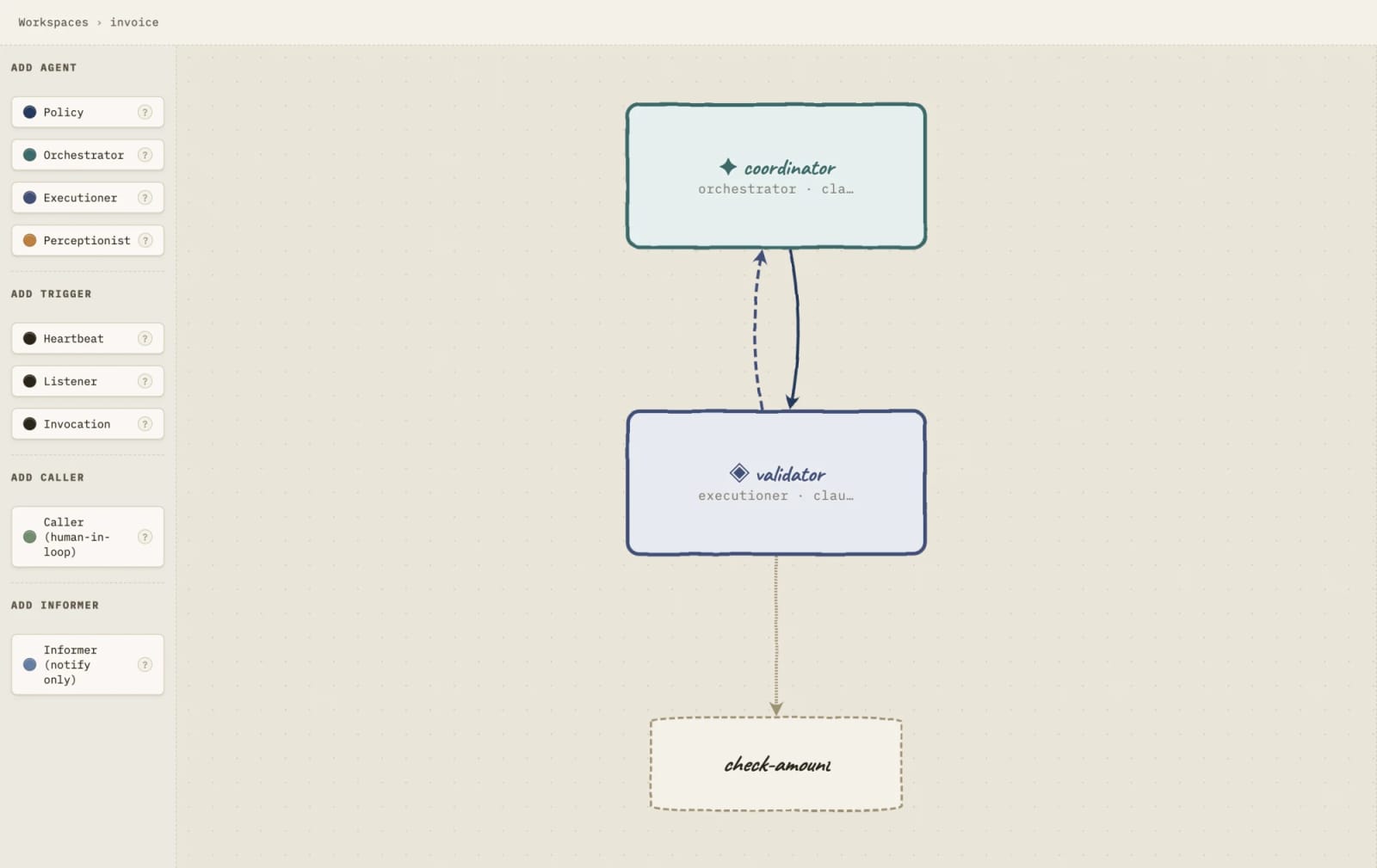
SwarmWright turns multi-agent AI into a topology you can inspect before it runs


The Show HN launch frames SwarmWright as a self-hosted multi-agent workbench where markdown agents operate inside an explicit graph instead of a loose prompt chain.
SwarmWright is a self-hosted multi-agent AI workbench that defines agents as markdown files and constrains their communication through a declared topology. The official site describes a Docker-run local setup, traceable decisions, approval gates, and local storage; the Show HN launch adds that the topology is enforced by a JSON runtime. The main value is not another autonomous-agent demo, but a more reviewable way to decide which agents may talk to which other agents before a workflow runs.
Key takeaways
- SwarmWright positions itself between fully autonomous agents and brittle hand-coded pipelines: agents stay flexible, but the graph around them is explicit.
- The product site says every agent connection must be declared and unauthorized actions are stopped and surfaced instead of silently continuing.
- The launch thread says agents are markdown files, while the topology is a JSON file enforced by the runtime.
- The official setup path is Docker-based, with generated data saved locally in a folder the operator controls.
- The Hacker News launch note explicitly says there is no authentication yet, so public exposure should be treated as a deployment risk.
| Decision point | SwarmWright angle | What to check |
|---|---|---|
| Multi-agent experimentation | Visual topology plus markdown agents | Whether the graph model matches your real approval paths |
| Internal automation | Human-in-the-loop gates and audit trails | Whether reviewers can pause or reject the right actions |
| Self-hosting | Docker container with local data storage | Network exposure, persistence, backups, and credential handling |
| Production use | Enforced connections instead of informal prompts | Authentication, access control, and operational logging maturity |
Practical LinkLoot angle
For creators and operators building repeatable AI workflows, the interesting part is the topology contract. Instead of writing a single giant prompt that says "research, draft, review, publish," you can model the process as separate agents with allowed edges: research can hand off to drafting, drafting can request review, and publishing only happens after an approval node. That makes the workflow easier to explain to a client, teammate, or compliance reviewer.
A practical first test would be a low-risk content pipeline: one agent summarizes source notes, one checks factual gaps, one creates a draft, and one produces a publish checklist. If the tool stops an undeclared handoff, that is the feature working—not a bug. The caveat is that the current launch signal is early: the HN author says there is no auth yet, so keep it local or behind your own controls until that changes.
What to verify before you act
Start with deployment boundaries. The official site emphasizes local storage and Docker, but the HN launch note says there is no authentication yet, which matters if you plan to put the service on a shared network or public server. Also check how model credentials are stored, how approval gates are logged, and whether the topology file can be version-controlled cleanly enough for your team to review changes before a run.
If you already use agent frameworks, compare SwarmWright against your current stack on one measurable workflow: time to define a graph, ease of audit, failed-action visibility, and rollback after a bad agent step. The useful question is not whether it looks polished; it is whether the declared graph prevents the exact mistakes your current agent workflows make.
SwarmWright is a self-hosted multi-agent AI platform where markdown-defined agents run inside an explicit, enforced topology.
For adjacent workflow design patterns, see LinkLoot’s guide to AI workflow automation.
Try the related loot
Scrape Changing Websites with Anansi Self-Healing Selectors and MCP