Topic
#prototyping
Loot, blog posts and adjacent themes connected to this topic. Follow the tag to keep it in your orbit.
2Shown loot
1Shown articles
8Linked neighbor tags
Topic paths
If you want to go deeper, the adjacent tags are the fastest way to compare and branch into related workflows.
Loot
More from this topic
Route quick prototypes to currently available free OpenRouter models with one OpenAI-compatible model slug. OpenRouter's openrouter/free router is a practical shortcut for builders who want to test AI features before committing to a paid model. Instead of choosing one free model manually, you call the openrouter/free model slug and OpenRouter selects from the free models that match the request requirements, including capabilities such as image understanding, tool calling, or structured outputs when available. Use it for early prototypes, internal demos, extraction tests, routing experiments, and cost-sensitive agent tasks where occasional model variation is acceptable. The official Free Models collection is also useful as a current shortlist when you need to pin a specific free model instead of using the router. Evaluation checklist: Start with low-risk test data, not customer secrets. Log the selected model and output quality during trials. Move production workflows to a pinned model once behavior needs to be stable. Check the model page before assuming context length, tool support, license, or training-data terms. Caveats: free capacity can change, rate limits may apply, and some provider terms allow inputs or outputs from free usage to be used for model improvement. Treat this as a fast discovery and prototyping lane, not a guaranteed production SLA.
- LinkLoot access
- Free
- Provider costs
- Unknown
Review open

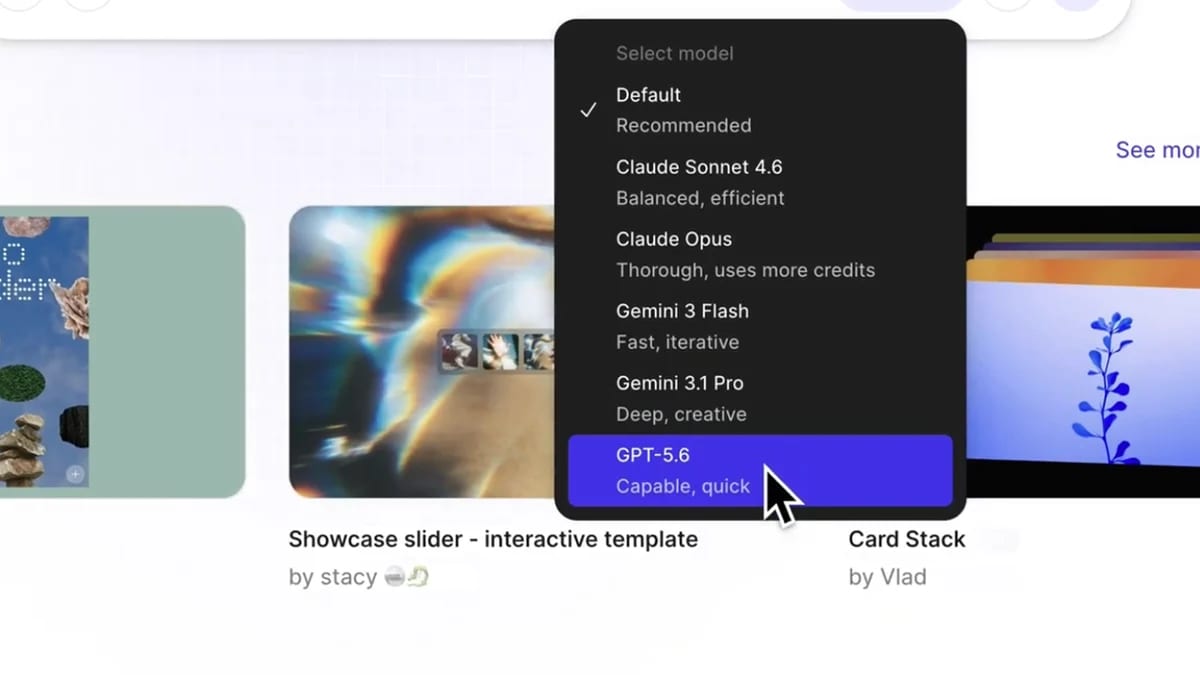
Figma Make now exposes GPT-5.6 in its model picker on all plans, giving designers and product teams a faster test lane for first-pass prototypes, responsive layouts, and design-to-code iterations. Try GPT-5.6 in Figma Make before rebuilding design prototypes Figma has added GPT-5.6 to Figma Make, and the model is available from the Make model picker on all plans. Use it when the job is a working prototype, a responsive product page, or an existing design that needs interaction logic without leaving the Figma workflow. Best fit Use case Why it helps Caveat --- --- --- First-pass app prototypes Figma says GPT-5.6 improves first-pass quality and speed in Make. Still review layout, copy, states, and generated code before handoff. Turning static designs into interactive prototypes Figma's examples highlight better design fidelity and working controls. Test every interaction instead of trusting the first build. Responsive product or landing pages Figma reports cleaner responsive output from short prompts. Check mobile breakpoints and accessibility manually. What to check first Open Figma Make and confirm GPT-5.6 appears in your model picker. Compare it against your current Make model on one existing design file. Review AI credit usage before running long exploratory sessions. Inspect generated code paths, responsive behavior, and empty/error states. Keep sensitive product data out of prompts unless your workspace policy allows it. Practical LinkLoot angle This is a useful creator and product workflow update, not a separate frontier-model launch. The best move is a side-by-side test: run the same Figma Make prompt with your current model and GPT-5.6, then compare fidelity, interaction reliability, code cleanliness, and how many follow-up prompts it takes to reach a usable prototype. Source check Figma's July 9, 2026 blog post says GPT-5.6 is available in Figma Make and describes improvements in first-pass builds, self-healing after errors, design fidelity, and responsive prototypes. The post points readers to the Make model selector for access.
- LinkLoot access
- Free
- Provider costs
- Unknown
Review open
Blog