Topic
#deployment
Loot, blog posts and adjacent themes connected to this topic. Follow the tag to keep it in your orbit.
Loot
More from this topic

Vercel CLI 55 changes how vercel link, deploy, pull, dev, and git connect resolve teams and projects. CI and agent workflows should pass --team/--scope or set VERCELORGID and VERCELPROJECTID before upgrading, because --yes no longer selects a team automatically. Use this as an upgrade checkpoint before moving CI, coding agents, or deployment scripts to Vercel CLI 55. The linking flow now resolves the team first and searches projects inside that team, which makes project discovery faster but removes an old implicit behavior: --yes confirms prompts, but it does not choose a team. For promptless runs, set VERCELORGID and VERCELPROJECTID, or pass --team/--scope explicitly. If a command has multiple possible teams and no explicit signal, non-interactive runs can fail with actionrequired: missingscope before creating or touching a link. That is useful for safety, but only if your automation expects it.
Free
Review open

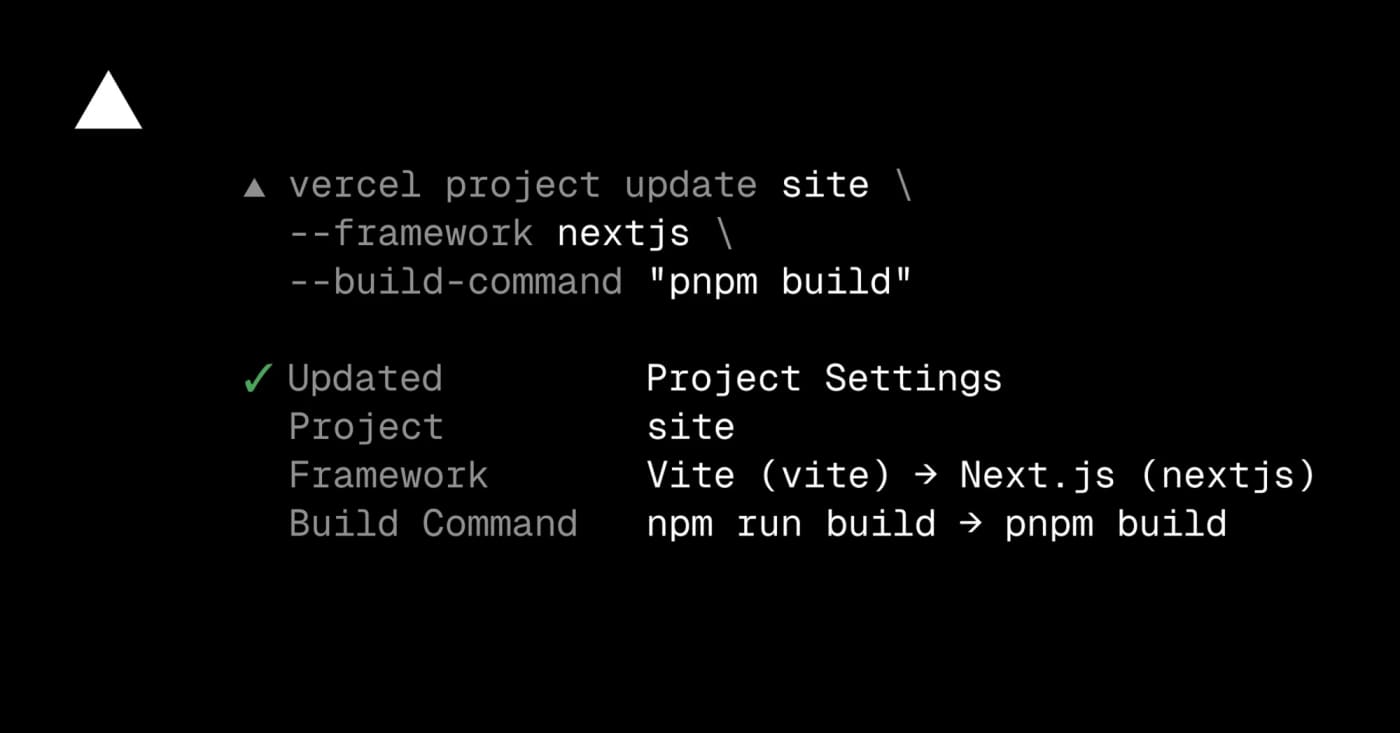
Use Vercel CLI project update to fix framework presets, build commands, output directories, and auto-detection without opening the dashboard. Vercel now lets teams update project framework and build settings from the terminal with vercel project update. It is most useful when an agent or CI helper has diagnosed a failed deployment and needs to correct the framework preset, build command, install command, development command, or output directory before redeploying. Try it when a project was imported with the wrong preset, a monorepo output path changed, or a dashboard-only fix would slow down an automated recovery flow. Use --format=json when another script needs to inspect what changed, and use --auto-detect when you want Vercel to resume automatic detection for a setting. What to check first: Update the Vercel CLI to v54.21.1 or later. Confirm the linked project or pass the project name explicitly. Review changed settings before redeploying production. Do not pipe secrets into build settings; keep secret values in environment variables. Example use cases: Fix a Vite-to-Next.js preset mismatch. Reset a stale output directory to auto-detection. Let an agent repair build settings using JSON output for verification.
Free
Review open

Cloudflare Temporary Accounts let an agent run wrangler deploy --temporary, publish a Worker for 60 minutes, verify it, redeploy changes, and hand a claim URL to a human. Use it for agent-built prototypes, demos, and review links when you do not want the agent handling a permanent Cloudflare login or API token. Check limits before production: unclaimed deployments expire, a human still needs to claim the account, and permanent workloads need normal ownership and security review. Cloudflare Temporary Accounts let an agent run wrangler deploy --temporary, publish a Worker for 60 minutes, verify it, redeploy changes, and hand a claim URL to a human. Use it for agent-built prototypes, demos, and review links when you do not want the agent handling a permanent Cloudflare login or API token. Check limits before production: unclaimed deployments expire, a human still needs to claim the account, and permanent workloads need normal ownership, observability, and security review.
Free
Review open

Cloudflare Drop lets you upload a folder or ZIP of static assets, get a temporary live preview for one hour, then claim the deployment into a Cloudflare account if it is worth keeping. Cloudflare Drop is a browser-based way to test static sites without setting up Git, Wrangler, or even a Cloudflare account first. Upload HTML, CSS, JavaScript, images, fonts, or a ZIP archive, then share or test the temporary preview URL for one hour. Use it for quick demos, AI-generated static exports, client previews, landing-page drafts, documentation microsites, and handoffs where a live URL is more useful than a screenshot. If the preview works, claim it into a Cloudflare account, verify email when needed, and then add a domain, observability, access controls, or Markdown for Agents. Limits to check: the preview is temporary until claimed, the workflow is for static assets, and production projects still need the usual ownership, domain, security, and maintenance checks. Treat Drop as a fast preview lane, not a replacement for a governed deployment pipeline.
Free
Review open

Manufact combines the open-source mcp-use SDK with a managed cloud for deploying MCP servers and apps, previewing them across clients, checking store-readiness, and monitoring production traffic. What it is Manufact is a practical build-and-deploy lane for teams turning an MCP prototype into something users can actually connect to. The stack pairs the open-source mcp-use SDK with Manufact Cloud, so developers can build MCP servers or app widgets in TypeScript or Python, test them in an inspector, then deploy from a GitHub repo. The useful angle is operational. Manufact Cloud documents project onboarding, GitHub deployments, environment variables, custom domains, runtime logs, analytics, session replay, publish checks, and client connection helpers for Cursor, VS Code, Claude, Gemini CLI, Codex CLI, and SDKs. Why bookmark it Use this when an MCP server has moved beyond a local demo and needs repeatable deployments, preview branches, observability, and a clearer path toward ChatGPT App or Claude Connector submission. The official docs also expose an agent-facing prompt and MCP server reference, which makes it easier to let coding agents scaffold or manage a server without copying a long setup guide into every session. The mcp-use repository is still valuable even if you do not use the hosted cloud. It includes SDK entry points, quickstarts, an inspector, and example MCP apps such as chart, diagram, slide deck, maps, widget gallery, file manager, and media mixer templates. Access and caveats The pricing page lists a Free plan with two projects, seven days of analytics retention, one team member, GitHub organization deploy support, and monthly included credits. Paid plans add more projects, retention, team seats, preview deployments, cold-start prevention, and support. Treat credit consumption and pay-as-you-go details as something to verify before production use because the HN launch thread included questions about pricing transparency. This is best for teams already betting on MCP distribution. If your users only need a local coding-agent helper, a CLI or direct API integration may still be simpler, cheaper, and easier to audit. For any production MCP, review auth scopes, data retention, logs, and client compatibility before connecting customer systems. Quick fit check Need Manufact fit Caveat --- --- --- Build MCP servers/apps mcp-use SDK supports TypeScript and Python Still requires normal code review and auth design Deploy from GitHub Cloud docs describe repo import, deployments, env vars, domains, and logs Hosted service dependency Test across agent clients Platform surfaces inspector, publish checks, sessions, and client setup Verify your target clients before relying on submission readiness Start cheaply Free tier is listed on the pricing page Confirm credit usage for your workload Sources checked Primary sources were the official Manufact site, Manufact Cloud docs, pricing page, and the mcp-use GitHub repository. Hacker News was used only as launch context and not as an instruction source.
Free
Review open
Blog
Related reads
Tools & Apps
Upgrade Vercel Projects Before Node.js 20 Blocks New Deployments
Vercel will disable Node.js 20 for Builds and Functions on October 1, 2026, after the Node.js 20 release line reached end of life. Existing …
Tools & Apps
Check Vercel deploy files before agents ship them
Vercel CLI now supports dry-run deployments, giving teams and coding agents a JSON manifest of what would ship before a deployment is create…
Tools & Apps
Deploy AI-built prototypes to Vercel without Git or the CLI
Vercel Drop lets users deploy a file, folder, or zip archive by dragging it into the browser, creating a production project without Git, CLI…
Business & Karriere
OpenAI Deployment Company launches with $4B to push enterprise AI from pilots into production
OpenAI says its new Deployment Company will pair forward deployed engineers with enterprises and launch with more than $4 billion in backing…