Topic

#cli

Loot, blog posts and adjacent themes connected to this topic. Follow the tag to keep it in your orbit.

#cli
Loot

More from this topic

Explore all loot
Scan your server's public attack surface from the terminal with qsa.sh

Scan your server's public attack surface from the terminal with qsa.sh

0
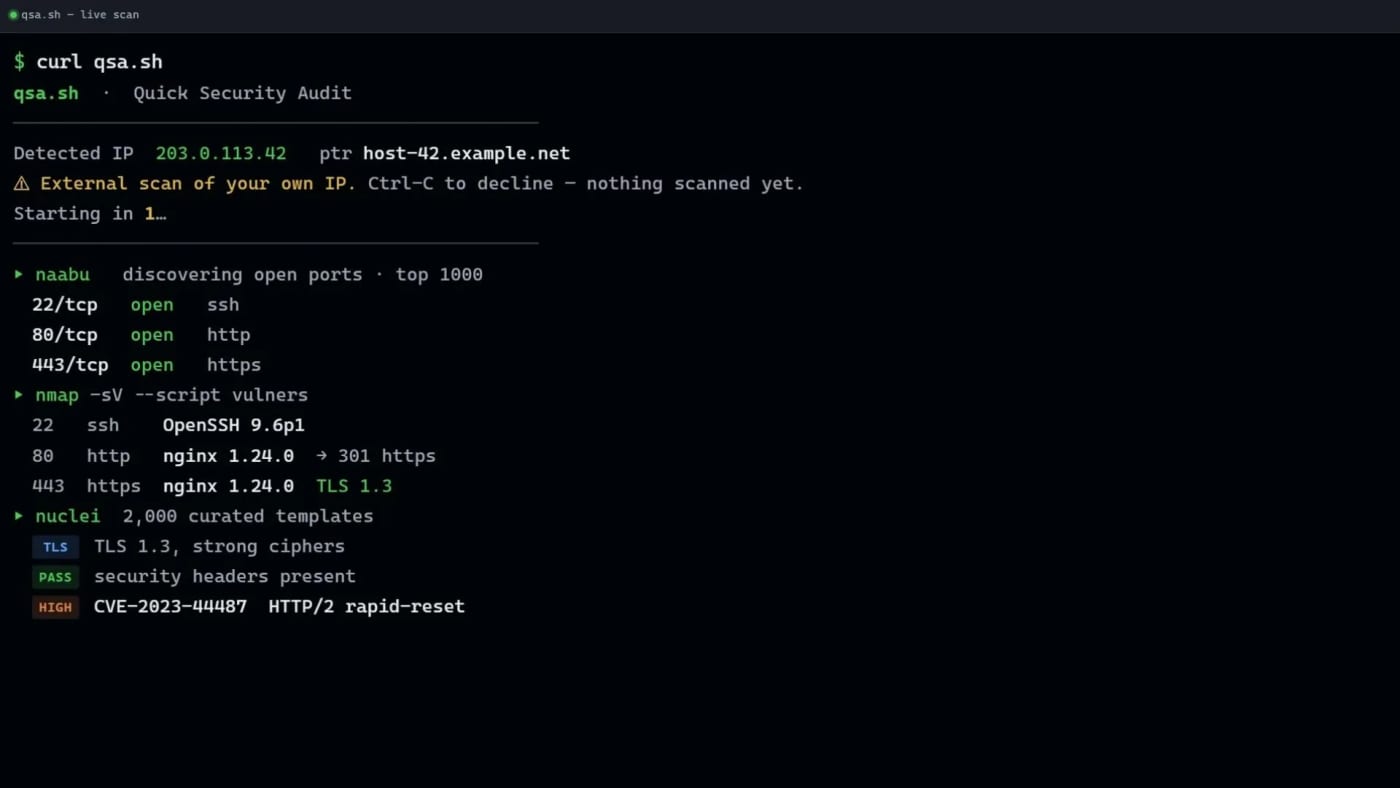
qsa.sh gives VPS and server operators a quick outside-in security scan of the public IP they are connecting from, with a free tier and paid deeper scans. qsa.sh is a practical terminal-first security checker for people who run their own servers and want a quick view of what the public internet can see. Run curl https://qsa.sh from the server you control and the service scans the public IP behind that request. The free scan covers common ports and selected vulnerability checks, then streams results back to the terminal. That makes it useful for quick VPS hygiene checks after deploying a new machine, changing firewall rules, moving behind a tunnel, or auditing a small self-hosted service. The key constraint is also the safety feature: there is no arbitrary target box. qsa.sh scans the IP that connects to it, gives a short abort window before work begins, and says it refuses common shared-network cases such as mobile-carrier, CGNAT, VPN, Tor, and proxy origins on a best-effort basis. Use it only on infrastructure you are authorized to scan. Pricing/access visible on the source page: Free: common-port live scan with naabu, nmap plus vulners, and a curated nuclei set. Full: paid monthly deeper port coverage. Deep: paid one-time full nuclei-style report. Practical use cases: Verify that a fresh VPS exposes only the services you expect. Re-check a host after changing Docker, firewall, Cloudflared, or reverse-proxy rules. Keep a lightweight manual audit step before publishing a self-hosted app. Compare the free scan with your own local nmap/nuclei workflow before paying for deeper reports. Caveats: this is not a full penetration test, the wrapper service itself is not presented as open source, and any security scan can produce false positives or miss issues. Treat the output as a fast triage signal, not as proof that a host is safe.
Free
Review open
0
Run Codex, Claude, Gemini, and Grok side by side with Termic

Run Codex, Claude, Gemini, and Grok side by side with Termic

0
Text: AI-generated
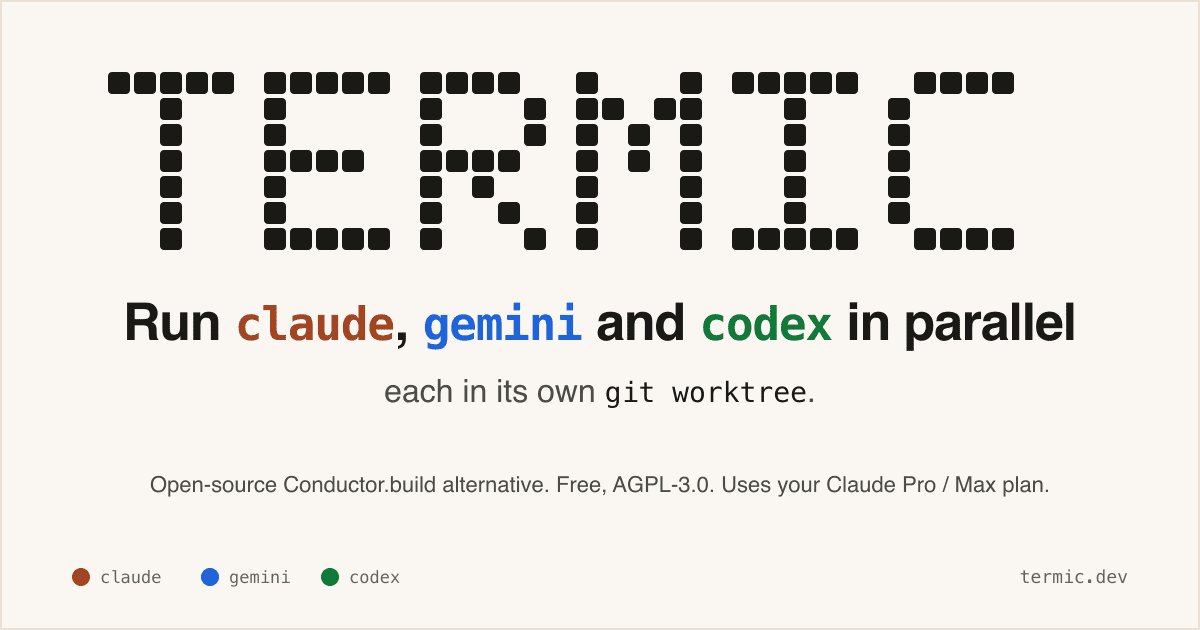
AI-generated · Automatically published by LinkLoot. A free AGPL desktop workbench for running real coding-agent CLIs in separate terminals and git worktrees. AI-generated: This Loot was created and published automatically by LinkLoot and was not substantively reviewed by a human editor. Termic is a local desktop app for developers who already use CLI coding agents and want a cleaner control surface than a pile of terminal tabs. It launches the real claude, codex, gemini, grok, opencode, and custom PTY commands, so the model access still comes from the vendor CLI accounts you already use rather than a proxy backend. The practical value is the workspace model: each agent can run in its own git worktree, you can broadcast one instruction to several agents, compare their output, inspect diffs, and keep reusable prompts close to the task. The project also exposes config-as-code through .termic.yaml, which is useful when a repo needs repeatable run commands, preview URLs, or sandbox allowlists. Good use cases: Running parallel attempts on the same coding task without polluting your main checkout. Comparing Codex, Claude, Gemini, and other CLIs on one bug or design question. Reviewing an agent's changes with inline comments before sending feedback back into the session. Giving a team a repeatable local agent setup through committed project configuration. Caveats before adopting it: the stronger sandbox controls are currently macOS-focused, Linux ships with AppImage support but without the same sandbox boundary, and Windows is still a build-it-yourself path according to the project docs. Treat it as a powerful local harness, not as a substitute for reviewing agent changes, protecting credentials, or keeping destructive commands behind your own process controls.
Free
Review open
0
Cut coding-agent terminal noise with rtk

Cut coding-agent terminal noise with rtk

0
Text: AI-generated
AI-generated · Automatically published by LinkLoot. rtk is a free Apache-2.0 CLI proxy that compresses terminal output before it enters an AI coding agent's context window. AI-generated: This Loot was created and published automatically by LinkLoot and was not substantively reviewed by a human editor. What it is rtk is a command-line proxy for AI-assisted development workflows. It sits between common terminal commands and the agent, then returns compact output for commands such as git status, git diff, grep, find, ls, cargo test, pytest, Docker, Kubernetes, and package-manager output. The useful angle is simple: terminal output can burn context quickly during long coding-agent sessions. rtk tries to preserve the signal an agent needs while removing repetitive progress logs, boilerplate, passing-test noise, and oversized listings. Why bookmark it Homebrew lists rtk as an Apache-2.0 package with stable version 0.43.0 and bottled builds for macOS and Linux. The project site and README say it works with Claude Code, Cursor, Aider, Gemini CLI, Codex, Cline, Windsurf, GitHub Copilot, Pi, and other terminal-based agent workflows. The strongest first use case is not replacing your shell. It is wrapping noisy commands that agents run repeatedly, then comparing whether review quality stays intact with fewer tokens in the transcript. Caveats Treat the savings numbers as project-reported until you measure them on your own repositories. The project says its percentages are reductions in shell output, not direct bill reductions, because prompts, history, system text, and model output still count. Also review the hook behavior before turning it on globally. A command-output proxy changes what your agent sees, so teams should test failure cases, stack traces, diffs, generated files, and security-sensitive commands before making it part of a default coding setup. Source links rtk website: https://www.rtk-ai.app/ Homebrew formula: https://formulae.brew.sh/formula/rtk GitHub repository: https://github.com/rtk-ai/rtk
Free
Review open
0
Find and install terminal apps faster with tuistore

Find and install terminal apps faster with tuistore

0
tuistore is a GPL-licensed terminal app store that helps developers search hundreds of TUI and CLI tools, inspect install methods, and install them through the package managers already available on their machine. tuistore is useful if your terminal setup keeps turning into a tab full of GitHub READMEs, package-manager guesses, and stale install snippets. It gives you a searchable TUI catalog of terminal apps and CLI utilities, then ranks install methods based on the operating system, distro family, architecture, and package managers it detects locally. The practical value is the install guardrail. Before running anything, tuistore shows the exact command, labels whether the method is official, README-derived, or inferred, and streams the output instead of hiding it behind a background installer. That makes it a good discovery tool for modern CLI stacks, but also a safer way to compare whether a tool should come from Homebrew, uv, pipx, cargo, npm, pacman, winget, or another manager. The current checked release is v0.4.5, published July 20, 2026, with the catalog expanded to 800+ tools and broader Linux distro support for Gentoo, Solus, Void, and Alpine workflows. PyPI lists version 0.4.5 as GPL-3.0-or-later and requires Python 3.11 or newer. Check before using Review any remote shell installer before accepting it, even when tuistore flags it clearly. Confirm license and branding terms if you redistribute or fork the project. Expect catalog coverage to be best for popular terminal apps; niche tools may still need manual review. On locked-down work machines, test it in a disposable dev environment before letting it manage global packages. Sources GitHub repository: project overview, install flow, catalog behavior, platform-aware method ranking, CLI commands, and license notes. GitHub v0.4.5 release: current release date, catalog-size update, and expanded Linux distro support. PyPI package metadata: published package name, current version, Python requirement, repository link, and GPL-3.0-or-later license metadata.
Free
Review open
0
Make Vercel CLI 55 project linking safe for CI agents

Make Vercel CLI 55 project linking safe for CI agents

0
Vercel CLI 55 changes how vercel link, deploy, pull, dev, and git connect resolve teams and projects. CI and agent workflows should pass --team/--scope or set VERCELORGID and VERCELPROJECTID before upgrading, because --yes no longer selects a team automatically. Use this as an upgrade checkpoint before moving CI, coding agents, or deployment scripts to Vercel CLI 55. The linking flow now resolves the team first and searches projects inside that team, which makes project discovery faster but removes an old implicit behavior: --yes confirms prompts, but it does not choose a team. For promptless runs, set VERCELORGID and VERCELPROJECTID, or pass --team/--scope explicitly. If a command has multiple possible teams and no explicit signal, non-interactive runs can fail with actionrequired: missingscope before creating or touching a link. That is useful for safety, but only if your automation expects it.
Free
Review open
0
Port Kill: Free Stuck Dev Ports Without Guessing PIDs

Port Kill: Free Stuck Dev Ports Without Guessing PIDs

0
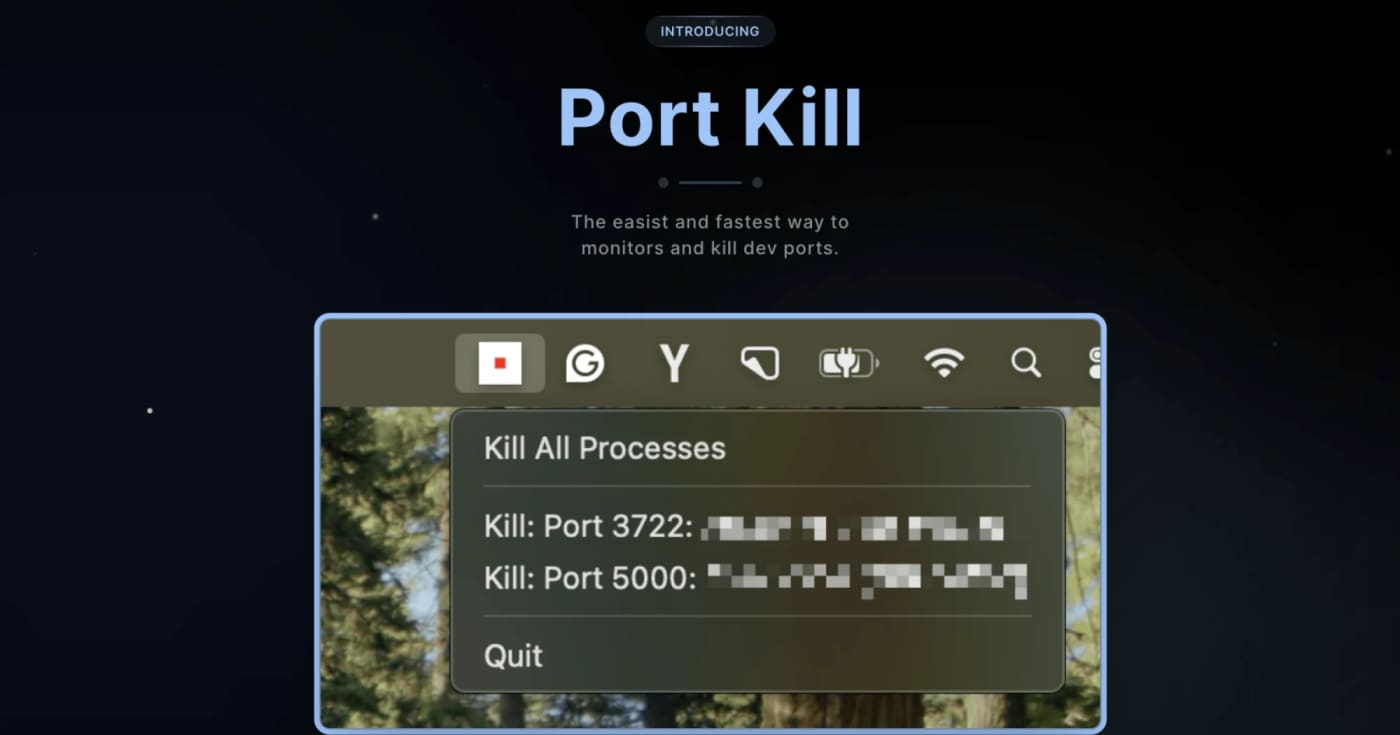
A practical cross-platform dev utility for finding, killing, restarting, and monitoring processes that block local ports. What it does Port Kill is a developer utility for the recurring local-dev problem where a process keeps holding ports like 3000, 5000, or 8000. It can list active ports, identify the process behind them, terminate blockers, restart saved services, and manage simple service orchestration from a project config. The useful bit is that it is not just another one-line lsof kill wrapper. The README documents a CLI, a macOS status-bar app, a pure console binary for all platforms, cache cleanup commands, smart restart history, service detection for npm/Docker Compose/Procfile/Python projects, and guard mode for keeping a local service alive. Best fit Use it when you frequently run multiple local services and lose time figuring out which process is holding a port. It is especially useful for frontend/backend stacks, Docker Compose projects, demos, and AI-generated app experiments where dev servers are started and stopped often. Quick evaluation checklist Primary value: list and free occupied local development ports quickly. Platform surface: macOS, Linux, and Windows according to the project README. Interface: CLI across platforms, plus a macOS status-bar app. Practical caveat: installation is via shell scripts, so inspect the script before piping it into a shell. Licensing caveat: the GitHub API did not expose a clear SPDX license at review time, so confirm licensing before bundling it into commercial tooling. Why it is worth bookmarking Most teams already know the manual commands, but Port Kill packages the workflow into repeatable commands: port-kill --list, port-kill 3000 --safe, port-kill --restart 3000, port-kill --detect, and port-kill --up for configured services. That makes it a small but useful productivity pick rather than a full blog story. Source notes The official product page describes port monitoring, process detection, termination, port ranges, ignore rules, and cache clearing. The GitHub README adds the cross-platform CLI/status-bar split, smart restart, service detection, orchestration, and cache commands. The latest GitHub release visible during review was v0.5.41 from April 3, 2026, focused on dashboard discovery and default port-range fixes.
Free
Review open
0
Repair Vercel build settings from the CLI before redeploying

Repair Vercel build settings from the CLI before redeploying

0
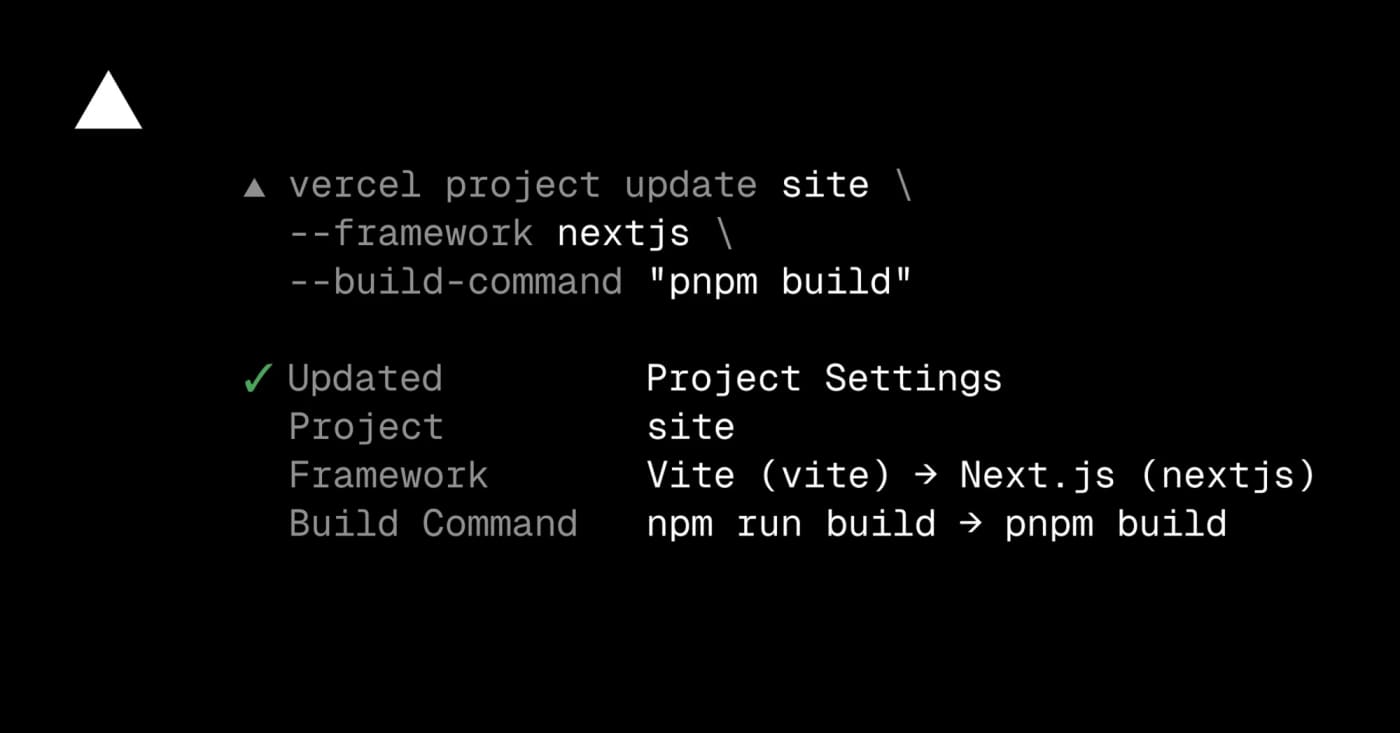
Use Vercel CLI project update to fix framework presets, build commands, output directories, and auto-detection without opening the dashboard. Vercel now lets teams update project framework and build settings from the terminal with vercel project update. It is most useful when an agent or CI helper has diagnosed a failed deployment and needs to correct the framework preset, build command, install command, development command, or output directory before redeploying. Try it when a project was imported with the wrong preset, a monorepo output path changed, or a dashboard-only fix would slow down an automated recovery flow. Use --format=json when another script needs to inspect what changed, and use --auto-detect when you want Vercel to resume automatic detection for a setting. What to check first: Update the Vercel CLI to v54.21.1 or later. Confirm the linked project or pass the project name explicitly. Review changed settings before redeploying production. Do not pipe secrets into build settings; keep secret values in environment variables. Example use cases: Fix a Vite-to-Next.js preset mismatch. Reset a stale output directory to auto-detection. Let an agent repair build settings using JSON output for verification.
Free
Review open
0
Turn dense 3D scans into clean quad topology with AutoRemesher

Turn dense 3D scans into clean quad topology with AutoRemesher

0
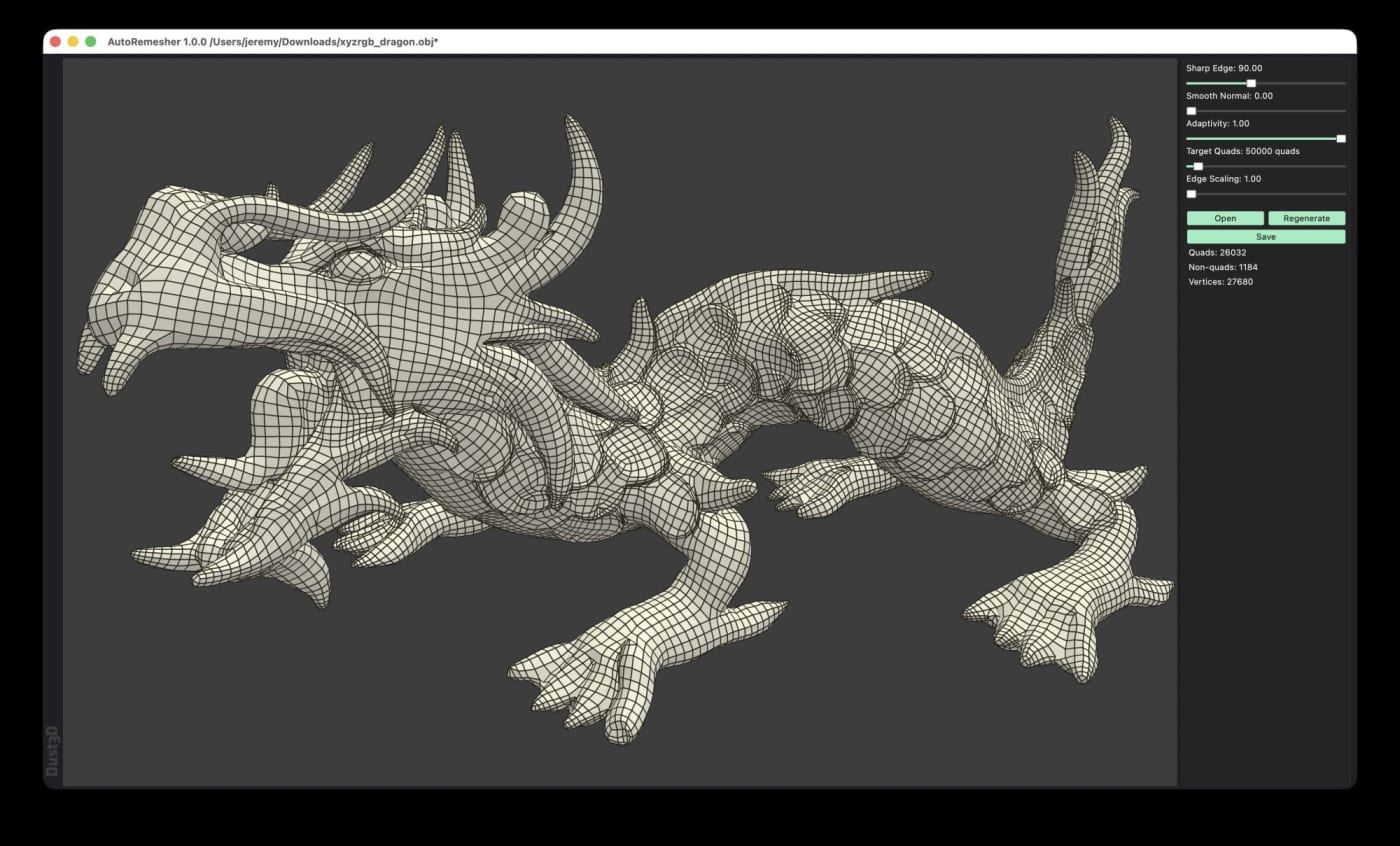
AutoRemesher is an MIT-licensed, cross-platform automatic quad remeshing tool for converting high-polygon meshes into cleaner quad-based topology. The July 2026 1.0.0 release adds ready-to-download Windows, Linux, and macOS builds, a command-line mode, and practical controls such as target quads, sharp edge, adaptivity, and smooth normal settings. AutoRemesher is worth saving if you work with dense scans, sculpted meshes, kitbashed models, or experimental 3D assets that need cleaner quad topology before editing, rigging, or downstream optimization. It is a standalone open-source remeshing tool rather than a Blender-only addon, and the current release includes binaries for Windows, Linux, and macOS. What it does AutoRemesher converts high-polygon input meshes into quad-based output. The project README describes it as a cross-platform automatic quad remeshing tool built on Geogram, libigl, isotropic remesher, and related geometry libraries. The 1.0.0 release is especially useful because it moved to an MIT license, added a command-line interface, improved remeshing and quad extraction algorithms, and exposed controls for target quads, adaptivity, sharp edges, edge scaling, and low-poly smooth normals. Why it is useful Free and open source under the MIT license Runs on Windows, macOS, and Linux Provides release binaries, including AppImage and DMG builds Supports GUI use and headless CLI processing Targets practical retopology jobs for dense meshes and 3D scan cleanup Lets you tune the result with target quads and edge/sharpness settings Quick way to evaluate it Download the 1.0.0 build for your platform from GitHub Releases. Run one dense OBJ test mesh through the GUI. Repeat the same file with CLI mode and a fixed --target-quads value. Inspect edge flow, holes, sharp edge preservation, and UV/material needs in your 3D tool. Keep the command settings that produce acceptable topology for your asset type. Practical LinkLoot angle This is a strong utility pick for 3D creators because it can sit between messy source geometry and heavier tools like Blender, Maya, Cinema 4D, or game-engine import pipelines. The CLI mode also makes it interesting for batch cleanup workflows where you want consistent mesh budgets across many assets. The caveat is the usual one for automatic retopology: it can save time, but it does not replace manual edge-flow decisions for animation-critical faces, hands, joints, or hero assets. Treat it as a first-pass topology tool, then do artist review where the model has to deform or render close up. Source check The GitHub repository lists AutoRemesher as an automatic quad remeshing tool with an MIT license, C++ codebase, and nearly 1,900 stars at the time checked. The 1.0.0 release notes confirm the July 2026 release, MIT relicensing, CLI mode, downloadable platform builds, and the new remeshing controls.
Free
Review open
0
Find AI-introduced duplicate logic before refactoring with Slopo

Find AI-introduced duplicate logic before refactoring with Slopo

0
Slopo is an open-source CLI that uses embeddings to surface non-exact duplicate code across distant parts of a repository, giving developers and coding agents a focused review list before refactoring. What it does Slopo scans a codebase for similar code that is not an exact copy. It indexes code units, calculates embeddings, clusters similar snippets, and ranks them by similarity and distance in the repository so distant duplicate logic is easier to spot. This is useful when AI-assisted development has added new implementations of logic that already exists elsewhere. Exact copy-paste detectors can miss that pattern, and a coding agent often cannot keep the full repository in context while editing one area. How to try it Install it with uv tool install slopo, then initialize a config and run the three-step workflow: The generated report is meant for review, not blind automation. Start by excluding noisy paths such as tests, tune thresholds if the first result set is too large, and ask an agent to inspect one cluster at a time before deciding whether to refactor or ignore it. Best use cases Auditing a repository after several AI coding sessions. Finding duplicate business logic spread across modules. Preparing a safer refactor backlog for a human or coding agent. Keeping an ignore file for reviewed false positives so new similar clusters stand out later. Caveats Slopo depends on embedding models through an external provider, so teams should review cost, privacy, and provider choice before running it on sensitive code. Similarity is also not proof of harmful duplication; every cluster still needs engineering judgment. The project is young, but the workflow is practical: generate a narrow report, verify the clusters, then refactor only the duplicates that are real and worth the risk. Source links GitHub repository: https://github.com/rafal-qa/slopo Official project page: https://slopo.dev/ Hacker News Show HN thread: https://news.ycombinator.com/item?id=48762038
Free
Review open
0
Cap GitHub Copilot CLI agent spend with AI credit session limits

Cap GitHub Copilot CLI agent spend with AI credit session limits

0
GitHub Copilot CLI and the Copilot SDK now support per-session AI credit limits, giving developers a practical guardrail for long-running agent tasks and unattended automation. What it does GitHub added AI credit session limits for Copilot CLI and the Copilot SDK. The practical value is simple: before you hand an agent a long task, you can set a credit cap so the session stops cleanly instead of running until the work is done or someone notices the bill. This belongs in a developer's automation checklist because AI coding agents are increasingly used for unattended refactors, test runs, investigations, and SDK-driven workflows. A per-session cap does not replace account budgets, but it gives each run a local spending boundary. How to try it Update GitHub Copilot CLI to version 1.0.66 or later, then use the new session-limit controls before starting work. For interactive CLI sessions, GitHub's docs show the /limits set command: For non-interactive CLI jobs, pass a maximum credit value on the command line: GitHub notes that the limit is a soft cap: a model response already in progress can finish, so final usage may slightly exceed the number you set. Their docs also advise that session limits work best above 30 AI credits because many model calls can cost more than 20 credits. Best use cases Budgeting unattended Copilot CLI jobs in CI-like local automation. Running exploratory codebase tasks without leaving an agent unbounded. Testing prompt cost before scaling a workflow across a team. Giving SDK-based agent features a per-run guardrail. Caveats This is a public preview feature, so behavior may change. It also controls a single session only; teams still need organization budgets, billing alerts, model-selection policies, and human review for expensive agent workflows. Treat the first few runs as calibration. Start with small, reversible tasks, check actual AI credit use afterward, and adjust the limit based on prompt size, repository size, selected model, and tool-call depth. Source links GitHub Changelog: https://github.blog/changelog/2026-07-01-set-ai-credit-session-limits-in-copilot-cli-and-sdk/ GitHub Docs: https://docs.github.com/en/copilot/tutorials/optimize-ai-usage GitHub CLI best practices: https://docs.github.com/copilot/how-tos/copilot-cli/cli-best-practices Session limit setup docs: https://docs.github.com/en/copilot/how-tos/copilot-cli/use-copilot-cli/set-session-limit
Free
Review open
0
Tabstack CLI turns live-web extraction into pipeable agent commands

Tabstack CLI turns live-web extraction into pipeable agent commands

0
A Mozilla-backed CLI and API layer for agents that need live web extraction, cited research, or browser task execution without maintaining their own browser stack. Tabstack is useful when an agent or internal tool needs to read live pages, return schema-shaped JSON, produce cited research, or complete a browser task from a script. The practical part for LinkLoot readers is the CLI: it can turn a URL into Markdown or JSON, run research or automation commands, and emit output that pipes cleanly into jq. Best fit: developer teams building agent features, research helpers, competitor monitors, lead enrichment flows, or back-office automations where scraping glue code becomes maintenance debt. Try it by starting with the official docs and the GitHub CLI repo, then test one narrow workflow such as extracting structured pricing data or converting a docs page into clean Markdown. Use the free credits for evaluation, but check pricing, rate limits, data-handling rules, robots.txt behavior, and logged-in workflow risks before putting production tasks behind it.
Free
Review open
0
Use GitHub CLI to Read Repo Files Without Cloning

Use GitHub CLI to Read Repo Files Without Cloning

0
GitHub CLI 2.95.0 adds preview commands for reading files and directories from remote repositories, useful for agents, audits, and quick config checks. Why this is useful GitHub CLI 2.95.0 adds gh repo read-file and gh repo read-dir, two preview commands for inspecting repository content directly from the terminal. It is a practical upgrade for developers, maintainers, and AI-agent workflows that need to check a README, config file, package manifest, docs folder, or policy file without cloning the full repository first. Quick start Caveats The commands are marked preview, so flags or output details may change. Access still follows the permissions of the authenticated GitHub user, and large or binary files are not a replacement for a proper checkout. For automation, pin your expected gh version and handle missing-command fallback paths. Source check Source What it confirms --- --- GitHub Changelog gh repo read-file and gh repo read-dir are available in GitHub CLI 2.95.0+ GitHub CLI release notes The release date, examples, preview status, and scripting flags GitHub CLI manual Exact command syntax, JSON fields, and terminal escape-sequence behavior
Free
Review open
0
Blog

Related reads

Browse blog
AI & Automation

Debug Vercel agent runs from MCP or the CLI

Vercel now exposes eve Agent Runs through MCP tools and CLI commands, so teams can inspect traces, reasoning, tool calls, token usage, lifec

Tools & Apps

Check Vercel deploy files before agents ship them

Vercel CLI now supports dry-run deployments, giving teams and coding agents a JSON manifest of what would ship before a deployment is create

Tools & Apps

Script Vercel Flags Segments Before Agents Change Targeting by Hand

Vercel Flags segments can now be managed from the Vercel CLI, giving teams a scriptable way to create, inspect, and update reusable targetin

Tools & Apps

Vercel Adds Agent Run Traces to Its MCP and CLI

Vercel has added Agent Runs observability to its MCP and CLI, giving teams commands to list projects with runs, inspect metadata, and fetch

Tools & Apps

Use Wrangler auth profiles to stop switching Cloudflare logins by hand

Cloudflare added Wrangler auth profiles, letting Workers developers bind named OAuth logins to project directories and switch Cloudflare acc

Tools & Apps

Find Core Web Vitals regressions from the Vercel CLI

Vercel now lets teams query Speed Insights data with vercel metrics, so developers and coding agents can inspect real-user Core Web Vitals f

Tools & Apps

GitHub Copilot CLI adds an experimental security review command

GitHub Copilot CLI now has an experimental /security-review command that checks local code changes for high-impact vulnerability patterns be

Tools & Apps

GitHub Copilot app opens wider as Copilot CLI adds scheduled prompts

GitHub widened the Copilot app technical preview to existing paid Copilot customers and updated Copilot CLI with experimental scheduled prom

Tools & Apps

Kanban CLI gives coding agents a local task board humans can review

Kanban CLI is a local-first, Rust-based project management tool for coordinating AI coding agents with schema-validated tasks, Git worktrees

AI & Automation

huggingface_hub 1.14.0 adds Space secrets management and pushes Hub automation further into the CLI

Hugging Face’s latest huggingface_hub release matters less for a single flashy feature than for how it keeps turning the Hub CLI into a real