Turn dense 3D scans into clean quad topology with AutoRemesher
AutoRemesher is an MIT-licensed, cross-platform automatic quad remeshing tool for converting high-polygon meshes into cleaner quad-based topology. The July 2026 1.0.0 release adds ready-to-download Windows, Linux, and macOS builds, a comma...
- LinkLoot access
- Free
- Provider costs
- Unknown
What you get from it
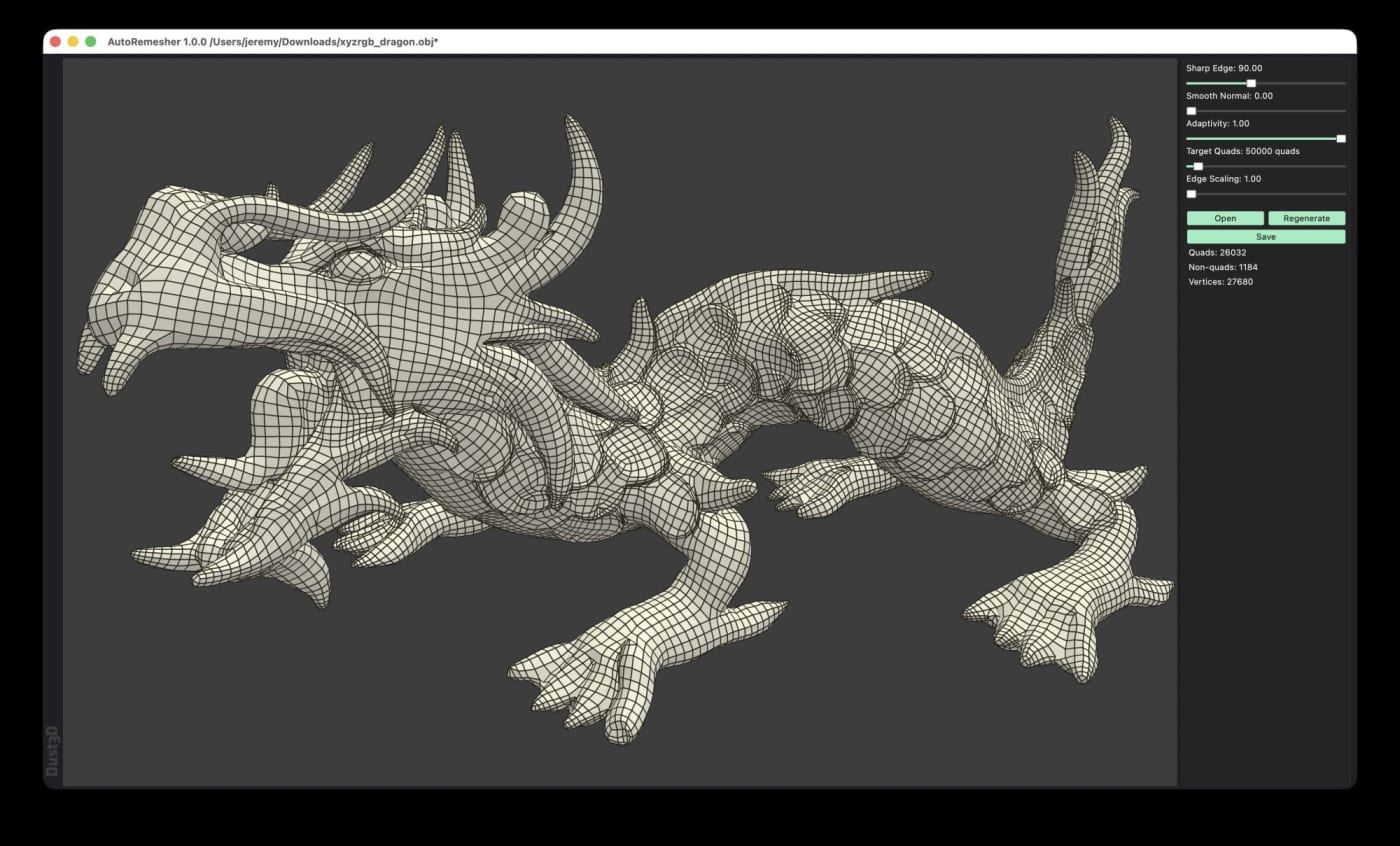
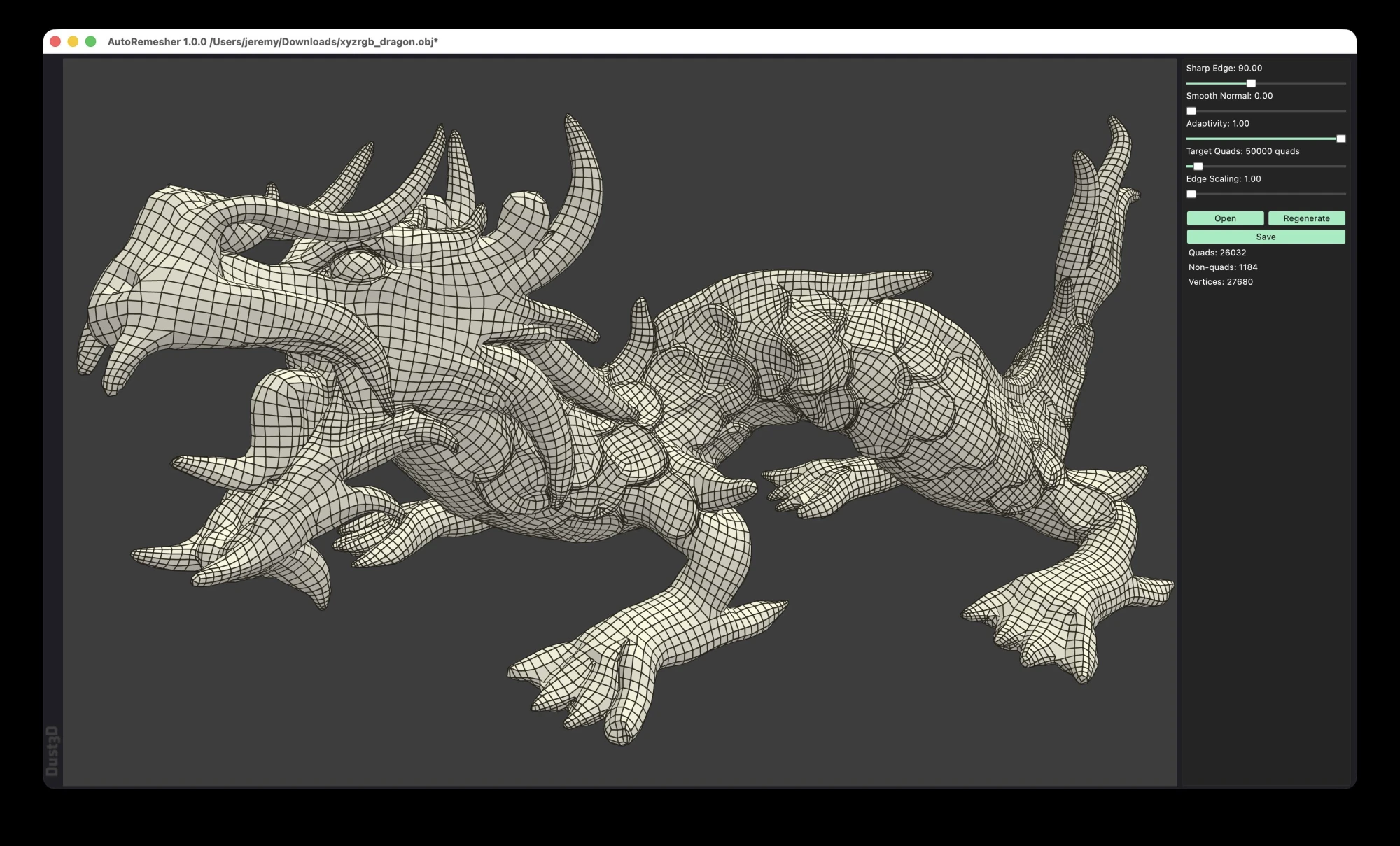
AutoRemesher is an MIT-licensed, cross-platform automatic quad remeshing tool for converting high-polygon meshes into cleaner quad-based topology. The July 2026 1.0.0 release adds ready-to-download Windows, Linux, and macOS builds, a command-line mode, and practical controls such as target quads, sharp edge, adaptivity, and smooth normal settings.
Practical testing not documented.
LinkLoot assessment · not a user rating.
AutoRemesher is worth saving if you work with dense scans, sculpted meshes, kitbashed models, or experimental 3D assets that need cleaner quad topology before editing, rigging, or downstream optimization. It is a standalone open-source remeshing tool rather than a Blender-only addon, and the current release includes binaries for Windows, Linux, and macOS.
What it does
AutoRemesher converts high-polygon input meshes into quad-based output. The project README describes it as a cross-platform automatic quad remeshing tool built on Geogram, libigl, isotropic remesher, and related geometry libraries.
The 1.0.0 release is especially useful because it moved to an MIT license, added a command-line interface, improved remeshing and quad extraction algorithms, and exposed controls for target quads, adaptivity, sharp edges, edge scaling, and low-poly smooth normals.
Why it is useful
- Free and open source under the MIT license
- Runs on Windows, macOS, and Linux
- Provides release binaries, including AppImage and DMG builds
- Supports GUI use and headless CLI processing
- Targets practical retopology jobs for dense meshes and 3D scan cleanup
- Lets you tune the result with target quads and edge/sharpness settings
Quick way to evaluate it
- Download the 1.0.0 build for your platform from GitHub Releases.
- Run one dense OBJ test mesh through the GUI.
- Repeat the same file with CLI mode and a fixed
--target-quadsvalue. - Inspect edge flow, holes, sharp edge preservation, and UV/material needs in your 3D tool.
- Keep the command settings that produce acceptable topology for your asset type.
Practical LinkLoot angle
This is a strong utility pick for 3D creators because it can sit between messy source geometry and heavier tools like Blender, Maya, Cinema 4D, or game-engine import pipelines. The CLI mode also makes it interesting for batch cleanup workflows where you want consistent mesh budgets across many assets.
The caveat is the usual one for automatic retopology: it can save time, but it does not replace manual edge-flow decisions for animation-critical faces, hands, joints, or hero assets. Treat it as a first-pass topology tool, then do artist review where the model has to deform or render close up.
Source check
The GitHub repository lists AutoRemesher as an automatic quad remeshing tool with an MIT license, C++ codebase, and nearly 1,900 stars at the time checked. The 1.0.0 release notes confirm the July 2026 release, MIT relicensing, CLI mode, downloadable platform builds, and the new remeshing controls.
Discussion
Share practical experience, questions, or warnings with the community.
Sign in to join the discussion and vote on comments.
Sign in