Scan your server's public attack surface from the terminal with qsa.sh
qsa.sh gives VPS and server operators a quick outside-in security scan of the public IP they are connecting from, with a free tier and paid deeper scans.
- LinkLoot access
- Free
- Provider costs
- Unknown

What you get from it
Practical testing not documented.
LinkLoot assessment · not a user rating.
qsa.sh is a practical terminal-first security checker for people who run their own servers and want a quick view of what the public internet can see.
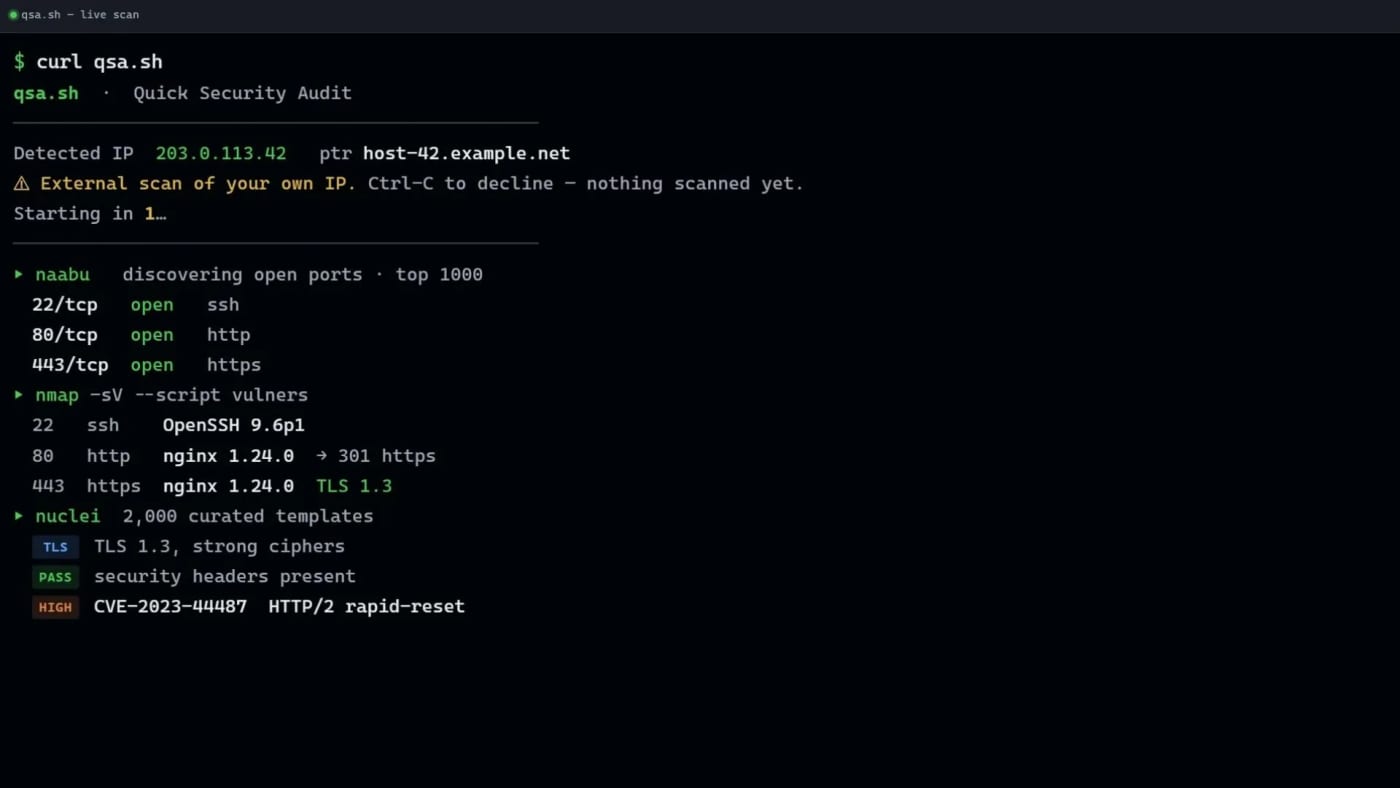
Run curl https://qsa.sh from the server you control and the service scans the public IP behind that request. The free scan covers common ports and selected vulnerability checks, then streams results back to the terminal. That makes it useful for quick VPS hygiene checks after deploying a new machine, changing firewall rules, moving behind a tunnel, or auditing a small self-hosted service.
The key constraint is also the safety feature: there is no arbitrary target box. qsa.sh scans the IP that connects to it, gives a short abort window before work begins, and says it refuses common shared-network cases such as mobile-carrier, CGNAT, VPN, Tor, and proxy origins on a best-effort basis. Use it only on infrastructure you are authorized to scan.
Pricing/access visible on the source page:
- Free: common-port live scan with naabu, nmap plus vulners, and a curated nuclei set.
- Full: paid monthly deeper port coverage.
- Deep: paid one-time full nuclei-style report.
Practical use cases:
- Verify that a fresh VPS exposes only the services you expect.
- Re-check a host after changing Docker, firewall, Cloudflared, or reverse-proxy rules.
- Keep a lightweight manual audit step before publishing a self-hosted app.
- Compare the free scan with your own local nmap/nuclei workflow before paying for deeper reports.
Caveats: this is not a full penetration test, the wrapper service itself is not presented as open source, and any security scan can produce false positives or miss issues. Treat the output as a fast triage signal, not as proof that a host is safe.
Discussion
Share practical experience, questions, or warnings with the community.
Sign in to join the discussion and vote on comments.
Sign in