Topic
#self-hosting
Loot, blog posts and adjacent themes connected to this topic. Follow the tag to keep it in your orbit.
4Shown loot
3Shown articles
8Linked neighbor tags
Topic paths
If you want to go deeper, the adjacent tags are the fastest way to compare and branch into related workflows.
Loot
More from this topic
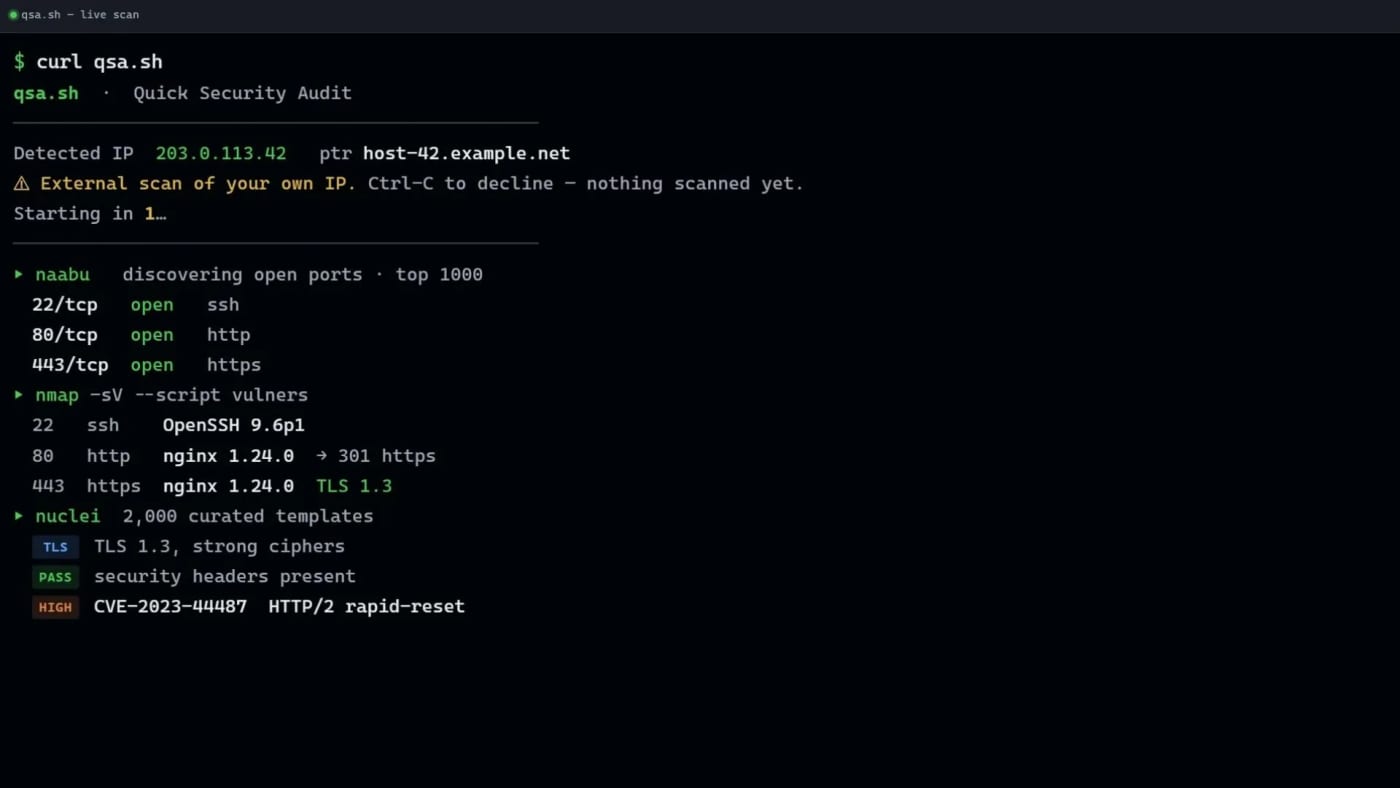
qsa.sh gives VPS and server operators a quick outside-in security scan of the public IP they are connecting from, with a free tier and paid deeper scans. qsa.sh is a practical terminal-first security checker for people who run their own servers and want a quick view of what the public internet can see. Run curl https://qsa.sh from the server you control and the service scans the public IP behind that request. The free scan covers common ports and selected vulnerability checks, then streams results back to the terminal. That makes it useful for quick VPS hygiene checks after deploying a new machine, changing firewall rules, moving behind a tunnel, or auditing a small self-hosted service. The key constraint is also the safety feature: there is no arbitrary target box. qsa.sh scans the IP that connects to it, gives a short abort window before work begins, and says it refuses common shared-network cases such as mobile-carrier, CGNAT, VPN, Tor, and proxy origins on a best-effort basis. Use it only on infrastructure you are authorized to scan. Pricing/access visible on the source page: Free: common-port live scan with naabu, nmap plus vulners, and a curated nuclei set. Full: paid monthly deeper port coverage. Deep: paid one-time full nuclei-style report. Practical use cases: Verify that a fresh VPS exposes only the services you expect. Re-check a host after changing Docker, firewall, Cloudflared, or reverse-proxy rules. Keep a lightweight manual audit step before publishing a self-hosted app. Compare the free scan with your own local nmap/nuclei workflow before paying for deeper reports. Caveats: this is not a full penetration test, the wrapper service itself is not presented as open source, and any security scan can produce false positives or miss issues. Treat the output as a fast triage signal, not as proof that a host is safe.
Free
Review open

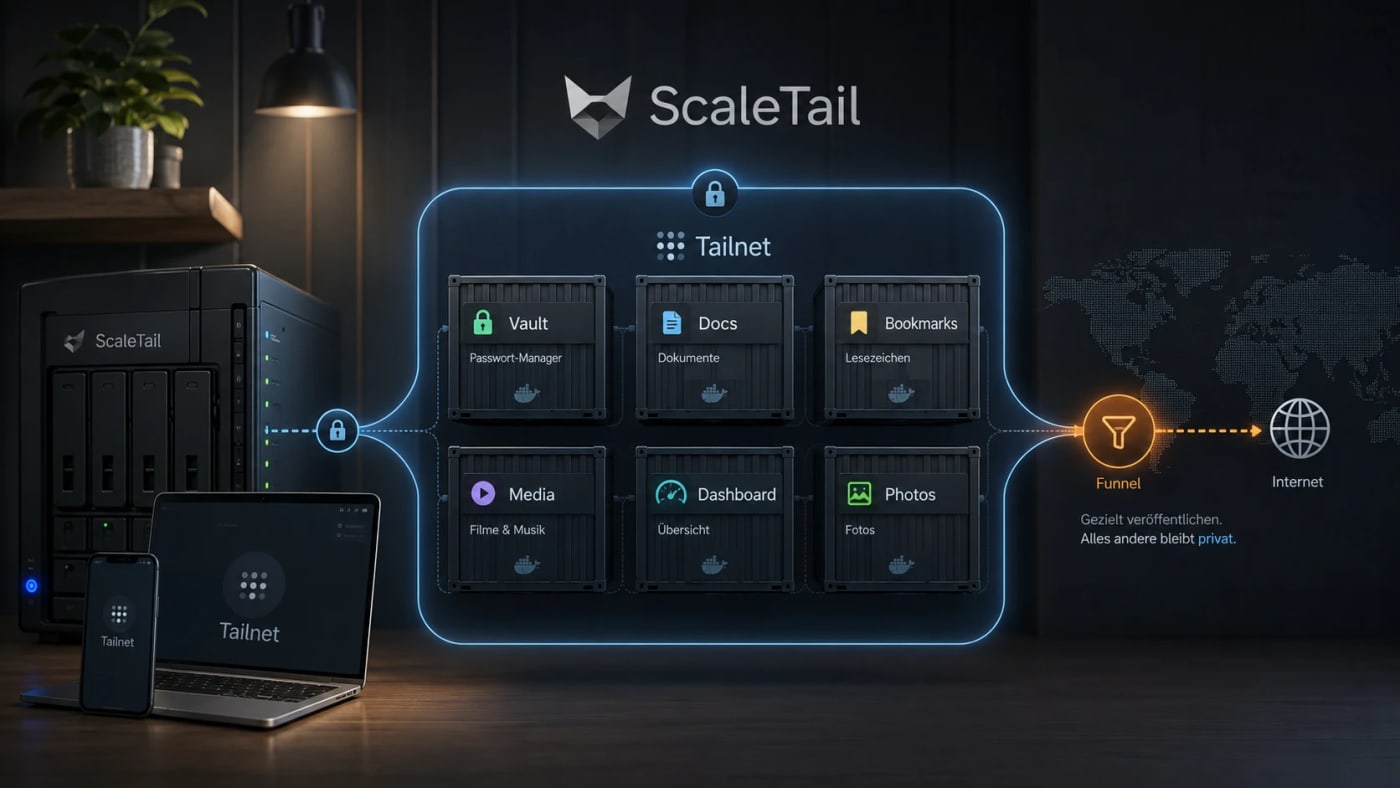
A practical self-hosting resource for exposing Docker apps inside a private Tailnet instead of opening router ports, reverse proxies, and public subdomains by default. What this is ScaleTail is a collection of ready-to-run Docker Compose stacks that attach common self-hosted apps to a Tailscale tailnet through a sidecar container. The useful idea is simple: make private tools reachable from your own devices without turning every dashboard, password vault, document archive, or admin panel into a public web service. Best use case Use this when you run services such as Vaultwarden, Paperless-ngx, Jellyfin, Immich, Pi-hole, AdGuard Home, Home Assistant, Open WebUI, Portainer, or Uptime Kuma and want remote access without a new router port, reverse-proxy rule, or public DNS entry for every app. Workflow Create a reusable Tailscale auth key in the Tailscale admin console. Pick the ScaleTail template matching your service. Review the Docker Compose file before running it, especially volumes, environment variables, and exposed ports. Bind the app container to the Tailscale sidecar network stack with the template's networkmode: service: pattern. Start the stack with Docker Compose and confirm the service appears in your Tailnet. Use Tailscale Serve for private Tailnet access. Only use Funnel when the service is intentionally public. Security notes ScaleTail reduces accidental public exposure, but it does not replace Docker hardening, backups, patching, or least-privilege access controls. Treat every template as code: inspect the image source, tags, volume mounts, environment variables, and update policy before production use. Keep admin panels, password managers, document stores, and local AI interfaces private unless you have a strong reason to expose them publicly. Do not confuse Tailscale Serve with Funnel: Serve is private to the Tailnet, while Funnel publishes a service to the public internet. Quick decision table Need Use ScaleTail? Caveat --- --- --- Private remote access to homelab apps Yes Requires Tailscale and Docker Compose Public webhook endpoint Maybe Funnel can be public; harden it carefully Full site publishing No Use a normal deployment and security model Multi-service homelab on one host Yes Still plan backups, updates, and separation Source check The Tarnkappe article explains the privacy angle, the Serve/Funnel distinction, and why ScaleTail fits self-hosted Docker services that should not be exposed publicly by default. The ScaleTail GitHub repository confirms that the project provides Docker Compose sidecar configurations for connecting self-hosted apps to a Tailnet. Tailscale's own Docker documentation provides the official baseline for running Tailscale with containers.
Free
Review open
PicoClaw is a fascinating ultra-light agent project — but it is not a clean 1:1 OpenClaw replacement
0
PicoClaw offers a lightweight AI agent experience built for diverse hardware, emphasizing compact design and broad architecture support. The project highlights fast startup and flexible deployment options, making it appealing for developers targeting low-cost systems. Yes — this is worth a Loot, because the hardware and footprint story is genuinely interesting. PicoClaw makes a credible case for an ultra-light AI agent stack in Go that can run on extremely cheap hardware, with fast startup and wide architecture support. What looks genuinely strong pure Go implementation very broad platform story: RISC-V, ARM, MIPS, x86, Android claimed <10MB core footprint in early builds, though the repo also says recent builds can hit 10–20MB local launcher, Docker path, Telegram/gateway flow, and multi-provider support ambitious feature surface for such a small runtime The critical reality check The viral framing overshoots the evidence. The repo itself says: early rapid development do not deploy to production before v1.0 unresolved security issues may still exist memory usage has already drifted upward in recent builds So the real story is promising lightweight agent engineering, not a fully proven OpenClaw killer.
Free
Review open
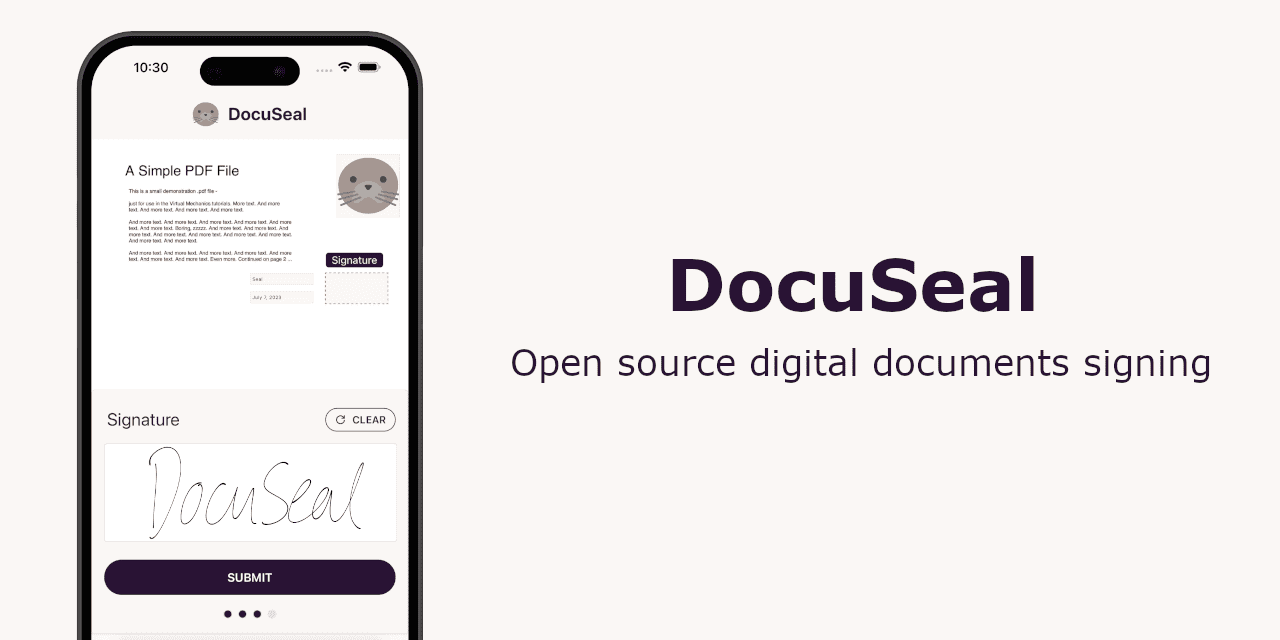
DocuSeal is an open-source e-signature option worth reviewing before renewing a commercial signing tool. It targets teams that want more control over document workflows, hosting, and long-term costs. If your team is paying DocuSign just to get PDFs signed, DocuSeal is one of the most practical open-source tools to evaluate before the next renewal cycle. DocuSign pricing and plan positioning Why DocuSeal is interesting open source and self-hostable fillable/signable PDFs with drag-and-drop fields multiple signers and signing order reminders, templates, API, webhooks, bulk send PDF signature verification and audit trail DocuSeal product preview What the sources suggest The strongest case for DocuSeal is not hype — it is the combination of: a mature GitHub repo with strong adoption real self-hosting support via Docker developer-first features like API, embedded signing, and webhooks user testimonials explicitly comparing it favorably to DocuSign and PandaDoc
Free
Review open
Blog
Related reads
Tools & Apps
Supabase self-hosted installs move from Kong to Envoy in August
Supabase will make Envoy the default API gateway for self-hosted Docker installs in the week of August 9, 2026, with compatibility paths for…
Tools & Apps
Containarium puts a self-hosted, MCP-native sandbox in front of AI coding agents
Containarium is a fresh open-source option for teams that want isolated Linux sandboxes for Claude Code, Cursor, and other MCP-capable agent…
Deals & Freebies
N8Nitro’s Dealify lifetime deal is a practical shortcut for self-hosted n8n teams
N8Nitro is currently pitched on Dealify as a one-time purchase for teams that want isolated n8n instances, autoscaling, monitoring, and less…