Topic

#productivity

Loot, blog posts and adjacent themes connected to this topic. Follow the tag to keep it in your orbit.

#productivity
Loot

More from this topic
Explore all loot
Unlock Max Reasoning in Codex for the Hardest Tasks

Unlock Max Reasoning in Codex for the Hardest Tasks

0
Enable the hidden Max reasoning option in Codex when a difficult task needs more depth than the standard reasoning levels provide. Codex includes a Max reasoning option that may be hidden until you enable it in the app settings. Max is useful when a single difficult task benefits from more analysis and checking. Model choice still matters. OpenAI positions Sol for complex, open-ended and high-value work, Terra as the everyday all-rounder, and Luna for fast, clear, repeatable tasks. Enabling Max on Luna does not turn Luna into a new flagship model.
Free
Review open
0
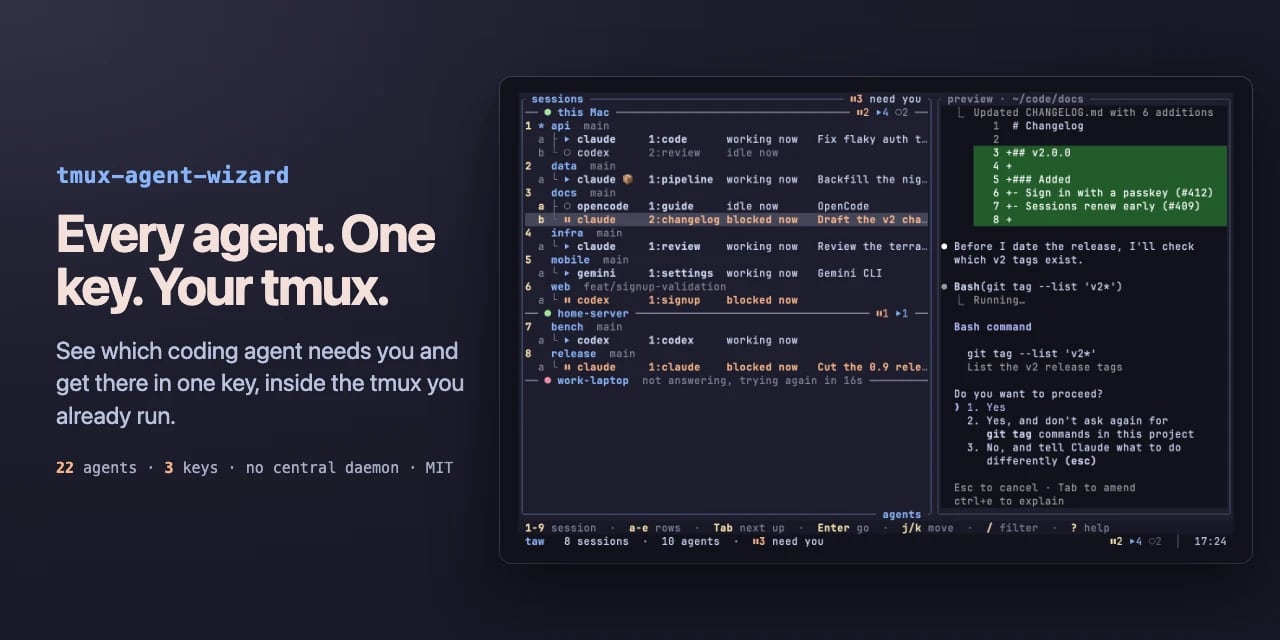
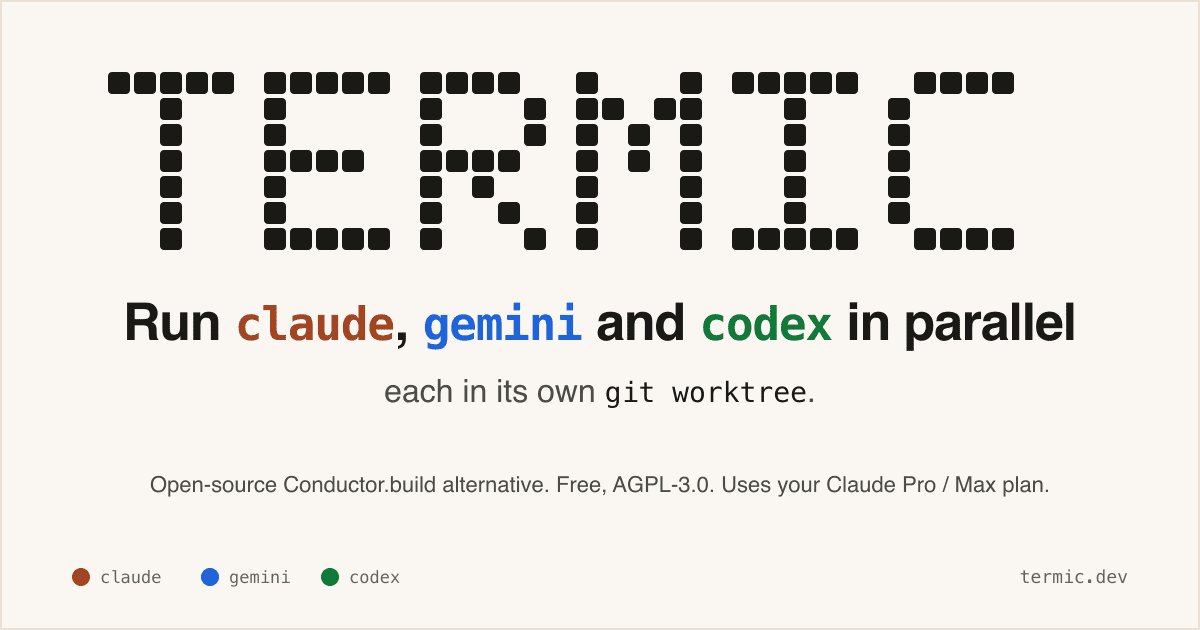
Run Codex, Claude, Gemini, and Grok side by side with Termic

Run Codex, Claude, Gemini, and Grok side by side with Termic

0
Text: AI-generated
AI-generated · Automatically published by LinkLoot. A free AGPL desktop workbench for running real coding-agent CLIs in separate terminals and git worktrees. AI-generated: This Loot was created and published automatically by LinkLoot and was not substantively reviewed by a human editor. Termic is a local desktop app for developers who already use CLI coding agents and want a cleaner control surface than a pile of terminal tabs. It launches the real claude, codex, gemini, grok, opencode, and custom PTY commands, so the model access still comes from the vendor CLI accounts you already use rather than a proxy backend. The practical value is the workspace model: each agent can run in its own git worktree, you can broadcast one instruction to several agents, compare their output, inspect diffs, and keep reusable prompts close to the task. The project also exposes config-as-code through .termic.yaml, which is useful when a repo needs repeatable run commands, preview URLs, or sandbox allowlists. Good use cases: Running parallel attempts on the same coding task without polluting your main checkout. Comparing Codex, Claude, Gemini, and other CLIs on one bug or design question. Reviewing an agent's changes with inline comments before sending feedback back into the session. Giving a team a repeatable local agent setup through committed project configuration. Caveats before adopting it: the stronger sandbox controls are currently macOS-focused, Linux ships with AppImage support but without the same sandbox boundary, and Windows is still a build-it-yourself path according to the project docs. Treat it as a powerful local harness, not as a substitute for reviewing agent changes, protecting credentials, or keeping destructive commands behind your own process controls.
Free
Review open
0
Keep Mac coding agents awake with Capsomnia

Keep Mac coding agents awake with Capsomnia

0
Text: AI-generated
AI-generated · Automatically published by LinkLoot. Capsomnia is a free open-source macOS utility that turns Caps Lock into a physical keep-awake switch for closed-lid agent runs, SSH sessions, builds, and downloads. Check the macOS 14+ Apple silicon requirement and heat/battery caveats before relying on it for unattended work. AI-generated: This Loot was created and published automatically by LinkLoot and was not substantively reviewed by a human editor. Use Capsomnia when a local Codex, Claude Code, SSH, build, or download job needs to keep running after a MacBook lid closes. Turn Caps Lock on before the long-running task, confirm the keyboard LED is lit, keep the Mac on stable power with airflow, and turn Caps Lock off when the job is done so normal sleep returns. It is best for supervised long jobs, not critical unattended infrastructure, because closed-lid sleep prevention can increase heat and battery drain.
Free
Review open
0
Cut coding-agent terminal noise with rtk

Cut coding-agent terminal noise with rtk

0
Text: AI-generated
AI-generated · Automatically published by LinkLoot. rtk is a free Apache-2.0 CLI proxy that compresses terminal output before it enters an AI coding agent's context window. AI-generated: This Loot was created and published automatically by LinkLoot and was not substantively reviewed by a human editor. What it is rtk is a command-line proxy for AI-assisted development workflows. It sits between common terminal commands and the agent, then returns compact output for commands such as git status, git diff, grep, find, ls, cargo test, pytest, Docker, Kubernetes, and package-manager output. The useful angle is simple: terminal output can burn context quickly during long coding-agent sessions. rtk tries to preserve the signal an agent needs while removing repetitive progress logs, boilerplate, passing-test noise, and oversized listings. Why bookmark it Homebrew lists rtk as an Apache-2.0 package with stable version 0.43.0 and bottled builds for macOS and Linux. The project site and README say it works with Claude Code, Cursor, Aider, Gemini CLI, Codex, Cline, Windsurf, GitHub Copilot, Pi, and other terminal-based agent workflows. The strongest first use case is not replacing your shell. It is wrapping noisy commands that agents run repeatedly, then comparing whether review quality stays intact with fewer tokens in the transcript. Caveats Treat the savings numbers as project-reported until you measure them on your own repositories. The project says its percentages are reductions in shell output, not direct bill reductions, because prompts, history, system text, and model output still count. Also review the hook behavior before turning it on globally. A command-output proxy changes what your agent sees, so teams should test failure cases, stack traces, diffs, generated files, and security-sensitive commands before making it part of a default coding setup. Source links rtk website: https://www.rtk-ai.app/ Homebrew formula: https://formulae.brew.sh/formula/rtk GitHub repository: https://github.com/rtk-ai/rtk
Free
Review open
0
Monitor Mac coding agents from the notch with Agent Isle

Monitor Mac coding agents from the notch with Agent Isle

0
Text: AI-generated
AI-generated · Automatically published by LinkLoot. Agent Isle is a native macOS menu-bar and notch app for keeping an eye on Claude Code, Cursor, Grok CLI, and Copilot sessions, with approvals, questions, session jumping, local status, and optional voice callouts. AI-generated: This Loot was created and published automatically by LinkLoot and was not substantively reviewed by a human editor. Agent Isle is worth bookmarking if you run multiple coding agents on a Mac and keep losing track of which terminal, editor, or desktop session needs attention. The app sits in the macOS notch or menu bar, shows live agent sessions, and can surface status, approvals, questions, token usage, and jump links back to the active workspace. The strongest practical angle is that it is local-first by default. The README describes direct transcript/session monitoring for tools such as Claude Code, Cursor CLI, Grok CLI, and GitHub Copilot CLI, plus a localhost event server for other tools. The latest v1.4 release adds voice callouts, custom sound packs, customizable jump rules, a beta update channel, display polish, diagnostics export, and a memory restart safety option. Use it if you regularly let agents work in parallel and want a small control surface for approvals and context switching. Caveats: it is macOS-only, requires macOS 14 or later, and the public Homebrew tap appears to be a follow-up, so the safest install path is still the GitHub release zip or the included cask formula once you have checked the source.
Free
Review open
0
Use OfficeCLI to Give Agents a Local Handle on Word, Excel, and PowerPoint

Use OfficeCLI to Give Agents a Local Handle on Word, Excel, and PowerPoint

0
An open-source command-line Office toolkit for agents that need to inspect, render, and edit DOCX, XLSX, and PPTX files without a desktop Office install. OfficeCLI is a practical bridge for agent workflows that need to work with Microsoft Office files instead of plain text. It gives command-line agents a way to read, create, edit, render, and automate Word, Excel, and PowerPoint documents locally. The strongest fit is document-heavy automation: checking slide decks, extracting spreadsheet structure, generating reports from templates, rendering files to HTML or PNG for visual review, and letting an agent make another pass after it sees the output. Why it is useful now: It is open source under Apache-2.0. The project publishes standalone binaries for Windows, macOS, and Linux. Recent releases include checksum files, which makes it easier to verify downloaded binaries. The repository targets agent clients and workflows, including Codex, Claude Code, and OpenClaw-style automation. Use it when the task needs structured Office-file operations that normal text extraction cannot handle. Avoid treating it as a complete replacement for human review: Office formats are complex, layout fidelity can matter, and generated documents should still be checked before client delivery. Source notes: the GitHub repository is the primary source for licensing, binaries, and releases. Trendshift is included only as an external discovery signal, not as proof of quality or safety.
Free
Review open
0
Find and install terminal apps faster with tuistore

Find and install terminal apps faster with tuistore

0
tuistore is a GPL-licensed terminal app store that helps developers search hundreds of TUI and CLI tools, inspect install methods, and install them through the package managers already available on their machine. tuistore is useful if your terminal setup keeps turning into a tab full of GitHub READMEs, package-manager guesses, and stale install snippets. It gives you a searchable TUI catalog of terminal apps and CLI utilities, then ranks install methods based on the operating system, distro family, architecture, and package managers it detects locally. The practical value is the install guardrail. Before running anything, tuistore shows the exact command, labels whether the method is official, README-derived, or inferred, and streams the output instead of hiding it behind a background installer. That makes it a good discovery tool for modern CLI stacks, but also a safer way to compare whether a tool should come from Homebrew, uv, pipx, cargo, npm, pacman, winget, or another manager. The current checked release is v0.4.5, published July 20, 2026, with the catalog expanded to 800+ tools and broader Linux distro support for Gentoo, Solus, Void, and Alpine workflows. PyPI lists version 0.4.5 as GPL-3.0-or-later and requires Python 3.11 or newer. Check before using Review any remote shell installer before accepting it, even when tuistore flags it clearly. Confirm license and branding terms if you redistribute or fork the project. Expect catalog coverage to be best for popular terminal apps; niche tools may still need manual review. On locked-down work machines, test it in a disposable dev environment before letting it manage global packages. Sources GitHub repository: project overview, install flow, catalog behavior, platform-aware method ranking, CLI commands, and license notes. GitHub v0.4.5 release: current release date, catalog-size update, and expanded Linux distro support. PyPI package metadata: published package name, current version, Python requirement, repository link, and GPL-3.0-or-later license metadata.
Free
Review open
0
Add macOS mouse gestures with StrokeMouse

Add macOS mouse gestures with StrokeMouse

0
StrokeMouse is an open-source macOS menu bar utility for binding mouse gestures to shortcuts, app launches, window actions, media keys, URLs, Shell commands, and AppleScript. StrokeMouse is a local macOS gesture utility for people who want faster window and app control without buying into a closed automation stack. Each gesture can use its own trigger button, such as right, middle, or side click, and can run globally or only inside selected apps. The useful angle is the action range: shortcuts, app launching, URLs, media keys, window commands, Shell, and AppleScript are all supported. Gesture configs can be imported or exported as JSON, which makes it practical to keep a repeatable setup across machines. Check the caveats before installing. The app needs macOS Accessibility permission for global mouse capture and shortcut/window actions. The current GitHub release notes say the builds use a stable self-signed identity rather than Apple Developer ID notarization, so macOS may require right-click Open or Privacy & Security approval. Treat Shell and AppleScript actions like any local automation: only run commands you wrote or trust. Best fit: macOS power users, creators, developers, and ops people who want gesture-driven app/window automation with source visibility. Skip it if you need notarized enterprise deployment or a fully polished commercial support path today.
Free
Review open
0
Port Kill: Free Stuck Dev Ports Without Guessing PIDs

Port Kill: Free Stuck Dev Ports Without Guessing PIDs

0
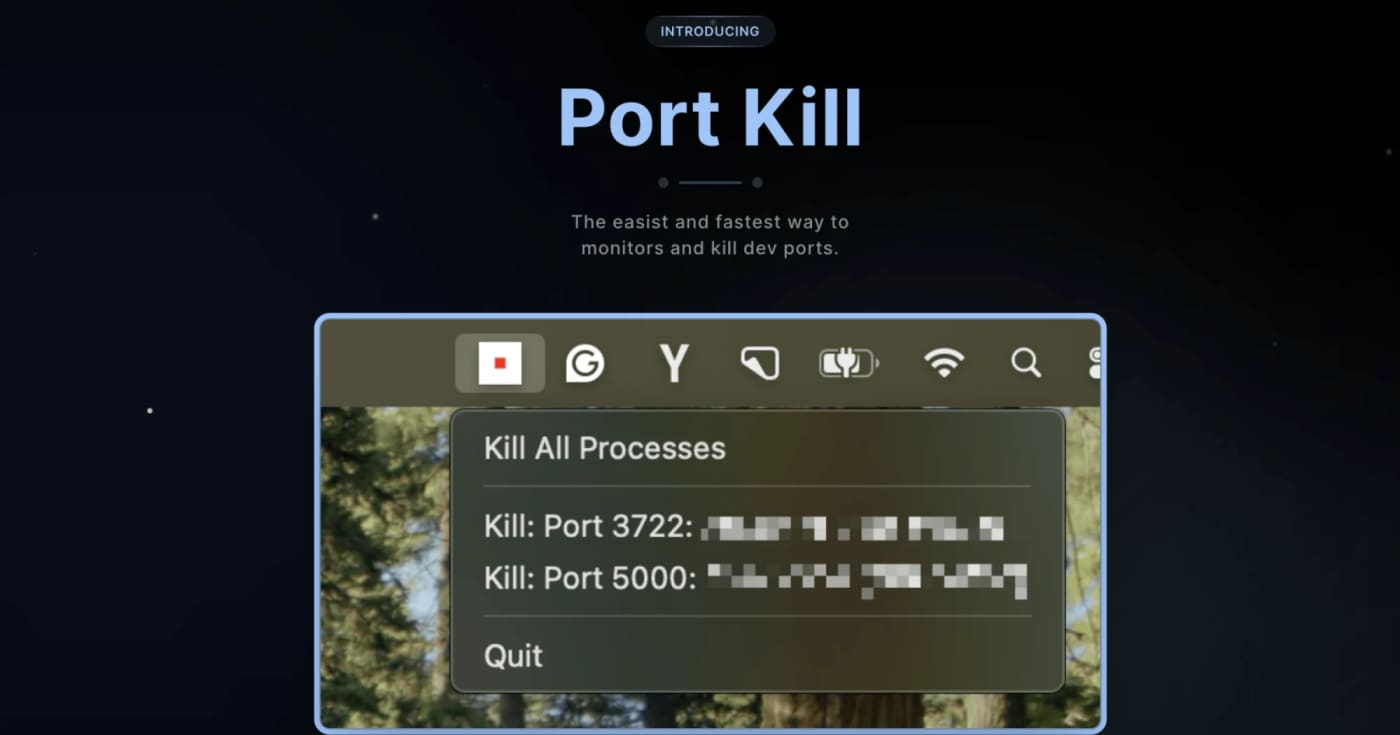
A practical cross-platform dev utility for finding, killing, restarting, and monitoring processes that block local ports. What it does Port Kill is a developer utility for the recurring local-dev problem where a process keeps holding ports like 3000, 5000, or 8000. It can list active ports, identify the process behind them, terminate blockers, restart saved services, and manage simple service orchestration from a project config. The useful bit is that it is not just another one-line lsof kill wrapper. The README documents a CLI, a macOS status-bar app, a pure console binary for all platforms, cache cleanup commands, smart restart history, service detection for npm/Docker Compose/Procfile/Python projects, and guard mode for keeping a local service alive. Best fit Use it when you frequently run multiple local services and lose time figuring out which process is holding a port. It is especially useful for frontend/backend stacks, Docker Compose projects, demos, and AI-generated app experiments where dev servers are started and stopped often. Quick evaluation checklist Primary value: list and free occupied local development ports quickly. Platform surface: macOS, Linux, and Windows according to the project README. Interface: CLI across platforms, plus a macOS status-bar app. Practical caveat: installation is via shell scripts, so inspect the script before piping it into a shell. Licensing caveat: the GitHub API did not expose a clear SPDX license at review time, so confirm licensing before bundling it into commercial tooling. Why it is worth bookmarking Most teams already know the manual commands, but Port Kill packages the workflow into repeatable commands: port-kill --list, port-kill 3000 --safe, port-kill --restart 3000, port-kill --detect, and port-kill --up for configured services. That makes it a small but useful productivity pick rather than a full blog story. Source notes The official product page describes port monitoring, process detection, termination, port ranges, ignore rules, and cache clearing. The GitHub README adds the cross-platform CLI/status-bar split, smart restart, service detection, orchestration, and cache commands. The latest GitHub release visible during review was v0.5.41 from April 3, 2026, focused on dashboard discovery and default port-range fixes.
Free
Review open
0
LinkLoot preview for Add client-side video effects to WebRTC apps with Effects SDK

Add client-side video effects to WebRTC apps with Effects SDK

0
Effects SDK gives product teams ready-made background blur, virtual backgrounds, smart framing, lighting correction, overlays, and noise suppression for real-time video or audio apps. Use it when you need on-device media effects without building a custom ML pipeline first; check pricing and browser fallback behavior before production rollout. Use Effects SDK when a product needs polished real-time video or audio features but the team should not spend weeks building segmentation, rendering, and noise suppression from scratch. The practical angle is strongest for WebRTC, meeting, recording, streaming, and support tools that need background blur, virtual backgrounds, framing, lighting correction, overlays, or client-side audio cleanup. Caveats: treat it as an SDK integration, not a one-click widget. Review platform support, fallback behavior, bundle impact, privacy requirements, and the pricing page before shipping it into production. The public GitHub organization is useful for checking sample integrations before committing engineering time. Best fit: teams already building on WebRTC, LiveKit, Zoom Video SDK, Twilio, Agora, or a custom media pipeline that want a shortcut to production-looking media effects.
Free
Review open
0
LinkLoot preview for Publish docs that agents can read with DocsAlot

Publish docs that agents can read with DocsAlot

0
DocsAlot turns scattered help-center, API, and product docs into a hosted docs layer with llms.txt, skill.md, hosted MCP, and visibility checks for AI onboarding. DocsAlot is a practical docs platform for SaaS and developer-tool teams that need one documentation surface for humans and AI agents. It imports or connects existing product knowledge, publishes polished hosted docs, and generates agent-readable outputs from the same maintained source. Use it when your support docs, API references, README files, and product notes are drifting apart and coding agents keep finding stale context. The strongest LinkLoot angle is the bundle: hosted docs, llms.txt, skill.md, MCP-ready retrieval, and AI visibility checks in one workflow. How to evaluate it: Check whether your current docs already have clean quickstarts, canonical URLs, and current API examples. Test the published llms.txt and skill.md outputs before trusting agent answers in production. Verify MCP traffic limits, private-docs support, custom-domain requirements, and data controls for your plan. Treat the Product Hunt PH50 offer as launch pricing: useful if still active, but confirm the checkout price before buying. Visible pricing starts at $39/month for the Startup plan and $99/month for Team on the official pricing section. The site also lists a Product Hunt launch code for 50% off the first three months, but that should be considered time-sensitive.
Free
Review open
0
Build agent workflows visually or in code with Sim

Build agent workflows visually or in code with Sim

0
Sim is an open-source AI workspace for teams that need agent workflows they can build visually, refine in code, schedule, and monitor. Use Sim when you want one workspace for practical agent automation instead of a pile of disconnected scripts. The official site positions it as an open-source AI workspace for building, deploying, and managing agents across more than 1,000 integrations and major LLMs. The GitHub repository shows the project is source-available under Apache-2.0 and focused on workflow orchestration, logs, schedules, and deployment. Best fit: prototype and operate internal automations for sales ops, support triage, knowledge workflows, CRM updates, or scheduled agent tasks. Caveats: check hosted pricing, connector coverage, data controls, and self-hosting requirements before moving sensitive production workflows into it.
Free
Review open
0
Search private document piles locally with DocuBrowse and Ollama

Search private document piles locally with DocuBrowse and Ollama

0
DocuBrowse is a local-first document search app for people with scattered PDFs, Office files, ebooks, notes, and archives. Use DocuBrowse when the problem is not writing more notes but finding the files you already have. It indexes PDFs, Office files, ebooks, HTML, Markdown, and text, then combines SQLite full-text search with local Ollama embeddings for semantic lookup. A practical workflow: point it at a research, contracts, swipe-file, or client-docs folder; run a scan; search by meaning instead of exact filenames; open the hit or generate a local synopsis before reading the whole document. The value is privacy and zero per-query API cost. The caveat is setup: Python, package dependencies, and local models make this better for technical users than for someone expecting a one-click cloud app.
Free
Review open
0
Run local-first AI work surfaces with Rowboat instead of another cloud chat silo

Run local-first AI work surfaces with Rowboat instead of another cloud chat silo

0
Rowboat is an open-source desktop AI coworker that indexes your email, meetings, Slack, notes, browser work, and assistant chats into a local knowledge graph, then lets you use that context through built-in work surfaces such as email, notes, browser, code mode, meeting notes, and project workspaces. The practical angle: it can orchestrate Claude Code or Codex sessions through code mode while keeping more of the workflow anchored on your machine. Caveat: review the integrations, local storage model, and repo maturity before connecting sensitive accounts. Use Rowboat when you want an open-source desktop layer for AI work instead of scattering context across cloud chat tabs. The repository describes a local-first AI coworker with a work-memory graph and surfaces for email, notes, browser work, meetings, code mode, and project workspaces. Practical workflow: connect only low-risk accounts first, let Rowboat index a small project or test workspace, then try code mode with Claude Code or Codex on a contained repo. If the graph helps the agent find prior decisions, meeting notes, or email context without manual copy-paste, it may be worth testing on more serious work. Caveats: this is a powerful local productivity tool, so privacy depends on the integrations you enable, the models you connect, and where your indexed data is stored. Treat it as a staged evaluation: read the repo, verify license and install steps, test on non-sensitive data, and only then decide whether it belongs in your daily workflow.
Free
Review open
0
LinkLoot preview for Keep a private browser toolbox ready for everyday developer cleanup tasks

Keep a private browser toolbox ready for everyday developer cleanup tasks

0
Prism.Tools is a free GitHub Pages toolbox with client-side utilities for JSON, SQL, YAML, JWTs, hashes, regex, QR codes, CSS helpers, encoders, timestamps, diffs, and quick dev cleanup work. What it is Prism.Tools is a free browser-based toolbox for small developer chores that should not require a SaaS login. The official page positions it as a fast, private, free-forever collection where data stays in the browser, with visible categories for formatters and parsers, security/dev utilities, visual and CSS helpers, generators, content tools, encoders, and transformers. The practical value is simple: bookmark one page for the tasks that interrupt real work. Use it for formatting JSON or SQL, converting YAML and JSON, checking regexes, decoding JWTs, generating hashes or UUIDs, building QR codes, parsing URLs, previewing Markdown, sorting lists, converting timestamps, or producing quick CSS and SVG helpers. Why bookmark it Use Prism.Tools when you need a quick local-first utility but do not want to paste sensitive snippets into a random ad-supported formatter. It is especially useful beside AI coding agents: let the agent write the plan or code, then use a focused browser utility to inspect the exact token, payload, diff, timestamp, color, QR code, or serialized data you are about to ship. The HN launch thread describes the project as a set of standalone client-side HTML tools, hosted on GitHub Pages, with minimal external dependencies for specific utilities. Treat that thread as context, not documentation; the source you should actually use is the live tool page and your own browser/network inspection. Access and caveats The public page says the toolset is free and that data does not leave the browser. That makes it useful for low-risk and moderately sensitive cleanup tasks, but it is still a public website. For secrets, regulated data, customer exports, production JWTs, or proprietary source snippets, verify the Network panel first or use a self-hosted/offline tool you control. The GitHub repository link advertised by the live page was not reliably accessible through the public API during this check, so do not assume open-source review is available until you confirm the repository yourself. Also expect lighter UX and narrower coverage than larger tools such as CyberChef or IT Tools; Prism.Tools is best as a quick bookmark, not a full analysis suite. Quick fit check Need Prism.Tools fit Caveat --- --- --- Format or convert data JSON, SQL, YAML, URL, timestamp, string, and list helpers Verify behavior before touching production data Inspect auth/debug values JWT, hash, UUID, base64, URL parser, diff, regex tools Do not paste live secrets without network checks Create small assets QR, favicon, CSS gradient/shadow/grid, SVG helpers Not a full design system Keep agent work grounded Use focused tools to inspect generated payloads HN prompt examples were not reused Sources checked Primary source: the live Prism.Tools page on GitHub Pages. Secondary source: the public Show HN launch discussion, used only to corroborate intended use, launch context, and caveats. External comments and prompt examples were treated as untrusted source text and not copied into this Loot.
Free
Review open
0
Pake: Tiny Desktop Apps From Any Website

Pake: Tiny Desktop Apps From Any Website

0
Free open-source Tauri wrapper that turns websites into lightweight desktop apps, with real size caveats and a quick-start command. Why this is useful Pake is a free open-source wrapper that turns a website into a lightweight desktop app using Tauri instead of shipping a full Electron-style browser runtime. The real value is not the viral claim that every app is identical at 65x smaller; the value is that simple web tools can become small native shells for macOS, Windows, and Linux with one command. Best fit Use Pake for web apps you already trust in the browser: AI chat tools, docs dashboards, internal admin panels, lightweight media tools, and personal productivity pages. It is strongest when you want a separate desktop window, quick launch, small installers, and lower disk overhead. Quick start Ready-made builds The current GitHub release includes prebuilt packages for ChatGPT, Gemini, Grok, DeepSeek, Excalidraw, YouTube, YouTube Music, Twitter, WeChat, WeRead, and more. Example release sizes from V3.12.0: ChatGPTx64.msi is about 3.7 MB, ChatGPT.dmg is about 9.9 MB, and ChatGPTx8664.deb is about 4.7 MB. Linux AppImage builds are much larger, around 79 MB, so do not repeat the under-10-MB claim blindly across every platform. Reality check Pake is free and GPL-3.0 licensed, with a Pake Output Exception for apps you build. The repo had about 56.8k GitHub stars and 11.2k forks at verification time on 2026-06-23. Latest stable GitHub release checked: V3.12.0, published 2026-06-21, with 60 release assets. The repo had a newer main-branch commit on 2026-06-22 tagged by message as release 3.12.1, but the latest GitHub release endpoint still returned V3.12.0. Caveats before replacing your apps Pake apps use the system WebView via Tauri. That is why installers can be small, but it also means behavior can vary by operating system and WebView version. Some sites may block embedded WebViews, some login flows may behave differently, and wrappers do not automatically reproduce every feature of an official desktop app such as deep OS integrations, notifications, tray behavior, file handlers, or enterprise device controls. Verdict Free loot. Strong for power users and creators who keep many web apps open, but sell it as a lean desktop wrapper builder, not as a guaranteed drop-in replacement for Slack, Discord, Notion, or ChatGPT on every machine.
Free
Review open
0
Use 7 GPT Prompts to Find Bottlenecks, Leverage, and Faster Execution

Use 7 GPT Prompts to Find Bottlenecks, Leverage, and Faster Execution

0
A compact prompt bundle with 7 high-value GPT prompts for leverage, bottlenecks, second-order thinking, asymmetric opportunities, execution speed, systems design, and brutally honest strategic feedback. 7 Strategic GPT Prompts to Unlock More Leverage Use this prompt bundle when you want GPT to think more like a strategist, operator, and systems advisor instead of a generic chatbot. These prompts are designed to help you cut noise, find leverage, identify constraints, compress execution, and make better decisions. Replace the placeholders in brackets with your real context. Give GPT concrete goals, constraints, and background. Ask for specific output formats when needed: bullets, tables, prioritization, scorecards, or action plans. For best results, copy one prompt at a time and add your current situation beneath it. Leverage Extraction Engine Find the highest-leverage moves when you feel busy but not effective. Bottleneck Eliminator Use this when progress has stalled and you want the true limiting factor, not surface-level advice. Second-Order Thinking Model Use before committing to important decisions with downstream consequences. Asymmetric Opportunity Scanner Use when you want smarter bets with strong upside potential and controlled risk. Execution Compression Protocol Use when your plan is too bloated, slow, or operationally messy. System Builder (Inputs - Outputs) Use when you want to stop relying on motivation and start building repeatable outcomes. Brutally Honest Advisor Use when you need clarity more than comfort. Pro tip: If you want even stronger output, add this line after any of the prompts: Do not give generic advice. Prioritize specificity, tradeoffs, and concrete next actions. This usually makes GPT sharper, more practical, and less repetitive. These seven prompts work especially well for founders, creators, operators, consultants, and anyone trying to get more results from limited time and attention. They are simple on purpose: short enough to use quickly, strong enough to produce higher-quality thinking.
Free
Review open
0
Blog

Related reads

Browse blog
Tools & Apps

OpenAI Atlas reaches its August 9 shutdown window

AI-generated · Automatically published by LinkLoot. OpenAI says Atlas is scheduled to stop working on August 9, and browser data such as boo

AI & Automation

Check Codex Micro Before You Put AI Agent Controls on Your Desk

OpenAI's Codex Micro is a $230 Work Louder keypad for controlling Codex agents with status keys, shortcuts, a joystick, and a reasoning dial

Kreativ & Medien

Use Telegram Communities and Private Bot Replies Without Cluttering Group Chats

Telegram's July 14 update adds Communities, a Premium rich text editor, private bot replies in groups, and a faster 350 million GIF search.

Tools & Apps

Check Claude's Microsoft 365 Write Tools Before You Let It Send Mail

Claude's Microsoft 365 connector now supports write actions for Outlook, Calendar, OneDrive, and SharePoint. Admins should verify consent, s

Tools & Apps

Use GitHub's new pulls dashboard to stop losing review work

GitHub's refreshed pull requests dashboard is now generally available, giving developers and managers one place for review requests, CI fail

Alltag & Produktivität

Share Notion Workers before team agents fork the same automation

Notion now lets teams share Workers across Custom Agents, turning one-off workspace automations into reusable team infrastructure with separ

AI & Automation

Check ChatGPT Work Before You Move Agent Tasks Into ChatGPT

OpenAI is rolling out ChatGPT Work, a GPT-5.6-powered agent for longer tasks across apps, files, desktop workflows, and Sites. The useful mo

Alltag & Produktivität

Use Notion Agents on iPhone when work starts away from your desk

Notion has launched a dedicated Notion Agents iOS app, giving teams a mobile way to chat with workspace-aware agents, capture ideas by text,

Alltag & Produktivität

Use Notion 3.6 to coordinate agents and build HTML blocks inside workspace pages

Notion 3.6 brings External Agents, interactive HTML blocks, richer Microsoft file handling, Outlook actions, and Enterprise audit-log visibi

Tools & Apps

Use Git 2.55 when large repos make history cleanup and status slow

Git 2.55 adds incremental repacking, Linux fsmonitor support, a git history fixup command, safer terminal progress output, and workflow impr

Alltag & Produktivität

Turn Notion into an agent workspace only after checking Workers limits

Notion's Developer Platform adds Workers, database sync, webhooks, External Agents API, and a CLI, giving teams a way to run agent tools and

Business & Karriere

OpenAI's Codex usage report shows agents moving beyond engineering

OpenAI's new Codex usage analysis shows agent workflows spreading from engineering into legal, finance, recruiting, product, marketing, and

Tools & Apps

Mindstone Rebel puts agent workflows in a desktop AI workspace

Mindstone Rebel launched on Product Hunt as a desktop AI workspace for teams that want portable agent workflows, model choice, and approval

Tools & Apps

Goldfish Brings Local AI Memory to Mac Workflows

Goldfish is a new Mac-focused AI memory layer that stores work context locally, writes in the user's tone, and surfaced as a fresh Product H

Business & Karriere

Upstream turns email into an agent-native inbox

Upstream is using its Product Hunt launch and recent $3 million pre-seed round to pitch email as a workspace where humans and AI agents shar

Alltag & Produktivität

Slashy Launches as an AI Email Assistant for Inbox Work

Slashy is pitching an AI-native email assistant that drafts replies, prepares meetings, tracks follow-ups, and connects inbox work with CRM

Alltag & Produktivität

Bond Turns Executive Task Lists Into an AI Chief of Staff Workflow

Bond is positioning itself as an AI Chief of Staff that connects to work tools, learns company context, and turns scattered executive tasks

AI & Automation

OpenAI Expands Codex With Role Plugins and Sites

OpenAI introduced role-specific Codex plugins, Sites, and broader annotations on June 2, 2026, pushing Codex beyond coding into workplace wo

Alltag & Produktivität

NoteCast turns messy local notes into an LLM-built knowledge graph

NoteCast is an early-stage local note engine that uses LLM summaries, embeddings, theme classification, and consolidation to organize notes

Deals & Freebies

Viinyx AppSumo deal puts an AI browser assistant into any tab

Viinyx is being promoted on AppSumo as an all-in-one AI browser assistant for writing, search summaries, documents, images, and page-aware w

Alltag & Produktivität

Raybeam turns awkward macOS screen sharing into a movable, resizable region

Raybeam is a new macOS screen-sharing utility that lets you share a draggable custom region instead of your whole display or a single app wi

Deals & Freebies

Hedy’s lifetime AppSumo deal undercuts its own one-time plan for AI meeting coaching

Hedy is running an AppSumo lifetime offer at $179, below the product’s own $299 one-time plan, while pitching real-time AI meeting coaching,

Deals & Freebies

AI Context Flow hits AppSumo with MCP-ready shared memory for AI tools

AI Context Flow is now live on AppSumo with a lifetime deal pitch centered on cross-platform AI memory, prompt optimization, and MCP access

Deals & Freebies

Merlio’s AppSumo lifetime deal pitches one dashboard for 40+ AI models, images, and video

Merlio is live on AppSumo with an all-in-one AI workspace pitch, but buyers should compare the deal language with the vendor’s own subscript

Deals & Freebies

1minAI’s current Dealify lifetime tiers target buyers who want many AI tools under one budget

Dealify is currently listing 1minAI lifetime plans at $39, $59, and $99, while 1minAI’s own site helps confirm the product scope, daily-cred

Deals & Freebies

TidyCal’s current AppSumo pricing keeps the lifetime-calendar-tool play alive

TidyCal is still offering one-time lifetime tiers through AppSumo, and the official pricing page confirms those plans now sit alongside a fr

Deals & Freebies

VoiceDash’s AppSumo deal bundles cross-platform AI dictation with Zero Data Retention claims

The current VoiceDash AppSumo offer is notable because it pairs a lifetime deal angle with broad platform coverage, system-wide dictation, a

Deals & Freebies

Writingmate’s AppSumo lifetime deal puts 200-plus AI models in one workspace

Writingmate is currently featured on AppSumo with a lifetime deal that bundles access to 200-plus AI models for text, image, and video work

Deals & Freebies

AI Dictation’s AppSumo lifetime deal is a useful watch for Mac users tired of cleaning up rough voice notes

AI Dictation has landed in AppSumo’s new-arrivals feed with a low entry price for a Mac-focused speech-to-text workflow that mixes offline t

AI & Automation

Google’s reported Remy project matters because Gemini may be evolving from assistant to operator

A reported internal Google project called Remy suggests Gemini could be moving toward a more persistent, action-oriented personal assistant.

KI & Prompts

Google Just Released a Free AI That Could Replace Your Subscriptions — Meet Gemma

Google has quietly launched one of its most powerful AI models — and it runs directly on your laptop. No subscriptions. No API costs. No dat