Use GitHub secret metadata before leaked tokens become a blind queue


GitHub secret scanning now surfaces extended metadata and multipart validation context, giving security teams better ownership and impact signals during leaked-secret triage.
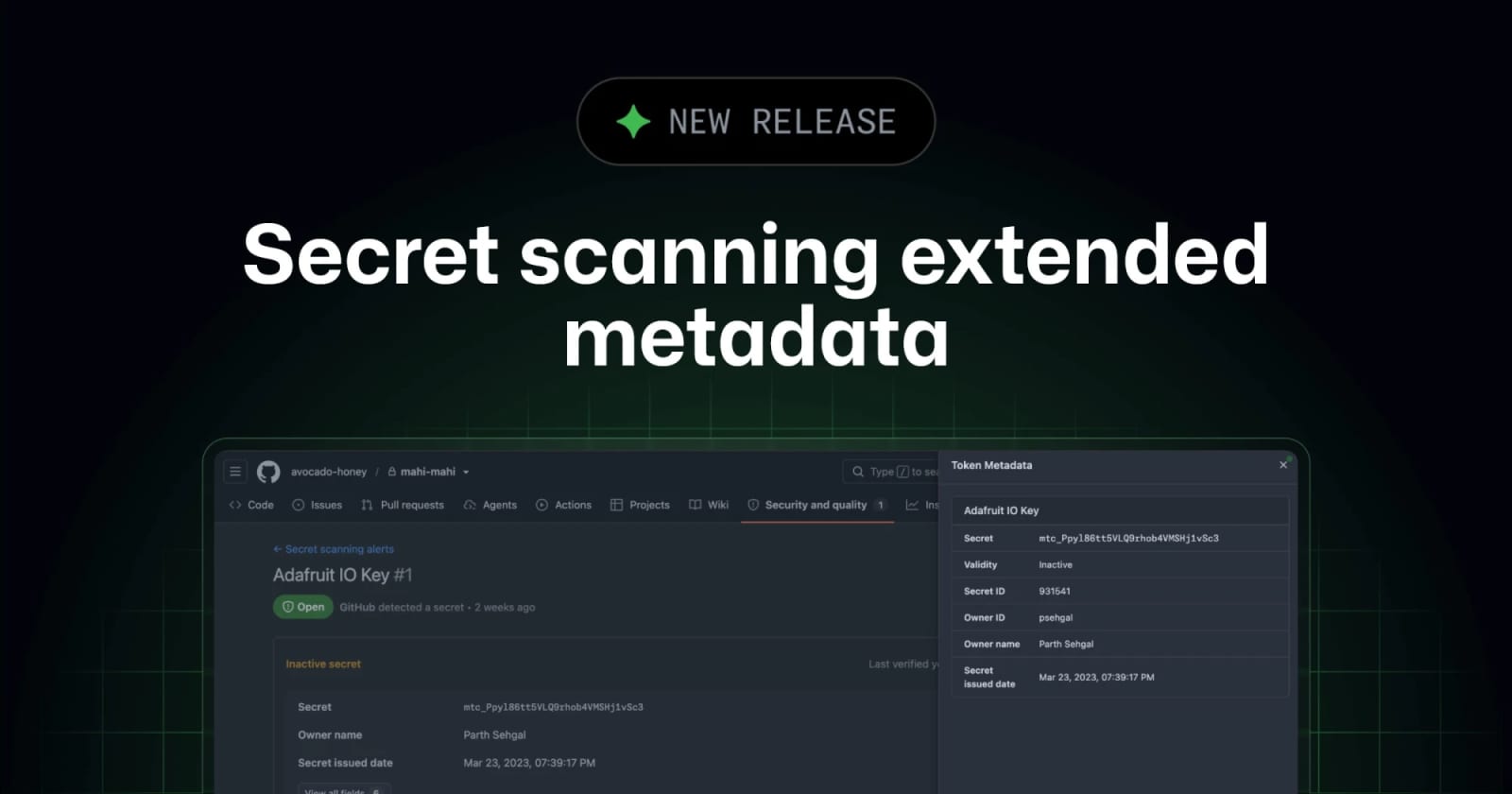
GitHub has confirmed a secret scanning update that adds generally available extended metadata checks and broader multipart validation. Confidence level: confirmed for the GitHub Changelog feature announcement and GitHub Docs setup path; provider-by-provider metadata coverage can still vary. The useful change is simple: leaked-secret alerts can now carry more context about ownership, expiry, project scope, and whether a credential is still active.
What changed
GitHub secret scanning can now surface enriched metadata for supported secret types, including details such as owner, creation date, expiry date, and project or organization context when the provider returns that data. The metadata appears across alert views, filters, security campaign creation, webhook events, and the REST API.
The same update expands multipart validation. Some credentials cannot be checked with the secret literal alone; they need a token plus a related URL, host, endpoint, or workspace value. GitHub says multipart validity checks now cover key credential formats across major providers, including Alibaba Cloud, Databricks token and workspace URL pairs, and multiple Microsoft Azure key and endpoint combinations.
| Triage signal | What it helps answer | Where to use it | Caveat |
|---|---|---|---|
| Validity check | Is the secret still active? | Initial alert priority | Requires supported provider patterns |
| Extended metadata | Who owns it and what system is exposed? | Assignment and remediation | Metadata can vary by provider and token type |
| Multipart validation | Does this token plus host/endpoint still work? | Cloud and workspace credentials | Needs supplementary context to be detected |
Why this is early
The primary source is GitHub’s July 7, 2026 changelog entry, not a third-party summary. GitHub Docs already include the enablement path for extended metadata checks and validity checks, which makes this more than a roadmap note.
The limitation is coverage. GitHub says metadata availability can vary by provider, token type, and even by a specific secret at different points in time. Treat the feature as a better triage input, not a complete source of truth for every credential leak.
Key takeaways
- Extended metadata checks are now generally available in GitHub secret scanning.
- Alerts can include ownership, creation, expiry, and project context when providers support it.
- Multipart validation helps confirm credentials that require more than one value, such as a token plus a workspace URL.
- Metadata is exposed in alert views, filters, security campaigns, webhooks, and REST API flows.
- Teams should update triage playbooks so active, owned, business-critical secrets move first.
Availability and access
GitHub Docs list extended metadata checks for organization-owned repositories on GitHub Team with GitHub Secret Protection enabled. Repository owners, organization owners, security managers, and users with the admin role can enable the feature where eligible.
For individual repositories, GitHub’s setup path is repository settings, Advanced Security, Secret Protection, Validity checks, then Extended metadata. GitHub also points larger teams to organization or enterprise security configurations for rollout at scale.
Practical LinkLoot angle
This update is useful for teams drowning in secret alerts because it reduces manual lookup before remediation starts. A queue sorted only by detection time can waste hours on inactive or low-impact tokens. A queue enriched with validity, owner, expiry, and project context can route high-risk leaks to the right team faster.
Use the update to tighten three workflows:
- Assign alerts by owner or project metadata instead of repository guesswork.
- Filter security campaigns around active secrets with clear business context.
- Feed webhook or REST API metadata into incident response tickets so responders do not start from an empty alert.
For teams building automated remediation, this pairs well with LinkLoot’s guide to AI workflow automation: the agent or workflow should enrich, route, and verify, not just paste alert text into a ticket.
What to verify before you act
- Confirm that GitHub Secret Protection and validity checks are enabled for the target repositories.
- Check whether your most common providers support extended metadata or multipart validation.
- Review which alert fields appear in webhook events and REST API responses before changing automation.
- Update security campaign filters so active, owned, high-impact secrets are grouped first.
- Keep manual verification for sensitive incidents, because metadata can be missing or provider-dependent.
Source check
Confirmed by GitHub: extended metadata checks are generally available, multipart validation has expanded, and metadata can appear across alert lists, filters, security campaigns, webhooks, and REST API flows.
Confirmed by GitHub Docs: extended metadata checks require validity checks first, are available for eligible organization-owned repositories, and can be enabled per repository or through broader security configurations.
Context to handle carefully: metadata coverage is not universal. GitHub explicitly notes that availability can vary by provider, token type, and individual secret state.
GitHub added generally available extended metadata checks and broader multipart validation so leaked-secret alerts can include more ownership, validity, and provider context.
Try the related loot
UI-TARS Desktop is a serious local computer-use agent — if you lock down the setup