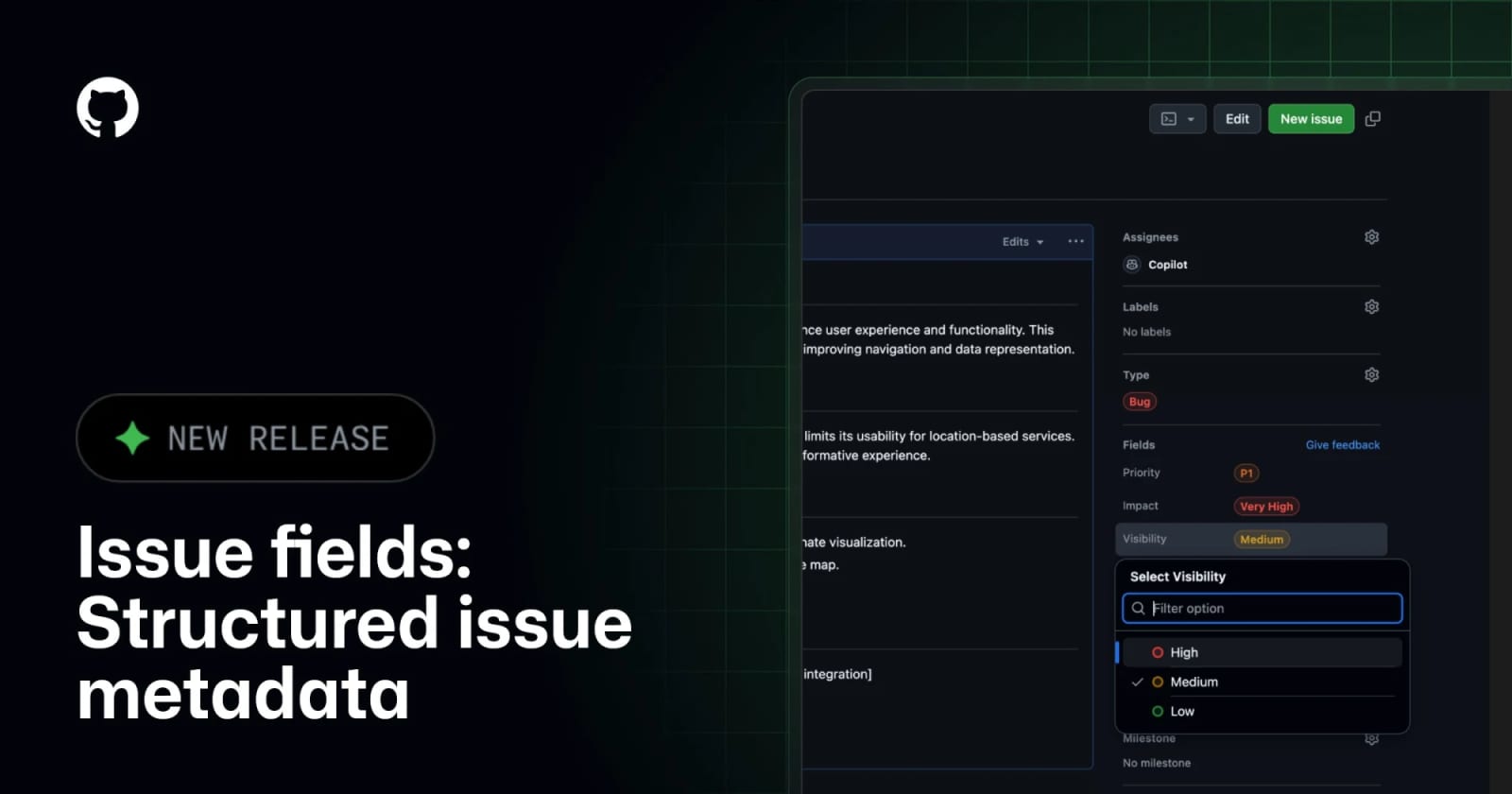
GitHub Issue Fields bring structured metadata to every organization


GitHub has expanded Issue Fields to public preview for all organizations, giving teams typed, organization-level metadata for issues across repositories.
GitHub Issue Fields: what changed
GitHub says Issue Fields are now in public preview for all organizations on GitHub.com and GitHub Enterprise Cloud with data residency. The feature lets organization admins define typed metadata such as Priority, Effort, dates, numbers, text, or custom single-select values and apply them across issues in every repository. GitHub's documentation corroborates that these fields are organization-level metadata, currently in public preview, and subject to change.
Key takeaways
- Issue Fields replace label-heavy workarounds with structured, queryable metadata at the organization level.
- GitHub lists four field types: single-select, text, number, and date.
- Organizations automatically receive default fields for Priority, Effort, Start date, and Target date, which admins can customize or delete.
- The changelog says fields can be searched, filtered, added to project views, tracked in issue timelines, and automated through REST, GraphQL, or webhook events.
- Public-repository visibility controls matter: organizations can decide whether specific fields are visible to nonmembers.
Practical LinkLoot angle
For teams with many repositories, Issue Fields are most useful when labels have become a weak database. Instead of maintaining separate priority labels, project fields, bot rules, and spreadsheet exports, teams can define a shared schema once and use it across repositories. That is valuable for product operations, open-source triage, platform engineering, and customer-facing issue intake where consistent metadata drives routing and reporting.
| Workflow | Best use | Limitation | Source |
|---|---|---|---|
| Priority and effort fields | Portfolio triage across many repositories | Requires agreement on shared definitions | GitHub changelog |
| Date and number fields | Lightweight planning, target dates, scoring, or SLA tracking | Public preview behavior may change | GitHub Docs |
| API and webhook automation | Keeping values consistent with bots, GitHub Actions, and integrations | Needs schema governance to avoid another metadata mess | GitHub changelog |
A practical migration starts with one or two fields, not a full taxonomy. Move the highest-value labels first, such as Priority and Effort, then update project views and automations to read field values. If you manage public repositories, review field visibility before exposing internal triage signals.
What to verify before you act
Confirm that your organization is on GitHub.com or GitHub Enterprise Cloud with data residency, because those are the availability targets named in the changelog. Review GitHub's documentation before designing a large schema, since Issue Fields are still in public preview and the docs state they are subject to change. Check the 25-field organization limit, decide which fields should be public, and test API support in a staging workflow before replacing labels or project fields. If you use bots or GitHub Actions, verify whether they should set fields at issue creation time or update them later based on rules.
Source check
The GitHub Changelog confirms the public-preview expansion, platform availability, field types, search/filter/project/API behavior, adoption note, and new improvements such as REST parity and visibility controls. GitHub Docs independently confirms the management workflow, default fields, the 25-field limit, field types, and the preview caveat. No newsletter, Reddit post, or tool directory was used as a source.
For more workflow examples, see LinkLoot's AI workflow automation guide.
They are organization-level structured metadata fields that apply across issues, such as Priority, Effort, dates, numbers, text, or custom single-select values.
Try the related loot
This JS Agent Turns Any Website Into an AI Copilot