Topic
#cost-control
Loot, blog posts and adjacent themes connected to this topic. Follow the tag to keep it in your orbit.
3Shown loot
1Shown articles
8Linked neighbor tags
Topic paths
If you want to go deeper, the adjacent tags are the fastest way to compare and branch into related workflows.
Loot
More from this topic
Text: AI-generated
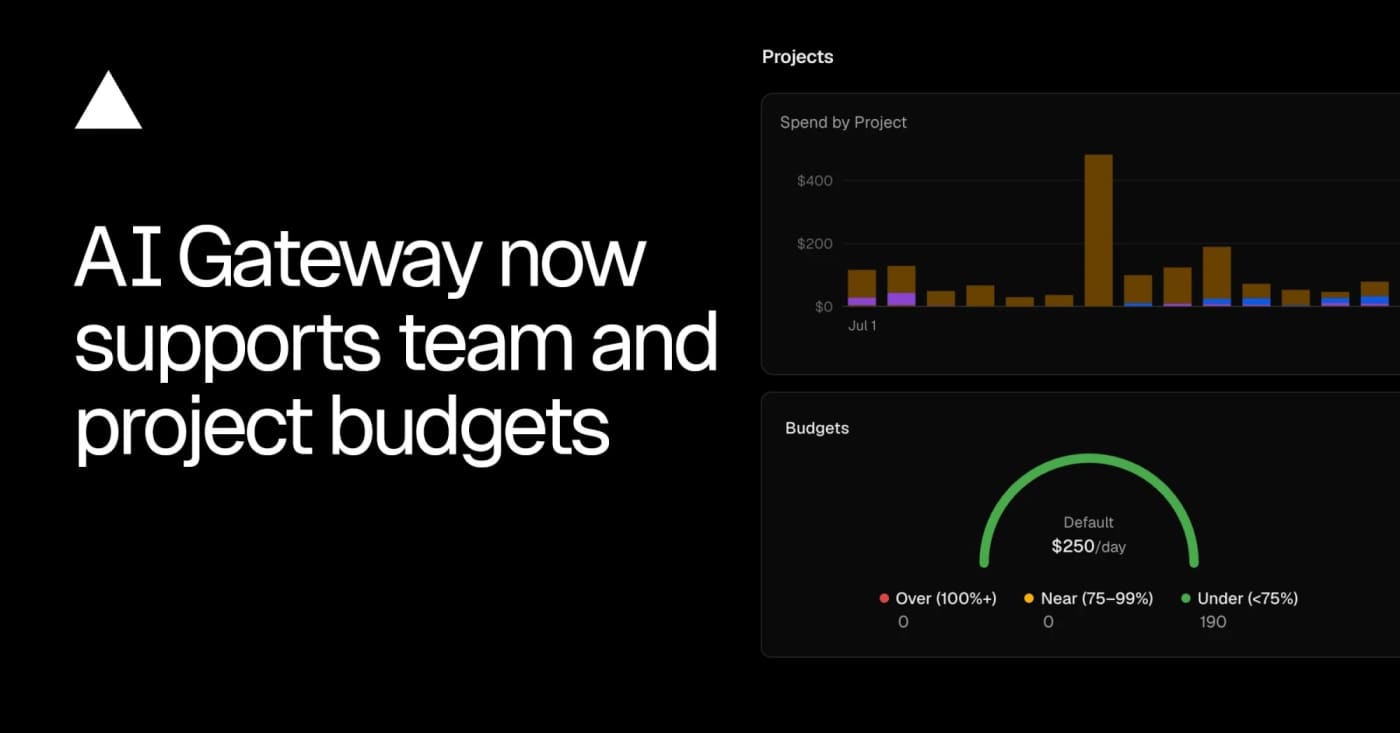
AI-generated · Automatically published by LinkLoot. Vercel AI Gateway now supports team, project, and API-key budgets with alerts and request blocking when a cap is reached. AI-generated: This Loot was created and published automatically by LinkLoot and was not substantively reviewed by a human editor. Vercel AI Gateway now has scoped spend budgets, which makes it worth a look for teams running agents through one shared model gateway. What it is Vercel added budgets that can cap AI Gateway spend at the team, project, or API-key level. A request can be checked against multiple budgets, and the gateway rejects it when any applicable limit is exhausted. Who it helps This is useful for product teams, agencies, and internal platform owners who let several agents, apps, or experiments share the same model gateway. It gives finance and engineering a clearer stop-loss than watching one API key after the fact. How to evaluate it Start by mapping current gateway traffic to projects and keys, then create low-risk alert-only thresholds before using hard caps on production workloads. The changelog shows CLI commands for setting team and project budgets, listing configured limits, and removing them. Limits and risks Budgets can block requests once a limit is reached, so production agents need fallbacks, user-visible errors, or a runbook for raising limits. Vercel also notes that BYOK spend is not counted against budgets by default, which matters if teams mix provider keys with gateway-managed spend. Sources Vercel AI Gateway budgets changelog
- LinkLoot access
- Free
- Provider costs
- Unknown
Review open

GitHub Copilot CLI and the Copilot SDK now support per-session AI credit limits, giving developers a practical guardrail for long-running agent tasks and unattended automation. What it does GitHub added AI credit session limits for Copilot CLI and the Copilot SDK. The practical value is simple: before you hand an agent a long task, you can set a credit cap so the session stops cleanly instead of running until the work is done or someone notices the bill. This belongs in a developer's automation checklist because AI coding agents are increasingly used for unattended refactors, test runs, investigations, and SDK-driven workflows. A per-session cap does not replace account budgets, but it gives each run a local spending boundary. How to try it Update GitHub Copilot CLI to version 1.0.66 or later, then use the new session-limit controls before starting work. For interactive CLI sessions, GitHub's docs show the /limits set command: For non-interactive CLI jobs, pass a maximum credit value on the command line: GitHub notes that the limit is a soft cap: a model response already in progress can finish, so final usage may slightly exceed the number you set. Their docs also advise that session limits work best above 30 AI credits because many model calls can cost more than 20 credits. Best use cases Budgeting unattended Copilot CLI jobs in CI-like local automation. Running exploratory codebase tasks without leaving an agent unbounded. Testing prompt cost before scaling a workflow across a team. Giving SDK-based agent features a per-run guardrail. Caveats This is a public preview feature, so behavior may change. It also controls a single session only; teams still need organization budgets, billing alerts, model-selection policies, and human review for expensive agent workflows. Treat the first few runs as calibration. Start with small, reversible tasks, check actual AI credit use afterward, and adjust the limit based on prompt size, repository size, selected model, and tool-call depth. Source links GitHub Changelog: https://github.blog/changelog/2026-07-01-set-ai-credit-session-limits-in-copilot-cli-and-sdk/ GitHub Docs: https://docs.github.com/en/copilot/tutorials/optimize-ai-usage GitHub CLI best practices: https://docs.github.com/copilot/how-tos/copilot-cli/cli-best-practices Session limit setup docs: https://docs.github.com/en/copilot/how-tos/copilot-cli/use-copilot-cli/set-session-limit
- LinkLoot access
- Free
- Provider costs
- Unknown
Review open
Agent Audit is a read-only OpenClaw skill candidate for mapping agents, cron jobs, model tiers, token usage, and cost-risk mismatches. Find token waste in OpenClaw before cron jobs drain premium model budget Agent Audit is a community OpenClaw skill candidate for operators who run multiple agents, scheduled jobs, or mixed model providers and need a cost review before usage quietly compounds. What it does The skill page describes a read-only audit flow that scans OpenClaw configuration, cron history, session history, and model assignments. Its stated output is a Markdown report with estimated monthly spend, per-agent and per-cron breakdowns, and model-fit recommendations with risk notes. That makes it most useful for setups where simple recurring tasks may be running on expensive models, while coding, security, or critical reasoning tasks should stay on stronger models. Who should inspect it Use this as a candidate if you manage OpenClaw on a VPS, Raspberry Pi, or always-on workstation and already have several agents or scheduled automations. It is less useful for a single-agent install with little run history. Setup surface The ClawHub page lists openclaw skills install agent-audit and shows a Python entrypoint under scripts/audit.py. Review the SKILL.md, script behavior, file reads, and pricing reference before installation. Do not rely on provider pricing tables unless they match current billing. Risk notes LinkLoot has not run this skill. Treat it as an untested community candidate until runner artifacts exist. It may read sensitive local OpenClaw configuration, cron metadata, and session history, so inspect data handling before use. Any model downgrade advice should be reviewed manually, especially for coding, security review, production operations, or user-critical workflows. Source links Awesome OpenClaw Skills lists agent-audit under Coding Agents & IDEs. Clawskills mirrors the public listing and summarizes the workflow. ClawHub hosts the registry page, install surface, SKILL.md content, version, license, and security status fields.
- LinkLoot access
- Free
- Provider costs
- Unknown
Review open
Blog