Thema
#resource
Loots, Blogposts und verwandte Themen rund um diesen Tag. Folge dem Tag, damit passende Updates in deinem Orbit bleiben.
7Gezeigte Loots
0Gezeigte Artikel
8Verlinkte Nachbar-Tags
Anschluss-Themen
Wenn du tiefer einsteigen willst, helfen die benachbarten Tags beim Vergleichen und Querlesen.
Loot
Mehr aus diesem Thema

Text: AI-generated
AI-generated · Automatically published by LinkLoot. A practical Cloudflare resource for letting users approve only the OAuth permissions an application actually needs. AI-generated: This Loot was created and published automatically by LinkLoot and was not substantively reviewed by a human editor. Cloudflare's Optional OAuth Scopes feature lets OAuth client developers separate required permissions from optional ones, giving users more control over what an application can access. What it is Developers can mark configured OAuth scopes as optional in the Cloudflare dashboard. Required scopes must be approved, while users can decline optional scopes during consent. Cloudflare also provides Read Only and Full Access templates plus scope search. Who it helps This is useful for developers building Cloudflare integrations, CLIs, deployment tools, MCP servers, and agent workflows. It supports least-privilege consent without forcing users to grant every permission an application might eventually use. How to evaluate it Review the scope configuration in a non-critical Cloudflare account. Test approvals with optional scopes both enabled and declined, then verify that the application handles the returned permission set instead of assuming every requested scope was granted. Limits and risks Optional scopes are selected by default on the consent screen, so users still need to actively review permissions. Required scopes remain mandatory. Existing authorizations and account-level OAuth restrictions may also affect the result. Access and pricing The feature is part of Cloudflare's OAuth tooling. No separate price is stated in the cited release materials. Sources Cloudflare Optional OAuth Scopes changelog Cloudflare OAuth authorization documentation Cloudflare announcement
- LinkLoot access
- Free
- Provider costs
- Unknown
Review open


A practical research paper for teams deciding how to roll out Claude Code, Copilot CLI, or similar terminal agents without guessing adoption and retention. Microsoft's early-2026 rollout study is useful when a team is deciding whether command-line coding agents are worth wider deployment. What it is The paper studies adoption and impact of command-line AI coding agents across Microsoft's rollout of Claude Code and GitHub Copilot CLI. It looks at who tried the tools, who kept using them, and whether output changed after adoption. Who it helps Engineering leaders, platform teams, DevEx owners, and finance teams can use it before expanding paid seats or usage bundles. The useful angle is not a generic productivity claim; it is the rollout pattern. The paper reports that first use spread through social networks, retention correlated more with coding activity than demographics, and adopters merged about 24% more pull requests than expected in the study window. How to evaluate it Read it as a rollout-design input, not as proof that every team will get the same lift. Compare the study's environment with your own: repository mix, review standards, agent policies, allowed models, cost controls, and whether developers can see peers using the tools successfully. Limits and risks Merged pull requests are only a proxy for value. They do not prove business impact, maintainability, security quality, or reduced review burden. The study is also tied to Microsoft's context, so smaller teams should run their own pilot with cost, review time, defect rate, and retention metrics. Sources arXiv paper
- LinkLoot access
- Free
- Provider costs
- Unknown
Review open
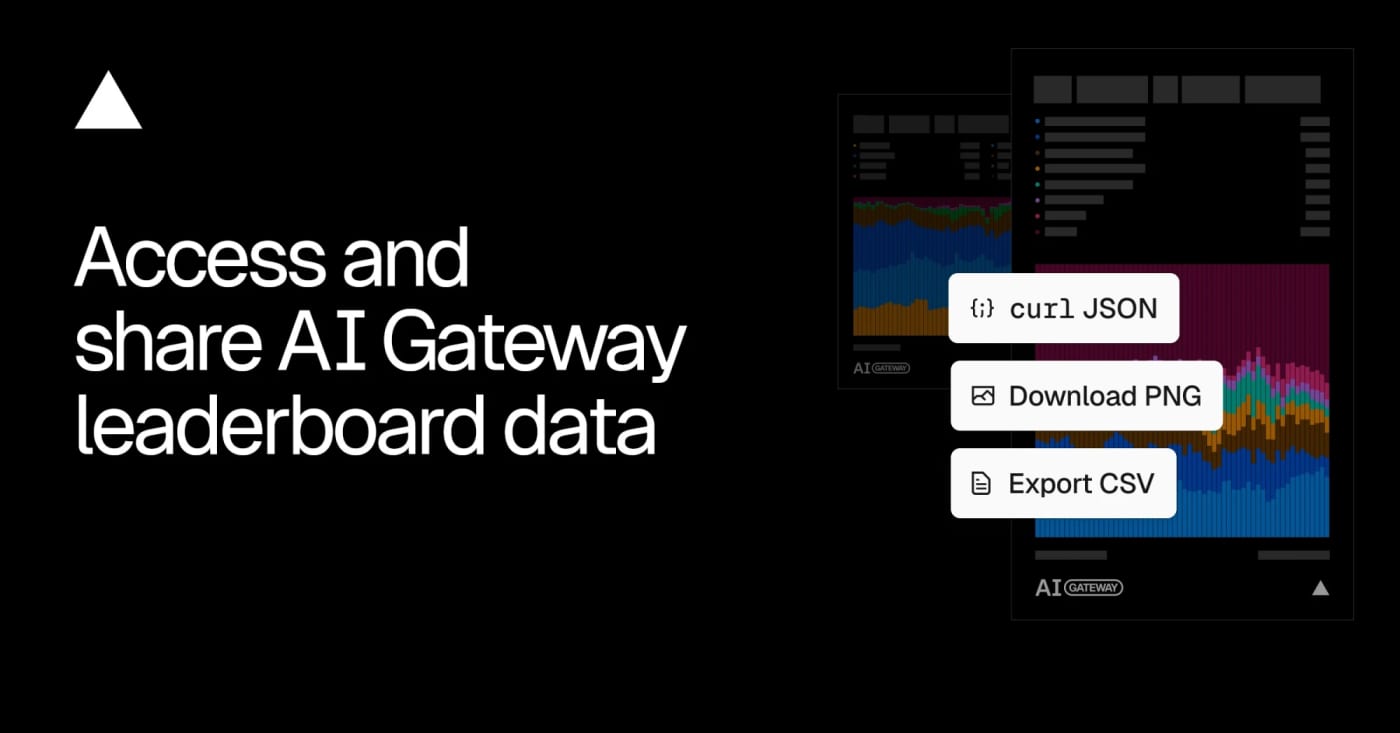
Vercel opened the data behind its AI Gateway leaderboards, giving builders a downloadable and queryable source for model, lab, app, and provider adoption trends. Vercel's AI Gateway leaderboard export is useful when you need a quick market signal before choosing models, writing AI coverage, or comparing provider adoption. What it is Vercel publishes aggregated AI Gateway leaderboard data under a CC BY 4.0 license. The leaderboards rank models, labs, apps, and inference providers across metrics such as requests, token volume, spend, and generated image or video counts. Who it helps It is practical for AI builders, analysts, editors, and product teams who want a repeatable source for model adoption trends instead of relying only on social buzz or benchmark tables. How to evaluate it Start with the leaderboard UI, then use the leaderboard-export endpoint for CSV or programmatic checks. Compare model share over time, filter by modality when needed, and treat the data as Vercel AI Gateway usage rather than the whole AI market. Limits and risks The dataset only reflects traffic visible through Vercel's gateway and opted-in leaderboard surfaces. It can show adoption momentum, but it cannot prove global usage, model quality, or total revenue across providers. Sources Vercel changelog AI Gateway leaderboard export endpoint
- LinkLoot access
- Free
- Provider costs
- Unknown
Review open

Text: AI-generated
AI-generated · Automatically published by LinkLoot. ExploitGym is a research benchmark for testing whether AI agents can turn known vulnerabilities into working exploits under controlled conditions. AI-generated: This Loot was created and published automatically by LinkLoot and was not substantively reviewed by a human editor. ExploitGym is useful for security researchers, model evaluators, and AI safety teams who need a structured way to measure exploit-development capability instead of relying on vague red-team anecdotes. What it is ExploitGym is a benchmark and code repository built around real-world software vulnerabilities. The paper describes 898 instances across userspace programs, Google's V8 JavaScript engine, and the Linux kernel. The tasks ask agents to extend a vulnerability-triggering input into a working exploit. Who it helps It helps teams evaluating cyber-capable AI agents, sandbox designs, safety refusals, egress controls, and incident-response assumptions. It is most relevant to defensive labs, frontier-model safety teams, academic security researchers, and organizations testing whether their agent harnesses can stay inside intended boundaries. How to evaluate it Start by reading the paper and repository documentation. Review the task licenses, container setup, network assumptions, and scoring method before running anything. Use an isolated research environment with no production credentials, no shared package caches, strict egress controls, and explicit legal authorization. Limits and risks This is dual-use security material. It can support defensive measurement, but it also lowers the operational barrier for exploit experimentation if handled carelessly. Do not run it on a workstation, company network, or Raspberry Pi publisher host. Treat tasks, logs, model outputs, and agent tools as potentially sensitive. Sources ExploitGym GitHub repository ExploitGym arXiv paper Berkeley RDI ExploitGym overview
- LinkLoot access
- Free
- Provider costs
- Unknown
Review open
A maintained GitHub directory that groups AI agents, frameworks, and tools so builders can compare options before adding another agent stack to a workflow. Awesome AI Agents 2026 is a broad GitHub directory for scanning the current agent-tool landscape without relying on a single vendor's marketing page. What it is The repository collects AI agents, frameworks, and related tools into a structured list. It is useful as a discovery map when you need to compare coding agents, research agents, workflow builders, voice tools, enterprise options, and supporting infrastructure. Who it helps Builders, operators, and content researchers can use it to find candidates for deeper evaluation. It is especially useful when you are deciding whether an agent category already has a mature open-source option before you spend time testing a new SaaS launch. How to evaluate it Start with the category that matches your workflow, then open the original project pages rather than treating the list itself as validation. Check the repo activity, license, security posture, setup steps, external-service dependencies, and whether the tool needs credentials or broad local permissions. Limits and risks An awesome list is a directory, not a review. Star counts can be gamed or become stale, and listed projects may have weak maintenance, unclear licenses, or risky permission models. Do not install agent tools directly into a production workspace just because they appear in the list. Sources Awesome AI Agents 2026 repository GitHub agents topic for comparison
- LinkLoot access
- Free
- Provider costs
- Unknown
Review open

OpenAI’s July 9 Codex app release note is a practical checkpoint for teams using Codex from mobile devices, SSH projects, Computer Use, and plugin-heavy workspaces. What it is OpenAI’s Codex changelog entry for July 9, 2026 lists a small but practical set of workflow fixes: faster Computer Use with GPT-5.6, clearer task activity while Codex works, plugin management moved into Settings, better mobile connection reliability, and fixed video rendering for SSH projects. Who should use it Use this as an upgrade checklist if your team runs Codex against remote workspaces, supervises coding agents from mobile, relies on Computer Use, or has users confused by plugin discovery and settings drift. How to evaluate it Update the Codex app and confirm the July 9 release note applies to your platform. Re-test one SSH project where video rendering or connection reliability previously failed. Run a short Computer Use task with GPT-5.6 and compare responsiveness against your last known baseline. Check whether plugin management in Settings reduces support friction for your workspace. Limits and risks This is not a new model launch or a broad API change. Treat it as a workflow reliability update, not a reason to rewrite agent processes. OpenAI does not publish detailed benchmarks in the changelog entry, so any speed or reliability improvement should be validated against your own projects before changing internal runbooks. Source OpenAI Codex changelog
- LinkLoot access
- Free
- Provider costs
- Unknown
Review open
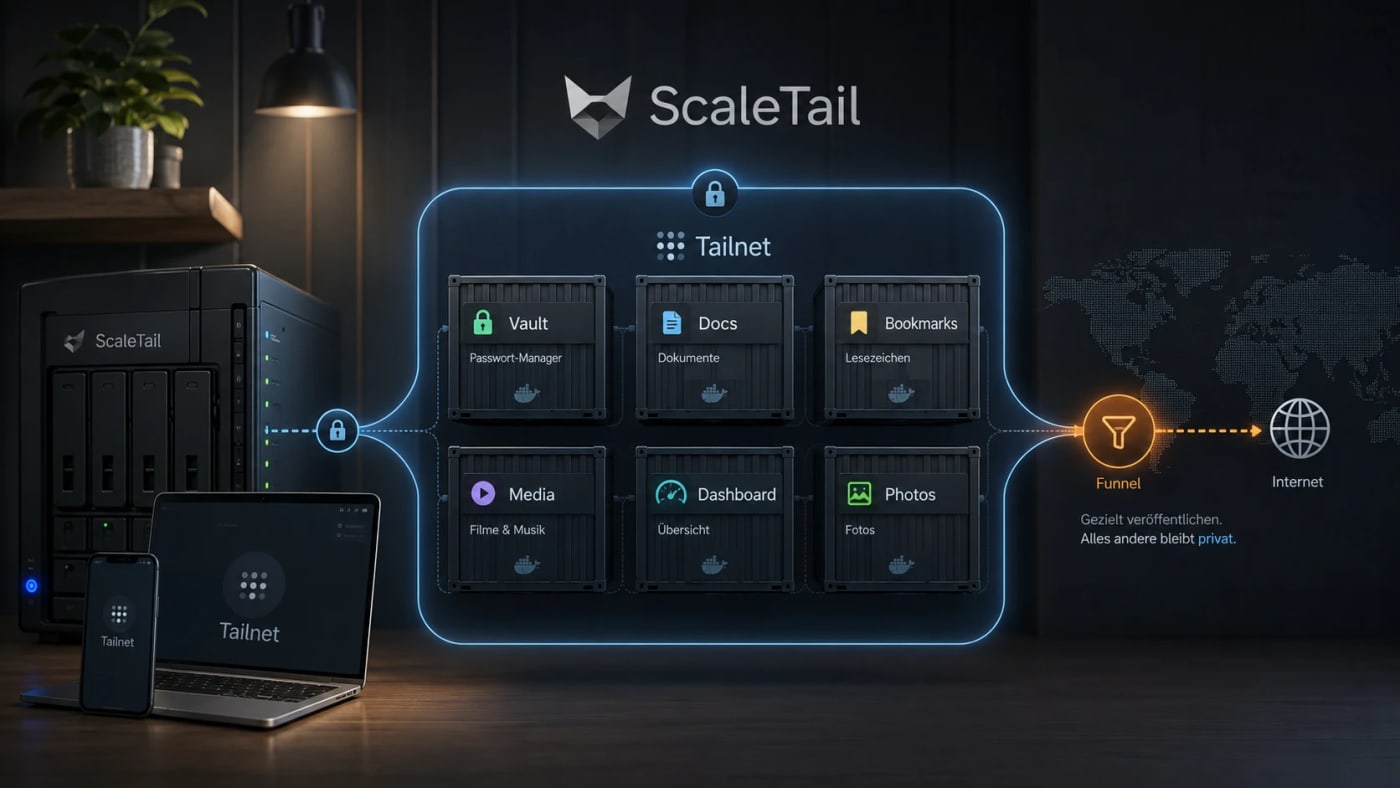
A practical self-hosting resource for exposing Docker apps inside a private Tailnet instead of opening router ports, reverse proxies, and public subdomains by default. What this is ScaleTail is a collection of ready-to-run Docker Compose stacks that attach common self-hosted apps to a Tailscale tailnet through a sidecar container. The useful idea is simple: make private tools reachable from your own devices without turning every dashboard, password vault, document archive, or admin panel into a public web service. Best use case Use this when you run services such as Vaultwarden, Paperless-ngx, Jellyfin, Immich, Pi-hole, AdGuard Home, Home Assistant, Open WebUI, Portainer, or Uptime Kuma and want remote access without a new router port, reverse-proxy rule, or public DNS entry for every app. Workflow Create a reusable Tailscale auth key in the Tailscale admin console. Pick the ScaleTail template matching your service. Review the Docker Compose file before running it, especially volumes, environment variables, and exposed ports. Bind the app container to the Tailscale sidecar network stack with the template's networkmode: service: pattern. Start the stack with Docker Compose and confirm the service appears in your Tailnet. Use Tailscale Serve for private Tailnet access. Only use Funnel when the service is intentionally public. Security notes ScaleTail reduces accidental public exposure, but it does not replace Docker hardening, backups, patching, or least-privilege access controls. Treat every template as code: inspect the image source, tags, volume mounts, environment variables, and update policy before production use. Keep admin panels, password managers, document stores, and local AI interfaces private unless you have a strong reason to expose them publicly. Do not confuse Tailscale Serve with Funnel: Serve is private to the Tailnet, while Funnel publishes a service to the public internet. Quick decision table Need Use ScaleTail? Caveat --- --- --- Private remote access to homelab apps Yes Requires Tailscale and Docker Compose Public webhook endpoint Maybe Funnel can be public; harden it carefully Full site publishing No Use a normal deployment and security model Multi-service homelab on one host Yes Still plan backups, updates, and separation Source check The Tarnkappe article explains the privacy angle, the Serve/Funnel distinction, and why ScaleTail fits self-hosted Docker services that should not be exposed publicly by default. The ScaleTail GitHub repository confirms that the project provides Docker Compose sidecar configurations for connecting self-hosted apps to a Tailnet. Tailscale's own Docker documentation provides the official baseline for running Tailscale with containers.
- LinkLoot access
- Free
- Provider costs
- Unknown
Review open
Blog
Verwandte Artikel
Noch kein Blogpost zu #resource
Aktuell gibt es keinen veröffentlichten Artikel mit diesem Tag. Schau im Blog nach verwandten Themen oder folge dem Tag für spätere Updates.