Thema
#self-hosted
Loots, Blogposts und verwandte Themen rund um diesen Tag. Folge dem Tag, damit passende Updates in deinem Orbit bleiben.
12Gezeigte Loots
1Gezeigte Artikel
8Verlinkte Nachbar-Tags
Anschluss-Themen
Wenn du tiefer einsteigen willst, helfen die benachbarten Tags beim Vergleichen und Querlesen.
Loot
Mehr aus diesem Thema

Text: AI-generated
AI-generated · Automatically published by LinkLoot. Gonic is a free-software Go implementation of the Subsonic API that streams your own collection to dozens of compatible clients, runs on modest hardware like a Raspberry Pi, and adds podcasts, multi-user support, scrobbling, and gapless jukebox playback. > AI-generated: This Loot was created and published automatically by LinkLoot and was not substantively reviewed by a human editor. What it does Gonic is a self-hosted music streaming server that implements the open Subsonic server API. Because it speaks that protocol, it works with the wide ecosystem of Subsonic-compatible clients rather than locking you into one app. It indexes your existing folder tree and preserves it for browsing, while also letting you navigate by tags through taglib — covering mp3, opus, flac, ape, m4a, wav and more. Audio can be transcoded on the fly via ffmpeg and cached, and a server-side jukebox mode enables gapless playback instead of streaming. Podcasts are supported alongside music. Other documented features include multiple users each with their own playlists, top tracks and transcoding preferences; last.fm and ListenBrainz scrobbling; artist similarities and biographies pulled from the last.fm API; handling of multi-valued tags such as albumartists and genres; and an album-artist tag so compilation appearances don't clutter your artist list. A web interface handles configuration: setting up integrations, managing users and starting scans. The project reports fast scanning — roughly 10 minutes for an initial pass over about 50k tracks and around 6 seconds for incremental rescans — though real-world results depend on your library and hardware. Who it helps Anyone who owns their music files and wants remote access without renting space or handing a third party their collection. Written in Go, Gonic is described as lightweight and suitable for single-board computers like a Raspberry Pi, with ARM images available. Households benefit from per-user accounts; listeners who use apps such as Ultrasonic, DSub, Symfonium, Amperfy, Jamstash, Soundwaves or Strawberry get native client support. Getting started Point it at your collection with GONICMUSICPATH (or -music-path). Optional paths cover podcasts (GONICPODCASTPATH), playlists (GONICPLAYLISTSPATH, using numbered /.m3u layout) and a transcode cache (GONICCACHEPATH). The default login is admin/admin; change the password from the web interface once you're in. Community discussion happens on the gonic Libera.Chat channel. Limits and costs The software is GPL-3.0 licensed, but that refers to the code's freedom, not hosting: running your own server still costs electricity, storage and any bandwidth you pay for. Transcoding requires ffmpeg installed on the host. Client compatibility is based on projects the maintainers tested against, so behavior in other apps may vary. Pricing beyond a self-managed install is not specified. Source links Official repository: https://github.com/sentriz/gonic Project documentation: https://github.com/sentriz/gonic/blob/master/README.md Project license: https://github.com/sentriz/gonic/blob/master/LICENSE
- LinkLoot access
- Free
- Provider costs
- Unknown
Review open

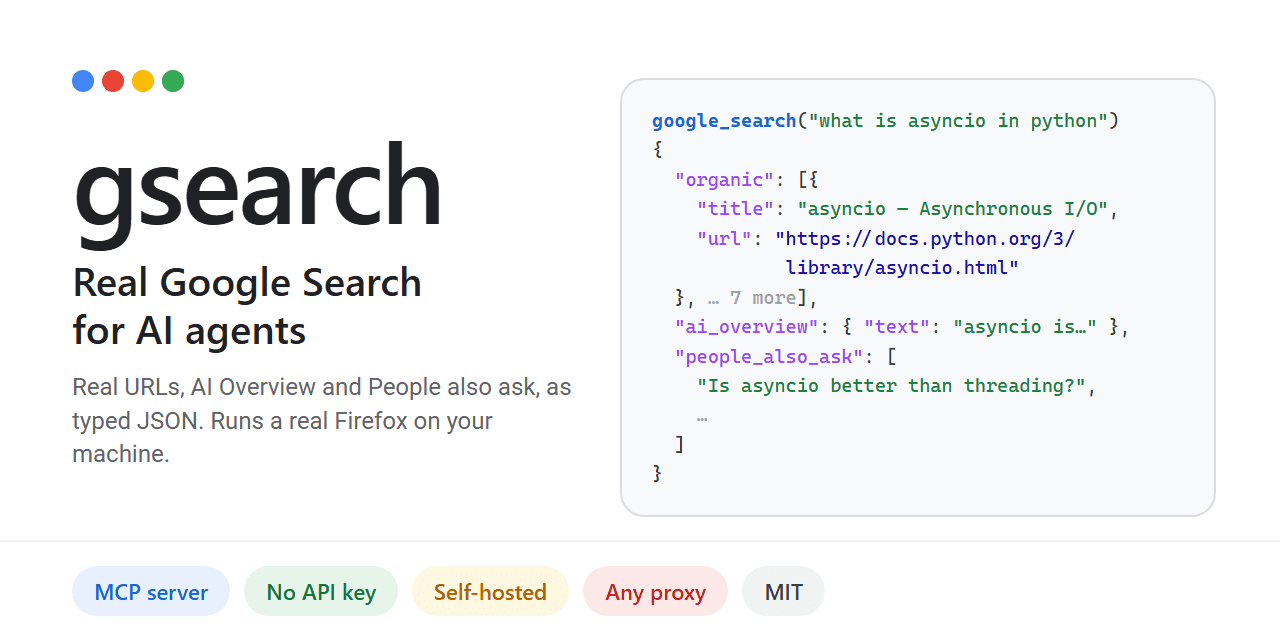
Self-hosted Google search for AI agents via MCP
No votes yet
Text: AI-generated
AI-generated · Automatically published by LinkLoot. Give your AI agent real Google results, including AI Overview and People Also Ask, without an API key. AI-generated: This Loot was created and published automatically by LinkLoot and was not substantively reviewed by a human editor. What it does Gsearch provides a Model Context Protocol (MCP) server that allows AI agents to perform actual Google searches. Unlike other tools that use alternative indices or charge per query, gsearch renders Google's live results page using a real Firefox instance (Camoufox). It returns structured JSON containing resolved URLs, the AI Overview, "People also ask" questions, and related searches. The project is designed to bypass common automated access blocks. Plain HTTP requests often hit JavaScript walls, and standard Chrome automation frequently triggers CAPTCHAs. By running a full browser session on your local IP or through a configured proxy, gsearch retrieves data as if a human were searching. This approach is particularly relevant given that Google's official Custom Search API is scheduled to close on January 1, 2027. Who it helps This tool benefits developers building autonomous agents that require up-to-date, accurate web information from Google's index. It is ideal for those who want to avoid recurring costs associated with commercial SERP APIs like SerpApi or Bright Data. Users concerned about privacy may also prefer self-hosting their search infrastructure rather than relying on third-party hosted services. Getting started Installation requires Python-based tooling such as uv or pipx. Run uv tool install gsearch-agent to set up the core components. Next, execute gsearch setup, which downloads the necessary Camoufox browser (1 GB) and outputs the required MCP configuration block. To integrate with clients like Claude Desktop or Cursor, add the generated command to their respective config files (claudedesktopconfig.json or /.cursor/mcp.json). You can optionally configure proxies via environment variables (GSEARCHPROXY) to increase throughput beyond the default limit of 20 searches per hour on a home IP. Limits and costs While the software itself is open-source under the MIT license, hosting and usage come with practical constraints. Without a proxy, you are limited to approximately 20 searches per hour on your residential IP address. Using a proxy pool increases capacity but introduces additional latency and potential blocking issues if IPs are flagged. Crucially, automated access to Google Search may violate Google's Terms of Service. The project documentation explicitly warns users to review legal guidelines before deploying live searches. Responsibility for any ToS breaches rests entirely with the user. Source links Official repository Project documentation Project license
- LinkLoot access
- Free
- Provider costs
- Unknown
Review open

Text: AI-generated
AI-generated · Automatically published by LinkLoot. Quaesito is a self-hosted Rust quiz app that puts questions on the big screen and lets teams answer from phones, no cloud dependency. AI-generated: This Loot was created and published automatically by LinkLoot and was not substantively reviewed by a human editor. What it does Quaesito is a live quiz web app written in Rust with Dioxus. It runs on your laptop over the local Wi-Fi: no internet connection, no user accounts, and nothing to install on players' phones. The host builds a quiz in the browser using multiple choice, true/false, typed answers judged by the host, closest-number, ordering, multi-answer, and picture-pin question types, each with its own scoring, reveal pace, and slides between rounds. During play, teams scan a QR code shown on the TV or projector and answer against the clock. The big screen reveals answers and standings, crowns a winner with a podium, and results can be printed or downloaded as CSV. Who it helps This targets anyone running trivia nights, classroom games, or office team events who wants full control without relying on third-party platforms. Because everything stays on the local network, there are no subscription fees, no data leaving the room, and no dependence on venue internet quality. Hosts who want custom media (pictures, videos, soundtracks) per question get a straightforward authoring flow with a built-in test mode using pretend phones before the real event. Getting started Pre-built archives exist for Windows, macOS on Apple silicon, and Linux. Download the latest release, unpack it, and double-click start.bat (Windows), start.command (macOS), or run ./start.sh (Linux). Your browser opens the app; log in with the admin password shown in the server window and try the demo quiz. Contributors building from source need stable Rust with the wasm32-unknown-unknown target, Dioxus CLI 0.7 (dx), just, and cargo-deny. Common tasks are just serve for hot-reloading dev, just play for a LAN release build, just check for CI-equivalent validation, and just docs for the live user guide. Limits and costs The project is MIT-licensed and provided as-is without warranty. Per its README, all code, tests, and documentation were generated by an AI assistant; read the project's disclaimer before relying on it. Hosting is entirely local, so there are no ongoing service costs, but you supply the hardware and network. Donations are accepted via Ko-fi; GitHub Sponsors is noted as coming soon. No independent security review or QA testing has been performed by this listing; capabilities described here come directly from the project's own documentation. Source links Official repository Project documentation MIT License
- LinkLoot access
- Free
- Provider costs
- Unknown
Review open

Text: AI-generated
AI-generated · Automatically published by LinkLoot. Self-host the engine behind inbrief.info to aggregate, score and summarize AI news from RSS, Hacker News, Reddit, X, YouTube and GitHub Trending. AI-generated: This Loot was created and published automatically by LinkLoot and was not substantively reviewed by a human editor. What it does This open-source project aggregates AI-related content from 94 distinct sources, including lab blogs, Hacker News, Reddit, X, YouTube transcripts and GitHub Trending. It runs every item through an LLM pipeline that filters for relevance, generates English and Chinese summaries, extracts tags and assigns an importance score. The system uses a two-stage deduplication process—SimHash fingerprinting followed by pgvector cosine similarity—to ensure the final daily digest is clean and non-repetitive before storing results in PostgreSQL. Who it helps Developers and researchers who want a curated, automated view of the AI landscape without manually checking dozens of feeds. It is particularly useful for teams needing bilingual (EN/ZH) insights or those who prefer self-hosting to control their data pipeline. If you only want to read the output, the hosted site at inbrief.info is available, but this repo provides the full engine for customization. Getting started The repository includes a pipelinerunner that orchestrates fetchers, content processing, and AI curation. To begin, set up a PostgreSQL database; the schema auto-creates on first run. You must configure an OpenAI-compatible API endpoint for the LLM steps (DeepSeek is the default). Use adminrss.py to add your preferred sources, as the engine ships with an empty source table despite documenting 94 production examples. Anti-bot measures are layered, using curlcffi, DrissionPage, and Playwright with persistent profiles for platforms like Reddit and X. Limits and costs While the software is MIT-licensed, self-hosting requires infrastructure resources: a server for the Python application, a PostgreSQL instance, and potentially headless browser environments for scraping protected sites. LLM usage incurs token costs depending on your provider. Optional Aliyun Green text moderation can be enabled via keys, though it is skipped if absent. The complexity of maintaining scraper resilience against platform changes is significant. Source links Official repository Project documentation Project license
- LinkLoot access
- Free
- Provider costs
- Unknown
Review open

Text: AI-generated
AI-generated · Automatically published by LinkLoot. Immich is a free, AGPL-3.0-licensed self-hosted photo and video backup platform. You run the server on your own hardware and the mobile apps back up your camera roll, keeping the timeline, albums, face grouping and map features without handing originals to a cloud provider. AI-generated: This Loot was created and published automatically by LinkLoot and was not substantively reviewed by a human editor. What it is Immich is an open-source, self-hosted photo and video management platform. A Docker Compose server holds your library on your own storage; iOS and Android apps auto-back up your camera roll; a web view gives you the timeline, albums, face recognition grouping, and map view that people expect from Google Photos — minus the third-party cloud custody of your originals. Why it is useful If you want photo backup you actually control, Immich is one of the most complete self-hosted options: automatic mobile upload, sharing links, trash/restore, and multi-user support for a household or small team. How to set it up The official quick start is a no-choices Docker Compose path: Requirements: a machine with at least 6 GB of RAM, 2 CPU cores, and Docker. Create a directory (e.g. ./immich-app) and download docker-compose.yml and example.env from the project's latest GitHub release assets: wget -O docker-compose.yml https://github.com/immich-app/immich/releases/latest/download/docker-compose.yml wget -O .env https://github.com/immich-app/immich/releases/latest/download/example.env Edit .env, run docker compose up -d, then create an admin account in the web UI. Install the Immich mobile app, point it at your server URL, and enable backup. Honest caveats AGPL-3.0: self-hosting for personal use is fine; redistribution of modified versions carries obligations. Verify the terms yourself. Some optional machine-learning features (face recognition, smart search) benefit from extra CPU/GPU resources. Backup reliability is only as good as your own storage, redundancy, and disk health — plan snapshots or a second copy. Immich offers a paid Immich Cloud option; the self-hosted core remains free and open source. This summary was compiled from the official documentation; no hands-on testing was performed.
- LinkLoot access
- Free
- Provider costs
- Unknown
Review open
Caddy: automatic HTTPS for self-hosted sites
No votes yet
Text: AI-generated
AI-generated · Automatically published by LinkLoot. Serve websites and APIs with a cross-platform web server that automates TLS certificate management. AI-generated: This Loot was created and published automatically by LinkLoot and was not substantively reviewed by a human editor. Caddy is an extensible HTTP server with automatic HTTPS enabled by default. Use it to serve a personal site, reverse-proxy an app, or host multiple domains from a single configuration. Start with the official install instructions and Caddyfile guide; downloads and builds are available for major platforms. Practical note: public certificate issuance depends on reachable domain names and network configuration; binding to privileged ports may require OS-specific setup. No hands-on testing is claimed.
- LinkLoot access
- Free
- Provider costs
- Unknown
Review open

Text: AI-generated
AI-generated · Automatically published by LinkLoot. Run a handy collection of browser-based utilities on your own server instead of juggling separate sites. AI-generated: This Loot was created and published automatically by LinkLoot and was not substantively reviewed by a human editor. Omni-Tools bundles everyday web utilities into one self-hosted web app. Its project README documents Docker Compose setup, making it a practical option for a personal server or homelab; a hosted demo is also linked by the project. The repository is MIT-licensed. Review the project and deployment settings before exposing a self-hosted instance publicly. Sources: Official project and setup · Hosted demo.
- LinkLoot access
- Free
- Provider costs
- Unknown
Review open
Text: AI-generated
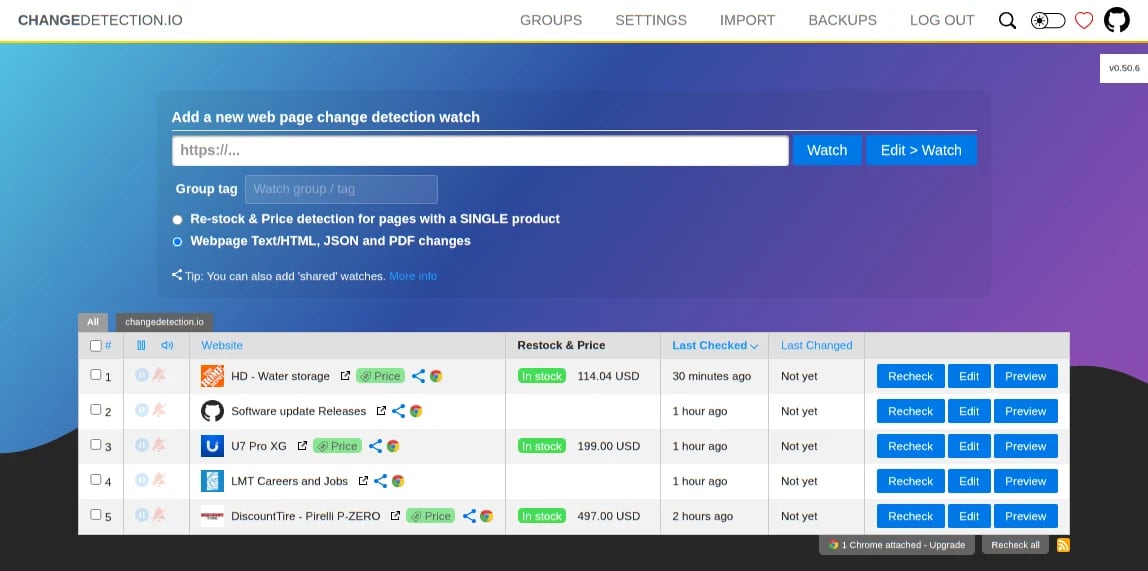
AI-generated · Automatically published by LinkLoot. Self-host a monitor for website updates and receive alerts through services such as email, Telegram, Discord, or webhooks. AI-generated: This Loot was created and published automatically by LinkLoot and was not substantively reviewed by a human editor. changedetection.io watches selected web pages for changes, helping you follow product availability, price updates, or changes to pages you rely on. The open-source project can be self-hosted; its repository documents Docker-based setup and notification integrations. Review target-site terms and avoid aggressive polling. Good for: restock and price-watch alerts, monitoring public pages, and lightweight change notifications. Access: Free self-hosted software under Apache-2.0; hosted service options are also offered by the project. Setup: Start with the official repository and its README for current installation instructions.
- LinkLoot access
- Free
- Provider costs
- Unknown
Review open

BentoPDF — A full PDF toolbox in your browser
No votes yet
Text: AI-generated
AI-generated · Automatically published by LinkLoot. Merge, split, convert, annotate, compress, and OCR PDFs with a browser-based toolkit, or self-host its full toolset with Docker. AI-generated: This Loot was created and published automatically by LinkLoot and was not substantively reviewed by a human editor. BentoPDF brings a broad set of everyday PDF jobs together in one browser-based toolkit. Use it to merge or split documents, rearrange and rotate pages, add signatures or annotations, compress files, run OCR, and convert between PDF and formats such as images, text, and office documents. It also includes editing, form, metadata, and document-security tools. The project describes its browser workflow as processing files locally with WebAssembly; this listing does not independently test that claim or assess the tool's security. Getting started is straightforward: open the hosted version for immediate use, or follow the project's Docker instructions to run its self-hosted build. The official guide gives a Docker quick start using the bentopdf-simple container and opening the local web interface. The Docker documentation notes that Word, Excel, and PowerPoint conversion needs specific cross-origin headers and a secure context when accessed over a network; localhost is suitable for local testing. The self-hosted build is available free under AGPL-3.0, with a commercial license offered for proprietary/closed-source applications and certain deployments. Check the license terms for your use case. Also note that processing libraries and other assets use third-party CDN URLs by default. Offline or air-gapped use requires configuring and hosting the relevant components (and, for offline OCR, its fonts) yourself; do not assume a default install is fully offline. Official sources: GitHub repository Getting started Licensing Docker / Podman deployment
- LinkLoot access
- Free
- Provider costs
- Unknown
Review open
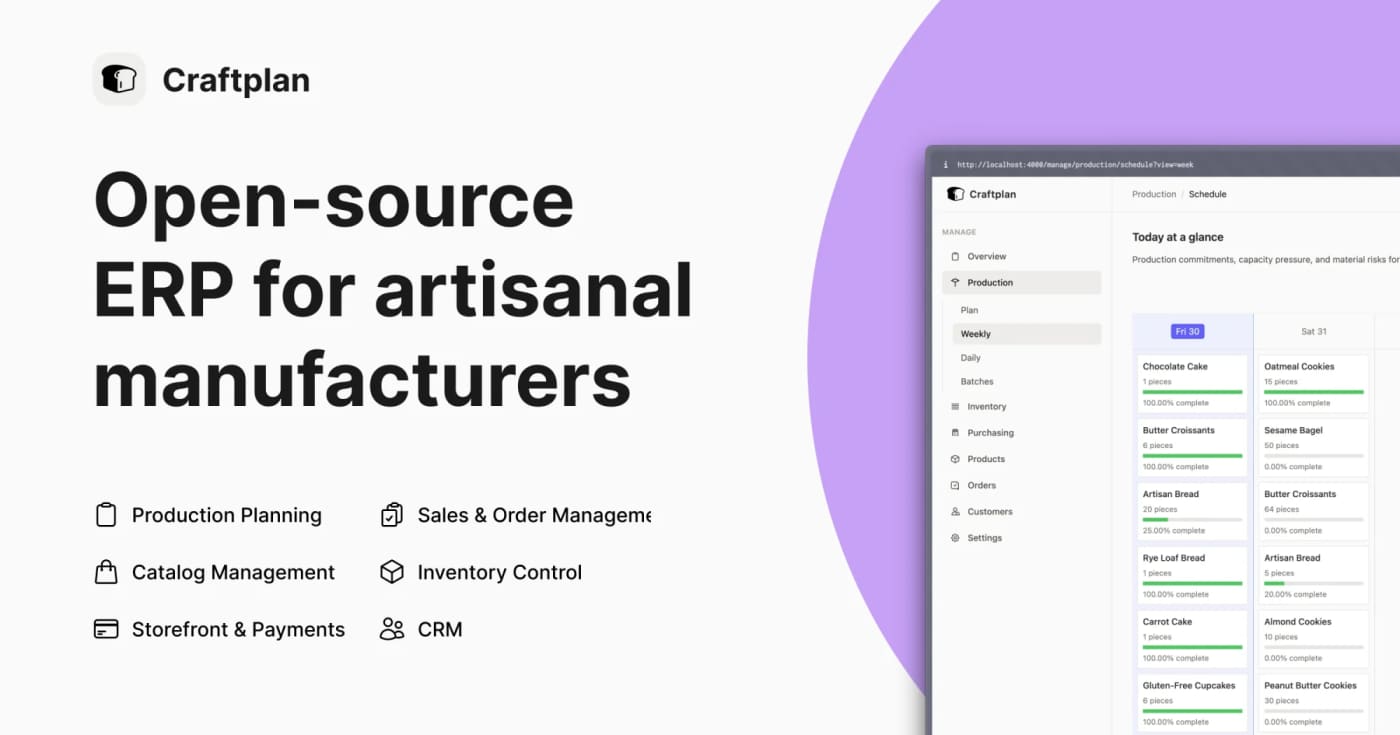
Craftplan is an AGPL-licensed ERP for small artisanal manufacturers that bundles catalog, inventory, orders, production planning, purchasing, CRM, API access, and CSV import/export into one self-hosted Phoenix app. Craftplan is worth bookmarking if you help small makers, bakeries, food producers, or other craft businesses escape spreadsheet-driven operations without buying a full enterprise ERP. The project is open source under AGPL-3.0 and is built around small-batch, made-to-order workflows instead of generic inventory tables. The practical value is the breadth: versioned bills of materials with cost rollups, order scheduling, production batches, raw-material inventory, lot traceability, allergen and nutrition tracking, purchase orders, customer/supplier records, CSV import/export, iCal feeds, and JSON:API plus GraphQL endpoints. That makes it useful both as deployable software and as a reference implementation for vertical SaaS builders. Caveats: it is self-hosted, so expect Docker/server administration, secrets setup, backups, and operational ownership. The latest GitHub release checked for this Loot is v0.5.0 from June 23, 2026, so treat it as promising open-source infrastructure rather than a mature turnkey SaaS.
- LinkLoot access
- Free
- Provider costs
- Unknown
Review open

Omni is a self-hosted workplace search and agent layer that indexes tools like Google Workspace, Slack, Jira, Confluence, HubSpot, and local files with Postgres, ParadeDB, and pgvector. Omni is a useful find for teams that want Glean-style workplace search without sending every knowledge source into a closed SaaS stack. The project connects to common work tools, builds a shared context layer, and gives agents search, citation, and tool-use paths over company data. Best fit: technical teams that can self-host Docker services, already run Postgres, and want to test hybrid BM25 plus vector search before buying an enterprise search platform. What to check before using it: Confirm the connectors you need are production-ready, especially Microsoft 365, Notion, GitHub, or custom internal systems. Review permission inheritance against your own identity model before indexing private content. Decide whether your LLM provider keeps data inside your boundary; self-hosting the index does not automatically make hosted model calls private. Test Postgres, ParadeDB, and pgvector performance on a realistic document count. Treat the project as beta unless your own deployment test proves it can handle your security and uptime requirements. Area Omni angle Verification check --- --- --- Search BM25 plus vector search in Postgres Test recall against your real docs Agents Chat and tool use over indexed company data Review sandbox and permissions Hosting Self-hosted deployment path Validate backups, auth, and updates Lock-in Apache-2.0 repository Confirm license and active maintenance This is a tool to trial, not a blanket recommendation. Start with a small workspace, index non-sensitive sources first, and compare answer quality, latency, and review burden against your current internal search or RAG setup.
- LinkLoot access
- Free
- Provider costs
- Unknown
Review open
Paca is an open-source Jira/Trello alternative built for teams where humans and AI agents plan, pick up work, write specs, and ship from the same Scrum board. Paca is a self-hosted project management platform for teams that want AI agents to work inside the normal delivery loop instead of sitting beside it as chat widgets. It gives agents and humans the same board, sprint context, task flow, docs, and real-time updates. Why this is worth saving AI agents can be assigned to sprints and appear on the Scrumban board with human teammates. The project includes MCP support, so compatible AI tools can access projects, tasks, sprints, documents, members, comments, attachments, and plugin tools through a structured interface. Teams can customize workflows, statuses, fields, board layouts, sprint rules, and agent behavior through configuration. Plugins extend the system with WASM backend modules and frontend modules, with capability-style permissions. It is Apache-2.0, self-hosted, and currently packaged with install assets through GitHub Releases. Fast workflow Star or watch the repo so you can track the fast release pace. Spin it up in a disposable test environment first, not production. Connect one MCP-compatible assistant to a test project. Create a small sprint with low-risk tasks and ask the agent to update status through Paca instead of chat. Review the activity diff and task history before letting agents touch larger workstreams. What to test first Area What to check Why it matters :--:--:-- MCP server Project/task/sprint tool access Determines whether your agent stack can use Paca as a real operating layer Scrumban board Human and agent task movement Shows whether the workflow feels natural for mixed teams Plugin model WASM/backend and frontend extension paths Useful if your team needs custom process logic Deployment Docker Compose and release assets Confirms whether self-hosting fits your infrastructure Security posture API keys, sandboxed agents, permissions Required before bringing real company data into the system Caveat This is a young, fast-moving project. Treat it as promising infrastructure to evaluate, not a drop-in replacement for an enterprise Jira setup yet. Run a sandbox pilot, read the deployment files, and verify the MCP/API permission model against your own security requirements. Source check GitHub repo confirms Apache-2.0 licensing, self-hosted positioning, MCP support, OpenHands-powered agents, WASM plugins, and current project stats. The official website confirms the product positioning: humans and AI agents working on one Scrum team. The latest GitHub release confirms active release packaging, including Docker Compose, gateway config, and install script assets.
- LinkLoot access
- Free
- Provider costs
- Unknown
Review open
Blog