Thema

#ai agents

AI-Agent-Suchen verzweigen schnell in Coding-Agents, Benchmarks, GitHub-Workflows und sichere Automationen. Dieser Hub hält die wichtigsten Loots, Artikel und Anschluss-Themen zusammen, damit aus einzelnen Treffern eine echte Recherche-Route wird.

#ai agents
9Gezeigte Loots
5Gezeigte Artikel
8Verlinkte Nachbar-Tags
Workflow- und Benchmark-Nachbarn

Besonders wertvoll sind hier Tags zu Copilot, Codex, Benchmarks, Browser-Agenten und Review-Schritten vor produktiven Einsätzen.

Loot

Mehr aus diesem Thema

Alle Loots entdecken

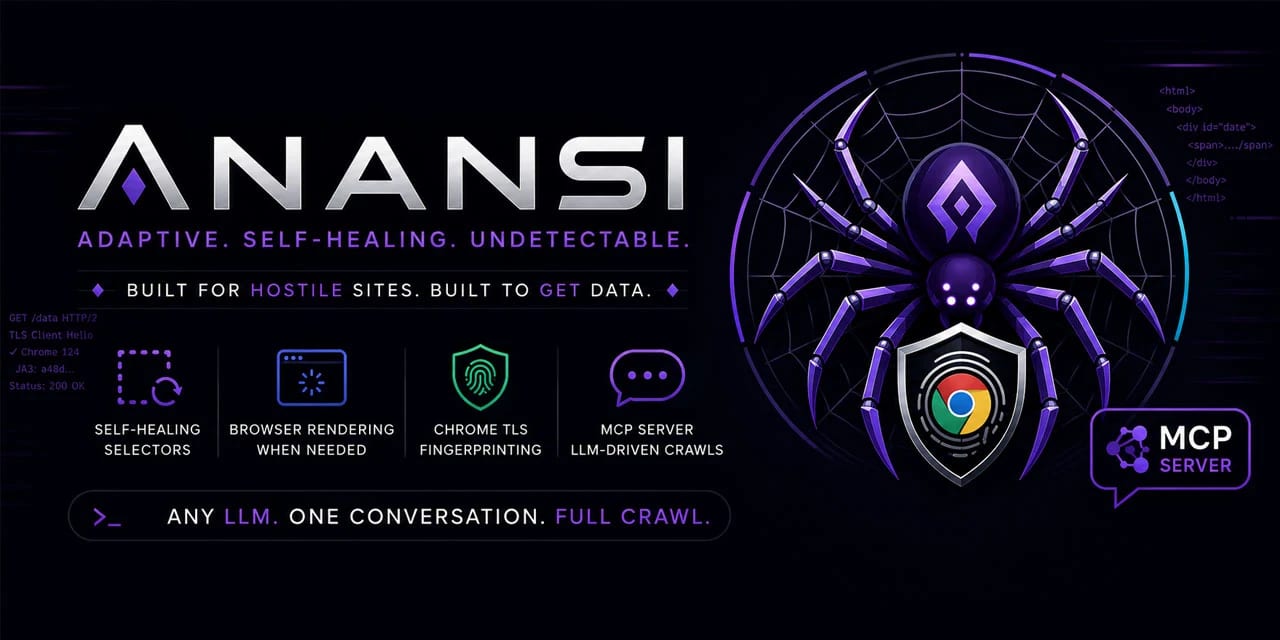
Scrape Changing Websites with Anansi Self-Healing Selectors and MCP

No votes yet
A Python crawler for unstable or JavaScript-heavy sites, with selector healing, structured-data extraction, adaptive rate limiting, and an MCP server for agent-driven crawling. Use only for authorized scraping. Anansi is a Python web scraping toolkit designed for sites that change often or need browser rendering. It combines adaptive parsing, structured-data extraction, incremental crawling, proxy support, and an MCP server so an LLM or agent workflow can drive fetch, extract, crawl, pause, resume, export, and metrics actions. Why it is useful Self-healing selectors: stores selector confidence and attempts fallback strategies when a layout changes. Structured extraction first: pulls JSON-LD, Open Graph, and Microdata before relying on brittle CSS selectors. Browser upgrade path: can switch from HTTP fetching to Playwright rendering for JavaScript-heavy pages. Crawler durability: includes an async crawler, SQLite-backed queue, incremental recrawls, ETag/Last-Modified handling, and resumable jobs. Agent-ready interface: ships with an MCP server so compatible LLM tools can operate crawls through tool calls. Best fit Use Anansi when you need a resilient research or data-extraction crawler for websites you are allowed to access, especially where pages change structure or require JavaScript rendering. It is most relevant for developers building data pipelines, monitoring workflows, competitive research dashboards, or agentic browsing systems. Quick evaluation checklist Confirm the target website permits your intended crawling use case. Start with structured data extraction before custom selectors. Enable browser rendering only where HTTP fetching is insufficient. Keep adaptive rate limiting active and respect Retry-After responses. Use the MCP server when you want an agent to orchestrate crawl tasks instead of manually scripting every step. Source notes The GitHub repository describes Anansi as a self-healing web scraper with selector repair, browser rendering fallback, Chrome-like TLS fingerprinting, Pydantic validation, incremental crawling, and an MCP server. The project is written primarily in Python and is licensed under Apache-2.0.
LinkLoot access
Free
Provider costs
Unknown
Review open
0

OpenClaw Codex Harness Launch Kit: Subscription Auth, Runtime Setup, Tool Search, and Migration Checklist

1
This item includes essential tools and setup for the OpenClaw Codex Harness, covering runtime configuration, tool discovery, and migration guidance. Ideal for users seeking structured access to the latest features. OpenClaw's Codex harness shift matters because it cleans up the runtime boundary between OpenAI agent turns and the rest of the OpenClaw stack. This paid Loot turns that architectural change into an operator-ready setup kit: what changed, how to configure it safely, where the runtime boundaries now sit, and what to verify before you call the migration done. What is inside A plain-English explanation of what the Codex harness changes in practice The correct subscription-auth login path for ChatGPT/Codex-backed agent use A runtime setup checklist for openai/ + native Codex execution A migration checklist for older openai-codex/ or PI-heavy setups A decision matrix for Codex runtime vs explicit PI fallback A tool-discovery and visible-replies interpretation guide A troubleshooting pass for runtime mismatch, auth confusion, and session isolation questions 1) The new mental model The cleanest way to understand this release is to stop thinking in terms of "OpenClaw does everything". Now there is a clearer split: Codex runtime owns the low-level OpenAI agent turn OpenClaw owns the surrounding operating system for the agent In practice that means Codex handles the native app-server side of the turn, while OpenClaw continues to own channels, persona, memory, scheduling, approvals, delivery rules, and the wider tool ecosystem. That matters because less translation usually means less friction. The runtime no longer has to fake as much of the execution lane for OpenAI agent turns. 2) The correct auth and setup path If the goal is "my ChatGPT/Codex subscription powers my OpenClaw agent", the official login path is: Then use canonical OpenAI model refs such as openai/gpt-5.5 and the Codex runtime path. Minimal config pattern: If you use a plugin allowlist, include codex there too. 3) What changed for tool usage One of the biggest practical wins is that tool loading can become less bloated and more selective. Instead of forcing every possible tool schema into the initial context, the runtime direction is moving toward search/discovery-first behavior. For operators, that matters because it improves three things at once: smaller initial context less schema clutter better odds that the model picks the right tool instead of the nearest noisy one That is not just a cost story. It is a reliability story. 4) Why visible replies feel cleaner now The Codex harness docs make a subtle but important point: visible replies default toward deliberate message-tool behavior unless the deployment explicitly chooses automatic reply behavior. That means your agent can think, act, and finish privately, then only send a visible reply when it intentionally uses the messaging path. This matters for operators who want an AI employee feel instead of random chatter leaking from internal execution state. 5) Runtime decision matrix Situation Best route Why --- --- --- You want ChatGPT/Codex subscription-powered OpenAI agent turns openai/gpt-5.5 + agentRuntime.id: "codex" Native first-class path You want a direct API-key backup Keep openai/gpt-5.5, add backup auth profile Preserves canonical route while giving redundancy You explicitly need legacy/compatibility behavior openai/gpt-5.5 + runtime pi Useful as an intentional fallback path You are migrating old openai-codex/ refs Repair to openai/ and verify runtime Cleaner current model/runtimes split 6) Migration checklist Use this when updating an existing OpenClaw install: [ ] Codex plugin is installed and enabled [ ] Subscription auth was logged in with openai-codex [ ] Primary agent model uses openai/gpt-5.5 or another current openai/ ref [ ] Agent runtime is explicitly codex where you want the native path forced [ ] Any legacy openai-codex/ model refs are reviewed or repaired [ ] Tool behavior is tested on one real workflow, not just a model list command [ ] Visible reply behavior is confirmed in the channel you actually use [ ] You know when to fall back to PI for compatibility reasons 7) Common operator mistakes Using the wrong auth provider name during login Assuming openai-codex/ should stay the main long-term model route Treating provider, runtime, and auth as one setting instead of three layers Claiming the migration is done before testing an actual multi-tool task Forgetting that quiet/private execution and visible replies are now more intentionally separated 8) Best use case Use this Loot if you are publishing about the 2026.5.12-era Codex shift, migrating a real agent setup, helping clients onboard OpenClaw, or trying to explain the runtime change without hand-wavy hype. It gives you the setup story, the architecture story, and the practical verification checklist in one place.
LinkLoot access
Free
Provider costs
Unknown
Review open
0

UI-TARS Desktop is a serious local computer-use agent — if you lock down the setup

1
ByteDance’s UI-TARS Desktop is one of the most interesting open-source computer-use agents right now: it sees your screen, clicks, types, and works across desktop and browser tasks. The important nuance is security: the app can feel local-first, but privacy depends on how you host the model and whether you disable optional telemetry and report upload flows. UI-TARS Desktop is not just another agent demo. It is a real open-source desktop automation app that can watch the screen, move the mouse, type, and complete GUI tasks through natural-language instructions. At the time of writing, the repo sits at 30.7k+ GitHub stars, which explains why it is suddenly everywhere. What it actually offers local computer operator for desktop tasks browser operator mode for web workflows natural-language control powered by a vision-language model screenshot understanding plus mouse and keyboard execution official quick-start docs, settings docs, and public showcase clips Apache-2.0 licensed repo with the UI-TARS research paper behind it Security reality check The viral pitch says “runs 100% locally,” but the practical answer is more nuanced. The official docs show the desktop app connecting to external or self-hosted OpenAI-compatible model endpoints such as Hugging Face or VolcEngine. So the GUI control can be local, but privacy depends on where your model inference happens. Here is the more useful security read: good: the app itself is open source and the main operator runs on your own machine good: the project has a public security policy and a formal vulnerability-report path good: official docs surface permission requirements clearly, especially screen recording and accessibility on macOS watch out: optional report upload docs explicitly note there is currently no authentication designed for the report storage server watch out: the UTIO event endpoint can receive app launch, instruction, and share-report events if you configure it watch out: if you point the app at hosted inference endpoints, your screenshots and task context may leave the machine depending on that backend watch out: the current docs also note single-monitor assumptions and remote-operator history, so this is not a zero-risk “install and forget” tool Best practices before you trust it with real work Where it looks genuinely useful repetitive desktop QA flows browser-side task automation without building a custom script for every site controlled internal demos of computer-use agents research and evaluation against GUI benchmarks experimentation with open-source alternatives to expensive proprietary computer-use stacks Official showcase and app screens UI-TARS Desktop app screen UI-TARS Desktop settings screen The official README also links showcase clips for: changing VS Code autosave settings with the local operator checking the latest GitHub issue with the agent remote operator demos for desktop and browser workflows Why this repo matters The underlying UI-TARS paper claims state-of-the-art benchmark performance across GUI-agent tasks, including stronger numbers than several well-known closed-model baselines in parts of OSWorld and AndroidWorld. That does not automatically mean better production reliability, but it does make the repo more than just hype. My bottom line UI-TARS Desktop is one of the best open-source computer-use projects to watch right now because it combines a real app, public docs, showcase examples, and a research-backed model story. Just do not repeat the lazy “100% local” claim without the important qualifier: it is only as private as the endpoint and integrations you configure.
LinkLoot access
Free
Provider costs
Unknown
Review open
0

Best provider for OpenClaw in 2026: what to buy, what to avoid, and what actually saves money

1
If you care about OpenClaw + wallet efficiency, the answer is not one universal winner. It depends on whether you want flat monthly cost, cheap API scale, or lowest policy risk. Fast ranking Best for Pick Why --------- best overall for solo OpenClaw use ChatGPT subscription (Codex OAuth) officially supported in OpenClaw docs, no API key needed, best flat-cost path best cheap API backend Kimi / Moonshot strong OpenClaw support, large context, good coding/agent positioning best ultra-budget API experiments DeepSeek simple API path, broad agent-tool compatibility, low-cost usage style safest enterprise-style path OpenAI or Anthropic API key cleanest policy story and least auth ambiguity riskiest subscription path Claude Pro/Max via setup-token technically works, but OpenClaw docs explicitly warn Anthropic has blocked some outside-Claude-Code subscription usage before What to avoid Claude subscription as your main production path if you hate policy risk any provider choice based only on benchmark hype without checking auth/support posture expensive API-first setups if your real usage is mostly personal agent workflows that fit better under a flat subscription Best pick by user type Solo tinkerer / daily driver: ChatGPT subscription Builder chasing cheap API throughput: Kimi Experimenter on strict budget: DeepSeek Team / production / compliance-sensitive: API keys, not subscriptions
LinkLoot access
Free
Provider costs
Unknown
Review open
0

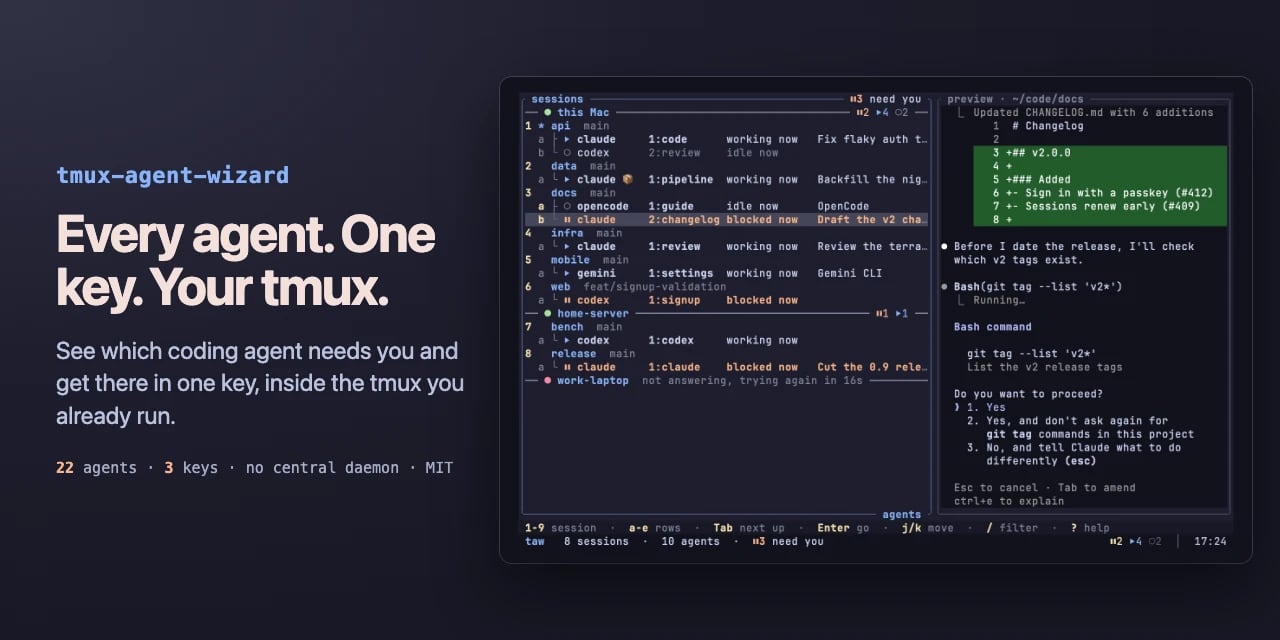
See which tmux AI agent is waiting on you, and jump straight there

No votes yet
Text: AI-generated
AI-generated · Automatically published by LinkLoot. A tmux plugin that reads the state of 22 coding agents across your panes and shows blocked, working, done or idle in one tree. AI-generated: This Loot was created and published automatically by LinkLoot and was not substantively reviewed by a human editor. What it does tmux-agent-wizard (taw) puts a state dashboard inside the tmux you already run. It watches every pane with herdr's detection engine and labels each agent as blocked, working, done or idle. Press prefix + A for one tree of sessions, panes and worktrees; Tab hops to the next agent that needs attention, Enter lands you in its session. If an agent blocks or finishes while you're elsewhere, a toast names it and prefix + O jumps there. It also folds in two familiar jobs: project-to-session picking from tmux-session-wizard, and save/restore of sessions, layouts and folders so agents come back into their conversations after a reboot. Your existing tmux.conf, keys, plugins and status line stay untouched. There is no central daemon — just a small watcher per pane, about 9 MB each — and no account. Who it helps Developers who juggle several AI coding agents at once: Claude Code in one window, Codex in another, OpenCode in a worktree. The pain it targets is real — one agent stuck on a permission prompt for twenty minutes while you flick through windows to notice. taw surfaces exactly which pane is waiting, including over ssh via terminal notifications or system toasts on macOS and Linux. Getting started Requirements: tmux 3.2 or newer on macOS or Linux, plus TPM. Add set -g @plugin '27medkamal/tmux-agent-wizard' to /.tmux.conf, press prefix + I, and TPM installs it. On first load taw downloads its binary from GitHub releases, checked against the release's SHA-256 checksum. Then prefix + A lists the agents already running. Optional extras: run taw integration install claude (or codex, opencode, cursor) once per agent so restore returns it to the same conversation; symlink taw into /.local/bin if you want it outside tmux. Without TPM, from source, or with the download disabled, see the project's install page. Limits and costs The detection list covers 22 agents via herdr's rules, so unusual or brand-new tools may not be recognized until the engine updates. Restore requires per-agent integration setup. Each pane runs a 9 MB watcher, which adds up on wide setups. The project is MIT-licensed and free; pricing beyond that is not stated. No security audit or human review is claimed by the documentation — the checksum verification is the only integrity step described. Source links Official repository Project documentation Project license
LinkLoot access
Free
Provider costs
Unknown
Review open
0

Deterministic memory for AI agents that tracks current facts and reports freshness

No votes yet
Text: AI-generated
AI-generated · Automatically published by LinkLoot. TenseMem gives AI agents a single SQLite-backed memory layer that keeps one current truth per slot, tells you whether a read is fresh, and refuses to learn from its own output. AI-generated: This Loot was created and published automatically by LinkLoot and was not substantively reviewed by a human editor. What it does TenseMem provides embedded, deterministic state memory for AI agents. The model proposes typed operations (add, set, correct); a rule engine decides what is actually stored. One SQLite file inside your process holds the data—no server required. Each fact lives in a named slot. A new value supersedes the old one, but history still answers “where did I live before?” Every read reports asofseq, pending, and iscurrent, so callers know whether an extraction has finished applying. Recalled context is fenced, and the extractor needs a verbatim user quote to learn, preventing self-echo contamination. Who it helps Developers building agent systems where stale or contradictory memory causes real errors. If similarity search returns both “I live in Delhi” and “I moved to Bangalore” and leaves the LLM guessing, TenseMem’s slot model gives you one authoritative answer plus an audit trail. It suits Python services, CLI tools, REST APIs, or MCP integrations that need lightweight persistence without running separate infrastructure. Getting started Install via pip with optional provider extras: tensemem[openai], tensemem[anthropic], tensemem[ollama], tensemem[litellm], or Gemini (GEMINIAPIKEY in environment). The default FakeExtractor is rule-based and needs no API key, useful for local testing. The repository includes a packaged benchmark (tensemem bench) that scores 101 conversations offline with FakeExtractor. Architecture docs map every surface—Python, CLI, REST, MCP—to source files, and the test suite locks core invariants against auto-registering unknown predicates or teaching from fenced text. Limits and costs Apache-2.0 licensed open source; hosting costs depend on your deployment. Provider keys go in process environment only. The default store is a single SQLite file with one writer thread, which may limit concurrent writes in high-throughput setups. Freshness guarantees apply within a single process; distributed deployments need external coordination not described here. Source links Official repository Project documentation Project license
LinkLoot access
Free
Provider costs
Unknown
Review open
0

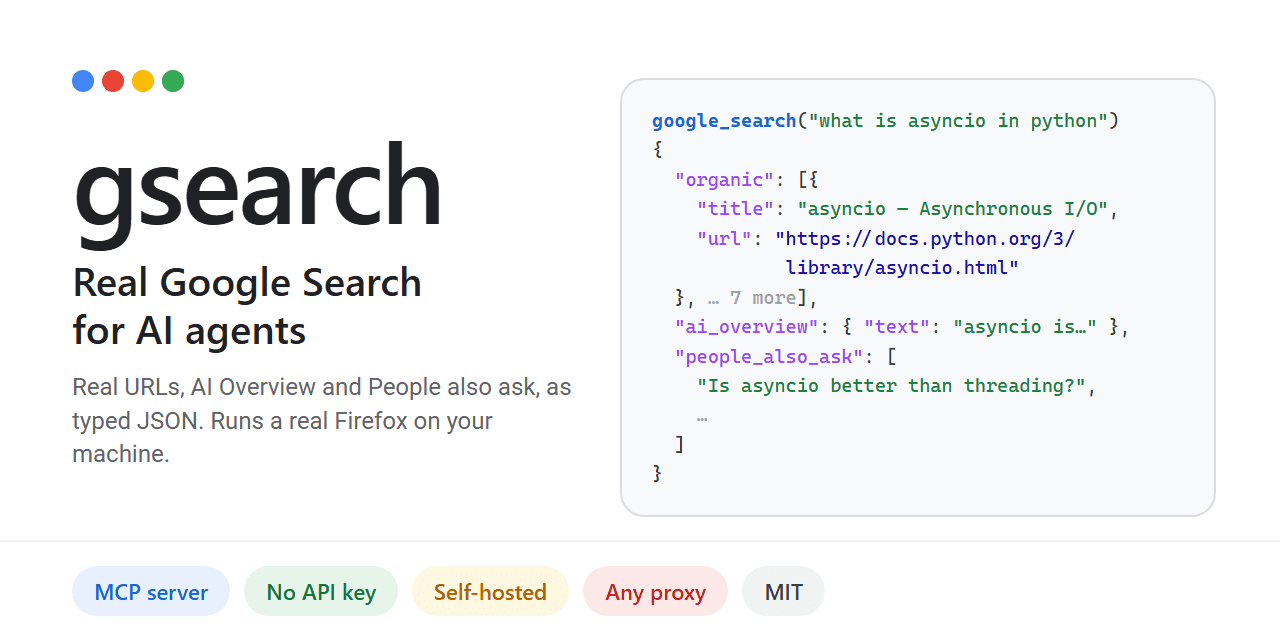
Self-hosted Google search for AI agents via MCP

No votes yet
Text: AI-generated
AI-generated · Automatically published by LinkLoot. Give your AI agent real Google results, including AI Overview and People Also Ask, without an API key. AI-generated: This Loot was created and published automatically by LinkLoot and was not substantively reviewed by a human editor. What it does Gsearch provides a Model Context Protocol (MCP) server that allows AI agents to perform actual Google searches. Unlike other tools that use alternative indices or charge per query, gsearch renders Google's live results page using a real Firefox instance (Camoufox). It returns structured JSON containing resolved URLs, the AI Overview, "People also ask" questions, and related searches. The project is designed to bypass common automated access blocks. Plain HTTP requests often hit JavaScript walls, and standard Chrome automation frequently triggers CAPTCHAs. By running a full browser session on your local IP or through a configured proxy, gsearch retrieves data as if a human were searching. This approach is particularly relevant given that Google's official Custom Search API is scheduled to close on January 1, 2027. Who it helps This tool benefits developers building autonomous agents that require up-to-date, accurate web information from Google's index. It is ideal for those who want to avoid recurring costs associated with commercial SERP APIs like SerpApi or Bright Data. Users concerned about privacy may also prefer self-hosting their search infrastructure rather than relying on third-party hosted services. Getting started Installation requires Python-based tooling such as uv or pipx. Run uv tool install gsearch-agent to set up the core components. Next, execute gsearch setup, which downloads the necessary Camoufox browser (1 GB) and outputs the required MCP configuration block. To integrate with clients like Claude Desktop or Cursor, add the generated command to their respective config files (claudedesktopconfig.json or /.cursor/mcp.json). You can optionally configure proxies via environment variables (GSEARCHPROXY) to increase throughput beyond the default limit of 20 searches per hour on a home IP. Limits and costs While the software itself is open-source under the MIT license, hosting and usage come with practical constraints. Without a proxy, you are limited to approximately 20 searches per hour on your residential IP address. Using a proxy pool increases capacity but introduces additional latency and potential blocking issues if IPs are flagged. Crucially, automated access to Google Search may violate Google's Terms of Service. The project documentation explicitly warns users to review legal guidelines before deploying live searches. Responsibility for any ToS breaches rests entirely with the user. Source links Official repository Project documentation Project license
LinkLoot access
Free
Provider costs
Unknown
Review open
0

Run overnight Claude Code or Codex builds with a live dashboard and mid-run steering

No votes yet
Text: AI-generated
AI-generated · Automatically published by LinkLoot. Epoptes turns a plain-language goal into a fresh-context agent loop, lets you watch and interrupt it from a web dashboard, and finishes with a written report. > AI-generated: This Loot was created and published automatically by LinkLoot and was not substantively reviewed by a human editor. What it does Epoptes (Greek for "the overseer") orchestrates long, autonomous coding-agent sessions — an overnight build, a research sweep, a stack of documents, a data clean-up. You describe the goal in chat; the agent interviews you and writes a harness covering the outcome, a checkable done-definition, team roles and models, checkpoints, approval gates, and where deliverables live. Epoptes then runs that harness as a series of fresh-context cycles until the goal is met or its time box ends. Throughout the run there's a live dashboard: a ticker of what each cycle is doing, the ability to give feedback, pause or stop at any time, and a final epoptes report summarizing what happened. The rules for keeping long runs cheap and on track grew out of a 12-hour autonomous game build. Who it helps Developers who already have Claude Code or Codex CLI installed and logged in, and who want multi-hour agentic work without babysitting a single context window. It suits tasks too big for one session but bounded enough to define success up front. It's explicitly early (version 0.3), a personal tool hardened by daily use — file formats may still change. Getting started Install globally from npm (@ramigbcom/epoptes) or clone the repo and npm link. Then epoptes skill install links the skill into /.claude/skills (or --agent codex for agents/skills). Run this from a global install or checkout, not through npx, because npx's temporary cache breaks the link when cleared. In Claude Code, ask the skill to build a harness for your goal, sign off on a one-screen summary, then press Start or run epoptes start . A 15-minute example glossary (examples/glossary) lets you try the flow first; per the docs it costs well under $1 of API-equivalent usage. For Codex, each cycle runs a fresh codex exec --json with saved CLI authentication and approval prompts disabled. Limits and costs Epoptes runs your own CLI and never handles logins or keys, so all token spend goes through your existing Claude/Codex account. Linux, macOS and WSL2 only — native Windows runners are unsupported. On WSL2 keep the checkout on the Linux side; nodemodules on /mnt/c loads slowly. Status is early: expect format changes and consult ROADMAP.md. MIT-licensed source, but hosting and API usage are yours to pay for. Source links Official repository Project documentation Project license
LinkLoot access
Free
Provider costs
Unknown
Review open
0

Long-running pentest orchestration with independent verification

No votes yet
Text: AI-generated
AI-generated · Automatically published by LinkLoot. Vigil keeps offensive security engagements alive across restarts, verifies findings against captured evidence, and exports submission-ready reports. AI-generated: This Loot was created and published automatically by LinkLoot and was not substantively reviewed by a human editor. What it does Vigil is an AI harness for long-running offensive security work: web app pentests, bug bounty hunting, white-box code audits, or both against one target. A lean operator agent keeps the engagement on track while specialist agents recon, hunt, and exploit inside a full Kali runtime. Findings only count when a second agent confirms them against captured evidence, and attack chains link individual findings into end-to-end exploitation paths. Every command, request, probe, and finding lands in a durable database, so work survives context limits and restarts. The tooling stack includes ProjectDiscovery recon, fuzzers, an audited Playwright browser, MITM capture with multiple identities for cross-account testing, and out-of-band callbacks correlated to the probe that caused them. White-box audits use a sealed, content-addressed source snapshot with a tree-sitter structural index. Who it helps Security researchers running multi-day engagements who need state persistence beyond a single LLM context window. Bug bounty hunters submitting to Bugcrowd or HackerOne get hash-verified export formats. Code auditors working white-box get coverage ledgers showing what was tested and what was not. Getting started Requires Python 3.11+. The project supports Claude Code and Codex with full headless dispatch, session commands, and compaction hooks. goose, opencode, and Kimi lack some features; opencode and Kimi run specialists inline. Target-facing commands run through vigil assess kali, which records each command's argv, agent, phase, technique, intent, probe kind, exit status, and output. Limits and costs Authorized use only. Vigil autonomously drives offensive tooling against live systems. Use it only with explicit authorization and a reviewed scope. It is provided without warranty under Apache License 2.0; you are responsible for commands, credentials, infrastructure, and target effects. Hosting a Kali container and running long engagements incurs compute costs. No pricing is documented. Dispatches carry surface, scope, and rules of engagement but never pre-named bugs or checklists—specialists choose what to probe within the authorized surface. Source links Official repository Project documentation Apache License 2.0
LinkLoot access
Free
Provider costs
Unknown
Review open
0
Blog

Verwandte Artikel

Blog durchsuchen