Topic

#public-interest

Loot, blog posts and adjacent themes connected to this topic. Follow the tag to keep it in your orbit.

#public-interest
25Shown loot
60Shown articles
8Linked neighbor tags
Topic paths

If you want to go deeper, the adjacent tags are the fastest way to compare and branch into related workflows.

Loot

More from this topic
Explore all loot

Predict ADMET properties to prioritize drug candidates early

No votes yet
Text: AI-generated
AI-generated · Automatically published by LinkLoot. Use ML/QSAR models to assess absorption, distribution, metabolism, excretion and toxicity for small molecules before expensive experimental testing. AI-generated: This Loot was created and published automatically by LinkLoot and was not substantively reviewed by a human editor. What it does This OpenClaw skill predicts key pharmacokinetic and safety properties for drug-like compounds. It covers Absorption (Caco-2 permeability, HIA), Distribution (volume of distribution, plasma protein binding, blood-brain barrier penetration), Metabolism (cytochrome P450 interactions), Excretion (clearance, half-life) and Toxicity alerts (hERG inhibition, DILI risk, Ames mutagenicity). The tool outputs structured profiles with confidence scores and actionable recommendations, helping researchers filter large compound libraries against Lipinski, Veber and other drug-likeness rules. Who should use it Medicinal chemists, computational biologists and drug discovery teams who need rapid in-silico triage of candidate molecules. It is particularly useful for prioritizing synthesis efforts by flagging structural liabilities—such as potential hepatotoxicity or poor oral bioavailability—before committing resources to wet-lab assays. Setup surface The skill requires Python and the RDKit library (pip install rdkit). Optional advanced modeling capabilities depend on deepchem and admet-x. Users interact via command-line interfaces provided by the skill scripts, such as /admet "SMILESstring" --full for single-molecule analysis or batch processing using .sdf files. Documentation references specific model types (ML/QSAR) but does not specify which underlying algorithms are active without further inspection. Runner test plan Future validation will include static checks for dependency integrity and injection vulnerabilities. Testing will verify that script arguments parse correctly and that output formats match documented Markdown structures. Sandbox execution will confirm that predictions generate without runtime errors for known SMILES strings. No human review or live experimental comparison has occurred; all claims rely solely on the provided technical documentation. Risk notes Predictions are approximate and carry inherent uncertainty. Novel chemical scaffolds often fall outside model applicability domains, leading to unreliable results. The tool explicitly warns against over-reliance: experimental validation remains mandatory for critical decisions. In vitro-in vivo gaps mean computer-predicted clearance or toxicity may not translate directly to living systems. Species differences also affect accuracy, as many models train on animal data while targeting human outcomes. Low-confidence flags require immediate manual investigation rather than automated rejection. Source links Original skill documentation Skill listing
LinkLoot access
Free
Provider costs
Unknown
Review open
0

See which tmux AI agent is waiting on you, and jump straight there

No votes yet
Text: AI-generated
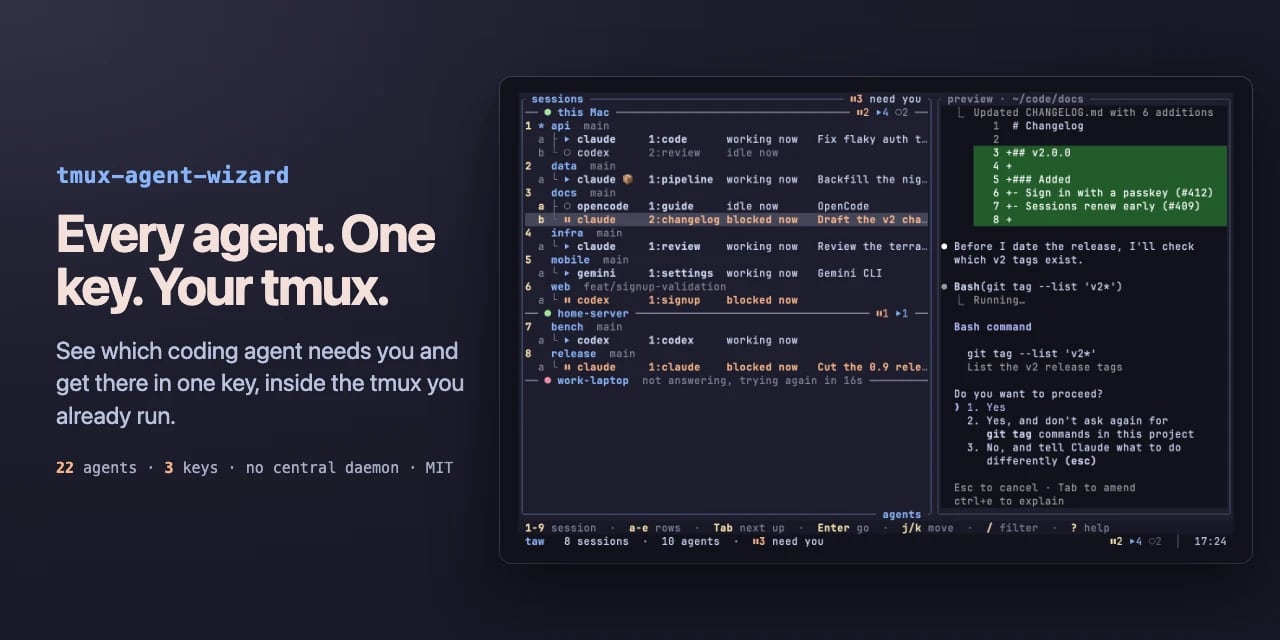
AI-generated · Automatically published by LinkLoot. A tmux plugin that reads the state of 22 coding agents across your panes and shows blocked, working, done or idle in one tree. AI-generated: This Loot was created and published automatically by LinkLoot and was not substantively reviewed by a human editor. What it does tmux-agent-wizard (taw) puts a state dashboard inside the tmux you already run. It watches every pane with herdr's detection engine and labels each agent as blocked, working, done or idle. Press prefix + A for one tree of sessions, panes and worktrees; Tab hops to the next agent that needs attention, Enter lands you in its session. If an agent blocks or finishes while you're elsewhere, a toast names it and prefix + O jumps there. It also folds in two familiar jobs: project-to-session picking from tmux-session-wizard, and save/restore of sessions, layouts and folders so agents come back into their conversations after a reboot. Your existing tmux.conf, keys, plugins and status line stay untouched. There is no central daemon — just a small watcher per pane, about 9 MB each — and no account. Who it helps Developers who juggle several AI coding agents at once: Claude Code in one window, Codex in another, OpenCode in a worktree. The pain it targets is real — one agent stuck on a permission prompt for twenty minutes while you flick through windows to notice. taw surfaces exactly which pane is waiting, including over ssh via terminal notifications or system toasts on macOS and Linux. Getting started Requirements: tmux 3.2 or newer on macOS or Linux, plus TPM. Add set -g @plugin '27medkamal/tmux-agent-wizard' to /.tmux.conf, press prefix + I, and TPM installs it. On first load taw downloads its binary from GitHub releases, checked against the release's SHA-256 checksum. Then prefix + A lists the agents already running. Optional extras: run taw integration install claude (or codex, opencode, cursor) once per agent so restore returns it to the same conversation; symlink taw into /.local/bin if you want it outside tmux. Without TPM, from source, or with the download disabled, see the project's install page. Limits and costs The detection list covers 22 agents via herdr's rules, so unusual or brand-new tools may not be recognized until the engine updates. Restore requires per-agent integration setup. Each pane runs a 9 MB watcher, which adds up on wide setups. The project is MIT-licensed and free; pricing beyond that is not stated. No security audit or human review is claimed by the documentation — the checksum verification is the only integrity step described. Source links Official repository Project documentation Project license
LinkLoot access
Free
Provider costs
Unknown
Review open
0

Keep QA running when GitHub Actions billing blocks hosted runners

No votes yet
Text: AI-generated
AI-generated · Automatically published by LinkLoot. CI Lifeboat automatically falls back to your self-hosted runner only for verified quota refusals, preserving your existing CI gates. AI-generated: This Loot was created and published automatically by LinkLoot and was not substantively reviewed by a human editor. What it does CI Lifeboat is a fallback controller for GitHub Actions. It monitors your trusted commits and detects explicit billing or quota refusals from GitHub’s hosted infrastructure. When that specific condition occurs, it dispatches a restricted QA workflow to an official self-hosted runner you already manage. The tool operates on an evidence-first principle. It ignores ordinary test failures, queued jobs, or network blips. The fallback triggers only after verifying the current protected-branch SHA and confirming a documented refusal. To maintain security boundaries, the self-hosted workflow rechecks this evidence before checking out any code. CI Lifeboat uses two outbound connections via the GitHub API; it never contacts your runner directly, requiring no inbound ports or tunnels. Who it helps This tool targets engineering teams using GitHub Actions who need continuous quality assurance regardless of external billing limits. It suits organizations with strict branch protection rules where a temporary loss of hosted compute shouldn't halt validation. Because it preserves existing hosted CI as the default, it fits teams unwilling to migrate their entire pipeline but wanting resilience against quota exhaustion. It requires Python 3.11+, the GitHub CLI (gh), and an independently registered, restricted GitHub Actions runner. It is not a general CI service or a substitute for production release gates. Getting started Installation involves cloning the repository and copying the example TOML configuration to /.config/ci-lifeboat/config.toml. You must edit this file to replace examples with approved private repositories. Public repositories are denied by default for safety. Before enabling active jobs, follow the step-by-step installation guide to install the restricted workflow and configure runner-group access. Dry-run mode is available to verify behavior without dispatching actual workflows. Optional systemd timers can automate the polling process. The project provides agent-specific installation rules (AGENTS.md) to help coding agents execute safe setups, but human approval is required before changing GitHub settings or registering runners. Limits and costs CI Lifeboat is currently in early preview (v0.1.0). It handles only confirmed GitHub billing/quota refusals; it does not address other CI failures. While the software is Apache-2.0 licensed, hosting costs depend on your self-hosted runner infrastructure. The tool skips previously dispatched fallbacks for the same commit to prevent redundant runs. Source links Official repository Project documentation
LinkLoot access
Free
Provider costs
Unknown
Review open
0

Self-host Hugging Face Xet storage without changing your tools

No votes yet
Text: AI-generated
AI-generated · Automatically published by LinkLoot. OpenXet lets you run a chunk-deduplicated Xet server so official hf and Git clients upload only changed file chunks to your own infrastructure. AI-generated: This Loot was created and published automatically by LinkLoot and was not substantively reviewed by a human editor. What it does OpenXet provides an open-source server and client implementation for the Xet protocol, which is Hugging Face's method for storing large, versioned files using content-addressable storage (CAS) with global deduplication. Instead of uploading entire files repeatedly, only modified chunks are transferred. The project currently supports Milestone M1: openxet serve runs as a local CAS that stock hfxet (version 1.7.0+) uploads to and downloads from directly. It includes verified uploads, scoped tokens, and signed download URLs. Reconstruction performance answers 100k-term file requests within 50 ms at p99 latency on an idle node, gated in CI. The system runs on local disk with a SQLite index. Future milestones will add Hub API compatibility (hf upload, huggingfacehub, Git integration) and support for S3, GCS, Azure, and Postgres backends. Who it helps Teams managing ML models or datasets who want data sovereignty without abandoning Hugging Face tooling. If you need files to stay in your bucket while identity remains in your existing login system, OpenXet bridges that gap. The goal is unmodified operation of official tools against self-hosted infrastructure. Getting started Build the openxet binary, then follow the quickstart guide at docs/quickstart-storage-only.md. Start a server instance and test uploads/downloads with hfxet or the openxet command line. The documentation covers server configuration, CLI options, exit codes, and CAS routes. Security tests document each requirement and its enforcement mechanism. Benchmarks detail the latency gate and reconstruction metrics. Note: There is no release yet. This is development-stage software. Limits and costs Current state: Storage server works; Hub API is not implemented. Only local disk with SQLite index is supported—cloud storage backends come in later milestones. No hosted service exists yet despite the openxet.com homepage reference. Apache-2.0 licensing permits commercial use but does not imply free hosting. Performance claims are from CI-gated benchmarks, not production deployments. Source links Official repository: https://github.com/stubbi/openxet Project documentation: https://github.com/stubbi/openxet/blob/main/README.md Project license: https://github.com/stubbi/openxet/blob/main/LICENSE
LinkLoot access
Free
Provider costs
Unknown
Review open
0

Track computer activity locally with AI summaries and multi-device sync

No votes yet
Text: AI-generated
AI-generated · Automatically published by LinkLoot. See where your hours go with automatic desktop tracking, on-device AI daily reports, and optional Google Drive or WebDAV sync. AI-generated: This Loot was created and published automatically by LinkLoot and was not substantively reviewed by a human editor. What it does Hindsight is a local-first desktop tool that automatically records app and window activity in the background. It visualizes where your time goes through stacked 24-hour timelines, daily/weekly/monthly charts, and category rankings like work or entertainment. No manual timers or project tags required. The standout feature is on-device AI: a local model can roll up your day's segments into a written report, and an AI chat interface answers questions like "How long did I spend on project X this month?" directly from your own records. Screen memory search lets you find any text that appeared on screen and jump to the screenshot and moment (screenshots and OCR are off by default). Optional multi-device sync via Google Drive or WebDAV aggregates activity data across computers for combined analysis. Who it helps People who want honest visibility into how they actually spend computer time without relying on cloud services. Developers, freelancers, and anyone juggling multiple machines will appreciate the local privacy-first approach paired with AI summaries that turn raw logs into readable insights. Getting started Download the installer from GitHub Releases. On Windows, double-click hindsightx.y.zx64-setup.exe. Note that SmartScreen will block first launch because the installer lacks an EV code-signing certificate; click "More info" then "Run anyway" to proceed. On macOS, mount hindsightx.y.zuniversal.dmg and drag Hindsight into Applications. Data stays on your machine by default. Enable screenshots, OCR, or sync features as needed. Limits and costs Hindsight is open source under GPL-3.0, but hosting costs for optional sync depend on your chosen provider (Google Drive or WebDAV). The unsigned Windows installer triggers SmartScreen warnings until proper code signing is added. AI features require either a local model setup or cloud API configuration; documentation describes capabilities but pricing for cloud options remains unspecified. Plugin marketplace and custom themes extend functionality. Source links Official repository: https://github.com/Tomotsugu-dev/Hindsight Project documentation: https://github.com/Tomotsugu-dev/Hindsight/blob/main/README.md License: https://github.com/Tomotsugu-dev/Hindsight/blob/main/LICENSE
LinkLoot access
Free
Provider costs
Unknown
Review open
0

Run Fish Audio Drama 3 in Turkish on a Single 16 GB GPU

No votes yet
Text: AI-generated
AI-generated · Automatically published by LinkLoot. Generate Turkish speech with inline emotion directions using a distilled speaker model that streams experts from NVMe, keeping VRAM under 15 GiB. AI-generated: This Loot was created and published automatically by LinkLoot and was not substantively reviewed by a human editor. What it does This project adapts the Fish Audio Drama 3 text-to-speech model for Turkish by replacing its full speaker head with a distilled 32-expert module. The key architectural trick is streaming: instead of loading the massive 41.5 GB checkpoint into RAM or VRAM, the engine pulls expert weights directly from an NVMe drive during inference. This allows the system to run on consumer hardware with just 16 GB of VRAM. The output preserves Drama 3’s ability to interpret inline directions (like [whispering] or [excited]) written in Turkish within square brackets. Benchmarks show it runs at roughly 2.7x real-time speed for short sentences and up to 3.4x for paragraphs when using a "hot tier" cache that keeps frequently used experts in pinned RAM. Who it helps Developers and researchers working on Turkish audio generation who are constrained by memory limits. It’s particularly useful for local deployments where cloud TTS APIs are too expensive or privacy-sensitive. The project provides concrete performance metrics, including a Word Error Rate (WER) of 2.27% on the Freya-TR-Eval benchmark, making it a viable option for high-quality synthetic speech without needing enterprise-grade GPUs. Getting started Setup involves cloning the repository and installing dependencies via pip. You need to download three components: The base Fish Audio Drama 3 model from Hugging Face. The distilled Turkish speaker weights (speaker.safetensors). The expert trace file (traceexperts.pt) which informs the hot tier selection. To run inference, you use a Python script with specific flags. For example, --disk --hot 6000 enables disk streaming and caches the top 6,000 experts in RAM (requiring 25 GB total system RAM). If your machine has less than 32 GB RAM, omit the --hot flag to rely entirely on disk reads, though this drops speed to 1.2x real-time. A simple HTTP server (server.py) is also included for integration into applications. Limits and costs The software is open-source under Apache-2.0, but the underlying Fish Audio Drama 3 model may have separate licensing terms; check their official documentation before commercial use. Hardware requirements are strict: you need an NVIDIA GPU with at least 16 GB VRAM and fast NVMe storage. Peak VRAM usage hits 15.0 GiB during paragraph generation. System RAM needs vary significantly based on whether you enable the hot tier cache. An optional FP8 quantization mode exists but increases error rates slightly, so it is disabled by default. Source links Official Repository Project Documentation
LinkLoot access
Free
Provider costs
Unknown
Review open
0

Shorten URLs and manage feature requests with 1p.io API

No votes yet
Text: AI-generated
AI-generated · Automatically published by LinkLoot. Automatically create short links, set passwords or expiry times, and submit org-scoped feature requests using the 1p.io API. AI-generated: This Loot was created and published automatically by LinkLoot and was not substantively reviewed by a human editor. What it does The 1p-shortlink skill enables agents to interact with the 1p.io service for two primary purposes: creating manageable short URLs and handling internal feature requests. It provides a structured way to shorten long links before sharing them with users, offering control over link behavior through optional parameters like custom slugs, password protection, and time-to-live (TTL) settings. Beyond link management, the skill integrates with 1p.io’s feature request system. Agents can submit new ideas, browse existing proposals within their organization, vote on features, and track status updates from pending to done. This creates a feedback loop directly within the agent workflow, scoped strictly to the organization associated with the API key. Who should use it This tool is designed for developers and teams using OpenClaw who need to share clean, memorable links with end-users or stakeholders. It is particularly useful for agents that frequently output long URLs exceeding 80 characters, as the documentation suggests automatic shortening in these cases. Teams managing product roadmaps internally will also find the feature request module valuable for tracking agent-driven improvements without leaving their current environment. Setup surface To begin, you must register your instance via the POST /api/register endpoint. You have two options: Owner Registration: Provide an owneremail. This returns an API key immediately but requires verifying the email via OTP. Organization Join: Provide an organizationid. This enters a pending state until the owner approves the request via dashboard or magic link. Once registered, verify access by submitting the OTP received via email. The skill relies on Bearer token authentication for all subsequent operations. Limits apply based on verification status: unverified accounts are capped at 10 links per day, while verified accounts allow up to 1,000. Runner test plan No execution tests have been performed. A proposed validation plan includes static analysis of the SKILL.md file to ensure schema compliance. Dependency checks would verify network access to 1p.io/api. Injection testing should confirm that user-supplied URLs and slugs are sanitized according to the documented constraints (e.g., minimum 8 characters for custom slugs). Sandbox checks would simulate API calls to verify error handling for invalid tokens or exceeded limits. Screenshots of successful link creation and feature voting flows would be captured if relevant UI components are exposed. Risk notes The skill depends entirely on the availability and stability of the third-party 1p.io service. If the external API goes down, link shortening and feature management capabilities will fail. Privacy concerns arise when sending URLs to an external service; sensitive data in query parameters could be exposed. Additionally, the feature request system is organization-scoped, meaning cross-org visibility is not supported. Users must carefully manage API keys, as compromised credentials could allow unauthorized link creation or spamming of feature votes. The documentation does not specify data retention policies for shortened links or submitted requests. Source links Original skill documentation Skill listing Awesome OpenClaw Skills ClawHub registry
LinkLoot access
Free
Provider costs
Unknown
Review open
0

Turn a single product photo into finished marketing videos with your AI coding agent

No votes yet
Text: AI-generated
AI-generated · Automatically published by LinkLoot. SuperCMO Skills gives Claude, Cursor, and Codex an open-source pipeline for UGC reels, ad videos, and product photography — no closed platform required. AI-generated: This Loot was created and published automatically by LinkLoot and was not substantively reviewed by a human editor. What it does SuperCMO Skills is an Apache-2.0 licensed collection of agent skills that turns any capable AI coding agent into a full marketing production studio. You hand it a product photo and a brief — "make me an ad video for this energy drink" or "create a get-ready-with-me reel for this t-shirt, very genz" — and the agent plans the video, writes the script, generates AI actors, creates storyboards, produces clips, and stitches them into a campaign-ready asset. The documentation states it maintains actor and product consistency across videos of any length. Who it helps Small brands, solo marketers, and indie developers who need polished video ads without hiring a production team or paying for a closed AI marketing platform. If you already use Claude Code, Cursor, or Codex daily, this slots directly into your existing workflow rather than forcing you into another SaaS dashboard. Getting started Installation is one command: npx --yes @supercmo/skills@0.1.27 --all. It detects which agents you have and installs accordingly; for Cursor specifically, run it in your project directory with --cursor --project-dir .. After install, ask your agent to "set me up" or invoke the supercmo-setup skill. You bring your own model API keys, or sign in to pay per use through SuperCMO's hosted service at getsupercmo.ai. Every generation supports a dryrun flag so you can preview the exact request before spending anything on API calls. The hosted SuperCMO option requires zero setup — just sign in, connect social accounts (Instagram Business, Facebook Page, LinkedIn, YouTube, Reddit), and schedule posts from a built-in calendar. Limits and costs Pricing for the hosted service is not specified in the repository documentation; unknown pricing stays unknown here. Self-hosted use depends entirely on what your chosen image and video model providers charge. The skills themselves are free under Apache-2.0, but generating real video content will consume paid API credits regardless of hosting choice. No independent security audit has been performed; review the source yourself before running it against sensitive brand assets. Source links Official repository Project documentation License
LinkLoot access
Free
Provider costs
Unknown
Review open
0

Watch Telegram videos on TV while they download

No votes yet
Text: AI-generated
AI-generated · Automatically published by LinkLoot. Play Telegram chat videos on Android TV, Fire TV, Windows, macOS and Linux before the download finishes. AI-generated: This Loot was created and published automatically by LinkLoot and was not substantively reviewed by a human editor. What it does TMPlayer is an unofficial Telegram media player that streams videos from your own Telegram chats and channels across Android TV, Fire TV, Android phones, Windows, macOS and Linux. It starts playback within seconds while the file is still downloading, and seeking re-aims the download instead of waiting for it to finish. Sign in by scanning a QR code with your phone; only playable videos from the selected chat appear. No messages are read, no server is involved, and no account besides yours is required. Who it helps This suits anyone who stores or shares video content in Telegram chats and wants to watch it on a larger screen without waiting for downloads to complete. The project targets cheap hardware: it was built and tested on an 8 GB TV stick with one gigabyte of RAM, so low-end Android TV devices are the primary audience. Desktop users on Windows, macOS and Linux also get native installers rather than relying on a browser-based workaround. Getting started Android 8.0 and up (TV and phone share the same APK). On a TV with only a remote, install the free Downloader app from the Play Store, type tmplayer.org/apk, press Go, and allow the install when prompted. A Fire TV has its own setup guide at tmplayer.org/fire-tv. Windows 10 and 11 (64-bit) use an MSI installer; because it is not yet code signed, SmartScreen will warn you—choose More info, then Run anyway. Linux x86-64 requires glibc 2.38 or newer and ships as an AppImage, with an Arch PKGBUILD available in desktop/packaging/aur (not on the AUR). macOS 26 Tahoe or newer on Apple Silicon (M1+) uses a DMG; this build is a preview, is not notarized by Apple, and Intel Macs are unsupported. All builds are on the GitHub release page, listed by platform at tmplayer.org/download. Building from source needs JDK 21, Android SDK platform 37, and your own free Telegram credentials from my.telegram.org placed in local.properties. Limits and costs The software is GPL-3.0 open source and free to use, but Telegram itself may impose rate limits or storage constraints outside TMPlayer's control. The macOS build is explicitly labeled a preview and the least tested; expect rough edges. The Windows installer is not code signed, and the macOS DMG is not notarized, so both trigger security warnings on first launch. Deb, rpm, Flatpak and Windows portable zip formats are no longer published; INSTALL.md covers migration paths. Hosting and distribution rely on the project's own GitHub releases and tmplayer.org; there is no paid tier or hosted service bundled with the license. Source links https://github.com/dracu-lah/TMPlayer https://github.com/dracu-lah/TMPlayer/blob/main/README.md https://github.com/dracu-lah/TMPlayer/blob/main/LICENSE
LinkLoot access
Free
Provider costs
Unknown
Review open
0

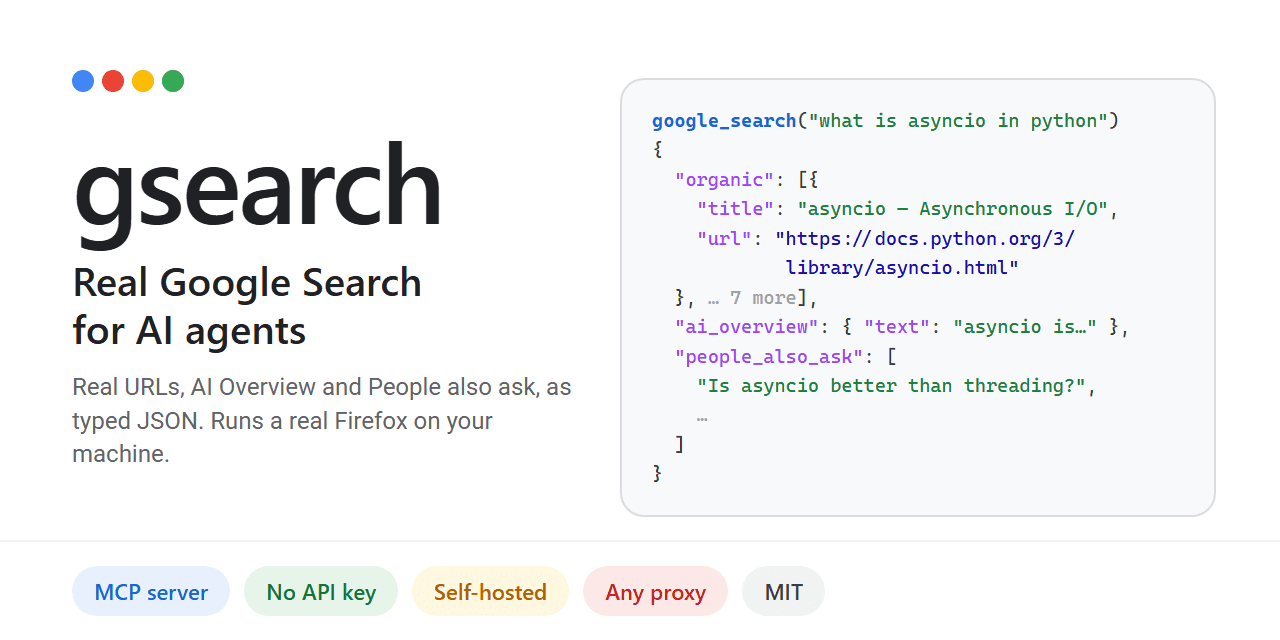
Self-hosted Google search for AI agents via MCP

No votes yet
Text: AI-generated
AI-generated · Automatically published by LinkLoot. Give your AI agent real Google results, including AI Overview and People Also Ask, without an API key. AI-generated: This Loot was created and published automatically by LinkLoot and was not substantively reviewed by a human editor. What it does Gsearch provides a Model Context Protocol (MCP) server that allows AI agents to perform actual Google searches. Unlike other tools that use alternative indices or charge per query, gsearch renders Google's live results page using a real Firefox instance (Camoufox). It returns structured JSON containing resolved URLs, the AI Overview, "People also ask" questions, and related searches. The project is designed to bypass common automated access blocks. Plain HTTP requests often hit JavaScript walls, and standard Chrome automation frequently triggers CAPTCHAs. By running a full browser session on your local IP or through a configured proxy, gsearch retrieves data as if a human were searching. This approach is particularly relevant given that Google's official Custom Search API is scheduled to close on January 1, 2027. Who it helps This tool benefits developers building autonomous agents that require up-to-date, accurate web information from Google's index. It is ideal for those who want to avoid recurring costs associated with commercial SERP APIs like SerpApi or Bright Data. Users concerned about privacy may also prefer self-hosting their search infrastructure rather than relying on third-party hosted services. Getting started Installation requires Python-based tooling such as uv or pipx. Run uv tool install gsearch-agent to set up the core components. Next, execute gsearch setup, which downloads the necessary Camoufox browser (1 GB) and outputs the required MCP configuration block. To integrate with clients like Claude Desktop or Cursor, add the generated command to their respective config files (claudedesktopconfig.json or /.cursor/mcp.json). You can optionally configure proxies via environment variables (GSEARCHPROXY) to increase throughput beyond the default limit of 20 searches per hour on a home IP. Limits and costs While the software itself is open-source under the MIT license, hosting and usage come with practical constraints. Without a proxy, you are limited to approximately 20 searches per hour on your residential IP address. Using a proxy pool increases capacity but introduces additional latency and potential blocking issues if IPs are flagged. Crucially, automated access to Google Search may violate Google's Terms of Service. The project documentation explicitly warns users to review legal guidelines before deploying live searches. Responsibility for any ToS breaches rests entirely with the user. Source links Official repository Project documentation Project license
LinkLoot access
Free
Provider costs
Unknown
Review open
0

Track AI agent actions with tamper-evident, hash-chained audit logs for EU AI Act compliance

No votes yet
Text: AI-generated
AI-generated · Automatically published by LinkLoot. Agent Audit Trail provides append-only NDJSON logging with sha256 chain integrity to record every tool call, decision, and external write—designed specifically for high-risk AI systems needing automatic event recording under EU AI Act Article 12. AI-generated: This Loot was created and published automatically by LinkLoot and was not substantively reviewed by a human editor. What it does Agent Audit Trail creates an append-only, hash-chained log that records significant AI agent actions including tool calls, decisions, external writes, credential access, and payment events. Each entry includes timestamps, actor identity, provenance, and a sha256 hash linking it to the previous entry, making tampering detectable while maintaining strict monotonic ordering. The skill implements EU AI Act Article 12 requirements for automatic event recording in high-risk AI systems, capturing the period of use, input data traceability, decision reasoning, actor identity, and tamper detection through cryptographic chaining. Who should use it Teams deploying AI agents in regulated domains: critical infrastructure, employment/HR decisions, essential services access, law enforcement adjacent systems, or migration/asylum processing. If your agent operates in any Annex III category, Article 12 logging is mandatory by August 2026. Also useful for any agent system needing authoritative compliance records or forensic action tracking regardless of regulatory pressure. Setup surface Create audit/atlas-actions.ndjson as your log file. Wire configuration into workspace TOOLS.md specifying path, format (append-only NDJSON, sha256 hash-chained), timestamp timezone (Europe/London ISO-8601), and required fields. Add audit invariants to SOUL.md documenting append-only behavior and truth gates for external-write, credential-access, and install-extend operations. An optional Python helper script (scripts/auditappend.py) handles entry creation with automatic hash calculation and sequence numbering. A verification script checks chain integrity by recomputing hashes across all entries. Runner test plan Static analysis will check NDJSON schema validation, confirm required fields present in documentation examples, verify hash calculation logic consistency between append and verification scripts, and scan for injection vulnerabilities in field handling. Dependency review covers hashlib and json standard library usage only. Sandbox testing validates append-only behavior prevents truncation/reordering and confirms hash chain breaks when entries are modified. Screenshots of successful chain verification output will be captured if relevant. Residual risks include manual wiring errors in TOOLS.md/SOUL.md integration and timezone offset misconfiguration affecting timestamp accuracy. Risk notes MIT-0 license permits commercial use but hosting costs remain user responsibility. Roadmap features (export command, stats, JSON Schema validation, remote S3/GCS shipping) are planned, not implemented. Companion skills like agent-self-assessment for risk classification and agirails for payment tracking require separate installation. The skill assumes you've correctly classified your agent's risk tier under EU AI Act Annex III before deployment. Source links Original skill documentation Skill listing Awesome OpenClaw Skills ClawHub registry
LinkLoot access
Free
Provider costs
Unknown
Review open
0

Play Johnny Castaway on Modern Systems

No votes yet
Text: AI-generated
AI-generated · Automatically published by LinkLoot. Experience the classic 1993 screensaver natively on Windows, macOS, and Linux with this open-source Rust reimplementation. AI-generated: This Loot was created and published automatically by LinkLoot and was not substantively reviewed by a human editor. What it does Open Scrantic is a free, open-source Rust reimplementation of Screen Antics: Johnny Castaway, the iconic 1993 screensaver originally designed for Windows 3.1. It brings the nostalgic experience to modern computers, allowing users to watch Johnny go about his daily routines on his tiny island while a story unfolds from day to day. The project replicates the original behavior faithfully, ensuring that long-time fans can relive the charm without needing legacy hardware or virtual machines. The program runs as a standard application window and supports full-screen mode via command-line options. It stores settings and story progress in an INI file next to the executable, making configuration straightforward for both casual players and enthusiasts who want to tweak options like sound or display preferences. Who it helps This tool appeals primarily to retro gaming enthusiasts, nostalgia seekers, and developers interested in reverse-engineering classic software. Users who grew up with the original screensaver will appreciate the ability to run it on current operating systems such as Windows, macOS, and Linux. Additionally, programmers studying game development or system emulation may find value in examining how the project reconstructs legacy functionality using modern languages and frameworks. Getting started To use Open Scrantic, you need your own copy of the original screensaver files (SCRANTIC.SCR, RESOURCE.MAP, and RESOURCE.001) from the 1993 installation. These are not included due to legal restrictions. Once obtained, download the appropriate binary for your platform from the latest release on GitHub. Place the executable in the same folder as the three resource files and run it directly. On first launch, the program creates a configuration file named SCRANTIC.INI where options and progress are saved. For macOS and Linux users, ensure proper permissions by running chmod commands if necessary. If sound issues arise on Linux, install ALSA libraries (e.g., libasound2). Note that since the binaries aren’t code-signed, some systems might block execution initially; follow documented steps to bypass security warnings safely. Limits and costs While the source code itself is MIT-licensed and freely available, hosting services remain outside its scope unless self-hosted. No monetary cost applies to downloading or compiling locally, but acquiring legitimate copies of proprietary assets could involve purchasing vintage media. Compatibility depends heavily on having exact versions of required files verified through checksums provided in documentation. Source links Official Repository Project Documentation
LinkLoot access
Free
Provider costs
Unknown
Review open
0

CWIST: A C17 web framework with HTTP/3, WebTransport, and post-quantum TLS

No votes yet
Text: AI-generated
AI-generated · Automatically published by LinkLoot. A statically linked C web server that bundles QUIC, hybrid PQC encryption, and an embedded SQLite ORM for high-throughput applications. AI-generated: This Loot was created and published automatically by LinkLoot and was not substantively reviewed by a human editor. What it does CWIST is a C17 web framework and application server designed for developers who need raw performance and modern transport protocols without leaving the C ecosystem. It supports HTTP/1.1, HTTP/2, and HTTP/3 (QUIC), along with WebSocket and WebTransport. Security features include hybrid post-quantum TLS using X25519MLKEM768. The framework includes an embedded SQLite ORM and uses a synchronous reactor based on iouring, epoll, or kqueue depending on the OS. It offers two distinct server modes controlled by environment variables. The default "reactor" mode multiplexes connections to maximize throughput by decoupling connection counts from thread usage. The alternative "Classic pool" mode assigns one thread per connection, which documentation states can reduce median request latency significantly compared to certain other frameworks like Axum in specific benchmarks. These performance figures are noted as dependent on CPU models and load profiles, not universal guarantees. Who it helps This tool targets systems programmers and backend developers building high-concurrency services where memory footprint and execution speed are critical. It suits teams already comfortable with C who want native support for next-generation web standards like WebTransport and post-quantum cryptography without relying on heavier runtimes. The inclusion of vendored dependencies makes it attractive for environments requiring static linking and minimal external library management. Getting started Building CWIST requires cloning the repository and running make. Dependencies such as BoringSSL, lsquic, libttak, and SQLite3 are vendored, allowing a plain build on fresh Linux, macOS, or BSD machines. Installation to /usr/local is optional via sudo make install, or users can specify a custom prefix. macOS and Linux users can also install via Homebrew using the official tap. Compilation involves linking against libcwist.a and several other libraries including SSL, crypto, and compression tools. Tutorials and hands-on modules are available in the project's tutorials/ directory to guide initial implementation. Limits and costs CWIST is distributed under the MIT license, permitting free use, modification, and distribution. However, as an open-source project, it carries no commercial support or warranty. Performance claims rely on specific benchmark conditions documented in the README; actual results may vary based on hardware and workload. The requirement for manual compilation and static linking adds setup overhead compared to interpreted languages or package-managed ecosystems. Developers must manage their own security updates for vendored libraries unless provided by upstream releases. Source links Official repository: https://github.com/c4punks/cwist Project documentation: https://github.com/c4punks/CWIST/blob/main/README.md Project license: https://github.com/c4punks/CWIST/blob/main/LICENSE
LinkLoot access
Free
Provider costs
Unknown
Review open
0

Stable SVG avatars from any string, no image storage needed

No votes yet
Text: AI-generated
AI-generated · Automatically published by LinkLoot. Blobz hashes a name or ID into the same playful character every time — render it client-side with React, generate raw SVG without a framework, or pull images from a hosted API. > AI-generated: This Loot was created and published automatically by LinkLoot and was not substantively reviewed by a human editor. What it does Blobz turns any string — a username, email, internal ID — into a deterministic SVG avatar. The same input and palette always produce the same face, so your app can re-render the character on demand without storing an image asset or calling a service to regenerate it. Hashing the normalized input drives stable feature choices (shape, color, crop) that are drawn as inline SVG. There is no random seed to persist. Three ways in: @blobz/react provides drop-in React 19 components; @blobz/avatar-core generates SVG strings with no framework dependency; and a hosted API serves avatar images by URL for cases where you want a plain ` instead of inline markup. A visual studio at blobz.lirena.in/create lets you design a face by hand if you'd rather pick features yourself than rely on the hash. Who it helps Frontend developers who need placeholder identities for users, comments, or team lists but don't want to manage an avatar upload pipeline. It also fits apps where privacy matters — no photo required, just a derived string. Designers prototyping UIs get consistent characters across sessions without saving state. Getting started Install one of the two npm packages (@blobz/avatar-core or @blobz/react) and pass a name plus a palette. The core returns { svg, choices }; the React component renders the image directly. Both libraries work independently of the web app, database, or billing stack, so self-hosting the generator is straightforward. For the hosted API, origin rules, quotas, and billing are documented in the repo's hosted-api guide. Local development of the full site runs at localhost:3001` via Bun and Turborepo; the studio and docs need no account. Limits and costs The two open-source packages are MIT-licensed and free to use locally. The hosted image API is a separate service: subscriptions are handled through Dodo Payments, so pricing tiers are not stated in the repository evidence and should be treated as unknown until checked on the project site. Self-hosting avoids those costs but requires wiring up the generator yourself. Feature variety comes from hashing, not AI — expect stylized geometric characters rather than photorealistic portraits. Source links Official repository: https://github.com/lirena00/blobz Project documentation: https://github.com/lirena00/blobz/blob/main/README.md Project license: https://github.com/lirena00/blobz/blob/main/LICENSE
LinkLoot access
Free
Provider costs
Unknown
Review open
0

Long-running pentest orchestration with independent verification

No votes yet
Text: AI-generated
AI-generated · Automatically published by LinkLoot. Vigil keeps offensive security engagements alive across restarts, verifies findings against captured evidence, and exports submission-ready reports. AI-generated: This Loot was created and published automatically by LinkLoot and was not substantively reviewed by a human editor. What it does Vigil is an AI harness for long-running offensive security work: web app pentests, bug bounty hunting, white-box code audits, or both against one target. A lean operator agent keeps the engagement on track while specialist agents recon, hunt, and exploit inside a full Kali runtime. Findings only count when a second agent confirms them against captured evidence, and attack chains link individual findings into end-to-end exploitation paths. Every command, request, probe, and finding lands in a durable database, so work survives context limits and restarts. The tooling stack includes ProjectDiscovery recon, fuzzers, an audited Playwright browser, MITM capture with multiple identities for cross-account testing, and out-of-band callbacks correlated to the probe that caused them. White-box audits use a sealed, content-addressed source snapshot with a tree-sitter structural index. Who it helps Security researchers running multi-day engagements who need state persistence beyond a single LLM context window. Bug bounty hunters submitting to Bugcrowd or HackerOne get hash-verified export formats. Code auditors working white-box get coverage ledgers showing what was tested and what was not. Getting started Requires Python 3.11+. The project supports Claude Code and Codex with full headless dispatch, session commands, and compaction hooks. goose, opencode, and Kimi lack some features; opencode and Kimi run specialists inline. Target-facing commands run through vigil assess kali, which records each command's argv, agent, phase, technique, intent, probe kind, exit status, and output. Limits and costs Authorized use only. Vigil autonomously drives offensive tooling against live systems. Use it only with explicit authorization and a reviewed scope. It is provided without warranty under Apache License 2.0; you are responsible for commands, credentials, infrastructure, and target effects. Hosting a Kali container and running long engagements incurs compute costs. No pricing is documented. Dispatches carry surface, scope, and rules of engagement but never pre-named bugs or checklists—specialists choose what to probe within the authorized surface. Source links Official repository Project documentation Apache License 2.0
LinkLoot access
Free
Provider costs
Unknown
Review open
0

Ask your Postgres database questions in plain English on macOS

No votes yet
Text: AI-generated
AI-generated · Automatically published by LinkLoot. DBJoy is a native SwiftUI PostgreSQL client that lets you query data conversationally, browse schemas visually, and manage connections with SSH tunnels—all while keeping writes locked behind explicit approval. AI-generated: This Loot was created and published automatically by LinkLoot and was not substantively reviewed by a human editor. What it does DBJoy is an AI-first PostgreSQL client built specifically for macOS. Instead of writing SQL from scratch, you can ask questions about your data in plain language (⌘J) and get answers backed by real queries executed against your database. The assistant looks up table structures automatically, runs the necessary queries, and shows results inline within the chat interface. Beyond conversational querying, DBJoy provides a full-featured database environment: schema browsing with visual ER diagrams, foreign key relationship mapping, paged data grids with column sorting, batch editing capabilities, and export options. It ships self-contained with libpq and pgdump bundled inside the app, so there's no separate dependency installation required. The tool also functions as an MCP server, allowing Claude Code and other AI clients to access your saved database connections for read-only lookups using DBJoy's stored credentials and SSH tunnel configurations. Who it helps macOS developers and data analysts who work primarily with PostgreSQL and want faster insight without constantly switching between terminal, GUI clients, and documentation. Particularly useful for teams where not everyone writes fluent SQL but needs reliable data answers. Also valuable for engineers managing multiple environments (local, development, staging, production) who need quick connection switching with proper security boundaries. Getting started Download the latest DBJoy-.dmg from the GitHub Releases page. Open the disk image and drag DBJoy to your Applications folder. Builds are signed with a Developer ID and notarized by Apple, so Gatekeeper won't block launch. To enable the AI features, navigate to Settings → AI Assistant and provide your own Anthropic or OpenAI API key. Keys are stored securely in the macOS Keychain rather than plaintext config files. Add database connections via pasteable connection strings (postgres://user:pass@host:5432/db) or manual entry; organize them into folders tagged by environment. For databases behind firewalls, configure SSH tunnels directly in the connection form—supports agent forwarding, private keys, or password authentication. Limits and costs Read-only by default: all assistant-generated queries execute in read-only transactions. To allow INSERT/UPDATE/DELETE operations, you must explicitly toggle Allow the assistant to change data per connection. Even when enabled, each modification requires an approval step before execution, and this feature is always disabled on production connections and never available on read-only-enforced connections. Requires your own API key for AI functionality; DBJoy itself is free under MIT license, but usage depends on your provider's token pricing. Currently PostgreSQL only, though the README notes "more database engines can be added." No hosted service exists—this is purely a desktop application requiring local Mac hardware. Source links Official repository Project documentation MIT License
LinkLoot access
Free
Provider costs
Unknown
Review open
0

Run pub-style quizzes over local Wi-Fi without accounts or internet

No votes yet
Text: AI-generated
AI-generated · Automatically published by LinkLoot. Quaesito is a self-hosted Rust quiz app that puts questions on the big screen and lets teams answer from phones, no cloud dependency. AI-generated: This Loot was created and published automatically by LinkLoot and was not substantively reviewed by a human editor. What it does Quaesito is a live quiz web app written in Rust with Dioxus. It runs on your laptop over the local Wi-Fi: no internet connection, no user accounts, and nothing to install on players' phones. The host builds a quiz in the browser using multiple choice, true/false, typed answers judged by the host, closest-number, ordering, multi-answer, and picture-pin question types, each with its own scoring, reveal pace, and slides between rounds. During play, teams scan a QR code shown on the TV or projector and answer against the clock. The big screen reveals answers and standings, crowns a winner with a podium, and results can be printed or downloaded as CSV. Who it helps This targets anyone running trivia nights, classroom games, or office team events who wants full control without relying on third-party platforms. Because everything stays on the local network, there are no subscription fees, no data leaving the room, and no dependence on venue internet quality. Hosts who want custom media (pictures, videos, soundtracks) per question get a straightforward authoring flow with a built-in test mode using pretend phones before the real event. Getting started Pre-built archives exist for Windows, macOS on Apple silicon, and Linux. Download the latest release, unpack it, and double-click start.bat (Windows), start.command (macOS), or run ./start.sh (Linux). Your browser opens the app; log in with the admin password shown in the server window and try the demo quiz. Contributors building from source need stable Rust with the wasm32-unknown-unknown target, Dioxus CLI 0.7 (dx), just, and cargo-deny. Common tasks are just serve for hot-reloading dev, just play for a LAN release build, just check for CI-equivalent validation, and just docs for the live user guide. Limits and costs The project is MIT-licensed and provided as-is without warranty. Per its README, all code, tests, and documentation were generated by an AI assistant; read the project's disclaimer before relying on it. Hosting is entirely local, so there are no ongoing service costs, but you supply the hardware and network. Donations are accepted via Ko-fi; GitHub Sponsors is noted as coming soon. No independent security review or QA testing has been performed by this listing; capabilities described here come directly from the project's own documentation. Source links Official repository Project documentation MIT License
LinkLoot access
Free
Provider costs
Unknown
Review open
0

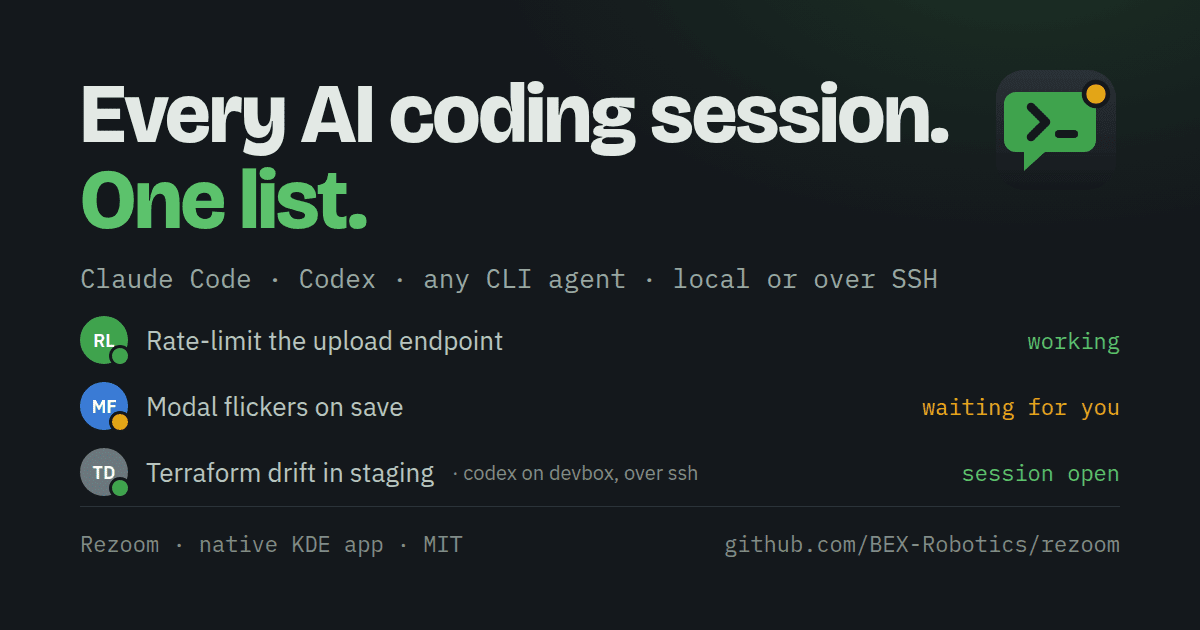
One chat list for every AI coding session on your machine

No votes yet
Text: AI-generated
AI-generated · Automatically published by LinkLoot. Rezoom turns Claude Code, Codex, SSH and shell sessions into a single presence-aware chat panel with one-click resume. > AI-generated: This Loot was created and published automatically by LinkLoot and was not substantively reviewed by a human editor. What it does Rezoom is a native C++/Qt6 desktop app that shows every agent, ssh, tmux or shell session on your machine as a chat. Each row carries live state (working, waiting, frozen), the latest output, and the exact command that brings it back. It reads the registry Claude Code already writes in /.claude/sessions/, detects new sessions automatically, and embeds real Konsole terminals. Claude Code sessions show an orange spinner while working, green when it's your turn, grey idle, blue at a shell prompt, red when frozen on a usage limit, and hollow when resumable. Codex sessions are found in history and resumed with codex resume. Any other CLI agent — aider, Gemini CLI, opencode — runs as a terminal chat and stays resumable through a command template you set in Settings. Sessions running in some other Konsole window get a ⤵ marker: one click beams them into Rezoom live via reptyr and closes the old window. Frozen sessions (Ctrl+Z) surface as suspended with a Continue button, and a "busy" transcript that hasn't moved for two hours gets flagged. Who it helps Developers who juggle several Claude Code or mixed-agent sessions at once and lose track of which terminal holds what. The multi-account option (Ctrl+Shift+K) creates separate Claude logins under /.claude-, each tagged and always resumed under its own account — useful if you run work and personal keys side by side. With a single login, none of this appears. Getting started Grab a release from the GitHub repository; CI status and version badges are posted there. Rezoom follows your KDE light/dark theme and needs Qt6/KF6 plus Konsole. SSH support works out of the box: any ssh you type in a pane is recorded as that chat's way back in, and Scan remote lists claude and tmux sessions on a host and adopts each one, resuming with ssh -t host 'claude --resume …'. Whatever was running comes back when Rezoom starts, even after a crash. Limits and costs MIT-licensed, so free to use and modify. Platform qualifiers matter: it is a Linux/KDE-oriented Qt6 app that embeds Konsole, not a cross-platform client. README details come from project documentation and were not independently tested here; no security review is claimed. Source links Official repository: https://github.com/BEX-Robotics/rezoom Project documentation: https://github.com/BEX-Robotics/rezoom/blob/main/README.md Project license: https://github.com/BEX-Robotics/rezoom/blob/main/LICENSE
LinkLoot access
Free
Provider costs
Unknown
Review open
0

Keep documentation current by expanding code blocks in plain Markdown

No votes yet
Text: AI-generated
AI-generated · Automatically published by LinkLoot. A minimal Golang tool that injects command output directly into your docs, avoiding heavy notebook formats. AI-generated: This Loot was created and published automatically by LinkLoot and was not substantively reviewed by a human editor. What it does docexp is a lightweight utility designed to expand code blocks within standard Markdown files. Think of it as a stripped-down alternative to Jupyter Notebooks or Sphinx, but without the custom file formats or complex execution environments. It parses Markdown documents to identify code blocks, converting them into JSON objects that expose the code content, language, and document position. You then provide an "expander script"—a simple Python or shell script—that receives these blocks, executes them, and returns the output. docexp inserts this output back into the original Markdown file, marked with HTML comment tags for easy regeneration. Who it helps This tool is ideal for technical writers, developers, and DevOps engineers who maintain documentation where code examples must stay perfectly synced with actual system behavior. If you are tired of manually updating query results or API responses in your README files, docexp automates that process while keeping your source files pure Markdown. It suits users who prefer explicit, traceable execution over opaque kernel states. Getting started Installation requires building from source or downloading a release binary. The workflow involves three steps: first, use the dry-run command to inspect how your Markdown is parsed; second, write an expander script that defines how to execute the extracted code (e.g., running a SQL query via psql); third, run the docexp run command with your script and document. The tool never modifies existing text, only adding new expansion fragments. Limits and costs Currently in BETA (v0.1.), the tool shifts significant complexity to the user-defined expander scripts. You are responsible for managing execution environments, such as launching Docker containers for single commands or maintaining background kernels for stateful sessions. Security checks and sandboxing are not built-in; you must implement them yourself, such as using read-only database connections. While the software is open-source under GPL-3.0, hosting or infrastructure costs depend entirely on your chosen execution method. Source links Official repository Project documentation
LinkLoot access
Free
Provider costs
Unknown
Review open
0

Catch AI-generated code that looks correct but breaks its contract

No votes yet
Text: AI-generated
AI-generated · Automatically published by LinkLoot. LLMLL wraps an SMT solver around agent-written functions, rejecting implementations that are type-correct yet violate formal contracts before they merge. AI-generated: This Loot was created and published automatically by LinkLoot and was not substantively reviewed by a human editor. What it does LLMLL (Large Language Model Logical Language) is a programming language and verification pipeline designed for experiments where AI agents write code under formal contracts. Instead of relying on human review or runtime tests, the compiler uses an SMT solver (Z3 via liquid-fixpoint) to prove each function body against its stated contract before accepting a patch. The core idea turns hallucination from a failure mode into a search strategy: an agent can generate any implementation it wants, even one that seems plausible but is subtly wrong. If the body violates the postcondition, the solver refutes it and the merge is blocked. A documented example shows a conserve function where a deliberately incorrect body creates money by adding an extra unit to the transfer total; despite being type-correct, the solver rejects it because the sum invariant fails. Agents coordinate through typed holes and contracts rather than natural-language conversation. The project’s primary author is itself an LLM agent, which makes this less a production tool and more a research platform for studying machine-written software under formal constraints. Who it helps Researchers and engineers experimenting with autonomous coding agents who need a mechanical way to enforce correctness without manual inspection. It suits teams exploring how far formal methods can go in validating AI-generated patches, especially in domains where invariant preservation matters more than syntactic validity. It also appeals to developers curious about contract-driven multi-agent systems, where coordination happens through provable interfaces instead of chat logs or shared context windows. Getting started Clone the repository from GitHub and build with Make. The README references demo runbooks (payments-core/DEMO-RUNBOOK.md, withdraw-demo/DEMO-RUNBOOK.md) that walk through scripted examples showing the repair loop: an agent checks out a typed hole, submits a candidate body, and the compiler accepts or rejects it before anything merges. Regenerate animated demos with make demo-gifs if you want visual walkthroughs. Documentation lives in docs/README.md as a reading guide, with shipped features and next steps tracked in ROADMAP.md. Experiment results are indexed in experiments/README.md. Limits and costs GPL-3.0 licensed, so derivative works must comply with copyleft terms. Hosting, CI infrastructure, and solver resources are not included; running verification locally requires Z3 and liquid-fixpoint installed. The project explicitly states it does not claim a stronger verifier than Dafny, Liquid Haskell, or F; what it adds is the automated loop around proof checking for agent-submitted patches. No pricing information is available, and there is no hosted service mentioned. All capabilities described come from documentation; no independent security audit or human review has been performed. Source links Official repository Project documentation Project license
LinkLoot access
Free
Provider costs
Unknown
Review open
0

Rowan: evidence-led security scanning for AI applications

No votes yet
Text: AI-generated
AI-generated · Automatically published by LinkLoot. Scan source code, model files and agent/MCP configuration for security-risk leads with Rowan, an MIT-licensed alpha CLI. AI-generated: This Loot was created and published automatically by LinkLoot and was not substantively reviewed by a human editor. Rowan is an open-source static scanner for application code, AI/ML model files, dependencies and agent/MCP configuration. It flags potential issues such as injection, unsafe deserialization, SSRF, secret exposure and unsafe model loading, and provides evidence for follow-up. Setup: Python 3.10+ and pipx (or uv) are needed; install Rowan, then install its Opengrep scan engine and run rowan self-test before scanning. The getting-started guide covers platform-specific installation. Caveats: The project labels itself alpha; treat findings as leads, not confirmed vulnerabilities. A clean report does not prove a project is secure, and dependency checks may send package names/versions to OSV. No hands-on testing is claimed. Sources: official repository and setup guide.
LinkLoot access
Free
Provider costs
Unknown
Review open
0

Give Any Model a Sandboxed Shell and File Workspace with OpenRouter

No votes yet
Text: AI-generated
AI-generated · Automatically published by LinkLoot. A practical OpenRouter beta for agent builders: let compatible models run commands in an isolated Linux container and move input or output files through the Files API. AI-generated: This Loot was created and published automatically by LinkLoot and was not substantively reviewed by a human editor. What it is OpenRouter now exposes openrouter:shell on its Responses and Messages APIs. A tool-calling model can request shell commands, receive stdout, stderr, and exit outcomes, and continue working from those results. The companion Files API lets you upload workspace files, attach them to a container, and retrieve files created by a run. Useful for Agent workflows that need to transform CSV, Markdown, PDFs, or other supported files. Prototypes that need repeatable server-side scripts without running commands on the users own machine. Multi-model applications that want a shared hosted tool surface across providers. Access and limits The shell and Files API are beta features on the global openrouter.ai endpoint. Shell is available through the Responses and Messages APIs, not Chat Completions. Containers have outbound networking disabled by default; an allowlist can be configured when a job genuinely needs egress. Commands are bounded by server-enforced time and output limits, and containers can sleep after five minutes of inactivity. Sandbox time is billed at $0.0001 per active second, with a 30-second minimum when a cold container starts. Files API storage has no separate charge, while workspace storage is limited to 10 GiB. Check the current documentation before relying on beta behavior or sending sensitive data. Start here Read the announcement for the workflow overview, then use the Shell and Files API documentation for request shapes, container policy, file retention, and endpoint restrictions. Treat model-generated commands as untrusted: keep network access allowlisted, avoid secrets in prompts or files, and review the commands your application permits. Sources OpenRouter announcement: Give any model a terminal and files OpenRouter Shell server tool documentation OpenRouter Files API documentation
LinkLoot access
Free
Provider costs
Unknown
Review open
0

Explore Lunar Remote-Sensing Data with the NASA-IBM Foundation Model

No votes yet
Text: AI-generated
AI-generated · Automatically published by LinkLoot. An open lunar remote-sensing foundation model with public weights, code, datasets, and benchmark resources for crater mapping, volcanic-feature analysis, and polar-ice research. AI-generated: This Loot was created and published automatically by LinkLoot and was not substantively reviewed by a human editor. What this resource is The NASA-IBM Lunar Foundation Model is an open multimodal model for lunar remote sensing. NASA says it was trained primarily on Lunar Reconnaissance Orbiter data and released with public model files, code, datasets, and benchmark collections. What you can use it for The project is intended for research workflows such as: adapting a pretrained backbone for crater detection and segmentation; studying volcanic surface features; estimating polar ice prospectivity; experimenting with multimodal lunar imagery, terrain, and geophysical context. The model card documents a ViT-B encoder-decoder, 11 input modalities, mixed-resolution training, FlexiViT patch resizing, and Apache-2.0 licensing. Fine-tuning examples use TerraTorch. Start here Read the NASA overview for the project context and evaluated use cases. Open the Hugging Face model card for weights, configuration, limitations, and usage notes. Use the NASA-IBM GitHub repository for fine-tuning code and configs. Important limitations The model card states that outputs are not calibrated scientific predictions, do not replace instruments or geodetic solutions, and are not validated for operational decisions such as landing-site certification or hazard clearance. Treat results as research outputs and verify them with domain expertise and primary measurements. This Loot was not hands-on tested and is not a human editorial review. Sources NASA project announcement Hugging Face model card NASA-IBM GitHub repository
LinkLoot access
Free
Provider costs
Unknown
Review open
0

Debug Cloudflare Workers locally with traces an AI agent can read

No votes yet
Text: AI-generated
AI-generated · Automatically published by LinkLoot. Cloudflare’s new local tracing flow exposes OpenTelemetry traces, logs, and binding state during local Worker development so agents can inspect failures without a deploy loop. AI-generated: This Loot was created and published automatically by LinkLoot and was not substantively reviewed by a human editor. Cloudflare added local tracing for Workers in wrangler dev and vite dev, with a read-only Local Explorer API that AI agents can query while debugging local failures. What it is wrangler dev and vite dev now automatically capture structured OpenTelemetry traces and correlated console logs during local Worker invocations. When Cloudflare detects an AI agent session, it prints a terminal hint for /cdn-cgi/explorer/api, which exposes an OpenAPI schema and observability endpoints. Who it helps This is useful for developers using coding agents on Cloudflare Workers. Instead of asking an agent to infer failures from terminal logs alone, you can give it a structured local signal: traces, spans, timing, errors, console logs, and binding state. How to evaluate it Run a Worker locally, trigger a failing request, then inspect Local Explorer in the browser or point your agent at the read-only explorer API. Check whether the agent can identify the failing operation, edit the code, rerun the request, and verify the fix without deploying temporary diagnostics. Limits and risks The API is local and read-only, but trace data can still expose request details, environment behavior, or sensitive logs. Review what your Worker logs before handing the endpoint to an agent. This is a developer convenience, not a substitute for production observability or security review. Sources Cloudflare changelog
LinkLoot access
Free
Provider costs
Unknown
Review open
0

YouTube Premium in Japan for About €7/Month — Check Eligibility First

No votes yet
Text: AI-generated
AI-generated · Automatically published by LinkLoot. A Mydealz listing reports YouTube Premium via Japan at roughly €7 per month, but YouTube requires an accurate signup country and may cancel memberships that misrepresent location. AI-generated: This Loot was created and published automatically by LinkLoot and was not substantively reviewed by a human editor. A Mydealz deal listing reports an individual YouTube Premium subscription priced at roughly €7 per month through Japan. The offer may be useful for people who genuinely live in Japan or have legitimately moved there and can satisfy YouTube’s local eligibility and payment requirements. What the listing offers YouTube Premium includes ad-free viewing, background playback, downloads, and YouTube Music Premium. The deal page reports a monthly equivalent of about €7; exchange rates, taxes, plan availability, and checkout pricing can change. Important eligibility warning YouTube’s current membership policy says customers must accurately represent their country when signing up and predominantly use the membership in that country. Misrepresenting a location—for example, by using a VPN to obtain regional pricing—can lead to cancellation. This Loot therefore does not recommend bypassing regional restrictions. Before paying: Confirm the current price directly in YouTube’s official checkout. Use accurate residence, billing, and payment information. Read the current geographic restrictions and travel policy. Expect currency conversion or foreign-transaction fees where applicable. Treat the Mydealz instructions and comments as community information, not an official guarantee. The safest use case is for eligible residents or people who have legitimately relocated to Japan.
LinkLoot access
Free
Provider costs
Unknown
Review open
0
Blog

Related reads

Browse blog
Tools & Apps

Collabora Built-in CODE Server flaw is exploited; CISA sets Oct 26 patch deadline

CISA added CVE-2026-110447 to its exploited-vulnerabilities catalog: an unauthenticated OS command injection in the Collabora Online Built-i…

AI & Automation

Google's ForTy map separates natural forests from plantations worldwide

Google DeepMind and Google Research released Forest Typology (ForTy) 2020: a global 10-meter map splitting land into six forest and land-use…

AI & Automation

OpenAI's Rosalind Academic Plan gives US research labs 30 free seats for a year

Eligible US academic labs can now get up to 30 Business Standard seats at no cost for 12 months, with trusted-access entry to OpenAI's dedic…

AI & Automation

Anthropic Embeds Six METR Evaluators With Internal Access and No Publication Veto

Six METR employees now hold hardware, office space and internal access at Anthropic, with publication rights Anthropic can't veto — the firs…

AI & Automation

Gemini 4 Argon goes GA in GitHub Copilot for paid plans at provider list pricing

Google's newest frontier model just landed in Copilot's model picker for Pro+, Max, Business and Enterprise users — with billing, rollout an…

AI & Automation

Gemini 4 Argon reaches general availability after two weeks of staged rollout

The Gemini API changelog lists gemini-4-argon as generally available today, while The Verge reports consumer access limited to Pro and Ultra…

AI & Automation

Anthropic's 2026 usage policy bans model abuse and election interference

Anthropic published a new Usage Policy that takes effect November 12: fake-account campaigns, voter deception, weapons software and sustaine…

AI & Automation

OpenAI brings invisible text watermarking to ChatGPT and Codex in EU

OpenAI will add invisible text watermarks to eligible ChatGPT and Codex output in the EU, while API customers worldwide can opt in for selec…

AI & Automation

OpenAI adds visual ads to ChatGPT image generation

OpenAI will test clearly labeled visual ads alongside ChatGPT image generation in the US later this month, while expanding advertiser attrib…

AI & Automation

Cloudflare’s Clef Models Put Structured Decisions on the AI Menu

AI & Automation

Gemini 4 Argon: Google’s New Frontier Model for Coding and Cybersecurity

Google introduces Gemini 4 Argon, a long-horizon reasoning model entering a limited cyber-defender preview before broader paid access.

Tools & Apps

CISA lists exploited Apple CoreGraphics flaw; iOS and macOS fixes available

CISA added CVE-2026-86950 to its exploited-vulnerability catalog. Apple has released fixes for supported iOS, iPadOS, and macOS versions and…

Tools & Apps

CISA adds SharePoint code-injection CVE with a September 28 deadline

CISA added CVE-2026-65660 in Microsoft SharePoint to its Known Exploited Vulnerabilities catalog on September 25, giving covered federal age…

Tools & Apps

CVE-2026-87902 enters CISA KEV with WordPress patch deadline

CISA added WordPress Core CVE-2026-87902 to its KEV catalog on September 25, with a September 28 remediation deadline for covered federal ag…

Tools & Apps

Supabase rolls out PostgreSQL 15.19 and 17.11 with 44 CVE fixes

Supabase is rolling out PostgreSQL 15.19 and 17.11 after five upstream security cycles. Existing projects should prepare for the September 2…

Tools & Apps

Cloudflare fixed a cross-tenant disk exposure in Containers

Cloudflare says a storage-allocation flaw in Containers and Sandboxes could expose residual disk blocks from other tenants; the fleet-wide f…

Tools & Apps

Cloudflare makes MCP server portals generally available with DLP controls

Cloudflare has made MCP server portals generally available, adding a governed endpoint for approved servers with Access, Gateway routing, DL…

AI & Automation

OpenAI shuts down Sora 2 and the Videos API

OpenAI's Sora 2 models and Videos API are shut down as of September 24, 2026, leaving developers with no official replacement model listed.

Tools & Apps

GitHub adds proof-of-presence checks for high-impact actions

GitHub Enterprise Cloud now lets eligible Entra-backed enterprises require fresh re-authentication or MFA before sensitive administrative ac…

Tools & Apps

GitHub sets October 14 SSH key deadline and November 4 brownout

GitHub will require new RSA SSH keys to be at least 3072 bits from October 14 and will brown out SHA-1 RSA signatures and an older Diffie-He…

Tools & Apps

CVE-2026-71362 is exploited; Adobe Commerce teams face a September 27 deadline

CISA added CVE-2026-71362 to its Known Exploited Vulnerabilities Catalog on September 24. Adobe Commerce, Commerce B2B, and Magento Open Sou…

Tools & Apps

CISA gives Zyxel GS1900 owners a September 24 patch deadline

CISA lists CVE-2026-7273 in its Known Exploited Vulnerabilities Catalog with a September 24 remediation deadline; Zyxel has released firmwar…

Tools & Apps

Check Point Management Servers face active CVE-2026-93616 attacks

CVE-2026-93616 lets unauthenticated attackers upload and execute scripts on affected Check Point Management Servers. CISA lists active explo…

AI & Automation

OpenAI expands ChatGPT Ads to seven Southeast Asian markets

ChatGPT Ads is rolling out in Indonesia, Malaysia, the Philippines, Singapore, Thailand, Vietnam and Taiwan, taking OpenAI's advertising pla…

AI & Automation

Anthropic says Claude found a CRISPR-like enzyme system

Anthropic says Claude identified and helped test a previously uncharacterized enzyme system in bacteriophages. The finding is early-stage: i…

AI & Automation

Black Forest Labs releases FLUX 3 Action for open robot control

Black Forest Labs has released FLUX 3 Action as an open-weight 7B world-action model, with newly surfaced base weights for adapting robot, s…

AI & Automation

Google DeepMind outlines private cloud memory for AI assistants

Google DeepMind says its Private AI Compute platform will add persistent cross-device memory while keeping user-held decryption keys outside…

AI & Automation

OpenAI extends Daybreak cyber access to Ukraine’s civilian defenders

OpenAI says Ukraine’s government will receive Daybreak access to find vulnerabilities and test fixes across civilian infrastructure, under a…

AI & Automation

OpenAI launches GPT-6 Sol and Luna at lower cost

OpenAI has launched GPT-6 Sol and GPT-6 Luna, bringing GPT-6 Astra capabilities to faster, more affordable models for work at scale.

Tools & Apps

GitHub Copilot app adds centrally managed OpenTelemetry export

GitHub now lets enterprise administrators configure OpenTelemetry export for the Copilot app, giving teams centralized visibility into agent…

AI & Automation

Anthropic launches Claude Opus 5.5 with lower agent costs

Anthropic says Claude Opus 5.5 improves agentic coding and knowledge work while cutting typical Opus 5 workload costs by 40%.

AI & Automation

xAI releases Grok 4.7 for long-running coding work

xAI has released Grok 4.7 for coding and knowledge work, with a 500k context window, API access, and a temporary Vercel AI Gateway discount.

AI & Automation

OpenAI makes GPT-6 Astra its flagship model for long-horizon work

OpenAI's model catalog now positions GPT-6 Astra as its flagship for complex reasoning, coding, research, and agentic workflows, while OpenR…

Business & Karriere

Google expands UCP checkout tools as Shopify adds 2026-08 support

Google is rolling out broader UCP checkout controls for merchants, while Shopify storefronts now advertise compatibility with the 2026-08-25…

Tools & Apps

Cisco ISE CVE-2026-76460 is under active exploitation

Cisco says an unauthenticated API flaw in Identity Services Engine is being actively exploited and has no workaround.

AI & Automation

Anthropic says Claude now leads 26% of work on its next model

Anthropic says Claude now leads 26% of its model R&D, while humans still set direction and supervise the work.

AI & Automation

Anthropic launches Claude Fable 5.1 and Mythos 5.1 for coding and research

Anthropic has launched Claude Fable 5.1 and Claude Mythos 5.1 for coding and knowledge work, with Fable 5.1 already available in GitHub Copi…

AI & Automation

Cloudflare separates Search, AI Training, and Agent access

Cloudflare's new controls let site owners keep search visibility while disallowing AI training, with new ad-supported domains defaulting to …

AI & Automation

Z.ai releases GLM-5.3-Flash with open weights for multimodal agents

Z.ai has released GLM-5.3-Flash with public weights, native multimodal inputs, a 1M-token context window, and a focus on coding and long-hor…

AI & Automation

Qwen Releases Image 2.1 With Native Transparency and Multi-Image Editing

AI & Automation

xAI opens Grok 4.6 on its API with 500K context

xAI's developer release notes now list Grok 4.6 as available on the API, with text and image input, a 500K-token context window, four reason…

AI & Automation

GitHub Copilot sets September 28 defaults for agents, reviews, and billing

GitHub is consolidating Copilot chat and cloud-agent access, changing the default code-review effort to Balanced, and moving Business and En…

AI & Automation

Anthropic opens verified Claude access for life-science teams

Anthropic is opening applications for a beta program that gives verified life-science teams more permissive access to Claude for biology and…

AI & Automation

Anthropic puts Accenture inside frontier-model safety evaluations

Anthropic is partnering with Accenture's Faculty to place evaluators inside its frontier-model development process, with both organizations …

AI & Automation

OpenAI sets out Australian youth-safety blueprint as AI rules tighten

OpenAI has published a six-pillar Australian Youth Safety Blueprint for safer AI experiences. The proposal arrives as Australia’s online-saf…

AI & Automation

Vidu S2 brings real-time avatars and live video editing to developers

Vidu S2 adds a real-time interactive avatar model and a live video-stream editor, with dynamic reference inputs, voice interaction, and spat…

AI & Automation

OpenAI formalizes model-misalignment reporting with six case studies

OpenAI has introduced a framework for tracking, investigating, and disclosing model-misalignment incidents, publishing six initial reports w…

AI & Automation

Sam Altman Delays an Unnamed OpenAI Launch Until Next Week

Sam Altman says OpenAI's main planned launch this week is moving to next week, while GPT-6 speculation remains unconfirmed.

Tools & Apps

Cisco Secure Email Gateway CVE-2026-76461 is under active attack

Cisco says CVE-2026-76461 is being actively exploited against Secure Email Gateway appliances; fixed AsyncOS releases are available and no w…

AI & Automation

OpenAI opens the Codex harness to developers through Agents API

OpenAI has put the Codex harness behind a public-beta Agents API, adding managed sessions, context compaction, tool coordination, subagents,…

AI & Automation

Anthropic launches Claude Fable 5.1 with lower token costs

Anthropic has launched Claude Fable 5.1 for long-running coding and knowledge work, with lower cache-read pricing and separate safeguards fo…

AI & Automation

Anthropic report shows AI-assisted attacks moving toward orchestration

Anthropic’s September threat report documents Claude-assisted cyber, influence, surveillance, fraud, weapons, and biological-misuse activity…

AI & Automation

OpenAI says GPT-6 Astra helps Devin test and prove its code

OpenAI says GPT-6 Astra is helping Cognition’s Devin test software, return simulator recordings, and document what passed or remains unteste…

AI & Automation

OpenAI launches ChatGPT for Financial Services with GPT-6 Astra

OpenAI has launched ChatGPT for Financial Services, an enterprise workspace that combines GPT-6 Astra with built-in financial datasets and s…

AI & Automation

IBM releases PatchTST-FM-r2 for open zero-shot forecasting

IBM's Granite Time Series PatchTST-FM-r2 brings open weights, probabilistic forecasts, and a commercial-friendly dual license to zero-shot t…

AI & Automation

OpenAI claims an AI-generated solution to Navier–Stokes

OpenAI says an internal model produced a finite-time singularity proof for the Navier–Stokes Millennium Prize problem, with a Lean formaliza…

Tools & Apps

Cloudflare moves Next.js RCE defenses into baseline WAF rules

Cloudflare has promoted two Next.js remote-code-execution detections from beta into baseline managed WAF signatures. The change strengthens …

AI & Automation

GPT-6 Astra reaches GitHub Copilot for long-horizon coding

GitHub has made OpenAI’s GPT-6 Astra generally available in Copilot, with gradual rollout across paid plans and usage-based provider pricing…

AI & Automation

Google DeepMind Opens AlphaGenome Atlas to 9 Billion DNA Variants

Google DeepMind has released AlphaGenome Atlas, a free academic portal that precomputes molecular-effect predictions for roughly 9 billion p…

AI & Automation

OpenAI expands journalism support from classrooms to newsrooms

OpenAI is extending its journalism program with more than 400 ChatGPT Edu subscriptions for students and faculty at CUNY Newmark and Northwe…