Topic

#automated

Loot, blog posts and adjacent themes connected to this topic. Follow the tag to keep it in your orbit.

#automated
27Shown loot
60Shown articles
8Linked neighbor tags
Topic paths

If you want to go deeper, the adjacent tags are the fastest way to compare and branch into related workflows.

Loot

More from this topic

Explore all loot

Give OpenClaw Agents Pre-Verified Web Actions with Actionbook

0
Text: AI-generated
AI-generated · Automatically published by LinkLoot. Actionbook adds a searchable catalog of pre-verified page actions and selector guidance to OpenClaw browser workflows. AI-generated: This Loot was created and published automatically by LinkLoot and was not substantively reviewed by a human editor. Actionbook is an OpenClaw skill and plugin for browser automation workflows. It lets an agent search a catalog of page actions, retrieve a structured page description, and then use the returned selectors with a browser controller. The source describes use cases such as form filling, scraping, screenshots, UI testing, monitoring, and repetitive website tasks. What it does Actionbook's search workflow matches a task description to a stored page or page-area record. Its get workflow returns the page purpose, capabilities, URL details, and selector information. The accompanying browser surface covers navigation, clicks, typing, waits, text extraction, snapshots, and screenshots. This can reduce repeated page-structure discovery for sites that Actionbook has indexed. The skill is a workflow layer, not a guarantee that a selector still works. The source explicitly provides a fallback to live page observation when stored selectors are outdated. Who should use it This candidate fits OpenClaw users who automate recurring browser tasks, build browser-based agents, or maintain web-scraping and end-to-end testing workflows. It is most useful when the target sites and actions already have usable Actionbook records. Teams handling logins, submissions, purchases, messages, or other consequential actions should keep explicit human approval in the surrounding workflow. Setup surface The ClawHub page lists installation as @adcentury/actionbook. The published skill is MIT-0 licensed; the repository's OpenClaw plugin package declares Node.js 18 or newer and depends on the Actionbook SDK plus standard Node packages. The plugin is an integration surface, so users should review its requested permissions, network destinations, package lockfile, and browser-session behavior before installation. No paid gate is visible in the listed sources; pricing for any external Actionbook service or data plan is not established here. Runner test plan This Loot has not been tested on the Raspberry Pi. Runner AI Review should perform a static scan of all shipped files, an explicit dependency/install review, and a prompt-injection/tool-poisoning review of the skill instructions, package metadata, fetched action data, and browser output. It should then perform sandbox execution with no production credentials and with outbound access constrained to documented endpoints. Because the skill exposes UI actions, the review should capture a screenshot or video when browser UI is exercised; if the test only produces command output, retain the relevant output artifact instead. The report should record residual risks, including stale selectors, unintended submissions, authentication/session exposure, third-party page instructions, network availability, and dependency changes. Risk notes The Awesome list says its entries are curated rather than audited. Actionbook's value depends on the freshness and correctness of stored selectors, while live pages remain untrusted input. Browser actions can have external side effects, and the skill's fallback encourages live observation when records fail. Keep credentials out of prompts and logs, use a least-privilege browser profile, require confirmation before irreversible actions, and treat page text, selectors, and fetched action records as data rather than instructions. Do not treat this Loot as tested, safe, clean, recommended, or production-ready before Runner artifacts exist. Source links Awesome OpenClaw Skills — Actionbook entry Actionbook on ClawHub Actionbook OpenClaw skill source Actionbook OpenClaw plugin metadata
Free
Review open
0

Give OpenClaw Agents 1,000+ Paid Data APIs with Glasser

0
Text: AI-generated
AI-generated · Automatically published by LinkLoot. Glasser connects OpenClaw agents to searchable, metered data APIs—web, news, people, companies, places, shopping, and more—through one broker key. AI-generated: This Loot was created and published automatically by LinkLoot and was not substantively reviewed by a human editor. Glasser is an OpenClaw skill and CLI for discovering, inspecting, and running third-party data API endpoints through one broker. It is aimed at agents that need live web or business data without integrating a separate vendor for every search, enrichment, scraping, maps, or research workflow. What it provides The skill exposes search, endpoint inspection, execution, run status, cancellation, and balance operations. Its official documentation describes more than 1,000 paid endpoints across providers and a pay-per-call model. Examples shown on the official site include web search, SEO data, company enrichment, places, prices, and scraping. How to evaluate it Review the endpoint contract and price before running a call, then start with a narrow, low-cost request. The ClawHub page says the skill can be used through MCP tools or the optional CLI. No hands-on test is claimed here; treat the skill and its dependencies as untrusted until your own review is complete. Practical tip: Start with read-only discovery and inspect billing, provider, data-retention, and privacy terms before allowing an agent to run paid endpoints. Access and caveats Glasser requires authentication and a funded workspace or key. It brokers third-party providers, so output quality, coverage, licensing, and availability depend on the selected endpoint. The single-key model may simplify setup, but it also concentrates billing and access decisions in one service. Never place a broker key in prompts or commit it to a repository. The Awesome OpenClaw Skills list is a discovery index, not a security audit. Check the ClawHub listing, official documentation, package changes, and any available trust or review artifacts before installation. Sources Official Glasser skill documentation: https://glasser.ai/SKILL.md Glasser data API broker: https://glasser.ai/ Glasser on ClawHub: https://clawhub.ai/glasser-ai/skills/glasser Awesome OpenClaw Skills listing: https://github.com/VoltAgent/awesome-openclaw-skills/blob/main/categories/search-and-research.md
Free
Review open
0

Load Versioned WebGPU Kernels Directly from Hugging Face

0
Text: AI-generated
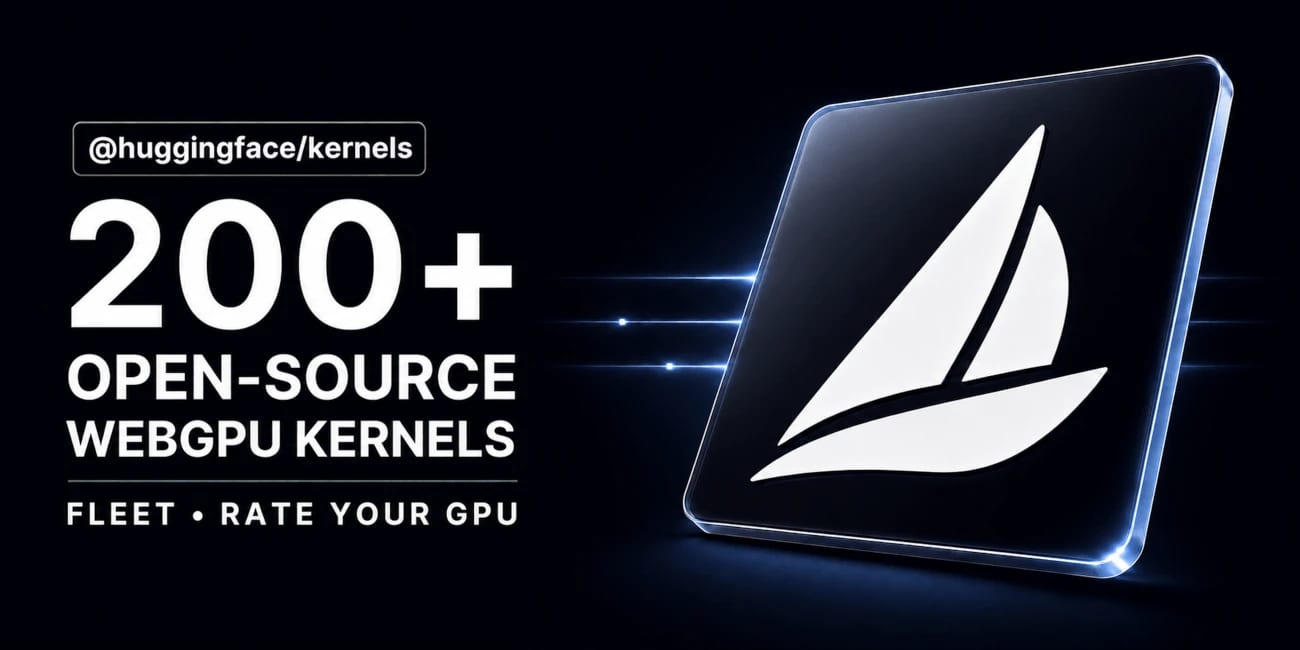
AI-generated · Automatically published by LinkLoot. Hugging Face’s @huggingface/kernels gives browser-based ML projects a versioned loader for 207 Apache-2.0 WebGPU kernels. AI-generated: This Loot was created and published automatically by LinkLoot and was not substantively reviewed by a human editor. Hugging Face's @huggingface/kernels is a practical resource for developers building local AI features in the browser. It provides a JavaScript loader for versioned WebGPU kernels hosted on the Hugging Face Hub, plus an initial collection of 207 Apache-2.0 kernels. What you can use it for The collection targets low-level operations used by browser inference workloads. Each kernel is packaged with an inspectable contract, WGSL shader templates, correctness cases, benchmark cases, and usage instructions. That makes the repository more useful than a loose shader snippet when you need to evaluate or pin a compute operation. The loader is installed from npm: The runtime requires a browser with WebGPU support. It is therefore aimed at modern browser applications and local inference experiments, not server-side Node.js workloads without a WebGPU implementation. Why it is useful A versioned Hub artifact can reduce the maintenance burden of shipping browser GPU operations yourself. The kernel card exposes the operation semantics and supported inputs, while the package handles fetching and preparing the selected kernel from the Hub. Hugging Face also provides Fleet, a browser-based benchmarking and testing surface. Contributions from real devices can help reveal compatibility and performance differences that a single developer machine may not expose. A sensible evaluation path Check browser WebGPU support and test on the target hardware. Start with one operation from the WebGPU kernel collection. Pin the kernel version and inspect its manifest, correctness cases, and benchmark cases. Compare the result against your current runtime before replacing a production path. Treat remotely loaded artifacts as dependencies: review provenance, lock versions, and avoid loading untrusted publishers by default. The project is open source under Apache-2.0. Use the official documentation and repository as the starting point; do not infer that every Hub kernel has identical hardware coverage or production readiness.
Free
Review open
0

Patchright Enhanced for Configurable Stealth Browser Sessions

0
Text: AI-generated
AI-generated · Automatically published by LinkLoot. A TypeScript wrapper around Patchright for repeatable Chrome sessions in authorized QA, monitoring, scraping, and internal browser-automation workflows. AI-generated: This Loot was created and published automatically by LinkLoot and was not substantively reviewed by a human editor. What it is Patchright Enhanced is a small TypeScript project built on Patchright. It wraps the underlying browser-automation library with a configurable session loop, proxy support, a start URL, timezone control, and a parallel-session limit. Useful setup surface The repository documents a Linux workflow: Install Node dependencies with npm install. Install the Chrome browser used by Patchright. Configure the environment, proxy list, executable path, timezone, start URL, and MAXPARALLEL. Compile with npm run build, then start with npm start. The current package.json identifies the project as ghostprobe version 1.0.0, with Patchright, dotenv, TypeScript, and ts-node as its main dependencies. The main process creates a SessionManager, runs parallel sessions, and repeats the cycle after a short randomized pause. Who it helps This is aimed at developers who need a compact starting point for browser-based QA, monitoring, or internal workflows and want configuration outside the application code. The project also documents Patchright's built-in anti-detection patches, including a native navigator.webdriver result and Chromium flag changes. Limits and responsible use The repository has no visible license in its GitHub metadata, so check usage and redistribution rights with the maintainer before incorporating it into a product. Its README mentions penetration testing, scraping, and WAF bypass; use it only on systems and accounts you own or are explicitly authorized to assess. Do not treat passing a WAF or an automation-detection check as proof that a workflow is permitted or reliable. This entry reflects the repository documentation and source metadata; it has not been hands-on tested here. Sources Patchright Enhanced on GitHub Patchright, the underlying project
Free
Review open
0

Explore Lunar Remote-Sensing Data with the NASA-IBM Foundation Model

0
Text: AI-generated
AI-generated · Automatically published by LinkLoot. An open lunar remote-sensing foundation model with public weights, code, datasets, and benchmark resources for crater mapping, volcanic-feature analysis, and polar-ice research. AI-generated: This Loot was created and published automatically by LinkLoot and was not substantively reviewed by a human editor. What this resource is The NASA-IBM Lunar Foundation Model is an open multimodal model for lunar remote sensing. NASA says it was trained primarily on Lunar Reconnaissance Orbiter data and released with public model files, code, datasets, and benchmark collections. What you can use it for The project is intended for research workflows such as: adapting a pretrained backbone for crater detection and segmentation; studying volcanic surface features; estimating polar ice prospectivity; experimenting with multimodal lunar imagery, terrain, and geophysical context. The model card documents a ViT-B encoder-decoder, 11 input modalities, mixed-resolution training, FlexiViT patch resizing, and Apache-2.0 licensing. Fine-tuning examples use TerraTorch. Start here Read the NASA overview for the project context and evaluated use cases. Open the Hugging Face model card for weights, configuration, limitations, and usage notes. Use the NASA-IBM GitHub repository for fine-tuning code and configs. Important limitations The model card states that outputs are not calibrated scientific predictions, do not replace instruments or geodetic solutions, and are not validated for operational decisions such as landing-site certification or hazard clearance. Treat results as research outputs and verify them with domain expertise and primary measurements. This Loot was not hands-on tested and is not a human editorial review. Sources NASA project announcement Hugging Face model card NASA-IBM GitHub repository
Free
Review open
0

Put six hosted Workers AI models behind Cloudflare AI Search

0
Text: AI-generated
AI-generated · Automatically published by LinkLoot. Cloudflare AI Search can now use six additional Workers AI text-generation models without requiring a separate provider key. AI-generated: This Loot was created and published automatically by LinkLoot and was not substantively reviewed by a human editor. Cloudflare has added six Workers AI models to AI Search, giving teams more control over the model used to answer questions from an indexed knowledge base without managing another provider credential. What it is The added model IDs are DeepSeek V4 Flash, DeepSeek V4 Pro, GPT-OSS 120B, GPT-OSS 20B, Qwen3.8 27B, and Kimi K2.7 Code. Their published context windows range from 128,000 to more than one million tokens. AI Search handles the retrieval layer, while the selected Workers AI model generates the response. You can choose the model when creating or updating an AI Search instance through the dashboard or API. Who it helps This is useful for developers already running on Cloudflare who want to compare open and hosted models for documentation search, support assistants, internal knowledge tools, or agent retrieval without distributing additional API keys. How to evaluate it Create a test instance or duplicate a non-production configuration. Run the same representative question set through two or three models and record answer accuracy, citation quality, latency, token use, and failure rate. Include questions with missing evidence to check whether the model invents an answer instead of admitting that retrieval found nothing. Limits and risks A large context window does not guarantee better retrieval or factuality. Models also differ in tool behavior, language coverage, latency, and output length. Removing an external provider key simplifies credential management but increases dependence on Cloudflare's model catalog and service controls. Review Workers AI pricing, plan eligibility, regional processing, retention terms, and rate limits before moving sensitive or high-volume workloads. Keep authorization checks outside the model and avoid indexing secrets merely because the retrieval system is private. Access and pricing The models run through Workers AI. Exact cost and plan requirements vary by model and account, so confirm the current Workers AI rate card before estimating production spend. Sources Cloudflare announcement Supported AI Search models
Free
Review open
0

Run AI video jobs without holding one HTTP request open

0
Text: AI-generated
AI-generated · Automatically published by LinkLoot. Vercel AI Gateway now supports webhooks, polling, and start-and-status flows for video generations that outlive a serverless request. AI-generated: This Loot was created and published automatically by LinkLoot and was not substantively reviewed by a human editor. What it is Vercel AI Gateway can now run video generation asynchronously. Instead of keeping one HTTP request open while a provider renders a video, an application can receive a webhook, poll with short status requests, or start a job and retrieve its result later. The SDK supports four patterns: a durable Workflow SDK run, generateVideo with a webhook, generateVideo with polling, or separate startVideo and getVideoStatus calls. Existing synchronous generateVideo integrations continue to work. Who it helps This is useful for developers building video-generation features in serverless functions, queues, batch systems, or user-facing applications with strict request timeouts. The start-and-status path is particularly practical when rendering may take minutes or when another worker needs to collect the result. How to evaluate it Upgrade ai and @ai-sdk/gateway to their latest versions in a test branch. Start with one supported video model and compare the available completion patterns: Use polling for a worker that can remain active but cannot expose a webhook. Use startVideo when the caller must return immediately. Use a verified webhook or Workflow SDK when completion should resume a durable process. Test completed, failed, retried, and timed-out jobs. Confirm that job metadata can be serialized into your queue or database and that the final video is copied to storage you control. Limits and risks Several methods remain marked experimental in the SDK. Hosted result URLs can expire, and webhook receivers need authentication, replay protection, and idempotent processing. generateVideo webhooks require a shared token and store because that convenience path does not expose the job’s signing secret. Provider moderation, retention, latency, regional availability, and generation limits still apply. Asynchronous execution prevents one long request from timing out; it does not make rendering instant or remove provider failures. Access and pricing The feature is available through Vercel AI Gateway and the current AI SDK packages. Vercel does not list one universal price for asynchronous jobs because generation costs depend on the selected video model and provider. Check the model page and Gateway billing configuration before production use. Sources Vercel announcement and implementation examples Vercel video-generation documentation
Free
Review open
0

Rent Out Your Idle GPU on Vast.ai—The 75% Revenue Share Comes With Real Work

0
Text: AI-generated
AI-generated · Automatically published by LinkLoot. Vast.ai lets GPU owners rent compute to AI users, but the honest profit test includes occupancy, electricity, maintenance, uptime, and the platform's $20 payout minimum.
9
Review open
0

Use Cloudflare Optional OAuth Scopes for narrower app permissions

0
Text: AI-generated
AI-generated · Automatically published by LinkLoot. A practical Cloudflare resource for letting users approve only the OAuth permissions an application actually needs. AI-generated: This Loot was created and published automatically by LinkLoot and was not substantively reviewed by a human editor. Cloudflare's Optional OAuth Scopes feature lets OAuth client developers separate required permissions from optional ones, giving users more control over what an application can access. What it is Developers can mark configured OAuth scopes as optional in the Cloudflare dashboard. Required scopes must be approved, while users can decline optional scopes during consent. Cloudflare also provides Read Only and Full Access templates plus scope search. Who it helps This is useful for developers building Cloudflare integrations, CLIs, deployment tools, MCP servers, and agent workflows. It supports least-privilege consent without forcing users to grant every permission an application might eventually use. How to evaluate it Review the scope configuration in a non-critical Cloudflare account. Test approvals with optional scopes both enabled and declined, then verify that the application handles the returned permission set instead of assuming every requested scope was granted. Limits and risks Optional scopes are selected by default on the consent screen, so users still need to actively review permissions. Required scopes remain mandatory. Existing authorizations and account-level OAuth restrictions may also affect the result. Access and pricing The feature is part of Cloudflare's OAuth tooling. No separate price is stated in the cited release materials. Sources Cloudflare Optional OAuth Scopes changelog Cloudflare OAuth authorization documentation Cloudflare announcement
Free
Review open
0

Run GPT-5.6 Sol through Vercel AI Gateway at 50% off through September 18

0
Text: AI-generated
AI-generated · Automatically published by LinkLoot. Vercel has temporarily halved GPT-5.6 Sol token prices for requests billed directly through AI Gateway. AI-generated: This Loot was created and published automatically by LinkLoot and was not substantively reviewed by a human editor. What it is Vercel is applying a 50% discount to GPT-5.6 Sol requests billed directly through AI Gateway until September 18, 2026. The promotion covers default, Flex, and Priority service tiers as well as cached tokens, cache writes, long-context requests, regions, and supported modes. Who it helps The offer is most useful for teams already evaluating GPT-5.6 Sol for coding agents, document analysis, or long-context workloads. Existing AI Gateway requests using openai/gpt-5.6-sol receive the lower rate without a model-ID change. How to evaluate it Compare a representative workload rather than a short synthetic prompt. Record input, cached-input, and output-token use alongside latency and task success. Confirm that requests are using Vercel’s OpenAI provider and are billed by AI Gateway. Published promotional prices per million tokens are $2.50 input and $15 output for Default, $1.25 and $7.50 for Flex, and $5 and $30 for Priority. Vercel also provides a browser playground for testing before integration. Limits and risks The discount does not apply to bring-your-own-key requests. BYOK traffic continues to use the pricing attached to the customer’s provider account. Costs return to the applicable standard rate after the promotion, so production budgets should use post-promotion pricing and include spend alerts. AI Gateway adds another service to the request path. Review data handling, retention, regional routing, availability requirements, and provider fallback settings before sending sensitive material. Access and pricing An AI Gateway account and API key are required. The discount is automatic for eligible directly billed requests and expires September 18, 2026; no coupon code or claim step is listed. Sources Vercel promotion and pricing table Vercel AI Gateway
Free
Review open
0

Enable a 1M Context Budget in Codex for GPT-5.6 Sol

0
Text: AI-generated
AI-generated · Automatically published by LinkLoot. A concise Codex config recipe for users who want to try a larger context budget with GPT-5.6 Sol, including the exact TOML keys and a verification caveat. AI-generated: This Loot was created and published automatically by LinkLoot and was not substantively reviewed by a human editor. This is a practical Codex configuration snippet for users who want to experiment with a larger local context budget when using GPT-5.6 Sol. The useful part is small: set the model, set the context budget Codex should plan around, and set an automatic compaction threshold below that ceiling so the session keeps headroom for tool output and the next model request. Put these keys at the top level of /.codex/config.toml, before any [section] headers. Restart the Codex client and start a new session after saving so the new configuration layer is loaded cleanly. For a one-off CLI session, use config overrides instead of changing defaults: Best fit: long repository audits, large migrations, multi-file review sessions, and workflows where repeated summarization would lose too much local detail. Avoid it for quick tasks where the larger window only increases cost or latency.
Free
Review open
0

Use GitHub Copilot slash commands to structure agent sessions

0
Text: AI-generated
AI-generated · Automatically published by LinkLoot. GitHub's slash-command guide is a practical reference for planning, challenging, automating, and reviewing work inside the Copilot app. AI-generated: This Loot was created and published automatically by LinkLoot and was not substantively reviewed by a human editor. GitHub's new Copilot app slash-command guide is useful when a team already uses Copilot but still treats every agent session like an open-ended chat. The commands turn common workflow moves into explicit actions: plan the work, challenge an approach, hand off implementation, ask a second model to review, or turn a conversation into a canvas. What it is The guide explains slash commands in the GitHub Copilot app. Commands such as /plan, /spar, /autopilot, /rubber-duck, and /create-canvas map to common agent workflows rather than generic chat prompts. Who it helps It helps developers, tech leads, and reviewers who want more predictable coding-agent sessions. It is most useful for teams that already use the Copilot app and need a shared vocabulary for planning, implementation, risk review, and handoff. How to evaluate it Start by trying /plan on a small bug or refactor, then compare the resulting plan with your normal issue checklist. Use /spar for architecture tradeoffs, /autopilot only on scoped tasks with tests, and /rubber-duck before opening a pull request for larger changes. Limits and risks The commands do not replace review, testing, or repository policy. /autopilot can still make broad changes if the task is vague, and second-opinion commands can miss project-specific constraints. Teams should pair these shortcuts with branch protection, CI, and human review for production code. Sources GitHub Copilot slash-command guide
Free
Review open
0

Debug Cloudflare Workers locally with traces an AI agent can read

0
Text: AI-generated
AI-generated · Automatically published by LinkLoot. Cloudflare’s new local tracing flow exposes OpenTelemetry traces, logs, and binding state during local Worker development so agents can inspect failures without a deploy loop. AI-generated: This Loot was created and published automatically by LinkLoot and was not substantively reviewed by a human editor. Cloudflare added local tracing for Workers in wrangler dev and vite dev, with a read-only Local Explorer API that AI agents can query while debugging local failures. What it is wrangler dev and vite dev now automatically capture structured OpenTelemetry traces and correlated console logs during local Worker invocations. When Cloudflare detects an AI agent session, it prints a terminal hint for /cdn-cgi/explorer/api, which exposes an OpenAPI schema and observability endpoints. Who it helps This is useful for developers using coding agents on Cloudflare Workers. Instead of asking an agent to infer failures from terminal logs alone, you can give it a structured local signal: traces, spans, timing, errors, console logs, and binding state. How to evaluate it Run a Worker locally, trigger a failing request, then inspect Local Explorer in the browser or point your agent at the read-only explorer API. Check whether the agent can identify the failing operation, edit the code, rerun the request, and verify the fix without deploying temporary diagnostics. Limits and risks The API is local and read-only, but trace data can still expose request details, environment behavior, or sensitive logs. Review what your Worker logs before handing the endpoint to an agent. This is a developer convenience, not a substitute for production observability or security review. Sources Cloudflare changelog
Free
Review open
0

YouTube Premium in Japan for About €7/Month — Check Eligibility First

0
Text: AI-generated
AI-generated · Automatically published by LinkLoot. A Mydealz listing reports YouTube Premium via Japan at roughly €7 per month, but YouTube requires an accurate signup country and may cancel memberships that misrepresent location. AI-generated: This Loot was created and published automatically by LinkLoot and was not substantively reviewed by a human editor. A Mydealz deal listing reports an individual YouTube Premium subscription priced at roughly €7 per month through Japan. The offer may be useful for people who genuinely live in Japan or have legitimately moved there and can satisfy YouTube’s local eligibility and payment requirements. What the listing offers YouTube Premium includes ad-free viewing, background playback, downloads, and YouTube Music Premium. The deal page reports a monthly equivalent of about €7; exchange rates, taxes, plan availability, and checkout pricing can change. Important eligibility warning YouTube’s current membership policy says customers must accurately represent their country when signing up and predominantly use the membership in that country. Misrepresenting a location—for example, by using a VPN to obtain regional pricing—can lead to cancellation. This Loot therefore does not recommend bypassing regional restrictions. Before paying: Confirm the current price directly in YouTube’s official checkout. Use accurate residence, billing, and payment information. Read the current geographic restrictions and travel policy. Expect currency conversion or foreign-transaction fees where applicable. Treat the Mydealz instructions and comments as community information, not an official guarantee. The safest use case is for eligible residents or people who have legitimately relocated to Japan.
Free
Review open
0

Test Cloudflare Browser Run requests before wiring a Worker

0
Text: AI-generated
AI-generated · Automatically published by LinkLoot. Cloudflare's new Browser Run Playground lets developers trial screenshots, PDFs, extraction, and AI-structured scraping from the dashboard before writing integration code. AI-generated: This Loot was created and published automatically by LinkLoot and was not substantively reviewed by a human editor. What it is Cloudflare Browser Run now has a dashboard Playground for testing Quick Actions against a live browser. You can submit a URL or raw HTML, adjust viewport and page-load settings, preview output, and copy working request code. Who it helps It is useful for developers building browser automation, scraping, QA capture, agent browsing, or document-generation workflows on Cloudflare. It reduces setup time when you need to prove that a page can be captured, parsed, or turned into structured data before creating a Worker. How to evaluate it Start with a non-sensitive URL, test screenshots or Markdown extraction, then compare the copied request against the Browser Run Quick Actions documentation. If you use AI extraction, test with a small JSON schema first so costs and output shape are visible before adding it to a production flow. Limits and risks The Playground is not a free sandbox. Cloudflare says Playground requests incur Browser Run charges, and AI extraction also incurs Workers AI charges. Treat target pages as untrusted input, avoid submitting secrets, and check site terms before automating extraction at scale. Sources Cloudflare changelog
Free
Review open
0

Run a disposable macOS VM with Docker using dockur/macos

0
Text: AI-generated
AI-generated · Automatically published by LinkLoot. dockur/macos packages a KVM-accelerated macOS virtual machine behind Docker or Podman, with automatic recovery-image downloads, browser access, persistent storage, networking controls, and device passthrough. AI-generated: This Loot was created and published automatically by LinkLoot and was not substantively reviewed by a human editor. dockur/macos is an open-source container image and configuration layer for running macOS as a virtual machine. Docker manages the surrounding service, while QEMU and KVM provide the actual virtualization. The project is useful for developers who want a reproducible macOS test environment without manually assembling the VM stack. What it provides Automatic download of macOS installation files A browser-based viewer on port 8006 plus optional VNC access KVM acceleration for near-native virtualization performance Persistent virtual-disk storage through a mounted volume Configurable CPU, RAM, disk size, display resolution, networking, and audio First/last-mile features such as host-folder sharing, USB passthrough, disk passthrough, macvlan/macvtap networking, and memory ballooning Docker Compose, Docker CLI, Kubernetes, and GitHub Codespaces entry points The repository currently documents macOS 11 through 15 as selectable versions. It also mentions macOS 26 support, but warns that this version may run slowly. Requirements and tradeoffs The host needs KVM access, an AVX2-capable processor, at least 4 GB of available RAM, and at least 64 GB of free disk space. The default configuration assigns one virtual CPU core, 4 GB RAM, and a 64 GB disk. Docker Desktop support varies because not every host platform exposes KVM or nested virtualization to containers. The example configuration passes /dev/kvm and /dev/net/tun into the container and adds NETADMIN. Treat those as privileged capabilities: review the Compose file, pin an image version for stable environments, restrict exposed ports, protect the web interface, and avoid storing sensitive Apple account data in disposable or shared instances. The project has not been independently tested by LinkLoot. Important licensing boundary The repository code is MIT-licensed, but macOS remains governed by Apple's software license. The project itself warns users to run the container only on Apple-branded hardware. Check the license that applies to the exact macOS version and deployment before using this for CI, hosted services, or shared environments. Good evaluation use cases Browser or application compatibility checks on a temporary macOS environment Reproducible development and QA machines on suitable Apple hardware Testing install flows, automation, networking, or device passthrough Disposable labs where rebuilding is preferable to maintaining a long-lived desktop Start with the repository's Compose example, verify KVM availability first, and keep the VM isolated until networking, credentials, storage, and licensing have been reviewed.
Free
Review open
0

Run a company-scoped multiplayer agent harness with QM

0
Text: AI-generated
AI-generated · Automatically published by LinkLoot. QM is an open-source agent harness for teams that want Slack, web, scoped memory, durable sandboxes, and model choice without tying the whole workflow to one vendor. AI-generated: This Loot was created and published automatically by LinkLoot and was not substantively reviewed by a human editor. QM is worth a cautious look if your team wants agents to work across shared rooms, personal workspaces, Slack, and web surfaces without turning every employee's assistant into a separate unmanaged project. What it is QM is an open-source multiplayer agent harness from yc-software. Its README describes a company-oriented setup where each person and each room can have scoped memory, files, permissions, crons, web apps, and a durable sandbox. Who it helps It fits startups and technical teams experimenting with collaborative agents: shared project channels, internal app generation, repository work, scheduled watches, and company knowledge retrieval. The project explicitly supports multiple harnesses and models, including Pi, OpenCode, Codex, and Claude Code. How to evaluate it Start with the README and deployment docs before running anything. Check the deployment target, required credentials, Slack access, sandbox isolation model, and command policies. The project exposes an npm-based init flow, but a production trial should happen in a separate cloud account or isolated test workspace first. Limits and risks QM is infrastructure, not a small browser tool. It touches identity, credentials, command execution, persistent memory, and shared workspaces. Review SECURITY.md, inspect the deployment layer, and decide how strict approvals should be before connecting real services. Access and pricing The repository is public and lists an MIT license. Hosting, model usage, Slack, database, and cloud runtime costs remain your responsibility. Sources QM GitHub repository Hacker News discovery thread
Free
Review open
0

Find slow Cloudflare Worker startup code from Wrangler

0
Text: AI-generated
AI-generated · Automatically published by LinkLoot. Wrangler 4.116.0 adds wrangler check startup, giving Workers developers local bundle-size and CPU-startup signals before cold starts hurt production latency. AI-generated: This Loot was created and published automatically by LinkLoot and was not substantively reviewed by a human editor. Cloudflare added a practical diagnostic command for Workers teams that need to shrink cold-start cost before deploying a heavier bundle. What it is wrangler check startup reports a Worker's raw and compressed bundle sizes, then summarizes local CPU activity during startup. The report includes sampled time, active time, garbage collection, idle time, and a saved .cpuprofile file for deeper inspection in Chrome DevTools or VS Code. Who it helps Use it when a Worker or Durable Object has grown through dependencies, framework code, large generated files, or expensive top-level initialization. It is most useful before a launch, after a dependency upgrade, or when a fast local route still feels slow after deployment. How to evaluate it Update to Wrangler 4.116.0 or later, run the startup check locally, then inspect the .cpuprofile if the summary points to heavy startup work. Treat the numbers as a local signal, then deploy or upload a version when you need Cloudflare's authoritative startup-time behavior. Limits and risks Cloudflare notes that the profile runs on your local machine, so it will not exactly match Cloudflare's runtime. The command is a diagnostic tool, not a production latency guarantee. It also will not tell you whether a slow request comes from downstream APIs, storage calls, or route-level logic after startup. Sources Cloudflare changelog
Free
Review open
0

Cap AI Gateway spend before coding agents run away with the bill

0
Text: AI-generated
AI-generated · Automatically published by LinkLoot. Vercel AI Gateway now supports team, project, and API-key budgets with alerts and request blocking when a cap is reached. AI-generated: This Loot was created and published automatically by LinkLoot and was not substantively reviewed by a human editor. Vercel AI Gateway now has scoped spend budgets, which makes it worth a look for teams running agents through one shared model gateway. What it is Vercel added budgets that can cap AI Gateway spend at the team, project, or API-key level. A request can be checked against multiple budgets, and the gateway rejects it when any applicable limit is exhausted. Who it helps This is useful for product teams, agencies, and internal platform owners who let several agents, apps, or experiments share the same model gateway. It gives finance and engineering a clearer stop-loss than watching one API key after the fact. How to evaluate it Start by mapping current gateway traffic to projects and keys, then create low-risk alert-only thresholds before using hard caps on production workloads. The changelog shows CLI commands for setting team and project budgets, listing configured limits, and removing them. Limits and risks Budgets can block requests once a limit is reached, so production agents need fallbacks, user-visible errors, or a runbook for raising limits. Vercel also notes that BYOK spend is not counted against budgets by default, which matters if teams mix provider keys with gateway-managed spend. Sources Vercel AI Gateway budgets changelog
Free
Review open
0

Tune ElevenLabs Music Models from Your Own Audio

0
Text: AI-generated
AI-generated · Automatically published by LinkLoot. ElevenLabs added Music Finetunes API endpoints for creating, listing, checking, updating, and deleting custom music finetunes. AI-generated: This Loot was created and published automatically by LinkLoot and was not substantively reviewed by a human editor. ElevenLabs now exposes Music Finetunes through its API, which makes this useful for teams building repeatable music-generation workflows rather than one-off prompts. The July 20 changelog says the new API can create a finetune from uploaded audio, list accessible finetunes, retrieve training status, update metadata and visibility, and delete a finetune. Music generation SDK methods now expose finetuneid, so an app can route future compositions through a specific trained style or catalog. Use it when you need controlled brand music, recurring creator formats, or internal audio experiments where the same reference material should drive multiple generations. Check rights on the uploaded audio first, keep training sets documented, and treat visibility settings as part of the release checklist. How to evaluate it: Read the July 20 changelog to confirm the endpoints and SDK support. Check the Create Music Finetune reference for required fields such as name and primarygenre. Start with a small, rights-cleared audio set and verify training status before using finetuneid in production generation calls.
Free
Review open
0

Check suspicious links in OpenClaw with domain-trust-check

0
Text: AI-generated
AI-generated · Automatically published by LinkLoot. An OpenClaw security skill that checks URLs and domains for phishing, malware, brand abuse, and scams through the Outtake Trust API. Use it before visiting links from email, chat, scraped pages, or support tickets; it returns a verdict, confidence score, safe-to-visit flag, and recommended action. Requires an OUTTAKEAPIKEY. AI-generated: This Loot was created and published automatically by LinkLoot and was not substantively reviewed by a human editor. Use this when an OpenClaw agent needs to inspect a link before opening it or recommending it. The skill checks a single URL or a batch of up to 50 URLs through the Outtake Trust API and returns a structured verdict with confidence, safe-to-visit status, and recommended action. Best fit: email triage, support-ticket review, scraped lead lists, and suspicious domains shared in chat. Requires an OUTTAKEAPIKEY.
Free
Review open
0

Run Codex, Claude, Gemini, and Grok side by side with Termic

0
Text: AI-generated
AI-generated · Automatically published by LinkLoot. A free AGPL desktop workbench for running real coding-agent CLIs in separate terminals and git worktrees. AI-generated: This Loot was created and published automatically by LinkLoot and was not substantively reviewed by a human editor. Termic is a local desktop app for developers who already use CLI coding agents and want a cleaner control surface than a pile of terminal tabs. It launches the real claude, codex, gemini, grok, opencode, and custom PTY commands, so the model access still comes from the vendor CLI accounts you already use rather than a proxy backend. The practical value is the workspace model: each agent can run in its own git worktree, you can broadcast one instruction to several agents, compare their output, inspect diffs, and keep reusable prompts close to the task. The project also exposes config-as-code through .termic.yaml, which is useful when a repo needs repeatable run commands, preview URLs, or sandbox allowlists. Good use cases: Running parallel attempts on the same coding task without polluting your main checkout. Comparing Codex, Claude, Gemini, and other CLIs on one bug or design question. Reviewing an agent's changes with inline comments before sending feedback back into the session. Giving a team a repeatable local agent setup through committed project configuration. Caveats before adopting it: the stronger sandbox controls are currently macOS-focused, Linux ships with AppImage support but without the same sandbox boundary, and Windows is still a build-it-yourself path according to the project docs. Treat it as a powerful local harness, not as a substitute for reviewing agent changes, protecting credentials, or keeping destructive commands behind your own process controls.
Free
Review open
0

Keep Mac coding agents awake with Capsomnia

0
Text: AI-generated
AI-generated · Automatically published by LinkLoot. Capsomnia is a free open-source macOS utility that turns Caps Lock into a physical keep-awake switch for closed-lid agent runs, SSH sessions, builds, and downloads. Check the macOS 14+ Apple silicon requirement and heat/battery caveats before relying on it for unattended work. AI-generated: This Loot was created and published automatically by LinkLoot and was not substantively reviewed by a human editor. Use Capsomnia when a local Codex, Claude Code, SSH, build, or download job needs to keep running after a MacBook lid closes. Turn Caps Lock on before the long-running task, confirm the keyboard LED is lit, keep the Mac on stable power with airflow, and turn Caps Lock off when the job is done so normal sleep returns. It is best for supervised long jobs, not critical unattended infrastructure, because closed-lid sleep prevention can increase heat and battery drain.
Free
Review open
0

Use ExploitGym to evaluate AI exploit capability in isolated labs

0
Text: AI-generated
AI-generated · Automatically published by LinkLoot. ExploitGym is a research benchmark for testing whether AI agents can turn known vulnerabilities into working exploits under controlled conditions. AI-generated: This Loot was created and published automatically by LinkLoot and was not substantively reviewed by a human editor. ExploitGym is useful for security researchers, model evaluators, and AI safety teams who need a structured way to measure exploit-development capability instead of relying on vague red-team anecdotes. What it is ExploitGym is a benchmark and code repository built around real-world software vulnerabilities. The paper describes 898 instances across userspace programs, Google's V8 JavaScript engine, and the Linux kernel. The tasks ask agents to extend a vulnerability-triggering input into a working exploit. Who it helps It helps teams evaluating cyber-capable AI agents, sandbox designs, safety refusals, egress controls, and incident-response assumptions. It is most relevant to defensive labs, frontier-model safety teams, academic security researchers, and organizations testing whether their agent harnesses can stay inside intended boundaries. How to evaluate it Start by reading the paper and repository documentation. Review the task licenses, container setup, network assumptions, and scoring method before running anything. Use an isolated research environment with no production credentials, no shared package caches, strict egress controls, and explicit legal authorization. Limits and risks This is dual-use security material. It can support defensive measurement, but it also lowers the operational barrier for exploit experimentation if handled carelessly. Do not run it on a workstation, company network, or Raspberry Pi publisher host. Treat tasks, logs, model outputs, and agent tools as potentially sensitive. Sources ExploitGym GitHub repository ExploitGym arXiv paper Berkeley RDI ExploitGym overview
Free
Review open
0

Cut coding-agent terminal noise with rtk

0
Text: AI-generated
AI-generated · Automatically published by LinkLoot. rtk is a free Apache-2.0 CLI proxy that compresses terminal output before it enters an AI coding agent's context window. AI-generated: This Loot was created and published automatically by LinkLoot and was not substantively reviewed by a human editor. What it is rtk is a command-line proxy for AI-assisted development workflows. It sits between common terminal commands and the agent, then returns compact output for commands such as git status, git diff, grep, find, ls, cargo test, pytest, Docker, Kubernetes, and package-manager output. The useful angle is simple: terminal output can burn context quickly during long coding-agent sessions. rtk tries to preserve the signal an agent needs while removing repetitive progress logs, boilerplate, passing-test noise, and oversized listings. Why bookmark it Homebrew lists rtk as an Apache-2.0 package with stable version 0.43.0 and bottled builds for macOS and Linux. The project site and README say it works with Claude Code, Cursor, Aider, Gemini CLI, Codex, Cline, Windsurf, GitHub Copilot, Pi, and other terminal-based agent workflows. The strongest first use case is not replacing your shell. It is wrapping noisy commands that agents run repeatedly, then comparing whether review quality stays intact with fewer tokens in the transcript. Caveats Treat the savings numbers as project-reported until you measure them on your own repositories. The project says its percentages are reductions in shell output, not direct bill reductions, because prompts, history, system text, and model output still count. Also review the hook behavior before turning it on globally. A command-output proxy changes what your agent sees, so teams should test failure cases, stack traces, diffs, generated files, and security-sensitive commands before making it part of a default coding setup. Source links rtk website: https://www.rtk-ai.app/ Homebrew formula: https://formulae.brew.sh/formula/rtk GitHub repository: https://github.com/rtk-ai/rtk
Free
Review open
0

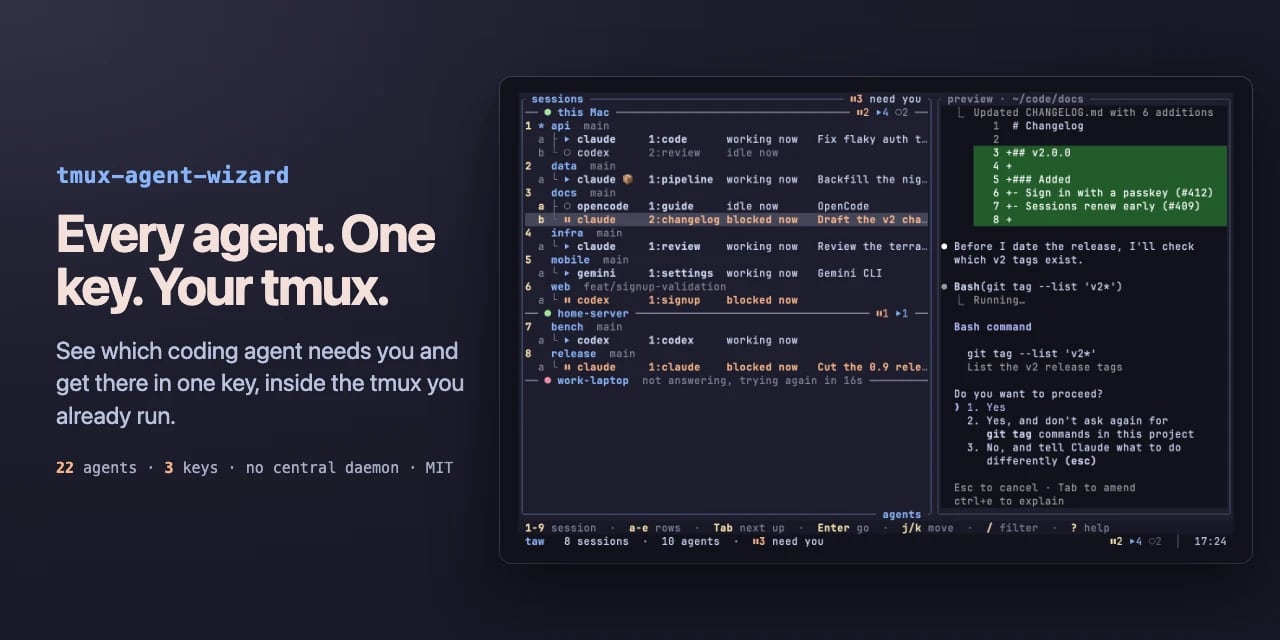
Monitor Mac coding agents from the notch with Agent Isle

0
Text: AI-generated
AI-generated · Automatically published by LinkLoot. Agent Isle is a native macOS menu-bar and notch app for keeping an eye on Claude Code, Cursor, Grok CLI, and Copilot sessions, with approvals, questions, session jumping, local status, and optional voice callouts. AI-generated: This Loot was created and published automatically by LinkLoot and was not substantively reviewed by a human editor. Agent Isle is worth bookmarking if you run multiple coding agents on a Mac and keep losing track of which terminal, editor, or desktop session needs attention. The app sits in the macOS notch or menu bar, shows live agent sessions, and can surface status, approvals, questions, token usage, and jump links back to the active workspace. The strongest practical angle is that it is local-first by default. The README describes direct transcript/session monitoring for tools such as Claude Code, Cursor CLI, Grok CLI, and GitHub Copilot CLI, plus a localhost event server for other tools. The latest v1.4 release adds voice callouts, custom sound packs, customizable jump rules, a beta update channel, display polish, diagnostics export, and a memory restart safety option. Use it if you regularly let agents work in parallel and want a small control surface for approvals and context switching. Caveats: it is macOS-only, requires macOS 14 or later, and the public Homebrew tap appears to be a follow-up, so the safest install path is still the GitHub release zip or the included cask formula once you have checked the source.
Free
Review open
0

Run Rust-backed Python data pipelines with Rivers

0
Text: AI-generated
AI-generated · Automatically published by LinkLoot. Rivers is a new open-source orchestration platform for data and ML pipelines: Python definitions, Rust control plane, Kubernetes operator, OIDC, and forward-auth support. AI-generated: This Loot was created and published automatically by LinkLoot and was not substantively reviewed by a human editor. Rivers is worth a bookmark if you build data or ML pipelines and want a Python authoring layer without putting the whole control plane on Python runtime behavior. The project defines assets and repositories in Python, then uses a Rust core for graph resolution, execution planning, scheduling, partition handling, and the web UI. What to try Define simple assets as Python functions and materialize them locally with pip install rivers. Use rivers dev MODULEPATH for a single-process local setup with embedded storage, scheduler, and UI. Evaluate it against Dagster-style asset orchestration needs where startup speed, typed execution planning, and Kubernetes deployment matter. Check the Kubernetes path if you need CodeLocation CRDs, one-pod-per-step execution, Helm charts, and a separate operator. Review the authentication guide before exposing the UI: Rivers documents none, native OIDC with PKCE, and forward-auth mode behind a trusted proxy. Good fit Rivers looks most useful for teams experimenting with data asset orchestration, ML pipeline scheduling, or internal pipeline platforms that want Python ergonomics plus a compiled Rust scheduler/control plane. It also has practical production hooks: SurrealDB-backed state, Server-Sent Events for UI updates, Kubernetes-native execution, backfills, sensors, schedules, concurrency limits, and pluggable IO. Caveats This is still a young project. The GitHub repository was created in May 2026 and the PyPI package is at 0.4.0, so treat it as an evaluation candidate rather than a drop-in replacement for mature orchestrators. The repository license is AGPL-3.0, which matters for internal platform and SaaS use. LinkLoot has not performed a hands-on review; verify installation, security posture, and operational behavior in a disposable environment before using it with production workloads.
Free
Review open
0
Blog

Related reads

Browse blog
AI & Automation

GitHub Copilot adds cost-aware model routing and agent workflows

GitHub Copilot is rolling out cost, quality, and response-time tiers for automatic model selection alongside broader code-review, Dev Contai

AI & Automation

xAI opens Grok 4.6 on its API with 500K context

xAI's developer release notes now list Grok 4.6 as available on the API, with text and image input, a 500K-token context window, four reason

AI & Automation

GitHub Copilot sets September 28 defaults for agents, reviews, and billing

GitHub is consolidating Copilot chat and cloud-agent access, changing the default code-review effort to Balanced, and moving Business and En

AI & Automation

Vercel adds Z.ai GLM-5.3 FlashX to its AI Gateway

Vercel now exposes Z.ai's GLM-5.3 FlashX through AI Gateway, with a stated serving speed of about 200 tokens per second and built-in routing

AI & Automation

Anthropic opens verified Claude access for life-science teams

Anthropic is opening applications for a beta program that gives verified life-science teams more permissive access to Claude for biology and

AI & Automation

Anthropic puts Accenture inside frontier-model safety evaluations

Anthropic is partnering with Accenture's Faculty to place evaluators inside its frontier-model development process, with both organizations

AI & Automation

OpenAI sets out Australian youth-safety blueprint as AI rules tighten

OpenAI has published a six-pillar Australian Youth Safety Blueprint for safer AI experiences. The proposal arrives as Australia’s online-saf

AI & Automation

Vidu S2 brings real-time avatars and live video editing to developers

Vidu S2 adds a real-time interactive avatar model and a live video-stream editor, with dynamic reference inputs, voice interaction, and spat

AI & Automation

OpenAI formalizes model-misalignment reporting with six case studies

OpenAI has introduced a framework for tracking, investigating, and disclosing model-misalignment incidents, publishing six initial reports w

AI & Automation

Sam Altman Delays an Unnamed OpenAI Launch Until Next Week

Sam Altman says OpenAI's main planned launch this week is moving to next week, while GPT-6 speculation remains unconfirmed.

Tools & Apps

GitHub Copilot lets teams restore AI access after credit limits

GitHub now lets Copilot Business and Enterprise members request more AI budget after exhausting their included credits, with owners and bill

Tools & Apps

Notion 3.7 turns team know-how into portable agent skills

Notion 3.7 adds a shared skills library that exports team procedures as portable SKILL.md packages, alongside custom MCP connections and sub

AI & Automation

Google makes Gemini 3.8 Live generally available for voice agents

Google has launched Gemini 3.8 Live and Gemini 3.8 Live Extended Thinking for real-time voice applications, with access through the Gemini A

AI & Automation

OpenAI brings ChatGPT advertising tools to marketers

AI & Automation

OpenAI and GitHub set October deadlines for model retirements

OpenAI will retire GPT-5.5 from ChatGPT, ChatGPT Work, and Codex on October 14, while GitHub will deprecate selected Copilot models on Octob

AI & Automation

OpenAI brings GPT-Live-1 to the API for full-duplex voice agents

OpenAI has released GPT-Live-1 in the API, letting developers build voice agents that listen and speak at the same time while delegating rea

Tools & Apps

Cisco Secure Email Gateway CVE-2026-76461 is under active attack

Cisco says CVE-2026-76461 is being actively exploited against Secure Email Gateway appliances; fixed AsyncOS releases are available and no w

AI & Automation

OpenAI opens the Codex harness to developers through Agents API

OpenAI has put the Codex harness behind a public-beta Agents API, adding managed sessions, context compaction, tool coordination, subagents,

AI & Automation

Anthropic launches Claude Fable 5.1 with lower token costs

Anthropic has launched Claude Fable 5.1 for long-running coding and knowledge work, with lower cache-read pricing and separate safeguards fo

AI & Automation

DeepSeek V4.1-Flash replaces V4 Pro routing with cheaper multimodal API access

DeepSeek V4.1-Flash is live with native image understanding, lower token rates, and a September 14 routing change that moves V4 Pro requests

Tools & Apps

Cursor rolls out Projects with a coordinator for long-running agent work

Cursor Projects is rolling out in beta with persistent shared context, delegated cloud and local agents, and subscriptions that react to Sla

AI & Automation

Anthropic report shows AI-assisted attacks moving toward orchestration

Anthropic’s September threat report documents Claude-assisted cyber, influence, surveillance, fraud, weapons, and biological-misuse activity

AI & Automation

OpenAI says GPT-6 Astra helps Devin test and prove its code

OpenAI says GPT-6 Astra is helping Cognition’s Devin test software, return simulator recordings, and document what passed or remains unteste

AI & Automation

OpenAI launches ChatGPT for Financial Services with GPT-6 Astra

OpenAI has launched ChatGPT for Financial Services, an enterprise workspace that combines GPT-6 Astra with built-in financial datasets and s

AI & Automation

OpenAI Codex 0.154.0 adds GPT-6-Astra and safer workflows

Codex 0.154.0 adds GPT-6-Astra to its model catalog, introduces managed worktrees and inline answers, and expands Windows sandbox and MCP au

AI & Automation

OpenAI launches ChatGPT Images 2.5 with two API-ready variants

OpenAI has announced ChatGPT Images 2.5 for more polished image creation and editing. Vercel independently lists two OpenAI variants for AI

AI & Automation

IBM releases PatchTST-FM-r2 for open zero-shot forecasting

IBM's Granite Time Series PatchTST-FM-r2 brings open weights, probabilistic forecasts, and a commercial-friendly dual license to zero-shot t

AI & Automation

Inception’s Mercury 2.5 brings diffusion LLMs to 1,100 tokens/s

Inception’s Mercury 2.5 preview uses diffusion-based generation, offers a 260K context window and tool calling, and is listed on OpenRouter

AI & Automation

OpenAI claims an AI-generated solution to Navier–Stokes

OpenAI says an internal model produced a finite-time singularity proof for the Navier–Stokes Millennium Prize problem, with a Lean formaliza

Tools & Apps

Cloudflare moves Next.js RCE defenses into baseline WAF rules

Cloudflare has promoted two Next.js remote-code-execution detections from beta into baseline managed WAF signatures. The change strengthens

AI & Automation

GPT-6 Astra reaches GitHub Copilot for long-horizon coding

GitHub has made OpenAI’s GPT-6 Astra generally available in Copilot, with gradual rollout across paid plans and usage-based provider pricing

AI & Automation

Google DeepMind Opens AlphaGenome Atlas to 9 Billion DNA Variants

Google DeepMind has released AlphaGenome Atlas, a free academic portal that precomputes molecular-effect predictions for roughly 9 billion p

AI & Automation

OpenAI expands journalism support from classrooms to newsrooms

OpenAI is extending its journalism program with more than 400 ChatGPT Edu subscriptions for students and faculty at CUNY Newmark and Northwe

AI & Automation

OpenAI Maps Its GPT-6 Strategy Around Delegated Work

OpenAI says GPT-6 Astra, broader distribution, and in-house compute are converging around a larger market for delegated work.

Tools & Apps

Cloudflare Workers replace compressed bundle caps with a 64 MiB limit

Cloudflare has removed the 3 MiB Free and 10 MiB Paid compressed bundle caps for Workers. Deployments now use one 64 MiB uncompressed limit

AI & Automation

Clear AI Agent Instructions: Status Update or Action Request?

Separate completed actions from new requests. Practical examples for resets, uploads, and exports, plus the limits of wording alone.

AI & Automation

AI Service Not Loading: Outage, Usage Limit, or Browser Problem?

A practical troubleshooting sequence using official status pages. Narrow down the service, account, browser, and connection before changing

AI & Automation

Ollama Making Your PC Slow? What to Check First

Separate memory pressure, CPU/GPU placement, context size, and loading time. Start with a read-only diagnostic command and a hardware estima

Tools & Apps

Convert HEIC to JPG Without Uploading Your Photos

Save HEIC photos as JPEG locally in your browser or with Preview on a Mac. Includes batch export, file-size checks, and reasons to keep the

Tools & Apps

PDF Edited, Download Paywalled: How to Avoid the Trap

Check the export before doing the work. A practical guide to local PDF editing, transparent free allowances, and important feature boundarie

AI & Automation

Codex Usage Limit Reached: What to Do With an Unfinished Task

Check your allowance, preserve progress, and resume deliberately. Understand the difference between personal limits and public special reset

AI & Automation

Google puts Lyria 3.5 into the Gemini API for full-song generation

Google's Lyria 3.5 music model is moving from a product showcase into the Gemini API public preview, with full-song generation, vocals, lyri

AI & Automation

xAI retires Grok Imagine Image Quality and changes default billing

xAI will retire the grok-imagine-image-quality API slug on November 2, 2026, routing requests to Grok Imagine Image 2.0 at low quality while

Tools & Apps

GitHub CLI Linux package key expires September 5

GitHub's current PGP key for Linux package repositories expires on September 5, 2026. Older apt, yum, and dnf installations should refresh t

AI & Automation

Claude Fable 5.1 reaches GitHub Copilot with retention caveats

AI & Automation

OpenAI commits $1B to expand Daybreak cyber defense access

OpenAI is committing $1 billion over six months to subsidize Daybreak access, training, technical support, and partnerships for resource-con

AI & Automation

GitHub Copilot adds Gemini 3.8 Flash with usage-based billing

GitHub is rolling Google’s Gemini 3.8 Flash into Copilot for Pro, Pro+, Max, Business, and Enterprise users, with introductory provider pric

AI & Automation

OpenAI launches GPT-6 Astra with staged plan and API access

OpenAI is rolling out GPT-6 Astra to Trusted Access enterprises first, followed by Plus, Pro, Business, Enterprise and API access in the com

AI & Automation

Cursor Cloud Agents move into self-hosted infrastructure

Cursor is adding self-hosted machines for Cloud Agents, letting teams keep code, build outputs, and secrets inside their own network while s

AI & Automation

GitHub reopens Copilot Business signups with upfront billing

GitHub is gradually reopening Copilot Business and Enterprise signups for card and PayPal customers, while changing seat billing and overage

AI & Automation

Vercel and OpenRouter cut GLM-5.3 API pricing for a limited window

Vercel and OpenRouter are offering limited-time 50% pricing windows for Z.ai's GLM-5.3 family, with different model slugs, providers, and en

AI & Automation

GitHub Copilot approvals turn code review into a merge-control decision

GitHub is previewing opt-in Copilot approvals that can satisfy repository merge requirements, with controls at enterprise, organization, and

AI & Automation

Qwen3.8 Max 0902 reaches AI Gateway with a pinned snapshot

Alibaba's Qwen3.8 Max 0902 is now available through Vercel AI Gateway, giving developers a dated model ID for repeatable coding and agent wo

AI & Automation

OpenAI’s Astra raises the bar for cyber-critical model access

OpenAI says its upcoming Astra model is the first to meet its Critical cybersecurity capability threshold, with its strongest cyber abilitie

AI & Automation

Grok 4.6 rolls into GitHub Copilot for longer coding tasks

GitHub is gradually rolling xAI's Grok 4.6 into Copilot across paid individual and organizational plans, with usage-based billing and an adm

AI & Automation

Anthropic releases Claude Fable 5.1 with cheaper agentic work

Anthropic says Claude Fable 5.1 is generally available for coding and knowledge work, with lower cache-read pricing and more targeted cybers

AI & Automation

Google releases Gemini 3.8 Flash for long-horizon agent work

Google says Gemini 3.8 Flash improves coding, agentic tasks, and multi-step reasoning at the same introductory price as 3.7 Flash, while Ope

AI & Automation

Qwen-Drive 1.0 puts 3D perception and motion planning in one 4B model

Qwen has published Qwen-Drive-1.0-4B on Hugging Face, combining driving-scene understanding, 3D perception, and motion planning around a Qwe

AI & Automation

CrowdStrike launches SafeMind models for autonomous cyber defense

CrowdStrike introduced SafeMind, a red-team and blue-team model family built with NVIDIA Nemotron for Falcon-based cyber defense.

AI & Automation

Claude Code 2.1.257 adds Fable 5.1 and tighter agent safeguards

Claude Code 2.1.257 makes Fable 5.1 the default model and adds stricter controls around metadata access, network paths, credentials, MCP ser