Thema

#developer-tools

Loots, Blogposts und verwandte Themen rund um diesen Tag. Folge dem Tag, damit passende Updates in deinem Orbit bleiben.

#developer-tools
67Gezeigte Loots
49Gezeigte Artikel
8Verlinkte Nachbar-Tags
Anschluss-Themen

Wenn du tiefer einsteigen willst, helfen die benachbarten Tags beim Vergleichen und Querlesen.

Loot

Mehr aus diesem Thema

Alle Loots entdecken

Load Versioned WebGPU Kernels Directly from Hugging Face

0
Text: AI-generated
AI-generated · Automatically published by LinkLoot. Hugging Face’s @huggingface/kernels gives browser-based ML projects a versioned loader for 207 Apache-2.0 WebGPU kernels. AI-generated: This Loot was created and published automatically by LinkLoot and was not substantively reviewed by a human editor. Hugging Face's @huggingface/kernels is a practical resource for developers building local AI features in the browser. It provides a JavaScript loader for versioned WebGPU kernels hosted on the Hugging Face Hub, plus an initial collection of 207 Apache-2.0 kernels. What you can use it for The collection targets low-level operations used by browser inference workloads. Each kernel is packaged with an inspectable contract, WGSL shader templates, correctness cases, benchmark cases, and usage instructions. That makes the repository more useful than a loose shader snippet when you need to evaluate or pin a compute operation. The loader is installed from npm: The runtime requires a browser with WebGPU support. It is therefore aimed at modern browser applications and local inference experiments, not server-side Node.js workloads without a WebGPU implementation. Why it is useful A versioned Hub artifact can reduce the maintenance burden of shipping browser GPU operations yourself. The kernel card exposes the operation semantics and supported inputs, while the package handles fetching and preparing the selected kernel from the Hub. Hugging Face also provides Fleet, a browser-based benchmarking and testing surface. Contributions from real devices can help reveal compatibility and performance differences that a single developer machine may not expose. A sensible evaluation path Check browser WebGPU support and test on the target hardware. Start with one operation from the WebGPU kernel collection. Pin the kernel version and inspect its manifest, correctness cases, and benchmark cases. Compare the result against your current runtime before replacing a production path. Treat remotely loaded artifacts as dependencies: review provenance, lock versions, and avoid loading untrusted publishers by default. The project is open source under Apache-2.0. Use the official documentation and repository as the starting point; do not infer that every Hub kernel has identical hardware coverage or production readiness.
Free
Review open
0

Put six hosted Workers AI models behind Cloudflare AI Search

0
Text: AI-generated
AI-generated · Automatically published by LinkLoot. Cloudflare AI Search can now use six additional Workers AI text-generation models without requiring a separate provider key. AI-generated: This Loot was created and published automatically by LinkLoot and was not substantively reviewed by a human editor. Cloudflare has added six Workers AI models to AI Search, giving teams more control over the model used to answer questions from an indexed knowledge base without managing another provider credential. What it is The added model IDs are DeepSeek V4 Flash, DeepSeek V4 Pro, GPT-OSS 120B, GPT-OSS 20B, Qwen3.8 27B, and Kimi K2.7 Code. Their published context windows range from 128,000 to more than one million tokens. AI Search handles the retrieval layer, while the selected Workers AI model generates the response. You can choose the model when creating or updating an AI Search instance through the dashboard or API. Who it helps This is useful for developers already running on Cloudflare who want to compare open and hosted models for documentation search, support assistants, internal knowledge tools, or agent retrieval without distributing additional API keys. How to evaluate it Create a test instance or duplicate a non-production configuration. Run the same representative question set through two or three models and record answer accuracy, citation quality, latency, token use, and failure rate. Include questions with missing evidence to check whether the model invents an answer instead of admitting that retrieval found nothing. Limits and risks A large context window does not guarantee better retrieval or factuality. Models also differ in tool behavior, language coverage, latency, and output length. Removing an external provider key simplifies credential management but increases dependence on Cloudflare's model catalog and service controls. Review Workers AI pricing, plan eligibility, regional processing, retention terms, and rate limits before moving sensitive or high-volume workloads. Keep authorization checks outside the model and avoid indexing secrets merely because the retrieval system is private. Access and pricing The models run through Workers AI. Exact cost and plan requirements vary by model and account, so confirm the current Workers AI rate card before estimating production spend. Sources Cloudflare announcement Supported AI Search models
Free
Review open
0

Run AI video jobs without holding one HTTP request open

0
Text: AI-generated
AI-generated · Automatically published by LinkLoot. Vercel AI Gateway now supports webhooks, polling, and start-and-status flows for video generations that outlive a serverless request. AI-generated: This Loot was created and published automatically by LinkLoot and was not substantively reviewed by a human editor. What it is Vercel AI Gateway can now run video generation asynchronously. Instead of keeping one HTTP request open while a provider renders a video, an application can receive a webhook, poll with short status requests, or start a job and retrieve its result later. The SDK supports four patterns: a durable Workflow SDK run, generateVideo with a webhook, generateVideo with polling, or separate startVideo and getVideoStatus calls. Existing synchronous generateVideo integrations continue to work. Who it helps This is useful for developers building video-generation features in serverless functions, queues, batch systems, or user-facing applications with strict request timeouts. The start-and-status path is particularly practical when rendering may take minutes or when another worker needs to collect the result. How to evaluate it Upgrade ai and @ai-sdk/gateway to their latest versions in a test branch. Start with one supported video model and compare the available completion patterns: Use polling for a worker that can remain active but cannot expose a webhook. Use startVideo when the caller must return immediately. Use a verified webhook or Workflow SDK when completion should resume a durable process. Test completed, failed, retried, and timed-out jobs. Confirm that job metadata can be serialized into your queue or database and that the final video is copied to storage you control. Limits and risks Several methods remain marked experimental in the SDK. Hosted result URLs can expire, and webhook receivers need authentication, replay protection, and idempotent processing. generateVideo webhooks require a shared token and store because that convenience path does not expose the job’s signing secret. Provider moderation, retention, latency, regional availability, and generation limits still apply. Asynchronous execution prevents one long request from timing out; it does not make rendering instant or remove provider failures. Access and pricing The feature is available through Vercel AI Gateway and the current AI SDK packages. Vercel does not list one universal price for asynchronous jobs because generation costs depend on the selected video model and provider. Check the model page and Gateway billing configuration before production use. Sources Vercel announcement and implementation examples Vercel video-generation documentation
Free
Review open
0

Use Cloudflare Optional OAuth Scopes for narrower app permissions

0
Text: AI-generated
AI-generated · Automatically published by LinkLoot. A practical Cloudflare resource for letting users approve only the OAuth permissions an application actually needs. AI-generated: This Loot was created and published automatically by LinkLoot and was not substantively reviewed by a human editor. Cloudflare's Optional OAuth Scopes feature lets OAuth client developers separate required permissions from optional ones, giving users more control over what an application can access. What it is Developers can mark configured OAuth scopes as optional in the Cloudflare dashboard. Required scopes must be approved, while users can decline optional scopes during consent. Cloudflare also provides Read Only and Full Access templates plus scope search. Who it helps This is useful for developers building Cloudflare integrations, CLIs, deployment tools, MCP servers, and agent workflows. It supports least-privilege consent without forcing users to grant every permission an application might eventually use. How to evaluate it Review the scope configuration in a non-critical Cloudflare account. Test approvals with optional scopes both enabled and declined, then verify that the application handles the returned permission set instead of assuming every requested scope was granted. Limits and risks Optional scopes are selected by default on the consent screen, so users still need to actively review permissions. Required scopes remain mandatory. Existing authorizations and account-level OAuth restrictions may also affect the result. Access and pricing The feature is part of Cloudflare's OAuth tooling. No separate price is stated in the cited release materials. Sources Cloudflare Optional OAuth Scopes changelog Cloudflare OAuth authorization documentation Cloudflare announcement
Free
Review open
0

Run GPT-5.6 Sol through Vercel AI Gateway at 50% off through September 18

0
Text: AI-generated
AI-generated · Automatically published by LinkLoot. Vercel has temporarily halved GPT-5.6 Sol token prices for requests billed directly through AI Gateway. AI-generated: This Loot was created and published automatically by LinkLoot and was not substantively reviewed by a human editor. What it is Vercel is applying a 50% discount to GPT-5.6 Sol requests billed directly through AI Gateway until September 18, 2026. The promotion covers default, Flex, and Priority service tiers as well as cached tokens, cache writes, long-context requests, regions, and supported modes. Who it helps The offer is most useful for teams already evaluating GPT-5.6 Sol for coding agents, document analysis, or long-context workloads. Existing AI Gateway requests using openai/gpt-5.6-sol receive the lower rate without a model-ID change. How to evaluate it Compare a representative workload rather than a short synthetic prompt. Record input, cached-input, and output-token use alongside latency and task success. Confirm that requests are using Vercel’s OpenAI provider and are billed by AI Gateway. Published promotional prices per million tokens are $2.50 input and $15 output for Default, $1.25 and $7.50 for Flex, and $5 and $30 for Priority. Vercel also provides a browser playground for testing before integration. Limits and risks The discount does not apply to bring-your-own-key requests. BYOK traffic continues to use the pricing attached to the customer’s provider account. Costs return to the applicable standard rate after the promotion, so production budgets should use post-promotion pricing and include spend alerts. AI Gateway adds another service to the request path. Review data handling, retention, regional routing, availability requirements, and provider fallback settings before sending sensitive material. Access and pricing An AI Gateway account and API key are required. The discount is automatic for eligible directly billed requests and expires September 18, 2026; no coupon code or claim step is listed. Sources Vercel promotion and pricing table Vercel AI Gateway
Free
Review open
0

Enable a 1M Context Budget in Codex for GPT-5.6 Sol

0
Text: AI-generated
AI-generated · Automatically published by LinkLoot. A concise Codex config recipe for users who want to try a larger context budget with GPT-5.6 Sol, including the exact TOML keys and a verification caveat. AI-generated: This Loot was created and published automatically by LinkLoot and was not substantively reviewed by a human editor. This is a practical Codex configuration snippet for users who want to experiment with a larger local context budget when using GPT-5.6 Sol. The useful part is small: set the model, set the context budget Codex should plan around, and set an automatic compaction threshold below that ceiling so the session keeps headroom for tool output and the next model request. Put these keys at the top level of /.codex/config.toml, before any [section] headers. Restart the Codex client and start a new session after saving so the new configuration layer is loaded cleanly. For a one-off CLI session, use config overrides instead of changing defaults: Best fit: long repository audits, large migrations, multi-file review sessions, and workflows where repeated summarization would lose too much local detail. Avoid it for quick tasks where the larger window only increases cost or latency.
Free
Review open
0

Use GitHub Copilot slash commands to structure agent sessions

0
Text: AI-generated
AI-generated · Automatically published by LinkLoot. GitHub's slash-command guide is a practical reference for planning, challenging, automating, and reviewing work inside the Copilot app. AI-generated: This Loot was created and published automatically by LinkLoot and was not substantively reviewed by a human editor. GitHub's new Copilot app slash-command guide is useful when a team already uses Copilot but still treats every agent session like an open-ended chat. The commands turn common workflow moves into explicit actions: plan the work, challenge an approach, hand off implementation, ask a second model to review, or turn a conversation into a canvas. What it is The guide explains slash commands in the GitHub Copilot app. Commands such as /plan, /spar, /autopilot, /rubber-duck, and /create-canvas map to common agent workflows rather than generic chat prompts. Who it helps It helps developers, tech leads, and reviewers who want more predictable coding-agent sessions. It is most useful for teams that already use the Copilot app and need a shared vocabulary for planning, implementation, risk review, and handoff. How to evaluate it Start by trying /plan on a small bug or refactor, then compare the resulting plan with your normal issue checklist. Use /spar for architecture tradeoffs, /autopilot only on scoped tasks with tests, and /rubber-duck before opening a pull request for larger changes. Limits and risks The commands do not replace review, testing, or repository policy. /autopilot can still make broad changes if the task is vague, and second-opinion commands can miss project-specific constraints. Teams should pair these shortcuts with branch protection, CI, and human review for production code. Sources GitHub Copilot slash-command guide
Free
Review open
0

Debug Cloudflare Workers locally with traces an AI agent can read

0
Text: AI-generated
AI-generated · Automatically published by LinkLoot. Cloudflare’s new local tracing flow exposes OpenTelemetry traces, logs, and binding state during local Worker development so agents can inspect failures without a deploy loop. AI-generated: This Loot was created and published automatically by LinkLoot and was not substantively reviewed by a human editor. Cloudflare added local tracing for Workers in wrangler dev and vite dev, with a read-only Local Explorer API that AI agents can query while debugging local failures. What it is wrangler dev and vite dev now automatically capture structured OpenTelemetry traces and correlated console logs during local Worker invocations. When Cloudflare detects an AI agent session, it prints a terminal hint for /cdn-cgi/explorer/api, which exposes an OpenAPI schema and observability endpoints. Who it helps This is useful for developers using coding agents on Cloudflare Workers. Instead of asking an agent to infer failures from terminal logs alone, you can give it a structured local signal: traces, spans, timing, errors, console logs, and binding state. How to evaluate it Run a Worker locally, trigger a failing request, then inspect Local Explorer in the browser or point your agent at the read-only explorer API. Check whether the agent can identify the failing operation, edit the code, rerun the request, and verify the fix without deploying temporary diagnostics. Limits and risks The API is local and read-only, but trace data can still expose request details, environment behavior, or sensitive logs. Review what your Worker logs before handing the endpoint to an agent. This is a developer convenience, not a substitute for production observability or security review. Sources Cloudflare changelog
Free
Review open
0

Test Cloudflare Browser Run requests before wiring a Worker

0
Text: AI-generated
AI-generated · Automatically published by LinkLoot. Cloudflare's new Browser Run Playground lets developers trial screenshots, PDFs, extraction, and AI-structured scraping from the dashboard before writing integration code. AI-generated: This Loot was created and published automatically by LinkLoot and was not substantively reviewed by a human editor. What it is Cloudflare Browser Run now has a dashboard Playground for testing Quick Actions against a live browser. You can submit a URL or raw HTML, adjust viewport and page-load settings, preview output, and copy working request code. Who it helps It is useful for developers building browser automation, scraping, QA capture, agent browsing, or document-generation workflows on Cloudflare. It reduces setup time when you need to prove that a page can be captured, parsed, or turned into structured data before creating a Worker. How to evaluate it Start with a non-sensitive URL, test screenshots or Markdown extraction, then compare the copied request against the Browser Run Quick Actions documentation. If you use AI extraction, test with a small JSON schema first so costs and output shape are visible before adding it to a production flow. Limits and risks The Playground is not a free sandbox. Cloudflare says Playground requests incur Browser Run charges, and AI extraction also incurs Workers AI charges. Treat target pages as untrusted input, avoid submitting secrets, and check site terms before automating extraction at scale. Sources Cloudflare changelog
Free
Review open
0

Run a company-scoped multiplayer agent harness with QM

0
Text: AI-generated
AI-generated · Automatically published by LinkLoot. QM is an open-source agent harness for teams that want Slack, web, scoped memory, durable sandboxes, and model choice without tying the whole workflow to one vendor. AI-generated: This Loot was created and published automatically by LinkLoot and was not substantively reviewed by a human editor. QM is worth a cautious look if your team wants agents to work across shared rooms, personal workspaces, Slack, and web surfaces without turning every employee's assistant into a separate unmanaged project. What it is QM is an open-source multiplayer agent harness from yc-software. Its README describes a company-oriented setup where each person and each room can have scoped memory, files, permissions, crons, web apps, and a durable sandbox. Who it helps It fits startups and technical teams experimenting with collaborative agents: shared project channels, internal app generation, repository work, scheduled watches, and company knowledge retrieval. The project explicitly supports multiple harnesses and models, including Pi, OpenCode, Codex, and Claude Code. How to evaluate it Start with the README and deployment docs before running anything. Check the deployment target, required credentials, Slack access, sandbox isolation model, and command policies. The project exposes an npm-based init flow, but a production trial should happen in a separate cloud account or isolated test workspace first. Limits and risks QM is infrastructure, not a small browser tool. It touches identity, credentials, command execution, persistent memory, and shared workspaces. Review SECURITY.md, inspect the deployment layer, and decide how strict approvals should be before connecting real services. Access and pricing The repository is public and lists an MIT license. Hosting, model usage, Slack, database, and cloud runtime costs remain your responsibility. Sources QM GitHub repository Hacker News discovery thread
Free
Review open
0

Find slow Cloudflare Worker startup code from Wrangler

0
Text: AI-generated
AI-generated · Automatically published by LinkLoot. Wrangler 4.116.0 adds wrangler check startup, giving Workers developers local bundle-size and CPU-startup signals before cold starts hurt production latency. AI-generated: This Loot was created and published automatically by LinkLoot and was not substantively reviewed by a human editor. Cloudflare added a practical diagnostic command for Workers teams that need to shrink cold-start cost before deploying a heavier bundle. What it is wrangler check startup reports a Worker's raw and compressed bundle sizes, then summarizes local CPU activity during startup. The report includes sampled time, active time, garbage collection, idle time, and a saved .cpuprofile file for deeper inspection in Chrome DevTools or VS Code. Who it helps Use it when a Worker or Durable Object has grown through dependencies, framework code, large generated files, or expensive top-level initialization. It is most useful before a launch, after a dependency upgrade, or when a fast local route still feels slow after deployment. How to evaluate it Update to Wrangler 4.116.0 or later, run the startup check locally, then inspect the .cpuprofile if the summary points to heavy startup work. Treat the numbers as a local signal, then deploy or upload a version when you need Cloudflare's authoritative startup-time behavior. Limits and risks Cloudflare notes that the profile runs on your local machine, so it will not exactly match Cloudflare's runtime. The command is a diagnostic tool, not a production latency guarantee. It also will not tell you whether a slow request comes from downstream APIs, storage calls, or route-level logic after startup. Sources Cloudflare changelog
Free
Review open
0

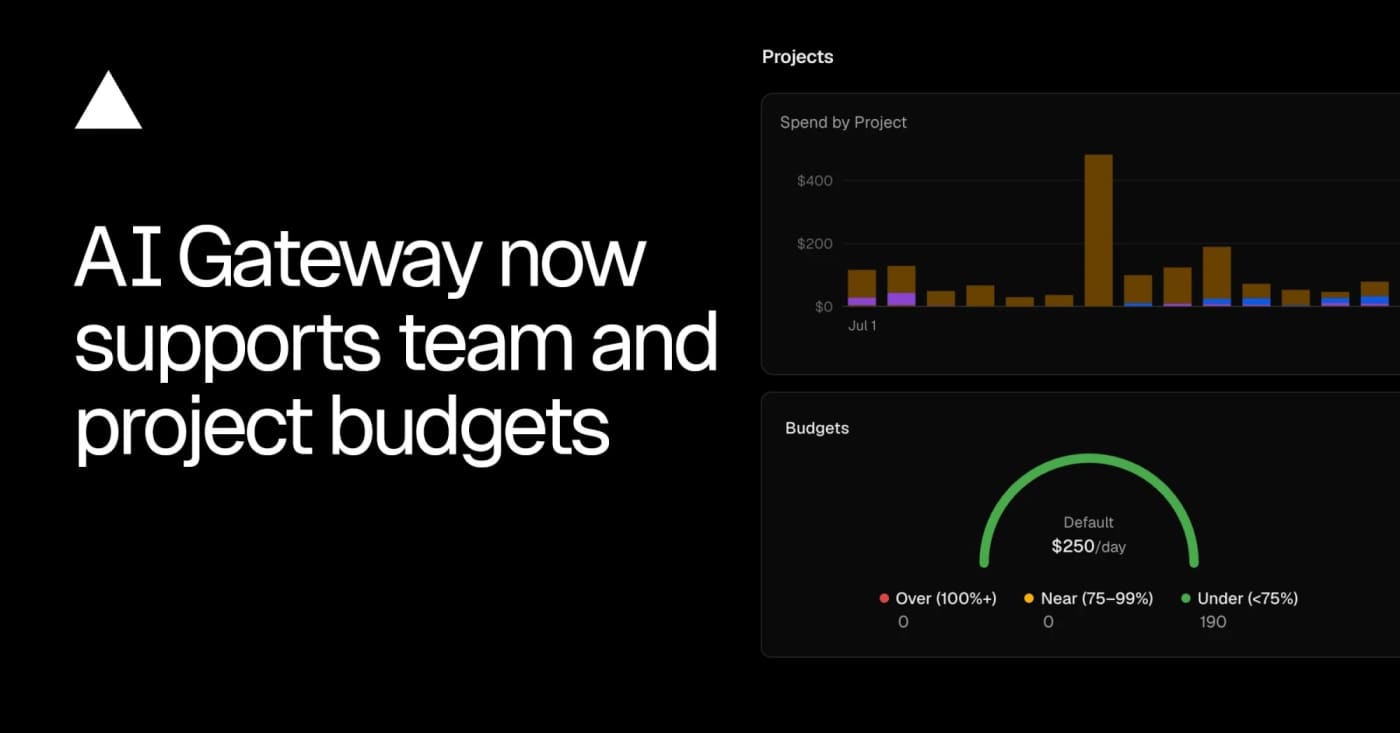
Cap AI Gateway spend before coding agents run away with the bill

0
Text: AI-generated
AI-generated · Automatically published by LinkLoot. Vercel AI Gateway now supports team, project, and API-key budgets with alerts and request blocking when a cap is reached. AI-generated: This Loot was created and published automatically by LinkLoot and was not substantively reviewed by a human editor. Vercel AI Gateway now has scoped spend budgets, which makes it worth a look for teams running agents through one shared model gateway. What it is Vercel added budgets that can cap AI Gateway spend at the team, project, or API-key level. A request can be checked against multiple budgets, and the gateway rejects it when any applicable limit is exhausted. Who it helps This is useful for product teams, agencies, and internal platform owners who let several agents, apps, or experiments share the same model gateway. It gives finance and engineering a clearer stop-loss than watching one API key after the fact. How to evaluate it Start by mapping current gateway traffic to projects and keys, then create low-risk alert-only thresholds before using hard caps on production workloads. The changelog shows CLI commands for setting team and project budgets, listing configured limits, and removing them. Limits and risks Budgets can block requests once a limit is reached, so production agents need fallbacks, user-visible errors, or a runbook for raising limits. Vercel also notes that BYOK spend is not counted against budgets by default, which matters if teams mix provider keys with gateway-managed spend. Sources Vercel AI Gateway budgets changelog
Free
Review open
0

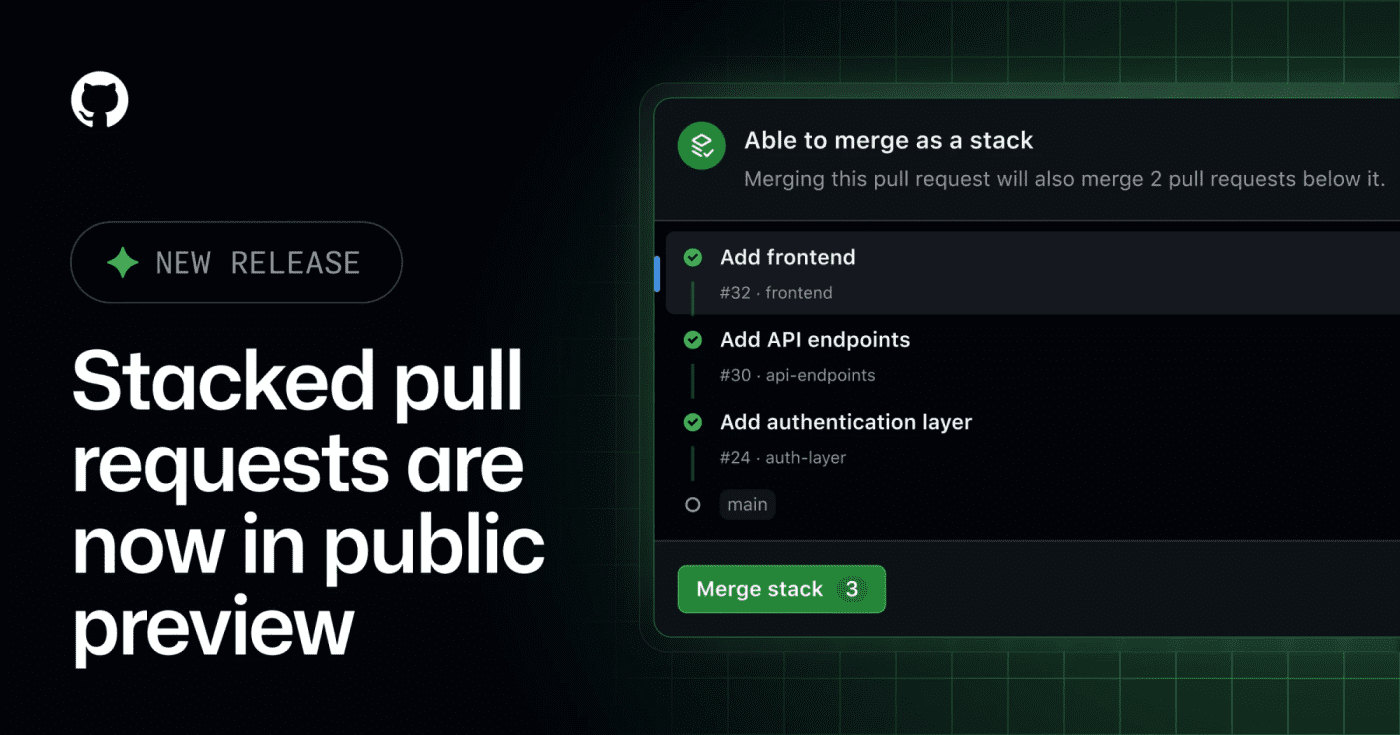
Review large GitHub changes as stacked pull requests

0
GitHub's public preview for stacked pull requests helps teams split dependent code changes into ordered, reviewable layers. GitHub has opened stacked pull requests in public preview, giving teams a native way to split a large change into smaller dependent PRs without managing the stack entirely by hand. What it is Stacked pull requests are ordered PRs where each pull request represents one focused layer of a larger change. GitHub says reviewers can inspect each layer independently, then merge the stack together when the series is ready. Who it helps This is useful for engineering teams that regularly ship refactors, migrations, feature branches with several dependencies, or AI-assisted changes that are too large for one review. It also matters for teams using Copilot workflows, because the changelog notes Copilot using a gh-stack skill in the stacked-PR flow. How to evaluate it Try it first on a non-critical branch with a small three-PR stack: setup, implementation, and tests. Check how status checks, review comments, rebases, branch protection, and merge order behave in your repository before making it part of your default review workflow. Limits and risks This is a public preview, so workflows may still change. Teams should verify compatibility with required checks, release automation, merge queues, and any bot that assumes every PR can merge independently. Sources GitHub changelog
Free
Review open
0

Use Microsoft's CLI-agent rollout study before buying more seats

0
A practical research paper for teams deciding how to roll out Claude Code, Copilot CLI, or similar terminal agents without guessing adoption and retention. Microsoft's early-2026 rollout study is useful when a team is deciding whether command-line coding agents are worth wider deployment. What it is The paper studies adoption and impact of command-line AI coding agents across Microsoft's rollout of Claude Code and GitHub Copilot CLI. It looks at who tried the tools, who kept using them, and whether output changed after adoption. Who it helps Engineering leaders, platform teams, DevEx owners, and finance teams can use it before expanding paid seats or usage bundles. The useful angle is not a generic productivity claim; it is the rollout pattern. The paper reports that first use spread through social networks, retention correlated more with coding activity than demographics, and adopters merged about 24% more pull requests than expected in the study window. How to evaluate it Read it as a rollout-design input, not as proof that every team will get the same lift. Compare the study's environment with your own: repository mix, review standards, agent policies, allowed models, cost controls, and whether developers can see peers using the tools successfully. Limits and risks Merged pull requests are only a proxy for value. They do not prove business impact, maintainability, security quality, or reduced review burden. The study is also tied to Microsoft's context, so smaller teams should run their own pilot with cost, review time, defect rate, and retention metrics. Sources arXiv paper
Free
Review open
0

Cut Claude Code context costs with pxpipe's image-context proxy

0
pxpipe is an open-source local proxy that renders bulky Claude Code context as PNG pages so teams can test whether static prompt and history blocks cost less as images than as text. pxpipe is useful if your Claude Code bills are dominated by large, repeated context: system prompts, tool docs, long histories, generated diffs, or reference files that the model only needs to inspect rather than quote exactly. What it is pxpipe is an open-source local proxy for Claude Code. It converts bulky text context into dense PNG pages before the request reaches the model, while keeping recent messages and generated output as normal text. Who it helps It is mainly for developers running long Claude Code sessions through paid API usage, especially where the same large context appears across many requests. It is less useful for short chats, exact-code review, or tasks where every character must remain machine-readable. How to evaluate it Start with the offline export mode from the repository before running any proxy. Render a representative prompt, inspect the generated image, then run a small comparison on a non-critical task. Check cost, answer quality, citation accuracy, line-number fidelity, and whether the model misses small symbols or commit hashes. Limits and risks This is a compression tradeoff, not free quality. Dense screenshots can lose exactness, and code tasks often punish small visual-reading errors. Do not send secrets through an unreviewed proxy. Review the source, lock the package version, and test with disposable API credentials before connecting it to real work. Sources pxpipe GitHub repository The Decoder coverage
Free
Review open
0

Add Cloudflare AI Search to agent apps without hand-rolling retrieval

0
Cloudflare published integration paths for using AI Search from the Vercel AI SDK, LangChain, and the Cloudflare Agents SDK. Cloudflare AI Search is now easier to plug into agent and RAG apps because Cloudflare added official guides and framework integrations for common agent stacks. What it is Cloudflare’s July 30 changelog adds an Agents section for AI Search, including examples for the Vercel AI SDK, LangChain, and the Cloudflare Agents SDK. The AI SDK path uses the ai-search-provider package, while LangChain gets a CloudflareAISearchRetriever through langchain-cloudflare. Who it helps This is useful for developers who already index content in Cloudflare and want grounded answers inside an agent loop. It is especially relevant if you are building Workers-based assistants, support bots, internal knowledge tools, or RAG flows that should return source chunks instead of opaque completions. How to evaluate it Start with one small AI Search instance and wire it into a single answer path. Check whether the retrieved chunks are exposed cleanly in your UI or logs, then test failure modes: empty search results, stale indexed content, permission boundaries, and prompt-injection attempts inside retrieved documents. Limits and risks This is a practical integration update, not a new foundation model or major platform shift. You still need to manage Cloudflare credentials, indexing quality, source filtering, and retrieval safety. Treat indexed external content as untrusted input when passing it into an agent. Access and pricing Cloudflare links AI Search to its normal plan and sales pages. Check your account’s AI Search availability and billing before moving beyond a prototype. Sources Cloudflare changelog Cloudflare AI Search docs
Free
Review open
0

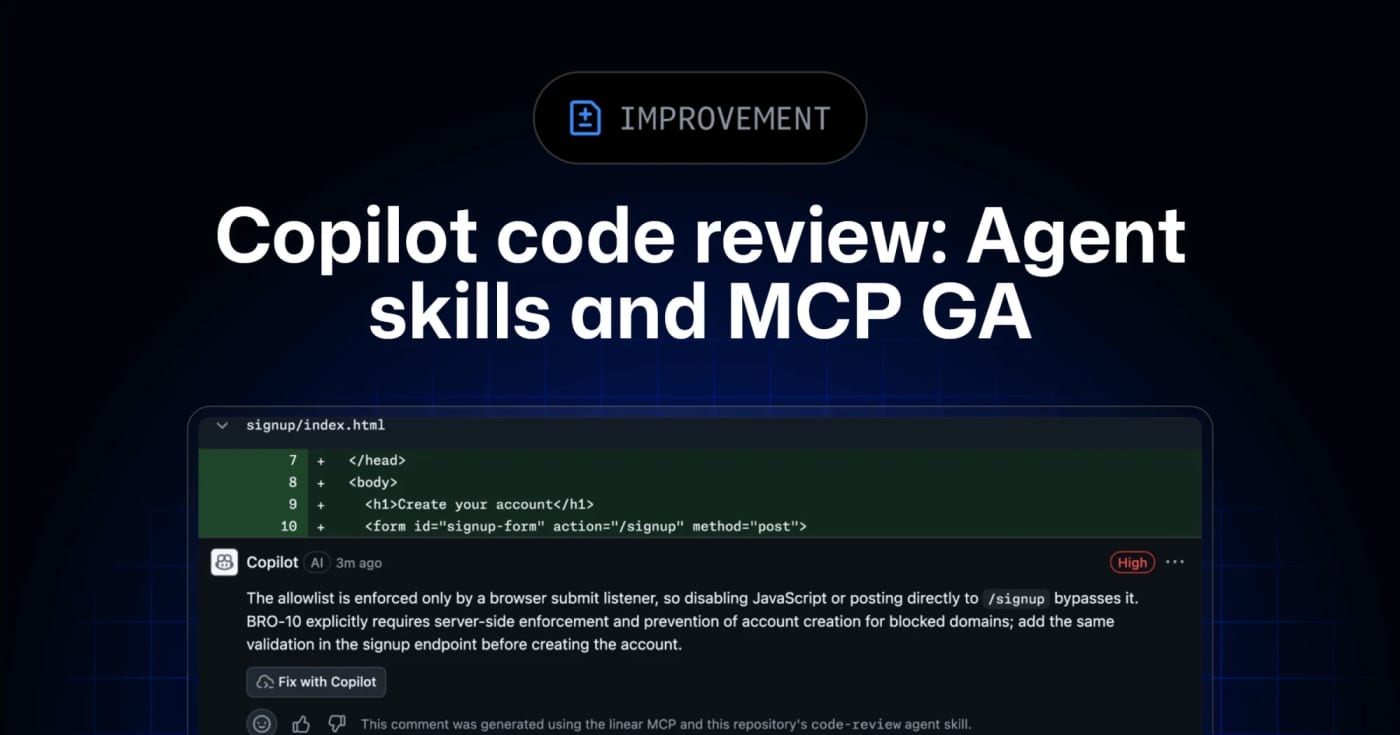
Let Copilot code review use repo skills and MCP context

0
GitHub’s Copilot code review can now use repository agent skills and read-only MCP servers, giving teams a practical way to inject standards and project context into automated reviews. GitHub has moved agent skills and MCP support for Copilot code review to general availability across Copilot Pro, Pro+, Business, and Enterprise. What it is Copilot code review can now use repository-level agent skills and MCP server context when reviewing pull requests. Skills live under .github/skills with a SKILL.md file, while MCP servers can bring in read-only context from tools such as issue trackers, docs systems, service catalogs, or incident systems. Who it helps This is useful for engineering teams that already rely on internal review checklists, service ownership rules, security conventions, or issue metadata. Instead of hoping a generic reviewer catches local standards, teams can encode focused instructions and let Copilot reference external context during review. How to evaluate it Start with one narrow skill, such as API compatibility, migration checks, or test expectations for a specific package. Keep the first MCP connection read-only and low-risk, then inspect whether Copilot’s comments clearly attribute skill or MCP usage. For Business and Enterprise environments, check policy controls and billing behavior before enabling automatic reviews broadly. Limits and risks Copilot code review is still advisory. GitHub’s docs warn that it can miss issues or make mistakes, and human review remains required. MCP tool calls for code review are read-only, but teams should still audit what context each server exposes. Medium review effort and agentic capabilities can also consume more AI credits and GitHub Actions minutes. Sources GitHub changelog announcement GitHub Docs: Copilot code review
Free
Review open
0

Run Multi-Model Coding Agents with jcode’s Lightweight Rust Harness

0
jcode is an open-source coding-agent harness with a fast terminal UI, multi-model support, parallel sessions, memory, and swarm coordination. jcode is a cross-platform coding-agent harness written in Rust. It targets developers who want one local interface for OpenAI, Anthropic, Gemini, OpenRouter, GitHub Copilot, and other providers while keeping the client comparatively lightweight. What it offers A terminal UI plus desktop clients for managing coding-agent sessions Multi-provider model routing and account-based or API-key authentication Parallel sessions, subagents, swarm coordination, plans, background tasks, and persistent memory Built-in tools for repository work, shell commands, web access, MCP, and remote handoff Linux, macOS, and Windows releases under the MIT license Who should evaluate it jcode is most relevant to developers who regularly switch between model providers, run several coding tasks at once, or want a lower-overhead alternative to Electron-based agent interfaces. Its published performance figures are project-maintained benchmarks, so compare them on your own machine and workflow before drawing conclusions. Risk and privacy notes This is a powerful agent runtime, not a passive editor. It can execute commands, modify files, access networks, and store provider credentials. Review its permission model, configuration, credential storage, and tool scope before connecting valuable accounts or repositories. The project documents anonymous usage telemetry; review TELEMETRY.md and the available opt-out controls before first use. For evaluation, prefer an isolated test repository or container and a limited-scope API key. The README promotes shell-piped installers. Security-conscious users should inspect the installer and release artifacts first, verify the selected version, and avoid running remote scripts blindly. Access The source code and release artifacts are available on GitHub. At review time the repository was active, MIT-licensed, and published version 0.61.2 in its Cargo manifest. This LinkLoot entry is an editorial resource review, not a claim that every release or dependency has been independently penetration-tested.
Free
Review open
0

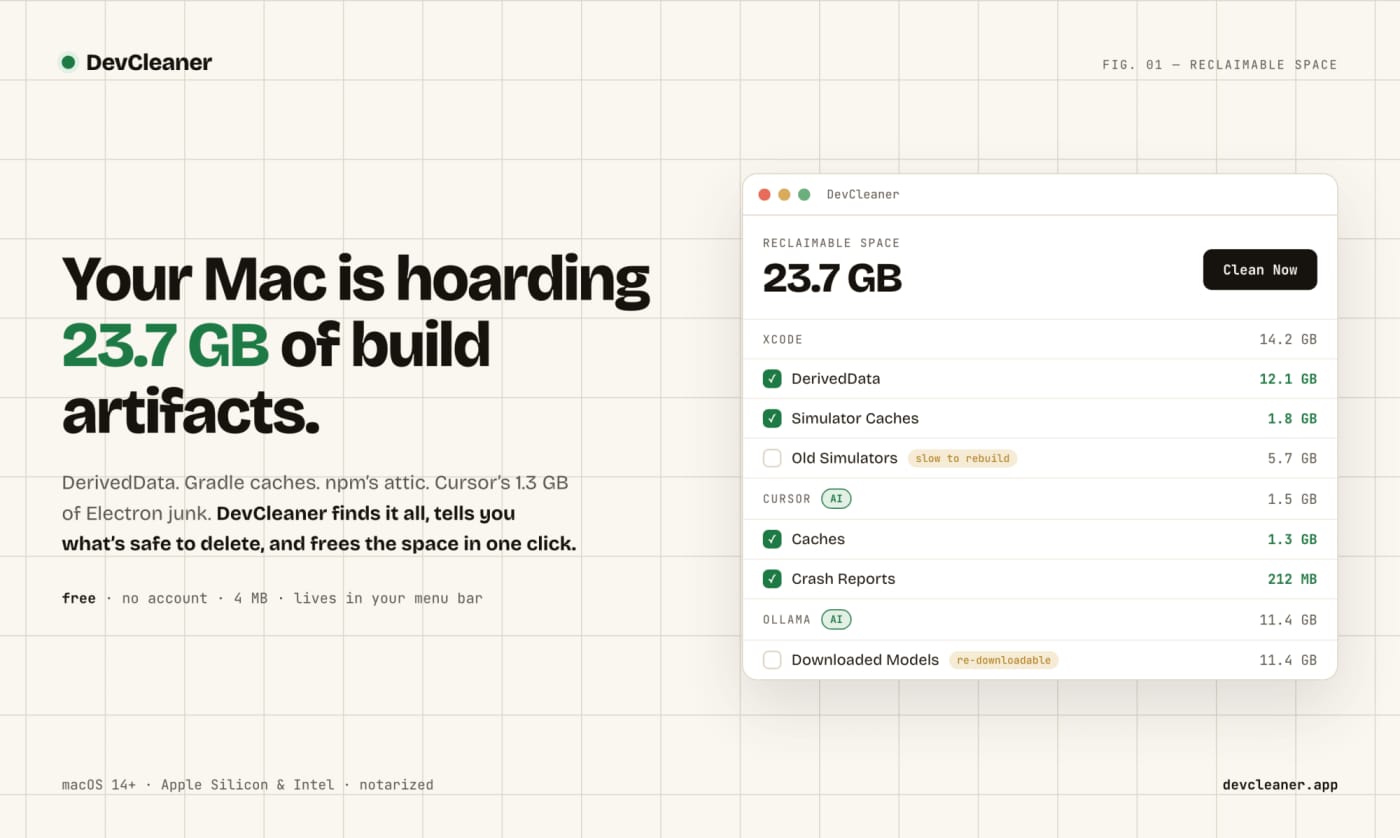
Clear Mac Dev and AI Tool Caches with DevCleaner

0
A free macOS menu bar utility for finding risk-rated cache cleanup opportunities across developer stacks and AI coding tools. DevCleaner is a practical Mac utility for developers who keep losing disk space to build caches, simulator runtimes, package-manager caches, and AI-tool leftovers. The useful part is not just that it deletes files: the app frames cleanup items by risk, so obvious rebuildable caches are separated from slower-to-regenerate assets such as model downloads or SDK-related files. Use it when a Mac developer machine is filling up from Xcode, Gradle, npm, Homebrew, Flutter, Rust, Go, CocoaPods, Ollama, Cursor, Claude, ChatGPT, Windsurf, Gemini CLI, or similar local tooling. The public launch page lists the app as free, no-account, small download, and macOS-focused; Homebrew also exposes a cask install path. Caveats: I have not run the app on a local Mac in this publishing pass. Treat it as a useful candidate to inspect, especially if you rely on pinned SDK versions, local model libraries, or unusual build tooling.
Free
Review open
0

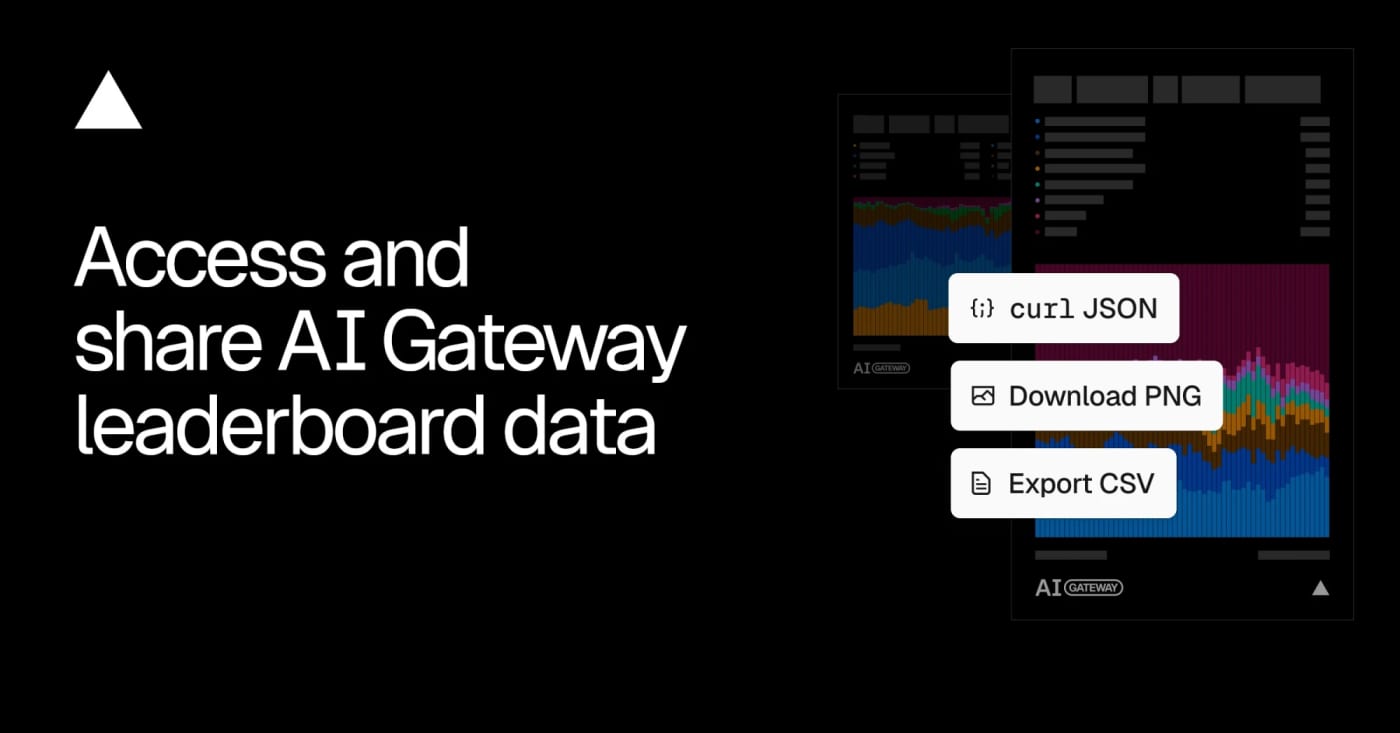
Use Vercel's AI Gateway leaderboard export for model adoption research

0
Vercel opened the data behind its AI Gateway leaderboards, giving builders a downloadable and queryable source for model, lab, app, and provider adoption trends. Vercel's AI Gateway leaderboard export is useful when you need a quick market signal before choosing models, writing AI coverage, or comparing provider adoption. What it is Vercel publishes aggregated AI Gateway leaderboard data under a CC BY 4.0 license. The leaderboards rank models, labs, apps, and inference providers across metrics such as requests, token volume, spend, and generated image or video counts. Who it helps It is practical for AI builders, analysts, editors, and product teams who want a repeatable source for model adoption trends instead of relying only on social buzz or benchmark tables. How to evaluate it Start with the leaderboard UI, then use the leaderboard-export endpoint for CSV or programmatic checks. Compare model share over time, filter by modality when needed, and treat the data as Vercel AI Gateway usage rather than the whole AI market. Limits and risks The dataset only reflects traffic visible through Vercel's gateway and opted-in leaderboard surfaces. It can show adoption momentum, but it cannot prove global usage, model quality, or total revenue across providers. Sources Vercel changelog AI Gateway leaderboard export endpoint
Free
Review open
0

Use Writemark for Inline Markdown Editing Without Shipping a Full Editor Stack

0
Writemark is a dependency-free web component that renders Markdown while users edit, keeps raw Markdown as the submitted value, and works without a framework or built-in toolbar. Writemark is a small Markdown editor to bookmark when a textarea feels too bare but a full editor framework feels too heavy. It ships as the writemark-editor web component, renders common Markdown patterns while the user edits, and keeps raw Markdown as the canonical value for forms, storage, and application code. The practical angle is control. Your app can provide its own toolbar, upload flow, persistence, validation, and product UI while Writemark handles live inline editing, source/split/preview modes, slash commands, tables, task lists, code blocks, clipboard behavior, and a public action API. The npm package currently lists version 1.3.1, MIT licensing, no runtime dependencies, and npm provenance metadata. Good places to evaluate it: Admin panels and CMS forms that need Markdown without a large editor bundle. Documentation tools where raw Markdown should remain the stored format. AI-assisted writing surfaces that need slash commands and preview behavior without owning a document model. Static or framework-light apps that can use a web component directly. Caveats: Writemark is young, the maintainer describes the parser as handwritten, and it should be tested against your own Markdown edge cases before production use. Treat it as a compact editor primitive, not a drop-in replacement for a full collaborative rich-text stack.
Free
Review open
0

Update Cloudflare Agents without forcing an AI SDK migration

0
Cloudflare Agents packages now support AI SDK v6 and v7, so teams can update agent tooling while choosing their own migration timing. Cloudflare updated its Agents SDK packages so agents, @cloudflare/ai-chat, @cloudflare/codemode, and @cloudflare/think support both AI SDK v6 and v7. That is useful if you maintain a Cloudflare-based agent app and want the latest Agents packages without turning the dependency update into a forced AI SDK migration. The supported peer ranges are ai@^6 ^7 and @ai-sdk/react@^3 ^4. Cloudflare's note says to pair AI SDK v6 with @ai-sdk/react v3, or AI SDK v7 with @ai-sdk/react v4. Think also normalizes streaming, tool-completion events, and telemetry across both major versions. Use this as a practical upgrade checkpoint: Check whether your app is on AI SDK v6 or v7. Update the Cloudflare Agents packages. Keep the matching @ai-sdk/react major version. Test streaming output, tool calls, and telemetry before deployment. This is a Loot item, not a broad platform-news post: the main value is a clean migration path for teams already building with Cloudflare Agents.
Free
Review open
0

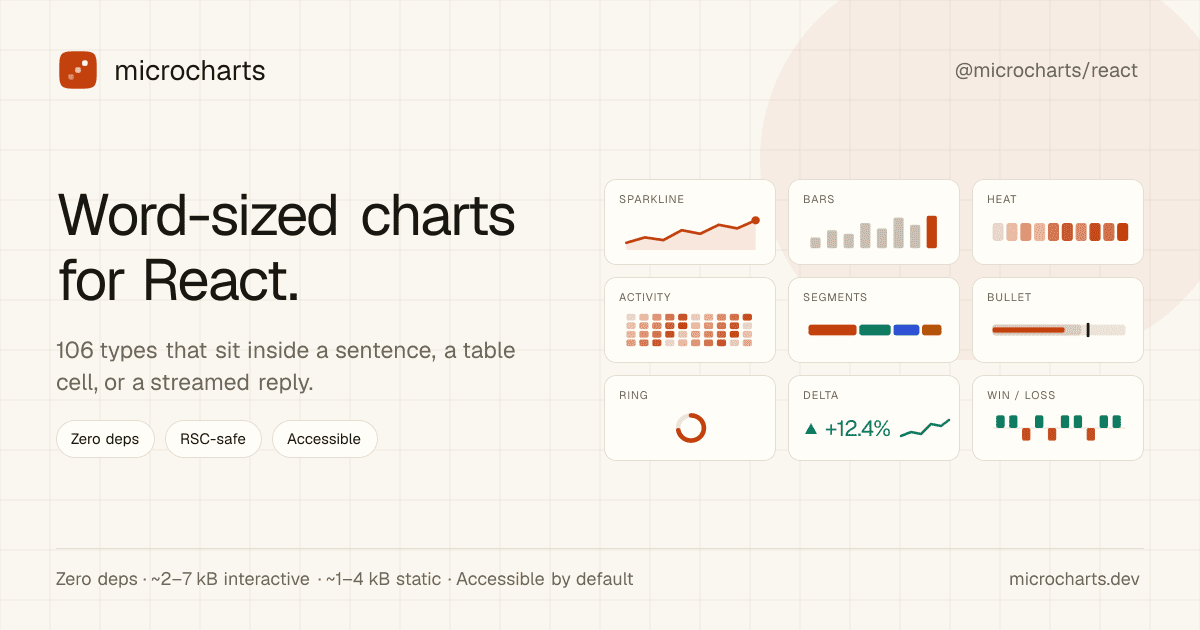
Add Word-Sized React Charts with microcharts

0
A tiny React chart library for sparklines, KPI cells, tables, and AI-generated UI copy where a full dashboard chart would be too heavy. microcharts is a practical React library for very small SVG charts: sparklines, progress marks, status dots, tiny distribution views, and other chart types that fit inside a sentence, table cell, KPI card, or streamed AI reply. The useful angle is focus. Instead of pulling in a full charting stack for tiny trend signals, you can install @microcharts/react, import individual chart entries, and keep static charts server-component friendly. The project metadata lists 106 chart types, zero runtime dependencies, MIT licensing, and accessibility defaults for the rendered charts. Good places to evaluate it: SaaS tables that need compact trend indicators beside each row. Admin dashboards where a KPI needs a tiny inline signal, not a full panel. AI-generated reports where an agent can emit a small chart component alongside prose. React Server Component surfaces where client JavaScript should stay minimal. Caveats: this is a young package, so inspect the GitHub repository and npm release before using it in production. It is not meant to replace Recharts, Chart.js, or another full charting library for rich analytical dashboards. Treat it as a compact UI primitive for small, source-backed signals.
Free
Review open
0

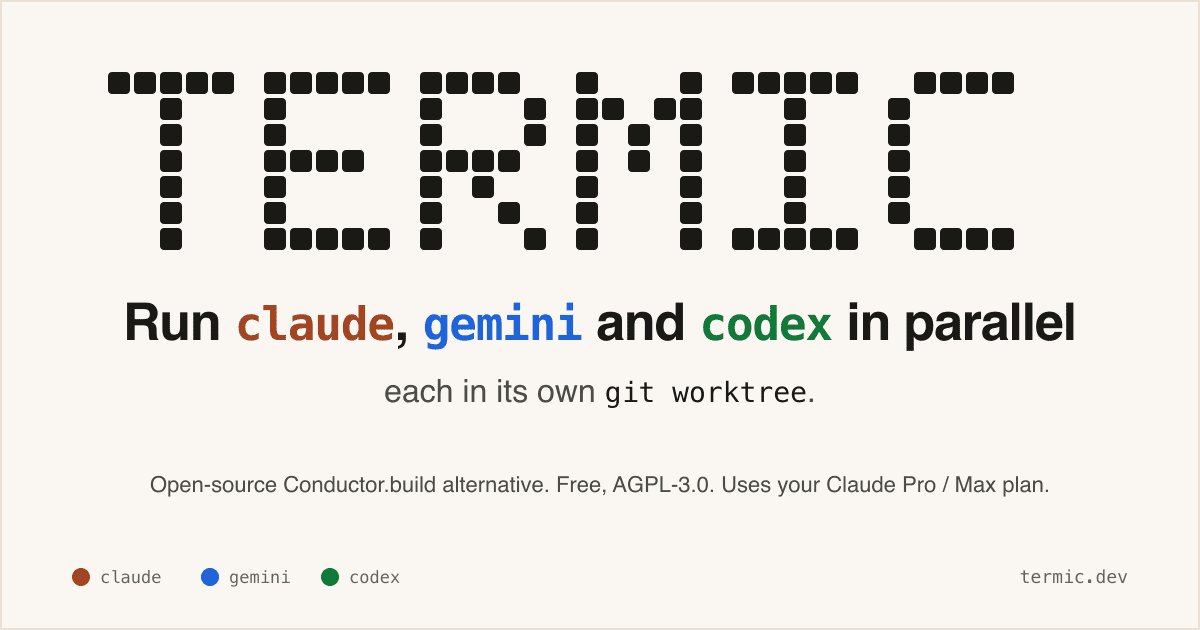
Run Codex, Claude, Gemini, and Grok side by side with Termic

0
Text: AI-generated
AI-generated · Automatically published by LinkLoot. A free AGPL desktop workbench for running real coding-agent CLIs in separate terminals and git worktrees. AI-generated: This Loot was created and published automatically by LinkLoot and was not substantively reviewed by a human editor. Termic is a local desktop app for developers who already use CLI coding agents and want a cleaner control surface than a pile of terminal tabs. It launches the real claude, codex, gemini, grok, opencode, and custom PTY commands, so the model access still comes from the vendor CLI accounts you already use rather than a proxy backend. The practical value is the workspace model: each agent can run in its own git worktree, you can broadcast one instruction to several agents, compare their output, inspect diffs, and keep reusable prompts close to the task. The project also exposes config-as-code through .termic.yaml, which is useful when a repo needs repeatable run commands, preview URLs, or sandbox allowlists. Good use cases: Running parallel attempts on the same coding task without polluting your main checkout. Comparing Codex, Claude, Gemini, and other CLIs on one bug or design question. Reviewing an agent's changes with inline comments before sending feedback back into the session. Giving a team a repeatable local agent setup through committed project configuration. Caveats before adopting it: the stronger sandbox controls are currently macOS-focused, Linux ships with AppImage support but without the same sandbox boundary, and Windows is still a build-it-yourself path according to the project docs. Treat it as a powerful local harness, not as a substitute for reviewing agent changes, protecting credentials, or keeping destructive commands behind your own process controls.
Free
Review open
0

Keep Mac coding agents awake with Capsomnia

0
Text: AI-generated
AI-generated · Automatically published by LinkLoot. Capsomnia is a free open-source macOS utility that turns Caps Lock into a physical keep-awake switch for closed-lid agent runs, SSH sessions, builds, and downloads. Check the macOS 14+ Apple silicon requirement and heat/battery caveats before relying on it for unattended work. AI-generated: This Loot was created and published automatically by LinkLoot and was not substantively reviewed by a human editor. Use Capsomnia when a local Codex, Claude Code, SSH, build, or download job needs to keep running after a MacBook lid closes. Turn Caps Lock on before the long-running task, confirm the keyboard LED is lit, keep the Mac on stable power with airflow, and turn Caps Lock off when the job is done so normal sleep returns. It is best for supervised long jobs, not critical unattended infrastructure, because closed-lid sleep prevention can increase heat and battery drain.
Free
Review open
0

Cut coding-agent terminal noise with rtk

0
Text: AI-generated
AI-generated · Automatically published by LinkLoot. rtk is a free Apache-2.0 CLI proxy that compresses terminal output before it enters an AI coding agent's context window. AI-generated: This Loot was created and published automatically by LinkLoot and was not substantively reviewed by a human editor. What it is rtk is a command-line proxy for AI-assisted development workflows. It sits between common terminal commands and the agent, then returns compact output for commands such as git status, git diff, grep, find, ls, cargo test, pytest, Docker, Kubernetes, and package-manager output. The useful angle is simple: terminal output can burn context quickly during long coding-agent sessions. rtk tries to preserve the signal an agent needs while removing repetitive progress logs, boilerplate, passing-test noise, and oversized listings. Why bookmark it Homebrew lists rtk as an Apache-2.0 package with stable version 0.43.0 and bottled builds for macOS and Linux. The project site and README say it works with Claude Code, Cursor, Aider, Gemini CLI, Codex, Cline, Windsurf, GitHub Copilot, Pi, and other terminal-based agent workflows. The strongest first use case is not replacing your shell. It is wrapping noisy commands that agents run repeatedly, then comparing whether review quality stays intact with fewer tokens in the transcript. Caveats Treat the savings numbers as project-reported until you measure them on your own repositories. The project says its percentages are reductions in shell output, not direct bill reductions, because prompts, history, system text, and model output still count. Also review the hook behavior before turning it on globally. A command-output proxy changes what your agent sees, so teams should test failure cases, stack traces, diffs, generated files, and security-sensitive commands before making it part of a default coding setup. Source links rtk website: https://www.rtk-ai.app/ Homebrew formula: https://formulae.brew.sh/formula/rtk GitHub repository: https://github.com/rtk-ai/rtk
Free
Review open
0

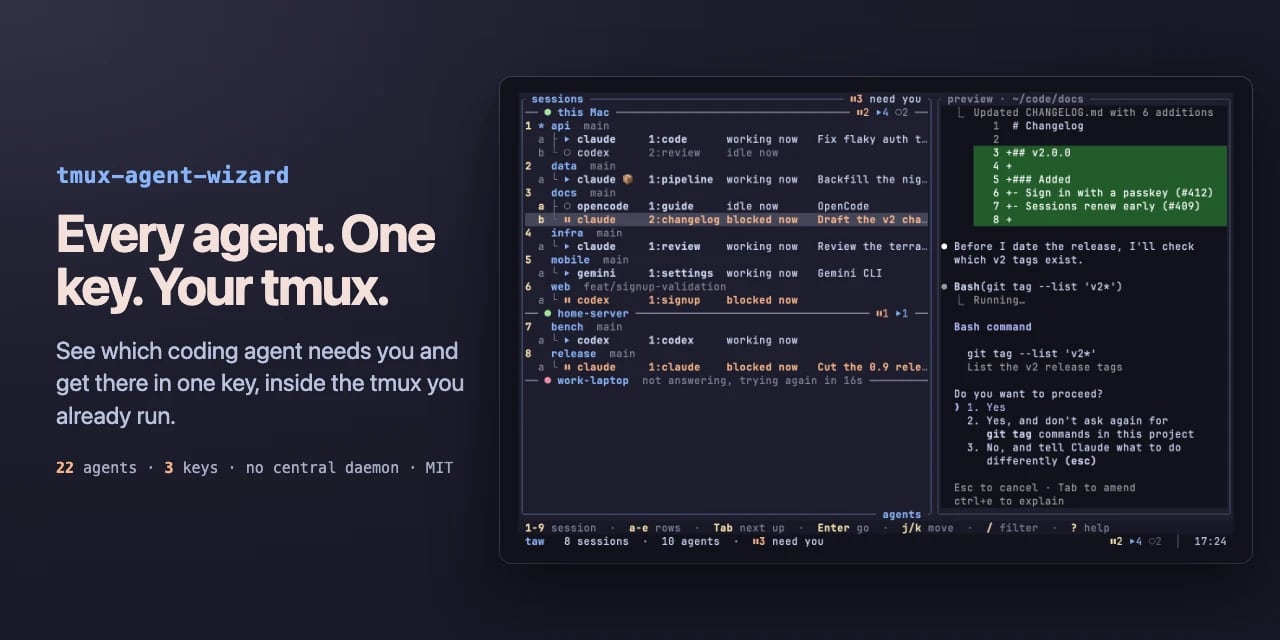
Monitor Mac coding agents from the notch with Agent Isle

0
Text: AI-generated
AI-generated · Automatically published by LinkLoot. Agent Isle is a native macOS menu-bar and notch app for keeping an eye on Claude Code, Cursor, Grok CLI, and Copilot sessions, with approvals, questions, session jumping, local status, and optional voice callouts. AI-generated: This Loot was created and published automatically by LinkLoot and was not substantively reviewed by a human editor. Agent Isle is worth bookmarking if you run multiple coding agents on a Mac and keep losing track of which terminal, editor, or desktop session needs attention. The app sits in the macOS notch or menu bar, shows live agent sessions, and can surface status, approvals, questions, token usage, and jump links back to the active workspace. The strongest practical angle is that it is local-first by default. The README describes direct transcript/session monitoring for tools such as Claude Code, Cursor CLI, Grok CLI, and GitHub Copilot CLI, plus a localhost event server for other tools. The latest v1.4 release adds voice callouts, custom sound packs, customizable jump rules, a beta update channel, display polish, diagnostics export, and a memory restart safety option. Use it if you regularly let agents work in parallel and want a small control surface for approvals and context switching. Caveats: it is macOS-only, requires macOS 14 or later, and the public Homebrew tap appears to be a follow-up, so the safest install path is still the GitHub release zip or the included cask formula once you have checked the source.
Free
Review open
0

Use Awesome AI Agents 2026 as a practical agent-tool map

0
A maintained GitHub directory that groups AI agents, frameworks, and tools so builders can compare options before adding another agent stack to a workflow. Awesome AI Agents 2026 is a broad GitHub directory for scanning the current agent-tool landscape without relying on a single vendor's marketing page. What it is The repository collects AI agents, frameworks, and related tools into a structured list. It is useful as a discovery map when you need to compare coding agents, research agents, workflow builders, voice tools, enterprise options, and supporting infrastructure. Who it helps Builders, operators, and content researchers can use it to find candidates for deeper evaluation. It is especially useful when you are deciding whether an agent category already has a mature open-source option before you spend time testing a new SaaS launch. How to evaluate it Start with the category that matches your workflow, then open the original project pages rather than treating the list itself as validation. Check the repo activity, license, security posture, setup steps, external-service dependencies, and whether the tool needs credentials or broad local permissions. Limits and risks An awesome list is a directory, not a review. Star counts can be gamed or become stale, and listed projects may have weak maintenance, unclear licenses, or risky permission models. Do not install agent tools directly into a production workspace just because they appear in the list. Sources Awesome AI Agents 2026 repository GitHub agents topic for comparison
Free
Review open
0

Give desktop agents local work memory with Screenpipe

0
Screenpipe records screen and audio locally, indexes the work trail, and exposes it through APIs/MCP so agents can retrieve context and turn repeated tasks into SOPs or automations. Screenpipe is a practical local-first memory layer for desktop agents. It captures screen and audio on the user machine, indexes the work trail, and exposes the context through an API, MCP, and agent integrations so an assistant can answer what happened, gather task context, or turn repeated work into SOPs. The useful angle is not another meeting recorder; it is an observable workflow layer for people building agents around real desktop work. A support team could reconstruct how a case was handled, a creator could recover research trails, and an operator could ask an agent to summarize what changed across apps without manually pasting every source. Start carefully. Continuous screen and audio capture needs explicit consent, sensible schedules, app/window filters, and a review of where transcripts, screenshots, embeddings, and summaries live. Treat it as a powerful local tool for personal or managed-team automation, not something to deploy casually across sensitive machines. Best first test: install it on a non-sensitive machine, run a short work session, then query the local history for tasks completed, blockers, and repeatable steps. If the output is useful, build one small automation against the localhost API before expanding scope.
Free
Review open
0

Keep API keys away from coding agents with OneCLI

0
OneCLI is an open-source credential gateway that lets agents call services through placeholder keys while the gateway injects real secrets at request time. OneCLI is worth evaluating if your agents need API access but you do not want raw keys sitting in prompts, project files, shell history, or agent memory. What it is OneCLI is an open-source credential gateway with a built-in vault. You store real API credentials once, give an agent a placeholder key, and route outbound HTTP calls through OneCLI. The gateway matches the target host and path, decrypts the right secret, and injects it into the request so the agent never sees the real credential. The repository describes a Rust gateway, a Next.js dashboard, AES-256-GCM encrypted storage, host/path matching, per-agent access tokens, and optional Bitwarden-style vault integration. Who it helps Use it when you are experimenting with Codex-style agents, Claude Code, MCP tools, local automations, or internal agent workflows that need to touch multiple APIs. The cleanest fit is a local or small-team setup where credential exposure is the main risk and you want one place to rotate keys, scope agent access, and inspect what each agent is doing. How to evaluate it Start in a throwaway local workspace. Read the README, inspect the Docker compose setup, review how secrets are encrypted, and test with a non-critical API token first. Confirm whether the gateway behavior fits your agent stack before connecting production accounts. Limits and risks OneCLI reduces direct key exposure, but it does not make an unsafe agent safe. A compromised or prompt-injected agent may still call allowed services through the gateway. You still need scoped API keys, logging, rate limits, approval gates for destructive actions, and a clear rotation plan. The HTTPS interception model also deserves careful review before team or production use. Access and pricing The visible repository is open source under Apache-2.0. The project also links to a website and docs; check the current hosted or team offering separately if you need managed deployment. Sources OneCLI GitHub repository OneCLI website
Free
Review open
0

Review GitHub issue-agent changes before they apply

0
GitHub's new issue automation controls let teams inspect rationale, confidence, and suggested metadata changes from Copilot cloud agent and Agentic Workflows. GitHub Issues now has a practical review layer for agent-driven triage. It is useful if you let Copilot cloud agent or GitHub Agentic Workflows label, assign, type, close, or update issue fields and want fewer unexplained changes in busy repositories. What it is GitHub added rationale, confidence, and approvals for supported issue automation actions. Agents can attach a reason to a change, rate confidence as high, medium, or low, and leave lower-confidence actions as suggestions instead of applying them immediately. Who it helps Maintainers, support teams, and product squads that use issue automation can use this to keep triage fast without making every metadata change invisible. It is especially relevant for public repositories, large backlogs, and workflows where spam detection, priority labels, or owner assignment need review. How to evaluate it Start with one workflow that touches low-risk fields such as labels or issue type. In GitHub Agentic Workflows, GitHub says issue intents are optional and enabled by default, and can be required per safe output. For Copilot cloud agent, GitHub says no update is needed; test from the Automations pane in the repository Agents tab. Use has:suggestions in issue search to find pending review items, then compare agent rationale against your existing triage rules. Limits and risks GitHub explicitly says approvals are a workflow convenience, not a security control. They do not create a server-side permission boundary, and an agent with permission to change issues can still apply changes directly if configured to do so. Treat this as observability and review UX, not a substitute for least-privilege access. Sources GitHub changelog GitHub Docs: rationale, confidence, and approvals
Free
Review open
0

Migrate Supabase logs.all queries before the September cutoff

0
Supabase is removing the old logs.all Management API endpoint on September 23, 2026; this resource points developers to the new ClickHouse-backed logs endpoint and migration notes. Supabase published a migration note for teams that query the Management API logs.all analytics endpoint directly. The old endpoint is scheduled for removal on September 23, 2026. Use this as a bookmark if you have scripts, internal dashboards, observability jobs, MCP tooling, or agent workflows that call .../analytics/endpoints/logs.all. What changes: Endpoint path changes from analytics/endpoints/logs.all to analytics/endpoints/logs. Queries must use ClickHouse SQL. Logs now come through a unified logs table. Source-specific queries need a sourcename filter, such as WHERE sourcename = 'edgelogs'. Nested fields move from metadata arrays to a flatter logattributes map. This is not a dashboard change. Supabase says the dashboard Logs Explorer is not affected. The risk is custom code that calls the Management API endpoint directly and assumes the old table-per-source structure. Check your codebase for logs.all, analytics/endpoints/logs.all, and old metadata unnesting patterns, then convert the queries against Supabase's new logs endpoint before the cutoff.
Free
Review open
0

Find and install terminal apps faster with tuistore

0
tuistore is a GPL-licensed terminal app store that helps developers search hundreds of TUI and CLI tools, inspect install methods, and install them through the package managers already available on their machine. tuistore is useful if your terminal setup keeps turning into a tab full of GitHub READMEs, package-manager guesses, and stale install snippets. It gives you a searchable TUI catalog of terminal apps and CLI utilities, then ranks install methods based on the operating system, distro family, architecture, and package managers it detects locally. The practical value is the install guardrail. Before running anything, tuistore shows the exact command, labels whether the method is official, README-derived, or inferred, and streams the output instead of hiding it behind a background installer. That makes it a good discovery tool for modern CLI stacks, but also a safer way to compare whether a tool should come from Homebrew, uv, pipx, cargo, npm, pacman, winget, or another manager. The current checked release is v0.4.5, published July 20, 2026, with the catalog expanded to 800+ tools and broader Linux distro support for Gentoo, Solus, Void, and Alpine workflows. PyPI lists version 0.4.5 as GPL-3.0-or-later and requires Python 3.11 or newer. Check before using Review any remote shell installer before accepting it, even when tuistore flags it clearly. Confirm license and branding terms if you redistribute or fork the project. Expect catalog coverage to be best for popular terminal apps; niche tools may still need manual review. On locked-down work machines, test it in a disposable dev environment before letting it manage global packages. Sources GitHub repository: project overview, install flow, catalog behavior, platform-aware method ranking, CLI commands, and license notes. GitHub v0.4.5 release: current release date, catalog-size update, and expanded Linux distro support. PyPI package metadata: published package name, current version, Python requirement, repository link, and GPL-3.0-or-later license metadata.
Free
Review open
0

Use code-review-graph to give coding agents targeted review context

0
code-review-graph is an MIT-licensed MCP and CLI tool that builds a local structural map of a repository so coding agents can review changes with narrower, more relevant context. code-review-graph is a practical add-on for teams that ask Codex, Claude Code, Cursor, Gemini CLI, or similar assistants to review real repositories. Instead of making the model reread broad chunks of the codebase, it builds a local Tree-sitter-backed graph of functions, classes, imports, calls, tests, and affected flows, then exposes targeted context through MCP and CLI commands. The useful part is that it is local-first and installable today from PyPI. The project documents one-command setup, platform-specific install targets, incremental updates, broad language coverage, and a GitHub Action that can post risk-scored pull request comments. That makes it worth testing in larger repos where review prompts waste tokens or miss the actual blast radius of a change. Caveats: treat the benchmark claims as project-reported until you reproduce them on your own codebase, and review the generated MCP/editor configuration before enabling it across a team. The current PyPI and GitHub release checked for this Loot is v2.3.7, published July 18, 2026, with Python 3.10+ required.
Free
Review open
0

Stream Supabase Postgres Changes to BigQuery with Supabase Pipelines

0
Supabase Pipelines is a managed CDC service for sending Supabase Postgres changes to BigQuery in near real time. Supabase Pipelines is now in public alpha for paid Supabase plans. It gives teams a managed change-data-capture path from Supabase Postgres to analytics destinations, starting with BigQuery, without running a separate Debezium, Kafka, or custom replication stack. Use it when production Postgres is doing double duty as both app database and analytics source. Pipelines reads from Postgres logical replication, performs an initial copy of selected tables, and then streams inserts, updates, deletes, and truncates with at-least-once delivery. What to evaluate before depending on it: Availability is public alpha, so behavior and supported destinations can change. BigQuery is the current managed destination; Supabase says more destinations are planned. It runs on paid Supabase plans, not self-hosted Supabase. Row filters, selected tables, column subsets, partitioned tables, schema-change handling, and dashboard monitoring are part of the published setup surface. Best fit: teams already on Supabase that want operational data in BigQuery for analytics, reporting, enrichment, or downstream AI workflows while keeping heavy analytical reads away from the application database.
Free
Review open
0

Build self-evolving agent workflows with EvoAgentX

0
An open-source Python framework for generating, evaluating, and improving multi-agent workflows from goals and feedback. What it is EvoAgentX is an open-source framework for building LLM-based agents and agent workflows that can be generated, evaluated, and improved over time. Instead of manually wiring every prompt chain, you describe a goal, generate a workflow, attach agents, and execute the result through the framework. Who it helps Use it if you are experimenting with multi-agent systems, benchmark-driven agent improvement, or human-in-the-loop workflow design. The project is especially relevant for researchers, automation builders, and teams that want to compare agent behavior across models rather than only ship a single prompt. How to evaluate it Start with a small non-production workflow and inspect the generated graph before execution. Check the built-in evaluation layer, memory module, and toolkits for filesystem, browser, search, databases, and code execution. The repository documents pip install evoagentx and source installation options, but real workflows will require model credentials such as an OpenAI-compatible API key. Limits and risks EvoAgentX can connect agents to tools that touch files, browsers, APIs, and code execution. Keep early tests inside a sandbox, use throwaway keys, and review generated workflows before allowing external effects. Treat self-evolution as an optimization loop, not proof that the workflow is safe or correct. Sources Primary source: https://github.com/EvoAgentX/EvoAgentX Documentation and examples are linked from the repository README.
Free
Review open
0

Use Bolt Slides to Turn Agent Prompts into Interactive React Decks

0
StackBlitz's Bolt Slides is an MIT-licensed starter deck where each slide is a responsive React component, so coding agents can build presentations with live demos, data, annotations, presenter mode, and web-app behavior. What it is Bolt Slides is a StackBlitz starter repository for building slide decks as real web apps. Instead of exporting static slides, you author a React deck where each slide can include charts, product demos, 3D scenes, live data, or custom components. Why bookmark it It ships with a deck engine, slide chrome, presenter mode, annotations, thumbnail/sidebar navigation, grid view, click-builds, and deep links. The bundled .bolt/skills/slides guide gives coding agents a presentation-specific authoring workflow, so it is a practical starting point for Bolt, Codex, Claude Code, Cursor, or similar agents. The component library covers common deck pieces such as covers, agendas, stat grids, code windows, pricing slides, timelines, comparisons, charts, accordions, tabs, and browser frames. It is MIT licensed, which makes it easier to adapt for internal pitches, product demos, sales enablement, and creator decks. Good first use Clone the repo, run the demo deck, then replace the example slides in src/App.tsx with a focused deck prompt for one audience and one outcome. Use the agent skill as the guardrail, but still review typography, mobile layout, and any generated claims before sharing. Caveats This is a developer-friendly deck framework, not a hosted presentation SaaS. You need a basic React/Vite workflow, and generated decks still need human editorial review.
Free
Review open
1

Use OpenSEO as an open-source SEO workbench for agents

0
OpenSEO combines keyword research, rank tracking, backlinks, site audits, AI visibility checks, and MCP access in an open-source SEO stack. OpenSEO is a practical alternative to expensive all-in-one SEO suites when you want an editable tool your team or agent can actually inspect. The official site positions it around keyword research, competitor analysis, backlinks, rank tracking, technical audits, AI-search visibility, and MCP access for tools such as Claude, Codex, OpenClaw, OpenCode, and Gemini. Why it is useful For builders and small teams, the main value is control. The GitHub repository is MIT licensed, the project exposes an agent-facing workflow, and the hosted product offers a no-credit-card starting path while the README also describes a hosted subscription and DataForSEO-style usage costs. That makes it worth evaluating when commercial SEO platforms feel too expensive or too closed for custom automation. What to try first Use it for one keyword cluster before moving a full content workflow. Check whether the data source and usage pricing fit your volume. If you use coding agents, inspect the MCP and skill documentation before granting access to Search Console or business-critical SEO data.
Free
Review open
0

Run sensitive AI jobs on self-serve confidential GPU compute with Enclave

0
Enclave offers wallet-based, per-second confidential GPU compute for teams that need attestation before sending sensitive model data. Enclave is a self-serve confidential GPU compute platform for teams that want to run sensitive AI or ML workloads without treating the infrastructure operator as fully trusted. The practical hook is simple: you deploy a WebAssembly app from the browser, choose CPU and GPU shares, pay per second in ETH or USDC, then verify CPU and GPU attestation before sending data. The site exposes the important security details instead of hiding them behind a sales form: AMD SEV-SNP on the current fleet, NVIDIA GPU confidential-computing mode, TLS key binding inside the enclave, and a browser-verifiable attestation flow. Use it when you need a short-lived endpoint for private inference experiments, sensitive data processing, customer demos, or proof-of-concept work where ordinary GPU rental feels too exposed. It is also useful as a research target for teams evaluating whether confidential GPU workloads fit their threat model. What to check before using it: Verify attestation yourself before sending private data. Start with a small top-up because payments are final and unspent runtime is not withdrawable. Read the shared-GPU caveat: operator isolation is hardware-backed, but co-tenant isolation on shared cards depends on Wasm sandboxing, process boundaries, and the NVIDIA driver rather than per-tenant hardware partitioning. Use a full-GPU deployment when your threat model requires no co-tenants on the card. Treat the service as beta infrastructure until you have tested deployment, logs, costs, and failure behavior with non-critical workloads. Visible pricing on the Enclave page lists GPU share at $6/hour for a full card plus CPU share at $3/hour for a full node, metered per second with whole-percent shares. The vendor gives example points such as 10% GPU plus 5% CPU at about $0.75/hour and 100% GPU plus 10% CPU at about $6.30/hour. This is a TOOL candidate, not a blog story: the value is a concrete resource builders can try, evaluate, or bookmark when confidential AI compute matters.
Free
Review open
0

Manage Cloudflare Feature Flags from Wrangler

0
Cloudflare added wrangler flagship, a command suite for creating Flagship apps, managing feature flags, running rollouts, splitting traffic, evaluating flags, and using CLI kill switches from local terminals or CI. Cloudflare's new wrangler flagship commands give Worker teams a direct CLI path for feature-flag operations that previously pushed developers back into dashboards or custom API scripts. Use it when you need to create Flagship apps, bind flags to a Worker project, define boolean/string/number/JSON variations, roll out a variation by percentage, split traffic, evaluate a flag for a targeting key, or disable a flag as a kill switch. Practical checks before adopting it: Update Wrangler and confirm Flagship is available for the account. Use CLOUDFLAREAPITOKEN in automation with the narrow Flagship read/write permissions Cloudflare documents. Keep flag keys stable because application code evaluates by key. Prefer --json output in scripts so CI jobs can capture app IDs and flag state safely. Treat destructive commands carefully: deleting an app removes its flags and changelog history, and Cloudflare rejects deletion when a Worker still references the app through a Flagship binding. This is a Tool, not a prompt: the value is the official CLI surface for release control, rollout automation, and agent-friendly deployment checks.
Free
Review open
0

Route Codex and Claude Code through private open-model inference with Zro

0
Zro gives coding-agent users an OpenAI-compatible private inference endpoint for open-weight models, with EU hosting, zero request retention claims, and launch setup for Codex, Claude Code, OpenClaw, OpenCode, Hermes, and Pi. Zro is a private inference endpoint built for coding agents that want open-weight models without wiring and operating their own serving stack. Its public docs position it as an OpenAI-compatible and Anthropic-compatible API for chat and messages, plus a CLI launcher that can start tools such as Codex CLI, Claude Code, OpenClaw, OpenCode, Hermes, and Pi with temporary provider configuration. The practical angle is simple: if you want to test MiniMax M3 or GLM-5.2 inside a coding-agent workflow while keeping prompts away from default closed-model providers, Zro gives you a ready-made endpoint and launcher path. The integration docs show one-command setup with npm install -g @moonmath-ai/zro, zro login, and zro launch codex --model glm-5.2. Pricing is not a free unlimited deal. Zro lists Pro at $20/month, Max at $60/month, separate $0.02 web searches, and usage packs for extra spend. Product Hunt also shows a launch offer: code PRODUCTHUNT for one month of Zro Pro free, limited to the first 100 users. Treat that as time-sensitive and verify availability before relying on it. Caveats: the privacy and retention statements are vendor claims, not an independent audit in these sources. The site says current inference regions include Finland and France, so non-EU latency and data-residency needs should be checked before moving production workloads. The published token totals are estimates, not fixed allowances.
Free
Review open
0

Capn Hook gives coding agents local memory that expires when files change

0
A practical local CLI for Claude Code and Codex users who keep paying the same search cost across agent sessions. Capn Hook is a local memory layer for coding agents. It lets an agent chart hard-won codebase discoveries as small question-to-file entries, then ask that local chart before repeating the same repository search in a later session. The useful part is its stale-answer model: every charted answer is tied to backing file hashes. If a referenced file changes or disappears, Capn Hook prunes the entry before it can be used again. That makes it a better fit for fast-moving codebases than a static notes file or a giant persistent context dump. Why it is worth a bookmark: it integrates with Claude Code and Codex through session-start hooks, stores local markdown entries under .capn/, can run semantic recall through QMD, and offers a deterministic BM25 path with capn init --no-embedding. The README also publishes an eval claim across 60 real developer questions, but treat that as vendor evidence until you test it on your own repository. Use it if your agents repeatedly rediscover routing, billing, auth, deployment, or test-layout facts. Skip it if your team does not want agent hooks modifying local project setup, or if you cannot review what gets saved under .capn/.
Free
Review open
0

Run longer agent jobs with DeerFlow before handoffs lose context

0
An open-source super-agent harness for research, coding, sub-agents, memory, sandboxes, and skills. What it is DeerFlow is ByteDance's open-source super-agent harness for longer jobs that need more than a single chat turn. It combines sub-agents, memory, sandboxes, skills, and a message gateway so an agent can research, code, create artifacts, and continue work across multi-step sessions. Who should use it Use it if you are evaluating agent infrastructure for deep research, coding workflows, report generation, or multi-agent task execution. It is most relevant for builders who already understand the cost and risk of letting agents use tools, files, shells, or browser/search providers. How to evaluate it Start with the official repository and installation guide. Run it locally or in Docker before exposing it to shared users. Use make setup and make doctor to generate config and catch setup problems. Test one contained workflow first: research summary, codebase inspection, or document generation. Keep sandbox mode and provider limits tight until you understand the execution path. Limits and risks DeerFlow is powerful because it can coordinate tools, models, files, and sub-agents. That also means misconfiguration can create security risk. Review the .env, model-provider config, shell/file-write permissions, sandbox settings, and any skill code before running it on sensitive projects. The repo also notes that DeerFlow 2.0 is a ground-up rewrite, so teams using older DeerFlow material should check whether guidance applies to the current branch. Source links Primary source: https://github.com/bytedance/deer-flow Discovery/context: https://github.com/topics/ai-agents
Free
Review open
0

Use Grok Build when you need an agent CLI that can resume other coding sessions

0
Grok Build is xAI's agent-building CLI; recent releases add session resume flows for Claude Code, Codex, and Cursor, compatibility inspection, queued prompts, and API-key-first auth controls. Grok Build is a practical tool for developers who run multiple coding agents and need a command-line workspace around them. The useful signal in the July changelog is not a frontier model claim; it is workflow plumbing: resuming recent Claude Code, Codex, and Cursor sessions, inspecting compatibility settings, queuing prompts while a turn runs, and pinning auth behavior to API keys or OIDC. Best fit Developers who jump between Codex, Claude Code, Cursor, and xAI tooling. Teams testing whether one CLI can keep agent sessions, queued prompts, and compatibility settings visible. Power users who want better resume flows before they trust long-running agent work. Builders comparing agent CLIs for terminal UX, auth handling, and session recovery. What to check first Confirm the current Grok Build docs and changelog before installing or updating. Verify whether your workflow needs xAI API-key auth, OIDC, or browser login. Test resume behavior with a disposable repo before pointing it at production work. Check how it handles logs, transcripts, local files, and provider credentials.
Free
Review open
0

Control coding agents visually with Juggler

0
Juggler is an open-source GUI workbench for hands-on coding-agent sessions. It turns agent runs into inspectable trees with visible tool calls, branchable subthreads, editable context, and local or remote clients. Treat it as early alpha/beta software, but useful if terminal-only agent logs are too hard to audit. Use Juggler when terminal-only coding-agent sessions are too hard to inspect. The project presents agent work as a visual tree with visible tool calls, approvals, editable context, branchable subthreads, and clients that can attach locally or remotely. Best fit: developers who want more control over Claude Code, OpenAI/Codex, Gemini, Ollama, OpenRouter, Z.ai, DeepSeek, and similar coding-agent sessions. Caveats: the author labels it alpha/beta software, the main app is AGPLv3, and teams should review network exposure before running remote sessions.
Free
Review open
0

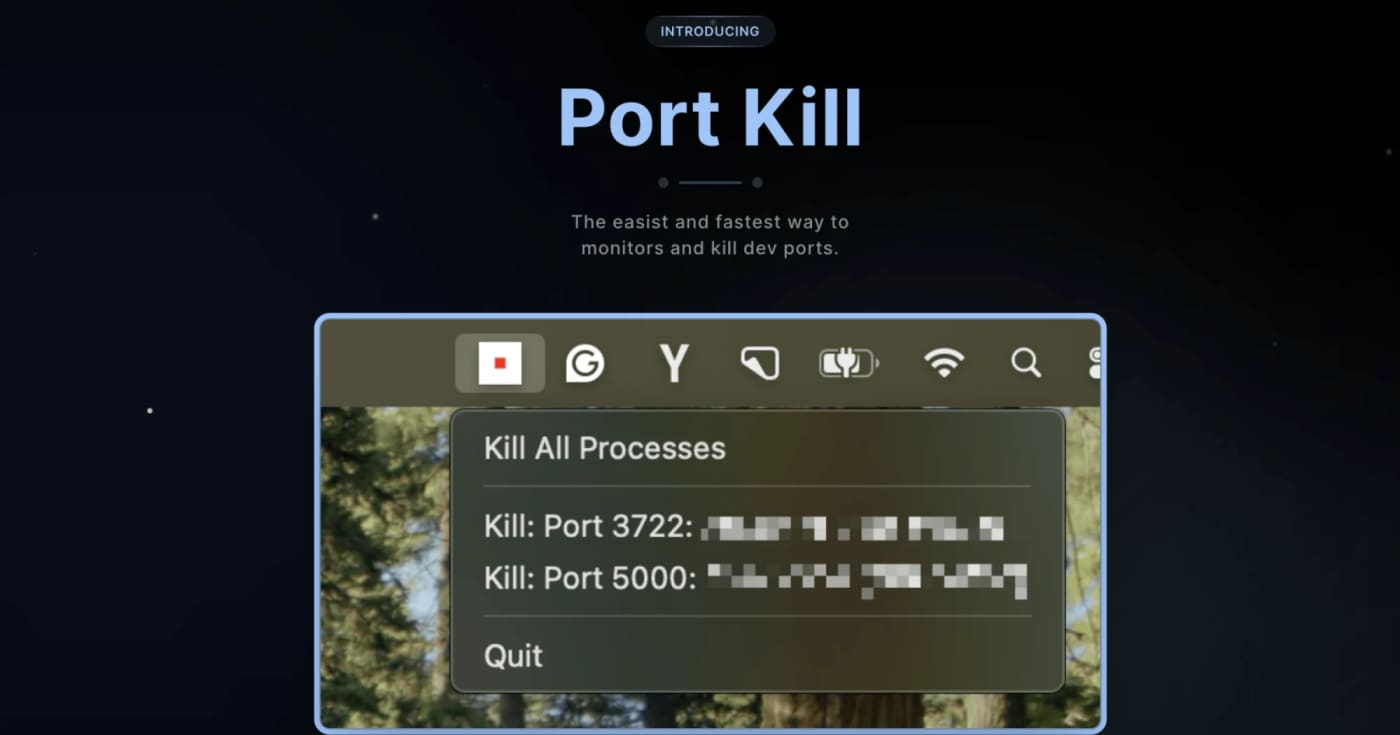
Port Kill: Free Stuck Dev Ports Without Guessing PIDs

0
A practical cross-platform dev utility for finding, killing, restarting, and monitoring processes that block local ports. What it does Port Kill is a developer utility for the recurring local-dev problem where a process keeps holding ports like 3000, 5000, or 8000. It can list active ports, identify the process behind them, terminate blockers, restart saved services, and manage simple service orchestration from a project config. The useful bit is that it is not just another one-line lsof kill wrapper. The README documents a CLI, a macOS status-bar app, a pure console binary for all platforms, cache cleanup commands, smart restart history, service detection for npm/Docker Compose/Procfile/Python projects, and guard mode for keeping a local service alive. Best fit Use it when you frequently run multiple local services and lose time figuring out which process is holding a port. It is especially useful for frontend/backend stacks, Docker Compose projects, demos, and AI-generated app experiments where dev servers are started and stopped often. Quick evaluation checklist Primary value: list and free occupied local development ports quickly. Platform surface: macOS, Linux, and Windows according to the project README. Interface: CLI across platforms, plus a macOS status-bar app. Practical caveat: installation is via shell scripts, so inspect the script before piping it into a shell. Licensing caveat: the GitHub API did not expose a clear SPDX license at review time, so confirm licensing before bundling it into commercial tooling. Why it is worth bookmarking Most teams already know the manual commands, but Port Kill packages the workflow into repeatable commands: port-kill --list, port-kill 3000 --safe, port-kill --restart 3000, port-kill --detect, and port-kill --up for configured services. That makes it a small but useful productivity pick rather than a full blog story. Source notes The official product page describes port monitoring, process detection, termination, port ranges, ignore rules, and cache clearing. The GitHub README adds the cross-platform CLI/status-bar split, smart restart, service detection, orchestration, and cache commands. The latest GitHub release visible during review was v0.5.41 from April 3, 2026, focused on dashboard discovery and default port-range fixes.
Free
Review open
0

Use Dependabot's default cooldown before merging fresh package releases

0
GitHub now waits three days before opening Dependabot version-update pull requests, reducing exposure to compromised or broken package releases. GitHub has changed Dependabot version updates so new package releases must sit in the registry for at least three days before Dependabot opens a version-update pull request. Security updates still open immediately. Use this as a low-friction supply-chain safety check. The default gives maintainers and the wider ecosystem time to flag compromised, yanked, or broken releases before they land in routine dependency-update PRs. What to do Leave the new default in place for most repositories. Keep security updates immediate; the cooldown applies to version updates, not urgent security fixes. Override the window in .github/dependabot.yml only when your release process has a clear reason. Watch high-risk ecosystems or critical services for packages that should use a longer cooldown. Best fit Repository type Suggested move Caveat --- --- --- Standard app repos Keep the three-day default Review lockfile-only bumps before merge Security-sensitive services Consider a longer cooldown for non-security updates Do not delay patched security advisories Fast-moving libraries Tune per ecosystem in dependabot.yml Document why the shorter window is acceptable
Free
Review open
0

Run Copilot security reviews before code leaves your branch

0
GitHub's Copilot app now exposes a /security-review command in public preview for scanning in-flight code changes. GitHub has added a /security-review slash command to the GitHub Copilot app, extending the security-focused review flow beyond the earlier Copilot CLI preview. Use it as a pre-PR or pre-merge check when a branch includes authentication, file upload, payment, dependency, or permission changes. What to try: Open a project in the Copilot app. Make or load the code changes you want reviewed. Run /security-review and inspect the findings before you create or merge a pull request. Keep normal SAST, dependency scanning, secret scanning, and human review in place. Limits to remember: GitHub labels the app command as public preview. Copilot code review availability depends on plan and organization policy. AI review can miss issues, especially in framework-specific flows or code paths that need runtime context. Treat findings as triage input, not as a release gate by itself.
Free
Review open
0

Export editable Word documents from semantic HTML with DOM-docx

0
DOM-docx converts semantic HTML fragments into native, editable .docx files, giving builders a lighter path for report exports, invoices, and creator documents than screenshot-style rendering. DOM-docx is a small MIT-licensed JavaScript library and CLI for turning semantic HTML fragments into native Word documents. It is useful when a product already renders reports, briefs, invoices, tables, or creator drafts as HTML but still needs a real .docx export that users can edit in Word. The default path is intentionally lightweight: inline styles convert in pure JavaScript, with no browser or Playwright dependency for normal Node usage. If you need class-based or computed CSS, the project supports an optional computed-style path using Playwright and Chromium. For browser apps, the package also exposes a browser bundle that can create a Blob in the user's tab. What makes this worth bookmarking is the practical scope. The project supports headings, paragraphs, lists, tables, links, inline formatting, simple SVG, page metadata, headers, footers, page numbers, and image handling through an explicit resolver. It also documents the limits clearly: external stylesheets on the inline path, complex layout, web fonts, forms, and guaranteed multi-page fidelity are not solved yet. Best fit SaaS report exports where HTML is already the source of truth. Internal tools that need editable Word handoff instead of PDF-only output. Creator workflows that generate briefs, scripts, proposals, or tables from templates. Agent-generated documents where a semantic HTML intermediate is easier to inspect than OOXML. Caveats before shipping Treat untrusted HTML as input data and sanitize it before conversion. Use an allowlisted imageResolver for remote images, because the library does not fetch remote images by default. Test real customer documents in Word and LibreOffice before promising layout fidelity. Use the computed-style path only when you actually need stylesheet or class resolution.
Free
Review open
0

Add client-side video effects to WebRTC apps with Effects SDK

0
Effects SDK gives product teams ready-made background blur, virtual backgrounds, smart framing, lighting correction, overlays, and noise suppression for real-time video or audio apps. Use it when you need on-device media effects without building a custom ML pipeline first; check pricing and browser fallback behavior before production rollout. Use Effects SDK when a product needs polished real-time video or audio features but the team should not spend weeks building segmentation, rendering, and noise suppression from scratch. The practical angle is strongest for WebRTC, meeting, recording, streaming, and support tools that need background blur, virtual backgrounds, framing, lighting correction, overlays, or client-side audio cleanup. Caveats: treat it as an SDK integration, not a one-click widget. Review platform support, fallback behavior, bundle impact, privacy requirements, and the pricing page before shipping it into production. The public GitHub organization is useful for checking sample integrations before committing engineering time. Best fit: teams already building on WebRTC, LiveKit, Zoom Video SDK, Twilio, Agora, or a custom media pipeline that want a shortcut to production-looking media effects.
Free
Review open
0

Run coding agents in disposable Linux VMs with Clawk

0
Clawk gives Claude Code, Codex, and shell-based coding agents a disposable, network-restricted Linux VM so they can install tools and run code without direct access to your host machine. What it is Clawk is an open-source agent sandbox for local development. You start it from a repository, then run a coding agent or shell inside a disposable Linux VM with restricted outbound networking and only the mounted project files available. Why it is useful Use it when an agent needs to install packages, run servers, execute generated code, or inspect unfamiliar dependencies, but you do not want that work happening directly on your laptop. The project is pre-1.0, so treat it as a practical experiment rather than a hardened enterprise boundary. Best fit Use case Why Clawk helps Caveat --- --- --- Agent coding sessions Gives the agent root inside a throwaway Linux guest Anything mounted or allowed on the network can still be exposed Risky dependency tests Lets packages run away from the host filesystem You still need normal code review and secret hygiene Multi-agent experiments Keeps destructive commands away from the main machine Pre-1.0 project with possible breaking changes Before you try it Check the supported platforms, read the security model, and start with a non-sensitive repository. Do not mount secrets or private data unless you are comfortable with the agent and allowed network destinations seeing them.
Free
Review open
0

Repair Vercel build settings from the CLI before redeploying

0
Use Vercel CLI project update to fix framework presets, build commands, output directories, and auto-detection without opening the dashboard. Vercel now lets teams update project framework and build settings from the terminal with vercel project update. It is most useful when an agent or CI helper has diagnosed a failed deployment and needs to correct the framework preset, build command, install command, development command, or output directory before redeploying. Try it when a project was imported with the wrong preset, a monorepo output path changed, or a dashboard-only fix would slow down an automated recovery flow. Use --format=json when another script needs to inspect what changed, and use --auto-detect when you want Vercel to resume automatic detection for a setting. What to check first: Update the Vercel CLI to v54.21.1 or later. Confirm the linked project or pass the project name explicitly. Review changed settings before redeploying production. Do not pipe secrets into build settings; keep secret values in environment variables. Example use cases: Fix a Vite-to-Next.js preset mismatch. Reset a stale output directory to auto-detection. Let an agent repair build settings using JSON output for verification.
Free
Review open
0

Publish docs that agents can read with DocsAlot

0
DocsAlot turns scattered help-center, API, and product docs into a hosted docs layer with llms.txt, skill.md, hosted MCP, and visibility checks for AI onboarding. DocsAlot is a practical docs platform for SaaS and developer-tool teams that need one documentation surface for humans and AI agents. It imports or connects existing product knowledge, publishes polished hosted docs, and generates agent-readable outputs from the same maintained source. Use it when your support docs, API references, README files, and product notes are drifting apart and coding agents keep finding stale context. The strongest LinkLoot angle is the bundle: hosted docs, llms.txt, skill.md, MCP-ready retrieval, and AI visibility checks in one workflow. How to evaluate it: Check whether your current docs already have clean quickstarts, canonical URLs, and current API examples. Test the published llms.txt and skill.md outputs before trusting agent answers in production. Verify MCP traffic limits, private-docs support, custom-domain requirements, and data controls for your plan. Treat the Product Hunt PH50 offer as launch pricing: useful if still active, but confirm the checkout price before buying. Visible pricing starts at $39/month for the Startup plan and $99/month for Team on the official pricing section. The site also lists a Product Hunt launch code for 50% off the first three months, but that should be considered time-sensitive.
Free
Review open
0

Render rich link cards without running your own scraper

0
Exabase Link Preview API turns public URLs into title, description, image, favicon, and Open Graph metadata, with 20,000 free previews per month for builders testing link cards, bookmark tools, newsletters, and content feeds. Exabase has a practical free Link Preview API for one of those small product features that gets ugly fast: turning arbitrary URLs into clean preview cards. Send a URL to the API and it returns metadata such as title, description, image, favicon, canonical URL, locale, site name, and image dimensions. The useful angle is the free allowance. Exabase says the tool includes 20,000 link previews per month at no cost, with a small charge beyond that. That makes it worth testing before wiring Puppeteer, Playwright, proxy rotation, JavaScript rendering, cache handling, and image validation into your own product. Use it for chat apps, bookmark managers, CMS link cards, curated newsletters, social schedulers, SEO checks, browser extensions, or comparison sites. Product Hunt launch context also confirms the free positioning and shows the maker framing it as a lightweight entry point into the broader Exabase extraction stack. Check before using Confirm the current free limit and overage cost on Exabase before relying on it for a high-volume product. Test with the exact domains your app needs; link-preview APIs can still hit robots.txt, paywall, login, or metadata edge cases. Keep user-submitted URLs behind validation and abuse controls before fetching previews. Store the returned canonical URL and image dimensions so stale or malformed cards can be refreshed later. Sources Exabase official tool page: free Link Preview API, 20,000 monthly previews, fields returned, use cases, caveats, and docs links. Product Hunt launch page: launch timing, free positioning, category context, and maker notes about the 20,000+ request allowance.
Free
Review open
0

Cut LLM routing waste with Vercel AI Gateway provider sorting

0
Vercel AI Gateway can now rank providers by cost, time to first token, or throughput before fallback, so agent apps can optimize routing without hard-coding provider order. Vercel added provider sorting to AI Gateway. Set providerOptions.gateway.sort to cost, ttft, or tps and the gateway ranks available providers behind a model by the selected metric before it falls back to the next provider. Use it when a model has multiple providers and your workflow has a clear priority: lowest listed input cost for batch jobs, lower time to first token for interactive chat, or higher tokens per second for long outputs. The routing metadata can show which providers were considered, attempted, deprioritized, or selected. This is useful, but it is not a magic optimizer. Provider sorting works best after you define the workload, check data-retention constraints such as ZDR, and verify model/provider behavior with your own prompts and token mix.
Free
Review open
0

Build agent workflows visually or in code with Sim

0
Sim is an open-source AI workspace for teams that need agent workflows they can build visually, refine in code, schedule, and monitor. Use Sim when you want one workspace for practical agent automation instead of a pile of disconnected scripts. The official site positions it as an open-source AI workspace for building, deploying, and managing agents across more than 1,000 integrations and major LLMs. The GitHub repository shows the project is source-available under Apache-2.0 and focused on workflow orchestration, logs, schedules, and deployment. Best fit: prototype and operate internal automations for sales ops, support triage, knowledge workflows, CRM updates, or scheduled agent tasks. Caveats: check hosted pricing, connector coverage, data controls, and self-hosting requirements before moving sensitive production workflows into it.
Free
Review open
0

Deploy Cloudflare Workers from an Agent Without OAuth Using Temporary Accounts

0
Cloudflare Temporary Accounts let an agent run wrangler deploy --temporary, publish a Worker for 60 minutes, verify it, redeploy changes, and hand a claim URL to a human. Use it for agent-built prototypes, demos, and review links when you do not want the agent handling a permanent Cloudflare login or API token. Check limits before production: unclaimed deployments expire, a human still needs to claim the account, and permanent workloads need normal ownership and security review. Cloudflare Temporary Accounts let an agent run wrangler deploy --temporary, publish a Worker for 60 minutes, verify it, redeploy changes, and hand a claim URL to a human. Use it for agent-built prototypes, demos, and review links when you do not want the agent handling a permanent Cloudflare login or API token. Check limits before production: unclaimed deployments expire, a human still needs to claim the account, and permanent workloads need normal ownership, observability, and security review.
Free
Review open
0

Find Copilot AI-credit overages before one user drains a shared budget

0
GitHub’s new REST endpoint lets enterprise billing teams pull per-user states for multi-user budgets instead of checking every user one by one. GitHub added a REST endpoint for enterprise owners and billing managers who need to monitor multi-user budgets, including AI-credit and premium-request budgets. What it does The endpoint returns per-user budget state for a multi-user customer scoped budget. Teams can page through users, filter by a specific user, sort results, and filter by threshold percentages so they can find people who are close to a limit without building one API call per user. Who should use it Use this if your organization runs GitHub Copilot or other GitHub metered products under enterprise budgets and needs faster spend checks across many users or cost centers. How to evaluate it Confirm your account is a GitHub Enterprise Cloud enterprise owner or billing manager. Check whether the budget is a multi-user customer scoped budget. Test threshold filters against a non-critical budget before wiring alerts. Decide whether you need separate monitoring for user overrides, because the response can include an override budget ID. Limits and risks The docs state that this endpoint does not work with GitHub App user tokens, GitHub App installation tokens, or fine-grained personal access tokens. Treat the required enterprise billing credentials as sensitive, and do not put the token in client-side scripts or shared dashboards. Sources GitHub changelog: https://github.blog/changelog/2026-07-10-per-user-states-for-multi-user-budgets-in-the-rest-api/ GitHub REST API docs: https://docs.github.com/en/enterprise-cloud@latest/rest/billing/budgets?apiVersion=2026-03-10
Free
Review open
0

Make Cloudflare Workflows retry around rate limits instead of fixed timers

0
Cloudflare Workflows now lets each step calculate its next retry delay from the failed attempt and error, useful for rate limits, Retry-After handling, and flaky downstream APIs. Cloudflare added dynamic retry delays to Workflows on July 9, 2026. Instead of picking only a fixed delay plus constant, linear, or exponential backoff, a Workflow step can now pass a function to retries.delay and calculate the next wait from the current attempt and the thrown error. Use this when a workflow calls APIs with different failure modes: wait longer on rate-limit errors, retry faster after a short network failure, or map provider guidance such as Retry-After into your next delay. This is a practical fit for customer sync jobs, AI-provider orchestration, payment/CRM integrations, and any durable workflow that should avoid both blind hammering and unnecessary waiting. Check before using Confirm your Workflow code is using the current Cloudflare Workflows API and docs. Treat error-message matching as a fallback; prefer structured error data when your SDK exposes it. Add a maximum retry count and clear terminal-error path so bad credentials or malformed payloads do not loop. Test against one intentionally rate-limited API call before relying on it for paid providers. Sources Cloudflare changelog: dynamic retry delay support for Workflows. Cloudflare Workflows docs: sleeping, retrying, and the retries.delay function shape.
Free
Review open
0

Cut LLM routing waste with Auriko's cache-aware inference desk

0
Auriko is a newly launched LLM routing layer for teams that want one API, provider failover, budget controls, and cache-aware cost routing without paying a markup on model calls. Auriko is worth testing if your agent or app traffic already spans several model providers and you keep fighting token-cost drift, cache behavior, or failover rules by hand. It exposes an OpenAI-compatible API, supports routing strategies for cost, latency, throughput, and reliability, and lets teams use their own provider keys, Auriko platform keys, or both. The practical angle is cost control for repeated prompts, agent loops, RAG blocks, and long-running coding workflows. Auriko's technical report says its benchmark covered more than 80,000 API requests across 37 models and found positive cost reduction against all tested comparator targets. Treat that as vendor-run evidence, not a guarantee for your workload. Check What to verify before switching traffic --- --- Workload fit Repeated context, tool schemas, long instructions, and multi-turn sessions should benefit more than one-off calls. Cost claim Re-run your own prompts because provider prices, cache rules, and model availability change quickly. Output stability Routing can change latency and behavior even when the requested model name stays the same. Data policy Confirm zero-data-retention, BYOK, provider selection, and enterprise controls before sending sensitive prompts. Integration Start with the OpenAI-compatible endpoint or SDK before wiring custom routing rules. Use it as a measurement project first: mirror a small slice of traffic, compare total cost, error rate, latency, and output quality, then decide whether cache-aware routing belongs in production.
Free
Review open
0

Run fast vision checks at the edge with Moondream 3.1 on Workers AI

0
Cloudflare added Moondream 3.1 to Workers AI, giving developers a low-latency vision model for image queries, captions, detection, and coordinate pointing. Cloudflare has added Moondream 3.1 to Workers AI as @cf/moondream/moondream3.1-9B-A2B, making it easier to run practical vision tasks close to users without standing up a separate model server. What it is Moondream 3.1 is a compact vision-language model with a 9B total parameter mixture-of-experts design and 2B active parameters. Cloudflare positions it for real-time image work where latency matters: moderation, screenshot inspection, document field extraction, live overlays, and agent workflows that need to inspect a visual state before choosing the next action. Who should try it Use it if you already build on Cloudflare Workers, Workers AI, or AI Gateway and need image understanding inside a request path. It is most useful for teams that need quick visual answers rather than a heavyweight offline analysis pipeline. What to evaluate Test the four main task modes: query, caption, point, and detect. Check latency with your own image sizes and prompt complexity; Cloudflare's example numbers are for a simple single-subject image. Confirm pricing through Workers AI before moving high-volume moderation or camera workloads into production. Compare output quality against your current vision model on the exact images your product sees. Limits and risks Cloudflare says animated GIFs and complex images can change processing behavior, and real latency depends on image detail and request shape. Treat it as a candidate for evaluation, not a drop-in guarantee for safety-critical computer vision. Sources Cloudflare changelog: https://developers.cloudflare.com/changelog/ Moondream: https://moondream.ai/
Free
Review open
0

Verify JDK Downloads in GitHub Actions with setup-java 5.5

0
GitHub Actions setup-java 5.5 adds optional cryptographic signature verification for downloaded JDKs, plus Tencent Kona support and Maven workflow fixes. Use this when Java CI needs stronger supply-chain checks without replacing the standard setup-java action. Enable verify-signature: true for supported distributions such as Temurin and Microsoft, pin the action to v5.5.0 or its full commit SHA, and fail fast when a distribution cannot verify signatures instead of silently accepting an unchecked JDK download. This is a TOOL candidate, not a broad news post: it helps teams harden Java workflows, but it does not materially change the whole developer platform.
Free
Review open
0

Preview Static Sites for One Hour with Cloudflare Drop

0
Cloudflare Drop lets you upload a folder or ZIP of static assets, get a temporary live preview for one hour, then claim the deployment into a Cloudflare account if it is worth keeping. Cloudflare Drop is a browser-based way to test static sites without setting up Git, Wrangler, or even a Cloudflare account first. Upload HTML, CSS, JavaScript, images, fonts, or a ZIP archive, then share or test the temporary preview URL for one hour. Use it for quick demos, AI-generated static exports, client previews, landing-page drafts, documentation microsites, and handoffs where a live URL is more useful than a screenshot. If the preview works, claim it into a Cloudflare account, verify email when needed, and then add a domain, observability, access controls, or Markdown for Agents. Limits to check: the preview is temporary until claimed, the workflow is for static assets, and production projects still need the usual ownership, domain, security, and maintenance checks. Treat Drop as a fast preview lane, not a replacement for a governed deployment pipeline.
Free
Review open
0

Use Vercel Connect to stop storing bot tokens in Chat SDK projects

0
Vercel's Chat SDK now supports Vercel Connect, letting bot builders use connector-backed Slack, GitHub, and Linear credentials instead of storing long-lived tokens and signing secrets in their own app. Use Vercel Connect to stop storing bot tokens in Chat SDK projects Vercel Connect support in Chat SDK is worth bookmarking if you build bots that talk to Slack, GitHub, or Linear. The practical win is credential handling: @vercel/connect/chat returns adapter helpers that use connector UIDs, fresh short-lived tokens, and OIDC-verified inbound triggers instead of app-managed token storage. Best fit Use case Why it helps Caveat --- --- --- Slack bots on Vercel connectSlackAdapter() can feed credentials into the Slack adapter. Vercel Connect is still beta. GitHub or Linear workflow bots Connector-backed auth reduces manual token rotation work. Check connector availability for your account. Inbound bot events Vercel documents trigger forwarding with OIDC validation. Review event scope and permissions before production use. What to check first Confirm your project can use Vercel Connect and the needed connector. Review the @vercel/connect/chat adapter helper docs. Keep least-privilege scopes on Slack, GitHub, and Linear connectors. Test inbound trigger verification before trusting production events. Read the beta terms, because connector behavior can change before GA. Practical LinkLoot angle This is not broad platform news, but it is a useful security and maintenance shortcut for bot projects. If your Chat SDK bot currently stores tokens or webhook signing secrets, test Vercel Connect in a staging deployment and compare the operational surface: fewer secrets, shorter-lived outbound credentials, and a standard verification path for inbound events. Source check Vercel's July 8, 2026 changelog confirms Chat SDK support for Vercel Connect and the @vercel/connect/chat subpath. The Chat SDK documentation explains setup, connector UIDs, adapter helpers, outbound token handling, and inbound webhook verification.
Free
Review open
0

Run local-first AI work surfaces with Rowboat instead of another cloud chat silo

0
Rowboat is an open-source desktop AI coworker that indexes your email, meetings, Slack, notes, browser work, and assistant chats into a local knowledge graph, then lets you use that context through built-in work surfaces such as email, notes, browser, code mode, meeting notes, and project workspaces. The practical angle: it can orchestrate Claude Code or Codex sessions through code mode while keeping more of the workflow anchored on your machine. Caveat: review the integrations, local storage model, and repo maturity before connecting sensitive accounts. Use Rowboat when you want an open-source desktop layer for AI work instead of scattering context across cloud chat tabs. The repository describes a local-first AI coworker with a work-memory graph and surfaces for email, notes, browser work, meetings, code mode, and project workspaces. Practical workflow: connect only low-risk accounts first, let Rowboat index a small project or test workspace, then try code mode with Claude Code or Codex on a contained repo. If the graph helps the agent find prior decisions, meeting notes, or email context without manual copy-paste, it may be worth testing on more serious work. Caveats: this is a powerful local productivity tool, so privacy depends on the integrations you enable, the models you connect, and where your indexed data is stored. Treat it as a staged evaluation: read the repo, verify license and install steps, test on non-sensitive data, and only then decide whether it belongs in your daily workflow.
Free
Review open
0

Keep a private browser toolbox ready for everyday developer cleanup tasks

0
Prism.Tools is a free GitHub Pages toolbox with client-side utilities for JSON, SQL, YAML, JWTs, hashes, regex, QR codes, CSS helpers, encoders, timestamps, diffs, and quick dev cleanup work. What it is Prism.Tools is a free browser-based toolbox for small developer chores that should not require a SaaS login. The official page positions it as a fast, private, free-forever collection where data stays in the browser, with visible categories for formatters and parsers, security/dev utilities, visual and CSS helpers, generators, content tools, encoders, and transformers. The practical value is simple: bookmark one page for the tasks that interrupt real work. Use it for formatting JSON or SQL, converting YAML and JSON, checking regexes, decoding JWTs, generating hashes or UUIDs, building QR codes, parsing URLs, previewing Markdown, sorting lists, converting timestamps, or producing quick CSS and SVG helpers. Why bookmark it Use Prism.Tools when you need a quick local-first utility but do not want to paste sensitive snippets into a random ad-supported formatter. It is especially useful beside AI coding agents: let the agent write the plan or code, then use a focused browser utility to inspect the exact token, payload, diff, timestamp, color, QR code, or serialized data you are about to ship. The HN launch thread describes the project as a set of standalone client-side HTML tools, hosted on GitHub Pages, with minimal external dependencies for specific utilities. Treat that thread as context, not documentation; the source you should actually use is the live tool page and your own browser/network inspection. Access and caveats The public page says the toolset is free and that data does not leave the browser. That makes it useful for low-risk and moderately sensitive cleanup tasks, but it is still a public website. For secrets, regulated data, customer exports, production JWTs, or proprietary source snippets, verify the Network panel first or use a self-hosted/offline tool you control. The GitHub repository link advertised by the live page was not reliably accessible through the public API during this check, so do not assume open-source review is available until you confirm the repository yourself. Also expect lighter UX and narrower coverage than larger tools such as CyberChef or IT Tools; Prism.Tools is best as a quick bookmark, not a full analysis suite. Quick fit check Need Prism.Tools fit Caveat --- --- --- Format or convert data JSON, SQL, YAML, URL, timestamp, string, and list helpers Verify behavior before touching production data Inspect auth/debug values JWT, hash, UUID, base64, URL parser, diff, regex tools Do not paste live secrets without network checks Create small assets QR, favicon, CSS gradient/shadow/grid, SVG helpers Not a full design system Keep agent work grounded Use focused tools to inspect generated payloads HN prompt examples were not reused Sources checked Primary source: the live Prism.Tools page on GitHub Pages. Secondary source: the public Show HN launch discussion, used only to corroborate intended use, launch context, and caveats. External comments and prompt examples were treated as untrusted source text and not copied into this Loot.
Free
Review open
0

Test LongCat-2.0 before your next long-context coding-agent run

0
LongCat-2.0 is an MIT-licensed Meituan model on Hugging Face and GitHub with a 1M-token context target, coding-agent focus, and public deployment notes. Treat vendor benchmark claims as self-reported, and test it on your own repositories before trusting it in production. LongCat-2.0 is worth bookmarking if you evaluate open models for coding agents, repository-scale edits, or long-context experiments. The model card and repository describe a 1.6T-parameter MoE design, roughly 48B active parameters per token, MIT-licensed weights, a 1M-token context target, and deployment notes for SGLang/vLLM-style serving. Use it as an evaluation candidate, not an automatic production pick. The benchmark table is mostly vendor-reported, the hardware requirements are serious, and real value depends on how it handles your own codebase, tests, tool-calling format, latency, and safety controls. Practical checks before using it: Confirm the exact Hugging Face variant you want: full, FP8, INT8, or a community quantization. Run a small repository task against your current baseline model. Check license, trademark, privacy, and acceptable-use constraints for your deployment. Measure context retention and patch correctness, not only benchmark scores. Avoid assuming OpenRouter/API availability unless your provider page confirms the model at run time.
Free
Review open
0
Blog

Verwandte Artikel

Blog durchsuchen
AI & Automation

GitHub Copilot adds cost-aware model routing and agent workflows

GitHub Copilot is rolling out cost, quality, and response-time tiers for automatic model selection alongside broader code-review, Dev Contai

AI & Automation

xAI opens Grok 4.6 on its API with 500K context

xAI's developer release notes now list Grok 4.6 as available on the API, with text and image input, a 500K-token context window, four reason

AI & Automation

GitHub Copilot sets September 28 defaults for agents, reviews, and billing

GitHub is consolidating Copilot chat and cloud-agent access, changing the default code-review effort to Balanced, and moving Business and En

Tools & Apps

GitHub Copilot lets teams restore AI access after credit limits

GitHub now lets Copilot Business and Enterprise members request more AI budget after exhausting their included credits, with owners and bill

AI & Automation

OpenAI brings GPT-Live-1 to the API for full-duplex voice agents

OpenAI has released GPT-Live-1 in the API, letting developers build voice agents that listen and speak at the same time while delegating rea

Tools & Apps

Cursor rolls out Projects with a coordinator for long-running agent work

Cursor Projects is rolling out in beta with persistent shared context, delegated cloud and local agents, and subscriptions that react to Sla

AI & Automation

OpenAI Codex 0.154.0 adds GPT-6-Astra and safer workflows

Codex 0.154.0 adds GPT-6-Astra to its model catalog, introduces managed worktrees and inline answers, and expands Windows sandbox and MCP au

AI & Automation

OpenAI launches ChatGPT Images 2.5 with two API-ready variants

OpenAI has announced ChatGPT Images 2.5 for more polished image creation and editing. Vercel independently lists two OpenAI variants for AI

AI & Automation

Inception’s Mercury 2.5 brings diffusion LLMs to 1,100 tokens/s

Inception’s Mercury 2.5 preview uses diffusion-based generation, offers a 260K context window and tool calling, and is listed on OpenRouter

Tools & Apps

Cloudflare Workers replace compressed bundle caps with a 64 MiB limit

Cloudflare has removed the 3 MiB Free and 10 MiB Paid compressed bundle caps for Workers. Deployments now use one 64 MiB uncompressed limit

Tools & Apps

GitHub CLI Linux package key expires September 5

GitHub's current PGP key for Linux package repositories expires on September 5, 2026. Older apt, yum, and dnf installations should refresh t

AI & Automation

GitHub Copilot adds Gemini 3.8 Flash with usage-based billing

GitHub is rolling Google’s Gemini 3.8 Flash into Copilot for Pro, Pro+, Max, Business, and Enterprise users, with introductory provider pric

AI & Automation

Cursor Cloud Agents move into self-hosted infrastructure

Cursor is adding self-hosted machines for Cloud Agents, letting teams keep code, build outputs, and secrets inside their own network while s

AI & Automation

GitHub reopens Copilot Business signups with upfront billing

GitHub is gradually reopening Copilot Business and Enterprise signups for card and PayPal customers, while changing seat billing and overage

AI & Automation

Qwen3.8 Max 0902 reaches AI Gateway with a pinned snapshot

Alibaba's Qwen3.8 Max 0902 is now available through Vercel AI Gateway, giving developers a dated model ID for repeatable coding and agent wo

AI & Automation

Grok 4.6 rolls into GitHub Copilot for longer coding tasks

GitHub is gradually rolling xAI's Grok 4.6 into Copilot across paid individual and organizational plans, with usage-based billing and an adm

AI & Automation

Claude Code 2.1.257 adds Fable 5.1 and tighter agent safeguards

Claude Code 2.1.257 makes Fable 5.1 the default model and adds stricter controls around metadata access, network paths, credentials, MCP ser

Tools & Apps

Cloudflare D1 starts enforcing free-tier daily limits today

Cloudflare is now blocking D1 queries that exceed Workers Free daily row-read or row-write limits, with access returning at midnight UTC.

AI & Automation

Cloudflare AI Search adds GLM-5.3 Flash with a 1M-token context

Cloudflare has added Z.ai's multimodal GLM-5.3 Flash to AI Search for text generation, extending the model from Workers AI inference into ma

Tools & Apps

Vercel Sandbox reaches four regions for lower-latency agent workloads

Vercel Sandbox is now available in four regions, adding Paris alongside three U.S. locations and introducing project-level failover settings

AI & Automation

Cursor cloud agents now follow PRs, Slack threads, and long-lived goals

Cursor's August 19 release lets cloud agents wake on events, pursue goals across sessions, and run subagents in isolated virtual machines.

AI & Automation

Cursor launches Origin code hosting in early beta

Cursor has started rolling out Origin, its own code-hosting layer with repositories, pull requests, real-time GitHub sync, integrated agents

Tools & Apps

Agent Plugins 1.0 reaches Copilot as vendors standardize agent extensions

Agent Plugins 1.0 is now generally available in GitHub Copilot surfaces after Vercel, AWS, Anysphere, GitHub, Microsoft, OpenAI, and Google

Tools & Apps

Cloudflare adds DeepSeek V4’s 1M-context models to Workers AI

Cloudflare added DeepSeek V4 Pro and V4 Flash to Workers AI, giving developers access to one-million-token reasoning models through Workers

AI & Automation

OpenAI brings ChatGPT, Work, and Codex to Linux desktops

OpenAI has opened a Linux preview of the ChatGPT desktop app, extending the unified ChatGPT, Work, and Codex workspace to supported Ubuntu,

Tools & Apps

Microsoft brings MAI-Code-1.1-Flash to Copilot at a lower token price

Microsoft and GitHub are rolling out MAI-Code-1.1-Flash in GitHub Copilot, adding vision support and cutting Copilot token prices sharply ve

Tools & Apps

Vercel moves Sandbox defaults to versioned managed images

Vercel Sandbox SDK v3 now defaults new sandboxes to open-source managed images, changing the base operating system, toolchain, and update mo

Tools & Apps

Cloudflare merges Workers AI and AI Gateway billing into one control plane

Cloudflare is unifying Workers AI and AI Gateway so developers can call Cloudflare-hosted and third-party models through shared AI bindings,

Tools & Apps

GitHub Models shuts down for all users as inference moves to Foundry

GitHub Models is now fully retired, removing the playground, model catalog, inference API, and BYOK endpoints for every customer after a Jul

Tools & Apps

Codex retires GPT-5.4 models for ChatGPT sign-in on August 31

OpenAI says GPT-5.4 and GPT-5.4 mini will stop working in Codex sessions that use ChatGPT sign-in on August 31, 2026, while API-key sessions

Tools & Apps

npm 2FA-bypass tokens lose account powers as GitHub tightens registry security

GitHub has restricted npm granular access tokens that bypass 2FA from sensitive account, organization, and package-management actions, with

Tools & Apps

Vercel WAF now protects Blob stores in beta

Vercel has extended its Web Application Firewall to Vercel Blob stores in beta, letting teams apply deny, challenge, and rate-limit rules to

AI & Automation

GitHub MCP Server adds stateless support for the July 28 MCP spec

GitHub has updated its MCP Server for the July 28, 2026 Model Context Protocol release, giving agent-tooling teams an early production signa

Tools & Apps

GitHub makes Copilot cloud agent for Linear generally available

GitHub's Copilot cloud agent integration for Linear is now generally available, letting paid Copilot users assign Linear issues to an autono

Tools & Apps

OpenAI adds voice control and multi-folder projects to Codex

OpenAI's July 23 Codex changelog adds GPT-Live voice control for ChatGPT desktop tasks and multi-folder local projects, giving paid desktop

Tools & Apps

Anthropic brings Claude Security scans to Claude Code beta

Anthropic's Claude Security plugin is now documented for Claude Code, adding multi-agent repository scans, diff scans, and reviewed patch fi

Tools & Apps

Cursor Router ships model routing controls for Teams and Enterprise

Cursor Router is now generally available for Teams and Enterprise, routing coding-agent requests across models with cost, balance, and intel

Tools & Apps

Next.js patches July security flaws across App Router and Server Actions

Next.js released v16.2.11 and v15.5.21 to fix July 2026 security issues across App Router, Server Actions, middleware/proxy behavior, SSRF p

AI & Automation

Google releases Gemini 3.6 Flash and Flash-Lite for production APIs

Google made Gemini 3.6 Flash and Gemini 3.5 Flash-Lite generally available in the Gemini API, giving developers a newer Flash model for agen

AI & Automation

Google makes Gemini 3.6 Flash GA with lower-cost agentic planning

Google's Gemini API release notes now list Gemini 3.6 Flash and Gemini 3.5 Flash-Lite as generally available, with production model IDs, pri

Tools & Apps

Supabase self-hosted installs move from Kong to Envoy in August

Supabase will make Envoy the default API gateway for self-hosted Docker installs in the week of August 9, 2026, with compatibility paths for

Tools & Apps

GitHub puts Copilot code review behind a default firewall

GitHub now gives Copilot code review its own firewall, setup workflow, and runner configuration, separating review-agent controls from the b

Tools & Apps

Vercel Sandbox stops billing internet downloads for agent runs

Vercel Sandbox no longer counts package installs, repository clones, external artifacts, or dataset downloads toward Sandbox Data Transfer u

AI & Automation

Claude Code 2.1.214 fixes permission bypasses in agent shell checks

Anthropic's July 18 Claude Code update closes several permission-check gaps around Windows PowerShell 5.1, Bash parsing, long shell commands

Tools & Apps

GitHub adds repository-level Copilot metrics for coding agents

GitHub's Copilot usage metrics REST API now reports repository-level activity for Copilot coding agent and Copilot code review across enterp

Tools & Apps

Vercel Connect gives GitHub Tools short-lived tokens for agent workflows

Vercel has added first-class Vercel Connect support to GitHub Tools, letting agent apps mint short-lived, scoped GitHub tokens at runtime in

Tools & Apps

Cloudflare exposes Temporary Accounts through its API

Cloudflare now lets platforms create temporary preview accounts through the REST API, giving AI app builders and coding-agent products a way

AI & Automation

OpenAI GPT-5.6 reaches Amazon Bedrock with Sol, Terra, and Luna

Amazon Bedrock now lists OpenAI's GPT-5.6 Sol, Terra, and Luna models, giving AWS teams a managed path to the new GPT-5.6 family with Bedroc

Tools & Apps

Replace Cloudflare Workers KV legacy API routes before October

Cloudflare has deprecated the legacy Workers KV namespace API paths and will stop serving them on October 15, 2026. Update integrations from